How to Withdraw From OKX: 2026 Step-by-Step Guide
Exclusive reader offer
Learning how to withdraw from okx requires understanding the difference between transferring crypto on-chain to an external private wallet and moving fiat currency directly to a bank account. By navigating to the asset dashboard, selecting your designated currency, specifying the recipient address or bank details, and confirming security verification prompts, you can move your assets off the platform smoothly. If you are creating a new account to trade or manage funds, you can register using our referral code BAAZ3JPA to automatically join the platform’s New User Bonus Program.
Affiliate disclosure: This article may contain affiliate links. If you buy through them, we may earn a commission at no extra cost to you. Details were checked on November 22, 2026 and can change.
Risk Warning: Digital asset prices are highly volatile and speculative. Trading cryptocurrencies, especially through derivative instruments such as futures, margin, and leveraged positions, carries a high level of risk and can lead to the loss of your invested capital. This guide is provided strictly for educational and informational purposes and does not constitute financial, investment, or legal advice.
If you are registering for an account before moving funds, signing up with our referral code BAAZ3JPA enters you directly into the platform’s New User Bonus Program where eligible users can complete verification and tasks to unlock rebate rewards.
Official website · Latest pricing & offers
Quick Answer: How to Withdraw From OKX
To withdraw funds from OKX, log in to your account, navigate to the Assets menu in the top navigation bar, and select Withdraw. From there, you choose whether you are performing an on-chain cryptocurrency withdrawal or a fiat cash transfer:
- For Cryptocurrency (On-Chain): Select the crypto token you want to transfer, paste your external recipient wallet address, choose the matching blockchain network, enter the transfer amount, and complete two-factor authentication (2FA).
- For Fiat Currency (Cash): Select your local fiat currency, choose your connected bank payment method (such as SEPA in eligible European jurisdictions), verify your banking details, and confirm the transaction.
- For Peer-to-Peer (P2P): Users in regions supporting P2P can sell their crypto to verified buyers across more than 100 payment methods with zero trading fees to receive local funds directly to their personal payment accounts.
- Bonus Note: If you are opening an account for the first time, using our referral code BAAZ3JPA links your profile to the New User Bonus Program and the New User Full Rebate Program, where eligible accounts can earn a trading fee Rebate Card upon completing required identity verification and tasks.
Understanding OKX Withdrawal Methods: On-Chain vs. Cash Transfer
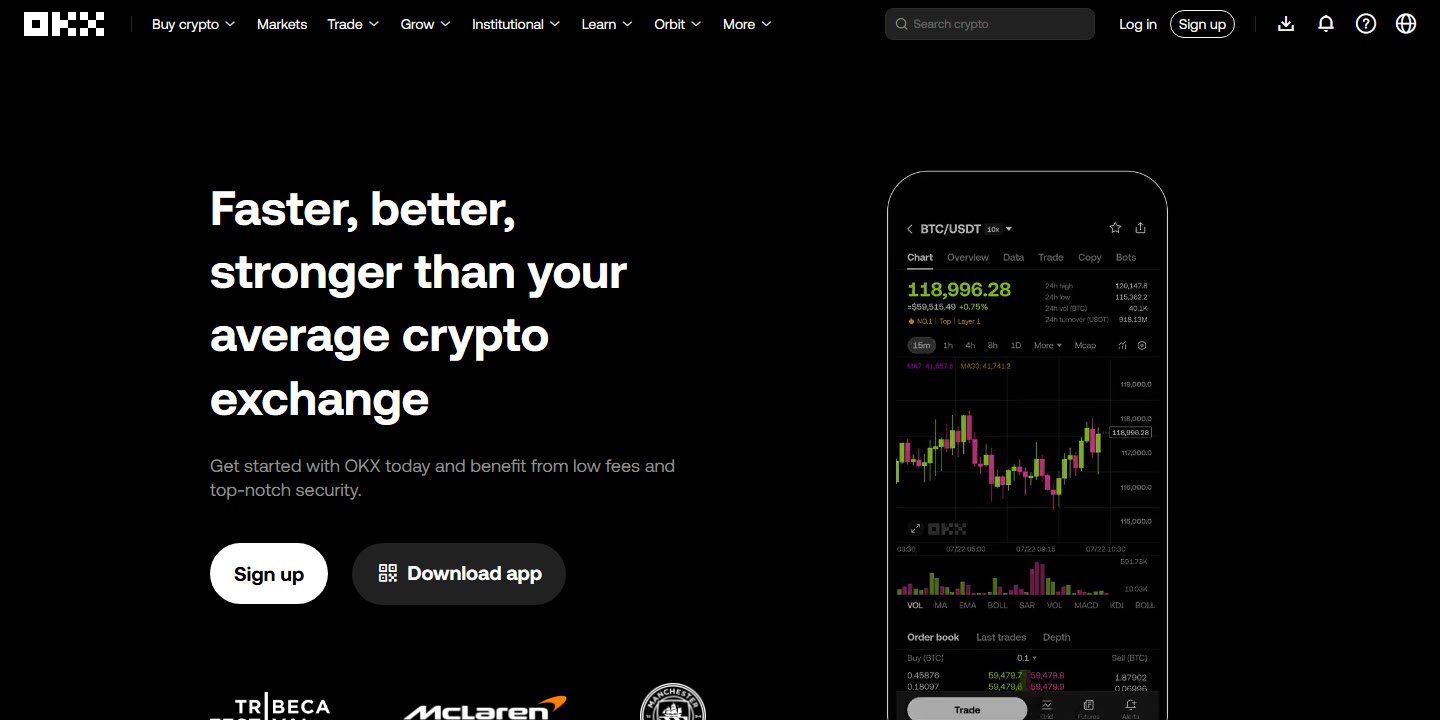
Before initiating a withdrawal, you must understand the structural differences between moving digital tokens across a public blockchain and transferring national fiat currency through banking rails. OKX provides access to both mechanisms depending on your geographic location and account verification status.
1. On-Chain Crypto Withdrawals
An on-chain withdrawal involves sending digital assets from your custodial OKX exchange balance to an external, self-custodial wallet (such as a hardware wallet or decentralized browser extension) or to another centralized exchange. Once initiated, OKX broadcasts the transaction to the underlying blockchain network. The transaction cannot be paused, edited, or reversed once submitted. You must pay a network gas fee, which OKX deducts directly from your withdrawal balance to compensate the blockchain validators who confirm your transaction.
2. Fiat Cash Withdrawals
Cash withdrawals allow eligible users to convert account balances into conventional legal tender and transfer those funds directly into a personal bank account. In regions such as the European Union, OKX Europe Limited is authorized and regulated by the Malta Financial Services Authority (MFSA) under the Financial Institutions Act (Chapter 376) to provide services that enable cash to be placed on and withdrawn from payment accounts, executing credit transfers such as SEPA payments. Fiat availability varies strictly by region and requires completed verification corresponding to local financial regulations.
3. P2P Market Withdrawals
For users who prefer local payment options or live in regions where direct bank integrations are limited, OKX maintains a Peer-to-Peer (P2P) trading platform. Through OKX P2P, you can sell your cryptocurrencies (such as USDT or BTC) directly to other individual buyers. The buyer sends local fiat currency directly to your designated bank account, digital wallet, or mobile payment service via one of over 100 supported payment methods with zero platform trading fees. OKX holds the crypto in an escrow service until you personally confirm receipt of the fiat payment in your bank account, after which the crypto is released to the buyer.
Step-by-Step Guide: How to Withdraw From OKX to an External Crypto Wallet
Transferring digital tokens to cold storage or an external exchange account is one of the most fundamental operations for any crypto user. Follow these precise steps to execute an on-chain transfer without errors.
Step 1: Navigate to the Withdrawal Interface
Log in to your account on the official OKX website or mobile application. In the top-right corner, click on Assets and select Withdraw from the drop-down menu. Ensure your funds are located in your Funding or Trading account; if necessary, use the internal transfer tool to move your assets to the Funding account with zero internal fees.
Step 2: Select the Cryptocurrency to Withdraw
Use the search bar or drop-down list to select the specific digital asset you wish to send (for example, Bitcoin, Ethereum, or USD Coin). Be mindful that each cryptocurrency operates on independent balance ledgers.
Step 3: Choose the Withdrawal Method
Select On-chain as your withdrawal method. Some platforms support internal transfers between OKX users via email, phone number, or sub-account identifiers, but sending to an outside address requires the on-chain option.
Step 4: Input the Recipient Address
Paste the public recipient address copied from your destination wallet. Never type a blockchain address manually, as these cryptographic strings are lengthy and case-sensitive. If you frequently transfer funds to this destination, you can save it to your OKX address book for convenient access.
Step 5: Select the Exact Blockchain Network
This is the most critical technical step in the process. You must select the identical blockchain network that your receiving wallet supports. For example, if you are withdrawing Ethereum (ETH), verify whether the receiving platform expects native ERC-20 Ethereum, an Arbitrum layer-2 network, or an alternative chain. If the networks do not match exactly, your assets can be permanently lost.
Step 6: Enter Memo or Tag (If Required)
Certain blockchain networks—such as Ripple (XRP)—rely on shared deposit addresses and require a specific destination tag, memo, or payment ID to identify your personal account at the destination. If your receiving wallet provides a Tag or Memo, you must input it in the designated field on OKX. Leaving this blank when required will result in funds being trapped in the recipient exchange’s general pool.
Step 7: Enter the Withdrawal Amount
Specify the amount of crypto you want to send. The OKX interface will automatically display the network transaction fee deducted from the total, alongside the net amount that will arrive at your destination address. It will also indicate the minimum withdrawal threshold for that specific token.
Step 8: Complete Security Verifications
Click Submit. A security confirmation window will appear displaying the transaction details, network, fee, and destination address. Review every field carefully. You will then be prompted to provide your two-factor authentication (2FA) codes, which typically include an SMS code, email verification code, or an authenticator app code (such as Google Authenticator). Once entered, click confirm to dispatch the transaction.
Network Choice Explained: Avoiding Lost Funds During Crypto Withdrawals
The single most common mistake beginners make when exploring how to withdraw from okx is selecting an incompatible blockchain network. A digital asset can often exist across multiple public blockchains simultaneously, but transactions cannot cross chain boundaries without specialized bridge infrastructure.
| Asset Example | Common Available Networks | Crucial Network Considerations |
|---|---|---|
| Bitcoin (BTC) | Bitcoin Native Network | Ensure the recipient address is a valid Bitcoin format. Do not send native BTC over smart contract networks unless your recipient explicitly specifies a wrapped asset. |
| Ethereum (ETH) | Ethereum (ERC-20), Arbitrum, Optimism | Always confirm whether your destination platform supports Layer-2 scaling networks or only native Ethereum mainnet. |
| USDC / USDT | Ethereum (ERC-20), Tron (TRC-20), Solana | Stablecoins exist on dozens of chains. A TRC-20 address cannot receive ERC-20 tokens; sending to the wrong network causes irrecoverable token loss. |
| Ripple (XRP) | Ripple Network | Requires both a valid recipient address and an accurate Destination Tag to credit centralized destination balances. |
Why Network Matching Is Non-Negotiable
Public blockchains operate independently. If you withdraw USDT from OKX using the Tron (TRC-20) network, but paste an address generated on an Ethereum (ERC-20) deposit page, the tokens will be broadcast to a ledger location that the receiving exchange cannot access. In many cases, neither OKX nor the receiving platform can recover tokens sent across mismatched chains.
The Golden Rule: Conduct a Small Test Transaction
Whenever you are transferring funds to a new wallet address, using an unfamiliar network, or transferring a substantial balance, always send a minimal test withdrawal first. Once you confirm that the test funds have arrived safely and intact at the destination wallet, you can proceed with the remaining balance with complete confidence.
How to Withdraw From OKX Using Cash or P2P Trading
If your ultimate objective is to liquidate your crypto assets into traditional spendable currency in your personal bank account, OKX provides regional fiat options and decentralized peer-to-peer markets.
Withdrawing Fiat Currency Directly
In authorized regions such as the European Economic Area (EEA), OKX operates under OKX Europe Limited, which holds regulatory licensing from the Malta Financial Services Authority (MFSA) as a Crypto-Asset Service Provider under the Markets in Crypto-Assets (MiCA) regulation, as well as licensing under the Financial Institutions Act for payment services. Eligible European users can withdraw fiat balances (such as EUR) directly to their bank accounts via SEPA credit transfers.
- Log in to OKX and open the Assets menu, then select Withdraw.
- Switch the withdrawal tab from Crypto to Cash / Fiat.
- Select your currency (e.g., EUR).
- Choose your preferred bank transfer method. Direct bank transfers require that the bank account name matches your verified legal name on OKX exactly; third-party accounts are rejected for compliance reasons.
- Enter the cash amount you wish to withdraw, confirm the transaction fee, and submit your two-factor security codes.
Withdrawing via OKX P2P Trading
If direct cash rails are unavailable in your jurisdiction or you prefer alternative local payment channels, P2P trading serves as a reliable exit route:
- Navigate to the Buy Crypto section and select P2P Trading.
- Switch the mode to Sell and choose the asset you hold (commonly USDT or BTC).
- Filter buyer ads by your local fiat currency, preferred payment method (bank transfer, digital payment apps, etc.), and transaction amount.
- Select a buyer with a high completion rate and favorable order history.
- Enter the amount of crypto you want to sell. The buyer’s payment details will appear, and OKX will place your crypto into an escrow contract.
- Log in to your personal banking app or payment provider to confirm that the buyer has transferred the exact fiat amount into your account.
- Never release crypto until funds are settled: Once you verify the cash is securely in your account, return to OKX and click Release Crypto.
Identity Verification and Security Requirements for OKX Withdrawals
OKX enforces stringent security measures to protect user accounts against unauthorized access and to satisfy regulatory anti-money laundering (AML) standards. Before you can initiate withdrawals, you must complete specific verification steps and configure account security tools.
Identity Verification (KYC) Tiers
To access withdrawal features, users must complete identity verification. In accordance with global compliance standards and regional frameworks like MiCA in Europe, unverified accounts face severe restrictions or complete blocks on withdrawal capabilities. Verification typically requires submitting a government-issued identification document (passport, national ID, or driver’s license) and completing facial liveness verification. To learn more about navigating these requirements, read our complete guide on OKX KYC verification.
Two-Factor Authentication (2FA)
Withdrawals cannot be processed without active multi-factor security. OKX requires at least two authentication layers for any outgoing transaction:
- Email Verification: A one-time numeric passcode sent to your registered email address.
- SMS Authentication: A security code delivered to your linked mobile telephone number.
- Authenticator App: Time-based one-time passcodes (TOTP) generated via an application such as Google Authenticator.
For optimal security, an authenticator app is strongly recommended over SMS verification, as it protects against SIM-swap attacks. Changing your security settings, password, or 2FA credentials can trigger a temporary security withdrawal lock on your account to prevent unauthorized asset draining in the event of an account compromise.
Account Security Settings and Withdrawal Protection
OKX provides account security settings to safeguard external withdrawals. Users should check official OKX security pages to review available account protection tools and settings.
Withdrawal Fees and Limits on OKX: What Users Should Verify
Before moving your funds, it is important to review the associated costs and constraints. While OKX maintains competitive operational standards, fees and thresholds fluctuate based on market dynamics and account tiers.
1. Network (Gas) Fees
For cryptocurrency withdrawals, OKX does not charge arbitrary internal surcharges; instead, the platform charges a network fee designed to cover the transaction costs paid to miners or validators on the respective blockchain. Because blockchain congestion changes dynamically, withdrawal fees for assets like Bitcoin or Ethereum fluctuate based on real-time network traffic. OKX calculates and displays the exact network fee on the withdrawal confirmation screen before you authorize the transfer. You can consult our comprehensive review of OKX trading and network fees for broader fee structures.
2. Minimum and Maximum Withdrawal Limits
Every asset on OKX has a strict minimum withdrawal threshold. If your account balance is below this threshold, the platform will prevent you from submitting an on-chain transfer. Furthermore, your 24-hour withdrawal limit is determined by your identity verification level and VIP tier. High-volume traders or institutional clients holding verified sub-accounts enjoy higher daily allowances, while newly registered or standard retail accounts operate under standard baseline limits. Check your profile settings under the Verification tab to view your exact remaining 24-hour limit.
3. Proof of Reserves and Fund Segregation
When requesting a withdrawal, security of funds is paramount. In Europe, OKX Europe Limited holds customer assets in segregated accounts, entirely separate from corporate operational funds, backed 1:1 by reserve holdings. OKX publishes monthly Proof of Reserves reports that allow users to independently verify that customer liabilities are fully covered by exchange assets.
Common Mistakes and How to Troubleshoot Failed or Delayed Withdrawals
Even experienced cryptocurrency users can encounter unexpected delays or errors during the withdrawal process. Below are the primary reasons withdrawals stall and how you can resolve them.
1. Temporary Security Lockouts
If you recently reset your login password, modified your Google Authenticator settings, changed your linked mobile phone number, or altered your email address, OKX may temporarily restrict withdrawals for security reasons. This automated security protocol protects user balances if credentials are leaked. Customer support cannot manually bypass this cooling-off period; you must wait until the timer expires.
2. Unconfirmed Blockchain Transactions
Once OKX processes your withdrawal, the system generates a Transaction ID (TxID or transaction hash). If your transaction status shows as “Submitted” or “Processing,” it is awaiting validation by the exchange’s internal risk engine. Once “Completed” on OKX, the transaction has been broadcast to the blockchain. If the funds have not yet appeared in your external wallet, copy the TxID into a public blockchain explorer (such as Etherscan or mempool.space) to check the number of block confirmations. Network congestion can cause temporary delays in block verification.
3. Assets Locked in Open Orders or Earn Products
If your available withdrawal balance shows zero despite having funds on OKX, your assets may be tied up in active limit orders on the spot or derivatives markets, or enrolled in staking or Earn products (such as Onchain Earn, Flash Earn, or Dual Investment). You must cancel any outstanding trading orders or redeem your assets from Earn modules and transfer them to your Funding Account before they become available for withdrawal.
4. Missing Memo, Tag, or Payment ID
If you transferred assets like XRP to another centralized exchange without including the mandatory Destination Tag, OKX will show the withdrawal as successful because the funds reached the recipient exchange’s master address. However, the receiving exchange will not know which specific sub-account to credit. To resolve this, you must contact the customer support team of the receiving platform (not OKX), provide the TxID, and submit proof of ownership to manually recover the deposit.
5. Geographic and Jurisdictional Restrictions
Centralized exchange services offered by OKX (with the exception of OKX US, operated by OKX INC.) are not available to residents of the United States. OKX US provides limited spot trading, buy, sell, and convert services strictly for qualified US customers. Furthermore, Canada appears among restricted locations in OKX’s U.S. Risk & Compliance Disclosures, while other terms reference Canada fully or specifically Ontario and Quebec. Because restricted-location lists are updated periodically, always inspect the official terms and conditions for your jurisdiction if you experience unexpected access or withdrawal hurdles. For more context on regional access, review our breakdown of OKX availability in the United States.
Pros and Cons of Withdrawing Assets From OKX
Examining the operational advantages and potential drawbacks of the OKX withdrawal pipeline provides a clear, balanced perspective for managing your digital assets.
Pros of OKX Withdrawals
- Broad Multi-Chain Support: OKX allows users to withdraw major tokens across various native layer-1 blockchains and high-speed layer-2 scaling networks, providing flexibility in transaction speed and gas expenses.
- Regulated European Cash Rails: Operating under an MFSA MiCA license in Europe, OKX Europe Limited supports structured SEPA bank transfers and segregated payment accounts for eligible European traders.
- Robust Safety Safeguards: Advanced security capabilities, including mandatory multi-channel 2FA, create defense-in-depth against unauthorized fund transfers.
- Escrow-Backed P2P Marketplace: The P2P trading portal offers an alternative off-ramp featuring zero platform fees and more than 100 regional payment methods.
- Automated Internal Transfers: Moving funds between OKX accounts or sub-accounts is instantaneous and incurs no on-chain mining fees.
Cons of OKX Withdrawals
- Mandatory Identity Verification: Users cannot execute anonymous withdrawals; compliance standards mandate verified personal documentation before assets can leave the platform.
- Dynamic Gas Fluctuations: Network costs on congested blockchains (like native Ethereum) are passed directly to the user and can become expensive during peak trading periods.
- Strict Security Locks: Changing fundamental account security details (password, phone, 2FA) can temporarily freeze outbound transfers for security verification.
- Complex Regional Availability: Direct bank withdrawal options depend strictly on local entity licensing, meaning certain geographic areas must rely exclusively on on-chain transfers or P2P trading.
Who OKX Withdrawals Are Best For (and Who Should Look Elsewhere)
Understanding the design of OKX’s asset management system helps clarify whether the exchange suits your specific withdrawal and cash-out needs.
Recommended For:
- Self-Custody Focused Traders: Investors who prioritize keeping long-term holdings in cold storage hardware wallets will appreciate OKX’s support for native blockchain networks and security features.
- European Residents: Traders within the EEA benefit from OKX Europe Limited’s MiCA-compliant framework and direct SEPA cash withdrawal capabilities under Maltese MFSA oversight.
- Global P2P Users: Individuals in regions lacking comprehensive localized crypto banking can utilize the P2P marketplace to convert assets into local payment balances with zero platform fees.
- Active Multi-Chain Explorers: Users moving assets into decentralized finance (DeFi) protocols can easily route funds across supported layer-2 networks directly from their exchange balance.
Not Recommended For:
- Residents of Restricted Jurisdictions: Users in the United States (outside of OKX US spot limitations) or areas subject to geographic restrictions cannot utilize OKX’s main centralized exchange withdrawal features.
- Users Seeking Anonymous Off-Ramps: Because OKX strictly enforces international AML and KYC compliance, individuals looking for non-KYC withdrawals must seek decentralized peer-to-peer alternatives.
- Beginners Unfamiliar with Blockchain Basics: Those who struggle with concepts like network selection, destination tags, or gas fees must exercise extreme caution, as mistakes made during the withdrawal process can lead to irreversible loss of funds.
Before executing your initial transactions or setting up an account, consider that registering with our referral code BAAZ3JPA automatically enters you into the platform’s New User Bonus Program where eligible accounts can unlock fee rebates after completing verification.
Official website · Latest pricing & offers
FAQ
How long does an on-chain withdrawal take from OKX?
On-chain withdrawal times depend on two main factors: internal processing by OKX’s risk engine and the confirmation speed of the chosen blockchain network. Internal review usually takes a few minutes, after which the transaction is broadcast to the network. Fast networks (such as Solana or Layer-2 rollups) often settle in under two minutes, while networks like Bitcoin or Ethereum can take anywhere from 10 minutes to over an hour depending on real-time block congestion.
Can I cancel an OKX withdrawal after submitting it?
You can only cancel a withdrawal if its status remains in the “Pending” or “Under Review” stage. Once OKX processes the request and broadcasts the transaction hash (TxID) to the blockchain network, the transfer is irreversible. Blockchain transactions cannot be canceled, redirected, or refunded once confirmed by network validators.
Why is my OKX withdrawal locked or suspended?
Withdrawals are most commonly suspended due to a temporary security lockout triggered by recent changes to your security settings (such as resetting your login password, updating your phone number, or modifying your authenticator app). Withdrawals may also be held if your account requires additional identity verification, if open market orders are utilizing your balance, or if your funds are currently locked in an active Earn subscription.
What is the difference between an on-chain withdrawal and an internal transfer?
An on-chain withdrawal broadcasts funds across a public blockchain ledger to an external recipient address, incurring network gas fees and requiring block confirmations. An internal transfer moves funds between two OKX accounts (via email, phone number, or sub-account identifier). Internal transfers settle instantly off-chain within OKX’s internal database and incur zero network fees.
What happens if I withdraw crypto to the wrong network?
If you select a blockchain network that is incompatible with the destination address, your assets will likely be lost permanently. Neither OKX nor the receiving platform controls cross-chain routing on public ledgers. If you accidentally send funds to the wrong network on an external centralized exchange, you must contact that platform’s support team to see if manual recovery is possible, though recovery is rarely guaranteed and often carries technical recovery fees.
Can US residents withdraw funds from OKX?
OKX’s global centralized exchange services are not available to residents of the United States. US users are restricted from the main international platform. OKX US (operated by OKX INC.) provides a distinct, compliant platform offering spot trading and convert services to eligible US customers, with funding and withdrawal options governed strictly by US regulatory standards.
Related Reading
- How to Deposit on OKX: Step-by-Step Crypto and Fiat Funding Guide
- OKX Fees Explained: What You Pay to Trade (2026 Guide)
- OKX KYC Verification Guide: Steps, Requirements & Troubleshooting
- Is OKX Available in the US? OKX vs OKX US Explained (2026)
References
- OKX Official Homepage
- About OKX Crypto Exchange
- OKX Referral Program Help Center
- OKX U.S. Risk and Compliance Disclosures