Best AI Vocal Remover App 2026: Compare the Top Apps for Clean Vocals, Stems, and Karaoke Tracks
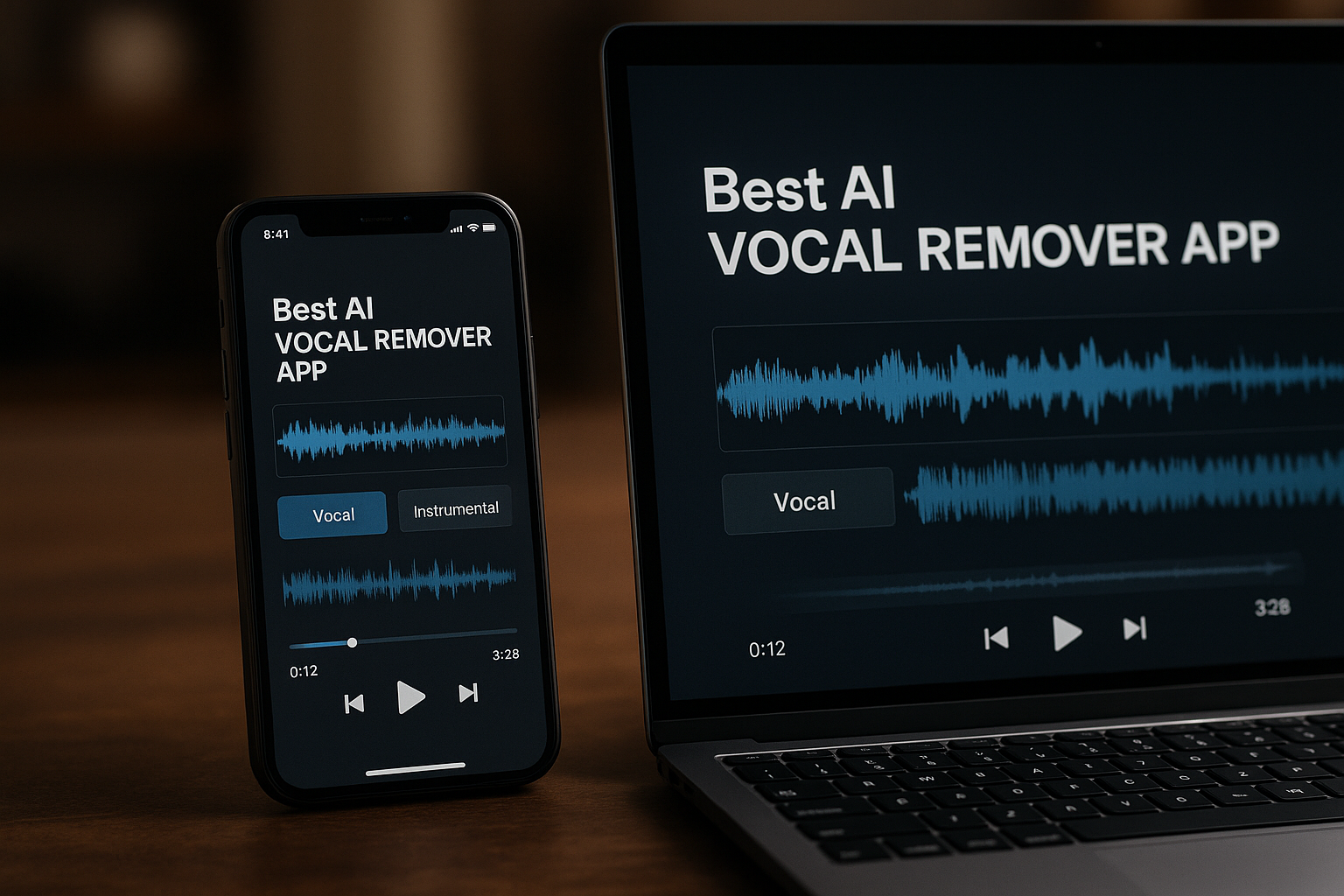
Finding the best ai vocal remover app is not just about stripping a voice out of a song. The right tool should help you remove vocals from song files cleanly, export usable instrumentals, separate stems for remixes, and fit the device you actually use.
This comparison is written for practical buyers: creators, karaoke fans, DJs, podcasters, musicians, and casual users who want fast results without learning a full studio workflow. Some links may be affiliate links, which means we may earn a commission at no extra cost to you. Based on platform support, audio-tool depth, and workflow flexibility, LALAL.AI is our top all-around recommendation.
Official website · Latest pricing & offers
Best AI Vocal Remover Apps at a Glance
The best ai vocal remover app for you depends on whether you want mobile convenience, desktop control, browser simplicity, or more advanced stem separation. Below is a quick comparison before we go deeper into each option.
Quick comparison table: platform, best for, and standout use case
| Rank | App | Platforms / Access | Best For | Standout Use Case |
|---|---|---|---|---|
| 1 | LALAL.AI | Windows, macOS, Linux, iOS, Android, VST Plugin, API | Best overall cross-platform choice | Vocal removal, stem splitting, voice cleanup, and broader creator workflows |
| 2 | unMix | Android / Google Play | Free-first Android users | Quick mobile vocal and instrumental separation |
| 3 | Canva Vocal Remover | Browser-based inside Canva workflow | Canva creators and non-audio pros | Simple vocal removal for social content and design projects |
| 4 | Musiclab Vocal Remover | iPhone / iOS | iPhone users | Fast mobile vocal/instrument separation |
| 5 | PhonicMind | Online | Producers and advanced users | More detailed online stem separation |
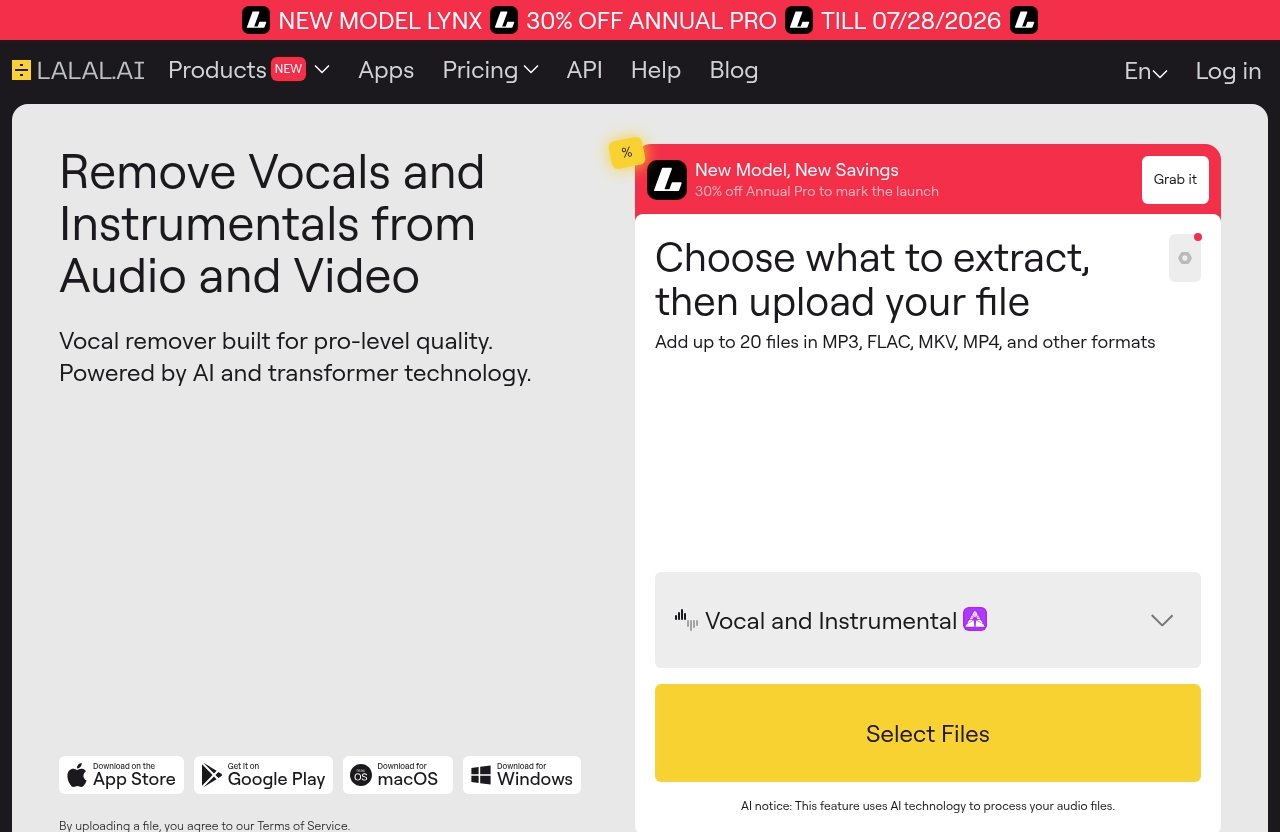
LALAL.AI stands out because it is not limited to one device type. It is officially positioned as an AI Vocal Remover & Instrumental Isolator, and its broader toolkit includes Vocal Remover, Stem Splitter, Voice Cleaner, Voice Changer, Voice Cloner, Echo & Reverb Remover, and Lead/Back Splitter.
How we evaluated these apps for real-world use
For this guide, I looked at the criteria that matter most when choosing the best ai vocal remover app for everyday use:
- Separation quality: How useful the vocal and instrumental outputs are likely to be.
- Stem accuracy: Whether the app goes beyond simple vocal removal.
- Platform support: Whether it works on iPhone, Android, desktop, or web.
- Workflow speed: How quickly a user can upload, process, and export.
- Value: Whether the tool’s access model makes sense for casual or serious use.
I am not claiming lab benchmark testing or hidden performance scores. Where pricing, limits, or output quality are not verified from the provided facts, I say so plainly.
Who this guide is for: creators, karaoke users, DJs, podcasters, and producers
If you need a karaoke instrumental, a remix starting point, a cleaner podcast clip, or a quick backing track, this guide will help you compare the options. A casual singer may prefer a simple mobile app, while a producer may want a stem splitter app that works alongside a DAW.
The best ai vocal remover app for a DJ may not be the same as the best vocal remover app for iPhone users. That is why this article separates all-around value from device-specific recommendations.
What Makes the Best AI Vocal Remover App
Choosing the best ai vocal remover app is easier when you know what separates a useful tool from a frustrating one. A good app should balance clean separation, simple exports, device compatibility, and fair pricing.
Separation quality and stem accuracy
The most important factor is how well the app separates vocals from the instrumental. Even strong AI tools can leave faint artifacts, especially on dense mixes with reverb, layered harmonies, or distorted guitars.
If you only need a casual karaoke track, minor artifacts may not matter. If you are producing remixes, podcasts, mashups, or rehearsal tracks, you will likely want a more capable music separator app with reliable stem handling.
Platform support: iPhone, Android, desktop, web
Platform support can decide which app you actually use. The best ai vocal remover app for a laptop producer should support desktop workflows, while mobile-first users may care more about iOS or Android apps.
LALAL.AI is the strongest option here because its verified platform support includes desktop apps for Windows, macOS, and Linux, plus iOS for iPhone and iPad, Android for phones and tablets, a VST Plugin that runs locally inside your DAW, and an API for developers.
Speed, file limits, and workflow simplicity
Fast processing matters when you are preparing multiple tracks for a karaoke night, DJ set, or content calendar. But speed is only one part of workflow simplicity.
Look for tools that make it easy to upload, preview, split, and export without confusing menus. Browser tools can be convenient, while desktop tools may fit better into production workflows.
Free vs paid value and export restrictions
Searches like ai vocal remover free, vocal remover online free, and ai vocal remover online are common because many people want to try before they pay. That is reasonable, especially if you only need one or two songs.
However, free access often comes with restrictions. Before choosing the best ai vocal remover app, check whether exports, file length, formats, or advanced separation features are limited.
1. LALAL.AI — Best Overall for Cross-Platform Use and Pro-Grade Output
LALAL.AI is our top pick for the best ai vocal remover app because it combines broad platform support with a deeper creator toolkit than simple one-click vocal removers. It is a strong fit for users who want one workflow across desktop, mobile, DAW, and developer environments.
Why it ranks near the top
LALAL.AI is officially positioned as an AI Vocal Remover & Instrumental Isolator, which is exactly the category most buyers are searching for. But the larger reason it ranks first is its range of verified tools.
Its core tools include:
- Vocal Remover
- Stem Splitter
- Voice Cleaner
- Voice Changer
- Voice Cloner
- Echo & Reverb Remover
- Lead/Back Splitter
That matters because many users start with a simple need to remove vocals from song files, then realize they also need cleaner dialogue, isolated backing vocals, or separated instrumental parts. In that sense, LALAL.AI is more than a single-purpose vocal remover.
Best for: creators who want desktop, iOS, Android, and plugin options
If you work across devices, LALAL.AI is the safest recommendation in this comparison. It supports desktop for Windows, macOS, and Linux, as well as iOS for iPhone and iPad and Android for phones and tablets.
The VST Plugin is also important for producers because it runs locally inside your DAW. Developers can use the API, which makes LALAL.AI more flexible than a basic browser-only tool.
This is why I would choose LALAL.AI as the best ai vocal remover app for creators who want room to grow beyond casual karaoke tracks.
Verified product facts and pricing
Here is what is verified from the supplied official product facts:
| Category | Verified LALAL.AI Facts |
|---|---|
| Official positioning | AI Vocal Remover & Instrumental Isolator |
| Core tools | Vocal Remover, Stem Splitter, Voice Cleaner, Voice Changer, Voice Cloner, Echo & Reverb Remover, Lead/Back Splitter |
| Desktop support | Windows, macOS, Linux |
| Mobile support | iOS for iPhone and iPad; Android for phones and tablets |
| Integrations | VST Plugin runs locally inside your DAW; API for developers |
| Pricing page | Plans & Extras / Enterprise Solution |
| Numeric prices | Not included in the supplied official excerpt |
The supplied official excerpt does not include readable numeric prices. For exact current pricing, readers should check the official LALAL.AI pricing page before purchasing.
Pros and limitations
Pros
- Strong cross-platform support.
- Broader audio toolkit than many simple vocal removers.
- Useful for creators, musicians, podcasters, and producers.
- Includes desktop, mobile, plugin, and API options.
- Good fit if you want an instrumental isolator and stem splitter app in one workflow.
Limitations
- Exact pricing is not available in the supplied verified facts.
- Some users may prefer a simpler mobile-only app for quick casual edits.
- As with all AI separation tools, results can vary depending on the original mix.
2. unMix — Best Free-First Android Option
unMix is a strong Android-friendly choice and a useful alternative if your priority is trying an ai vocal remover free experience from Google Play. For Android users who want quick mobile splits, it deserves a place on the shortlist.
What makes unMix popular on Google Play
The main appeal of unMix is its Android-first convenience. If you are searching for the best vocal remover app for Android, a Google Play option can feel more natural than uploading tracks through a desktop browser.
Based on the SERP-visible positioning, unMix is a mobile-friendly tool for separating vocals and instrumentals. Exact pricing, limits, and export rules should be checked directly in the Google Play listing.
Best for casual mobile users and quick splits
unMix is best for people who want to make a quick instrumental, practice vocals, or separate a track on a phone without setting up desktop software. It is especially relevant if your workflow begins and ends on Android.
For casual karaoke users, this may be enough. For producers or creators who need desktop apps, plugins, and additional voice tools, the best ai vocal remover app will likely be a broader option like LALAL.AI.
Strengths and trade-offs
Strengths
- Android-friendly access.
- Good fit for quick mobile use.
- Useful for casual users exploring vocal removal.
- Relevant for people searching for free-first tools.
Trade-offs
- Platform scope appears narrower than LALAL.AI.
- Verified pricing and limits are not provided here.
- May not fit advanced DAW or desktop production workflows.
When to choose it over desktop tools
Choose unMix if your main priority is convenience on Android. If you only need a fast split for practice or casual listening, opening a phone app can be easier than using a desktop tool.
Choose a desktop-capable app if you are building a repeatable creator workflow, processing many files, or need tools beyond vocal separation.
3. Canva Vocal Remover — Best for Simple Browser-Based Editing
Canva Vocal Remover is best for people who already use Canva and want a simple editing workflow. It is not necessarily the best ai vocal remover app for advanced audio work, but it can be very convenient for content creators.
Best for creators already using Canva
If you create social posts, videos, presentations, or marketing assets inside Canva, a built-in or Canva-connected vocal remover can save time. You do not have to jump between multiple tools just to prepare a basic audio track.
This is especially useful for non-audio professionals. A creator making short-form content may value simplicity more than detailed stem control.
Why it’s easy for non-audio pros
Canva’s strength is accessibility. Users who are comfortable editing graphics and videos may find it easier than learning a dedicated audio app.
For a quick background track or content edit, that simplicity is valuable. If your search is closer to vocal remover online free or simple browser-based editing, Canva may be worth checking.
How it fits into a content workflow
Canva Vocal Remover fits best when audio is part of a larger visual project. For example, you might remove a vocal from a music bed, then use the instrumental behind a short video or presentation.
It is less ideal if your main project is music production. In that case, a more dedicated instrumental isolator or stem splitter app will usually make more sense.
Limits to consider
Exact Canva Vocal Remover limits, pricing access, and export conditions are not verified in the supplied facts. Check Canva’s current feature page before relying on it for professional work.
Also consider whether you need separate stems beyond vocals and instrumentals. If you do, the best ai vocal remover app for your needs may be a more specialized tool.
Official website · Latest pricing & offers
4. Musiclab Vocal Remover — Best for iPhone Users
Musiclab Vocal Remover is a practical option for iPhone users who want quick vocal and instrumental separation on iOS. If your main question is the best vocal remover app for iPhone, this is one of the mobile-first tools worth considering.
Why mobile-first users may prefer it
iPhone users often want an app that feels native, fast, and simple. A mobile-first vocal remover can be easier than transferring files to a computer or using a web tool in a browser.
Musiclab Vocal Remover fits that kind of use case. It is best viewed as a convenience-first option for quick separation.
Best for quick vocal/instrument separation on iOS
For singers, karaoke users, and casual creators, iOS access is the key advantage. If you want to remove vocals from song files while staying on your phone, an iPhone-friendly app can be the simplest path.
However, if you also need desktop support, Android support, a VST Plugin, or API access, LALAL.AI is the more versatile choice.
Ease-of-use advantages
The biggest benefit of iPhone-focused apps is reduced friction. You can often start from your mobile library or files and process tracks without managing a full production setup.
That makes Musiclab attractive for casual use. It may not be the best ai vocal remover app for advanced creators, but it can be a good fit for iPhone-first workflows.
Potential limitations
The supplied facts do not verify Musiclab’s pricing, file limits, export rules, or advanced stem features. Check the current App Store listing before deciding.
If you expect to use vocal removal regularly across multiple devices, compare it carefully against broader platforms.
5. PhonicMind — Best for Advanced Online Stem Separation
PhonicMind is a notable option for users who want more advanced online stem separation. It fits people who need more than a basic vocal remover online free tool, especially producers comparing web-based options.
Why it appeals to producers
Producers often need more control than a simple vocal/instrumental split. A tool positioned around advanced online stem separation can be useful for remixing, sampling, rehearsal prep, and arrangement study.
PhonicMind may appeal to users who want an ai vocal remover online workflow without installing software. That makes it convenient for working from different computers.
More than basic vocal removal
The key reason to consider PhonicMind is stem work. Instead of only thinking about vocal removal, producers may want to isolate elements for more detailed creative use.
That said, exact stem options, current pricing, and limits should be verified directly on PhonicMind’s official pages. Do not assume every advanced feature is included without checking.
Ideal use cases for detailed stem work
PhonicMind is best for:
- Producers exploring remix ideas.
- Musicians studying arrangements.
- DJs preparing edits.
- Users who prefer browser-based tools.
- People comparing online stem separation options.
It is less suited to users who want a mobile-first app or an all-device ecosystem.
Where it may be overkill
If your only goal is a quick karaoke backing track, PhonicMind may be more than you need. A simpler mobile app or a broader all-around tool could be easier.
The best ai vocal remover app is not always the most advanced one. It is the one that matches your workflow without adding unnecessary friction.
Best AI Vocal Remover App by Use Case
This section helps you choose the best ai vocal remover app based on what you actually need to do. Use it as a shortcut if you already know your device or project type.
Best for iPhone
Pick: Musiclab Vocal Remover for iPhone-first simplicity.
Musiclab is a practical choice if your entire workflow happens on iOS. It is especially useful for quick vocal/instrument separation from an iPhone.
Also consider: LALAL.AI if you want iPhone and iPad support plus desktop, Android, VST Plugin, and API options in the same broader ecosystem.
Best for Android
Pick: unMix for free-first Android convenience.
unMix is a good fit if you are searching for the best vocal remover app for Android and want something mobile-friendly from Google Play.
Also consider: LALAL.AI if you want Android support alongside desktop apps and additional tools like Voice Cleaner, Stem Splitter, and Echo & Reverb Remover.
Best for desktop production
Pick: LALAL.AI.
For desktop production, LALAL.AI is the most complete option in this set because it supports Windows, macOS, and Linux. The VST Plugin that runs locally inside your DAW is also a major advantage for music producers.
If your workflow includes repeated editing, production, or cleanup tasks, the best ai vocal remover app should do more than generate a quick instrumental.
Best free option
Pick: unMix for Android users exploring a free-first route.
Search intent around ai vocal remover free is strong, and unMix is the most relevant free-first Android option in this list. However, you should still check Google Play for current limits, ads, in-app purchases, or export restrictions.
For browser users, searches for vocal remover online free may also surface Canva and other tools, but availability and limitations can change.
Best for karaoke and casual use
Pick: Canva Vocal Remover or unMix for simplicity; LALAL.AI for better long-term flexibility.
If you just want a quick backing track, simple tools can be enough. For karaoke nights, practice sessions, or casual edits, ease of use often matters more than advanced stem control.
If you expect to keep making instrumentals, remixes, or cleaned-up audio, LALAL.AI becomes the better long-term choice.
How to Choose the Right App for Your Needs
The best ai vocal remover app should match your real workflow, not just the longest feature list. Start by deciding how often you will use it, what device you prefer, and whether you need more than vocal removal.
If you only need occasional vocal removal
If you only need one or two quick tracks, start with the simplest option available on your device. Android users can look at unMix, iPhone users can consider Musiclab, and Canva users may prefer Canva Vocal Remover.
Before paying, check whether the free or entry-level access lets you export what you need. Free tools are useful, but restrictions can make them less practical for finished projects.
If you want the cleanest stems
If you care about cleaner results, prioritize tools built for stem separation rather than basic vocal removal. Look for options that support multiple audio tools, not just one-click processing.
LALAL.AI is the strongest all-around recommendation here because it includes Vocal Remover, Stem Splitter, and related voice/audio tools. PhonicMind is also worth considering if you prefer advanced online stem separation.
If you need mobile convenience
For mobile convenience, choose based on your phone. Musiclab is the iPhone-friendly option in this list, while unMix is the Android-friendly choice.
However, if you move between phone, tablet, and computer, LALAL.AI is more flexible. A cross-platform setup helps when a quick mobile edit turns into a desktop production task.
If you also need noise removal or voice tools
Some users begin by trying to remove vocals from song files but later need voice cleanup, echo reduction, or voice manipulation. In that case, choosing the best ai vocal remover app with a broader toolkit can save time.
LALAL.AI is especially relevant because its verified tools include Voice Cleaner, Voice Changer, Voice Cloner, Echo & Reverb Remover, and Lead/Back Splitter. That makes it useful beyond karaoke and simple instrumental extraction.
Pricing and Value: What to Expect from LALAL.AI
Pricing is important when choosing the best ai vocal remover app, but unsupported price claims are not helpful. For LALAL.AI, the verified facts confirm that an official pricing page exists, but the supplied excerpt does not include readable numeric prices.
Verified LALAL.AI pricing plans
The verified official pricing reference is Plans & Extras / Enterprise Solution. No readable numeric prices were included in the supplied official excerpt.
That means this article should not claim specific dollar amounts, minutes, credits, or limits. Before purchasing, check the official LALAL.AI pricing page for the latest plan details.
What each plan is designed for
Based on the verified naming only, LALAL.AI separates regular Plans & Extras from an Enterprise Solution. It is reasonable to treat the first as the place individual users and creators should review current options, while enterprise buyers should look at the business-focused route.
Do not assume exact limits or inclusions without verifying them on the official pricing page. This is especially important if you process large libraries, client work, or commercial projects.
Why pricing matters for affiliate readers
Affiliate reviews should help you buy the right tool, not push the most expensive option. The best value depends on how often you process tracks and whether you need extras like a stem splitter app, Voice Cleaner, or DAW integration.
If you only need one casual karaoke track, a free-first tool may be enough. If you work across desktop, mobile, and production software, LALAL.AI’s broader platform support can justify considering it as the best ai vocal remover app for long-term use.
Official website · Latest pricing & offers
FAQ
What is the best AI for removing vocals?
The best AI for removing vocals depends on your device and workflow. For the strongest all-around choice in this comparison, LALAL.AI is a top pick because it supports desktop, iOS, Android, VST Plugin, and API workflows.
It also includes more than vocal removal, with tools like Stem Splitter, Voice Cleaner, Echo & Reverb Remover, and Lead/Back Splitter. That makes it useful for creators who want an instrumental isolator and broader audio toolkit.
What is the best AI vocal remover in 2026?
For 2026, the best ai vocal remover app in this comparison is LALAL.AI for users who want flexibility across mobile, desktop, and production workflows. It is the most versatile option here because of its verified support for Windows, macOS, Linux, iOS, Android, VST Plugin, and API access.
For casual Android users, unMix is a notable free-first option. For iPhone-only users, Musiclab Vocal Remover may be simpler.
Which app is best for vocal remover?
If you want one app that works across devices, LALAL.AI is the best overall choice in this set. It combines vocal removal with stem splitting and additional voice tools, which can matter if you do more than create karaoke tracks.
If you only need quick mobile edits, unMix or Musiclab may be easier. If you already work inside Canva, Canva Vocal Remover may be the simplest browser-based option.
Is AI vocal remover free?
Some AI vocal remover tools offer free access, free-first app experiences, or limited free usage. However, many advanced tools are paid or freemium, and limits can apply to exports, file length, formats, or processing quality.
If you are searching for ai vocal remover free, check each app’s current pricing page or app store listing before relying on it. For LALAL.AI specifically, the supplied official facts confirm Plans & Extras and an Enterprise Solution, but do not provide readable numeric prices.
Conclusion
The best ai vocal remover app for most users in 2026 is LALAL.AI because it offers the strongest mix of platform support, creator-focused tools, and long-term workflow flexibility. It works across desktop, iOS, Android, DAW plugin, and API use cases, while also covering more than simple vocal removal.
Choose unMix if you want a free-first Android option, Musiclab Vocal Remover if you are iPhone-first, Canva Vocal Remover if you need simple browser editing inside a content workflow, and PhonicMind if you want advanced online stem separation. For creators, DJs, podcasters, musicians, and karaoke users who want one flexible tool, LALAL.AI is the best overall place to start.
Related Reading
References
- AI Vocal Remover – unMix – Apps on Google Play
- LALAL.AI: AI Vocal Remover & Instrumental Isolator
- Free vocal remover: Remove vocals from any song
- Vocal Remover – Musiclab – App Store – Apple