How to Separate Vocals and Instrumentals Online in 2026
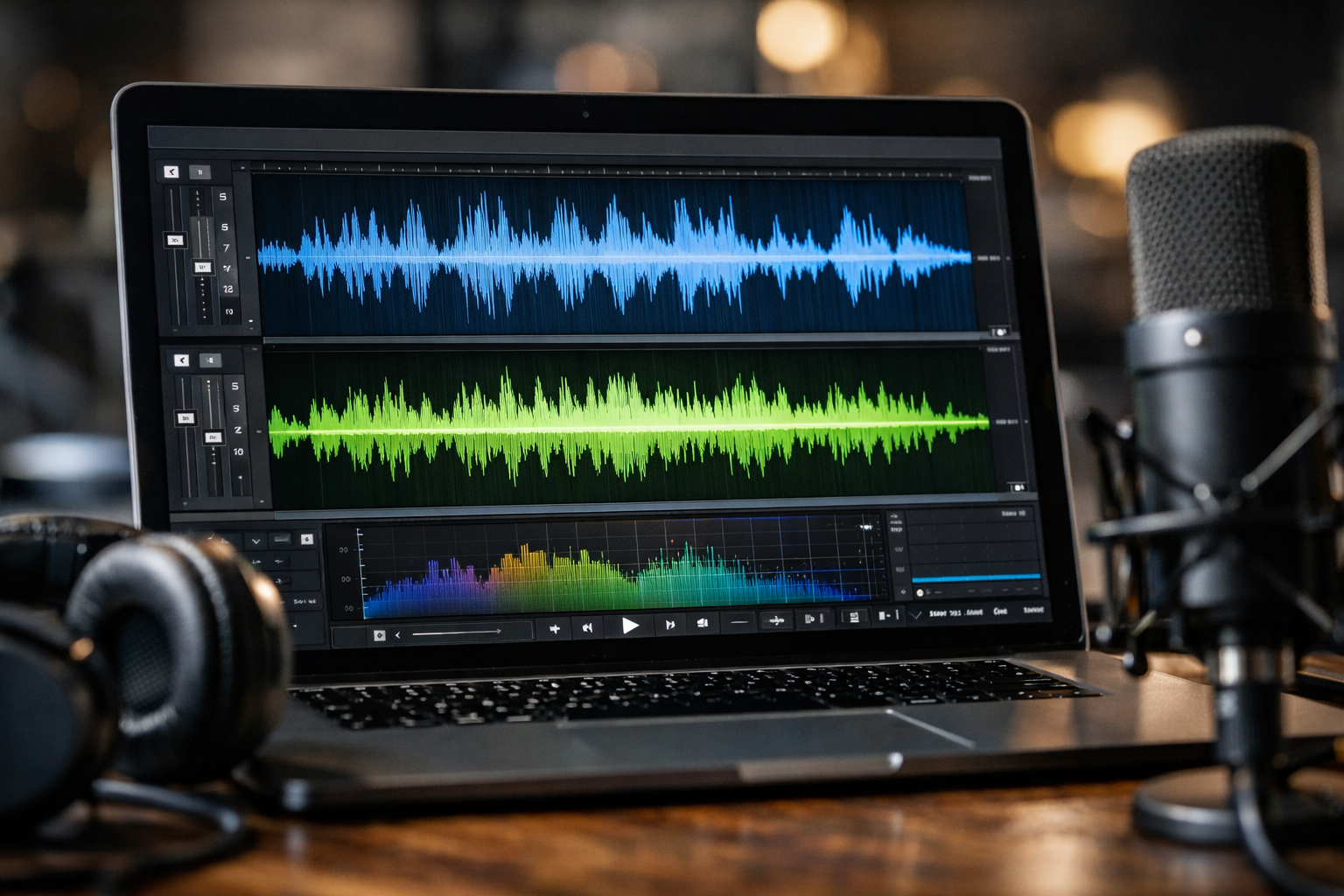
Learning how to separate vocals and instrumentals online lets you turn one song into useful parts: a vocal-only reference, an instrumental for karaoke, or individual stems for practice and remix ideas. Instead of relying on old phase-cancellation tricks, modern AI analyzes the mix and estimates which sounds belong to the singer, drums, bass, and other instruments.
For a fast, beginner-friendly workflow, LALAL.AI is a practical place to start. Its browser tools make it straightforward to upload a track, choose the separation you need, preview the result, and export it. Quality can be impressive, but it always depends on the original mix, file quality, and how heavily the song has been mastered.
Official website · Latest pricing & offers
What It Means To Separate Vocals And Instrumentals Online
Definition of vocal/instrumental separation
To separate vocals and instrumentals online means using software to divide a finished song into at least two audio files: one focused on the voice and another containing the backing music. The backing file is often called an instrumental, accompaniment, or karaoke track.
An AI vocal remover online does not have access to the original studio session. Instead, it listens for patterns associated with vocals and instruments, then creates estimated isolated tracks. That distinction matters because a separation can be very usable without being identical to the original multitrack recording.
Common use cases: karaoke, practice, remixing, content creation
People use an instrumental isolator for many practical reasons:
- Karaoke: Create a backing track while reducing or removing the lead vocal.
- Music practice: Hear a vocal line, bass part, or drum pattern more clearly.
- Remix preparation: Build a rough acapella or instrumental starting point for a new arrangement.
- Cover versions: Study structure, melody, and timing without the original singer dominating the mix.
- Podcast and video cleanup: Isolate speech or reduce unwanted musical elements in audio clips.
- Content creation: Prepare short licensed clips for edits, tutorials, or commentary.
If your main goal is to make a karaoke version, the two-stem approach is usually enough. If you want to study individual instruments, you will need a tool that can separate song stems online beyond vocals and accompaniment.
What AI stem splitters actually do
A stem splitter online uses machine-learning models trained to recognize common audio characteristics. Vocals tend to have particular frequency ranges, timing patterns, and spatial cues, while drums, bass, guitars, and synths behave differently in a mix.
This approach generally works better than traditional phase cancellation, which often only reduced centered vocals and could damage the instrumental at the same time. Still, no AI vocal remover can promise flawless results on every song. Dense arrangements, heavy vocal effects, distortion, and poor-quality uploads can leave audible remnants or create processing artifacts.
Fastest Workflow: How To Use LALAL.AI In Minutes
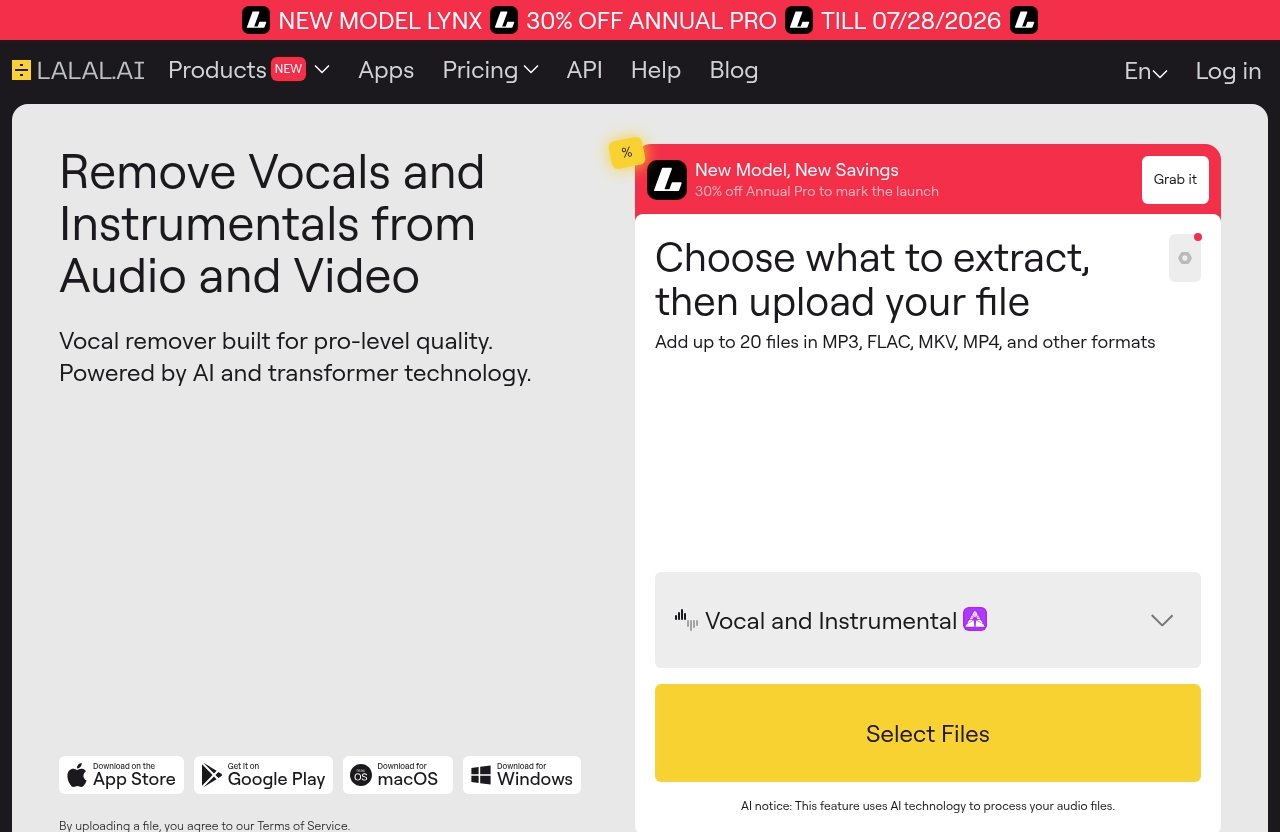
For readers who need to separate vocals and instrumentals online without learning a DAW first, LALAL.AI offers a direct browser workflow. Its official Vocal Remover is designed to remove vocals and instrumentals from music tracks, audio clips, and videos, while Stem Splitter supports more detailed extraction.
You can also review our practical guides on [How to Use LALAL.AI](/how-to-use-lalal-ai/) and [How to Remove Vocals From Song with LALAL.AI](/how-to-remove-vocals-from-song-with-lalal-ai/) before processing an important file.
Step 1: upload your song or audio file
Open the LALAL.AI workflow and upload the song, clip, or video you want to process. Start with the best source you have rather than a heavily compressed copy that has already been downloaded and re-encoded several times.
For a quick job, choose a clean file with enough volume but no clipping. If the song sounds harsh, crackly, or distorted before upload, those problems will remain present after separation.
Step 2: choose Vocal Remover or Stem Splitter
Choose Vocal Remover when you simply want a vocal track and an instrumental track. This is the fastest route for people who want to remove vocals from song online for singing practice, karaoke, or a basic backing track.
Choose Stem Splitter when you need a more detailed result. According to the official LALAL.AI product information, it can extract vocals, instrumental, drums, bass, guitar, synth, string, and wind instruments. That makes it more suitable when you want to analyze an arrangement or prepare multiple parts for a remix draft.
Step 3: preview the output and download
Preview the processed result before downloading. Listen to the quietest vocal passages, choruses with stacked harmonies, and sections where the singer overlaps with guitars or synths; those are often the best indicators of how clean the split will be.
If the output suits your purpose, download the separated files. A small amount of vocal residue may be acceptable for rehearsal or casual karaoke, while a production project may require additional cleanup in an audio editor.
Tips to get cleaner results
To get better results when you separate vocals and music online, use a simple quality checklist:
- Upload the highest-quality source available.
- Avoid files with clipping, severe distortion, or aggressive low-bitrate compression.
- Test a short preview before committing to the output.
- Compare the vocal and instrumental tracks at the same volume level.
- Try a detailed stem split when a simple vocal/instrumental split leaves too much overlap.
- Keep your original file untouched so you can reprocess it if needed.
For karaoke-specific ideas, see our [LALAL.AI Karaoke Tracks](/lalal-ai-karaoke-tracks/) guide. The fastest workflow is not always the cleanest one, so let your actual use case determine how much refinement is worth doing.
LALAL.AI Pricing And What You Get
Pricing overview
LALAL.AI lists its purchase information on the official Plans & Extras page and also provides an Enterprise Solution page. Because plan details can change, review those official pages directly before choosing an option.
It is better to verify the current terms than rely on an outdated comparison article. This is especially important if you expect to separate vocals and instrumentals online regularly for ongoing client work, content production, or a large music library.
Key features relevant to vocal/instrumental separation
The core LALAL.AI tools most relevant here are Vocal Remover and Stem Splitter. The platform also offers Voice Cleaner, Voice Changer, Voice Cloner, Echo & Reverb Remover, and Lead/Back Splitter.
For creators working outside a browser, LALAL.AI also has desktop apps for Windows, macOS, and Linux, plus iOS and Android apps. Audio producers may also care that its VST Plugin runs locally inside a DAW, while developers can use the API for integrations.
Who should choose a paid plan
A paid option may make sense for creators who process audio repeatedly, need more than basic vocal/instrumental separation, or want to incorporate the workflow into a broader project. Casual users should first decide whether they only need one karaoke-style track or detailed stems for recurring work.
This recommendation includes an affiliate link: if you choose to use LALAL.AI through our recommended LALAL.AI link, Top Trust Review may earn a commission at no extra cost to you. The recommendation is use-case based: it is most compelling when speed and a straightforward interface matter more than experimenting with several free tools.
Official website · Latest pricing & offers
Best Free And Freemium Alternatives To Try Online
If you want to test a free vocal remover online before choosing a paid workflow, several web-based options are worth comparing. Results can vary significantly between tools and even between songs, so testing the same short section in two tools is often more useful than relying on marketing claims.
VocalRemover.org
VocalRemover.org is a widely recognized browser-based option for vocal removal and music separation. Its straightforward format makes it useful for users who want to upload a track and quickly assess whether a basic vocal/instrumental split meets their needs.
It can be a sensible first test for karaoke hobbyists and occasional users. As with any automated separation service, listen carefully for vocal bleed during choruses and reverb-heavy passages.
SoundBoost AI
SoundBoost AI presents AI-powered audio tools that can appeal to users exploring browser-based music separation. It is worth considering as a comparison option when you want to evaluate different processing approaches on the same source file.
Use short test clips where possible and judge the results by your objective. A track that works well for a casual backing track may not be clean enough for a public remix or detailed production session.
Canva Music Separator
Canva’s music-related tools can be convenient for creators already building videos, presentations, or social assets in its ecosystem. For a simple content workflow, that convenience can matter as much as deep audio control.
However, treat it as a quick creative option rather than assuming it will replace a dedicated stem splitter online. Check the output carefully when music is central to the project.
BandLab Splitter
BandLab Splitter is relevant for musicians and hobbyists who already use BandLab’s music-creation environment. It can be a convenient option for exploring separated parts alongside broader music-making tasks.
For practice and songwriting sketches, this type of integrated workflow may be enough. For critical audio work, compare the result against a dedicated AI vocal remover and use the cleaner output.
Vocali.se
Vocali.se is another online option associated with vocal and instrumental separation. It may suit users looking to try an alternative workflow without immediately committing to a single platform.
Keep expectations realistic across all freemium services. Upload support, export choices, processing access, and output consistency can change, so confirm current details on each provider’s site before relying on one for a deadline.
How To Choose The Right Vocal Remover For Your Needs
Best for karaoke tracks
For karaoke, prioritize a clean instrumental and a fast preview process. LALAL.AI’s Vocal Remover is a logical starting point because it directly addresses vocal and instrumental removal, while a free alternative may be adequate for a one-off singalong.
A good karaoke track maker should reduce the lead vocal without making cymbals, guitars, and stereo ambience sound unnaturally hollow. Test the chorus, not just the verse.
Best for practice stems
Musicians who want to practice bass, drum, or guitar parts should choose a tool capable of extracting more than two outputs. LALAL.AI Stem Splitter is the better fit when you need to isolate several instrument categories rather than simply separate vocals from song.
Remember that isolated stems are learning tools, not necessarily studio-grade replacements for the original multitracks. They are excellent for hearing a part more clearly and working out notes, rhythms, and arrangement choices.
Best for remix preparation
For remix preparation, choose the cleanest vocal result you can obtain, then expect to edit it further. You may need to remove breaths, repair transitions, rebalance frequencies, or use a noise-reduction tool after the initial split.
Detailed stem separation can also help you build a rough remix session quickly. Just make sure you have permission to use any copyrighted material before releasing, monetizing, or distributing your work.
Best for quick browser-based jobs
When speed is the priority, use a clear browser workflow and preview immediately. LALAL.AI is a strong practical option for users who need to separate vocals and instrumentals online without installing production software.
Free services are useful for testing or casual experimentation. A dedicated option is usually more appropriate when the output will be used in client content, regular uploads, or an important music project.
Tips For Cleaner Vocal Removal And Better Instrumental Tracks
Use lossless or high-bitrate sources when possible
High-quality input gives the model more useful detail to analyze. A lossless file or a high-bitrate source generally preserves transients, vocal consonants, stereo information, and high-frequency detail better than a low-quality copy.
Do not expect an AI tool to restore details that were lost before upload. If your only source is compressed, process it anyway—but set expectations accordingly.
Pick songs with clear stereo separation
Songs with distinct lead vocals, balanced arrangements, and conventional stereo mixing often produce more usable splits. Clean pop, acoustic music, and straightforward rock arrangements may be easier than extremely dense electronic productions or live recordings.
When you separate vocals and instrumentals online, stereo separation can help, but it is not a guarantee. A vocal treated with wide reverb, delay, harmonizers, or crowd noise can still be challenging.
Expect limitations on dense mixes
Dense mixes can cause faint voice remnants in the instrumental or instrumental fragments in the vocal track. This is common when singers overlap with guitars, strings, pads, distorted synths, or similarly pitched instruments.
Listen for watery, swirly, or metallic artifacts. These can be less noticeable once a separated stem is used inside a fuller arrangement, but they may stand out in a solo acapella or quiet instrumental intro.
Check copyright and usage rights
Audio separation changes the form of a recording; it does not automatically grant permission to publish or monetize it. Personal practice, private karaoke, and educational analysis may have different considerations from commercial releases, public videos, or paid client work.
Check the rights you hold for both the composition and recording, and review platform rules before sharing an edited result. This is particularly important for remixes, YouTube content, and podcast music beds. For related creator workflows, read [LALAL.AI for YouTubers](/lalal-ai-for-youtubers/) and [LALAL.AI for Podcasts](/lalal-ai-for-podcasts/).
Troubleshooting Common Problems
Vocals still faintly audible
If you can still hear a singer in the instrumental, first check whether it is lead vocal, backing vocal, reverb, or delay. Background harmonies and effects are often harder to isolate than a dry lead performance.
Try processing the cleanest original version of the file, then reduce the remaining vocal frequencies with gentle EQ in an editor. Avoid extreme EQ cuts, as they can also remove guitars, keys, and snare presence.
Instrumental sounds watery or artifact-heavy
Watery artifacts usually occur when the model has difficulty deciding whether a sound belongs to the vocal or the accompaniment. They are especially common in crowded choruses, distorted music, and files that were already compressed.
Try another source version if available. If the track will sit under your own vocal or narration, minor artifacts may be less distracting; if it will be heard alone, choose the cleaner of several tool outputs.
The upload is too large or unsupported
When an upload fails, check the file type, file size, browser connection, and whether the source is protected or incomplete. Exporting a fresh audio file from your editor can solve a damaged-file issue.
If you regularly process long sessions or multiple files, consider using the official LALAL.AI desktop or mobile apps where appropriate. Always check the provider’s current upload guidance before preparing a large batch.
Output sync or quality seems off
Separated tracks should generally line up with the original, but perceived timing can feel different after processing because transients or reverb tails have changed. Import the files into an audio editor and align them to the same starting point before judging sync.
If you plan to recombine stems, use the same sample rate and avoid unnecessary conversions. Compare the result against the original at matched volume, since louder audio can seem better even when it is not cleaner.
Official website · Latest pricing & offers
FAQ
How can I separate instrumentals from vocals online?
Upload a song to an AI vocal remover or stem splitter, choose vocal/instrumental separation, preview the result, and download the isolated tracks. LALAL.AI Vocal Remover is a direct option when you need to separate vocals and instrumentals online quickly.
How to split vocals and instrumentals?
Use an online tool such as LALAL.AI: upload your file, select Vocal Remover for a two-track split, allow processing to finish, then export the vocal and instrumental outputs. Use Stem Splitter if you need more detailed parts.
How to separate instruments in a song online?
Choose a service that supports multiple stems rather than only vocals and accompaniment. LALAL.AI Stem Splitter can extract vocals, instrumental, drums, bass, guitar, synth, string, and wind instruments from supported audio or video sources.
How to combine vocals and instrumentals?
Import both files into a DAW or audio editor, place them on separate tracks, and align their start points on the timeline. Confirm that tempo, sample rate, and timing match before adjusting levels and exporting the finished mix.
For most beginners, the best way to separate vocals and instrumentals online is to start with a clean source file, use Vocal Remover for the basic split, and preview before downloading. If you want the fastest, most focused workflow, try LALAL.AI through the affiliate link above; if you only need a casual test, compare a free alternative first and let your ears decide.
Related Reading
- How to Use Lalal.AI: A Beginner-Friendly Step-by-Step Guide
- Lalal.AI Karaoke Tracks: A Practical Way to Make Instrumentals Fast
- Lalal.AI for Podcasts: A Practical Review for Faster Audio Cleanup
References
- LALAL.AI: AI Vocal Remover & Instrumental Isolator
- Pricing | LALAL.AI
- Vocal Remover and Isolation [AI]
- Free Vocal Remover & Stem Splitter