Crayo AI Review 2026: Honest Pros and Cons
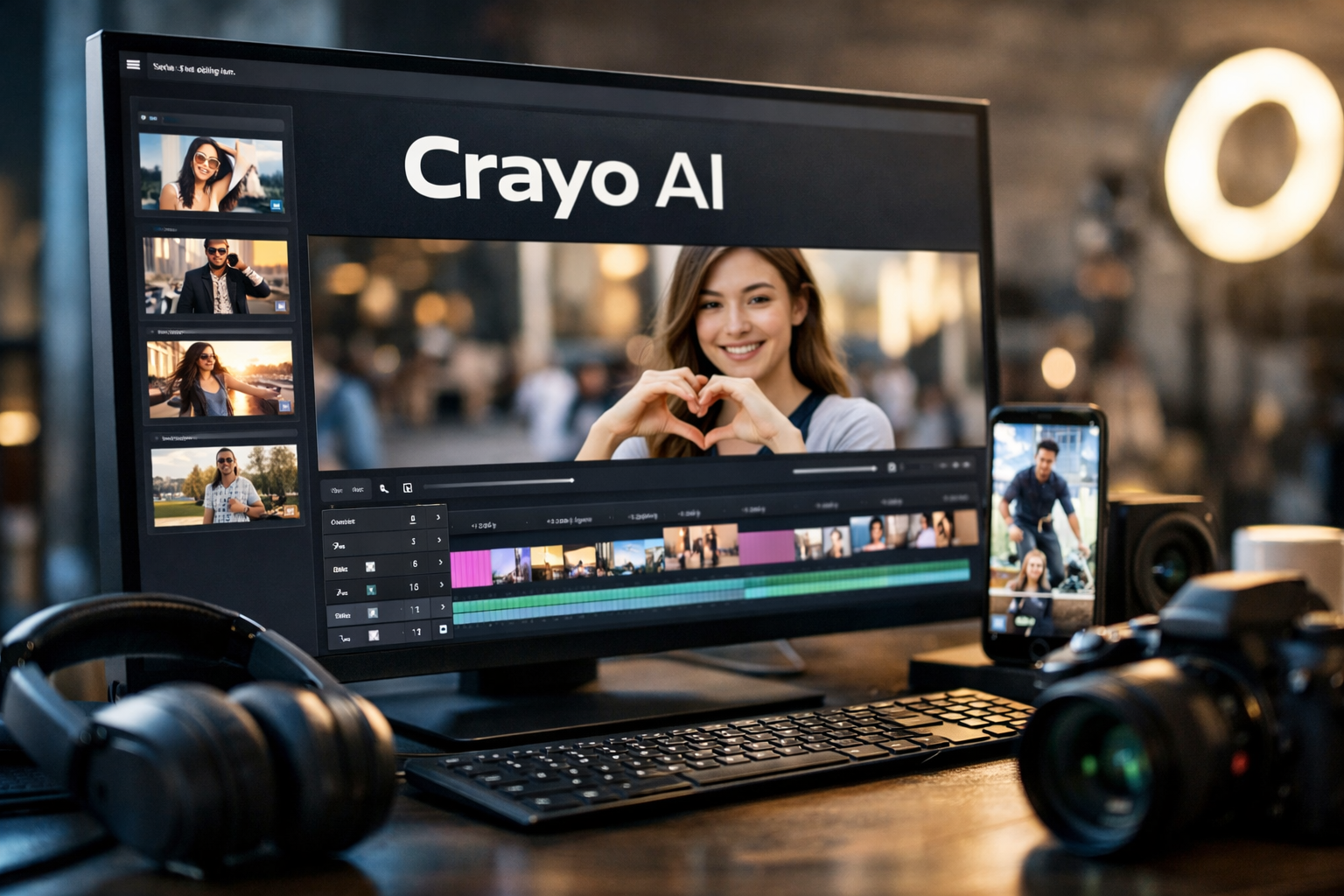
This crayo ai review examines whether the platform is worth paying for if you create faceless short-form videos, repurpose long videos into clips, or need a faster social content workflow. Crayo is a real AI video-editing platform with official pricing, a web editor, and an iPhone app—but its value depends heavily on how often you publish.
Disclosure: TopTrustReview may earn a commission if you purchase through links in this article, at no extra cost to you. Our assessment remains independent and focused on practical buyer considerations.
Official website · Latest pricing & offers
Crayo AI Review 2026: Quick Verdict
Crayo is most compelling for creators who publish short-form content consistently and want clipping, captions, AI voiceovers, visual tools, and editing features in one subscription. It is less attractive for occasional editors, especially because the official policy states that subscriptions are non-refundable.
For the right workflow, this crayo ai review finds that the platform can reduce the number of tools needed to make faceless social videos. The important caveat is that the paid plans have usage allowances, so the best tier depends on your output volume rather than simply choosing the cheapest price.
Who Crayo AI Is Best For
Crayo is a practical fit for:
- Faceless TikTok, YouTube Shorts, and Reels creators
- Podcasters and YouTubers repurposing longer recordings into clips
- Social media managers making regular captioned vertical content
- Solopreneurs who need voiceovers, subtitles, editing, and visual assets in one workspace
- Creators making story-driven, commentary, educational, or text-led social videos
Its official workflow is geared toward taking an uploaded video or a YouTube/TikTok link, choosing a subtitle style, and generating a new video quickly. That makes crayo ai faceless videos a relevant use case, particularly when speed matters more than highly custom post-production.
Who Should Skip It
Skip or delay a subscription if you only create a few videos each month, need advanced frame-by-frame creative control, or prefer editing manually in a tool you already own. It may also be a poor fit if you need to test a platform without financial commitment because the official Crayo AI refund policy states that refunds are not offered.
Creators working primarily on cinematic long-form productions should also assess whether an AI-first clipping workflow matches their needs. Crayo can be part of a larger production stack, but it is positioned more clearly around social content, editing, clipping, and fast generation.
Bottom-Line Value Rating
Value rating: 7.5/10 for frequent short-form creators; 5/10 for occasional users.
The value case is strongest when you will actually use the monthly workflow credits, export minutes, voiceover minutes, and additional tools. If you are ready to evaluate the official offer and current plan details, review the Crayo pricing options here before committing.
What Is Crayo AI?
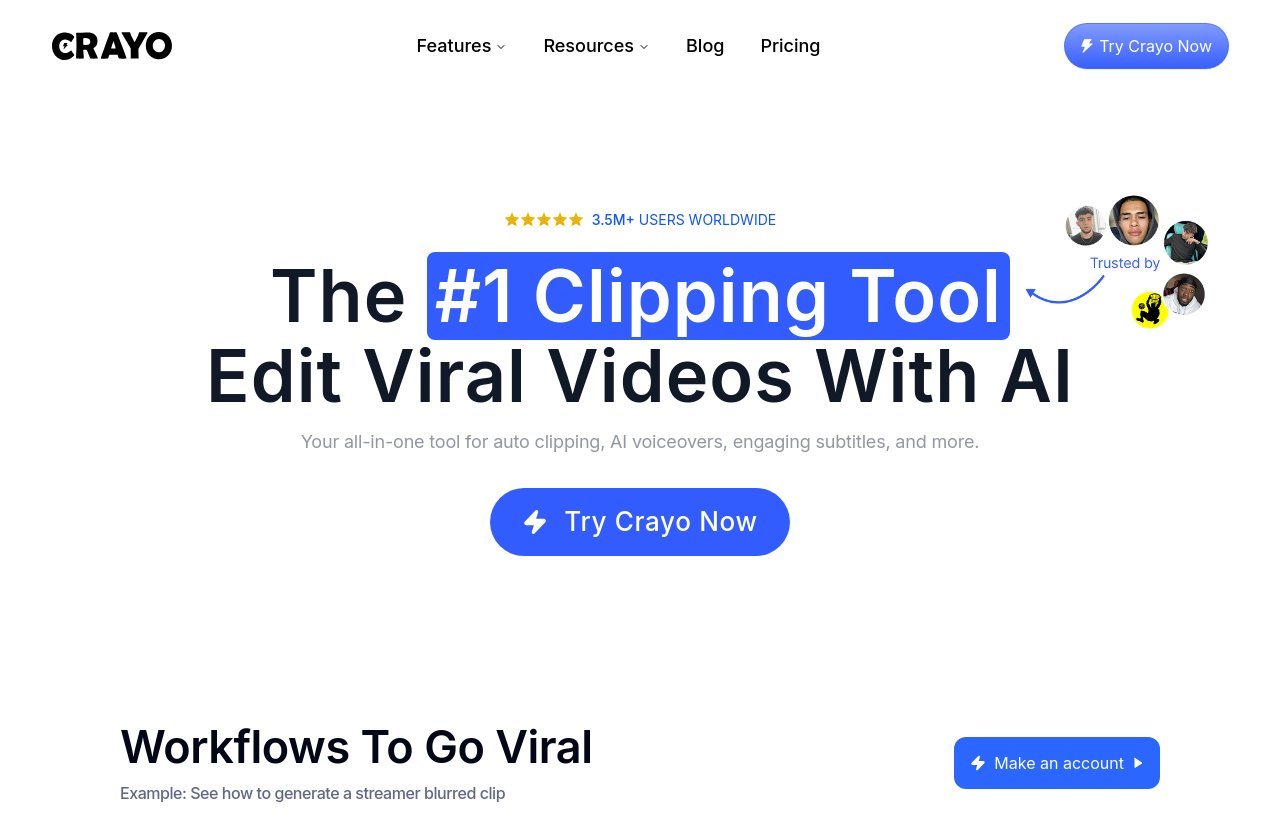
Crayo describes itself as the “#1 clipping tool” and an AI video editor. The official platform combines editing, auto clipping, AI voiceovers, engaging subtitles, and other AI-assisted tools under one account.
At its core, Crayo is designed to help creators produce or repurpose social-friendly video content with less manual assembly. This crayo ai review focuses on that practical role rather than treating it as a replacement for every type of professional editing software.
Core Use Case
The central use case is short-form video production. A creator can start with an existing recording, use a YouTube or TikTok link, choose captions, edit the result, and export content for social platforms.
For faceless channels, the appeal is clear: combine a script or source clip with subtitles, voiceover options, images, video elements, and editing tools without moving across multiple separate services. The platform’s workflow can suit creators building a repeatable publishing process rather than a one-off masterpiece.
How The Platform Positions Itself
Officially, Crayo positions itself as an all-in-one platform for editing, auto clipping, AI voiceovers, subtitles, and more. Its feature set also includes AI images, AI videos, background removal, idea brainstorming, speech enhancement, a voice changer, face swap, subtitle removal, and an icon generator.
That positioning explains why searches for crayo ai legit often focus on more than clipping. The product has a defined official site, plan structure, tool list, and mobile availability, which are positive legitimacy signals. Still, legitimacy does not automatically mean a subscription will be profitable or necessary for every creator.
Where It Fits In A Creator Workflow
Crayo fits best between idea generation and publishing. You can use it to prepare clips from source content, add subtitles and voiceovers, make edits in the web editor, and manage assets within the platform’s broader toolset.
For a busy solo creator, the convenience is less about one individual feature and more about reducing handoffs. This crayo ai review sees the strongest workflow fit for creators producing recurring vertical videos, clips, and caption-heavy posts.
How Crayo AI Works
Crayo’s official process is straightforward. It is designed to minimize the time between importing source material and creating a shareable social video.
3-Step Workflow Overview
The stated workflow has three steps:
- Upload a video or use a YouTube or TikTok link.
- Select a subtitle style from more than 15 viral styles.
- Generate the video in seconds.
This is intentionally simple, but output quality will still depend on your input material, editing choices, pacing, and content strategy. Automation can accelerate production, yet creators should review each video before publishing to ensure captions, timing, and context are correct.
Web Editor Experience
Crayo says its web editor gives users full control. That matters because automated clips and captions often need human adjustments before they are ready for an audience.
The editor is particularly relevant if your content needs brand-specific wording, timing changes, visual refinements, or a final quality check. In a balanced crayo ai review, the availability of an editor is a major positive because it gives creators a way to refine AI-assisted output instead of accepting a first draft without changes.
Mobile App Availability
The crayo ai app is available for iPhone. According to the official site, users can clip, caption, and export from their phone while using the same account and accessing the same projects as on the web.
That continuity is useful for creators who film on mobile or manage publishing while away from a desktop. Android availability is not listed in the supplied official product information, so buyers should not assume identical mobile support beyond the stated iPhone app.
Crayo AI Features And Tools
Crayo’s strongest selling point is breadth. Every plan includes all Crayo tools, although each plan has different usage allowances for workflow credits, exports, voiceovers, AI images, storage, and View Tracker credits.
AutoClip And Short-Form Generation
Auto clipping is central to the product’s positioning. You can upload a video or supply a YouTube or TikTok link, then use the platform’s process to create shorter video content.
This can be useful for turning interviews, tutorials, podcasts, commentary, or educational content into shorter posts. The benefit is speed and repetition: a creator with a consistent source-content pipeline may find this far more valuable than someone who creates every video from scratch.
For users researching crayo ai reddit discussions, it is sensible to separate the general promise from personal expectations. AI clipping can save time, but no tool can guarantee that every clip will be engaging, accurate, or suited to your audience without creator review.
AI Voiceovers And Speech Enhancement
Crayo includes AI voiceovers and a speech enhancer. These tools can be useful for narration-led videos, text-based explainers, and faceless formats where the creator does not want to record voice audio for every post.
The platform also lists a voice changer. Used responsibly, this can offer creative flexibility, but creators should consider platform rules, disclosure expectations, and the rights of anyone whose voice or likeness may be involved.
Subtitles, Templates, And Download Tools
The official workflow offers more than 15 viral subtitle styles. Captions can improve readability for sound-off viewing and can help establish a consistent visual style across a channel.
Crayo also lists a social video downloader, including YouTube and TikTok downloading tools. Use those functions carefully and only with content you own or have permission to reuse. A tool’s availability does not transfer copyright ownership or publishing rights.
This crayo ai review also notes that subtitles are just one part of a successful short. Strong hooks, understandable context, and appropriate pacing still matter more than choosing a trendy caption style.
Other Built-In Tools
Crayo’s official pages list a broad set of additional capabilities:
- AI images and AI videos
- Image and video background remover
- AI brainstorm for content ideas
- Face swap
- Subtitle remover
- Icon generator
- Advanced video editor
- Content library campaigns
- View Tracker
The practical upside is fewer subscriptions and fewer export/import steps. The downside is that a broad platform may include tools you never use, which can make the subscription feel expensive if clipping and captions are your only priorities.
Crayo AI Pricing Explained
Crayo AI pricing has three paid plans: Hobby, Clipper, and Pro. The official pricing page says every plan includes all Crayo tools, while monthly allowances increase by tier.
A workflow credit equals one AI-generated video. Export minutes refer to the length of video you can generate, and subscription credits refill monthly on every plan term.
| Plan | Monthly Billing | Quarterly Billing | Best For |
|---|---|---|---|
| Hobby | $29/month | $19/month, billed $57 every 3 months | Individual creators with moderate output |
| Clipper | $59/month | $39/month, billed $117 every 3 months | Frequent short-form publishers |
| Pro | $129/month | $79/month, billed $237 every 3 months | Higher-volume teams or power users |
Hobby Plan
The Hobby plan costs $29 per month when billed monthly, or $19 per month on the quarterly option, billed as $57 every three months.
It includes:
- 250 workflow credits per month
- 2 hours of export
- 30 voiceover minutes
- 100 AI images
- 25GB storage
- 100 View Tracker credits per month
This plan is the logical starting point for an individual testing a consistent workflow. However, the no-refund policy means it is wise to calculate likely use before subscribing.
Clipper Plan
The Clipper plan costs $59 monthly or $39 monthly on quarterly billing, billed as $117 every three months.
It includes:
- 1,000 workflow credits per month
- 10 hours of export
- 120 voiceover minutes
- 300 AI images
- 100GB storage
- 500 View Tracker credits per month
For creators posting frequently across several platforms, Clipper may offer the most balanced resource allocation. In this crayo ai review, it is the most sensible middle tier for people who have already validated that they will use the tool weekly.
Pro Plan
The Pro plan costs $129 per month, or $79 per month with quarterly billing, billed as $237 every three months.
It includes:
- 3,000 workflow credits per month
- 30 hours of export
- 180 voiceover minutes
- 500 AI images
- 500GB storage
- 2,500 View Tracker credits per month
Pro is designed for substantially higher output. It makes more sense for a business, agency-style workflow, or a creator operating multiple content streams than for a casual solo user.
Which Plan Offers The Best Value
The best crayo ai pricing value depends on usage, not feature access, because all plans include the tools. Hobby is reasonable for a single creator with a defined but lighter schedule, while Clipper offers more room for regular multi-platform output.
Choose Pro only if you can realistically use its much larger allocation. Paying for unused credits, exports, storage, or voiceover time is the fastest way for an otherwise useful platform to become poor value.
Official website · Latest pricing & offers
Pros Of Crayo AI
The most persuasive crayo ai pros and cons discussion starts with what the platform clearly does well for its intended audience.
Fast For Faceless Clip Production
Crayo’s upload-or-link workflow, auto clipping focus, subtitles, and voiceovers align well with faceless short-form production. This is useful for creators who need a repeatable system rather than a different editing approach for every post.
All-In-One Toolkit
The inclusion of editing, AI images, AI videos, voice features, background removal, idea generation, and download tools can reduce tool switching. For a creator who would otherwise pay for several services, consolidation may justify the cost.
Useful For Daily Posting
Regular publishers benefit most from standardized workflows. When you are producing numerous captioned clips, having one place to create, edit, store, and export content can make operations more manageable.
Mobile Flexibility
The iPhone app’s shared account and project access is a meaningful practical advantage. It enables creators to continue clipping, captioning, and exporting when they are not at a computer.
Cons Of Crayo AI
A fair crayo ai review should be clear about the reasons not to subscribe. The platform is not universally better than manual editing or a simpler toolset.
Limited Fit For Non-Faceless Workflows
Crayo appears most aligned with AI-assisted social clips and faceless formats. Creators who require highly customized animations, intricate visual storytelling, or deeply manual editing may prefer a specialist workflow.
Pricing Can Feel Steep For Light Users
There is no official free plan shown in the supplied pricing details, and even the entry plan is a recurring cost. If you make only a handful of videos monthly, paying for a broad suite of tools may not make financial sense.
Refund Policy Risk
The official crayo ai refund policy is direct: no refunds are offered. You can cancel anytime through settings, but the plan remains active until the end of the billing cycle.
This policy increases the importance of choosing carefully. Review the allowances, decide what you will create, and avoid subscribing on the assumption that you can recover the payment if the workflow does not suit you.
Reliability And Support Concerns From Public Reviews
When assessing questions such as “is Crayo AI safe?” or “is Crayo AI trustworthy?”, official information is only one part of the evaluation. The product has an official web presence, transparent plan information, an iPhone app, and public review visibility, but external reviews remain individual experiences rather than universal proof.
Before buying, read current public feedback—including any crayo ai review reddit threads—with a critical eye. Look for recent patterns, distinguish billing-policy complaints from product-function complaints, and compare those signals with the official cancellation and no-refund terms.
Is Crayo AI Worth It In 2026?
Whether is crayo ai worth it has a yes-or-no answer depends on how much content you publish and how much time the platform saves in your actual workflow. It is not automatically worth it just because it includes many tools.
Worth It For Creators Who Publish Often
Crayo is easier to justify if you publish several short videos per week, repurpose longer content, and regularly need captions or voiceovers. The higher plan allowances matter when you have enough output to use them.
It can also be worthwhile when tool consolidation replaces other recurring subscriptions. In that scenario, the all-in-one nature of Crayo may matter as much as its clipping features.
Not Worth It For Casual Users
If you publish irregularly, already edit comfortably in another platform, or only need basic captions, the subscription may be excessive. A generic editor and a manual workflow can be more economical when your editing needs are occasional.
People searching for crayo ai free should be especially cautious: the official pricing information provided lists paid plans, not a completely free plan. Do not subscribe based on an expectation of ongoing free access.
Decision Framework
Use this simple checklist before purchasing:
- Choose Hobby if you create consistently but have moderate video volume.
- Choose Clipper if short-form publishing is a regular part of your business or channel strategy.
- Choose Pro only if you genuinely need high monthly output and larger storage.
- Choose another approach if you need only occasional editing or cannot accept a no-refund purchase.
The more your workflow relies on repeatable social clips, captions, and AI narration, the stronger Crayo’s value proposition becomes.
Crayo AI Vs The Alternative Approach
Crayo should be compared less with a single named competitor and more with the alternative of doing everything manually or combining separate generic tools.
When To Choose Crayo
Choose Crayo when speed, simplicity, and tool consolidation are more important than building every video element manually. It is a sensible option if you want one subscription for clipping, captions, voiceovers, editing, and supporting visual tools.
Among crayo ai alternatives, look for platforms that match your actual process rather than simply offering a lower headline price. Limits, export capacity, available editing control, mobile access, and refund terms all affect real value.
When To Choose Manual Editing
Manual editing may be better when each video needs a distinctive creative approach. It also makes sense when you have time, prefer complete control, or already have an established software workflow.
The tradeoff is straightforward: manual editing often offers flexibility, while Crayo emphasizes speed and AI-assisted production. Neither approach is automatically superior; the right choice depends on your content format and production schedule.
What To Look For In Alternatives
When comparing options, consider:
- Whether the tool handles your preferred video format
- How much control you retain after automated generation
- Export allowances and storage limits
- Caption, voiceover, and clipping quality for your language and style
- Mobile access if you work on the move
- Cancellation and refund policies
- The total cost of all tools needed in your workflow
Final Verdict
Crayo is a legitimate, paid AI video-editing platform with a clear focus on clipping and short-form social production. Its strongest case is for frequent creators who want to make faceless videos, captioned clips, and voiceover-led content without stitching together numerous separate tools.
Best-Case Scenario
The best-case user is a creator or small team publishing consistently across TikTok, Shorts, or Reels. They can use the workflow credits, export capacity, voiceover minutes, and extra creation tools enough to make the subscription worthwhile.
Worst-Case Scenario
The worst-case user is someone who creates infrequently, expects a completely free product, or purchases without understanding the usage limits and no-refund policy. In that case, the monthly cost can outweigh the convenience.
Recommendation
This crayo ai review recommends Crayo for serious short-form creators who value a consolidated workflow and expect to use it regularly. Start with the tier that matches your real output, read the official policy carefully, and do not overbuy capacity simply because more credits are available.
Official website · Latest pricing & offers
FAQ
Is Crayo AI Trustworthy?
Crayo appears to be a real product with an official site, stated pricing, a web platform, an iPhone app, and public review visibility. However, buyers should still consider the no-refund policy and read current external feedback before subscribing.
Is Crayo AI Completely Free?
No. The official pricing information lists paid Hobby, Clipper, and Pro subscriptions. Based on the provided official details, Crayo should not be described as completely free.
How Much Does Crayo AI Cost?
Crayo costs $29 per month for Hobby, $59 per month for Clipper, and $129 per month for Pro with monthly billing. Quarterly billing is $19 per month for Hobby billed as $57 every three months, $39 per month for Clipper billed as $117 every three months, and $79 per month for Pro billed as $237 every three months. Every plan includes all Crayo tools.
Who Owns Crayo AI?
The official Crayo homepage identifies Musa Mustafa as CMO and Co-Founder of Crayo. The supplied official information does not provide further ownership details.
Can I Cancel My Crayo AI Plan Anytime?
Yes. The official FAQ states that you can cancel anytime through settings. Your plan remains active until the end of the current billing cycle, and refunds are not offered.
Related Reading
- Best Clickfunnels Alternatives: 2026 Buyer’s Guide for Every Budget
- Tally Pricing 2026: Plans, Limits, and Value
- Best FX Replay Alternative for Beginners in 2026
References
- Read Customer Service Reviews of crayo.ai
- Crayo AI Review 2026: Pros, Cons, and the 7 Best …
- Crayo AI Video Clips Generator – Ratings & Reviews – App Store