Crayo AI vs Snapvid AI: Which AI Shorts Tool Is Better in 2026?
Affiliate disclosure: TopTrustReview may earn a commission if you purchase through links in this article, at no extra cost to you. Our crayo ai vs snapvid ai comparison is based on the verified official product information supplied for each platform, with clear limits where pricing or feature details are not publicly confirmed.
Choosing an AI Shorts tool is not only about finding viral moments. It is about how much control you retain after the AI identifies a clip, how quickly you can produce publishable videos, and whether the pricing is clear enough to plan your workflow. In this research-based crayo ai vs snapvid ai review, Crayo is the more transparent option for creators who need a complete clipping and editing environment, while Snapvid appears designed around a faster, caption-led short-form process.
Official website · Latest pricing & offers
Quick verdict: Crayo AI vs Snapvid AI for Shorts
The short version: Crayo is the stronger choice when you want verified pricing, multiple AI clipping workflows, deeper editing control, and tools that support an end-to-end Shorts production process. Snapvid may suit creators who primarily want a quick AI-assisted route to captioned Shorts, Reels, and TikToks.
This is not a perfectly equal price comparison. Crayo’s official pricing and allowances are available, while the supplied official Snapvid information does not include a pricing page, plan limits, or export allowances. That matters when evaluating long-term value.
Who Crayo AI is best for
Crayo fits creators, solopreneurs, marketers, and channel operators who repurpose long-form footage regularly. Its verified feature set goes beyond clip discovery, including a browser-based multi-track editor, AI and manual captions, cutaways, AI voiceovers, speech enhancement, and editing tools.
It is particularly practical for users who want to select strong moments with AI, then refine pacing, captions, audio, and visuals without moving to a separate short-form video editor.
Who Snapvid AI is best for
Snapvid appears best suited to users who prioritize speed and a simplified short-form workflow. Its official positioning focuses on creating viral Shorts, Reels, and TikToks faster, with AI captions and AI-selected footage.
Based on the available Snapvid homepage and content information, it may be appealing if your main requirement is transforming footage into captioned clips with less manual intervention.
Fast recommendation by use case
| Use case | Better fit | Why |
|---|---|---|
| Repurposing podcasts, interviews, and long videos | Crayo | Verified clip-finding options plus a multi-track editor |
| Fast caption-first Shorts workflow | Snapvid | AI captions, Magic Clips, and publishing workflow are part of its stated offering |
| Creators who need clear monthly allowances | Crayo | Official plans, credits, export hours, storage, and other limits are published |
| Mobile clipping and exporting | Crayo | Verified iPhone app for clipping, captions, and exports |
| Simple AI-assisted short-form creation | Snapvid | Its product messaging is focused on fast Shorts, Reels, and TikToks |
What each tool is trying to do
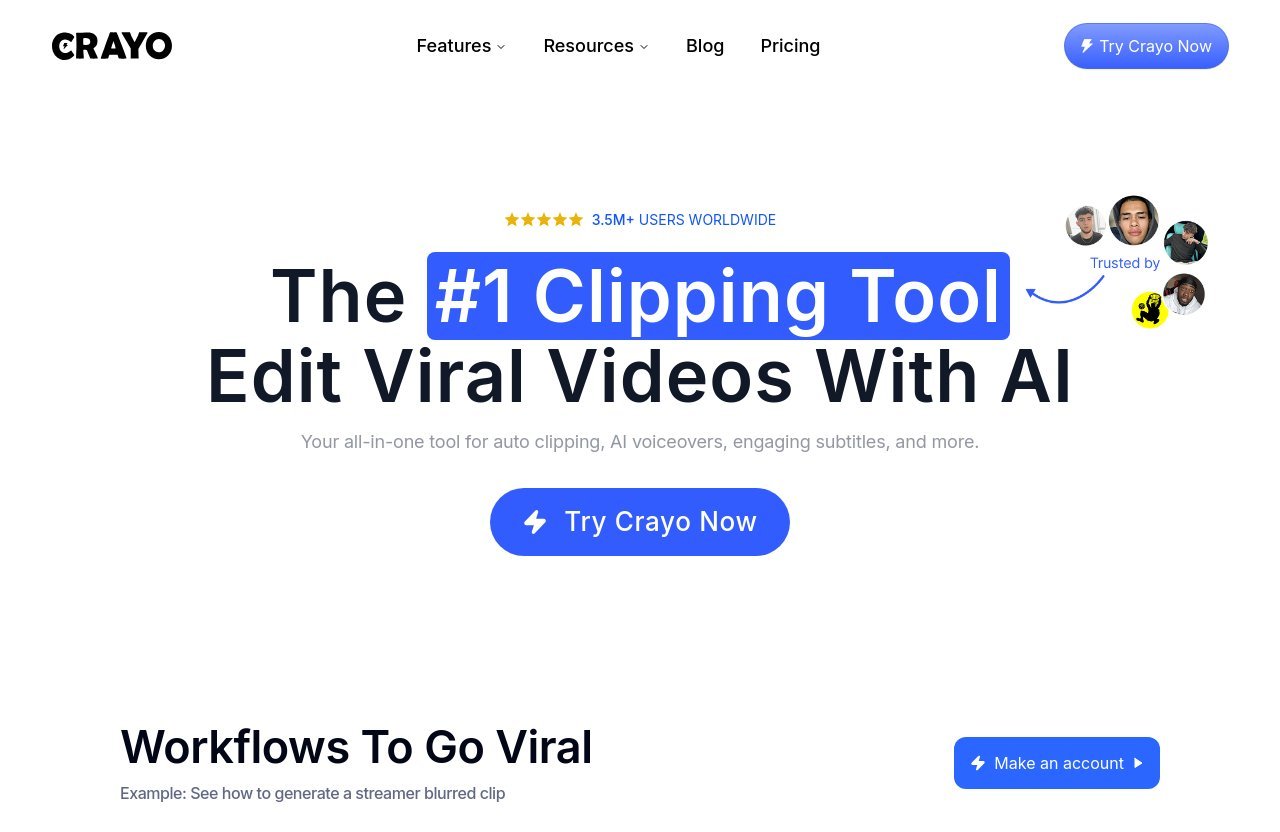
Crayo AI positioning: clipping editor with full browser-based workflow
Crayo describes itself as an AI Clipping Editor, and that description is important. It is not positioned solely as an auto-caption tool or a basic clip generator. The platform combines clip identification, AI-assisted edits, a full browser-based multi-track editor, and creative enhancement tools.
For a creator evaluating crayo ai vs snapvid ai, Crayo’s workflow is designed to keep more production steps in one place. You can use AutoClip, Find Viral Moments, Clip Cutter, AI editing, captions, effects, cutaways, voice tools, and exports without relying on a separate editor for every refinement.
Snapvid AI positioning: fast viral shorts creation with AI
Snapvid’s official messaging is more directly centered on faster creation of viral-style Shorts, Reels, and TikToks. Its homepage snippet says that AI can automatically pick the best footage, while its available feature information includes AI Captions, Subtitle Generator, AI Video Editor, Magic Clips, Auto Description, and Publishing Workflow.
That makes Snapvid’s positioning easier to understand: reduce friction between source footage and a ready-to-post short video. Its free tools, including music adding, video idea generation, CTA generation, speed adjustment, coaching script generation, and video compression, reinforce that creator-focused direction.
How the two tools differ in workflow philosophy
Crayo appears to favor a “find, edit, polish, and export” workflow. The platform provides more documented tools for creators who want to make decisions after the AI has done the initial analysis.
Snapvid appears to emphasize “generate a strong short quickly.” Neither approach is inherently better. In a crayo vs snapvid decision, the right choice depends on whether you value speed with a potentially lighter workflow or want more editing layers available within the same platform.
Feature comparison: clips, captions, editing, and export control
The feature gap is less about whether either platform uses AI and more about how much is verified about the workflow around that AI.
Auto-clipping and moment detection
Crayo has several verified routes for turning longer footage into shorter content. These include AutoClip, Find Viral Moments + Video Editor, Find Viral Moments + Edit with AI, and Clip Cutter + Edit with AI.
Snapvid states that its AI can pick the best footage automatically and lists Magic Clips among its features. That supports a credible speed-first clipping use case, although the supplied official information does not provide the same level of detail on clipping modes or controls.
For creators comparing an ai clipping editor, Crayo offers the more explicitly documented range of clip-discovery and post-selection workflows.
Captions and subtitles
Captions can determine whether a short video feels usable on mobile, particularly when viewers watch without sound. Crayo supports AI or manual captions, allowing creators to automate first and then adjust wording or presentation when needed.
Snapvid lists both AI Captions and a Subtitle Generator. That makes captions a clear strength in its stated product offering, especially for creators whose main goal is quickly producing readable social clips.
Neither platform’s available information guarantees perfect caption accuracy. Accents, technical vocabulary, names, and poor source audio still require a human review.
Editing depth and timeline control
Crayo’s full browser-based multi-track editor is one of its clearest advantages. Multi-track editing matters when you need to layer footage, captions, cutaways, effects, audio, or brand elements rather than accepting an automated result as-is.
Crayo also includes effects, cutaways, an icon generator, face swap, subtitle remover, and AI editing capabilities. This does not mean every creator needs every tool, but it gives a serious short-form editor more room to refine a clip inside the platform.
Snapvid includes an AI Video Editor, but the provided official information does not specify whether it includes multi-track timeline editing or comparable granular controls. In a snapvid ai review, that missing detail is worth treating as an unknown rather than assuming feature parity.
Audio and polish tools
Crayo has a more clearly verified audio feature set. It includes AI voiceovers, a speech enhancer, and a voice changer. These tools can be useful for improving spoken audio, creating narration, or adapting a clip when the original voice track is not ideal.
Snapvid’s verified feature list includes music adding among its free tools. That can be useful for lightweight polish, but the supplied data does not confirm comparable speech enhancement, voiceover generation, or voice transformation features.
For marketers producing educational or faceless content, this is a meaningful distinction in the crayo ai vs snapvid ai comparison. Audio quality often affects perceived professionalism as much as visual editing.
Publishing and workflow support
Snapvid lists a Publishing Workflow and Auto Description, indicating a workflow that extends beyond editing into social-post preparation. That could be valuable for creators who want less friction between finished clip and publication.
Crayo includes YouTube and TikTok downloaders, unlimited tracked accounts and posts, plus View Tracker credits on its paid plans. These tools suggest a workflow focused on sourcing, monitoring, and creating content, although creators should review each platform’s terms and the relevant platform rules before downloading or repurposing content.
Output quality: which one is more likely to produce better Shorts?
There is no responsible way to declare an automatic winner for output quality without testing identical source footage, prompts, caption preferences, and editing requirements. Better AI output depends heavily on the original recording, the strength of the spoken hook, the clip selection, and the human review stage.
Still, the available features reveal where each tool may fit best.
Where Crayo’s quality advantages show up
Crayo’s potential quality advantage is control. A multi-track editor, manual caption option, cutaways, effects, speech enhancement, and AI voiceovers give creators more ways to correct or improve an AI-generated first draft.
This matters when you are editing client content, branded material, talking-head videos, or long podcast episodes. The first AI-selected clip may be promising, but the final short often needs a cleaner opening, corrected captions, better pacing, or supporting visuals.
In this crayo ai vs snapvid ai assessment, Crayo is more likely to suit users who define quality as “a strong draft that I can refine.”
Where Snapvid may be better for speed-first output
Snapvid may be the better fit when your definition of quality is rapid, consistent, caption-led output with minimal production effort. Its AI captions, automatic footage selection, Magic Clips, and publishing workflow all point toward a streamlined process.
That does not prove that Snapvid’s videos will outperform other tools on views or retention. “Viral” is part of the platform’s positioning, not a measurable guarantee. But its product direction makes sense for creators who need a fast path from raw footage to social-ready clips.
The role of manual review in final quality
The best AI video editor for Shorts still needs a human operator. Review the opening seconds, remove pauses that weaken the hook, check captions for errors, verify visual context, and ensure the final message matches your brand.
Creators should also choose better source footage before expecting better clips. Clear audio, one focused idea per segment, visible speakers, and useful visual changes give both tools more to work with.
Official website · Latest pricing & offers
Pricing and value for money
Crayo pricing plans verified from the official pricing page
Crayo publishes three official plans, all of which include access to every Crayo tool. The differences are usage allowances, export capacity, storage, AI images, voiceover minutes, and View Tracker credits.
| Crayo plan | Monthly price | Quarterly-billed effective monthly price | Workflow credits | Export time | Storage |
|---|---|---|---|---|---|
| Hobby | $29 monthly | $19/month | 250 per month | 2 hours | 25GB |
| Clipper | $59 monthly | $39/month | 1,000 per month | 10 hours | 100GB |
| Pro | $129 monthly | $79/month | 3,000 per month | 30 hours | 500GB |
The Hobby plan also includes 30 voiceover minutes, 100 AI images, and 100 View Tracker credits each month. Clipper includes 120 voiceover minutes, 300 AI images, and 500 View Tracker credits, while Pro includes 180 voiceover minutes, 500 AI images, and 2,500 View Tracker credits.
What the included usage limits mean in practice
Crayo defines one workflow credit as one AI-generated video. This is the key allowance to estimate before subscribing, especially if you expect to create many variations from long-form footage.
Export hours matter too. A creator making a few polished Shorts per week may find a lower tier sufficient, while an agency, faceless channel operator, or daily poster will likely need more credits and export capacity. The important point is that Crayo’s limits are visible before purchase.
If Crayo’s feature depth fits your workflow, you can review the current plan options through the official Crayo offer page. Check the official promo banner and checkout coupon field for any currently available offer details rather than relying on old coupon listings.
Value comparison against an unverified Snapvid pricing position
A direct price-to-price crayo ai vs snapvid ai comparison is not possible from the supplied official sources. No verified Snapvid pricing page, plan names, trial terms, export limits, or usage caps were provided.
That does not make Snapvid poor value. It simply means buyers cannot fairly calculate cost per generated video or compare allowance levels from the information available here. Crayo currently has the advantage in pricing transparency and in the breadth of its documented production tools.
Best choice by creator type
Solo creator or beginner
A beginner who wants more guidance after the AI generates a draft may prefer Crayo. AutoClip, AI editing, captions, and the browser editor create a broader learning path without forcing the creator into separate software immediately.
A beginner who only wants quick captioned social posts may find Snapvid’s caption-first, AI-assisted positioning easier to evaluate. The unknown is whether its pricing and limits align with their posting volume.
Daily poster or faceless channel operator
For a high-output workflow, Crayo’s published workflow credits, export hours, voiceover minutes, and AI image allowances make capacity planning more straightforward. Its AI voiceovers, icon generator, and editing options can also be useful for faceless formats.
This is where a detailed crayo ai review is more actionable than a generic tool roundup: the published allowances help creators match a plan to their expected output instead of guessing.
Agency or team repurposing long-form content
Agencies and teams generally need review control, consistency, and predictable limits. Crayo’s multi-track editor, clip-finding workflows, speech enhancer, manual captions, storage allowances, and higher-volume plan options make it the better documented choice for this scenario.
Snapvid may still be useful for rapid social workflows, but the available official information does not confirm enough about pricing or higher-volume capacity to make it the safer planning recommendation.
Creator who wants to edit on mobile
Crayo has a verified iPhone app for clipping, captioning, and exporting from mobile. That is a direct advantage for creators who shoot and publish while traveling or need to make last-minute edits away from a desktop.
The supplied Snapvid information does not confirm a comparable mobile app, so it would be inaccurate to assume one exists.
Pros and cons of Crayo AI
Strengths
- Clear official pricing with visible monthly and quarterly-billed options.
- Multiple verified clipping workflows, including AutoClip and Find Viral Moments.
- Full browser-based multi-track editing rather than a clipping-only workflow.
- AI or manual captions for automation with review control.
- Useful polish tools, including cutaways, effects, speech enhancer, AI voiceovers, and voice changer.
- iPhone app for mobile clipping, captions, and exports.
- Users own the rights to videos they create, according to the official FAQ.
Limitations to know before buying
- Workflow credits, export hours, storage, and other allowances vary by plan, so frequent creators need to choose capacity carefully.
- A deeper toolset can involve more decisions than a simple one-click short generator.
- Like any AI shorts creator, it still benefits from human review for clip selection, captions, pacing, and brand accuracy.
- The provided information does not confirm credit rollover, so buyers should not assume unused credits carry forward.
Pros and cons of Snapvid AI
Strengths
- Clear focus on faster creation of Shorts, Reels, and TikToks.
- Verified AI caption and subtitle-generation tools.
- AI-selected footage and Magic Clips align with a speed-first workflow.
- Includes AI Video Editor, Auto Description, and Publishing Workflow features.
- Offers useful free tools such as music adding, video ideas, CTA generation, speed adjustment, and compression.
Limitations based on the available official info
- No verified pricing page or plan details were provided for this comparison.
- Export limits, usage allowances, storage, and trial details could not be confirmed.
- The supplied information does not establish whether Snapvid offers multi-track editing comparable to Crayo.
- Audio enhancement, AI voiceover, voice changing, and mobile-app availability were not verified in the provided sources.
Final verdict: which is the best choice for Shorts?
Choose Crayo if you want control and verified pricing
Choose Crayo if you need an AI clipping editor that can take you from clip discovery to a refined export. Its combination of AutoClip, Find Viral Moments, multi-track editing, AI and manual captions, cutaways, audio tools, and mobile support provides a more complete documented workflow.
It is also the better choice if you need to understand your likely monthly capacity before you buy. The official Crayo pricing page makes credits, export hours, storage, and other inclusions visible.
Choose Snapvid if you want a speed-first short-form workflow
Choose Snapvid if your priority is a streamlined path to AI-assisted short videos with captions, automatic footage selection, Magic Clips, descriptions, and publishing support. Its available feature information suggests an efficient option for creators who do not need a clearly documented deeper editing stack.
However, check its current official pricing and limits directly before committing, because those details were not available in the supplied sources.
Bottom-line recommendation
For most serious creators deciding between crayo ai vs snapvid ai, Crayo is the more confident recommendation. It offers transparent pricing, flexible usage tiers, a stronger verified editing toolkit, and more room to improve an AI-generated clip before publishing.
Snapvid remains a reasonable option for a speed-first, caption-led workflow. But when value means knowing what you are paying for and retaining creative control over Shorts, Crayo is the better-supported choice.
Official website · Latest pricing & offers
FAQ
Is Crayo AI a good tool for content creation?
Yes. Based on the official homepage, Crayo is built for Shorts-style content creation with AutoClip, clip discovery, a browser-based editor, captions, cutaways, AI voiceovers, and speech enhancement. It is especially useful for creators repurposing longer videos into short-form content.
How much is Crayo AI per month?
Crayo’s Hobby plan costs $29 monthly or $19 per month when billed quarterly. Clipper costs $59 monthly or $39 per month billed quarterly, while Pro costs $129 monthly or $79 per month billed quarterly.
Which is better for making Shorts, Crayo AI or Snapvid AI?
Crayo is better for creators who want a deeper editing workflow, verified pricing, and more documented control over captions, audio, effects, and clip refinement. Snapvid appears better aligned with fast AI-assisted short-form creation, but its pricing and usage limits were not verified in the supplied official sources.
Can I cancel Crayo anytime?
Yes. Crayo’s official FAQ says you can cancel through your settings at any time. Your plan remains active until the end of the current billing cycle.
Does Crayo support other languages?
Yes. According to Crayo’s official FAQ, it supports most languages when you provide text in the language you want to generate.
Do I own videos created with Crayo?
Yes. Crayo’s official FAQ states that users fully own the rights to videos they create with the platform.
Does Crayo have a mobile app?
Yes. Crayo has an iPhone app that supports clipping, captioning, and exporting from mobile.
Related Reading
References
- Crayo Pricing | Plans for every creator
- Crayo – The AI Clipping Editor
- SNAPVID.AI™ | Create Viral Shorts Faster with AI
- SNAPVID Blog: The Best AI Video Editing Software