Gohighlevel for Contractors: Practical 2026 Review for Home Service Businesses
If you are evaluating GoHighLevel for contractors, the key question is not “Does it have lots of features?” It does. The better question is whether those features match the way roofers, HVAC companies, plumbers, electricians, painters, landscapers, and general contractors actually sell and schedule work.
This review is based on official GoHighLevel product pages, verified pricing-page information, and SERP research into how contractors compare GoHighLevel with field-service platforms. The article plan is simple: we’ll look at what GoHighLevel does well, where it fits in a contractor workflow, where it falls short, and whether it is worth testing for your business.
Official website · Latest pricing & offers
GoHighLevel for Contractors: What It Actually Does Well
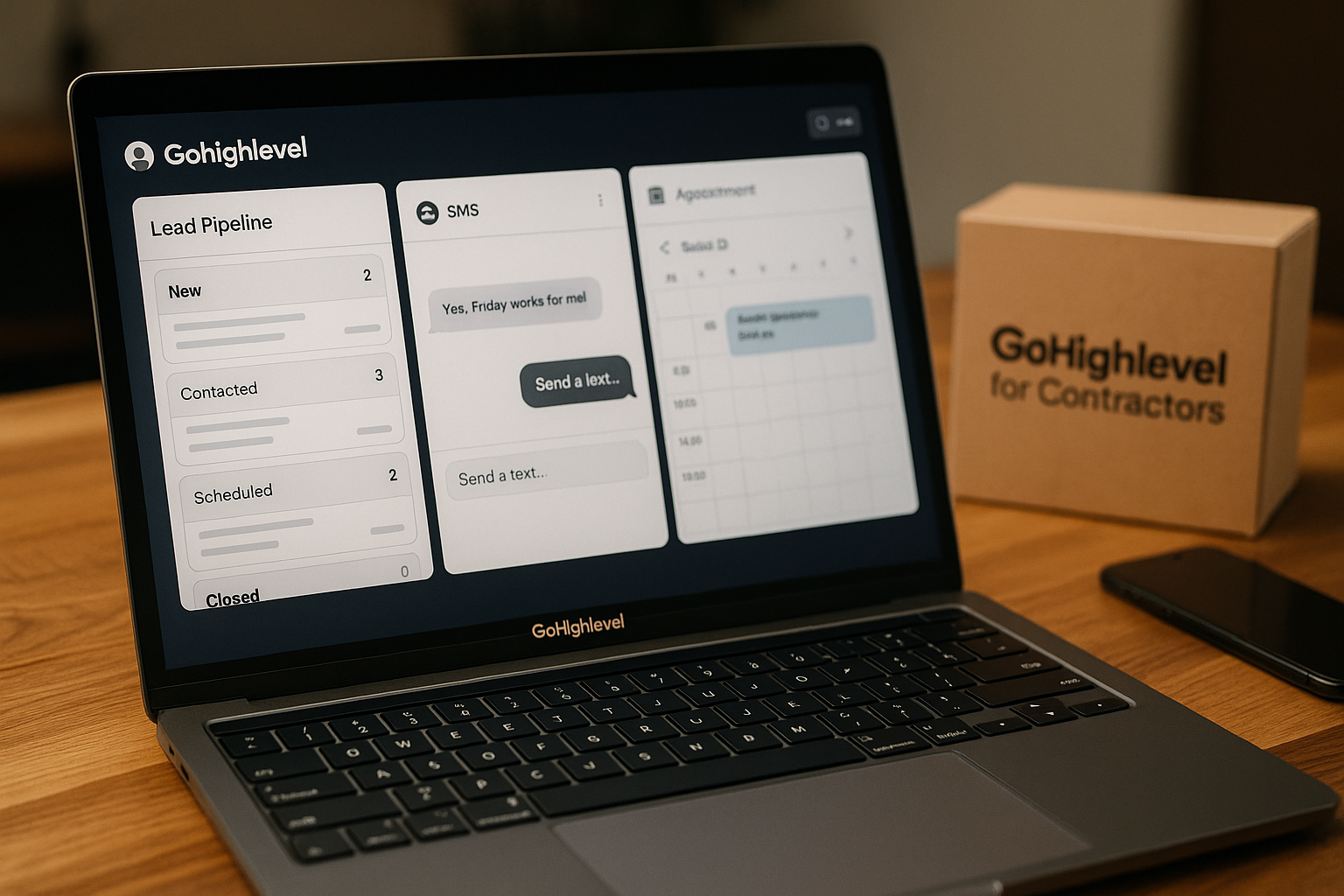
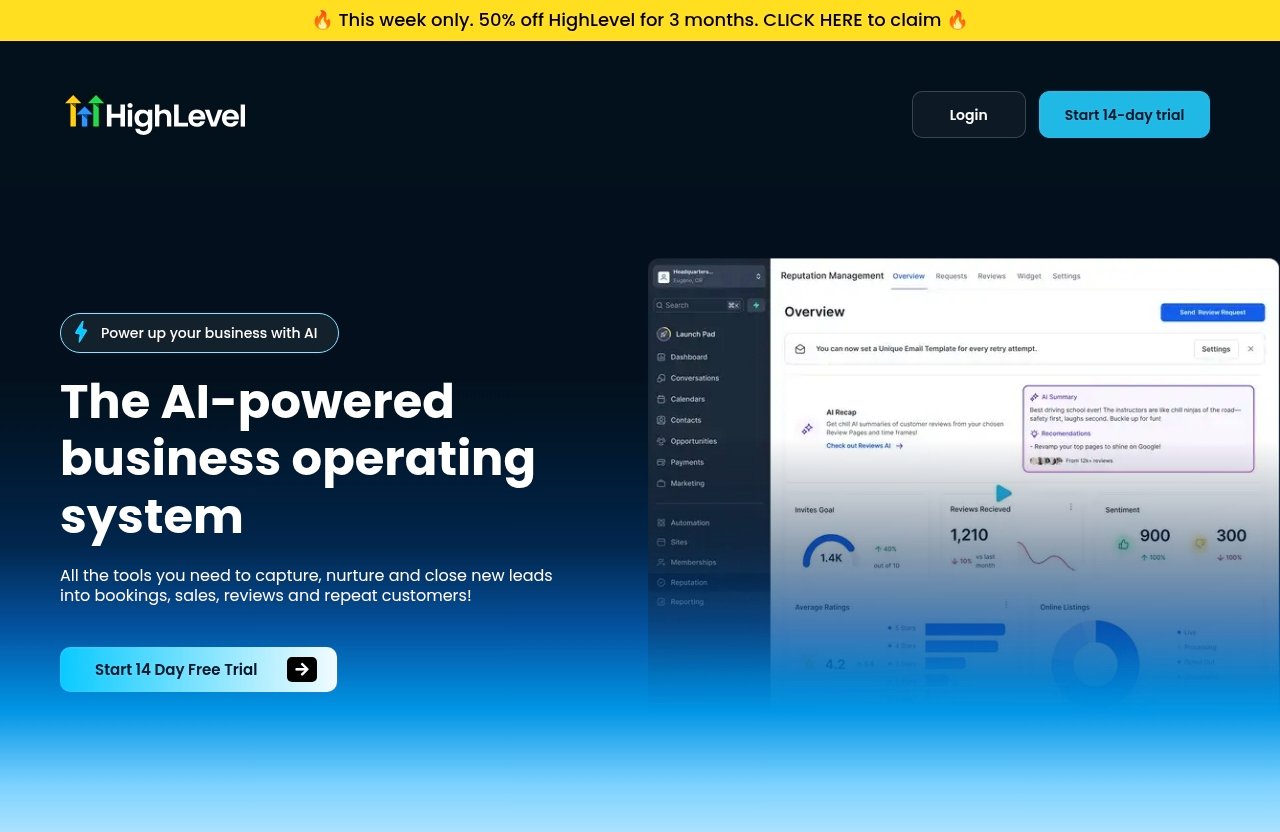
GoHighLevel for contractors is best understood as a sales, marketing, and customer communication system. The official homepage describes GoHighLevel as “the AI-powered business operating system” with tools to capture, nurture, and close leads into bookings, sales, reviews, and repeat customers.
That positioning matters. For a contractor, GoHighLevel is strongest before the job is sold and immediately after the job is completed. It helps with lead capture, follow-up, appointment booking, reminders, review requests, and reactivation campaigns.
It is not primarily a field-service dispatch platform. If you need deep crew scheduling, technician route management, materials tracking, or complex project management, you may still need dedicated field-service software.
Why contractors look at GoHighLevel
Most contractors do not lose money because they lack skill. They lose money because leads are missed, estimates are not followed up, and old customers are not reactivated.
That is where GoHighLevel for contractors becomes attractive. It gives home service businesses a central place to manage inquiries from forms, landing pages, calls, SMS, social DMs, chat widgets, and advertising campaigns.
For example, a roofer running Google and Facebook ads may receive leads from multiple places. Without a central CRM and automated follow-up, a hot storm-damage lead can sit unanswered for hours. With the right GoHighLevel contractor workflow, that lead can receive an instant SMS, get routed to the right estimator, and move into a pipeline stage for follow-up.
Which home service businesses benefit most
The best fit tends to be contractors with a steady flow of inbound leads and a sales process that includes estimates, appointments, or follow-up. That includes:
| Contractor Type | Strong GoHighLevel Use Case |
|---|---|
| Roofing contractors | Storm leads, inspection booking, quote follow-up, review requests |
| HVAC contractors | Tune-up campaigns, replacement quotes, maintenance reminders |
| Plumbers | Missed-call text-back, emergency lead response, repeat customer campaigns |
| Electricians | Estimate scheduling, service inquiry routing, quote follow-up |
| Painters | In-home estimate booking, nurture for undecided homeowners |
| Landscapers | Seasonal campaigns, recurring service reminders, reactivation |
| General contractors | Lead qualification, consultation booking, pipeline visibility |
In my experience reviewing SaaS tools for service businesses, GoHighLevel for contractors makes the most sense when the owner knows that speed-to-lead and consistent follow-up are revenue problems.
The difference between sales automation and job management
This is the most important distinction in this review. GoHighLevel helps contractors manage the path from inquiry to booked job. Field-service software helps manage the job after it is sold.
Here is the practical difference:
| Workflow Area | GoHighLevel Fit | Dedicated Field-Service Tool Fit |
|---|---|---|
| Lead capture | Strong | Sometimes limited |
| SMS/email follow-up | Strong | Varies |
| Landing pages and funnels | Strong | Usually not the focus |
| Review requests | Strong | Often available |
| Dispatch and crew routing | Limited | Strong |
| Job costing and field operations | Limited | Strong |
| Multi-day project management | Limited | Strong |
So, GoHighLevel for contractors should be evaluated as a revenue operations tool first. It can support your sales process, but it should not be assumed to replace every operational system.
Best Use Case #1: Lead Capture and Instant Response
For home service companies, speed-to-lead is often the difference between winning and losing a job. A homeowner with a leaking roof, broken AC, clogged drain, or electrical issue is unlikely to wait all day for a callback.
This is one of the strongest areas for GoHighLevel for contractors. The platform’s verified features include CRM, forms, surveys and quizzes, websites, funnels and landing pages, chat widget / Conversation AI, call tracking, inbound SMS and social DMs, missed call text-back, QR codes, and ad management for Google, Facebook, and Instagram ads.
Website forms, landing pages, and chat widgets
Contractors can use GoHighLevel to capture leads from website forms, landing pages, funnels, surveys, quizzes, and chat widgets. A roofing company might build a storm-damage inspection landing page. An HVAC company might use a form for “AC replacement estimate” requests.
The benefit is not just collecting the form fill. The benefit is moving that inquiry directly into a CRM where follow-up can happen automatically.
A practical go high level for home service business setup might look like this:
- Homeowner submits a “Get an Estimate” form.
- The lead is added to the CRM.
- The lead receives an instant SMS confirmation.
- The office manager or estimator gets notified.
- The lead enters a pipeline stage such as “New Inquiry.”
- A follow-up task is created if no appointment is booked.
That is a realistic use case for GoHighLevel for contractors because it reduces manual admin work without pretending to manage the entire job.
Missed call text-back for urgent leads
The gohighlevel missed call text back feature is especially relevant for contractors. Many home service leads still start with a phone call, and missed calls often mean lost revenue.
For example, if a plumber misses a call while working on another job, GoHighLevel can trigger a text-back response. The message might say: “Sorry we missed your call. What plumbing issue are you dealing with, and what address is the service needed at?”
That simple automation can save leads that would otherwise call the next company on Google. For roofers, electricians, HVAC contractors, and plumbers, missed-call text-back is one of the clearest practical reasons to consider GoHighLevel for contractors.
Routing leads to the right service or location
Lead routing is also useful for contractors with multiple service lines or territories. A general contractor may want kitchen remodel leads routed differently from deck repair leads. A landscaper may separate lawn maintenance from hardscaping inquiries.
GoHighLevel’s CRM and communication tools can help organize leads by service type, source, or location. A company could use form fields, tags, or pipeline stages to identify whether the lead is for HVAC repair, roof replacement, electrical service, painting, or landscaping.
This matters because fast response is only useful if the right person responds. GoHighLevel for contractors is most effective when the automation supports a real internal handoff process.
Best Use Case #2: Follow-Up for Estimates and Quotes
Many contractors do a good job sending estimates but a poor job following up. That is expensive. A quote that took time to inspect, measure, and prepare should not disappear into a spreadsheet or inbox.
This is where gohighlevel quote follow up workflows can become valuable. GoHighLevel is not estimating software by itself, but it can help manage what happens after an estimate is sent.
Automated quote delivery follow-up
A common contractor workflow is:
- Lead requests an estimate.
- Contractor books an inspection or consultation.
- Estimator sends the quote using the contractor’s estimating tool or process.
- Lead is moved to “Estimate Sent.”
- GoHighLevel starts a follow-up sequence.
A simple follow-up sequence might include:
| Timing | Follow-Up Action | Example |
|---|---|---|
| Same day | SMS confirmation | “Hi Sarah, we just sent your roof repair estimate. Let us know if you have questions.” |
| Day 2 | Email follow-up | “Here’s what’s included in your estimate and the next steps.” |
| Day 4 | Call task | Estimator calls to answer questions. |
| Day 7 | SMS reminder | “Do you want us to hold a spot on next week’s schedule?” |
| Day 14 | Final check-in | “Should we keep this estimate open or close it out for now?” |
This is a practical gohighlevel contractor workflow because it keeps the sales process moving without forcing the owner to remember every pending quote manually.
Reminder sequences for no-shows and unresponsive leads
No-shows and silent leads happen in every home service category. A homeowner books a painting estimate and forgets. An HVAC replacement lead gets busy. A landscaping prospect asks for a quote and then stops responding.
With GoHighLevel for contractors, you can build reminder sequences around key moments. For example, a lead who books an estimate can receive a confirmation text, a reminder the day before, and a reminder the morning of the appointment.
For unresponsive quote leads, the tone should stay helpful rather than aggressive. Good contractor follow-up sounds like service, not pressure.
Example:
“Hi Mike, just checking whether you had any questions about the electrical panel upgrade estimate. If timing has changed, no problem — we can update your project status.”
That type of gohighlevel lead follow up keeps the door open without damaging trust.
Pipeline stages for estimate sent, pending, won, and lost
Pipeline visibility is one of the most useful parts of GoHighLevel for contractors. Instead of tracking leads in notebooks, inboxes, or memory, contractors can create stages that match their sales process.
A simple contractor pipeline might include:
| Pipeline Stage | Meaning |
|---|---|
| New Inquiry | Lead submitted a form, called, chatted, or messaged |
| Contacted | Someone responded or spoke with the lead |
| Appointment Scheduled | Estimate, inspection, or consultation is booked |
| Estimate Completed | Visit or call happened |
| Estimate Sent | Quote has been delivered |
| Follow-Up Needed | Lead has not decided yet |
| Won | Job is booked |
| Lost | Lead declined, chose another provider, or went cold |
For gohighlevel for roofing contractors, stages might include “Inspection Scheduled,” “Insurance Review,” and “Roof Replacement Won.” For gohighlevel for HVAC contractors, stages might include “Diagnostic Booked,” “Replacement Quote Sent,” and “Maintenance Plan Opportunity.”
The exact stages matter less than consistency. The goal is to know which estimates need action today.
Best Use Case #3: Appointment Booking and Calendar Automation
Appointment booking is another strong reason to consider GoHighLevel for contractors. Contractors often waste hours each week coordinating estimates, inspections, consultations, and service calls.
GoHighLevel is useful when booking is part of the sales process. It can support workflows around inquiries, appointment confirmations, reminders, and rescheduling communication.
Book inspections and in-home estimates
Roofers, painters, landscapers, electricians, and general contractors often need to visit the property before quoting. HVAC companies may need diagnostic or replacement consultations. Plumbers may need to assess non-emergency projects before pricing.
With gohighlevel appointment booking, the contractor can reduce friction by letting qualified leads move toward a scheduled estimate. The workflow can connect a form inquiry to a booking step, then trigger reminders and internal notifications.
Example:
- A homeowner fills out a “Request Exterior Painting Estimate” form.
- They receive an SMS asking them to choose a consultation time.
- The office receives a notification when the estimate is scheduled.
- The homeowner receives a confirmation message.
- Reminder messages go out before the appointment.
That workflow is simple, but it prevents a common problem: a good lead sitting in limbo because nobody had time to coordinate calendars.
Pre-qualifying leads before the visit
Not every lead deserves an immediate site visit. Contractors can use forms, surveys, quizzes, and chat intake questions to qualify inquiries before booking.
A roofer might ask whether the issue is a leak, storm damage, full replacement, or repair. A landscaper might ask for property size, service type, and desired timeline. A general contractor might ask about budget range and project scope before scheduling a consultation.
This is one reason GoHighLevel for contractors can improve admin efficiency. It helps the team collect the details needed to decide whether the lead is a good fit.
Pre-qualification also improves customer experience. A homeowner feels heard when the contractor already understands the issue before arriving.
Reducing back-and-forth with self-scheduling
Back-and-forth scheduling eats time. “Does Tuesday work?” “No, how about Thursday?” “Morning or afternoon?” Multiply that by dozens of leads per week, and the admin burden becomes obvious.
A booking workflow can let prospects choose an available time, receive confirmation, and get reminders. If they need to reschedule, the automation can guide them to the next step instead of forcing another long text thread.
For GoHighLevel for contractors, this is less about fancy technology and more about reducing friction. If the lead can easily book the next step, the contractor has a better chance of turning interest into revenue.
Best Use Case #4: Nurture Campaigns for Seasonal and High-Value Jobs
Not every homeowner is ready to buy today. Some need time, budget approval, insurance information, or seasonal timing. Contractors who only follow up once leave a lot of money behind.
This is where gohighlevel home services automation can support long-term nurture. GoHighLevel’s official positioning includes nurturing leads into bookings, sales, reviews, and repeat customers, which fits the contractor lifecycle well.
Re-engaging older leads
Old leads are often one of the cheapest revenue opportunities in a contractor database. A painter may have old estimate requests from spring. An HVAC company may have past repair customers who are candidates for replacement. A roofer may have storm inquiries that never booked an inspection.
With GoHighLevel for contractors, those leads can be segmented and re-engaged through SMS, email, or other communication workflows. The key is to make the message timely and useful.
Examples:
- “Are you still considering the exterior painting project you asked about earlier this year?”
- “We’re checking in before the next heat wave. Do you want to schedule an AC tune-up?”
- “Storm season is coming up. Would you like us to re-check the roof issue you reported?”
This type of reactivation campaign can produce booked appointments without buying more ads.
Seasonal campaigns for roof repair, HVAC tune-ups, and maintenance
Seasonal work is a natural fit for GoHighLevel for contractors. Many home service categories have predictable demand cycles.
Roofers can run campaigns before storm season. HVAC companies can promote AC tune-ups before summer and heating checks before winter. Landscapers can promote spring cleanups, fall maintenance, or recurring service plans. Plumbers can send cold-weather pipe protection reminders.
The best campaigns are not just promotions. They are helpful reminders tied to homeowner needs.
A simple HVAC nurture sequence might include:
| Season | Campaign Idea |
|---|---|
| Spring | AC tune-up reminder |
| Summer | Emergency cooling response message |
| Fall | Heating system check |
| Winter | Indoor air quality or furnace maintenance reminder |
For gohighlevel for plumbers, a winter campaign could remind customers about frozen pipe prevention. For roofers, a post-storm inspection campaign can be tied to recent weather events.
Review requests and referral prompts after the job
Reviews are critical for contractors because local trust drives conversion. GoHighLevel’s official homepage includes reviews as part of the platform’s lead-to-repeat-customer positioning.
After a job is completed, a contractor can trigger a review request workflow. A painter might send a review request after the final walkthrough. A plumber might ask after confirming the repair was completed. A landscaper might request a review after the first month of recurring service.
Referral prompts can also be added carefully. For example:
“Thanks again for choosing us. If a neighbor needs help with a similar project, we’d be grateful if you passed our name along.”
For GoHighLevel for contractors, review and referral automation is valuable because it supports reputation growth without relying on the team to remember every follow-up manually.
Official website · Latest pricing & offers
Best Use Case #5: Team Visibility and Simple Pipeline Tracking
Contractor owners often know there is money in the pipeline but do not know exactly where it is. Leads are spread across calls, texts, inboxes, ads, spreadsheets, and estimator notes.
GoHighLevel for contractors can give owners a cleaner view of the sales pipeline. This is not the same as full project management, but it can improve accountability before the job is sold.
Opportunity pipelines for each job type
Different contractor services may need different pipelines. A plumber’s emergency repair workflow is not the same as a bathroom remodel inquiry. A roofer’s repair lead is not the same as a full replacement job.
Contractors can organize opportunities by service type, value, source, or stage. For example:
- Roofing repair pipeline
- Roof replacement pipeline
- HVAC service pipeline
- HVAC replacement pipeline
- Electrical estimate pipeline
- Painting estimate pipeline
- Landscaping maintenance pipeline
This helps teams avoid treating every lead the same. GoHighLevel for contractors works best when the pipeline reflects how the business actually sells.
Tracking where leads are stalling
A simple pipeline can reveal operational blind spots. If many leads are stuck in “New Inquiry,” response time may be the problem. If many are stuck in “Estimate Sent,” quote follow-up may be weak.
If booked estimates are not turning into jobs, the issue may be price, trust, sales process, or timing. GoHighLevel cannot solve all of those problems by itself, but it can make the bottleneck visible.
That visibility is useful for owners, office managers, and estimators. It turns vague complaints like “leads are slow” into specific questions like “Why did 14 estimates not receive a follow-up this week?”
Dashboards for owner visibility
Contractors need simple visibility, not more complexity. An owner should be able to see how many new leads came in, how many estimates were scheduled, how many quotes are pending, and where follow-up is overdue.
GoHighLevel’s CRM and pipeline tools can support that kind of sales visibility. For a small or mid-sized contractor, this may be enough to tighten the front office.
However, it is important to keep expectations grounded. GoHighLevel for contractors can help show where leads and opportunities stand, but it is not designed to replace every operational dashboard used for crews, jobs, inventory, or field production.
Where GoHighLevel Is Not Enough for Contractors
A balanced gohighlevel for contractors reviews article should be clear about the limitations. GoHighLevel is strong for marketing, sales automation, lead follow-up, booking workflows, and reputation-building. It is not always enough for day-to-day field operations.
This is also a common theme when people compare tools in search results or look up discussions like gohighlevel for contractors reddit. Contractors often like the automation potential but still need specialized systems for dispatch and job management.
Crew scheduling and dispatch limitations
If your business depends on technician dispatch, route optimization, job assignments, parts tracking, or crew scheduling, GoHighLevel may not be the main system for that work.
A plumbing company with several technicians needs to know who is available, where they are, what job they are on, and what parts are required. An HVAC company may need service history, equipment details, and recurring maintenance scheduling. A landscaping company may need recurring routes and crew calendars.
GoHighLevel for contractors can help generate and organize the opportunity, but a dedicated field-service platform may be better for managing the field execution.
Field service management gaps
Field-service management usually includes deeper operational workflows such as dispatch boards, technician mobile workflows, work orders, invoicing processes, route planning, and job status updates. These are different from lead follow-up and sales automation.
GoHighLevel’s verified feature set includes CRM, Voice AI, forms, surveys and quizzes, websites, funnels and landing pages, chat widget / Conversation AI, call tracking, inbound SMS and social DMs, social planner, missed call text-back, AI Biz Card Scanner, QR codes, prospecting tool, and ad manager.
Those are valuable features. But they are not the same as a complete field-service operations suite.
When to pair GHL with tools like Jobber or Workiz
For many contractors, the best setup may be pairing GoHighLevel with a field-service tool rather than choosing one system for everything. Jobber, Workiz, or similar platforms are often considered for dispatch, crew scheduling, work orders, and job management.
In that model, GoHighLevel for contractors handles front-end revenue workflows:
- Capture leads
- Respond instantly
- Route inquiries
- Book estimates
- Follow up on quotes
- Nurture old leads
- Request reviews
Then the field-service tool handles the operational side after the job is booked. That division of labor is often more realistic than expecting one platform to do everything perfectly.
Recommended GoHighLevel Setup for a Contractor
The best way to evaluate GoHighLevel for contractors is to map it to your actual customer journey. Do not start by building every automation possible. Start with the revenue leaks that cost you the most.
For most contractors, the setup priority should be: capture leads, respond quickly, book appointments, follow up on quotes, request reviews, and reactivate old contacts.
Starter workflow for inbound leads
Your first workflow should handle every new inquiry consistently. This includes calls, forms, landing pages, chat messages, SMS, and social DMs where relevant.
A starter inbound workflow could look like this:
- Lead submits a form, calls, chats, or messages.
- Lead is added to the CRM.
- Lead source is recorded.
- Lead receives a fast confirmation text or email.
- Internal notification goes to the office or estimator.
- Lead is assigned to a pipeline stage.
- A task is created if the lead is not contacted quickly.
For example, a homeowner fills out a roofing inspection form after a storm. They immediately receive a text confirming the request. The estimator gets notified. The lead is placed in “New Inquiry.” If no appointment is booked, follow-up reminders continue.
That is a strong first implementation of GoHighLevel for contractors because it addresses the most urgent leak: slow response.
Quote follow-up workflow
The second workflow should focus on pending estimates. This is where many contractors leave revenue on the table.
A quote follow-up workflow might include:
| Trigger | Automation |
|---|---|
| Estimate marked as sent | Send confirmation SMS |
| 2 days later | Send helpful follow-up email |
| 4 days later | Create call task for estimator |
| 7 days later | Send decision reminder |
| 14 days later | Ask whether to keep quote open |
| If won | Move to booked job stage |
| If lost | Mark reason and stop sales follow-up |
This gohighlevel quote follow up process is especially useful for higher-ticket jobs such as roof replacements, HVAC systems, remodels, exterior painting, and landscaping projects.
The message should not sound robotic. Keep it human, practical, and tied to the homeowner’s next step.
Booking and reminder workflow
The third workflow should reduce appointment friction. This is where gohighlevel appointment booking can help contractors reduce admin time.
A good booking workflow includes:
- Appointment confirmation
- Reminder the day before
- Reminder the morning of
- Internal team notification
- Rescheduling instructions
- No-show follow-up
For example, an electrician books an estimate for a panel upgrade. The homeowner receives confirmation with the appointment window and any preparation instructions. The day before, they get a reminder. If they miss the appointment, a polite rescheduling message goes out.
For GoHighLevel for contractors, the goal is not to automate relationships out of the business. The goal is to remove repetitive coordination so staff can focus on customers.
Review request workflow
The fourth workflow should happen after the job is completed. Reviews and referrals are too important to leave to chance.
A simple post-job workflow might be:
- Job is marked complete in your process.
- Customer receives a thank-you message.
- Review request is sent.
- If no response, a polite reminder follows.
- Later, a referral prompt or maintenance reminder is sent.
A painter could trigger this after final payment. An HVAC company could trigger it after confirming the system is working. A plumber could send it after the customer confirms the repair is complete.
This is one of the most practical GoHighLevel for contractors automations because it turns completed work into reputation growth and repeat business.
What to measure first
Do not judge the platform only by how many automations you build. Measure business outcomes.
Track these metrics first:
| Metric | Why It Matters |
|---|---|
| Response time | Faster response usually improves booking chances |
| Missed calls recovered | Shows value of missed-call text-back |
| Appointment booking rate | Measures inquiry-to-estimate conversion |
| Estimate follow-up completion | Shows whether quotes are being worked |
| Quote-to-job conversion | Measures sales effectiveness |
| Review request response rate | Tracks reputation-building |
| Reactivated old leads | Measures database value |
A contractor using GoHighLevel for contractors should review these numbers weekly at first. Small workflow improvements can compound quickly when lead volume is consistent.
Pricing and Value: Is GoHighLevel Worth It for Contractors?
The official pricing page verifies that GoHighLevel offers a 14 Day Free Trial. The visible official pricing-page information provided for this review does not expose full paid plan names or exact monthly prices, so I will not invent them here.
That is important because pricing pages can change. Before buying, contractors should verify current plan details directly on the official GoHighLevel page.
What the free trial means
The 14-day trial is useful if you approach it with a clear test plan. Do not spend the entire trial exploring features randomly.
Instead, test GoHighLevel for contractors against one or two real workflows:
- Missed-call text-back
- New lead capture
- Estimate booking
- Quote follow-up
- Review request automation
- Old lead reactivation
If you want to evaluate it for your own business, you can start with the official 14-day trial through our transparent affiliate link: try GoHighLevel here. TopTrustReview may earn a commission if you purchase, but that does not change the practical recommendation in this review.
How to think about cost versus replacing multiple tools
The value question is not simply “How much does GoHighLevel cost?” It is “Can it replace or consolidate enough tools, admin time, or lost-lead leakage to justify the cost?”
GoHighLevel may reduce reliance on separate tools for CRM, landing pages, funnels, chat widgets, SMS follow-up, call tracking, review requests, social planning, and ad campaign management. However, whether it replaces those tools depends on your current stack and the current GoHighLevel plan you choose.
For GoHighLevel for contractors, the strongest value case is usually not replacing field-service software. It is improving the front-end revenue system so more leads become booked estimates and more estimates become jobs.
Who gets the best ROI
The best ROI usually comes from contractors who already have lead flow but lack process. If you receive calls, form fills, social DMs, ad leads, and referrals but struggle to follow up consistently, GoHighLevel can be valuable.
Strong-fit examples include:
- A roofing company running storm campaigns
- An HVAC company with tune-up and replacement offers
- A plumbing company missing calls during busy hours
- A painting contractor with many estimate requests
- A landscaper with seasonal reactivation opportunities
- A general contractor needing better lead qualification
GoHighLevel for contractors is less compelling if you have very low lead volume, no clear sales process, or only need dispatch and job management. In those cases, a field-service-first platform may deliver more immediate value.
Final Verdict: Who Should Use GoHighLevel
GoHighLevel for contractors is worth considering if your biggest problem is converting inquiries into booked appointments, estimates, reviews, and repeat customers. It is a strong sales and marketing automation platform for home service businesses, especially when set up around real contractor workflows.
It is not the best choice if you expect it to fully replace dispatch, crew scheduling, technician management, or complex field-service operations. That distinction is the difference between a smart purchase and a frustrating one.
Best fit contractors
The best-fit users are contractors who want better control over lead response, quoting follow-up, appointment booking, and customer nurture.
That includes roofers, HVAC companies, plumbers, electricians, painters, landscapers, and general contractors that:
- Get leads from multiple channels
- Miss calls during busy periods
- Need faster estimate scheduling
- Have pending quotes that go cold
- Want review automation
- Want to reactivate old leads
- Need better pipeline visibility
For these businesses, GoHighLevel for contractors can become the front-end system that keeps opportunities from falling through the cracks.
Who should choose a more field-service-focused platform
If your main pain is dispatching crews, assigning technicians, managing routes, tracking field work, or coordinating complex projects, start with a field-service platform. Tools like Jobber or Workiz are usually more aligned with those operational needs.
You can still pair them with GoHighLevel if you want stronger marketing and sales automation. But you should not buy GoHighLevel expecting it to be a complete replacement for specialized field-service management unless your operational needs are very simple.
That balanced view is important. GoHighLevel for contractors is powerful in the right role, but it should be matched to the right job.
Bottom-line recommendation
My bottom-line recommendation is straightforward: test GoHighLevel if you have lead follow-up problems, missed calls, inconsistent quote follow-up, weak review collection, or underused customer lists.
Skip it, or pair it with another system, if your primary need is crew dispatch and job execution. Used correctly, GoHighLevel for contractors is best as a revenue workflow platform, not a complete field operations suite.
If that matches your situation, the 14-day trial is a reasonable way to test it with real leads and real follow-up workflows before committing: start the GoHighLevel 14-day free trial.
Official website · Latest pricing & offers
FAQ
Is GoHighLevel good for contractors?
Yes, GoHighLevel for contractors can be a good fit for lead capture, instant response, appointment booking, quote follow-up, nurture campaigns, and review automation. It is strongest as a sales and marketing automation platform, not as a full field-service management system.
Can GoHighLevel replace Jobber or Workiz?
Usually not if you rely heavily on dispatch, crew scheduling, technician management, work orders, or detailed job operations. GoHighLevel is better for sales and marketing workflows, while tools like Jobber or Workiz are often better for field-service management.
How can contractors use GoHighLevel for quoting?
Contractors can use GoHighLevel to track quote stages and automate follow-up after estimates are sent. For example, a lead can move from “Estimate Sent” to reminder texts, follow-up emails, call tasks, and then “Won” or “Lost.”
Does GoHighLevel help with missed calls?
Yes. Missed-call text-back is one of the strongest use cases for home service businesses. If a plumber, roofer, electrician, or HVAC company misses a call, an automated text can respond quickly and keep the lead engaged.
Can GoHighLevel be used for booking appointments?
Yes. Contractors can use GoHighLevel for appointment booking workflows, confirmations, reminders, and rescheduling communication. This is useful for inspections, in-home estimates, consultations, and service appointments.
Related Reading
References
- GoHighLevel – It's time to take your Agency to the Next Level
- HighLevel Pricing
- GoHighLevel for Contractors
- Field management app for service contractors | Voters