Gohighlevel Pipelines: Ultimate Setup Guide
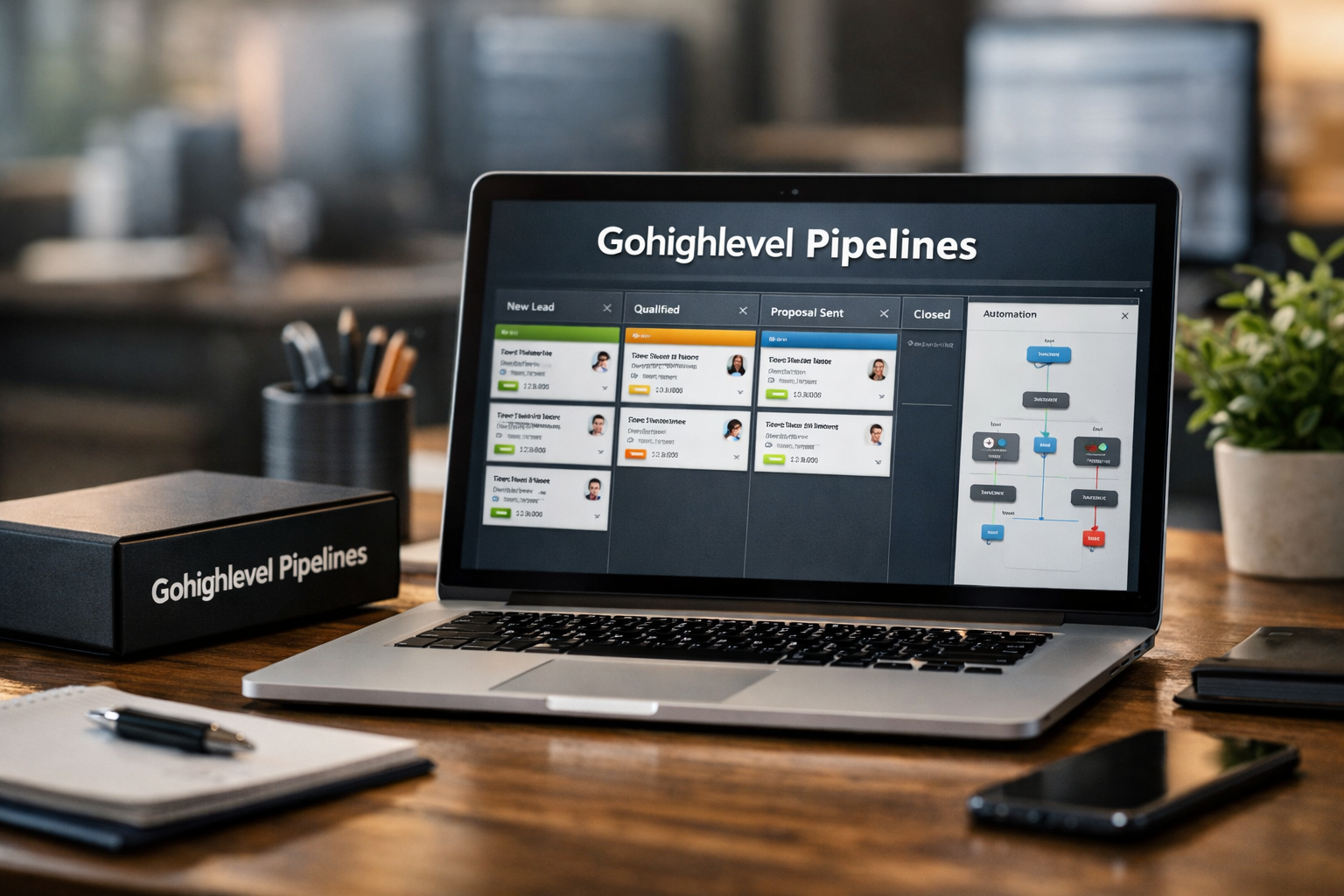
If you want a clearer way to track leads, deals, and customer progress, gohighlevel pipelines provide a visual framework for managing every opportunity from first contact to a completed sale or service outcome. Instead of relying on spreadsheets, inbox searches, or memory, you can see where each prospect sits and what should happen next.
This guide takes a practical, implementation-first approach. You will learn how to structure stages, create opportunities, use automation thoughtfully, and build a process that matches how your business actually sells and delivers work.
Official website · Latest pricing & offers
What GoHighLevel Pipelines Are and Why They Matter
Definition of pipelines in HighLevel
A pipeline in HighLevel is a visual workflow that organizes opportunities into defined stages. An opportunity represents a potential deal, lead, booking, client, or other trackable revenue-related record moving through that process.
For example, a service business may move a lead from New Inquiry to Discovery Call Booked, Proposal Sent, Closed Won, or Closed Lost. The purpose of gohighlevel pipelines is not simply to make records look tidy; it is to give your team a shared view of what is active, what needs attention, and what has reached an outcome.
How pipelines help manage opportunities visually
The pipeline view presents opportunities as cards within stage columns. That visual layout makes it easier to scan open work than a long contact list.
Each opportunity can be associated with a contact, an estimated value, a stage, an owner, and other relevant details. When a prospect moves forward, you move the opportunity to the next logical stage. This creates a current snapshot of your sales or service process without needing to reconstruct the story from messages and notes.
A well-built gohighlevel sales pipeline answers simple operational questions quickly:
- How many new leads arrived this week?
- Which proposals are awaiting a response?
- Who owns the next follow-up?
- Which deals have been stuck too long?
- What value is currently in progress?
Why pipeline visibility improves sales and service workflows
Visibility improves consistency. When every team member uses the same stage definitions, a “Proposal Sent” opportunity means the same thing regardless of who created it.
That consistency matters most at handoffs. A sales representative may book a call, an account manager may close the deal, and an onboarding specialist may take over afterward. Clear pipeline stages reduce the risk that a customer gets forgotten between those roles.
In my experience reviewing CRM workflows, the most useful pipeline is rarely the one with the most columns. It is the one where a team can immediately identify the next action for every open opportunity.
Where pipelines fit inside the broader CRM and automation stack
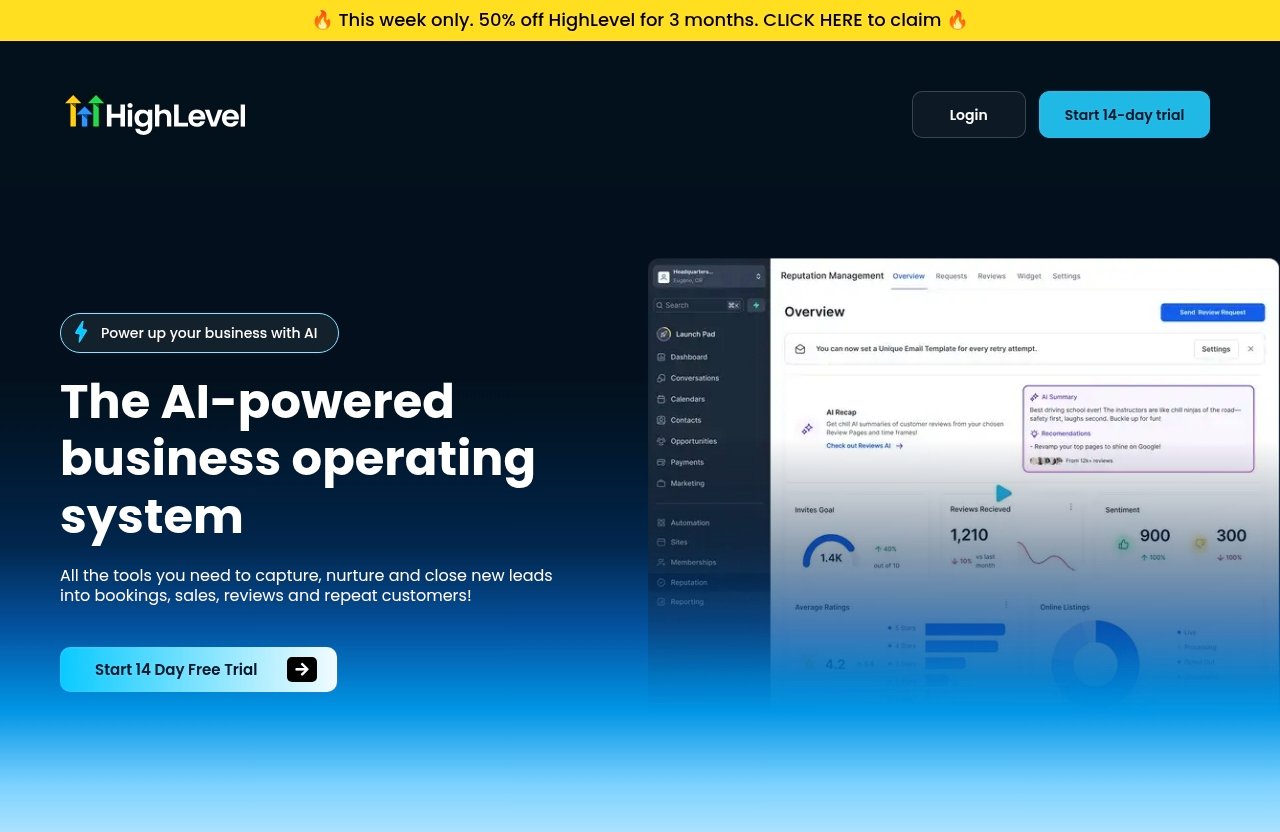
HighLevel positions itself as an AI-powered business operating system, with tools intended to capture, nurture, and close leads into bookings, sales, reviews, and repeat customers. Its broader feature set includes CRM tools, forms, surveys, websites, funnels, chat, SMS, call tracking, social messaging, and automation-related capabilities.
That broader context is important because gohighlevel pipelines work best when they are connected to lead capture and follow-up processes. A form submission can create a lead record, a conversation can provide context, and a workflow can prompt the right follow-up once the opportunity reaches a specific stage.
GoHighLevel Pipeline Setup: Before You Create Anything
Map your real customer journey first
Before building anything in the platform, map your existing customer journey on paper or in a simple document. Start at the first meaningful interaction and end at a clear success or exit point.
For an agency, the journey may be:
New Lead → Qualified → Discovery Call Booked → Proposal Sent → Negotiation → Closed Won or Closed Lost.
For an appointment-based provider, it might be:
New Inquiry → Appointment Requested → Booked → Confirmed → Attended → Completed or No-Show.
Your gohighlevel pipeline stages should reflect real business movement, not an idealized process that nobody follows.
Decide what counts as a stage vs a task
A stage represents a meaningful change in the status of an opportunity. A task is an action someone needs to complete while the opportunity remains in that stage.
For example, “Call lead three times” should normally be a task or workflow sequence, not three separate pipeline columns. On the other hand, “Discovery Call Booked” deserves its own stage because it indicates a measurable step forward in buying intent.
Use this quick test: if moving to a label changes how you report, prioritize, forecast, or assign ownership, it is probably a stage.
Choose one pipeline per workflow type
Create separate highlevel pipelines only when the process itself differs in a meaningful way. A new-sales process and client onboarding process usually have different goals, owners, and exit conditions, so separating them makes sense.
Do not create a separate pipeline for every service package, salesperson, or tiny variation. That approach usually creates fragmented reporting and makes pipeline management harder than it needs to be.
Identify handoff points, bottlenecks, and exit rules
For each stage, define three things:
| Item | Question to Answer | Example |
|---|---|---|
| Entry rule | What must happen for an opportunity to enter? | Prospect books a discovery call |
| Owner | Who is responsible now? | Sales representative |
| Next action | What should happen next? | Confirm call and prepare notes |
| Exit rule | What moves it forward or closes it? | Call is completed and qualified |
Also identify where prospects commonly stall. If leads often wait after receiving a proposal, that stage should have a defined follow-up rhythm. Good gohighlevel pipelines make bottlenecks visible instead of hiding them behind vague labels.
How to Create a Pipeline in GoHighLevel Step by Step
Navigate to Sub-account > Opportunities > Pipelines
Pipeline configuration is handled at the sub-account level. Start by opening the relevant sub-account, then go to Opportunities > Pipelines.
Make sure you are working in the correct client or business sub-account before changing settings. This is especially important for agencies managing multiple accounts.
Create a new pipeline and name it clearly
Choose the option to create a new pipeline, then give it a descriptive name. Pipeline names must be unique within the sub-account, so avoid generic names that may create confusion later.
Good names state the process clearly:
- New Client Sales
- Marketing Retainer Sales
- Consultation Bookings
- Client Onboarding
- Renewal Opportunities
If you are learning how to create a pipeline in GoHighLevel, begin with only one core workflow. You can add more later once your team is consistently using the first one.
Add stages in the right order
Next, add the stages that match your journey map. Put them in the order an opportunity should move through them.
A practical first sales sequence could look like this:
- New Lead
- Contacted
- Qualified
- Call Booked
- Proposal Sent
- Decision Pending
- Closed Won
- Closed Lost
Each stage should be understandable without opening the opportunity card. “Working,” “Follow Up,” and “In Progress” are often too vague unless your team has a very specific written definition for them.
Set stage colors and keep naming consistent
Colors can make a busy board easier to scan. For example, you might use neutral colors for active stages, a positive color for won outcomes, and a contrasting color for lost outcomes.
The color itself matters less than consistency. Use the same naming convention across your account, such as title case labels and action-based wording. Consistent stage names also make it easier to build reliable gohighlevel workflows around your process.
Configure visibility and basic organization
Once stages are in place, review their order and make sure each one belongs in that pipeline. Avoid mixing sales, fulfillment, support, and renewals in a single board simply because all involve the same customer.
Then test your setup with a sample opportunity. Create a test contact, add an opportunity, move it across the stages, and ask whether each transition feels natural. This small test catches many structural problems before live leads enter your system.
Best Pipeline Stage Structures for Different Businesses
Sales pipeline example for agencies and service businesses
Agencies and professional service firms usually need a pipeline focused on qualification, proposal progress, and close outcomes. A straightforward structure might be:
| Stage | Purpose |
|---|---|
| New Lead | Inquiry has entered the business |
| Initial Contact | First outreach is underway |
| Qualified | Budget, fit, and need are confirmed |
| Strategy Call Booked | A sales conversation is scheduled |
| Proposal Sent | Scope and pricing have been presented |
| Negotiation | Terms, questions, or approvals remain |
| Closed Won | Client agreed to move forward |
| Closed Lost | Opportunity will not proceed |
This model works because it separates activity from meaningful buying signals. A proposal sent is a different commercial position from a lead that merely received an introductory email.
Appointment-based pipeline example
Appointment-driven businesses should focus on attendance and conversion, not just on lead volume. A practical booking workflow may include:
New Inquiry → Booking Requested → Appointment Booked → Reminder Sent → Attended → Converted → No-Show or Not Proceeding.
The “Reminder Sent” stage is optional. Keep it only if your team genuinely uses it to manage attendance. Otherwise, automated reminders can run while the opportunity remains in “Appointment Booked.”
For this type of business, gohighlevel pipelines should help the team distinguish booked appointments from completed appointments. That distinction reveals whether the biggest problem is lead response, booking conversion, attendance, or post-appointment sales.
Lead nurturing pipeline example
A nurturing process is useful when prospects need education before becoming sales-ready. This is common in higher-consideration services or businesses with long decision cycles.
A simple version could be:
New Lead → Engaged → Nurturing → Re-Engaged → Sales Ready → Closed Won or Closed Lost.
Do not use a nurture pipeline as a parking lot for every unresponsive lead. Define what “Engaged” means, such as replying to a message, requesting information, or showing a clear behavioral signal. Otherwise, the pipeline becomes a list of old contacts rather than an active operating tool.
Onboarding or fulfillment pipeline example
After a sale, a separate onboarding pipeline often gives a cleaner operational picture than leaving new clients in the sales process. An agency example may look like:
Deal Won → Contract or Payment Pending → Kickoff Scheduled → Assets Requested → Setup in Progress → Review or Approval → Live → Onboarding Complete.
This structure makes responsibilities clearer. Sales can own the deal until it is won, while an onboarding or fulfillment owner takes over once the client enters implementation.
How to Automate GoHighLevel Pipelines
Trigger automations on stage change
Stage changes are useful moments for automation because they represent an intentional business event. A move from “New Lead” to “Contacted,” for example, signals that outreach has begun; a move to “Proposal Sent” signals that follow-up timing should start.
With gohighlevel pipeline automation, build workflows around transitions that require the same response every time. Start with a small number of high-value triggers rather than automating every movement immediately.
Send follow-up SMS and email sequences
A common use case is a follow-up sequence after an opportunity enters a stage. When someone moves into “Proposal Sent,” you might send a confirmation email, wait a reasonable period, then create a follow-up reminder or send a helpful check-in message.
HighLevel includes communication tools such as SMS and email-related workflow capabilities. The important operational principle is to make messages relevant to the stage. A prospect who booked a call needs preparation and reminders; a prospect reviewing a proposal needs answers and a clear next step.
Avoid sending automated messages that contradict manual outreach. Before activating an automation, test it with an internal contact and review the timing, wording, and stop conditions.
Assign tasks and notifications automatically
Tasks are particularly useful at handoff points. When an opportunity changes to “Qualified,” a workflow can notify the person responsible for booking the next conversation or create a task for the assigned owner.
This turns the pipeline into a working queue rather than a passive dashboard. The goal is not to replace human ownership; it is to ensure that ownership is visible and prompt action is less dependent on memory.
Move leads with workflows based on behavior
Some teams use workflows to move opportunities when a defined event occurs, such as a form submission, booking action, or a completed business step. This can reduce repetitive administration when the trigger is reliable.
However, do not automate a stage move unless the event truly confirms that the stage criteria were met. For example, an email open is usually not enough to mark a lead “Qualified.” Strong gohighlevel pipelines preserve the meaning of each stage, even when automated actions are involved.
Use automation to reduce manual admin work
The best automation removes repetitive work while preserving personal follow-up where it matters. Useful examples include:
- Creating a task when a new lead arrives
- Sending an appointment reminder after a booking
- Alerting an owner when a high-value deal reaches a proposal stage
- Starting a nurture sequence for leads not yet ready to buy
- Notifying an onboarding team when a deal is marked won
Review automations regularly. A workflow that made sense for a small team may create duplicate messages or unnecessary tasks as volume grows.
Official website · Latest pricing & offers
Tracking Sales Performance with Pipelines and Opportunities
Monitor conversions between stages
Opportunities are the unit of tracking inside a pipeline. By reviewing how many opportunities move from one stage to the next, you can see where your process is performing well and where prospects drop away.
For instance, if many leads book calls but few become qualified, improve call screening or review lead source quality. If qualified opportunities rarely reach proposal stage, the sales conversation may need a stronger process.
Spot bottlenecks and slow-moving leads
Check for opportunities that have remained in the same stage longer than expected. A proposal sitting for several weeks without a follow-up is not a pipeline problem by itself; it is a process signal that needs action.
Set a simple weekly review routine:
- Review new opportunities and response speed
- Check deals without a next task or owner
- Identify aging opportunities by stage
- Confirm that won and lost records are updated
- Discuss one recurring bottleneck with the team
This is where pipeline management in GoHighLevel becomes operationally valuable rather than merely administrative.
Use pipeline data to improve forecasting
If opportunity values and probability assumptions are maintained carefully, pipeline data can support practical forecasting. Keep the forecast modest and grounded: it is an estimate based on active opportunities, not guaranteed revenue.
The quality of your forecast depends on stage discipline. If team members leave dead deals in “Decision Pending” for months, any estimate built from that pipeline will be misleading.
Review lost reasons and stage drop-off
Closed-lost outcomes provide useful feedback when they are recorded consistently. Consider using clear internal reasons such as price, timing, poor fit, competitor already selected, or no response after a defined process.
Look for patterns monthly. If a large share of losses occur after proposals are sent, the issue may be proposal positioning, pricing clarity, scope alignment, or follow-up consistency. The answer depends on your business model, so use the data as a starting point for investigation rather than a final diagnosis.
Advanced Pipeline Management Tips
Keep pipelines simple and scalable
Start with fewer stages than you think you need. You can always add a stage when a real reporting or ownership problem emerges.
In mature gohighlevel pipelines, every stage should have a purpose: it changes who owns the opportunity, what happens next, how it is reported, or how the team prioritizes it.
Use one clear owner per opportunity
An opportunity can involve several people, but one person should be clearly accountable for the next action. Shared ownership often means no ownership, especially when leads arrive outside standard business hours.
Document when ownership changes. For example, sales owns the opportunity until “Closed Won,” then client success owns it once it enters onboarding.
Review and prune stages regularly
Schedule a quarterly review of stage definitions, workflow triggers, and unused pipelines. Ask your team which labels they hesitate to use and which stages create confusion.
If a stage is rarely used, determine whether it represents a genuine part of the process or merely an old habit. Keeping the board current is easier than repairing a cluttered CRM later.
Duplicate only when the workflow truly differs
Separate pipelines are justified when the stages, team, and success metric are different. New-business sales and customer onboarding are a strong example.
They are not justified when only the lead source differs. Facebook leads and website leads can usually enter the same sales process while being distinguished through source fields, tags, or reporting practices.
Avoid cluttering the pipeline with unnecessary micro-stages
Do not create columns for every email, call attempt, or internal action. Those belong in tasks, notes, conversations, or automated workflows.
A board with too many columns makes it harder to see progress. The practical benchmark is simple: a manager should be able to scan the pipeline and understand deal status within a few minutes.
Common GoHighLevel Pipeline Mistakes to Avoid
Too many stages
A pipeline with 15 or 20 stages may look detailed, but it often leads to inconsistent use. Merge stages that do not change the action, owner, or reporting meaning.
For example, “Called Once,” “Called Twice,” and “Called Three Times” are usually better handled with activities and follow-up tasks.
Unclear stage definitions
If two team members would place the same opportunity in different columns, your definitions need work. Write a one-line entry and exit rule for every stage.
This is especially important for labels like “Qualified,” “Warm,” or “Active.” Clear definitions make gohighlevel opportunities more trustworthy for reporting.
No automation at transition points
Not every transition requires automation, but important handoffs should not rely solely on memory. If a booked consultation requires a reminder or a newly won client requires an onboarding notification, consider a stage-based workflow.
Start with the transitions where missed action has the greatest customer or revenue impact.
Mixing unrelated workflows in one pipeline
Do not combine prospecting, onboarding, support tickets, renewals, and fulfillment on one board. The result is unclear ownership and reports that do not answer any useful question.
Instead, keep each pipeline aligned to one primary lifecycle or workflow. Link the customer history through the CRM rather than forcing every activity into one series of columns.
Failing to review pipeline data regularly
Even a well-designed pipeline becomes unreliable if no one closes out old opportunities. Build review time into your weekly sales meeting or operational routine.
If your question is how to delete a pipeline in GoHighLevel, pause before removing anything. First confirm that important opportunities have been moved, closed, or exported according to your internal needs. The same caution applies when deleting a stage: check current platform warnings and protect records before making irreversible structural changes.
How Pipelines Connect to the Rest of GoHighLevel
CRM and opportunity management
Pipelines are closely connected to the CRM because opportunities are tied to contact records. That means your team can view a prospect’s details, communication history, notes, and current commercial status in context.
Rather than treating a pipeline as a separate sales spreadsheet, use it as the status layer of your customer relationship process.
Funnels, forms, surveys, and chat widgets
Lead capture tools can feed the beginning of a pipeline. A visitor may submit a form, complete a survey, or start a conversation through a chat widget, creating a reason for your team to review and qualify the lead.
This connection is valuable because it shortens the gap between acquisition and action. The real benefit of gohighlevel pipelines comes when leads enter with enough source and context information for the team to respond intelligently.
SMS, social DMs, and missed-call text back
HighLevel offers tools for inbound SMS and social DMs, as well as missed-call text-back. These communication channels can support timely lead response and nurture activity around pipeline stages.
Use the pipeline to guide communication priorities. A new inquiry may need an immediate acknowledgment, while an active proposal may need a personalized check-in from the deal owner rather than a generic sequence.
Call tracking and appointment booking
Call tracking and appointment-related workflows can support a sales or booking process by giving the team clearer context around conversations and scheduling events. Once a booking occurs, the opportunity can be managed through the appropriate stage and follow-up process.
The key is to keep the process connected without overcomplicating it. A good pipeline tells the team what the booking means and what should happen after it.
Is GoHighLevel Worth It for Pipeline Management?
Who benefits most from HighLevel
HighLevel can be a strong fit for agencies, consultants, local service businesses, and appointment-based teams that want CRM, lead capture, communications, and follow-up processes to work together. It is particularly useful when multiple people need visibility into lead status and customer handoffs.
The platform may be less compelling for a very small business that only needs a basic contact list and a handful of manual reminders. In that case, the setup effort may outweigh the value of a broader operating system.
Why agencies and service businesses use it
Agencies often manage multiple lifecycle steps: lead capture, qualification, sales calls, proposals, onboarding, and retention. A structured pipeline helps make those steps repeatable, especially when team members or clients need to see who owns what next.
For service businesses, gohighlevel pipelines can also make follow-up more disciplined. The visual board is useful, but the bigger operational advantage comes from connecting stages to tasks, communications, and accountability.
When a simpler tool may be enough
A simpler tool may be enough if you have one salesperson, a short sales cycle, and no need for automated communication or multi-step handoffs. It may also be better if your process is not yet defined.
Do not use software to avoid making process decisions. First identify your stages, ownership rules, and follow-up standards; then configure the platform to support them.
Affiliate recommendation and final verdict
This page is part of an affiliate review and guide, which means TopTrustReview may earn a commission if you choose to try HighLevel through our recommended link. That relationship does not change the practical advice: the right fit depends on whether you will actively use its connected CRM, communication, and workflow capabilities.
HighLevel officially offers a 14 Day Free Trial Today, which is a sensible way to test your process using a real but controlled setup. If you want to evaluate whether its opportunity tools match your workflow, you can explore GoHighLevel through our recommended link.
My conclusion: gohighlevel pipelines are worth considering for agencies and service businesses that need more than a static deal board. Build one focused pipeline first, define stage rules, test automations carefully, and use weekly reviews to keep the data reliable.
Official website · Latest pricing & offers
FAQ
What is a pipeline in GoHighLevel?
A pipeline in GoHighLevel is a visual workflow for tracking opportunities as they move through sales, booking, onboarding, or service stages. It helps teams manage leads, deals, and customers from the first interaction through a defined outcome.
Each stage represents a meaningful status, such as New Lead, Call Booked, Proposal Sent, Closed Won, or Closed Lost.
How do I create a pipeline in GoHighLevel?
To create a pipeline, open the relevant sub-account and navigate to Opportunities > Pipelines. Create a new pipeline, give it a clear and unique name, then add stages in the order opportunities should move through them.
Before launching it, test the workflow with a sample opportunity. Confirm that every stage has a clear definition, owner, and next action.
Do I need to create Won and Lost stages manually?
Follow HighLevel’s current pipeline setup conventions in your account, including how it handles outcome stages. In practical terms, you should always have a clear way to mark opportunities as won or lost so your active pipeline and reporting remain accurate.
Do not treat closed outcomes as optional. Without them, old or unsuccessful deals can remain in active stages and distort your conversion data.
What happens if I delete a pipeline stage?
Deleting a stage can affect opportunities currently assigned to it, so review those records before making the change. Move important opportunities to an appropriate replacement stage, or close them correctly, before deleting anything.
Always read the platform’s current confirmation message carefully. If you are unsure about the impact, test the change in a non-critical pipeline first.
Can I automate actions when an opportunity changes stages?
Yes. Stage changes can be used as triggers for gohighlevel workflows, including follow-up messages, internal notifications, task creation, and handoff reminders.
Use automation where a stage transition represents a reliable event. Keep personalized outreach for moments where context, deal value, or relationship quality requires human judgment.
How many pipelines should I create in GoHighLevel?
Create one pipeline for each meaningfully different workflow, such as new-client sales, appointment bookings, client onboarding, or renewals. Avoid creating separate pipelines for every minor variation, service package, or lead source.
A smaller number of well-maintained pipelines is usually more useful than a large collection of overlapping boards.
Related Reading
- Gohighlevel calendar booking: A practical setup guide for 2026
- Gohighlevel SMS Automation: Best Practices for More Replies and Bookings
- How to Create an Email Sequence in Systeme.io: A Beginner’s Step-by-Step Guide
References
- Pipelines in HighLevel | Manage Opportunities & Sales Stages
- How to Create Pipelines in HighLevel | Step-by-Step Guide
- Get Pipelines | HighLevel API – GoHighLevel Marketplace
- Did You Know You Can Build Your Own Automated Sales Pipeline