
Youlearn AI for Teachers: 7 Practical Classroom Use Cases
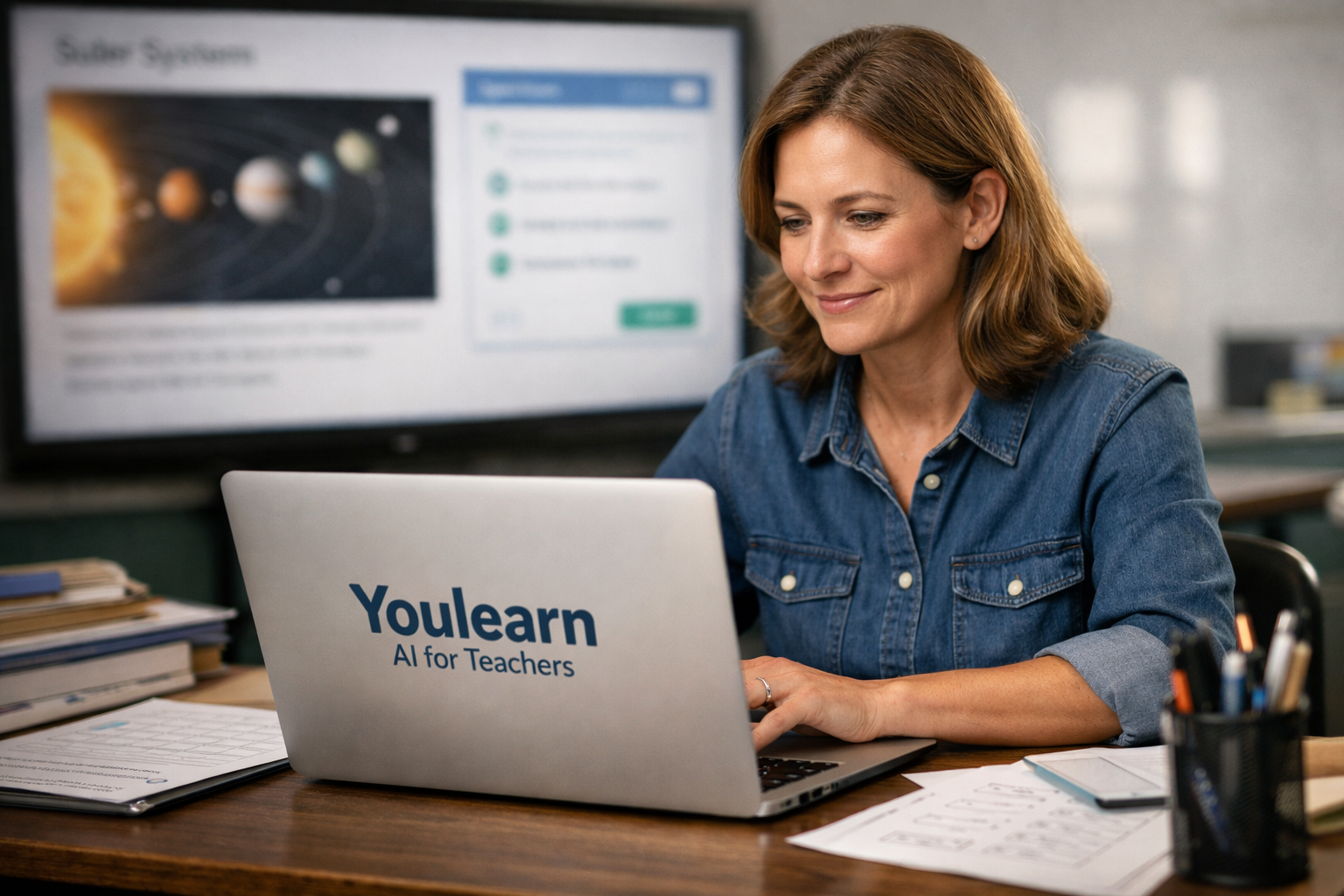
Teachers are increasingly exploring youlearn ai for teachers because it can turn existing learning materials into summaries, quizzes, notes, chats, and review resources. The important context is that YouLearn is primarily positioned as an AI tutor and student study platform—not a teacher-first curriculum platform or learning management system.
That distinction matters. In this youlearn ai for teachers review, I found the strongest value is not replacing a teacher’s expertise, assessment system, or curriculum planning process. Instead, it is helping educators repurpose their own materials into student-friendly support resources more quickly.
TopTrustReview may earn a commission if you choose to try YouLearn through this official YouLearn offer. That does not change the practical limitations discussed below.
Official website · Latest pricing & offers
What Is YouLearn AI and Why Teachers Are Looking at It
Quick overview of the platform
YouLearn describes itself as “An AI tutor made for you.” According to its official website, the platform can understand PDFs, YouTube videos, recorded lectures, slides, and other uploaded materials. It then helps users create notes, summaries, interactive chats, quizzes, podcasts, and related study resources.
For youlearn ai for teachers, that creates an interesting workflow opportunity. A teacher can start with a lesson deck, reading packet, lecture recording, or educational video and create several review formats from the same source.
The YouLearn AI app also states that users can work with PDFs, lecture slides, videos, recordings, photos, and text. It supports web and mobile access and offers study assistance across more than 40 languages.
Why a student study tool can still help teachers
A student-centered product can still be useful behind the scenes for educators. Teachers already spend significant time turning one instructional resource into several others: a summary for absent students, practice questions for review, flashcards for vocabulary, and simplified explanations for students who need extra support.
This is where youlearn ai for teachers is most practical. Rather than asking the tool to invent an entire unit from scratch, teachers can use it to transform materials they already know and trust.
For example, a biology teacher might upload a teacher-created slide deck about cellular respiration. From there, the teacher could generate a summary, inspect quiz suggestions, use flashcards as revision prompts, and ask the AI tutor to explain a difficult concept in simpler language.
Who this guide is for
This review is for classroom teachers, tutors, instructional coaches, higher-education instructors, and education content creators. It is especially relevant for educators who regularly work with lengthy PDFs, lecture slides, recorded explanations, or source-heavy lessons.
Youlearn ai for teachers will make the most sense if you want a supplemental teacher AI study tool for review, catch-up support, and material repurposing. It is less suitable if your main goal is standards mapping, automated grading, attendance tracking, or managing a full digital classroom.
How YouLearn AI Works in Plain English

Upload content from class materials
The basic workflow is straightforward: upload a source, let the platform process it, then use the generated study tools as a starting point. Verified product information says users can upload PDFs, YouTube videos, lecture slides, recorded lectures, photos, and text.
With youlearn ai for teachers, the best sources are usually materials you have already checked: your own slide deck, a district-approved reading, a public lecture, or an instructional video you already use in class. Starting with trusted material reduces the risk of building student resources from unreliable information.
A history teacher, for instance, could upload a primary-source packet and supporting slides. A math tutor could use a worked-example PDF. A language teacher could add a reading passage and vocabulary list for a focused study set.
Turn content into notes, quizzes, and chats
YouLearn can turn learning materials into notes, summaries, flashcards, quizzes, interactive chats, and more. The platform also says users can ask questions and receive guidance through its AI tutor, with answers tied back to uploaded learning content and references.
This capability supports youlearn ai lesson planning in a limited but useful way. It can help a teacher extract themes, identify likely misconceptions, or create an early draft of review questions from a source document.
The key word is draft. Teachers should review every generated note, question, answer explanation, and summary before giving it to students. AI output can be useful for saving setup time, but it does not remove professional responsibility for accuracy, tone, reading level, or curriculum alignment.
Use it across web and mobile
The product is available on web and mobile, according to the App Store listing. That flexibility may suit teachers who plan at a laptop but want to review materials or listen to an AI-generated podcast while commuting.
For youlearn ai for teachers, the web experience is likely the more practical place to upload, review, and edit source-based resources. Mobile access is more helpful for checking materials, testing a student-style question flow, or revisiting a transcript when away from a desk.
If you are researching a YouLearn AI download or a YouLearn AI login process, confirm current access options directly through the official product pages. Availability, supported devices, and sign-in methods can change.
7 Ways Teachers Can Use YouLearn AI
1. Build lesson-planning notes from source materials
One of the most practical uses of youlearn ai for teachers is converting source-heavy material into an organized planning reference. Upload a chapter PDF, lesson slides, or a relevant educational video, then generate notes and a summary to identify main ideas, vocabulary, and likely sticking points.
For example, an eighth-grade science teacher preparing a lesson on ecosystems could upload a reading packet and use the resulting notes to create a concise lesson overview. The teacher can then compare the output with required standards and adjust the sequence before teaching.
The benefit is faster orientation, particularly when you are covering a new topic or inheriting materials from another teacher. The limitation is that generated notes may miss the emphasis your curriculum requires, so they should never replace your own lesson objectives or professional judgment.
2. Create exit-ticket questions and quizzes faster
YouLearn can generate quizzes and personalized exams from uploaded learning materials. That makes youlearn ai quiz creation a realistic use case for informal checks for understanding, revision sessions, and low-stakes practice.
A teacher could upload a presentation from a geometry lesson, generate quiz questions, and select two or three that match the day’s learning goal. Those questions could become an exit ticket after the teacher checks wording, answers, and level of difficulty.
This approach is especially useful when you need a quick practice set for a reteach group. However, do not assume the questions automatically measure the exact skill you taught; confirm that the wording is clear and that the answer key is correct.
3. Turn lectures into student-friendly summaries
Recorded lessons and videos can be difficult for students to revisit efficiently. The YouLearn app says users can record lectures and receive chapters and transcripts, while the broader platform can create summaries and notes from uploaded material.
For youlearn ai for teachers, this is a helpful way to support students who were absent, joined a unit late, or need a second explanation. A teacher can turn a recorded mini-lecture into a review summary, then revise the wording so it matches the class’s vocabulary and expectations.
Imagine a college instructor recording an explanation of a complex economics graph. A transcript and summary can help students locate the key ideas before office hours. Still, teachers should confirm that the transcript captures technical vocabulary correctly, especially in subjects with formulas, names, or specialized terminology.
4. Differentiate review materials for mixed-ability classes
Differentiation does not mean creating completely separate lessons for every learner. It often means presenting the same core concept in different formats: a concise summary, flashcards, practice questions, a conversational explanation, or an audio review resource.
This is an area where youlearn ai for teachers can support efficient preparation. A teacher might use one uploaded lesson source to create a basic summary for students needing a clearer overview, flashcards for vocabulary review, and quiz questions for students ready for independent practice.
The platform’s AI tutor can also provide step-by-step explanations, according to the App Store listing. That can be useful when students need to work through a concept at their own pace. The caution is that teachers must inspect whether an explanation is appropriate for their grade level and does not introduce methods or terminology that conflict with classroom instruction.
5. Support absent students with catch-up packets
Absences create an administrative and instructional challenge. Teachers need a practical way to help students catch up without recreating an entire lesson individually.
With youlearn ai for teachers, an educator could upload a slide deck, recording, or class handout and generate a compact catch-up package. This might include a summary of the lesson, a short list of key terms, a few quiz questions, and an AI tutor prompt students can use when they get stuck.
A strong workflow is to keep the packet focused: what the student missed, what they must understand, and what to complete before returning to class. Avoid simply handing over every AI-generated output. Too much information can overwhelm a student who is already behind.
6. Generate revision resources for parents and tutors
Parents, guardians, and external tutors often want to help but may not know the terminology or method used in class. A short, teacher-reviewed explanation can make support at home more consistent.
The student-study focus of youlearn ai for teachers is useful here because the platform can produce study-oriented materials from class content. A teacher could create a concise revision sheet, flashcard list, or question set from a unit resource and share a polished version with families.
For example, an elementary teacher could turn a nonfiction reading passage into key-vocabulary prompts and a simple summary for home review. The limitation is that teachers should not upload student work, individualized education information, or other sensitive records unless their school policy clearly permits it.
7. Reuse one source into multiple classroom assets
The greatest productivity advantage is not a single feature. It is the ability to reuse one approved source across different student support formats.
A single presentation or PDF can potentially become notes, summaries, quizzes, flashcards, tutor-style questions, and audio-oriented review. For youlearn ai for teachers, that means a teacher can begin with one trusted source and build a small resource bank around it.
| Original Material | Possible YouLearn Output | Teacher Use |
|---|---|---|
| Lesson slides | Notes and summary | Lesson recap or absent-student support |
| Reading PDF | Flashcards and quiz | Vocabulary or independent review |
| Recorded mini-lesson | Transcript and chapters | Catch-up resource |
| Educational video | Interactive chat and questions | Guided review activity |
| Multiple unit documents | Combined study set | End-of-unit revision |
This is particularly helpful for tutoring, test review, and content-rich courses. The caution is simple: quality still comes from the teacher’s selection, editing, and sequencing—not from generating a larger volume of materials.
Best Classroom Workflow for Teachers Using YouLearn AI
Step 1: Upload the source
Start with a clean, approved source that students are already allowed to access. A teacher-created PDF, slide deck, public educational YouTube video, or recorded explanation is usually a safer starting point than unverified content.
When using youlearn ai for teachers, avoid uploading confidential student information, assessment records, behavior notes, or documents containing personal data unless your institution has specifically approved that use. Privacy requirements vary by school, district, and country.
Step 2: Review AI-generated notes and questions
Generate the resource type you need: notes, summary, flashcards, quizzes, transcript-based support, or an AI tutor conversation. Then review it as you would any draft created by a teaching assistant.
Check factual accuracy, answer keys, missing context, terminology, and whether the questions reflect your actual learning goals. In subjects such as math, science, engineering, and languages, verify every worked explanation before sharing it.
Step 3: Adapt for your grade level
AI-generated material may be too wordy, too advanced, too simplistic, or framed in a way that does not fit your students. Edit for age appropriateness, reading level, accessibility needs, and local curriculum language.
This stage turns youlearn ai for teachers from a generic study tool into something instructionally useful. Add your own examples, connect the resource to the lesson objective, and remove anything that could confuse learners.
Step 4: Share or reuse outputs
Use the finalized output as a review sheet, tutoring prompt, catch-up resource, warm-up, exit ticket, or parent-facing revision guide. You can also keep teacher-approved materials as a reusable bank for later classes.
Do not present AI-generated output as automatically authoritative. Students benefit when teachers model good source evaluation by explaining that study materials are reviewed, adapted, and connected to class learning.
Official website · Latest pricing & offers
YouLearn AI Features That Matter Most for Teachers
Notes and summaries
Notes and summaries are valuable when teachers need to reduce a long source into a focused review guide. They can help with planning, absent-student support, and creating a foundation for differentiated materials.
For youlearn ai for teachers, summaries work best when the original source is already accurate and well structured. Treat them as a first pass, then make the final version sound like your classroom.
Quizzes and flashcards
Quizzes and flashcards offer quick ways to turn passive review into active recall. They are particularly useful for vocabulary, factual recall, key processes, and early practice before a formal assessment.
The platform can create quizzes, flashcards, and personalized exams based on uploaded material. That is helpful for teachers, but every question should still be checked for ambiguity, correct answers, and alignment with the intended standard.
AI tutor chat and explanations
YouLearn’s AI tutor lets users ask questions and receive clear, step-by-step explanations. The platform emphasizes learning from uploaded content and getting answers with references.
An ai tutor for teachers can be useful as a student-support companion, especially when students need to ask a question outside class. However, teachers should establish boundaries around appropriate use and encourage students to compare explanations with class notes and assigned materials.
Lecture recordings and transcripts
The ability to work with lecture recordings, chapters, and transcripts can help transform spoken instruction into revisit-ready resources. This is especially valuable in higher education, tutoring, and classes where students need to revisit complex explanations.
Teachers should check transcripts carefully before sharing them. Names, formulas, acronyms, and subject-specific language are areas where automated transcription can require edits.
Podcasts and audio review
The product says users can turn lessons into AI podcasts and listen while commuting, walking, or offline. Audio can offer another study format for students who prefer listening or want to review away from a screen.
For youlearn ai for teachers, audio review is best used as an optional supplement rather than the only version of a lesson. Students should still have access to the original materials, accurate written notes, and teacher guidance.
Multi-source study sets
The App Store listing says users can combine multiple sources into one study set and organize materials by class or subject. This can be useful for unit review when relevant materials are scattered across several slides, readings, and recordings.
Teachers should be selective when combining sources. A study set is more helpful when all materials support the same objective; mixing loosely related sources can create a confusing revision experience.
Who YouLearn AI Is Best For in Education
Classroom teachers
Classroom teachers who regularly create review sheets, practice questions, and catch-up materials may find youlearn ai for teachers useful. It is most practical for educators who want to get more value from materials they already teach.
It is not a replacement for an LMS, digital gradebook, standards tracker, or full curriculum platform. Think of it as an additional content-to-study-resource layer.
Tutors and learning support staff
Tutors can benefit from uploading a student’s approved class resources and creating focused review materials. The AI tutor format may also help students formulate questions during independent practice.
A tutor should still lead instruction, diagnose misconceptions, and choose the right teaching method. The tool can organize practice, but it cannot replace human observation of how a learner thinks.
Higher-ed instructors
Higher-ed instructors working with long readings, lectures, and technical material may find the platform’s transcript, summary, quiz, and multi-source features especially relevant. It can help students revisit complex content between lectures.
For youlearn ai for teachers in university settings, clear guidance on academic integrity is essential. Students should know when AI-assisted study support is acceptable and when individual work must remain independent.
Students who need self-study support
Students are ultimately the platform’s core audience. Teachers may see the best outcomes when they use it to guide student self-study rather than trying to automate teacher work.
The tool can support independent review, but students still need structure: which sources to use, what to focus on, how to check understanding, and when to ask a teacher for help.
Limitations Teachers Should Know Before Using It
Not a substitute for curriculum design
YouLearn can transform learning materials, but it is not verified as a curriculum design system. It does not replace a teacher’s knowledge of standards, sequencing, classroom context, or student needs.
Using youlearn ai for teachers works best after you have already chosen the right source material and learning objective. It can accelerate repurposing, not solve every planning decision.
Accuracy still needs human review
AI-generated summaries, questions, explanations, and transcripts can contain errors, omissions, awkward phrasing, or incorrect emphasis. This is true even when the original source is reliable.
Teachers should review all outputs before classroom use. Pay particular attention to calculation steps, historical claims, scientific explanations, reading-level fit, and question-answer matching.
Policy, privacy, and student-data considerations
No educator should assume a tool automatically meets their school’s privacy, procurement, accessibility, or AI-use requirements. Review district policy and seek approval where needed before making the platform part of student workflows.
Do not upload personally identifiable student information, confidential records, protected assessment data, or sensitive work unless your institution has explicitly approved it. A cautious approach protects both students and teachers.
Pricing and Value: What Teachers Need to Consider
Free access and in-app purchases on mobile
The verified App Store listing describes YouLearn as Free with In-App Purchases. That is the only pricing detail confirmed in the available official product information.
If you are searching for youlearn ai for teachers free access, it is reasonable to begin by exploring the free version. However, do not assume that all capabilities, usage levels, or features are included without checking the current details directly on the official product and pricing pages before purchase.
Value for time savings
The value proposition is primarily time saved when converting one lesson source into multiple study-ready formats. A teacher who frequently creates summaries, quizzes, flashcards, catch-up materials, and review packets may gain more from the tool than someone who only needs occasional assistance.
The strongest case for youlearn ai for teachers is not “generate everything automatically.” It is “reduce the repetitive first-draft work, then apply professional review and classroom knowledge.”
When a teacher should try it first
Try the platform first if you already have a content-rich lesson resource and a specific task in mind. Good tests include creating a review sheet from slides, producing a quiz draft from a reading, or making an absent-student summary from a recorded mini-lesson.
You can evaluate the official platform through YouLearn and compare the outputs with the materials you currently create by hand. If the editing time is lower and the quality remains acceptable after review, it may be worth incorporating into your workflow.
Final Verdict: Is YouLearn AI Worth It for Teachers?
Best reasons to try it
Youlearn ai for teachers is worth trying for educators who want to repurpose trusted learning materials into notes, summaries, quizzes, flashcards, transcripts, and student-facing review formats. Its ability to work with PDFs, slides, videos, recordings, photos, and text gives teachers several practical starting points.
The most useful feature combination is source upload plus study-resource generation. Teachers can take a lesson they already use and build different support formats for review, tutoring, catch-up work, and independent practice.
Who should skip it
Teachers looking for automated grading, classroom management, standards-aligned curriculum mapping, or a full learning management system should look elsewhere. Those functions are not among the verified YouLearn features described here.
You should also skip or pause use if your school does not permit AI tools with classroom materials, or if you cannot safely use the platform without uploading restricted information. Institutional policy should always come before convenience.
Bottom-line recommendation
This youlearn ai for teachers review finds that the platform is a useful supplemental tool, not a complete teacher platform. It is particularly compelling for educators who spend time turning the same content into multiple revision assets and who are willing to review every output before students see it.
The final recommendation is cautious but positive: try youlearn ai for teachers with non-sensitive, teacher-approved materials and a specific workflow goal. If it helps you create better review resources faster without compromising accuracy, privacy, or instructional quality, it can earn a practical place in your teaching toolkit.
Official website · Latest pricing & offers
FAQ
Can teachers use YouLearn AI for lesson planning?
Yes. Teachers can use YouLearn to turn source materials into notes and summaries, then adapt those outputs into lesson-planning resources. For youlearn ai lesson planning, it is best used as a way to organize existing materials and generate early drafts, not as a substitute for curriculum design.
Always review generated content for subject accuracy, grade-level suitability, and alignment with your lesson objective before teaching from it.
Can YouLearn AI create quizzes for students?
Yes. Verified product information says YouLearn can generate quizzes and personalized exams from uploaded materials. This makes it useful for quick practice, exit-ticket drafts, revision activities, and tutoring sessions.
Teachers should still review every quiz question and answer explanation. AI-generated assessments may need edits for clarity, difficulty, and alignment with what students were actually taught.
Does YouLearn AI work with PDFs and lecture slides?
Yes. The App Store listing says the YouLearn AI app supports PDFs, lecture slides, videos, recordings, photos, and text. The official website also states that the platform understands PDFs, YouTube videos, and recorded lectures.
That flexibility is one reason youlearn ai for teachers can work well for classroom-adjacent preparation. Teachers can begin with the materials they already use rather than recreating content in a new system.
Is YouLearn AI free for teachers?
The verified App Store listing says YouLearn is free with in-app purchases. There is no verified teacher-specific pricing information in the available product facts, so educators should not assume a dedicated education plan, discount, or feature level.
Check the current official pricing information before subscribing or using the tool with students. Pricing, access, and included features may change over time.
Is YouLearn AI safe to use with student information?
Teachers should follow their school, district, institution, and local privacy rules before using any AI tool with classroom-related material. Avoid uploading sensitive student information, confidential records, protected assessment data, or personally identifiable information unless use is clearly approved.
The safest approach is to begin with teacher-created slides, public videos, approved readings, and non-sensitive lesson materials. Teachers should also review AI-generated outputs before sharing them with students.
Related Reading
References
- YouLearn AI
- YouLearn: AI Study Tutor – App Store – Apple
- AI tutor YouLearn helps students study smarter | Y Combinator posted on LinkedIn
- YouLearn – An AI tutor made for you






