Gohighlevel SMS Automation: Best Practices for More Replies and Bookings
For agencies, local businesses, and service teams, gohighlevel sms automation can turn slow lead follow-up into a structured conversation process. The objective is not to send more texts. It is to send the right message at the moment a prospect is most likely to respond, book, or ask a useful question.
A well-built workflow can acknowledge a new inquiry, follow up after a missed call, confirm an appointment, recover no-shows, and reactivate older leads. The strongest gohighlevel sms automation systems use short, relevant messages, clear exit conditions, and consent-first practices rather than aggressive texting.
Official website · Latest pricing & offers
What GoHighLevel SMS Automation Is and Why It Converts
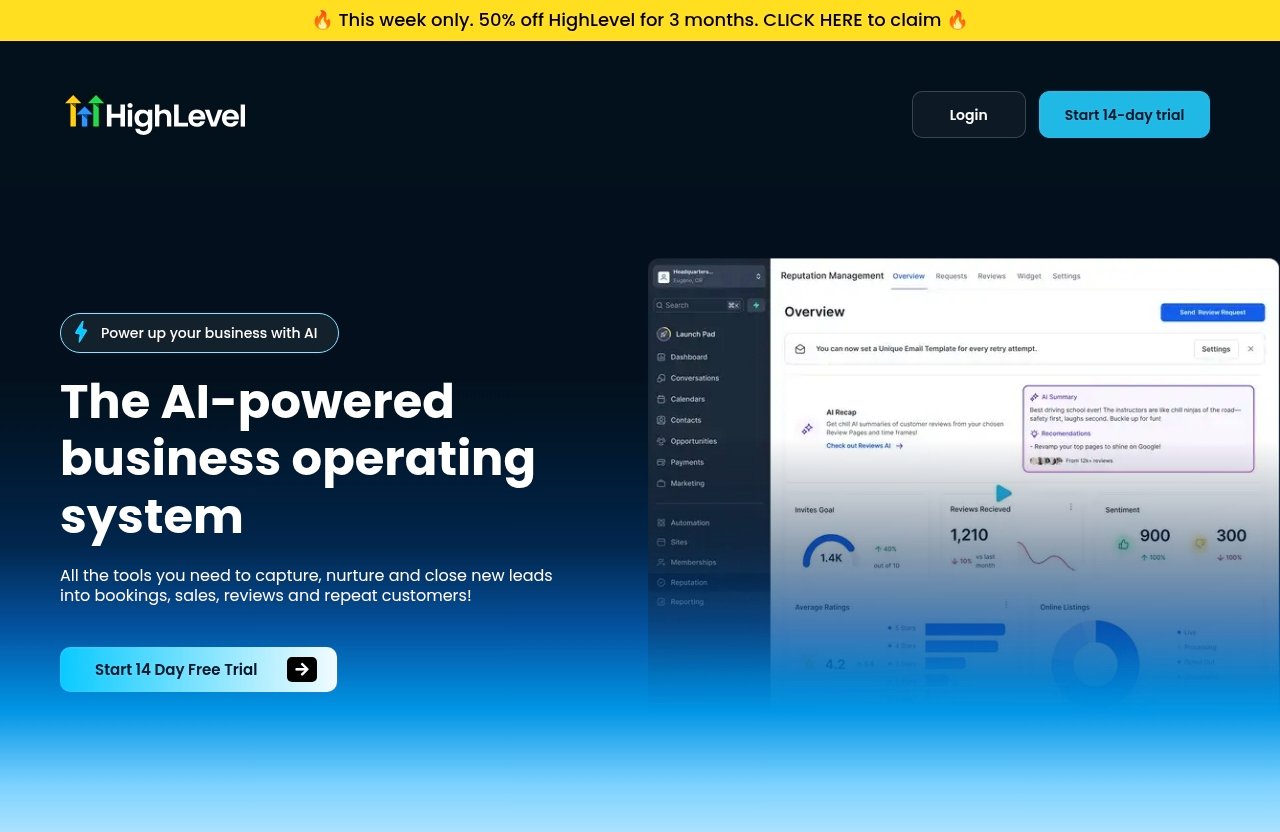
GoHighLevel is described by the company as an AI-powered business operating system and an all-in-one solution for business growth. Its official feature set includes CRM capabilities, inbound SMS, missed call text-back, call tracking, forms, surveys, email-related tools, and conversation tools that can support a coordinated follow-up process.
At its core, gohighlevel sms automation means using workflow triggers and actions to send or manage text-message follow-up based on contact behavior. A form submission, missed call, booking event, tag change, or pipeline update can start a workflow. Wait steps, conditions, and reply handling then determine what happens next.
How SMS Fits Into the GHL Workflow Engine
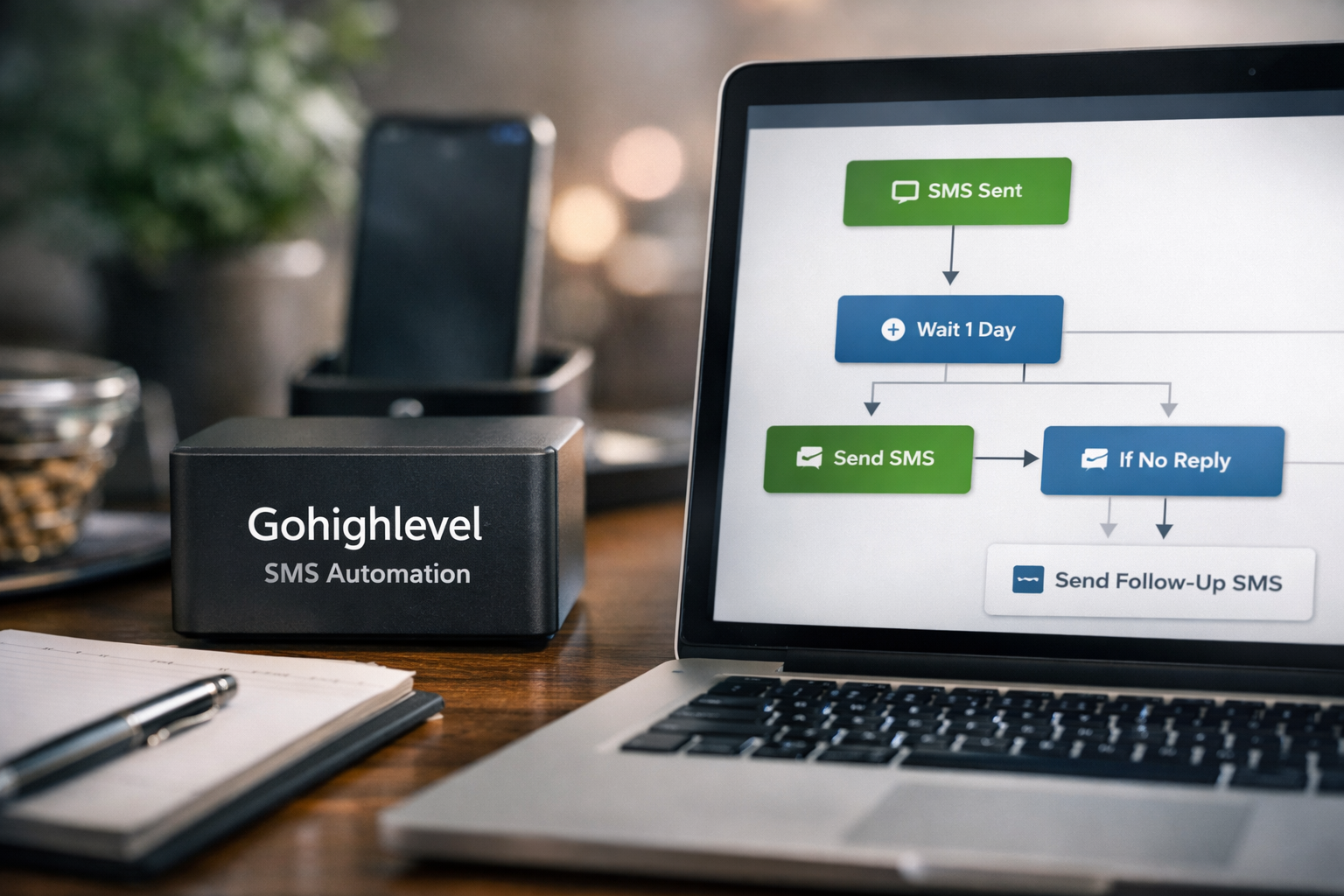
Think of a workflow as a decision tree, not a message blast. A contact enters because they took a meaningful action, such as requesting a quote. The workflow sends an acknowledgment, waits, checks for a reply or appointment, and only continues when the lead still needs follow-up.
This makes gohighlevel sms automation particularly useful for time-sensitive conversations. A local service business may need to respond within minutes to a quote request, while an agency may need to qualify a prospect before offering a strategy call.
A basic workflow structure looks like this:
| Workflow Component | Purpose | Example |
|---|---|---|
| Trigger | Starts the sequence | Form submission |
| Send SMS | Delivers the first response | “Thanks for reaching out…” |
| Wait step | Creates breathing room | Wait one day |
| Condition | Checks contact status | Has the contact replied? |
| Branch | Changes the next action | Reply path vs. no-reply path |
| Exit | Stops irrelevant messaging | Appointment booked |
Where SMS Outperforms Email for Speed and Response
Email remains useful for detailed explanations, brochures, estimates, and longer nurture content. But a text is often better when the desired next step is simple: confirm interest, choose a time, answer one question, or call back.
For example, an email may explain a consultation process in detail. An SMS can ask: “Would morning or afternoon work better for a quick call?” That smaller decision is easier to answer.
The point is not to replace email with gohighlevel sms automation. It is to use SMS where speed, visibility, and conversational momentum matter most.
The Core Principles of High-Converting SMS Workflows
High-performing text workflows start with relevance. Before building messages, define the contact’s intent, the next logical action, and the circumstances that should stop the sequence.
A contact who requested pricing needs a different message from someone who downloaded a guide six months ago. Treating both contacts the same is one of the fastest ways to lower reply quality.
Send Only When the Intent Is Clear
A good trigger reflects real interest or a real service need. Form completions, inbound calls, booking requests, and existing-customer updates are usually stronger starting points than imported cold lists.
With gohighlevel sms automation, make the trigger specific enough that the recipient recognizes why they are hearing from you. Referencing the source of their inquiry increases clarity and reduces the “Who is this?” response.
Strong opening:
“Hi Jamie, this is Alex from Northside Dental. Thanks for requesting information about a new-patient visit. Would you like help finding an opening this week?”
Weak opening:
“Hello! We have an amazing offer for you. Reply now!”
The first message establishes context, identity, and one next step. The second message is vague and promotional.
Keep Messages Short and Action-Led
Text messages should be easy to understand in one glance. Lead with the context, then make a simple request or offer a clear choice.
Avoid trying to explain every service benefit in the first message. When a lead replies, you can continue the conversation or move them to a call, booking page, or human team member.
Use One CTA Per Text
Each message should ask for one action. Examples include:
- Reply with a preferred day.
- Confirm an appointment.
- Answer “yes” to receive options.
- Tell us whether you are still interested.
- Choose between two time windows.
A gohighlevel sms automation sequence becomes harder to follow when one text asks a recipient to click a link, call a number, complete a form, watch a video, and reply all at once.
Personalize With Merge Fields
Use available contact data carefully. A first name, service category, location, assigned representative, or requested service can make a message feel relevant without becoming overly familiar.
Personalization should support the reason for the text. If your data is incomplete or unreliable, do not insert a field that could render awkwardly or incorrectly. Test every message with realistic contact records before publishing.
Match the Message to the Lead Source
A paid-ad lead may need a fast acknowledgment and qualification question. A referral lead may need a warmer personal introduction. A missed-call contact needs a direct way to reconnect.
This source-based approach is the difference between a generic gohighlevel sms automation setup and one that reflects how prospects actually enter your business.
Best-Practice Workflow Types to Build in GoHighLevel
Start with workflows attached to high-intent moments. These usually produce more useful conversations than broad, long-term campaigns.
New Lead Instant Response
Trigger: A form is submitted, a survey is completed, or a lead is manually added with a relevant tag.
Goal: Confirm receipt and create a conversation while interest is fresh.
Timing: Immediately, followed by spaced follow-ups only if there is no reply.
Sample flow:
- Immediate: “Hi {{contact.first_name}}, thanks for reaching out to {{location.name}} about {{contact.service}}. What would you like help with first?”
- Next day, if no reply: “Just checking that you received this. Would you like available times or a quick answer to a question?”
- A few days later, if still no engagement: “We can keep this simple—reply 1 for times, 2 for pricing information, or 3 if now isn’t a fit.”
This gohighlevel sms automation workflow works because it begins with a low-friction question instead of a hard sales pitch.
Missed Call Text Back
The official GoHighLevel feature list includes Missed Call Text-Back. For local businesses, this can be one of the most practical automations because callers often contact multiple providers when they need help quickly.
Trigger: An inbound call is missed.
Goal: Reopen the conversation before the caller moves on.
Sample text: “Hi {{contact.first_name}}, sorry we missed your call. This is {{location.name}}. How can we help today?”
A missed call text back GoHighLevel workflow should not pretend that a team member is available if they are not. Set expectations honestly, especially outside normal business hours.
Appointment Confirmation and Reminder Sequence
Trigger: An appointment is booked.
Goal: Reduce confusion and help the customer arrive prepared.
Timing: Immediately after booking, then at sensible intervals before the appointment.
A practical gohighlevel appointment reminder sms flow may include:
- Confirmation: “You’re booked for {{appointment.start_time}}. Reply if you need help before your visit.”
- Reminder: “Reminder: your appointment is tomorrow at {{appointment.start_time}}. Please reply if you need to reschedule.”
- Day-of reminder: “We look forward to seeing you today at {{appointment.start_time}}.”
Keep reminders helpful rather than repetitive. If someone reschedules or cancels, they should exit the original reminder branch.
No-Show Recovery
Trigger: Appointment status indicates a missed appointment.
Goal: Make rescheduling easy without shaming the prospect.
Sample text: “Hi {{contact.first_name}}, we missed you today. Would you like us to help you find another time this week?”
A no-show workflow can include a second follow-up if there is no response. After that, move the contact into a slower re-engagement path instead of repeatedly pushing for an immediate booking.
Long-Term Nurture and Reactivation
Trigger: A lead remains unbooked after the initial sequence, or an existing contact has been inactive for a defined period.
Goal: Reopen a relevant conversation.
Sample text: “Hi {{contact.first_name}}, this is {{location.name}}. Are you still considering help with {{contact.service}}? If so, I can send current availability.”
Reactivation works best when the message gives a reason for contacting the person and respects the fact that their priorities may have changed. Do not assume an older lead is still actively shopping.
Post-Purchase or Post-Service Follow-Up
Trigger: A service is completed or a customer purchase is recorded.
Goal: Confirm satisfaction, identify issues early, or invite a next appropriate step.
Example: “Hi {{contact.first_name}}, thanks for choosing {{location.name}}. Is there anything we can clarify following your service?”
For agencies, this may become a client check-in. For a local provider, it can support customer care and reputation management. Keep requests for reviews or referrals separate from urgent support questions.
How to Structure an SMS Sequence Inside a GHL Workflow
A reliable workflow is designed around what should happen when a contact engages, not just when they do not. Before adding copy, map the entry point, message sequence, branches, and exits.
Trigger, Wait Step, and Branch Logic
A standard gohighlevel sms automation flow typically includes:
- A trigger, such as a form submission or missed call.
- A contact check to confirm the person is eligible for messaging.
- An immediate Send SMS action.
- A wait step.
- A condition that checks whether the contact replied, booked, opted out, or changed status.
- A follow-up path only for contacts who still need it.
The wait step matters. Without it, multiple messages can stack up quickly, especially when contacts enter more than one workflow. Use clear tags, pipeline stages, or booking conditions to control overlap.
Using Send SMS With Conditions
A gohighlevel workflow send SMS action should be protected by conditions where possible. For example, only send an appointment reminder if the appointment remains active. Only send a lead follow-up if the contact has not replied and is not already marked as closed.
Useful condition checks include:
- Has the contact replied?
- Has an appointment been booked?
- Does the contact have a specific tag?
- Is the opportunity still open?
- Has the contact opted out?
- Is the contact assigned to a particular location or team member?
Conditions make gohighlevel sms automation more respectful and more operationally useful. They also prevent a booked prospect from receiving sales messages after committing.
Combining SMS With Email and Calls
SMS is excellent for prompting a response, while email can provide supporting detail. For example, send a short text acknowledging a request, then email a service overview or preparation guide.
A call task can be appropriate after a high-intent reply. Call tracking, inbound SMS, and CRM records can help teams maintain context rather than making a prospect repeat information.
Go high level email automation should complement the text sequence, not duplicate it word for word. If the SMS asks for a reply, the email can explain what happens after the prospect responds.
Stopping Automation When the Contact Replies or Books
This is a non-negotiable workflow rule. When someone replies, the system should move them to a reply-handling branch or alert a human team member. When someone books, they should exit lead follow-up and enter appointment confirmation.
Build explicit exits for:
- Positive replies
- Negative replies
- “Stop” or opt-out language
- New bookings
- Cancellations and reschedules
- Closed opportunities
The best gohighlevel sms automation sequences feel conversational because they stop when the conversation changes.
Writing SMS Copy That Gets Replies and Bookings
Conversion-focused copy does not need exaggerated urgency. It needs a recognizable context, a human voice, and an easy next step.
First Text Formula
Use this practical formula:
Name + business identity + reason for text + simple question
Example:
“Hi Taylor, this is Morgan from BrightPath Marketing. Thanks for asking about our local SEO service. Are you looking for help with leads, visibility, or both?”
This type of gohighlevel sms automation message invites a response without forcing the lead into a booking decision immediately.
Follow-Up Text Formula
Use this follow-up structure:
Brief reference + low-pressure option + clear reply path
Example:
“Hi Taylor, following up on your SEO inquiry. Would it be useful if I sent a few available consultation times?”
Avoid “Just following up” with no additional value. Give the recipient a reason to respond now.
Soft CTA vs Direct CTA
A soft CTA works well when the lead is early in the buying process:
- “Would you like more information?”
- “Would it help to see available times?”
- “What question can I answer first?”
A direct CTA works when intent is stronger:
- “Would you prefer Tuesday or Thursday?”
- “Reply YES and I’ll send the booking options.”
- “Can you confirm that time still works?”
Use directness in gohighlevel sms automation when the contact has already requested a call, quote, appointment, or service update.
Trust-Building Language
Trust grows when messages are specific and transparent. Identify the business, explain why you are contacting the recipient, and avoid fake scarcity, unexplained links, or misleading urgency.
Good language includes:
- “Thanks for requesting…”
- “Reply if you would like…”
- “We can help you reschedule.”
- “If this is no longer relevant, let us know.”
Examples for Local Businesses and Agencies
Home service business:
“Hi Sam, this is Riverstone Plumbing. Thanks for requesting service. Is the issue urgent, or would you prefer the next available appointment?”
Healthcare-style appointment setting:
“Hi Sam, this is {{location.name}}. We received your appointment request. Would you prefer a morning or afternoon visit?”
Agency lead:
“Hi Sam, thanks for your interest in paid advertising support. What is your main goal right now: more leads, better tracking, or improving campaign efficiency?”
These examples are intentionally simple. A strong gohighlevel sms campaign earns a reply before it tries to explain everything.
Official website · Latest pricing & offers
Compliance and Deliverability Best Practices
SMS compliance is not a checkbox you can solve with one workflow setting. It depends on valid consent, geography, carrier rules, timing, message content, and how your organization handles opt-outs. Confirm your own obligations and messaging policies before sending.
Consent and Opt-In Hygiene
Only message contacts who have provided appropriate permission for the type of communication you plan to send. Record how and when consent was collected, especially if leads come from forms, ads, imported lists, or partner referrals.
Go high level SMS compliance practices should include clear form language, reliable consent records, and processes for honoring opt-outs. Do not assume an email opt-in automatically means SMS permission.
How to Avoid Spammy Language
Avoid messages that are vague, misleading, overly promotional, or packed with punctuation. Do not use excessive all-caps language, repeated urgency, or an unexplained shortened link.
A gohighlevel sms automation message should sound like a legitimate business conversation. State your identity and communicate a clear reason for the message.
Timing, Frequency, and Quiet Hours
Schedule messages around reasonable local times for the recipient. Consider service hours, time zones, and the urgency of the situation before sending anything outside regular hours.
Frequency should match intent. A person who requested immediate help may expect prompt follow-up, while an inactive lead should receive less frequent outreach. More messages are not automatically better.
Phone Number Health and Reputation
Use a consistent, identifiable sending approach and avoid sudden, high-volume sending patterns to unverified lists. Monitor delivery issues, opt-outs, and complaints, then investigate the source, message type, and targeting before scaling a campaign.
If you are researching how to add phone number to GoHighLevel, review the current official setup guidance and make sure the number is connected and tested before launching a workflow. Do not send a broad campaign until test contacts receive messages as expected.
Escalating Sensitive Conversations to a Human
Automated texts should not attempt to handle sensitive complaints, complex pricing disputes, health matters, or urgent customer issues without human oversight. Use reply handling to route those conversations to the right person.
This is where gohighlevel sms automation supports a team rather than replacing it. Automation can prompt, organize, and notify; people should resolve nuanced conversations.
Common Mistakes That Hurt SMS Performance
Poor SMS results are often workflow-design problems, not proof that texting does not work. Review the trigger, audience, copy, timing, exits, and response process before changing everything at once.
Sending Generic Blasts
A generic message to every contact ignores source, service interest, location, and lifecycle stage. Segment contacts before sending. A new lead, a past customer, and an unresponsive inquiry should not receive the same offer.
Some marketers search for gohighlevel sms automation reddit discussions when troubleshooting campaigns. Community feedback can generate ideas, but test recommendations against your own audience, consent records, and workflow data.
Too Many Links or Hashtags
One clear link may be useful when it leads to a booking page or essential information. Multiple links create hesitation and can make a text look promotional.
Hashtags rarely improve a business SMS. Use plain language instead.
No Segmentation
Segmentation lets you tailor messages by lead source, requested service, geography, opportunity stage, customer status, or previous engagement. Even basic segmentation can make a gohighlevel sms automation sequence feel substantially more relevant.
No Follow-Up After a Reply
A reply is not the finish line. It is the point where your team or reply branch needs to move the conversation forward. Set ownership rules so a person knows who responds, how quickly, and what information they need.
If a contact replies “How much?” and receives no answer for hours, the automation may have created interest without supporting the sales process.
Ignoring Analytics
Review delivery, reply, booked appointment, opt-out, and no-show patterns. Look for drops by lead source, sender number, message type, and time of day.
Do not change copy, timing, audience, and workflow logic simultaneously. Test one variable at a time so you can identify what improved or hurt performance.
A Simple GoHighLevel SMS Automation Blueprint You Can Copy
The following framework is adaptable for agencies, clinics, contractors, consultants, and local service businesses. Adjust timing and wording to your sales cycle, consent status, and customer expectations.
7-Day Lead Follow-Up Example
Day 0, immediate:
“Hi {{contact.first_name}}, this is {{location.name}}. Thanks for your inquiry about {{contact.service}}. What would you like help with?”
Day 1, no reply only:
“Hi {{contact.first_name}}, would you like us to send available times or answer a question first?”
Day 3, no reply only:
“We’re happy to help when the timing is right. Reply YES if you would still like options for {{contact.service}}.”
Day 7, no reply only:
“Last check-in from us for now: are you still interested in {{contact.service}}? Reply STOP if you do not want further texts.”
The blueprint uses gohighlevel sms automation to make contact, not to pressure someone indefinitely. Add reply and booking exits after every wait step.
Booking Reminder Sequence Example
Immediately after booking:
“You’re confirmed for {{appointment.start_time}} with {{location.name}}. Reply if you need assistance before then.”
One day before:
“Reminder: your appointment is tomorrow at {{appointment.start_time}}. Please let us know if you need to reschedule.”
Day of appointment:
“Hi {{contact.first_name}}, we look forward to seeing you at {{appointment.start_time}} today.”
If the business uses a booking page, a confirmation email can include detailed instructions while SMS remains focused on attendance and quick communication.
Reactivation Example
Entry condition: Contact has prior consent, has not engaged recently, and has not opted out.
Message 1:
“Hi {{contact.first_name}}, this is {{location.name}}. Are you still looking for help with {{contact.service}}?”
Message 2, after several days without reply:
“No problem if priorities changed. If you would like updated availability later, reply YES and we’ll help.”
This is a safer approach than launching a large gohighlevel SMS campaign to every old contact. Relevance and permission should guide reactivation.
When to Pair SMS With Other HighLevel Tools
SMS is most effective when it is part of a connected customer journey. GoHighLevel’s official feature set includes CRM, forms, surveys, call tracking, websites, funnels, chat tools, inbound SMS, and other business-growth tools that can provide context for messaging.
Forms and Surveys
Forms and surveys can capture the details needed for better follow-up: service interest, location, urgency, budget range, or preferred contact time. Use those responses to add tags and direct contacts into the most relevant text branch.
A form-triggered gohighlevel sms automation workflow should acknowledge the specific action the person took. That context makes the first message more credible.
Voicemail and Call Tracking
Call tracking can help teams understand where inquiries originate, while missed call text-back can re-engage callers who could not reach someone. Pair the text with a clear internal process for returning urgent calls.
Avoid sending a missed-call message and then failing to answer the person’s reply. The workflow should notify the appropriate team member.
Email Nurturing
Use go high level email automation for longer content, detailed estimates, onboarding material, or resources that do not fit naturally in a text. SMS can then point to the email or ask whether the recipient has questions.
If you are working through gohighlevel email setup, align sender identity, branding, and follow-up timing with your SMS workflow. Consistency matters more than sending identical messages across channels.
Conversation AI / Chat Widget
The official feature list includes Chat Widget / Conversation AI. A chat interaction can create useful context before a person enters an SMS sequence, particularly when visitors have already identified their service need.
Use automation carefully. If a conversation becomes specific, sensitive, or frustrated, hand it to a trained person. The goal is a smoother path to help, not an automated loop.
Final Takeaways and Implementation Checklist
Effective gohighlevel sms automation is built around relevance, timing, consent, and clear workflow exits. The highest-value starting point is usually one high-intent workflow, such as new-lead follow-up, missed call response, or appointment reminders.
Start With One Workflow
Choose one journey with a measurable business outcome. For most organizations, that means responding to new inquiries faster or protecting booked appointments from avoidable confusion.
Map the trigger, first message, wait steps, reply handling, booking exit, and human ownership before adding more complexity.
Test One Variable at a Time
Test one element per cycle: the first question, the wait time, the lead-source branch, or the CTA. Keep the rest of the workflow stable long enough to identify meaningful patterns.
A thoughtful gohighlevel sms automation review should focus on message relevance and operational follow-through, not only raw reply volume.
Review Replies and Booked Rates Weekly
Check whether contacts receive messages they should receive, whether booked leads exit sales follow-up, and whether replies reach a person quickly. Also review opt-outs and delivery issues for signs that targeting or consent practices need attention.
Use this implementation checklist:
- Confirm documented SMS consent and opt-out handling.
- Pick one high-intent trigger.
- Write a short first message with one CTA.
- Add wait steps between follow-ups.
- Create branches for reply, booking, cancellation, and opt-out events.
- Test with internal or approved live contacts.
- Assign reply ownership to a real team member.
- Review replies, appointments, opt-outs, and delivery trends weekly.
- Improve one variable at a time.
If you are evaluating whether the platform fits your communication process, you can explore GoHighLevel through Top Trust Review’s affiliate link. GoHighLevel offers a verified 14-day free trial; check the official pricing page for current plan details before making a decision.
Official website · Latest pricing & offers
FAQ
How Do I Create an SMS Automation in GoHighLevel?
To create gohighlevel sms automation, start with a workflow trigger such as a form submission, appointment event, or missed call. Add a Send SMS action, include wait steps and conditions, test the sequence with a live or approved test contact, then publish once reply, booking, and opt-out exits work correctly.
What Is the Best SMS Automation for Lead Nurturing?
The best starting workflow is usually an immediate response to a new inquiry, followed by a small number of value-based follow-ups over several days. Stop the sequence when the person replies, books, opts out, or is otherwise no longer an active opportunity.
How Many SMS Follow-Ups Should I Send?
Use a small, spaced sequence rather than daily repeated texts. The right number depends on consent, lead intent, sales cycle, geography, and engagement; use branching so inactive contacts are not over-messaged.
How Do I Stop SMS Automation After a Booking or Reply?
Use workflow conditions tied to reply events, appointment status, opportunity changes, or tags. When a contact replies or books, remove them from the lead-nurture path and route them to a human-response or appointment-confirmation workflow instead.
Is GoHighLevel SMS Automation Compliant?
Gohighlevel sms automation can support compliant processes, but compliance depends on consent, region, carrier rules, message content, timing, and opt-out handling. Verify that contacts have appropriate permission and confirm applicable local regulations and messaging requirements before sending.
Related Reading
- Complete Gohighlevel Tutorial for Beginners
- Gohighlevel Email Marketing: A Practical Setup, Deliverability, and Conversion Guide
- How to Build a Funnel in Systeme.io: A Beginner-Friendly 2026 Tutorial
References
- How to Use the Send SMS Action in HighLevel Workflows
- 2-Way Text Marketing Tool – Send Bulk SMS Campaigns – GoHighLevel
- Getting Started – Automatic Email and SMS Followup
- GoHighLevel – ClickSend Integrations