Complete Gohighlevel Tutorial for Beginners 2026

If you are looking for a practical gohighlevel tutorial, this guide is designed to help you understand the platform without getting buried in menus, jargon, or advanced automation too early. GoHighLevel is a broad system, but beginners do not need to master every feature before getting useful results.
This walkthrough focuses on the essentials: capturing leads, organizing conversations, following up, and moving people toward a booking or sale. If you decide it suits your business, you can explore the official 14-day trial through this GoHighLevel link. This article includes affiliate context, but the goal is to help you evaluate the platform realistically.
Official website · Latest pricing & offers
What Is GoHighLevel and Who Is It For?
Simple definition of the platform
GoHighLevel describes itself as an AI-powered business operating system. In plain English, it is a platform intended to help businesses and agencies capture, nurture, and close leads into bookings, sales, reviews, and repeat customers.
Rather than using separate tools for contacts, landing pages, follow-up messages, and lead tracking, GoHighLevel brings many of those activities into one environment. A good gohighlevel tutorial should therefore focus on how the pieces connect, not simply list every available feature.
The platform includes verified tools such as CRM, forms, surveys and quizzes, websites, funnels and landing pages, Voice AI, chat functionality, call tracking, inbound SMS and social DMs, missed call text-back, social planning, QR codes, and advertising tools for Google, Facebook, and Instagram.
Best fit: agencies, service businesses, and operators
GoHighLevel tends to make the most sense for agencies, consultants, local service businesses, and business operators who manage a steady flow of inquiries. It can be especially useful when leads come from several places and follow-up is inconsistent.
For example, a home service company might use forms to capture quote requests, conversations to respond, workflows to follow up, and review requests after a completed job. An agency may use a similar setup for multiple clients while keeping each client’s operations separated.
This is not only a platform for marketing experts. However, it does reward people who are willing to define their customer journey clearly before they build anything.
What beginners usually misunderstand
The most common misunderstanding is expecting GoHighLevel to be “set it and forget it.” Automation can save time, but it cannot replace a clear offer, reliable response process, or thoughtful customer communication.
Another misconception is that every feature must be enabled immediately. A successful gohighlevel tutorial for beginners starts small: one lead source, one follow-up sequence, and one measurable business goal.
Think of GoHighLevel as an operating workspace rather than a single-purpose app. That flexibility is useful, but it also means you need a simple plan before you begin clicking through settings.
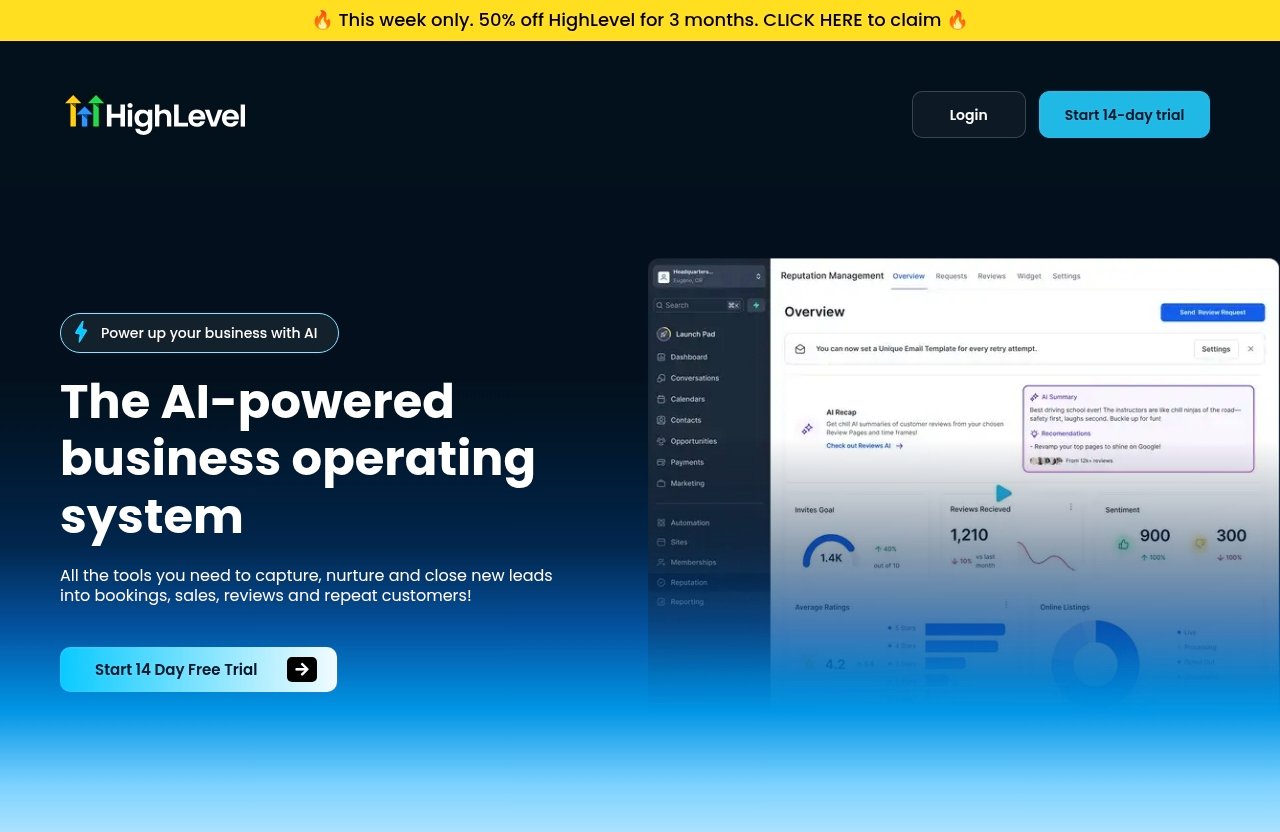
GoHighLevel Dashboard Overview: What You’ll See First
Agency view vs sub-account level
One of the first concepts to understand in this gohighlevel tutorial is the difference between agency view and sub-account level.
The agency view is generally the higher-level workspace for account owners or administrators. It is where an agency can oversee business accounts, manage broader account-level activity, and organize client environments.
A sub-account is the workspace where an individual business or client’s day-to-day operations happen. This is where you would typically work with that specific business’s contacts, conversations, forms, pipelines, websites, and workflows.
If you operate one business rather than an agency, you may spend most of your time inside one sub-account. If you serve clients, keeping this distinction clear helps prevent setup mistakes and confusion.
Core menu areas to recognize
The dashboard can feel busy initially, but beginners should learn the sections that support their immediate goal. Start by recognizing areas related to contacts, conversations, opportunities, marketing, sites, and workflows.
Contacts are where lead records live. Conversations are where you can review and manage communication activity, including channels such as SMS, chat, and social DMs where configured.
Opportunities help you organize leads by stage, such as new inquiry, contacted, booked, or closed. Sites is the area associated with websites, funnels, landing pages, forms, and related lead-capture assets.
Workflows are where you create automated actions and follow-up logic. You do not need to build a complicated system on day one, but you should know where to find this area.
How to avoid getting lost on day one
The easiest answer to how to use GoHighLevel without feeling overwhelmed is to ignore nonessential menus at first. Pick one outcome, such as collecting inquiries from a landing page and responding to them quickly.
Spend your first session opening Contacts, Conversations, Forms, and Workflows. Look at how a contact record connects to a message history and a lead stage.
Avoid making broad changes before you understand which account level you are in. When in doubt, pause and use the official HighLevel Support Portal or relevant gohighlevel documentation to confirm the setting you are changing.
GoHighLevel Tutorial for Beginners: First Setup Steps
Create your account and complete onboarding
Start this gohighlevel tutorial by creating an account and following the onboarding prompts presented to you. The official pricing page states, “Start Your 14 Day Free Trial Today!”, giving you time to assess the platform using a real but limited setup goal.
During onboarding, focus on establishing the correct business or client workspace. Do not worry about building a polished website, a large campaign, and multiple workflows in your first hour.
Write down one use case before you continue. For instance: “When someone fills out my inquiry form, I want to contact them and encourage them to book a consultation.”
This one sentence will guide your setup decisions and stop you from adding tools that do not support the initial goal.
Set up your business profile and basic settings
Next, review the available business profile and account settings carefully. Use accurate business information and make sure your internal team knows who is responsible for messages, lead updates, and testing.
A strong gohighlevel tutorial for beginners does not treat settings as an administrative chore. These basics affect how organized your account feels later, particularly when leads begin arriving from forms, calls, chat, and other sources.
Keep your initial contact organization simple. You may use clear labels or categories based on source, service interest, or lead stage, but avoid creating dozens of custom fields without a clear reason.
The objective is to make it easy for a team member to answer three questions: who is this person, what do they want, and what should happen next?
Connect domain, phone, and email essentials
Connect only the communication and web essentials relevant to your first workflow. Depending on your setup, that may include your domain, phone connection, and email-related configuration.
Take time to test these elements before directing real prospects to a page or form. Send test messages where available, submit a test lead, and verify that the right person can see the inquiry in Conversations.
This is an area where beginners should be patient. Communication setup and deliverability-related details deserve attention because an automated follow-up is not useful if it does not reach the intended recipient.
For deeper setup questions, official gohighlevel documentation and the HighLevel Support Portal are more dependable than random walkthroughs. A gohighlevel tutorial YouTube video can be helpful for seeing the interface, but always check current official guidance before applying a configuration change.
How to Use the Core Features That Matter Most
CRM and contact management
The CRM is the practical center of the platform. Every person who submits a form, contacts your business, or enters through another connected source should become easier to identify and follow up with.
In this part of the gohighlevel tutorial, focus on clean records rather than advanced segmentation. Add a few test contacts and review what information you can see, including their contact details, conversation history, and current status.
A useful habit is to update a lead’s stage after meaningful actions. If someone asks for information, then books, then becomes a customer, those status changes help you understand whether your follow-up process is working.
Do not treat the CRM as a passive database. Its value comes from helping your team know which leads need attention now.
Conversations: SMS, email, chat, and DMs
GoHighLevel supports conversation-oriented tools such as inbound SMS and social DMs, along with chat functionality and Conversation AI. The practical benefit is having a more centralized place to monitor responses and keep context around each lead.
When learning how to use GoHighLevel, begin with the communication channel your prospects already use most. For a local service business, that could mean calls and text-oriented follow-up. For another business, website chat or social messages may matter more.
Keep initial replies short, clear, and human. Automation can acknowledge an inquiry quickly, but a real person should be prepared to answer questions that require judgment.
The platform also includes missed call text-back. This can be relevant for businesses that receive leads by phone, but it should be configured and tested carefully so messages sound appropriate and are sent only when intended.
Funnels, websites, landing pages, and forms
Websites, funnels, landing pages, and forms work together to collect lead information. You do not need a complex funnel to begin; a single landing page with a direct offer and a short form can be enough for a first test.
For example, a consultant could create a page offering a discovery call. The form collects the visitor’s name and preferred contact information, then creates a lead record for follow-up.
This gohighlevel tutorial approach is more effective than building pages purely for appearance. Start with a clear action: request a quote, ask a question, register interest, or begin a booking conversation.
GoHighLevel also offers surveys and quizzes, webinar funnels, QR codes, and an AI Biz Card Scanner. These can be useful later, but they are optional for a beginner’s first lead flow.
Calendar and appointment booking
Appointment booking is best understood as an outcome of your process, not merely another setting to configure. Your landing page, form, CRM, conversations, and reminders should work together to make it easier for an interested person to take the next step.
Before directing traffic to a booking path, test it yourself. Confirm what happens after a lead submits details, whether the contact appears correctly, and whether the follow-up message makes sense.
A practical gohighlevel tutorial 2026 setup uses simple language throughout. Tell the prospect what will happen after they inquire, how quickly they can expect a response, and what information they should have ready.
Automation in GoHighLevel: The Beginner-Friendly Workflow
What workflows do
GoHighLevel automation uses workflows to trigger actions based on events or conditions. In beginner terms, a workflow is a set of instructions that tells the system what to do when something happens.
For example, a person submits a form. That action can create or update a contact, notify your team, send an acknowledgment, and move the lead into a follow-up process.
The goal of gohighlevel automation is consistency, not complexity. It should help ensure that genuine inquiries do not get missed while still allowing people to step in when a conversation needs a personal response.
AI-related tools, including Voice AI and Conversation AI, may support certain communication processes. Still, beginners should review wording, test carefully, and avoid assuming AI can handle every customer interaction without oversight.
Example automation: lead capture to appointment booked
Here is a simple workflow example you can build toward after completing the basic setup:
| Step | Trigger or Action | Purpose |
|---|---|---|
| 1 | Visitor submits a form | Capture the lead’s details |
| 2 | Contact is added or updated in the CRM | Create a usable record |
| 3 | Immediate acknowledgment is sent | Confirm the inquiry was received |
| 4 | Team member receives a notification | Prompt a timely human follow-up |
| 5 | Lead receives booking guidance | Encourage the next action |
| 6 | Booking is confirmed | Move the lead to a booked stage |
| 7 | Reminder is sent before the appointment | Reduce missed appointments |
| 8 | Review request is sent after service | Encourage feedback from real customers |
This lead capture -> follow-up -> booking -> reminder -> review request sequence is a sensible first project because it matches a common business journey. You can see where leads enter, what message they receive, and whether they take the next action.
Do not add long chains of messages immediately. Start with one acknowledgment and one relevant follow-up, then review the customer experience before expanding the workflow.
Common automation mistakes to avoid
A frequent beginner error is sending too many messages too quickly. More automation does not necessarily mean better service, particularly when a prospect has already replied or booked.
Another issue is failing to define exit conditions. If someone becomes a customer, opts out, or resolves their question, your workflow should not continue sending generic prospecting messages.
This part of a gohighlevel tutorial is where testing matters most. Use test contacts, read every message out loud, and ask whether the timing feels helpful rather than intrusive.
Also, avoid copying an elaborate workflow from a gohighlevel tutorial YouTube creator without adapting it to your business. Their process may be designed for a different audience, sales cycle, or communication channel.
Official website · Latest pricing & offers
GoHighLevel for Agencies vs Local Businesses
Agency use cases
Agencies can use GoHighLevel to organize lead generation and customer communication processes across separate client environments. The distinction between agency view and sub-account level is particularly important here because it helps keep each client’s contacts and operational work distinct.
An agency might create a repeatable lead-capture framework for service clients: a landing page, a form, a contact pipeline, and a modest follow-up workflow. The framework can be adjusted to fit each client’s business model.
The appeal is operational consistency. However, agencies still need to understand each client’s offer, approval process, and customer communication standards before implementing automation.
Local business use cases
Local businesses may benefit when they receive inquiries by phone, forms, web chat, text, or social messages and need a more reliable way to respond. Features such as CRM, call tracking, inbound SMS and social DMs, chat tools, and missed call text-back can support a more organized response process.
A local business owner does not need to think like an agency. In many cases, the initial goal is simply to respond faster, track leads clearly, and follow up with people who expressed interest.
This gohighlevel tutorial for beginners is most relevant when your business has repeatable lead-handling steps. If every inquiry is entirely unique and requires extensive manual work, build a lightweight process first rather than forcing unnecessary automation.
When the platform may feel too much
GoHighLevel can feel overwhelming for a solo operator who only needs a basic contact list and occasional manual emails. It may also be more than you need if you have no lead-generation process, no defined offer, and little interest in learning a new operational system.
That does not make the platform unsuitable; it means expectations should be realistic. The learning curve comes from the range of functions and from the need to connect them thoughtfully.
A sensible approach is to test whether one process becomes easier during the trial. If you cannot identify a meaningful workflow to improve, the platform may not be the right priority yet.
Pricing, Free Trial, and How to Evaluate Value
Verified pricing plans and trial details
It is important to be precise here: the verified official pricing information provided for this article states, “Start Your 14 Day Free Trial Today!” No plan prices, plan names, feature bundles, or setup fees are included here because they were not verified in the supplied product facts.
Before making a decision, review the current official pricing page directly. Pricing pages can change, so relying on an old review or an unverified screenshot is not a good purchasing practice.
The 14-day trial is best treated as an evaluation window, not a rush to build everything.
What to check before upgrading
During your trial, assess practical questions. Can you find contacts quickly? Can you respond to new inquiries in a timely way? Can you create one working form and one understandable workflow?
Also review whether your business can maintain the system. A CRM and automation platform only adds value when someone owns the process, checks conversations, and updates lead stages consistently.
A focused gohighlevel tutorial test should involve real operational tasks where appropriate, while respecting consent and communication rules. Avoid putting a large untested audience into a new automated sequence.
How to decide if it’s worth it
GoHighLevel may be worth exploring if it reduces disconnected tools and helps you manage leads from first inquiry through follow-up. Value is not about having every feature switched on; it is about whether the platform improves a workflow that matters to your business.
Set a simple evaluation standard: did the system help you capture, organize, or follow up with leads more reliably? If the answer is yes, you have a foundation for expanding gradually.
If the answer is no, identify why. It may be an onboarding issue, an unclear business process, or a sign that you need a simpler tool at your current stage.
Beginner Mistakes to Avoid
Trying to set up everything at once
The biggest mistake is treating GoHighLevel like a checklist of features to complete. You do not need to launch a website, funnel, webinar funnel, social planner, ads, Voice AI, and multiple workflows during your first week.
Choose one goal and finish it. For many businesses, that goal should be a functional form that creates a contact and starts a basic follow-up process.
This gohighlevel tutorial principle sounds simple, but it prevents a great deal of frustration. Finished and tested is better than ambitious and half-built.
Ignoring phone/email deliverability basics
Communication tools need testing. Before relying on messages for lead follow-up, confirm that your configurations are working and that test contacts receive the right communication at the right time.
Use clear sender information, avoid misleading language, and make sure your messages reflect how your business actually communicates. Automation should support trust, not create confusion.
If a message does not arrive or appears incorrect, pause the workflow and investigate before adding more leads. The official support resources can help you troubleshoot current setup questions.
Not mapping a simple lead flow first
Before building a workflow, map the path on paper or in a document:
- Where does the lead come from?
- What information do you collect?
- Who responds first?
- What is the next desired action?
- What happens after booking or purchase?
This plan turns gohighlevel automation into a business process rather than a technical experiment. It also makes it easier to spot gaps, such as leads who submit a form but never receive a personal response.
Is GoHighLevel Worth It in 2026?
Best reasons to choose it
GoHighLevel is worth considering for businesses and agencies that want a connected environment for lead capture, CRM activity, conversations, follow-up, websites or landing pages, and workflow-based processes.
Its verified feature range is broad, including CRM, forms, funnels, websites, chat, call tracking, social messaging, advertising tools, surveys and quizzes, and AI-related options. For the right operator, this can reduce the need to manage many disconnected systems.
The strongest reason to choose it is not the number of features. It is the potential to create a clearer path from inquiry to booking, sale, review, and repeat customer activity.
Trade-offs for beginners
The trade-off is that GoHighLevel can require patience. New users must learn navigation, decide how contacts should be organized, configure communication essentials, and build workflows carefully.
A good gohighlevel tutorial can shorten the learning curve, but it cannot eliminate the need for testing and process ownership. Beginners who try to duplicate a complex agency setup immediately may become frustrated.
The platform is more approachable when you begin with one use case and improve it over time. That is a more realistic path than expecting instant automation results.
Fast summary for decision-makers
GoHighLevel is best for agencies, service businesses, and operators who need a more organized way to capture and manage leads across multiple channels. It is particularly relevant if timely follow-up and appointment-oriented communication are important to your business.
It may feel excessive for someone who only wants a minimal contact list or has not yet defined a lead process. In that case, clarify your workflow first.
Overall, this gohighlevel tutorial conclusion is balanced: the platform offers significant operational breadth, but beginners get the best experience by using only the tools needed for one real customer journey.
Next Steps: Where to Go After the Tutorial
Use the free trial
The practical next step is to use the official 14-day free trial to test one focused process. Do not judge the platform based on dashboard complexity alone; judge it based on whether it helps you handle an actual lead flow more clearly.
You can explore the official GoHighLevel trial here if you want to assess the platform for your business. As with any affiliate-linked resource, review the official terms and current details before committing.
Explore support docs
Use the official HighLevel Support Portal when you need current instructions for setup, settings, or troubleshooting. This is especially important for technical areas involving domains, phone-related processes, email-related configuration, and workflows.
Supplemental gohighlevel training can be useful, but prioritize recent, official information when implementing something that affects customer communication. A go high level free course with certificate may sound appealing, but the quality and current relevance of any course should be evaluated before relying on it.
Try one simple workflow first
Your first workflow should be small enough to test in one sitting: a form submission creates a contact, sends an acknowledgment, alerts your team, and encourages a booking conversation.
Once that works, add a reminder and a carefully timed review request. This gohighlevel tutorial approach gives you a stable foundation before you explore more advanced tools, AI features, advertising functions, or multi-step campaigns.
Official website · Latest pricing & offers
FAQ
How do I use GoHighLevel for the first time?
Start by completing onboarding and reviewing the dashboard areas for Contacts, Conversations, Forms, and Workflows. Then set up your business basics, create a test contact, and build one simple lead-capture process.
The best first goal is not a large campaign. It is a working sequence where a form submission creates a contact and triggers an appropriate follow-up.
Is GoHighLevel good for beginners?
Yes, GoHighLevel can be good for beginners who start with one clear use case. It becomes difficult when users try to configure every available feature on the first day.
Use this gohighlevel tutorial for beginners as a guide to focus on lead capture, communication, and one workflow before expanding.
What can I do with GoHighLevel?
GoHighLevel’s verified core features include CRM, Voice AI, forms, surveys and quizzes, websites, funnels and landing pages, webinar funnels, chat tools, call tracking, inbound SMS and social DMs, social planning, missed call text-back, AI Biz Card Scanner, QR codes, a prospecting tool, and advertising tools for Google, Facebook, and Instagram.
In practical terms, these tools can support a process for capturing leads, nurturing conversations, pursuing bookings, and requesting reviews.
How much does GoHighLevel cost?
The verified official pricing information available for this article confirms that GoHighLevel offers a 14-day free trial: “Start Your 14 Day Free Trial Today!”
Because no verified plan prices or package details were provided, review the official pricing page for current information before making a purchase decision.
What is the difference between agency view and sub-account level?
Agency view is the higher-level area generally used by account owners or administrators, especially agencies managing multiple businesses or clients. It helps organize and oversee separate business environments.
A sub-account is the individual workspace where a specific business’s contacts, conversations, sites, opportunities, and workflows are managed.
Do I need to know automation before using GoHighLevel?
No. You can begin with CRM, contacts, forms, and conversations before building automation. Once you understand how a lead enters your system and what should happen next, a basic workflow becomes much easier to create.
Start with a small automation that confirms an inquiry and notifies your team. Add complexity only after testing the experience.
Related Reading
References
- Solutions – HighLevel Support Portal
- GoHighLevel Tutorial for Beginners 2026 – How to Use … – YouTube
- How to Use GoHighLevel in 2026: Tutorial for Beginners – DropInBlog
- GoHighLevel Tutorials For Beginners – YouTube