Taplio Content Generator Review: Is It Good Enough for LinkedIn in 2026?
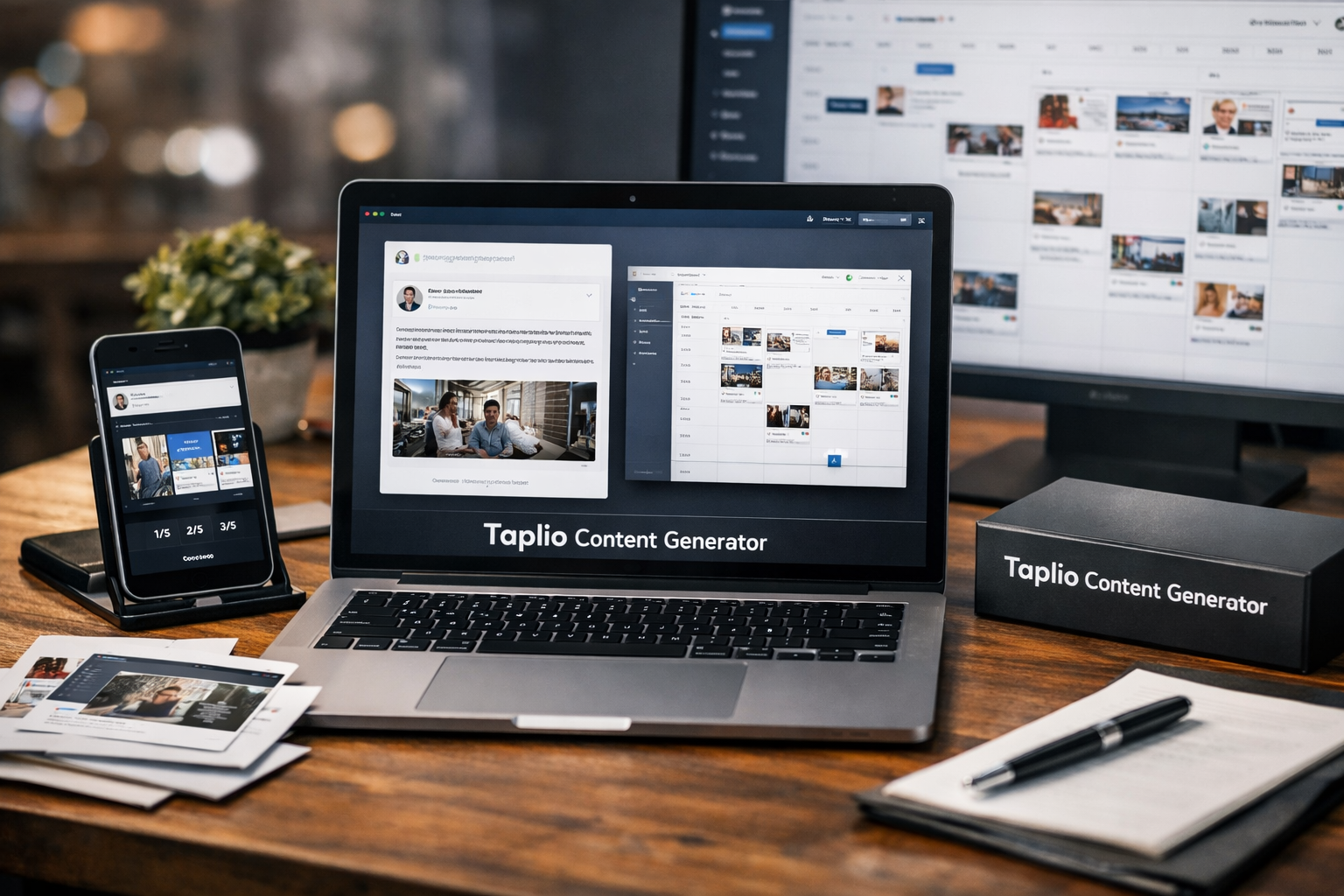
This review contains affiliate links, which may earn TopTrustReview a commission if you choose to subscribe. Our assessment is based on verified Taplio product information and a practical editorial view of where AI-assisted LinkedIn writing helps—and where a human still needs to lead.
The taplio content generator looks most useful as an ideation, drafting, and formatting assistant for people who want to publish on LinkedIn more consistently. It is not a replacement for real expertise, personal stories, or a strong point of view, but it can shorten the gap between “I should post” and a usable draft.
Official website · Latest pricing & offers
Quick verdict: is Taplio’s content generator actually good?
Bottom-line answer for busy readers
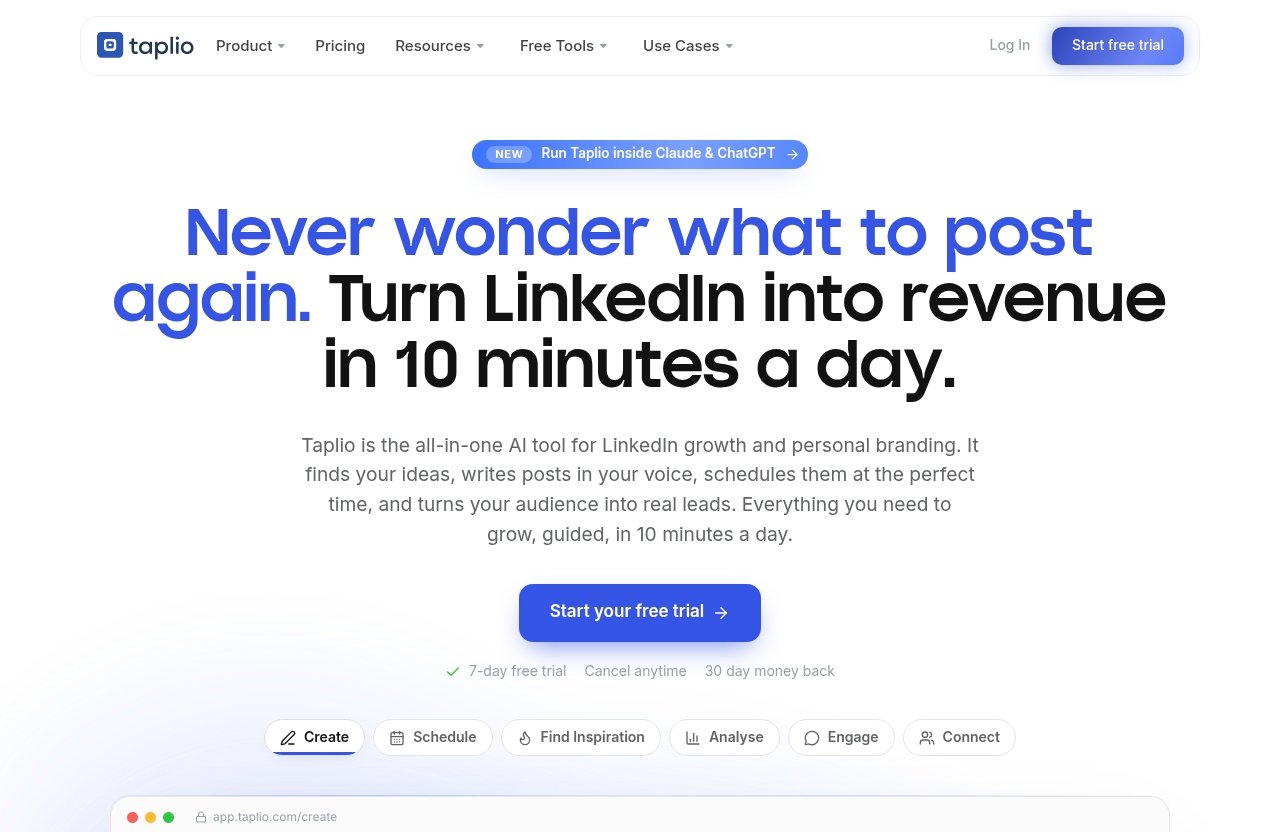
The taplio content generator appears to be a solid option for creators who need faster first drafts without starting from a blank page every time. Taplio says its AI is trained on more than 3 million posts and can turn an idea into a scroll-stopping post in your voice, ready to schedule.
My practical judgment is that its real value is workflow efficiency rather than automatic thought leadership. A LinkedIn AI post generator can give you structure, hooks, and a clearer starting point, but the draft still needs your examples, opinions, and proof to become genuinely credible.
Taplio is especially appealing because content creation is connected to adjacent tasks: finding inspiration, scheduling, analysing results, creating carousels, engaging, connecting with leads, and automating parts of a LinkedIn workflow.
Who it is best for and who should skip it
The taplio content generator is best for founders, solo consultants, marketers, creators, and agency teams who know what they want to say but struggle to turn ideas into regular posts. It is also useful for people with a backlog of rough notes, customer insights, podcast ideas, or lessons from work that have not yet become publishable content.
It may be less suitable for someone expecting a fully finished post with zero editing. If your brand relies on highly technical expertise, sensitive perspectives, distinctive humor, or deeply personal storytelling, manual writing will still matter. AI can assist the process, but it cannot supply experiences you have not shared.
What Taplio’s content generator does
AI post generation from a prompt or rough idea
At its core, the taplio content generator helps transform an idea into a LinkedIn-ready draft. Taplio describes its Create feature as a way to find ideas and write posts that grow, while its official copy says the AI can turn your idea into a post.
That makes the tool useful for common starting points: a rough observation, a customer question, a work lesson, or a simple opinion. Instead of spending time deciding on a format, you can begin with an AI-generated structure and improve it from there.
The Taplio AI post generator should be viewed as a drafting layer, not an autopilot publishing substitute. The strongest process is to give it useful source material, assess the draft, then add your own language before scheduling.
Voice matching and post-ready formatting
Taplio states that its AI can create a post in your voice. That is an important promise, but voice matching should be treated as something to guide and refine rather than blindly trust.
A good AI LinkedIn writing tool should help you maintain a recognisable tone while handling the repetitive mechanics of post construction. For example, it can help turn a loose concept into a hook, short paragraphs, supporting points, and a closing takeaway.
The taplio content generator is likely most effective when you provide tone guidance and specific inputs. Tell it whether you write directly, analytically, conversationally, or with a contrarian edge. Then edit any phrasing that sounds unlike something you would genuinely say out loud.
Related tools: hooks, carousels, headlines
Taplio’s wider creation setup goes beyond standard text posts. Its headline generator can generate LinkedIn headlines in seconds based on your role, tone, and goals. The tool offers three free headlines before sign-up is required.
The Taplio carousel generator can also start with a post, article, YouTube URL, or rough idea. Taplio says it writes the slides, structures the story, and lets users brand, export, or schedule the finished carousel.
These related tools matter because content quality is not only about prose. Better hooks, a clearer visual story, and profile messaging that fits your positioning can all make a LinkedIn publishing routine more coherent.
How good is the AI writing quality?
Strengths: speed, structure, and starter drafts
The strongest argument for the taplio content generator is speed. It can help a busy professional move from a half-formed thought to a structured draft without spending 30 minutes staring at an empty document.
Its second likely strength is structure. LinkedIn posts often work best when they have a clear opening, short readable paragraphs, one central idea, and a useful conclusion. AI can handle that framework quickly, leaving the writer more mental energy for substance.
For a taplio review focused on writing quality, I would judge drafts using five practical criteria:
| Quality area | What Taplio can help with | What you still need to check |
|---|---|---|
| Hook | Generating a clear opening angle | Whether the hook is specific and honest |
| Structure | Organising an idea into readable sections | Whether the argument flows logically |
| Relevance | Turning a prompt into a LinkedIn-focused draft | Whether it matters to your actual audience |
| Tone | Supporting writing in your voice | Whether the wording sounds natural to you |
| Specificity | Providing a useful starting framework | Whether examples and proof are truly yours |
Taplio’s described access to inspiration and post creation can make it easier to maintain momentum. For people who post inconsistently because drafting feels slow, that workflow benefit is meaningful.
Weak spots: generic phrasing and the need for human editing
Like most AI writing systems, the taplio content generator may produce language that is polished but too broad if the source prompt is vague. A generic prompt tends to create generic output, no matter how capable the writing interface is.
This is not a reason to dismiss Taplio. It is a reason to use it with realistic expectations. AI can produce a clean draft about “leadership lessons” or “marketing strategy,” but it cannot know your actual client conversation, failed experiment, product decision, or unusual insight unless you provide it.
The biggest taplio content quality risk is publishing an unedited draft that could have been written by anyone. Before posting, remove inflated claims, replace broad statements with lived details, and make sure every opinion is one you would defend in a real conversation.
Best prompts and inputs for stronger outputs
Better prompts create better drafts. Rather than asking for “a post about sales,” give the Taplio LinkedIn post generator context: your audience, the situation, your position, the proof, and the intended takeaway.
For example, a stronger input might be: “Write a direct LinkedIn post for B2B founders about the mistake of treating demos as product training. Use this example from my last five sales calls, keep the tone practical, and end with one question.”
The taplio content generator should receive your raw material, not replace it. Feed it notes from calls, a customer objection, a lesson from a campaign, or a point you have argued with your team. Those details are what make an AI-supported post feel human.
Taplio vs writing LinkedIn posts manually
Time saved in brainstorming and drafting
Manual writing gives you complete control, but it can be slow. You have to choose a topic, find an angle, write a hook, organise the post, and decide whether it is ready to publish.
The taplio content generator can reduce the friction in the early stages. It is particularly useful when you have the underlying idea but need help exploring angles or turning a rough note into a readable first draft.
Taplio also includes inspiration discovery for viral posts worth remixing. Used responsibly, that can help you spot formats and themes worth adapting to your own expertise rather than copying someone else’s viewpoint.
Where manual writing still wins
Manual writing still wins when originality and nuance are the main goals. A founder sharing a difficult business decision, a specialist explaining a complex issue, or a consultant telling a client story needs careful judgment that should not be delegated.
Writing manually also makes it easier to preserve the imperfect details that create trust: the unexpected mistake, the qualified opinion, the exact phrase a customer used, or the result that did not go as planned.
A taplio AI post generator can help with the container, but it cannot independently validate facts or decide whether a bold claim is appropriate for your reputation. That final editorial responsibility remains with the person publishing.
The best hybrid workflow
The best workflow is neither “AI does everything” nor “never use AI.” Start with a genuine observation, use Taplio to explore a draft or format, then edit the output until it clearly reflects your own experience.
Use the taplio content generator for speed and consistency. Use manual review for specificity, voice, factual accuracy, and judgment. This hybrid approach is more likely to create useful LinkedIn content without making your feed sound automated.
Official website · Latest pricing & offers
Key Taplio features that support content creation
Find inspiration from viral posts worth remixing
Taplio’s Find inspiration feature is designed to help users discover viral posts worth remixing. For a creator with limited time, this is valuable because content ideas often fail before writing begins.
The key is to remix the underlying format or topic—not the original author’s language. Use a popular post to identify a question your audience cares about, then answer it from your own perspective.
Schedule posts at the best times
Taplio’s Schedule feature lets users queue posts at their best times automatically. This supports a more reliable publishing habit, particularly for people who batch their writing but do not want to be online at every publishing moment.
Scheduling does not improve a weak post by itself. However, when combined with better drafts and regular review, it can remove a common operational barrier to consistency.
Analyse what’s working and double down
Taplio’s Analyse feature is described as a way to see what is working and double down. This is an important complement to the content generator because writing quality improves through feedback, not just output volume.
Look for recurring topic patterns, formats, and angles that resonate with your audience. Then use those observations to inform future prompts, rather than relying on guesswork about what to write next.
Turn content into swipeable carousels
The Taplio carousel generator expands a single idea into a swipeable format. According to Taplio, users can begin from a post, article, YouTube URL, or rough idea, then have the tool write and structure the slides before branding, exporting, or scheduling them.
This is useful when a topic needs more room than a text post provides. A framework, checklist, process breakdown, or before-and-after lesson can often become clearer when presented as a sequence of slides.
Pricing and value for creators and teams
Verified plans and free trial details
Taplio’s official pricing page is titled “Taplio Pricing – Plans from $39/mo | Free Trial.” The verified starting price is therefore $39 per month; this review does not assume plan limits or features beyond what Taplio explicitly states.
Taplio also offers a 7-day free trial, cancel anytime, with a 30-day money-back policy stated on its homepage and carousel page.
| Pricing detail | Verified information |
|---|---|
| Starting price | Plans from $39/month |
| Trial | 7-day free trial |
| Cancellation | Cancel anytime |
| Refund policy | 30-day money-back |
| Free creation option | Three free headlines on the headline generator before sign-up |
What kind of user gets the best ROI
The taplio content generator offers the clearest value to someone who publishes often enough to benefit from a connected workflow. If you regularly brainstorm, draft, schedule, review performance, and repurpose content, consolidating those steps can be worthwhile.
Agency users may also value the broader set of creation and publishing tools. The value is less compelling for someone who posts only occasionally and prefers writing every post from scratch.
When the price makes sense
Taplio pricing makes sense when it saves meaningful time in your existing LinkedIn workflow. The right question is not whether AI can write a whole post for you; it is whether Taplio helps you produce more useful, on-brand content with less effort.
The free trial is the sensible way to evaluate that fit. Use it with real notes and real publishing needs rather than generic test prompts.
Real-world use cases for the content generator
Solo creators and founders
For solo creators and founders, the taplio content generator can turn everyday work into content opportunities. Product lessons, hiring observations, customer conversations, and strategic decisions can all become starting points for posts.
The practical advantage is reduced friction. You can capture an idea while it is fresh, develop a draft, and use scheduling to keep your publishing routine moving.
Sales and personal branding
Sales professionals and personal-brand builders can use Taplio to develop ideas around common objections, industry changes, and useful buyer education. Taplio also includes Connect, which can auto-connect and send DMs to warm leads, alongside Engage for showing up on the right people’s posts.
Those features should be used thoughtfully. Good relationship-building still depends on relevance and respect, not automated volume. Content should support a credible presence before any lead-focused activity.
Agencies and employee advocacy
Agencies can use a Taplio AI post generator as a starting point for multiple clients or team members, particularly when each person has notes but limited time to draft. Employee advocacy programs may also benefit from easier post creation and scheduling.
The editorial safeguard is important here: each person should adapt the draft to their own voice and experience. A shared tool should not create identical posts across a team.
How to get better results from Taplio
Use specific context instead of vague prompts
The taplio content generator performs best when the input contains useful constraints. Include the audience, objective, topic, tone, relevant experience, and the main point you want readers to remember.
Avoid prompts such as “write a viral post about marketing.” Instead, specify what happened, what you learned, why it matters, and what kind of reader should care.
Edit for personal stories and proof
Always add details that AI cannot invent responsibly: your experience, source, timeframe, quote, decision, or limitation. This is the difference between a competent-looking post and one that earns trust.
Review every draft for accuracy and tone. If a sentence sounds too polished, too absolute, or too generic, rewrite it in your own language.
Use analytics to refine topics
Taplio’s Analyse feature can help identify what is working so you can double down on useful themes. Use that feedback to improve your editorial decisions, not simply to repeat the same formula.
Over time, the taplio content generator can become more valuable when your prompts reflect what your audience responds to. The goal is a clearer content system, not endless AI output.
Pros, cons, and final recommendation
Best reasons to use Taplio
- Helps turn rough ideas into structured LinkedIn drafts quickly.
- Supports writing posts in your voice, according to Taplio’s official product description.
- Includes inspiration discovery, scheduling, analytics, carousels, engagement, lead connection, and automation features.
- Offers access through MCP-enabled LLMs, including Claude and ChatGPT, as stated by Taplio.
- Provides a 7-day free trial and a 30-day money-back policy.
Main limitations to consider
- AI drafts still need human editing for accuracy, originality, and a distinctive voice.
- Generic inputs can lead to generic phrasing.
- The starting price may be harder to justify for occasional LinkedIn users.
- No AI tool can replace subject-matter expertise or genuine personal stories.
Final buying advice
My final taplio review is straightforward: Taplio is a credible AI-assisted LinkedIn workflow tool for people who want to create, refine, schedule, and learn from content in one place. The taplio content generator is strongest when treated as a fast collaborator for ideas and drafts—not as a substitute for your expertise.
If you publish on LinkedIn consistently and want to test whether the workflow fits your process, you can explore Taplio through this verified offer page. Start with real source material, edit rigorously, and judge the value by how much easier it becomes to publish useful content in your own voice.
Official website · Latest pricing & offers
FAQ
Does Taplio generate LinkedIn posts in your voice?
Yes. Taplio says its AI can turn your idea into a scroll-stopping post in your voice. In practice, voice matching is likely to improve when you give the tool specific context, tone guidance, and examples of how you normally communicate.
Is Taplio’s content generator free?
Taplio offers free tools and a free trial. Its headline generator provides three free headlines before sign-up is required, while Taplio’s official pages also state that users can access a 7-day free trial with cancellation anytime and a 30-day money-back policy.
Can Taplio create carousels from a simple idea?
Yes. Taplio says its carousel tool can start from a post, article, YouTube URL, or rough idea. It then writes the slides, structures the story, and lets users brand, export, or schedule the carousel.
Is Taplio better than writing LinkedIn posts manually?
It can be faster for brainstorming, first drafts, structure, and publishing workflow. Manual writing is still better for deeply personal stories, original opinions, nuanced expertise, and any post where every word needs careful judgment.
What else does Taplio do besides content generation?
Besides its LinkedIn post generator, Taplio offers scheduling, viral-post inspiration discovery, analytics, carousel creation, engagement support, lead connection tools, automation, and MCP access for Claude, ChatGPT, and other MCP-enabled LLMs.
Related Reading
- Taplio features and pricing breakdown
- ContentStudio for small business review
- Post Planner Facebook review
References
- Taplio homepage
- Taplio pricing
- LinkedIn Post Generator: Write Posts with AI – Taplio
- LinkedIn Headline Generator – Free AI Tool (2026) – Taplio