Magica Review 2026: Is Magica Worth It?
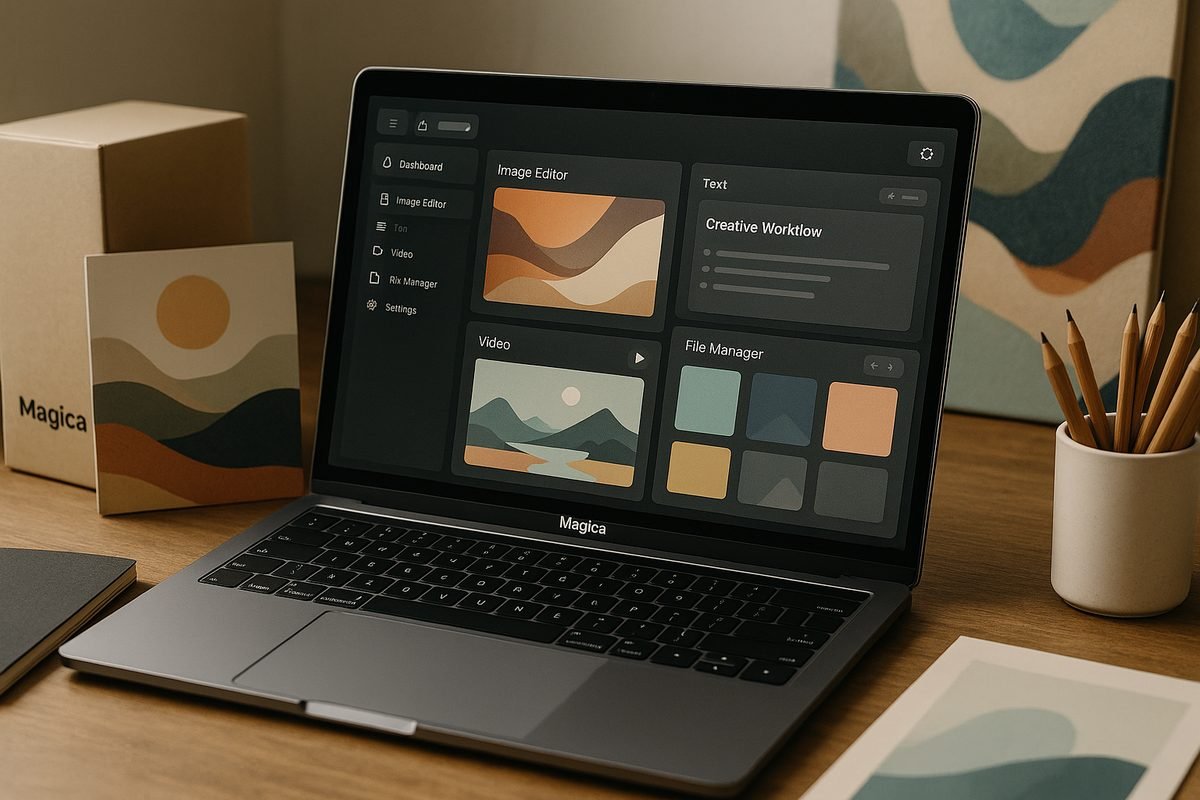
If you are asking whether Magica worth it is a fair conclusion in 2026, the short answer is: yes for frequent AI users who want one workspace for many creative and productivity tasks, but not automatically for everyone.
Magica positions itself as “The #1 All-in-One AI Agent” and “One Agent. All AI Models.” Based on the official homepage and pricing page, it is built around a broad AI workspace for tasks like video ads, photo editing, writing, illustration, music generation, voice cloning, brand design, campaign creation, and connected workflows.
Affiliate disclosure: TopTrustReview may earn a commission if you buy through our Magica affiliate link, at no extra cost to you. This review is written to help you decide, not to hype the product.
Official website · Latest pricing & offers
Quick verdict: Is Magica worth it in 2026?
Magica is most likely worth paying for if you regularly use multiple AI tools and want to simplify your workflow inside one platform. The official pricing is straightforward: there is a free Hobby plan, a $14.99/month Pro plan, a $499 Lifetime plan, a Teams plan at $15/user/month, and custom Enterprise pricing.
The bigger question is not just “is Magica worth it?” but whether its all-in-one approach matches how you actually work. If you only need one very specific AI tool once in a while, the free Hobby plan may be enough to test. If you use AI daily across content, images, video, audio, and campaigns, the Pro or Lifetime plan is more compelling.
Who should buy it
Magica is best suited for creators, freelancers, solopreneurs, and small teams who want one AI workspace instead of jumping between separate tools. If you make ads, edit visuals, write content, plan campaigns, or experiment with audio and brand assets, the platform’s broad tool set is the main reason Magica worth it may be true for you.
It also makes sense for teams that want centralized billing and usage visibility. The Teams plan includes an admin dashboard with usage stats, centralized team billing, pay-as-you-go AI credits, and access to the platform, with a minimum of 5 seats required.
Who should skip it
You may want to skip Magica if you only need one narrow AI feature and already have a tool you trust. Light users may not get enough value from a paid plan unless they genuinely use the extra limits, priority processing, or advanced AI models included with Pro.
You should also pause if you need firm answers on refunds, commercial usage terms, cancellation rules, or data/privacy handling before checkout. Those details should be confirmed directly on Magica’s current checkout page or with support.
Bottom-line verdict
For active AI users, Magica worth it is a reasonable verdict because the Pro plan is priced accessibly and the Lifetime plan removes recurring payments for buyers who are confident they will use the platform long term.
For occasional users, start with the free Hobby plan first. The best buyer path is to test your real workflow, then upgrade only if Magica replaces enough separate AI tasks to justify the cost.
What Magica is and how it works
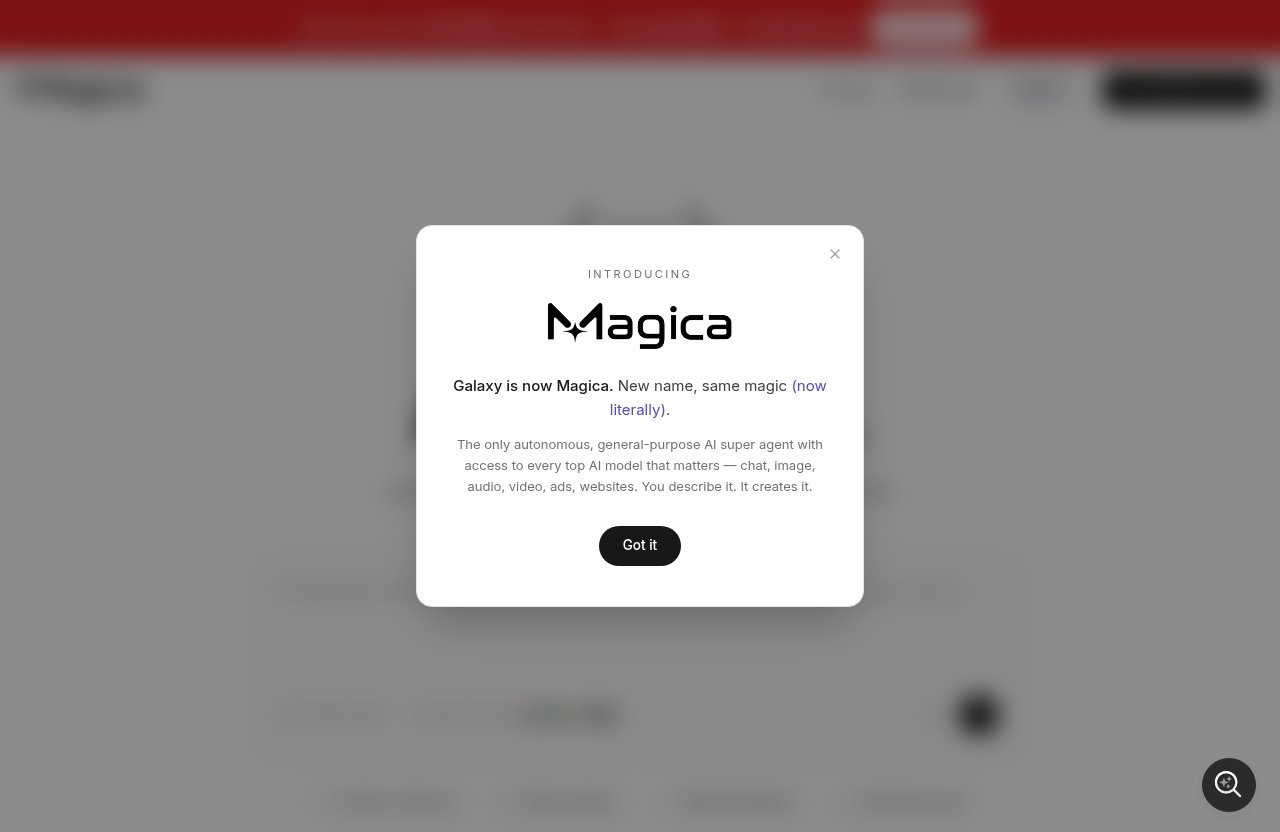
Magica is an all-in-one AI agent platform. In plain English, that means it aims to give you one place to ask AI to create, edit, generate, organize, and connect work across different media types.
The official homepage describes Magica as “One Agent. All AI Models.” I interpret that as a platform designed to reduce tool-switching by bringing many AI capabilities into one interface, rather than making users manage a separate app for every job.
All-in-one AI agent explained
A typical AI user may have one tool for writing, another for images, another for video, another for voice, and another for workflow automation. Magica’s pitch is different: use one agent-style platform to access many AI-powered tasks.
This is the core reason people search for a magica ai review before buying. The promise is attractive, but the value depends on whether you actually need a broad AI workspace or just one specialized tool.
Key platform categories: chat, image, video, audio, ads, websites
The official homepage highlights several practical categories. These include creating video ads, editing photos, writing and illustrating, generating music, cloning voice, designing brands, and building campaigns.
That makes Magica more than a basic chatbot. It is positioned as a creative and business AI platform for people who want to move from idea to asset to campaign without constantly changing tools.
How the workflow-based approach helps
A workflow-based approach can help when your work involves multiple steps. For example, a creator might need to write an ad concept, create visuals, generate a voice idea, and turn it into a campaign asset.
This is where Magica worth it becomes more plausible. The value is not just in one feature; it is in reducing friction across several related tasks.
Magica pricing in 2026: official plans and what you get
The following magica pricing details are based only on the official Magica pricing information provided for this review. Always check the live checkout page before purchasing, because software pricing and plan terms can change.
Hobby plan
The Hobby plan is free. It includes limited AI requests, basic generation limits, and community support.
This is the best way to test whether the interface and workflows fit your needs. If you are unsure whether Magica worth it applies to your situation, start here before paying.
Pro plan
The magica pro plan costs $14.99/month. It includes everything in Hobby plus 15M credits monthly, extended limits on AI tools, priority processing, and advanced AI models.
For individual users who create regularly, Pro is the main paid plan to evaluate. It gives you a clearer sense of the platform’s paid experience without committing to the Lifetime plan.
Lifetime plan
The magica lifetime deal is listed at $499. It includes everything in Pro plus lifetime access to all features, no recurring payments ever, priority support forever, early access to new features, an exclusive lifetime member badge, and protection from future price increases.
This plan is best for committed users who believe Magica will remain part of their workflow for the long term. The main advantage is avoiding recurring payments.
Teams plan
The magica teams plan costs $15/user/month. It includes access to the platform, an admin dashboard with usage stats, centralized team billing, pay-as-you-go AI credits, and a minimum of 5 seats required.
This plan is meant for groups that need shared access and administrative oversight. The minimum seat requirement matters because the real starting cost depends on having at least five users.
Enterprise plan
Magica enterprise pricing is custom. The Enterprise plan includes all Teams features plus more usage included, SCIM seat management, a minimum of 100 seats required, access control features, and priority support/account management.
Enterprise is clearly aimed at larger organizations that need seat management, access controls, and account-level support. If you are in this category, contact Magica directly for current pricing and terms.
How to choose the right plan
| Plan | Official price | Best for | Verified inclusions |
|---|---|---|---|
| Hobby | Free | Testing Magica | Limited AI requests, basic generation limits, community support |
| Pro | $14.99/mo | Individual power users | 15M credits monthly, extended limits, priority processing, advanced AI models |
| Lifetime | $499 | Long-term users | Pro features, lifetime access, no recurring payments, priority support forever, early access, badge, future price protection |
| Teams | $15/user/mo | Teams of 5+ | Platform access, admin dashboard, usage stats, centralized billing, pay-as-you-go AI credits |
| Enterprise | Custom | Large organizations | Teams features, more usage included, SCIM, 100-seat minimum, access controls, priority support/account management |
My practical recommendation is simple: use Hobby to test, Pro if you work with AI regularly, Lifetime if you are confident you will use it for years, Teams if you need shared billing and usage stats, and Enterprise only if you need organization-level controls.
Key features that matter most for buyers
Magica’s buyer appeal comes from breadth. It is not positioned as one small utility; it is presented as a magica all in one ai agent for creative, marketing, and productivity work.
That said, buyers should separate official claims from assumptions. The official pages describe categories, plans, and positioning, but you should verify any mission-critical detail before purchase.
Access to major AI models
Magica’s homepage uses the phrase “One Agent. All AI Models.” The pricing page also states that the Pro plan includes advanced AI models.
This is an important value point, especially if you want a single interface for AI work. However, without relying on unsupported claims, I would avoid assuming exact model counts, specific model names, or technical access details unless Magica confirms them on its official pages.
Tool library and prebuilt workflows
The homepage highlights use cases across video ads, photo editing, writing, illustration, music generation, voice cloning, brand design, and campaign building. These categories suggest that Magica is built for multi-step creative output rather than only text chat.
For buyers, this is where Magica worth it depends heavily on usage. If you use several of these categories weekly, the platform’s breadth may justify a paid plan.
Integrations and connected tools
The official homepage shows connectors such as Gmail, Google Calendar, Google Drive, Slack, GitHub, and Notion. These integrations matter because AI becomes more useful when it can connect with the tools where your work already lives.
For operations teams and marketers, connected tools can reduce copying and pasting between apps. Before relying on a specific connector for business-critical workflows, verify the current integration behavior inside Magica or with support.
Mobile apps
Magica mentions mobile apps for iOS and Android. This is useful if you want to create, review, or manage AI tasks away from your desktop.
Mobile availability can be especially helpful for creators and freelancers who work on the go. Still, for complex workflows, you may prefer desktop use depending on your project.
Credits and usage limits
The Hobby plan includes limited AI requests and basic generation limits. The Pro plan includes 15M credits monthly and extended limits on AI tools.
Because Magica uses credits, buyers should think about usage before upgrading. If your work involves frequent generation, editing, or advanced tools, credits and limits can affect how much value you receive from the plan.
Official website · Latest pricing & offers
Magica pros and cons
No buyer-focused review should pretend one product is perfect. The honest answer to is Magica worth it depends on how often you use AI and whether you value convenience over specialized single-purpose tools.
Here is the balanced breakdown.
Pros
| Pros | Why it matters |
|---|---|
| Broad all-in-one positioning | Useful if you want fewer separate AI tools |
| Free Hobby plan | Lets you test before paying |
| Pro plan at $14.99/mo | Accessible entry point for regular users |
| Lifetime plan available | Removes recurring payments for committed users |
| Creative and campaign use cases | Covers content, visuals, audio, brands, and ads |
| Team and Enterprise options | Supports centralized billing, usage stats, and larger organizations |
| Integrations listed on homepage | Connectors include Gmail, Google Calendar, Google Drive, Slack, GitHub, and Notion |
| Mobile apps mentioned | iOS and Android access can help users work on the go |
The biggest strength is convenience. If Magica replaces multiple disconnected tasks in your workflow, the value case becomes much stronger.
Cons
| Cons | Why it matters |
|---|---|
| Credit-based usage | Heavy users need to understand how credits apply |
| Hobby plan is limited | Free access may not reflect full paid workflow capacity |
| Lifetime plan requires confidence | $499 is only sensible if you expect long-term use |
| Some details need checkout verification | Refunds, cancellation, privacy, and commercial terms should be checked directly |
| Standalone tools may still be better for niche needs | Specialists may prefer dedicated software for one task |
The main downside is uncertainty for users who do not yet know their AI usage pattern. If you only experiment occasionally, paid value may be harder to justify.
Potential deal-breakers
The biggest potential deal-breaker is credit usage. If your workflow consumes credits faster than expected, the plan may feel less generous than it looks.
Another deal-breaker could be policy clarity. Before buying, check Magica’s current terms for commercial use, data handling, refunds, and cancellation so you are not relying on assumptions.
Is Magica good value compared with paying for separate tools?
Magica can be good value compared with paying for separate tools, but only in the right scenario. Since competitor pricing and specifications are not part of the verified facts here, the safest comparison is conceptual.
The practical question is: would Magica replace enough of your current AI stack to justify its price? If yes, Magica worth it becomes a stronger conclusion.
When the bundle saves money
The bundle is most likely to save money when you already use AI across several categories. For example, if you need writing, image work, ad creation, audio experiments, and campaign building, one all-in-one platform may be simpler than managing many subscriptions.
The Pro plan’s $14.99/month price is the easiest paid value case to test. The Lifetime plan is more about long-term commitment and avoiding recurring payments.
When standalone tools may still win
Standalone tools may still win if you need deep specialization. For example, a professional editor, designer, developer, or audio producer may prefer a dedicated tool built specifically for one advanced workflow.
This does not make Magica weak. It simply means the best choice depends on whether you value breadth and convenience more than specialized depth.
Cost-value scenarios by user type
| User type | Value outlook | Best-fit plan to consider |
|---|---|---|
| Casual AI user | Lower paid value unless usage grows | Hobby |
| Creator using multiple media formats | Stronger value if tools replace separate workflows | Pro or Lifetime |
| Freelancer or solopreneur | Good value if it supports client work across content, visuals, and campaigns | Pro |
| Small marketing team | Useful if shared access and billing matter | Teams |
| Large organization | Only relevant if seat management and access controls are needed | Enterprise |
For most readers, the smartest move is not to buy the largest plan immediately. Start with the plan that matches your current usage, then upgrade if Magica becomes part of your weekly workflow.
Real-world use cases and best-fit users
Magica is easiest to understand through jobs-to-be-done. Its official homepage points to creative, marketing, and productivity tasks that can support several buyer types.
If your work touches multiple content formats, Magica worth it is more likely than if you only need occasional text generation.
Content creators
Content creators can use Magica’s highlighted categories for writing, illustrating, editing photos, generating music, cloning voice, and creating video ads. That combination fits people who need a steady stream of content ideas and assets.
The value is in moving between formats. A creator planning a campaign may need copy, visuals, audio, and ad variations in one workflow.
Freelancers and solopreneurs
Freelancers and solopreneurs often need to do many jobs without a large team. Magica’s all-in-one positioning can help if you handle content, branding, client campaigns, or creative production yourself.
For this group, the Pro plan is the practical starting point after testing Hobby. The Lifetime plan may make sense only if the platform becomes a reliable daily or weekly work tool.
Marketing teams
Marketing teams may care more about campaign workflows, integrations, and collaboration. Magica’s homepage highlights building campaigns, and the Teams plan includes an admin dashboard with usage stats and centralized team billing.
The Teams plan also uses pay-as-you-go AI credits and requires at least 5 seats. That makes it better suited to teams that are ready to manage shared usage, not just individuals testing AI.
Agencies and operations teams
Agencies can benefit if Magica helps them produce campaign assets, brand concepts, and client materials faster within one platform. Operations teams may be more interested in connectors like Gmail, Google Calendar, Google Drive, Slack, GitHub, and Notion.
For larger organizations, Enterprise adds SCIM seat management, access control features, and priority support/account management. That is where Magica shifts from individual productivity tool to managed team platform.
Things to know before you buy
Before deciding Magica worth it for your budget, slow down and verify the details that matter to your workflow. Official pricing and major plan inclusions are clear, but some buyer questions should be checked at checkout or with support.
This is especially important if you are buying for business use, client work, or a team.
Credits and renewal
The Pro plan includes 15M credits monthly. The Teams plan includes pay-as-you-go AI credits.
You should confirm how credits are consumed across the specific tools you plan to use. Also check whether unused credits roll over, expire, or reset, if that detail matters to your use case.
Beginner friendliness
Magica is positioned as an approachable all-in-one AI agent, and the workflow concept should help users who do not want to manage many separate tools. Beginners can likely start with simple prompts and basic tasks.
That said, advanced workflows still require learning. If you want to use AI models, integrations, campaigns, audio, visuals, and connected tools effectively, expect some experimentation.
Commercial use and data/privacy questions
If you plan to use Magica for client projects, paid ads, commercial content, or business operations, confirm the current commercial usage terms directly with Magica. Do not assume rights or permissions without checking the official terms.
The same applies to privacy and data handling. If you connect Gmail, Google Drive, Slack, GitHub, Notion, or other work tools, review what data is accessed and how it is processed before connecting sensitive accounts.
Refunds and cancellation
Refunds and cancellation rules were not included in the verified product facts provided for this review. Before buying Pro, Lifetime, Teams, or Enterprise, check the live checkout page and Magica’s current refund policy.
This matters most for the Lifetime plan because it is a larger upfront purchase. Make sure you understand the terms before committing.
Final verdict: Is Magica worth it for you?
So, Magica worth it in 2026? For regular AI users, yes, it can be. For casual users, the free Hobby plan is the smarter starting point.
Magica’s strongest case is convenience: one AI agent-style platform for many creative and workflow tasks. Its weakest case is for people who only need one niche tool or who have not yet confirmed how credits, policies, and usage terms fit their needs.
Best plan recommendations
| Buyer type | Recommended plan | Why |
|---|---|---|
| Curious beginner | Hobby | Free testing with limited AI requests and basic generation limits |
| Regular individual user | Pro | $14.99/mo with 15M monthly credits, extended limits, priority processing, and advanced AI models |
| Long-term committed user | Lifetime | $499 with lifetime access and no recurring payments |
| Small team | Teams | $15/user/mo with admin dashboard, usage stats, and centralized billing |
| Large organization | Enterprise | Custom pricing with SCIM, access controls, and account management |
If you are unsure, do not overbuy. Start with Hobby, upgrade to Pro if you use Magica consistently, and consider Lifetime only when you are confident it belongs in your long-term stack.
Verdict by user type
For creators, Magica is worth considering if you regularly produce content across text, image, video, audio, and campaigns. For freelancers, it can be useful if it helps deliver client work faster without managing several separate AI subscriptions.
For marketing teams, the Teams plan is relevant because of centralized billing and usage stats. For enterprises, the value depends on seat management, access controls, support needs, and custom pricing.
CTA with affiliate disclosure
If you want to evaluate the current plans yourself, you can review Magica through our affiliate link to Magica. TopTrustReview may earn a commission if you purchase, at no extra cost to you.
My final recommendation: test the free Hobby plan first if you are cautious, choose Pro if you use AI weekly, and consider the Lifetime plan only if you are confident Magica will replace enough separate tools to justify the upfront cost.
Official website · Latest pricing & offers
FAQ
Is Magica worth it for creators and freelancers?
Yes, Magica may be worth it for creators and freelancers who regularly use multiple AI tools. If you need help with writing, illustration, photo editing, video ads, audio, brand design, or campaigns, the all-in-one workflow can be useful.
The Pro plan or Lifetime plan will usually make the most sense for frequent users. If you are unsure, start with the free Hobby plan before paying.
What is included in the Magica free plan?
The official free plan is called Hobby. It includes limited AI requests, basic generation limits, and community support.
It is best for testing the platform and seeing whether Magica fits your workflow. If you need higher limits or advanced features, you would need to compare the paid plans.
How much does Magica cost?
Magica’s official pricing lists the Hobby plan as free, the Pro plan at $14.99/month, the Lifetime plan at $499, and the Teams plan at $15/user/month with a minimum of 5 seats.
Enterprise pricing is custom. The Enterprise plan includes all Teams features plus more usage included, SCIM seat management, a 100-seat minimum, access control features, and priority support/account management.
Can beginners use Magica easily?
Magica is positioned as an approachable all-in-one AI agent, so beginners should be able to start with basic tasks. The workflow-based structure can help reduce the need to jump between many different tools.
However, beginners should still expect a learning curve if they want to use advanced tools, connected workflows, integrations, and multiple media formats effectively.
Does Magica have a lifetime deal?
Yes. The official pricing page lists a Lifetime plan at $499.
It includes everything in Pro plus lifetime access to all features, no recurring payments ever, priority support forever, early access to new features, an exclusive lifetime member badge, and protection from future price increases.