How to Use Lalal.AI: A Beginner-Friendly Step-by-Step Guide
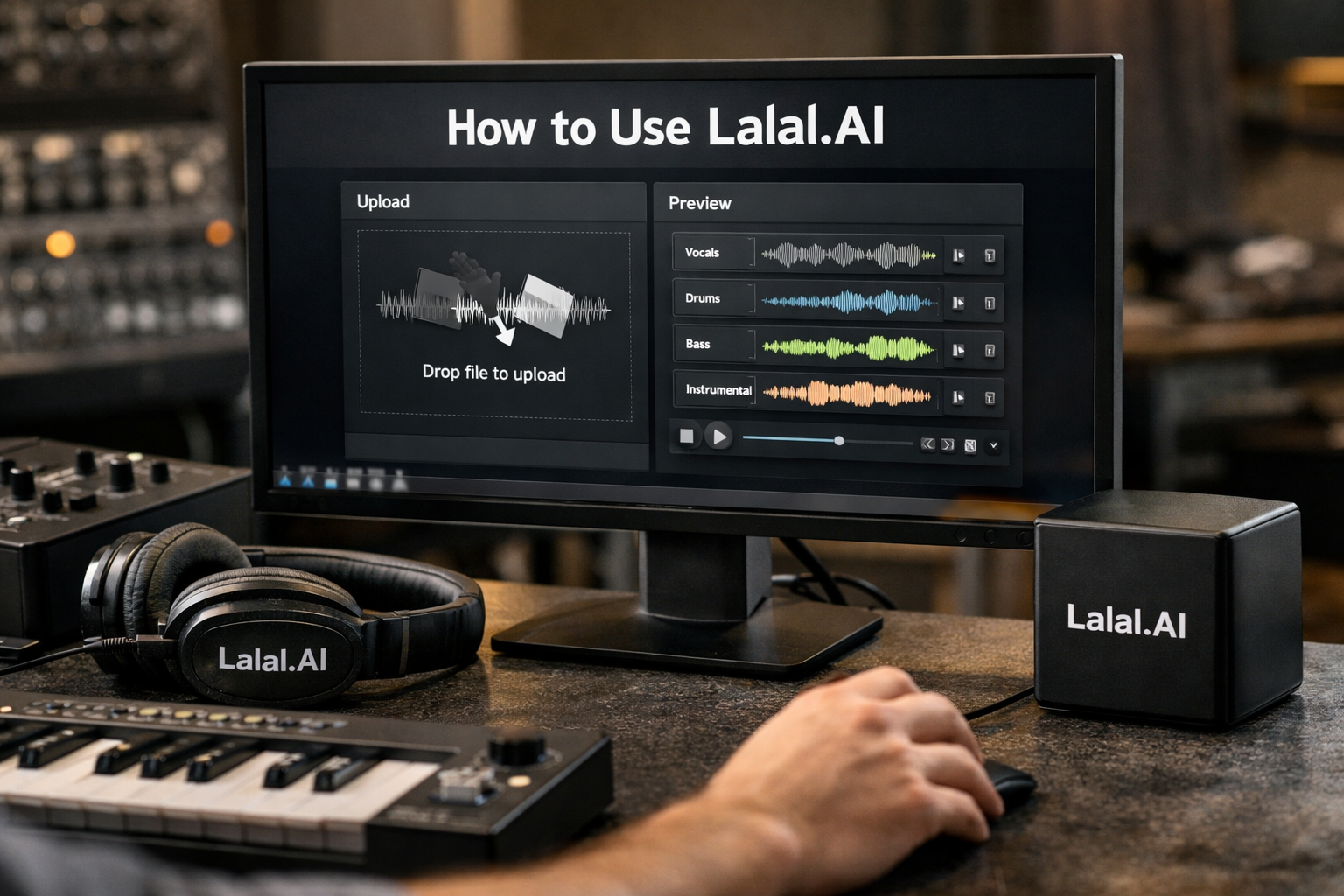
If you are learning how to use lalal.ai for the first time, the basic process is simple: choose a tool, upload an audio or video file, select the separation you need, preview the result, and download the files. It is a practical workflow for musicians, podcasters, video creators, DJs, and anyone who needs an instrumental, acapella, or individual music stem.
This lalal.ai tutorial focuses on the core Vocal Remover and Stem Splitter workflow. Results can vary based on the quality, mix, and complexity of your original file, so it helps to start with a straightforward project rather than an important final production.
Official website · Latest pricing & offers
What LALAL.AI Does and Who It’s For
LALAL.AI is an audio-processing platform that can separate parts of a track or clean up voice recordings. In simple terms, it can help you isolate vocals from music, create an instrumental version, or extract selected instruments from a mixed song.
For beginners, the most relevant tools are the Vocal Remover and the lalal.ai stem splitter. The Vocal Remover separates vocals and instrumentals, while Stem Splitter offers more specific options for pulling apart musical elements.
Quick overview of vocal removal and stem splitting
A vocal is the sung or spoken voice in a track. An instrumental is the music without the main vocal part. A stem is an individual audio component from a full mix, such as drums, bass, vocals, guitar, or synth.
When you use the lalal.ai vocal remover, you generally choose between getting a vocal track or an instrumental track. With Stem Splitter, you can extract vocals, instrumental, drums, bass, guitar, synth, string, and wind instruments.
LALAL.AI also lists Voice Cleaner, Voice Changer, Voice Cloner, Echo & Reverb Remover, and Lead/Back Splitter. Those tools serve different jobs, but this guide keeps the focus on uploading music or video and separating the parts you need.
Best use cases: karaoke tracks, acapellas, instrumentals, podcast cleanup, video audio
The most common reason people look up how to use lalal.ai is to make a karaoke-style instrumental or isolate an acapella. For example, a singer may want the backing music for practice, while a producer may want to hear the vocal separately for a remix idea.
Other sensible uses include:
- Creating a lalal.ai karaoke track from a song you are allowed to use.
- Extracting vocals for arrangement practice or editing.
- Separating drums or bass to study a mix.
- Cleaning spoken dialogue with Voice Cleaner.
- Removing vocals or instrumentals from supported video content.
Always make sure you have the appropriate rights or permission to edit, share, or reuse the source material.
Before You Start: What You Need
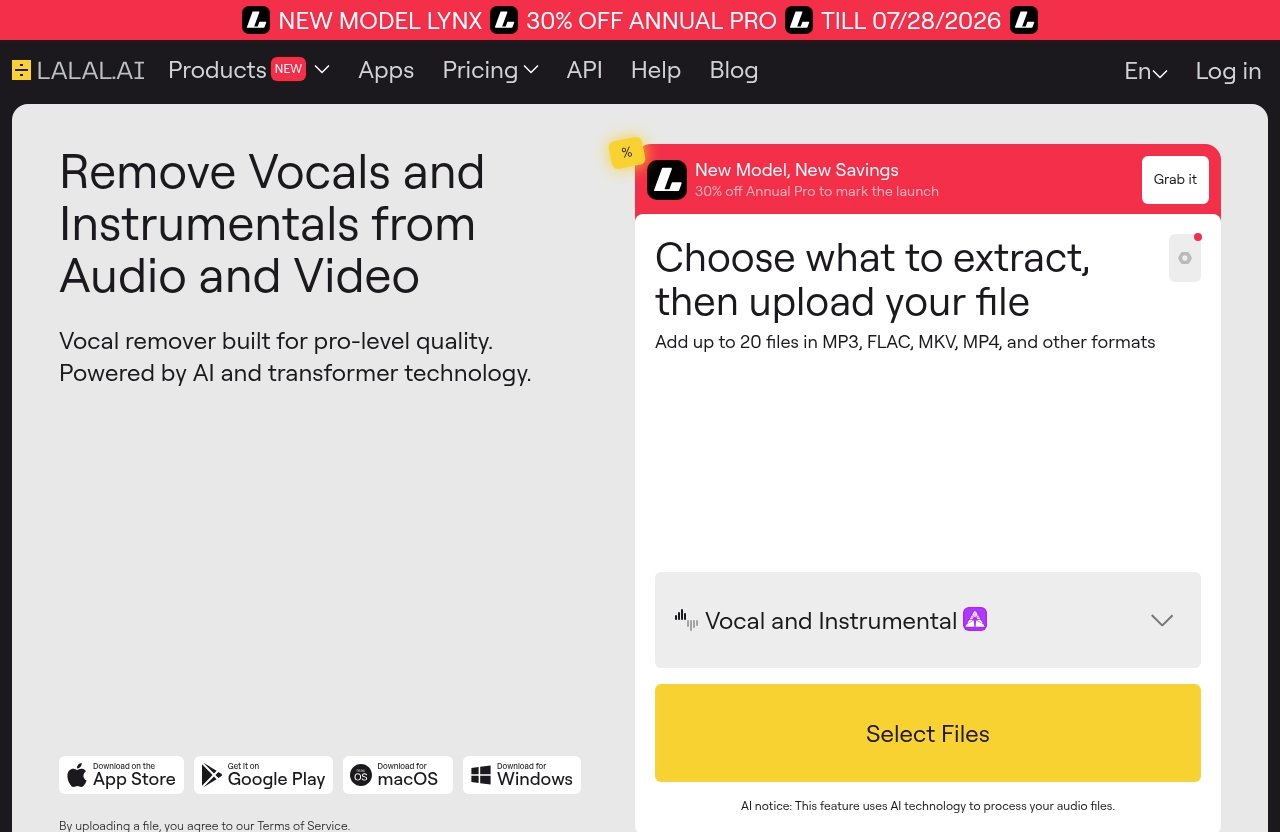
A smoother first attempt begins with a decent source file and a clear goal. Decide whether you need only vocals and instrumental, or whether you need multiple instrumental components before uploading anything.
Supported file types and common source files
LALAL.AI accepts files through its upload workflow, but available official product facts do not list every supported file type or upload limit. Before processing an unusual file format, check the current uploader instructions on the official site.
In practice, start with the original audio or video file you have available rather than a heavily re-recorded copy. If a file will not upload, converting it to a commonly used audio or video format may help, but verify current accepted formats directly in the tool before converting.
Choosing the right track quality
Use the cleanest version of the track you can access. A clear source with balanced vocals and instruments gives the separation process more useful information to work with.
Avoid judging the tool from a low-volume recording, a file captured through speakers, or a clip with strong distortion. Complex arrangements, layered backing vocals, effects, and very similar vocal-and-instrument frequencies can leave some audible bleed in either stem.
When to use the web app vs desktop apps
For most first-time users, the web workflow is the quickest place to learn how to use lalal.ai. You upload a file, select the desired separation, review the output, and export it without changing your existing recording setup.
The official platform options also include:
| Option | Best fit |
|---|---|
| Web workflow | Quick, occasional projects from a browser |
| Desktop for Windows, macOS, and Linux | Users who prefer a desktop environment |
| iOS for iPhone and iPad | Mobile editing on Apple devices |
| Android for phones and tablets | Mobile projects on Android |
| VST Plugin | Producers working locally inside a DAW |
| API | Developers building an automated workflow |
Choose the version that fits where your source files already live. If you mainly edit in a DAW, the VST Plugin may be more relevant than a browser-based workflow; casual users may prefer the simplest upload route.
How to Use LALAL.AI Step by Step
The following lalal.ai step by step workflow is designed for a first project. Try a short song excerpt, a practice track, or a voice clip you own before processing a large batch of files.
Step 1: Open the Vocal Remover or Stem Splitter
- Start by choosing the tool that matches your goal. Select Vocal Remover if you want a basic vocals-versus-instrumental result.
- Choose Stem Splitter when you want more targeted outputs, such as drums, bass, guitar, synth, string, or wind instruments.
- For spoken recordings with background distractions, use Voice Cleaner instead of a music separation tool.
This is the key decision in how to use lalal.ai efficiently. Selecting the wrong type will not necessarily break the process, but it may create files that do not match what you intended to edit.
Step 2: Upload your file
- Locate the upload area in the tool you selected.
- Select the audio or video file from your device.
- Wait for the file to finish loading before changing pages or closing the app.
When using lalal.ai upload files tools, keep your connection stable and leave the browser tab open until the upload is complete. If an upload stalls, refresh only after confirming the page has not continued in the background.
Step 3: Choose the separation type
- Pick the output that fits the project: vocal and instrumental separation for a karaoke track, or a specific stem option for deeper editing.
- Double-check the selection before starting processing.
- Keep your first test simple, especially if you are unfamiliar with the terms “stems,” “lead vocals,” and “instrumental.”
For a basic how to remove vocals with lalal.ai workflow, select Vocal Remover and process the track to produce an instrumental output. If you want the singer’s voice instead, use the vocal output for your editing or study session.
Step 4: Start processing and wait for the result
- Start the processing action after your file and separation choice are ready.
- Let the tool complete the job without repeatedly restarting it.
- Use the waiting time to plan how you will name and store the exports.
Processing time can vary with the file, current service conditions, and the amount of audio being handled. A longer source file may naturally take longer than a short clip, so avoid assuming there is a problem immediately.
Step 5: Preview the separated stems
- Listen to each available result before downloading.
- Focus on the moments where the mix is busiest, such as a chorus, loud drum section, or layered vocal passage.
- Compare the vocal and instrumental outputs against your original goal.
Previewing is an important part of how to use lalal.ai because it lets you catch a mismatch before you build an edit around the wrong file. A small amount of residual vocal, instrument bleed, or processing artifact may be more noticeable in certain songs than others.
If the result is not clean enough, first confirm that you chose the best separation mode. Then try a cleaner source version if one is available.
Step 6: Download and export your files
- Download the separated files after reviewing the preview.
- Save them in a dedicated project folder.
- Rename the files immediately so you know which output is which.
For example, use names such as SongName_Vocals, SongName_Instrumental, or PodcastEpisode_CleanedVoice. This makes how to export stems from lalal.ai much less confusing when you later import files into an editor, DAW, or video project.
Before sharing the results, listen once more through headphones and speakers if possible. This quick check can reveal artifacts or volume differences that are less obvious on one listening device.
How to Choose the Right Stem Separation Mode
Choosing the right tool is more useful than trying to force every project through one setting. Think about the final file you want to have in your hands, not just the original song you are uploading.
Use Vocal Remover for karaoke or acapella creation
Use Vocal Remover when your target is simple: remove the voice to make an instrumental, or remove the music to create a vocal-focused file. This is the most direct choice for a lalal.ai karaoke track or a quick acapella practice file.
For beginners learning how to use lalal.ai, this is usually the best first experiment. It has a clear before-and-after outcome and makes it easy to hear whether the export suits your purpose.
Use Stem Splitter for drums, bass, guitar, synth, string, and wind instruments
Use Stem Splitter when you need more detail than vocals and backing music. The official Stem Splitter capabilities include vocals, instrumental, drums, bass, guitar, synth, string, and wind instruments.
This can be useful for practice, arrangement analysis, remix preparation, or identifying parts in a dense mix. Keep expectations realistic: a fully mixed song can contain overlapping sounds, so the quality of each extracted part depends on the original production.
Use Voice Cleaner for noisy speech or dialogue
Voice Cleaner is the more appropriate option for voice recordings with unwanted background music, vocal plosives, mic rumble, and other unwanted noises. It is intended for spoken audio cleanup rather than music stem separation.
Use it for a podcast clip, voice-over, interview, or dialogue from video where the goal is clearer speech. If your file is primarily a song, begin with the Vocal Remover or Stem Splitter instead.
Official website · Latest pricing & offers
Tips for Better Results and Cleaner Exports
A few practical habits can improve your experience with a lalal.ai instrumental isolator or any other separation output. They also reduce the chance of losing track of which file belongs to which project.
Start with the highest-quality source file
Use the best available original file rather than a compressed recording captured from another speaker. Cleaner audio generally makes it easier to judge the output and spot whether any remaining bleed affects your project.
When I approach a first separation, I test a short, clear source first. It is a more reliable way to learn how to use lalal.ai than beginning with a difficult live recording or a heavily layered track.
Trim long tracks when possible
If you only need a chorus, a short spoken segment, or one section for practice, consider trimming the source beforehand. Working with the exact portion you need can make reviewing and organizing results simpler.
Do not cut too tightly around words or musical notes, though. Leave a little extra audio at the beginning and end so you have room for editing later.
What to do if the result still has bleed or artifacts
Artifacts are small unwanted sounds, such as faint vocal remnants in an instrumental or traces of instruments in a vocal output. They can occur because the original mix combines sounds that overlap closely.
Try these steps:
- Confirm you used the correct tool and separation mode.
- Upload a cleaner or higher-quality version of the original if you have one.
- Test a shorter portion to see whether the issue is isolated to one section.
- Use the output as a working stem, then make minor adjustments in your audio editor if needed.
No separation workflow can guarantee identical results on every recording. Treat the preview as your decision point before committing the export to a bigger project.
How to organize exports for later editing
Create one folder per project and keep the original file separate from the generated results. Include the date, song name, and output type in filenames when working with multiple versions.
For example:
Project_OriginalProject_VocalsProject_InstrumentalProject_DrumsProject_CleanedDialogue
This small routine makes how to use lalal.ai easier to repeat and prevents accidental edits to the wrong stem.
Pricing and Plans: What to Know Before You Commit
You do not need to guess at plan details before testing whether the workflow fits your needs. LALAL.AI’s official pricing page is titled Plans & Extras, but the verified information provided here does not show current plan names, prices, or included extras.
Verified plan details from the official pricing page
Because exact pricing information is not fully visible in the available official excerpts, this guide does not list prices or package details. Check the official Plans & Extras page directly before purchasing, especially if you need repeated processing, particular export needs, or access across devices.
How pricing affects casual vs frequent users
A casual user should first identify the number and type of files they actually need to process. A musician separating several practice tracks has different needs from a creator handling ongoing podcast or video work.
Review the current official details based on your expected usage rather than choosing a plan based on assumptions. This is especially useful after you understand how to use lalal.ai and know which tools you will use most often.
Where to find current pricing on the official site
Look for the Plans & Extras page from the official LALAL.AI website. Confirm all current prices, terms, included usage, and extras there before making a decision.
Is LALAL.AI Worth It for Beginners Learning How to Use LALAL.AI?
For beginners, LALAL.AI can be worth considering when the goal is fast, accessible separation without building a complicated editing workflow from scratch. The upload, process, preview, and download sequence is easy to understand for a first-time user.
Pros for fast one-off edits
The main advantage is the direct workflow. You can start with a single file, choose the output you need, and evaluate the preview before deciding whether it is suitable.
It is particularly practical for an instrumental practice track, a vocal study file, or a short dialogue cleanup task. Starting small helps you learn where the results are strongest for your type of audio.
Pros for content creators and musicians
Creators may appreciate having separate audio components to bring into their own editing tools. Musicians can use extracted parts for practice or arrangement reference, while podcasters can explore voice-cleaning options for spoken audio.
If you want to assess the platform for your own projects, you can review it through this LALAL.AI link. TopTrustReview may earn a commission if you sign up through that link, at no extra cost to you.
Who should consider alternatives or another workflow
Consider another workflow if you need highly detailed manual restoration, complete control over every audio-editing decision, or results from extremely challenging recordings where artifacts are unacceptable. In those cases, a dedicated audio editor and hands-on cleanup may be necessary alongside stem separation.
The best approach is to test your real-world source material. A result that works well for a karaoke or practice project may not be appropriate for a commercial release without further editing.
Troubleshooting Common First-Time Issues
Most first-time issues are solved by checking the file, the selected tool, and the project goal. Work through one variable at a time instead of repeatedly uploading the same file without changing anything.
File upload won’t start
First, confirm that your internet connection is stable and that the file can play normally on your device. Then revisit the uploader’s current file requirements and supported format information on the official site.
If needed, try a shorter file or a different version of the same source. Avoid assuming that every file extension or damaged download will be accepted.
Processing takes longer than expected
Longer files can take longer to process, and service conditions may affect timing. Keep the page or app open while the task is running, and avoid starting multiple attempts unless the interface clearly indicates that the first one failed.
If the process appears stuck for an unusual amount of time, check the current status messages in the tool and try again later. Preserve the original file so you can restart cleanly if necessary.
Export sounds different from the original
A separated stem is not meant to sound identical to the original full mix because it contains only selected elements. A vocal file may sound isolated, while an instrumental may reveal small traces of the removed voice or differences in the musical balance.
Review the preview, try a higher-quality source, and make sure you selected the intended output. This is a normal part of learning how to use lalal.ai with different genres and recording types.
Final Thoughts and Next Step: How to Use LALAL.AI Again
The simplest first project is a song or voice recording you own and already know well. Create either an instrumental or vocal output, preview it carefully, and save the result with a clear filename.
Best first project to try
Try making a karaoke-style instrumental from a clean, short track. It gives you an easy way to compare the original with the separated version and understand what vocal removal can do.
Suggested next action for readers
Once you are comfortable with the basic workflow, test Stem Splitter on another file and compare the outputs for drums, bass, or other available instrument categories. That is the natural next stage after mastering how to use lalal.ai for vocal and instrumental separation.
Soft CTA to try the tool
If the workflow sounds suitable for your project, you can explore LALAL.AI through TopTrustReview and check the current official details before signing up. The site may earn a commission from qualifying sign-ups, but the practical test should always be whether the output works for your own source audio.
Official website · Latest pricing & offers
FAQ
How do I use LALAL.AI to remove vocals from a song?
To learn how to use lalal.ai for vocal removal, open the Vocal Remover, upload your song, choose the vocal-and-instrumental separation workflow, and start processing. Preview the results, then download the instrumental file if you want the music without the main vocal.
Check the output before using it in a project. The clarity of the instrumental can vary with the original mix and source quality.
Can LALAL.AI split more than just vocals and instrumentals?
Yes. The lalal.ai stem splitter can extract vocals, instrumental, drums, bass, guitar, synth, string, and wind instruments, according to the official product information.
Choose Stem Splitter when you need individual musical components rather than only a vocal and instrumental split.
Does LALAL.AI work on video files too?
Yes. Official product information states that Vocal Remover can remove vocals and instrumentals from music tracks, audio clips, or video files.
The basic how to use lalal.ai process remains similar: select the appropriate tool, upload the video, process it, preview the audio result, and export the files you need.
What should I do if the separated stem has artifacts?
Start by trying a cleaner, higher-quality version of the original source. Also confirm that you selected the correct separation mode for your goal, since vocal removal and multi-instrument stem splitting serve different purposes.
Some artifacts or bleed can occur in complex mixes. Preview carefully and use an audio editor for any small follow-up adjustments your project requires.
Is LALAL.AI beginner-friendly?
Yes, the upload-and-process workflow is approachable for first-time users. You do not need advanced audio knowledge to start with Vocal Remover, preview an instrumental or vocal output, and download the result.
The easiest way to learn how to use lalal.ai is to begin with one short, clean file and a simple goal, such as creating a practice instrumental.
Related Reading
References
- LALAL.AI Help | Step-by-Step Guides to Stem Separation
- LALAL.AI: AI Vocal Remover & Instrumental Isolator
- LALAL.AI FAQ | Answers to All Popular Questions
- LALAL.AI – The BEST Vocal Remover | Tutorial