Lalal.AI for Podcasts: A Practical Review for Faster Audio Cleanup
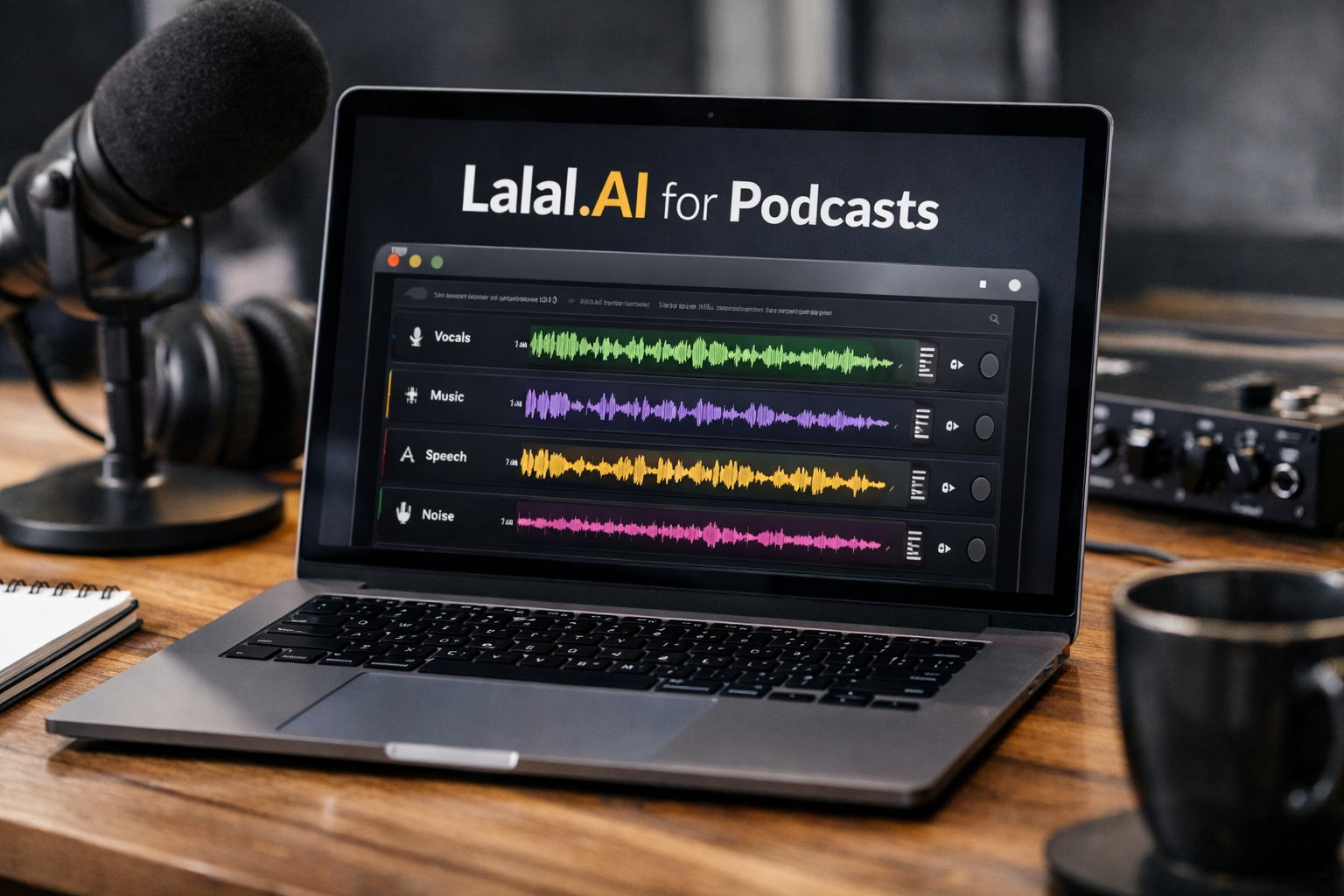
For podcasters handling interviews, remote recordings, trailers, and social clips, lalal.ai for podcasts is worth considering as a focused AI-assisted cleanup and stem-separation tool. Its official positioning is as an AI Vocal Remover and Instrumental Isolator, but its feature set can also be relevant when you need to clean podcast dialogue, reduce unwanted elements, separate music from voice, or rescue difficult source audio.
This is not a replacement for a good microphone, careful recording setup, or editorial judgment. However, in the right workflow, lalal.ai for podcasts can reduce the time spent trying to isolate usable dialogue from music, rumble, echo, and other distractions before you move into your main editor.
Affiliate disclosure: This site may earn a commission if you sign up through our links, at no added cost to you. That does not change this review’s recommendations or limitations.
Official website · Latest pricing & offers
What LALAL.AI Does for Podcasters
At its core, LALAL.AI provides AI-based tools for separating and processing elements in audio and video files. For podcast work, the practical appeal is not simply “one-click editing.” It is the ability to create cleaner source material for an editor, mixer, transcription workflow, or content-repurposing process.
The official podcast positioning says LALAL.AI can help make editing, repurposing, and enhancing podcasts faster and easier. It also states that the platform can extract clean vocals, remove background noise, and isolate speakers with industry-grade accuracy. In practice, creators should treat those capabilities as a useful starting point, then listen critically to every exported result.
Core Audio Cleanup Tools Podcasters Will Care About: LALAL.AI for Podcasts
The most relevant tools for lalal.ai for podcasts are Voice Cleaner, Echo & Reverb Remover, Vocal Remover, and Stem Splitter. Each handles a different type of problem, so choosing the correct tool matters more than processing every file through every feature.
Voice Cleaner is officially designed to remove background music, vocal plosives, mic rumble, and other unwanted noises. That makes it especially relevant for episodes with low-frequency handling noise, distracting plosive sounds, or a music bed that competes with speech.
Echo & Reverb Remover targets echo and reverb in vocals, voice recordings, songs, and video files. For podcasters, that can be useful when a guest recorded in a reflective room, kitchen, office, or empty space rather than a treated studio.
When Stem Splitting Matters in Podcast Editing
An AI stem splitter for podcasts becomes valuable when a recording contains more than one audio layer. Think of an old episode with an intro bed baked under the host’s voice, a trailer that needs dialogue separated from music, or a video clip where you want to reuse spoken content without its original soundtrack.
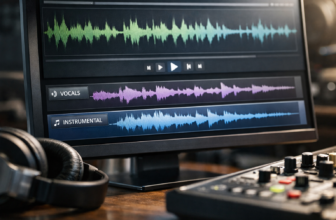
LALAL.AI’s Stem Splitter can extract vocals, instrumental, drums, bass, guitar, synth, string, and wind instruments. That broader separation can give an editor more control than simply muting or cutting around a music section in a waveform.
For lalal.ai for podcasts, stem separation is best viewed as a repair and repurposing option. It is particularly helpful when you no longer have the original multitrack session or when a contributor only supplied a mixed file.
How This Differs From General Audio Editing Software
A traditional DAW or audio editor gives you hands-on control over cuts, fades, EQ, compression, leveling, automation, and final mastering. LALAL.AI addresses a different stage: creating separated or cleaner components that are easier to edit afterward.
That distinction matters. A podcast audio cleanup AI can accelerate repetitive source-preparation tasks, but it cannot decide whether a guest’s answer should be shortened, whether a pause improves storytelling, or whether the final mix sounds natural for your audience.
Best Podcast Use Cases for LALAL.AI
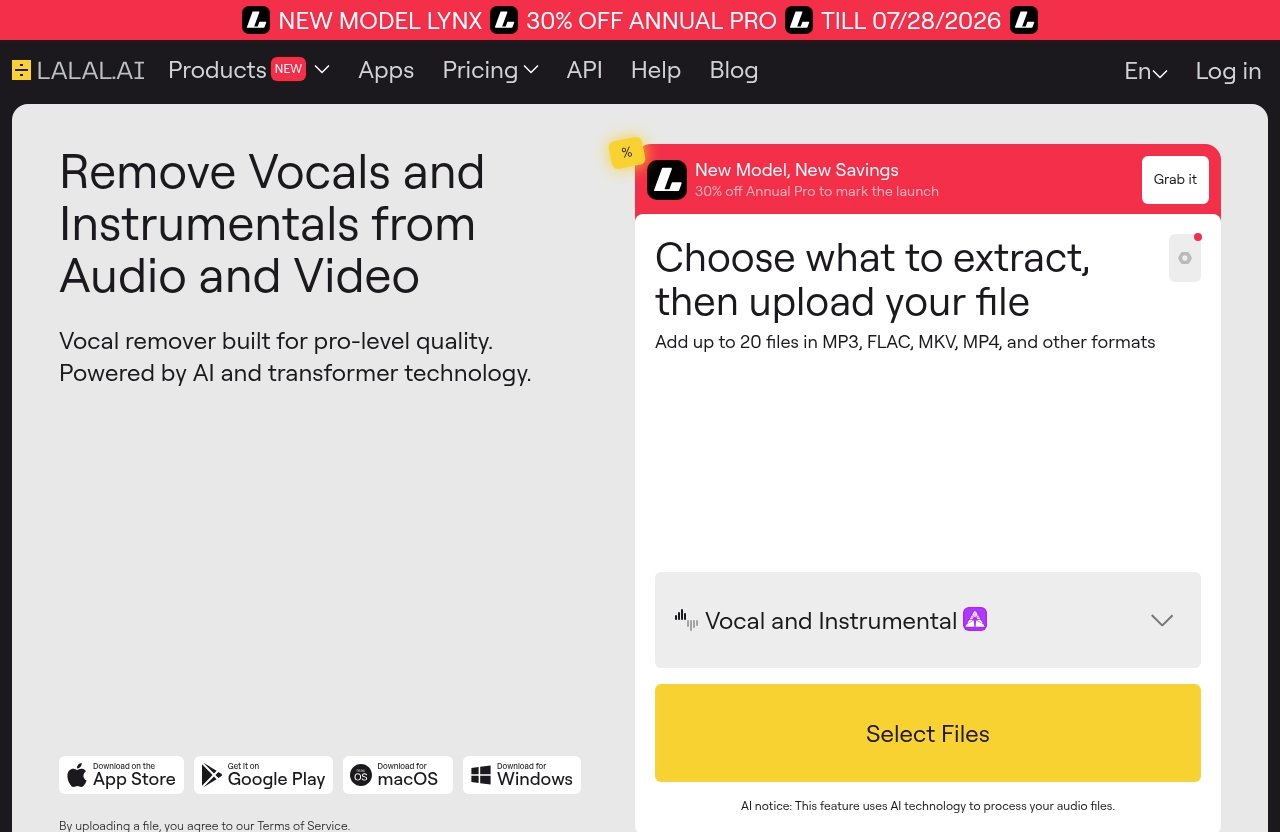
The strongest argument for lalal.ai for podcasts is a practical one: it can help solve awkward audio situations that would otherwise consume a disproportionate amount of editing time. The best fit is usually a producer who has imperfect files but still needs a publishable, intelligible episode.
Cleaning Interview Recordings With LALAL.AI for Podcasts
Interviews are often where audio quality becomes unpredictable. A guest may join from a home office with mic rumble, speak over a music bed in a live venue, or submit a recording with room reflections that were not obvious during the call.
A sensible workflow is to preserve the original file, create a copy, and test Voice Cleaner or the Echo & Reverb Remover on the duplicate. Compare short sections containing the real problem: plosives, rumble, background music, or reverberant phrases. Then bring the better version into your normal editor for pacing, leveling, and final cleanup.
This approach to lalal.ai for podcasts is especially useful for recorded interviews that cannot be recreated. It gives you another restoration option before deciding a clip is unusable.
Separating Voice From Intro Music and Beds
Many podcast teams use intro music, transition beds, trailers, and sponsor-read production elements. If these are already mixed with spoken words and the original session is unavailable, Vocal Remover and Stem Splitter can help you create components for a revised edit.
Vocal Remover is designed to remove vocals and instrumentals from music tracks, audio clips, or video. Stem Splitter goes further by extracting vocals and multiple instrumental categories. For a producer trying to recover clean narration from an archived promo, that distinction can be important.
If your project includes music-focused content, our guide to [LALAL.AI karaoke tracks](/lalal-ai-karaoke-tracks/) and [LALAL.AI for remixing songs](/lalal-ai-for-remixing-songs/) covers related use cases. For podcast work, the priority remains intelligible speech and a natural final mix rather than musical perfection.
Improving Repurposed Clips for Shorts, Reels, and Trailers
Turning a 60-minute conversation into a short clip can be deceptively difficult. A strong quote may sit beneath a loud intro, remote-recording noise, or ambient sound that makes captions and spoken delivery harder to follow.
Using lalal.ai for podcasts before cutting video can make the selected soundbite easier to work with. Clean dialogue gives your editor a better base for subtitles, animated waveforms, background footage, and a separate music choice.
This is also where LALAL.AI’s official podcast positioning around faster repurposing is most convincing. The tool is not the entire social-content workflow, but it may help prepare the most important element: understandable voice audio. If you are building a broader video pipeline, see [How to Use Syllaby for Faceless Videos](/how-to-use-syllaby-for-faceless-videos/).
Working With Remote Recordings and Noisy Environments
Remote guests often record in spaces you cannot control. A laptop microphone may capture keyboard vibration, nearby voices, rumble, room bounce, or a TV in another room. You should still ask guests for headphones, a quiet space, and a local recording when possible.
But when prevention failed, lalal.ai for podcasts can be part of the recovery process. Voice Cleaner is the relevant first option for background music, plosives, mic rumble, and other unwanted noise, while Echo & Reverb Remover may be more suitable for a roomy or reflective recording.
Do not expect every noisy file to become studio-grade. The goal is to improve clarity enough that the conversation remains comfortable to hear and edit.
Key LALAL.AI Features Relevant to Podcast Editing
The feature list is broad enough to support several podcast scenarios, but podcasters should start with the tools that solve a specific audio problem. Processing just because a tool is available can create unnecessary artifacts or make dialogue sound less natural.
Stem Splitter for Vocals and Instruments in LALAL.AI for Podcasts
Stem Splitter extracts vocals, instrumental, drums, bass, guitar, synth, string, and wind instruments. In a podcast context, that is most useful for separating a spoken vocal from mixed music or for gaining more editing flexibility from a completed audio or video file.
For example, an editor can attempt to extract the voice from an old event recording, then place that recovered dialogue over a newly chosen bed. This can be faster than abandoning a strong quote simply because the original mix was not designed for short-form reuse.
Voice Cleaner for Background Music, Plosives, Mic Rumble, and Unwanted Noise
Voice Cleaner is arguably the clearest feature for routine podcast restoration. Officially, it removes background music, vocal plosives, mic rumble, and other unwanted noises.
For lalal.ai for podcasts, this can support a cleaner listening experience before you apply your usual EQ, compression, de-essing, and loudness workflow. It is also a potentially useful first pass on source recordings that arrive from nontechnical guests.
The important caveat is to monitor the result. If processing affects consonants, breath detail, vocal warmth, or a speaker’s natural tone, use a lighter approach or reserve the tool for the worst sections only.
Echo & Reverb Remover for Roomier Recordings
Echo & Reverb Remover is designed to remove echo and reverb from vocals, voice recordings, songs, and videos. This makes it relevant to podcasters who work with guests in untreated rooms or contributors who record quick voice notes.
The tool can improve the starting point, but it cannot recreate the controlled sound of a well-treated recording space. In my editorial view, the most realistic use is reducing distracting roominess so the speaker is easier to understand—not chasing an unnaturally dry vocal.
Lead/Back Splitter for Layered Vocal Content
Lead/Back Splitter separates lead and backing vocals with pinpoint accuracy, according to LALAL.AI’s official feature description. This is a more specialized tool for podcast editors, but it can be useful in branded shows with sung intros, layered voiceovers, or music-heavy promotional assets.
It may also help when you need to isolate a main vocal element from harmony layers before making a teaser. For ordinary one-person spoken-word episodes, Voice Cleaner or Echo & Reverb Remover will usually be the more direct choice.
Official website · Latest pricing & offers
How Podcasters Can Use LALAL.AI in a Practical Workflow
The most productive way to use lalal.ai for podcasts is as one stage in a broader post-production process. Keep the original recording untouched, use AI processing on copies, and make the final editorial decision in the software where you already edit and mix.
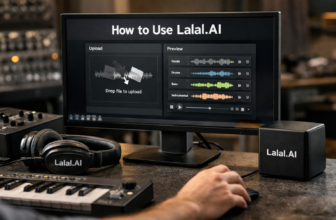
Step 1: Upload or Import Audio
Start by identifying the actual problem in the file. Is dialogue competing with music? Is there room echo? Are plosives and mic rumble distracting? Or do you need a vocal separated from a mixed archive clip?
Upload or import the relevant audio or video source into the appropriate LALAL.AI tool. The service also supports desktop use on Windows, macOS, and Linux, iOS on iPhone and iPad, Android phones and tablets, a VST Plugin that runs locally inside your DAW, and an API for developers.
Step 2: Isolate the Part You Need
Choose the feature that matches your objective. Use Voice Cleaner when you want to remove background music, plosives, rumble, or other unwanted noise. Use Echo & Reverb Remover for room reflections, and select Vocal Remover or Stem Splitter when the job is separating voice and instrumental elements.
For a podcast with mixed content, test a short representative portion first. Listen on headphones and speakers, paying close attention to names, sibilance, fast speech, laughter, and overlapping voices.
Step 3: Export and Finish in Your Editor
Once you have a useful processed version or separated stem, export it and bring it into your existing DAW or podcast editor. Align it with the original recording if needed, then use normal editing tools to remove mistakes, balance participants, adjust timing, and build transitions.
This is where lalal.ai for podcasts complements rather than replaces manual editing. AI can help prepare the audio, but a human editor still determines pacing, continuity, narrative emphasis, and whether the processed signal sounds credible.
Step 4: Combine With Transcription, Mixing, and Mastering
After cleanup, produce a transcript from the clearest practical version of the dialogue. Cleaner speech can make it easier to identify quotable moments, create show notes, and produce captioned social clips, though you should still proofread names and technical terms.
Then complete your normal mix and mastering process. Add intentional music, apply final loudness handling, and listen to the entire episode from a listener’s perspective. Do not assume that a clean isolated stem automatically fits the rest of a finished mix.
Plans, Pricing, and Who Each Plan Fits
Pricing is a key part of evaluating lalal.ai for podcasts, particularly for teams processing weekly episodes or a back catalog. However, the provided official product information does not include visible plan names, usage allowances, or exact price figures.
Official Pricing Overview
Before publishing or buying, confirm the exact current plan names, limits, extras, and prices directly on LALAL.AI’s official Plans & Extras page. Pricing can change, and it would be misleading to invent a tier structure or quote figures that are not visible in the current official listing.
If you want to assess the live offer, you can review the available options through this LALAL.AI plan page. Check what is included, whether the usage model fits your processing volume, and which tools are relevant to your production needs.
Which Type of Podcaster May Need a Lower or Higher Plan
Occasional hobby podcasters may only need a smaller amount of processing for a difficult guest recording, an old trailer, or an occasional social clip. Their priority should be avoiding unnecessary capacity rather than buying based on features they will not use.
Weekly producers, agencies, or networks may benefit more from a plan that matches repeated cleanup and repurposing work. If you handle many submissions, interviews, promotional videos, and archival files, calculate your likely monthly processing needs before choosing.
How to Evaluate Value Based on Episode Volume
Do not evaluate a plan purely by the number of episodes you publish. Instead, estimate the amount of source material you expect to process: full interviews, backup recordings, video versions, clips, trailers, and failed takes.
For lalal.ai for podcasts, value is highest when the platform prevents time-consuming manual work or salvages content that has meaningful editorial value. It is lower when your recordings are already clean, isolated, and properly organized in multitrack sessions.
Pros and Limitations for Podcast Editors
A balanced decision comes down to whether LALAL.AI solves a recurring production bottleneck for your show. It has clear utility for cleanup and separation, but not every episode requires that level of processing.
Where LALAL.AI Saves Time
The biggest advantage is speed when source files are imperfect or mixed. A voice cleaner for podcasts can be helpful when you need to prepare dialogue for an edit rather than spend a long time attempting to manually work around unwanted music, rumble, or room noise.
LALAL.AI also supports multiple working environments through desktop apps, mobile apps, a local DAW VST Plugin, and an API. That flexibility can matter for producers who edit at a workstation, work remotely, or build automated workflows.
Where a DAW or Manual Editing Is Still Needed
No tool can replace listening and judgment. You still need an editor for content cuts, leveling, equalization, compression, fades, timing, music placement, quality control, and final mastering.
Speaker isolation for podcasts also requires realistic expectations. LALAL.AI says it can isolate speakers, but dialogue that is heavily overlapped, severely distorted, or buried under multiple sound sources should always be checked carefully before publication.
Best-Fit Scenarios vs. Overkill Scenarios
| Best-fit scenario | Why LALAL.AI may help |
|---|---|
| Interview with distracting rumble or plosives | Voice Cleaner addresses these unwanted elements |
| Guest recorded in a reverberant room | Echo & Reverb Remover can assist with roominess |
| Archived promo with voice mixed over music | Stem Splitter or Vocal Remover may create editable components |
| Short-form clip from a noisy long-form episode | Cleaner dialogue can improve captions and listener clarity |
| Music-heavy branded podcast assets | Lead/Back Splitter and stem tools offer extra separation options |
It may be overkill for a well-recorded, properly isolated multitrack show with a consistent studio setup. In that case, your existing editing chain may already be faster and more predictable.
LALAL.AI vs. Other Podcast Cleanup Approaches
Podcasters have several paths to better audio: manual restoration, tools built into editing platforms, and AI-based separation services. The right option depends on the source material, deadline, desired control, and the cost of getting the audio wrong.
Manual Cleanup in Audacity/DAWs
Manual work inside a DAW or editor offers detailed control. You can apply edits only where needed, preserve more of a speaker’s natural voice, and make creative mixing choices as you go.
The tradeoff is time. Manual cleanup can be slow when you are dealing with background music embedded under dialogue or a file that needs broader source separation before ordinary editing begins.
AI Cleanup Inside Podcast Platforms
Some podcast platforms and editors offer built-in cleanup options. These can be convenient if you want an integrated workflow and the tool addresses your specific issue.
However, lalal.ai for podcasts is more centered on stem separation and specialized processing choices such as Vocal Remover, Lead/Back Splitter, Voice Cleaner, and Echo & Reverb Remover. That may be a better fit when source separation—not just light polishing—is the central challenge.
When LALAL.AI Is the Faster Option
LALAL.AI is likely the faster option when you have a mixed file and need to isolate usable elements before editing. Examples include an interview clip with music underneath, a noisy event recording, or an old audio asset with no access to original tracks.
It is not automatically faster for every job. For a clean local recording that only needs trims, a quick EQ adjustment, and leveling, staying inside your regular editor may remain the simplest route.
Official website · Latest pricing & offers
FAQ
Can LALAL.AI remove background noise from podcast recordings?
Yes, Voice Cleaner is officially described as removing background music, vocal plosives, mic rumble, and other unwanted noises. If room echo or reverb is the main issue, the Echo & Reverb Remover is the more relevant LALAL.AI feature.
For lalal.ai for podcasts, test the result on a short section first. The goal is clearer speech without losing the natural character of the speaker’s voice.
Is LALAL.AI good for separating speakers in interviews?
LALAL.AI’s podcast-page positioning says it can isolate speakers and help make podcast editing, repurposing, and enhancement easier. That can be useful for interview workflows, transcription preparation, and mixing.
Still, consider speaker separation an aid rather than a guarantee. Overlapping speech, poor recording quality, and strong background sound can make any separation task more challenging.
Can I use LALAL.AI for intro music and voice cleanup?
Yes. Vocal Remover can remove vocals and instrumentals from music tracks, audio clips, and videos, while Stem Splitter can extract vocals and several instrumental components. Voice Cleaner can also help address background music and unwanted noise in voice recordings.
This combination makes lalal.ai for podcasts useful for revising intros, trailers, and clips when original session files are unavailable.
Does LALAL.AI work for repurposing podcast clips into social media content?
Yes, cleaner stems and clearer dialogue can make it easier to turn a podcast moment into a trailer, reel, short, or captioned video. LALAL.AI specifically positions its podcast tools around faster editing, repurposing, and enhancement.
After processing, you still need to select the right quote, edit it for context, add captions, and review the final audio against the video.
What’s the difference between Stem Splitter and Vocal Remover?
Vocal Remover is designed to remove vocals and instrumentals from music tracks, audio clips, and videos. Stem Splitter is broader: it can extract vocals, instrumental, drums, bass, guitar, synth, string, and wind instruments.
For podcast editors, choose Vocal Remover for straightforward voice-versus-instrumental separation. Choose Stem Splitter when you need more granular control over mixed musical elements.
Final Verdict: Is LALAL.AI Worth It for Podcasters?
Best Use Cases by Creator Type
Lalal.ai for podcasts is most compelling for interview-led shows, video podcasters, editors handling remote guests, and creators repurposing long-form audio into short clips. It is also useful for networks and agencies that often receive mixed, noisy, or imperfect source files.
The platform’s verified tools cover practical needs: removing unwanted noise with Voice Cleaner, reducing roominess with Echo & Reverb Remover, and separating voice and musical elements with Vocal Remover or Stem Splitter.
Who Should Try It First
Try LALAL.AI first if you repeatedly need to clean podcast dialogue, remove background noise from podcast recordings, separate a spoken voice from music, or recover usable clips from archives. It is a strong workflow companion when the source audio is the problem.
Skip it as a priority purchase if your show is consistently recorded on isolated tracks in a controlled environment and your normal editing setup already handles cleanup efficiently. In that scenario, the benefit may be occasional rather than essential.
Affiliate Recommendation and CTA
My recommendation is measured: lalal.ai for podcasts is worth evaluating for creators who need faster cleanup and stem separation, especially when a recording cannot be re-created. Use it to prepare better material for your editor, not as a substitute for careful production, listening, and final mix decisions.
If those use cases match your workflow, review the current official options through LALAL.AI for podcast post-production and confirm live pricing and plan details before choosing.
Related Reading
- Lalal.AI for YouTubers
- How to Use Syllaby for Faceless Videos
- How to Speed Up WordPress with Cloudways
References
- Enhance Podcast Post-Production with AI Stem Splitting
- LALAL.AI: AI Vocal Remover & Instrumental Isolator
- LALAL.AI FAQ | Answers to All Popular Questions
- LALAL.AI Podcast