Cloudways Review 2026: Is Managed Cloud Hosting Worth It?

If you are comparing managed cloud hosting options, this cloudways review will help you decide whether Cloudways is worth paying for in 2026. Cloudways positions itself as a managed cloud hosting platform that gives users cloud-level flexibility without requiring them to manage servers from scratch.
This review is buyer-focused and independent. I’ll separate official Cloudways claims from editorial analysis, especially around performance, pricing, reliability, and ease of use. Pricing and features can change, so you should always confirm the latest details on Cloudways’ official pages before buying.
Disclosure: If Cloudways looks like the right fit after reading, you can check it through our affiliate link here: visit Cloudways. This may support TopTrustReview at no extra cost to you.
Official website · Latest pricing & offers
Cloudways Review Summary: Is It Worth It?
Quick verdict
Cloudways is worth considering if you want managed cloud hosting with more control than basic shared hosting, but less hands-on server work than unmanaged cloud infrastructure. The strongest value is the balance between performance-focused hosting, simplified server management, and flexibility for WordPress, Magento, Laravel, and PHP applications.
In this cloudways review, my editorial view is that Cloudways fits users who have outgrown cheap shared hosting or want a more scalable platform without becoming server administrators. It is not the simplest hosting option on the market, but it offers a practical middle ground for serious site owners.
Cloudways says it powers 100,000+ businesses and highlights its Cloudways Lightning Stack, 24×7 support, world-class server security, and 99.99% uptime. Those are official claims, not independent benchmark results from this article.
Who Cloudways is best for
Cloudways is best for users who want managed cloud hosting with flexibility and room to scale. That includes growing WordPress sites, agencies, freelancers, eCommerce stores, developers, and business websites that care about speed and uptime.
It is especially appealing if you want to host multiple apps on one server under Cloudways Flexible, or if you want fully managed WordPress hosting with autoscaling through Cloudways Autonomous.
Good-fit users include:
- WordPress site owners who want better performance than typical shared hosting
- Agencies managing multiple client websites
- Developers running Laravel or PHP applications
- Magento store owners who need stronger hosting foundations
- Small businesses that value uptime and support
Who should skip it
Cloudways may not be ideal if you want the cheapest possible beginner hosting or a fully hands-off website builder-style experience. It simplifies cloud hosting, but it is still cloud hosting, so some basic understanding of servers, resources, applications, and backups is helpful.
If your site is tiny, low-traffic, and price is the only factor, a basic shared hosting plan may feel easier. Also, if you want exact long-term costs before choosing a plan, you should review current Cloudways pricing carefully because the platform emphasizes flexible pay-as-you-go plans.
What Is Cloudways?
Managed cloud hosting explained
Cloudways is a managed cloud hosting platform. In plain English, that means it helps you use cloud infrastructure without requiring you to manually configure and maintain every server component yourself.
Traditional cloud hosting can be powerful but intimidating. You often need to manage server setup, security updates, scaling, caching, and application deployment. Cloudways aims to handle much of that operational complexity while still giving you control over your hosting environment.
That is the main theme of this cloudways review: Cloudways is designed for users who want cloud performance and flexibility without the full burden of unmanaged infrastructure.
Cloudways Flexible vs Cloudways Autonomous
Cloudways currently presents two main product directions: Cloudways Flexible and Cloudways Autonomous. They serve different types of users.
| Product | Best for | Officially highlighted capabilities |
|---|---|---|
| Cloudways Flexible | Users who want managed hosting with control | Host WordPress, Magento, Laravel, or PHP apps on multiple cloud providers |
| Cloudways Autonomous | WordPress users who want less server management | Fully managed WordPress hosting with autoscaling for traffic spikes |
Cloudways Flexible is the broader managed cloud hosting option. Officially, it includes managed hosting with control, unlimited apps per server, Free AI Copilot Credit, and Cloudways Lightning Stack.
Cloudways Autonomous is more specialized. It is fully managed WordPress hosting designed to handle traffic spikes and keep applications fast and online without requiring users to manage servers or scaling. Officially highlighted features include no server management, autoscaling for traffic spikes, crash prevention under load, and free Cloudflare Enterprise, which Cloudways positions as a $250 saving.
Which hosting style fits which user
Cloudways Flexible makes sense if you want more control and plan to run different types of applications. For example, an agency hosting WordPress client sites, a developer working with Laravel, or a business running PHP apps may prefer this model.
Cloudways Autonomous is better if your focus is WordPress and you do not want to think about servers or scaling. If your site gets unpredictable traffic spikes from launches, campaigns, or viral content, Autonomous is the more hands-off option.
For many readers of this cloudways review, the decision is not simply “Cloudways or not.” It is also whether Cloudways Flexible or Cloudways Autonomous better matches your technical comfort level.
Cloudways Pricing: What You Really Pay
Verified plans and pricing notes
Cloudways pricing is described on the official pricing page as flexible, transparent, and pay-as-you-go. Because exact current plan prices were not included in the verified product facts provided for this review, I will not invent monthly prices or quote outdated numbers.
That matters because hosting pricing can change. Cloud providers, resource levels, billing terms, promotional offers, and included features may affect what you actually pay.
For the most accurate current cost, you should verify Cloudways pricing directly on the official pricing page before purchasing. If you are evaluating after reading this cloudways review, treat any third-party price screenshots or old comparisons with caution.
Pay-as-you-go model
The pay-as-you-go model is one of the most important parts of Cloudways’ value proposition. Instead of thinking only in terms of a fixed shared hosting package, you are paying for managed access to cloud hosting resources with flexibility.
This can be useful if your needs change over time. A growing website may need more resources later, while a smaller project may not want to overcommit upfront.
However, pay-as-you-go pricing also means you should understand what is included. Before signing up, check:
- The selected hosting option
- The application type you plan to run
- Any provider-related cost differences
- Backup, scaling, or add-on implications
- Whether Cloudways Flexible or Cloudways Autonomous fits your needs
Is Cloudways expensive or good value?
Cloudways is not positioned like bare-minimum shared hosting. It is better evaluated as managed cloud hosting, where the value comes from performance potential, support, security, uptime claims, and reduced server management.
In my editorial view, Cloudways can be good value if your website generates business results, client revenue, leads, sales, or meaningful audience growth. Faster hosting and better reliability can matter when downtime or slow load times cost you money.
For hobby projects or very small sites, the value case is less obvious. This cloudways review recommends checking the official pricing page and comparing the cost against what better speed, support, scalability, and managed convenience are worth to you.
Key Features and What Stands Out
Lightning Stack and performance claims
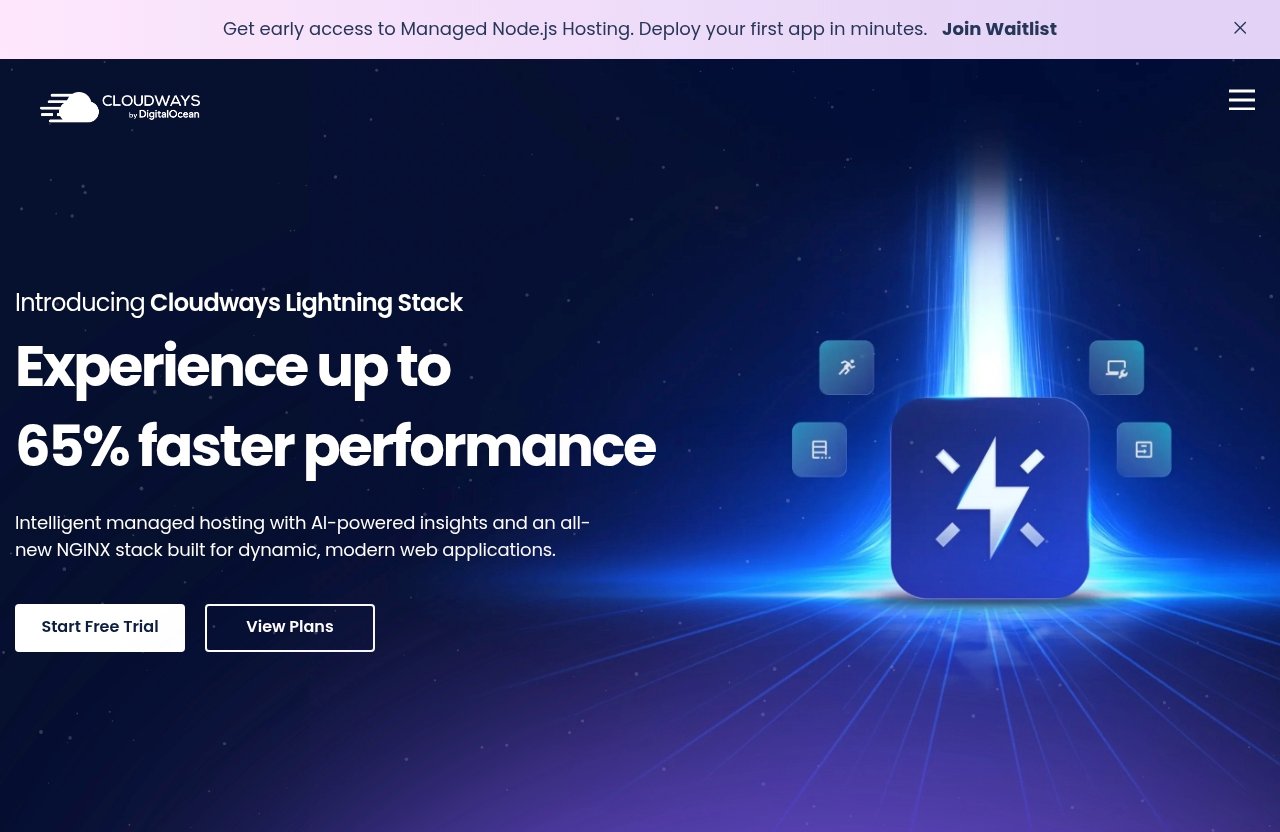
One of the headline Cloudways features is the Cloudways Lightning Stack. Cloudways officially claims up to 65% faster performance or load times.
That is an official product claim, not a benchmark independently produced for this article. Real-world performance can vary based on your theme, plugins, app code, database size, media optimization, caching setup, traffic patterns, and chosen configuration.
Still, the emphasis is clear: Cloudways wants to compete on speed. For buyers reading a cloudways review, performance is one of the main reasons to consider it over basic hosting.
Flexibility across apps and providers
Cloudways Flexible stands out because it supports WordPress, Magento, Laravel, and PHP apps across multiple cloud providers. That makes it more versatile than hosting products that focus only on one CMS or one narrow use case.
Officially, Cloudways Flexible also allows unlimited apps per server. This can be useful for agencies, freelancers, and developers who manage multiple projects from one hosting environment.
This flexibility is a major reason Cloudways is often discussed in a cloudways hosting review context rather than just as another WordPress host.
Reliability, security, and support
Cloudways officially claims 24×7 support, world-class server security, and 99.99% uptime. These are meaningful reliability signals, especially for business sites where downtime can affect revenue or reputation.
From an editorial standpoint, the key question is whether those claims match your workload and expectations. A well-configured site on a strong hosting platform is more likely to perform reliably than a bloated site with poor maintenance.
Third-party sentiment can also be helpful. When researching Cloudways, you may see discussion on Trustpilot, Reddit, and hosting communities. A cloudways review Reddit thread can surface practical user experiences, while Cloudways complaints may highlight support expectations, billing questions, or learning-curve concerns. Treat those sources as sentiment signals, not absolute proof.
Official website · Latest pricing & offers
Performance Review: Speed, Scalability, and Uptime
Why the Lightning Stack matters
Performance is one of the biggest reasons people consider Cloudways managed cloud hosting. The Cloudways Lightning Stack is positioned as a performance-focused foundation for faster load times.
Officially, Cloudways claims up to 65% faster performance. In practice, that kind of claim should be understood as a potential benefit, not a guarantee for every website.
Your actual Cloudways performance will depend heavily on what you host. A lean WordPress site with optimized images and clean plugins will usually have different results than a heavy eCommerce site with complex scripts and large databases.
Traffic spikes and scaling
Traffic spikes are where cloud hosting can be more attractive than entry-level shared hosting. When a website suddenly receives more visitors, it needs enough resources and smart scaling behavior to avoid slowdowns or crashes.
Cloudways Autonomous is specifically positioned for this problem. Officially, it offers autoscaling for traffic spikes, helps prevent crashes under load, and removes the need for users to manage servers or scaling.
That makes Autonomous interesting for publishers, campaign-driven businesses, and WordPress sites that experience unpredictable traffic. In this cloudways review, I see that as one of Cloudways’ clearest buyer-focused advantages.
Core Web Vitals and user experience
Hosting is not the only factor behind Core Web Vitals, but it can influence the user experience. Faster server response and stable infrastructure may support better loading performance, especially when paired with good front-end optimization.
Cloudways’ performance positioning may appeal to site owners who care about SEO, conversions, and user engagement. Slow pages can frustrate visitors, reduce trust, and hurt business outcomes.
That said, no host can fix every performance issue automatically. Themes, plugins, scripts, images, tracking tools, and application code still matter. This is why any honest cloudways hosting review should frame hosting as one important piece of the performance puzzle.
Ease of Use: How Simple Is Cloudways for Non-Developers?
Setup and server management experience
Cloudways aims to simplify cloud hosting while keeping useful control. That is its main usability promise: you get managed hosting without having to build and maintain everything manually.
For non-developers, this can feel much easier than renting raw cloud infrastructure. You are not starting from a blank server and command line.
However, Cloudways is still more technical than the simplest shared hosting dashboards. You may need to understand applications, servers, resources, domains, SSL, backups, and staging-style workflows depending on your setup.
Dashboard and workflow
Cloudways is designed around managing applications and servers from a platform dashboard. For agencies and freelancers, that can be more efficient than juggling separate low-end hosting accounts.
The workflow is especially useful if you manage multiple projects. Cloudways Flexible’s official unlimited apps per server feature may help teams organize several apps within one managed cloud environment.
From an editorial perspective, this is one of the more practical Cloudways features. It is not just about speed; it is also about saving time on repeated hosting tasks.
Learning curve for beginners
Beginners can use Cloudways, but it is not the most beginner-oriented hosting style. If you have only used basic shared hosting, the cloud hosting language may take time to learn.
The learning curve is not necessarily a dealbreaker. Many WordPress users, bloggers, and business owners can adapt if they are willing to follow documentation and understand the basics.
Still, this cloudways review would not recommend Cloudways to someone who wants the absolute simplest, cheapest, most hands-off starter hosting. It is better for users who want to grow into a more capable platform.
Cloudways Pros and Cons
Pros
Cloudways has several clear strengths for the right buyer.
| Pros | Why it matters |
|---|---|
| Managed cloud hosting | Reduces server management burden |
| Cloudways Lightning Stack | Officially positioned for faster performance |
| App flexibility | Supports WordPress, Magento, Laravel, and PHP apps |
| Unlimited apps per server on Flexible | Useful for agencies and multi-site users |
| Cloudways Autonomous | Designed for hands-off WordPress scaling |
| 24×7 support | Helpful for business-critical websites |
| 99.99% uptime claim | Strong official reliability positioning |
| Pay-as-you-go pricing | Flexible model for changing needs |
The biggest advantage is balance. Cloudways gives you more power and flexibility than typical shared hosting while removing many of the hardest parts of unmanaged cloud hosting.
For many readers comparing Cloudways pros and cons, that middle-ground positioning is the main reason to shortlist it.
Cons
Cloudways also has tradeoffs.
| Cons | Why it matters |
|---|---|
| Not traditional shared hosting | May feel unfamiliar to beginners |
| Learning curve | Users should understand cloud hosting basics |
| Pricing needs verification | Current monthly costs should be checked officially |
| More control means more decisions | You may need to choose the right product and setup |
| User experiences vary | Performance depends on your site and configuration |
The most common concern is complexity compared with beginner shared hosting. Cloudways simplifies cloud hosting, but it does not remove every technical decision.
Cloudways complaints found in third-party discussions often relate to expectations: some users expect ultra-simple shared hosting, while Cloudways is really a managed cloud platform.
Bottom-line tradeoff
The tradeoff is simple: Cloudways gives you more control, scalability, and performance potential, but asks you to be a more informed hosting buyer.
If you want a serious hosting environment for a business, agency, or growing site, that tradeoff can be worth it. If you only want the cheapest place to put a small website, it may be more than you need.
This cloudways review sees Cloudways as a strong fit for users who value performance and flexibility enough to accept a slightly steeper learning curve.
Who Should Buy Cloudways?
Bloggers and content sites
Bloggers and content publishers should consider Cloudways when traffic growth starts to make cheap hosting feel limiting. If your site earns from ads, affiliates, sponsorships, or products, better hosting can become a business investment rather than just an expense.
Cloudways WordPress hosting may be especially appealing for content sites that care about speed and uptime. Faster pages can improve reader experience and may support better engagement.
If your blog is still very small and not monetized, start by comparing the current Cloudways pricing with your realistic needs.
Agencies and freelancers
Agencies and freelancers are among the strongest fits for Cloudways Flexible. The ability to host multiple apps per server can be useful when managing client websites.
Cloudways also offers a more professional hosting environment than basic shared hosting. For client work, reliability, support, and scalability often matter more than saving the lowest possible monthly amount.
In this cloudways review, agencies stand out as one of the clearest buyer groups because they can turn hosting efficiency into better margins and smoother operations.
Small businesses and eCommerce
Small businesses should consider Cloudways if their website directly affects leads, bookings, or sales. Hosting quality matters more when downtime or slow pages can cost real money.
Magento users may also find Cloudways relevant because Cloudways Flexible officially supports Magento. eCommerce sites often need stronger hosting foundations than simple brochure websites.
Cloudways Autonomous may be worth considering for WordPress-based businesses with unpredictable traffic spikes. Its official autoscaling positioning is designed for keeping applications fast and online without manual server scaling.
Developers and PHP app owners
Developers and PHP app owners may appreciate Cloudways because it supports Laravel and PHP apps, not just WordPress. That makes it useful for custom projects where basic hosting is too limited.
Cloudways Flexible is likely the better match for this group because it offers managed hosting with control. Developers often want flexibility without spending unnecessary time on server maintenance.
If you are comparing managed cloud platforms, Cloudways should be on your shortlist. Just make sure the exact workflow, provider options, and pricing match your project requirements.
Cloudways vs Other Hosting Types
Cloudways vs shared hosting
Shared hosting is usually simpler and often aimed at beginners. It can be fine for small sites, test projects, and low-traffic blogs.
Cloudways is different. It is managed cloud hosting, so it is built around flexibility, scalability, and more control. That can make it more powerful, but also slightly more complex.
For users reading a cloudways review because shared hosting feels slow or restrictive, Cloudways may be a logical upgrade path.
Cloudways vs traditional managed WordPress hosting
Traditional managed WordPress hosting often focuses only on WordPress. That can be excellent if all you need is a tightly controlled WordPress environment.
Cloudways is broader because Cloudways Flexible supports WordPress, Magento, Laravel, and PHP apps. Cloudways Autonomous, however, is more directly comparable to managed WordPress hosting because it focuses on fully managed WordPress with autoscaling.
The choice depends on your needs. If you only want a simple WordPress-focused experience, compare Cloudways Autonomous with other managed WordPress options. If you need app flexibility, Cloudways Flexible becomes more attractive.
When Cloudways is the better fit
Cloudways is the better fit when you want more than basic hosting but do not want unmanaged infrastructure. It suits users who care about speed, scaling, support, security, and application flexibility.
It is also a better fit when your website has business value. If better hosting protects revenue, improves visitor experience, or saves technical time, the value case becomes stronger.
If that sounds like your situation, you can review Cloudways directly through this Cloudways affiliate link and confirm the latest plans, features, and pricing before deciding.
Official website · Latest pricing & offers
FAQ
Is Cloudways reliable?
Cloudways officially claims 99.99% uptime, 24×7 support, and world-class server security. Those are strong reliability signals for a managed cloud hosting platform.
However, real-world reliability depends on your configuration, application quality, traffic patterns, and maintenance practices. A lightweight, well-optimized site will usually behave differently from a poorly optimized site under heavy load.
What are the cons of Cloudways?
The main cons are the learning curve, the need to understand basic cloud hosting concepts, and the fact that it is not traditional beginner shared hosting. Some users may find it more technical than expected.
You should also check Cloudways pricing carefully on the official pricing page. The platform uses flexible pay-as-you-go pricing, so current monthly costs should be verified before you buy.
Is Cloudways a Pakistani company?
Cloudways operates as a global managed cloud hosting platform. I would avoid making a legal or ownership claim without checking Cloudways’ current official company, legal, or about pages.
If company location or corporate structure matters to your buying decision, confirm it directly from Cloudways’ official sources.
How much is Cloudways per month?
Cloudways uses flexible, transparent pay-as-you-go pricing according to its official pricing page. Exact current monthly pricing should be confirmed on the official Cloudways pricing page because costs can vary by plan, configuration, and current terms.
For this cloudways review, I have not quoted exact monthly prices because verified current plan numbers were not provided in the source facts. That is the safest way to avoid outdated or misleading pricing.
Final Verdict: Is Cloudways Worth It?
Best-case scenario
Cloudways is most worth it when your website or application has real business value and needs stronger hosting than a basic shared plan. It is a good fit for growing WordPress sites, agencies, freelancers, small businesses, Magento stores, Laravel projects, and PHP app owners.
The best-case buyer wants managed cloud hosting with performance potential, support, security, and flexibility. In that situation, Cloudways offers a compelling balance between control and convenience.
When it is not worth it
Cloudways may not be worth it if you only need the cheapest beginner hosting for a very small site. It may also be too much if you dislike technical settings and want a fully simplified website builder experience.
You should also consider alternatives if you need fixed pricing clarity before exploring pay-as-you-go hosting. Always verify current Cloudways pricing and features on the official site before making a final decision.
Final recommendation
My final cloudways review verdict: Cloudways is worth considering for serious site owners who want managed cloud hosting without handling everything manually. It is especially strong for users who value performance, scalability, reliability, and app flexibility.
Choose Cloudways Flexible if you want control and support for WordPress, Magento, Laravel, or PHP apps. Choose Cloudways Autonomous if you want fully managed WordPress hosting with autoscaling and minimal server management.
Skip it if your top priority is the lowest possible price or the simplest beginner hosting experience. But if Cloudways matches your needs, it deserves a place on your shortlist for managed cloud hosting in 2026.
Related Reading
References
- Cloudways official homepage
- Cloudways pricing page
- Trustpilot reviews for Cloudways
- Reddit thread: Cloudways feedback?