How to Cancel Repurpose.io Subscription in 2026
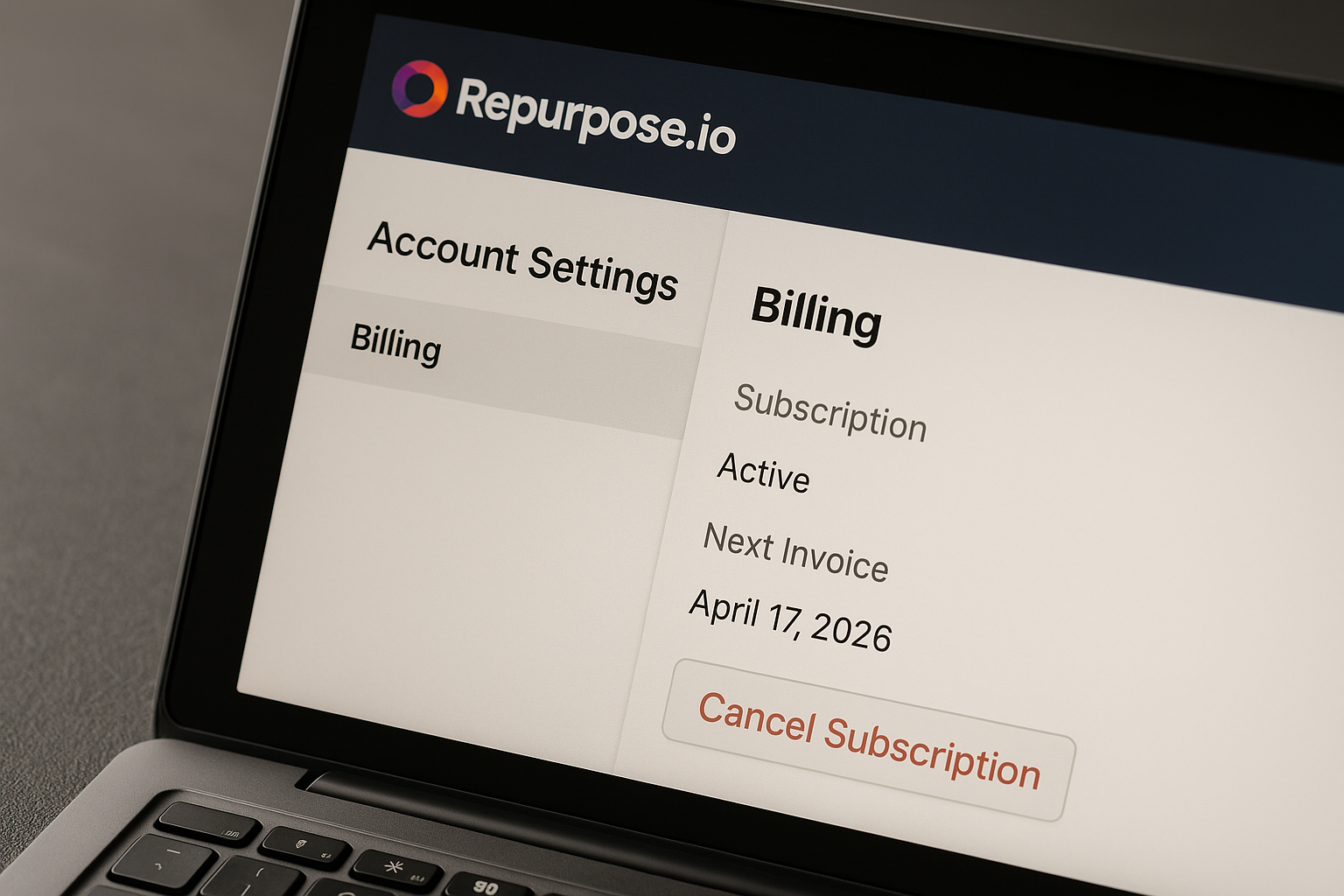
If you need how to cancel repurpose.io subscription before your next renewal, the quickest verified path is simple: log in to Repurpose.io, open the Billing page, scroll to the bottom, and click “Want to cancel your plan? Click here”. Repurpose also lists a direct cancellation URL for logged-in users: https://my.repurpose.io/cancelaccount.
This guide is based on official Repurpose support and pricing page information available for 2026. It is written to help you cancel calmly, avoid unwanted renewal charges, and know what to check next.
Affiliate disclosure: TopTrustReview may earn a commission if you choose to sign up or continue with Repurpose through our Repurpose affiliate link. This does not affect the cancellation instructions below.
Official website · Latest pricing & offers
Quick Answer: How to Cancel Repurpose.io Subscription
If you are short on time, here is the direct answer for how to cancel repurpose.io subscription: go to your Repurpose.io account, open Billing, and use the cancellation button at the bottom of the page.
The official Repurpose help-center cancellation path says to click the “Want to cancel your plan? Click here” button. You can also use the official direct cancellation link if you are already logged in.
The fastest path to cancellation
To cancel Repurpose.io quickly:
- Log in to your Repurpose.io account.
- Go to Billing.
- Scroll to the bottom of the page.
- Click “Want to cancel your plan? Click here”.
- Follow the prompts until the cancellation is complete.
This is the most important path to remember if your renewal date is close and you want to stop Repurpose.io billing before another charge.
What page to click inside your account
The page you need is the Repurpose billing page. In some account areas or help snippets, you may also see wording like My Account or Billing.
If you are trying to cancel account Repurpose.io access from a desktop browser, look for your account settings first, then find Billing. The cancel link should be at the bottom of that page.
Direct cancellation link option
Repurpose’s official help information also provides this direct cancellation link for logged-in users:
https://my.repurpose.io/cancelaccount
Use it as a shortcut if you cannot easily find the Billing page. For best results, log in to your Repurpose.io account first, then open the direct URL in the same browser.
Before You Cancel: What to Check First
Before you complete how to cancel repurpose.io subscription, take two minutes to check your renewal timing, your plan type, and whether you are actually on a paid subscription.
This can help you avoid unnecessary stress, especially if you are worried about a charge happening today or tomorrow.
Renewal date and billing cycle
Start by checking your current billing cycle inside your account. If your plan is monthly, your next renewal may be coming soon; if it is yearly, the renewal amount may be larger.
Canceling before the renewal date is the safest way to avoid another subscription charge. Do not wait until the last minute if you can avoid it, because account access, browser issues, or payment page delays can slow you down.
Whether you are on a free trial
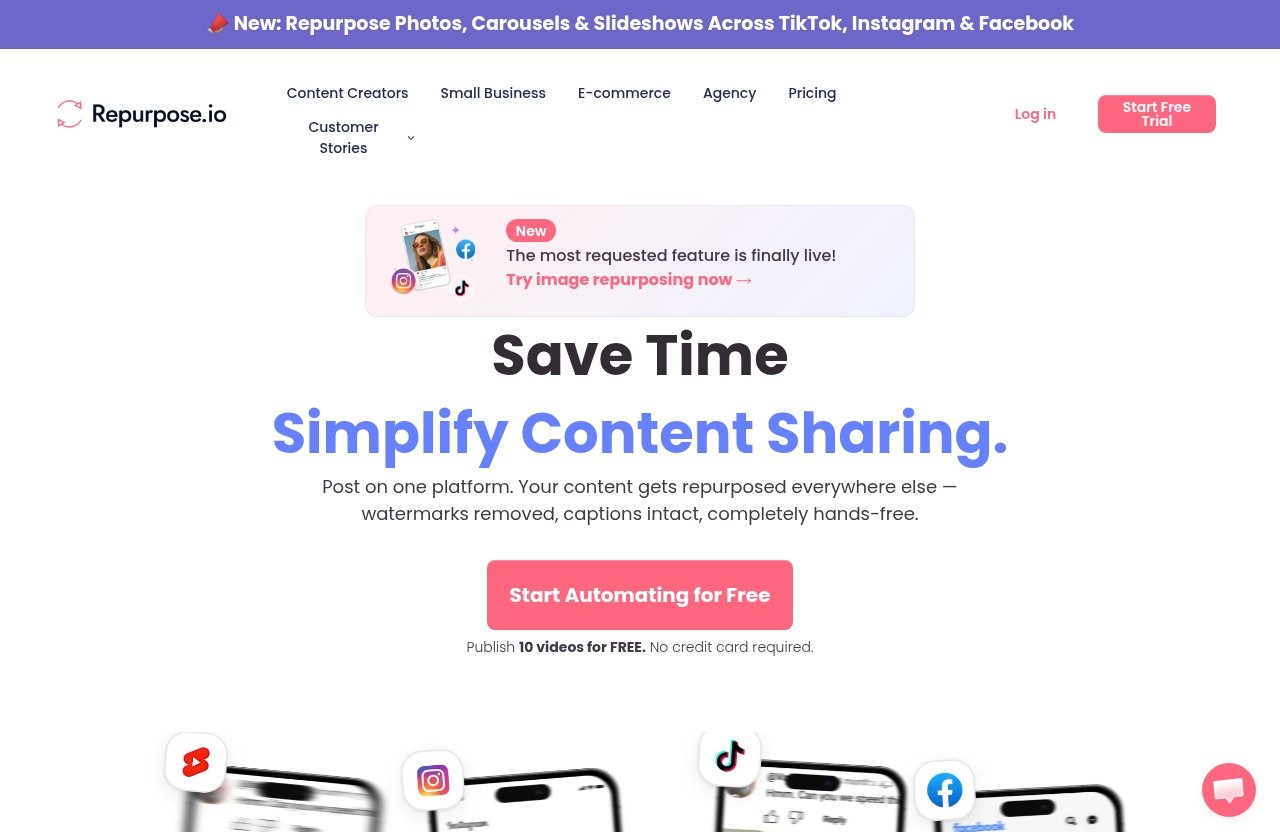
Repurpose’s official pricing page says the free trial lets users publish 10 videos for free with no credit card required. The trial lasts 14 days or 10 successful posts, whichever comes first.
The official support information says the free trial automatically expires and does not need cancellation unless you manually subscribed to a paid plan. So if you are searching for Repurpose.io free trial cancel instructions, first confirm whether you actually entered payment details and selected a paid plan.
What happens if you cancel after renewal
If you cancel after a renewal charge, do not assume a refund, credit, or reversal will happen automatically. The verified information used for this guide does not include refund rules, cancellation penalties, or hidden-fee policies.
If you were charged and believe something is wrong, contact Repurpose support directly. Keep your invoice, renewal date, cancellation confirmation, and any screenshots available.
Step-by-Step: Cancel in Your Repurpose.io Billing Page
This is the detailed walkthrough for how to cancel repurpose.io subscription using the official Billing-page method.
The cancellation steps below mirror Repurpose’s official help-center direction: go to Billing and click “Want to cancel your plan? Click here” at the bottom.
Step 1: Log in to your Repurpose.io account
Go to Repurpose.io and sign in with the email address connected to your paid plan. If you use multiple email addresses, make sure you are logging into the correct account.
A common mistake is signing into an old trial account, then assuming the cancellation option is missing. If you are being billed, use the account associated with that billing record.
Step 2: Open Billing or My Account
Once logged in, look for Billing, My Account, or account settings. Official snippets reference the Billing page, and some users may see account navigation that points through My Account first.
If you are on desktop, check the left-side menu, top-right profile menu, or account dropdown. The goal is to reach the Repurpose billing page where your plan and billing details are managed.
Step 3: Find the cancel button at the bottom
On the Billing page, scroll down to the bottom. Repurpose’s official cancellation wording is:
“Want to cancel your plan? Click here”
This is the key button for Repurpose.io subscription cancellation. If you do not see it immediately, scroll carefully and check whether any billing panels or account sections are collapsed.
Step 4: Follow the cancellation page prompts
After clicking the cancellation button, follow the prompts on the cancellation page. Read each screen carefully so you know when the cancellation has actually been submitted.
Do not close the browser tab immediately after the first click. Many subscription systems require confirmation on a second screen, and missing that final step is one of the easiest ways to accidentally stay subscribed.
Step 5: Save confirmation or screenshot
After you complete how to cancel repurpose.io subscription, save proof for your records. Take a screenshot of any confirmation page, email, or account message showing the cancellation status.
This is especially useful if your renewal date is close. If there is later confusion about billing, you will have a clear record of when you tried to cancel plan Repurpose.io access.
Direct Cancellation Link and When to Use It
The direct cancellation link is helpful if you already know you want to cancel and do not want to hunt through menus.
Repurpose lists this official cancellation URL for logged-in users:
https://my.repurpose.io/cancelaccount
When the direct link is helpful
Use the direct link when:
- You cannot find Billing quickly.
- Your renewal date is very close.
- The account menu is confusing.
- You are on the correct account but the cancel button is hard to locate.
For logged-in users, this shortcut may take you directly to the cancellation page. It is still important to follow every prompt until you see confirmation.
Why you should still log in first
The direct link works best when you are already logged in. If you open it while logged out, you may be redirected to a login screen or may not reach the correct account page.
For a smoother Repurpose.io cancel subscription process, sign in first, then paste the direct cancellation link into the same browser window.
Troubleshooting if the page will not open
If the direct cancellation page will not open, try these practical steps:
- Confirm you are logged into the right Repurpose.io account.
- Open the link in a desktop browser.
- Try a private or incognito window.
- Disable browser extensions temporarily if the page behaves oddly.
- Return to Billing and use the bottom-page cancellation button instead.
If the account page does not match the official help article, contact Repurpose support rather than guessing.
Official website · Latest pricing & offers
What Happens After You Cancel
After you finish how to cancel repurpose.io subscription, your next step is to confirm the subscription status and keep a record.
The verified official information confirms that users can cancel through Billing and that free trials expire automatically. This guide does not invent additional rules about refunds, data retention, or hidden fees.
Access until the current billing period ends
The cancellation page or your Repurpose account should show the most accurate status for your plan. If you need to know whether access continues through the current paid period, rely on what your account confirmation says or ask Repurpose support directly.
Because official snippets used for this guide do not provide detailed access-end rules, it is safest not to assume. Save your confirmation and check your account status after cancellation.
Free trial behavior
Repurpose’s free trial automatically expires and does not need cancellation unless you manually subscribed to a paid plan. The official pricing page says the trial is 14 days or 10 successful posts, whichever comes first, and no credit card is required.
So if you never selected a paid plan, you generally do not need to complete a Repurpose.io free trial cancel process.
How to contact support if needed
If something does not look right after cancellation, contact Repurpose support. The support channels surfaced in official help information include:
- Email:
support@repurpose.io - Live chat
Use support if you need confirmation, cannot access Billing, or still see account information that makes you unsure whether the cancellation went through.
Repurpose.io Pricing Snapshot for Users Considering Cancellation
Before you finalize how to cancel repurpose.io subscription, it can help to review the current plan structure. The pricing below is verified from the official Repurpose pricing page and is listed in USD.
This section is informational, not a push to stay. If the subscription no longer fits your workflow, cancellation may still be the right choice.
Monthly plans
| Plan | Monthly Price | Shown Daily Equivalent | Account Limits | Published Videos |
|---|---|---|---|---|
| Starter | $35/month | $1.17/day | Connect up to 3 accounts for each social network | 5,000 published videos/month |
| Pro | $79/month | $2.63/day | Connect up to 10 accounts for each social network | Unlimited published videos/month |
| Agency | $179/month | $5.97/day | Connect up to 25 accounts for each social network | Unlimited published videos/month |
If your main concern is monthly cost, check whether your current plan level matches your actual usage. If not, review your options before the next renewal date.
Yearly plans
| Plan | Yearly Price | Shown Daily Equivalent | Account Limits | Published Videos |
|---|---|---|---|---|
| Starter | $349/year | $0.97/day | Connect up to 3 accounts for each social network | 5,000 published videos/month |
| Pro | $790/year | $2.19/day | Connect up to 10 accounts for each social network | Unlimited published videos/month |
| Agency | $1,790/year | $4.97/day | Connect up to 25 accounts for each social network | Unlimited published videos/month |
Yearly plans involve a larger upfront renewal. If you are close to a yearly renewal and want to cancel Repurpose.io, handle it early and save confirmation.
Trial details and feature limits
All plans include the same free trial. According to the official pricing page, the trial allows users to publish 10 videos for free, requires no credit card, and lasts 14 days or 10 successful posts, whichever comes first.
When the trial ends, the user chooses a plan. If you are not on a paid plan, the trial expires automatically and does not require cancellation.
If you decide Repurpose still fits your needs, you can review it through our Repurpose partner link. If your goal is to stop billing, follow the cancellation steps above instead.
Alternatives If You Don’t Want to Fully Cancel
Sometimes people search for how to cancel repurpose.io subscription because they are frustrated, over budget, or unsure whether they still need the tool. Canceling is one option, but it is not the only way to regain control before renewal.
Use this section to think through your next move without rushing.
Cancel now and evaluate later
If your renewal date is close, canceling now may give you peace of mind. You can always evaluate your workflow later without worrying about an unwanted renewal.
This is often the simplest option if you are not actively using the subscription or if you are unsure whether the cost still makes sense.
Switching workflow tools
If you are moving to a different workflow, make a short transition checklist before canceling. Note which social accounts, posting processes, and content routines depend on Repurpose.io.
Avoid deleting or disconnecting things randomly if you still need to review your setup. The verified cancellation information does not provide data-retention details, so export or document anything important before making major changes.
Reducing usage before renewal
If your concern is workload rather than cost, review how often you are actually publishing and whether your current setup is still needed. You may find that canceling is the right decision, or you may decide to keep the account until the end of the current cycle.
Either way, check the Billing page before renewal so you are making the decision on your timeline, not after a charge appears.
Troubleshooting Common Cancellation Problems
If how to cancel repurpose.io subscription is not working as expected, do not panic. Most issues come down to account access, the wrong page, or missing the final confirmation step.
Here are the most common problems to check.
Can’t find Billing
If you cannot find Billing, look under My Account, account settings, or your profile menu. Official snippets mention Billing, but account navigation can sometimes use related labels.
You can also try the direct cancellation link after logging in:
https://my.repurpose.io/cancelaccount
If the page still does not appear, contact support and explain that your account page does not match the official cancellation help article.
Button is missing
If the “Want to cancel your plan? Click here” button is missing, first confirm that you are in the correct paid account. If you are in a free trial account that was never manually upgraded, there may be no paid plan to cancel.
Also check whether you are viewing the full Billing page on desktop. If the button still does not appear, use the direct cancellation link or contact Repurpose support.
Still see a charge after canceling
If you still see a charge after cancellation, gather your records before contacting support. Useful details include:
- Cancellation date and time
- Screenshot of confirmation
- Invoice or charge details
- Account email address
- Renewal date, if visible
Do not assume the reason for the charge without support confirmation. Ask Repurpose to verify your cancellation status and billing history.
When to Contact Repurpose Support
Contact support if you cannot complete how to cancel repurpose.io subscription, if your account page looks different from the official instructions, or if you need confirmation.
Repurpose support is the best source for account-specific billing questions.
Questions about cancellation status
If you are unsure whether cancellation worked, contact support and ask them to verify the status of your subscription. Include your account email and any screenshot you saved.
This is especially important if your renewal date is near or if you clicked a cancellation page but never saw final confirmation.
Need help with a free trial
If you are on a free trial, remember the verified rule: the free trial automatically expires and does not need cancellation unless you manually subscribed to a paid plan.
If your account shows paid-plan details and you are unsure why, contact Repurpose support before the renewal date.
Need confirmation of account closure
If you need formal confirmation that the account or plan is closed, ask support directly. Use email at support@repurpose.io or live chat if available in your account.
Keep the response for your records so you have proof if billing questions come up later.
Official website · Latest pricing & offers
FAQ
How do I cancel my Repurpose.io subscription?
Log in to your Repurpose.io account, open Billing or My Account, scroll to the bottom, and click “Want to cancel your plan? Click here”. Follow the prompts until the cancellation is complete.
Is there a direct link to cancel Repurpose.io?
Yes. The official help information provides this direct link for logged-in users: https://my.repurpose.io/cancelaccount.
Log in first, then open the link in the same browser for the smoothest experience.
Do I need to cancel a free trial?
No, not unless you manually subscribed to a paid plan. Repurpose’s official help information says the free trial expires automatically and does not require cancellation.
The official pricing page says the trial lasts 14 days or 10 successful posts, whichever comes first, and no credit card is required.
Will I lose access immediately after canceling?
The verified cancellation snippets do not provide enough detail to promise exactly when access ends after cancellation. Check the cancellation confirmation page inside your account.
If you need certainty, contact Repurpose support and ask them to confirm your access end date.
Can I cancel from the mobile app?
The verified official snippets confirm cancellation through the Billing or My Account area in the web application. For the most reliable process, log in through a web browser first.
If you cannot access the web version, contact Repurpose support for help.
Conclusion
The safest way to handle how to cancel repurpose.io subscription is to act before your renewal date, use the official Billing-page path, and save confirmation. Log in, go to Billing, scroll to the bottom, and click “Want to cancel your plan? Click here”.
If you cannot find the button, use the official direct cancellation link for logged-in users: https://my.repurpose.io/cancelaccount. And if anything on your account page does not match the official help instructions, contact Repurpose support at support@repurpose.io or through live chat.
Related Reading
- Repurpose.io features for creators
- How to cancel YouLearn AI subscription
- ContentStudio pros and cons
References
- How to cancel my subscription with Repurpose?
- Simple Pricing to Grow Your Social Platforms
- FAQs
- Terms of Service