Mydesigns vs Printify: Which POD Platform Is Better for Creators?
Choosing between MyDesigns vs Printify comes down to what part of the print-on-demand business you need help with most. Printify is widely known as a fulfillment and product-catalog option, while MyDesigns is built to help creators design, mock up, organize, and publish products at scale.
For Etsy sellers, Shopify store owners, digital product creators, and growing POD brands, the key question is not simply which tool has more products. It is which platform creates a faster, more repeatable print on demand workflow from an idea to a live listing.
Official website · Latest pricing & offers
MyDesigns vs Printify: Quick Verdict for POD Sellers
The short version of this MyDesigns vs Printify comparison is simple: MyDesigns is the stronger choice for creators who need a workflow layer for bulk design, mockups, listings, and multi-store publishing. Printify remains useful for sellers focused primarily on POD fulfillment and product access.
MyDesigns is especially compelling when publishing speed, listing consistency, and shop management are slowing down your business. Rather than replacing every fulfillment option, it can function as the operating system behind a more scalable POD business.
Who MyDesigns is best for
MyDesigns is best for sellers who create many designs and need to turn them into publishable products efficiently. Its official pricing page highlights bulk mockups, bulk publishing to Etsy, Shopify, WooCommerce, and TikTok, along with AI credits and design-library storage on every paid plan.
It is a strong fit for Etsy POD tools users managing multiple niches, product types, or storefronts. Creators selling both print-on-demand goods and digital products should also find its broader workflow useful.
Who Printify is best for
Printify is best for sellers who want access to a broad POD catalog and a fulfillment-focused platform. Public references commonly position it around product sourcing and connecting sellers with print providers.
If you have a simple store, a small number of designs, and do not need advanced batch listing workflows, Printify may be enough as a fulfillment-focused starting point. Before choosing based on cost, verify current details directly on Printify’s official website.
Best use cases for each platform
| Seller situation | Better starting point | Why |
|---|---|---|
| Launching many Etsy listings from one design collection | MyDesigns | Bulk mockups, listing tools, and bulk publishing reduce repetitive work |
| Managing multiple shops and sales channels | MyDesigns | Paid plans support connected shops across major ecommerce platforms |
| Looking primarily for POD products and fulfillment options | Printify | Its role is centered on catalog and fulfillment access |
| Selling digital files alongside physical merchandise | MyDesigns | It supports both POD and digital-product workflows |
| Building a higher-volume operation with Printify fulfillment | Both | MyDesigns can handle creative and publishing work while Printify supports fulfillment |
What MyDesigns and Printify Actually Do
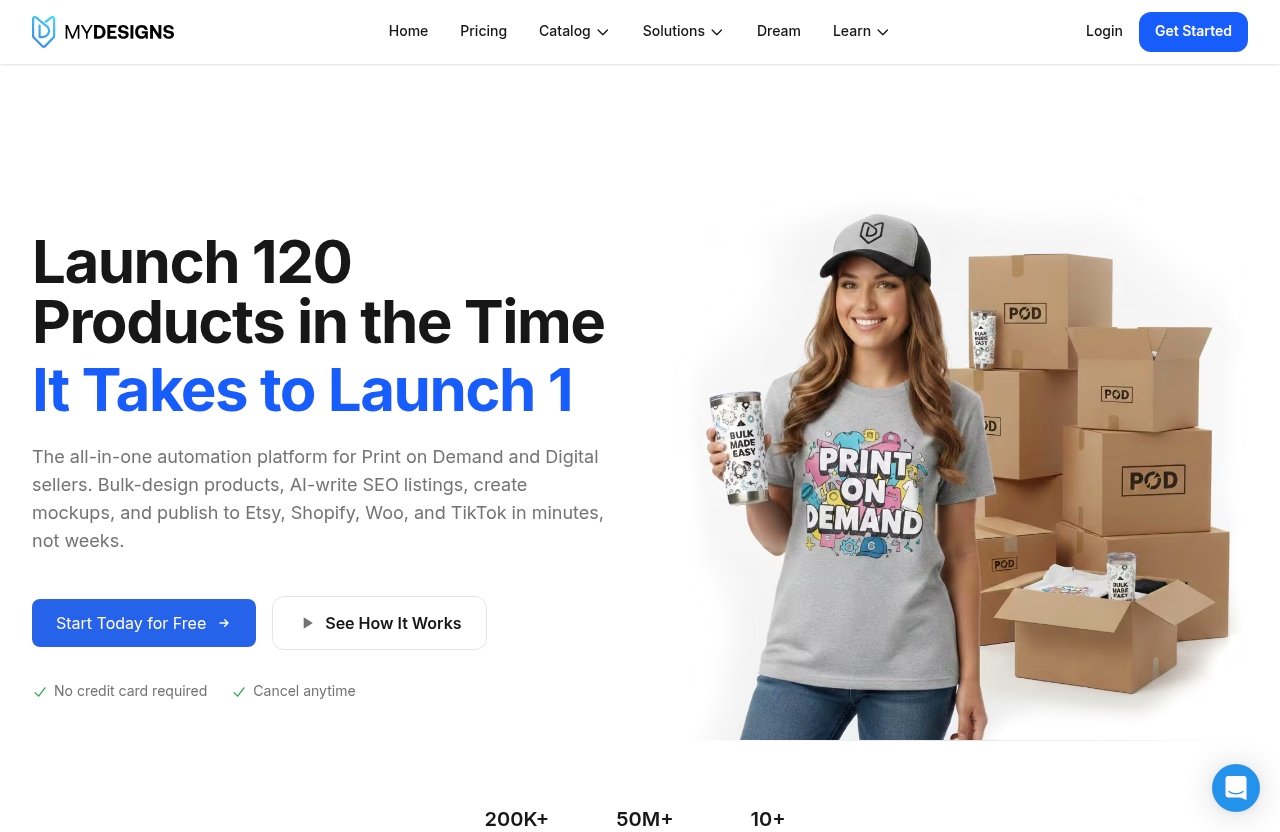
A practical MyDesigns vs Printify decision starts with recognizing that these platforms serve overlapping but different roles. They can compete in parts of a POD setup, but they can also complement each other.
MyDesigns as an all-in-one POD and digital products platform
MyDesigns describes itself as a print-on-demand and digital products platform with tools for design, mockups, listings, and publishing. Its focus is less about completing one product at a time and more about helping sellers build repeatable systems.
The official site and pricing information emphasize AI credits, bulk mockups, bulk publishing, product batches, design-library storage, and connected ecommerce shops. In a practical MyDesigns review, that broader feature set is the main reason it appeals to sellers who feel trapped by manual listing work.
Printify as a print-on-demand fulfillment platform
Printify is generally recognized as a platform for accessing POD products and fulfillment providers. For a seller, that means it can be an important part of the process after a product idea and design are ready.
Its catalog and fulfillment network are valuable considerations, particularly for creators who want product options without managing production themselves. However, fulfillment access and workflow automation are not the same business need.
Why this distinction matters for creators
The MyDesigns vs Printify comparison matters because creators often confuse product availability with business scalability. A large catalog helps you choose what to sell, but it does not automatically solve the work of creating mockups, writing listings, organizing files, and publishing products across shops.
For high-volume sellers, the bottleneck is often operational. MyDesigns is designed to address that bottleneck by bringing more of the content-production and publishing process into one workspace.
Feature-by-Feature Comparison
The most useful way to evaluate MyDesigns vs Printify is by following the daily tasks that consume a seller’s time. This includes preparing designs, creating mockups, building listings, publishing products, and keeping stores organized.
| Workflow area | MyDesigns | Printify |
|---|---|---|
| Product-creation workflow | Built around design, mockup, listing, and publishing tools | Primarily focused on POD product and fulfillment access |
| Bulk product batches | 24, 48, or 120 products per batch depending on plan | Verify workflow limits directly with Printify |
| Bulk mockups | Included across paid MyDesigns plans | Check Printify’s official feature details |
| Multi-store support | Available, with limits that increase by plan | Confirm current store capabilities on its official site |
| Digital products | Supported alongside POD workflows | Primarily considered a POD fulfillment platform |
| Catalog import/export | Included with MyDesigns Pro and Pro Plus | Verify directly with Printify |
| Fulfillment and provider network | Print catalog discounts are included by plan | A central Printify strength based on public references |
Product creation and catalog management
MyDesigns gives sellers an environment for taking a design and preparing it for many products. Its product-batch limits range from 24 products on Starter to 120 products on Pro Plus, helping creators work through collections rather than isolated listings.
In the MyDesigns vs Printify choice, this matters if you regularly adapt artwork for shirts, wall art, accessories, or other formats. A catalog is useful, but organized product creation is what makes broad catalog access manageable.
Bulk publishing and batch workflows
Bulk publishing is one of the clearest MyDesigns advantages for sellers who work at volume. According to the official pricing page, every paid plan includes bulk publishing to Etsy, Shopify, WooCommerce, and TikTok.
For anyone researching bulk publish POD systems, this can save significant time compared with rebuilding titles, descriptions, tags, images, and product details repeatedly. MyDesigns Pro adds catalog import and export, while Pro Plus expands product batches and supports unlimited shops on every listed platform.
Mockups, listing optimization, and store management
Mockups are not just visual extras; they influence how shoppers understand a product. MyDesigns includes custom and own PSD mockups on Starter, while Pro adds bulk video mockups.
The MyDesigns vs Printify distinction is meaningful here because MyDesigns treats mockups and listing production as core workflow steps. Its tools are intended to help sellers present collections consistently rather than manually producing one listing image set at a time.
MyDesigns also offers Scout AI on Pro and Pro Plus, described as a tool that finds what sells. Sellers should still validate demand independently, but research assistance can help when planning product ideas and collections.
Order handling and fulfillment workflow
Printify’s fulfillment-oriented role can be useful once an order is placed. Sellers who prioritize provider access, product selection, and production routing may view this as a major strength.
MyDesigns is more focused on the front end of the selling process: design preparation, mockup production, listing creation, and publishing. In other words, MyDesigns can help create the sellable storefront assets, while a fulfillment partner handles production and shipping.
Digital products vs physical-only POD
MyDesigns supports digital products as well as print-on-demand workflows. That flexibility is helpful for sellers combining printable downloads, templates, graphics, or other digital offers with physical merchandise.
This is an important difference in the MyDesigns vs Printify conversation for Etsy sellers. A shop that sells both downloadable items and POD goods benefits from having workflow tools that are not limited to physical fulfillment.
Workflow Comparison: From Idea to Live Listing
A strong POD operation should feel repeatable. The goal is not merely to launch a product, but to establish a system you can use again when you add a new design, collection, niche, or store.
Designing products
With MyDesigns, creators can use design-oriented workflow tools and monthly AI credits. Starter includes 250 AI credits per month, Pro includes 600, and Pro Plus includes 2,000.
Sellers researching MyDesigns AI or MyDesigns Dream AI should review the current platform interface and official documentation before relying on a specific AI function. What is clear from the pricing page is that AI credits are included across paid plans, making AI-assisted creation part of the platform’s broader workflow.
Generating mockups
Creating polished mockups is one of the most repetitive tasks in POD. MyDesigns includes bulk mockups on every paid plan, plus custom and own PSD mockups on Starter and above.
In real selling terms, that means a creator can spend more time improving designs and less time rebuilding visual assets. When comparing MyDesigns vs Printify for mockup-heavy stores, this can be a major productivity difference.
Creating listings in bulk
Listing quality still matters, even when automation is involved. Product titles, descriptions, tags, images, and variants should match buyer intent and platform rules.
MyDesigns is positioned for building listings in batches, which is especially useful for sellers launching coordinated collections. It does not remove the need for review, but it can reduce the manual setup involved in publishing a large catalog.
Publishing to Etsy, Shopify, WooCommerce, and TikTok
MyDesigns says every paid plan includes bulk publishing to Etsy, Shopify, WooCommerce, and TikTok. Starter supports one shop on each platform, Pro supports three shops on each, and Pro Plus supports unlimited shops on every platform.
That connected-store structure gives MyDesigns a meaningful advantage for multi-channel sellers. Instead of treating each storefront as a separate manual project, creators can build a more unified publishing process.
Managing repeatable workflows at scale
This is where the MyDesigns vs Printify comparison becomes less about individual products and more about business operations. Printify can be useful within a fulfillment stack, but MyDesigns is designed for the repetitive creative and merchandising work that comes before fulfillment.
For a growing Etsy store, a team managing multiple brands, or a creator launching seasonal collections, MyDesigns can be the workflow engine. The platform reports more than 20,000 sellers and 3.3 million-plus products live, which suggests it is used by a substantial creator base, though each seller should judge fit based on their own volume and goals.
Official website · Latest pricing & offers
MyDesigns + Printify Integration: The Middle Ground Many Sellers Want
For many serious sellers, MyDesigns vs Printify does not have to be an either-or choice. Pairing the two can create a workflow that combines production flexibility with faster content creation and publishing.
What the integration unlocks
The MyDesigns and Printify integration is positioned to let users access Printify’s catalog inside MyDesigns. This allows sellers to use MyDesigns for AI-assisted creation, bulk mockups, Vision AI-related workflow tools, and bulk listing while retaining Printify as a fulfillment option.
That setup can reduce handoffs between tools. Instead of treating design, mockups, listings, and product selection as separate jobs, sellers can create a more connected production path.
When to pair MyDesigns with Printify
The integration makes sense when you like Printify’s product and fulfillment side but need more efficient listing production. It is particularly relevant if you publish to Etsy or operate several storefronts.
Creators comparing mydesigns vs printify reddit discussions should be cautious about treating individual opinions as universal advice. The right stack depends on the number of designs you create, how many shops you manage, and whether manual listing tasks are limiting growth.
Who benefits most from the combo
The combined approach can fit established Etsy sellers, Shopify brands, agencies, and creators working with large design libraries. It may also suit sellers who test many product ideas and need a reliable process for turning winners into larger collections.
The value is not that using two platforms automatically produces better sales. The value is that each can cover a different operational need: MyDesigns for merchandising and publishing, Printify for fulfillment access.
Pricing and Value: What You Can Verify
When evaluating mydesigns vs printify cost, use verified pricing instead of assumptions. MyDesigns publishes clear plan prices and feature allowances, while Printify pricing should be checked directly on its official site before you make a decision.
All paid MyDesigns plans include a seven-day money-back guarantee, no contract, and the ability to cancel anytime. Checkout runs through Stripe, and MyDesigns states that card details go to Stripe rather than MyDesigns.
MyDesigns Starter plan
MyDesigns Starter costs $19.99 per month when billed annually, or $24.99 month to month. Annual billing totals $239.88 and saves $60 compared with paying monthly.
It includes 250 AI credits per month, 24 products per batch, one shop each on Etsy, Shopify, WooCommerce, and TikTok, custom and own PSD mockups, 40 GB of design-library storage, and a 2% print-catalog discount. It also includes one MyDesigns Store with a 6% fee.
MyDesigns Pro plan
MyDesigns Pro costs $39.99 per month when billed annually, or $49.99 month to month. The annual total is $479.88, representing a $120 savings versus monthly billing.
Pro includes everything in Starter plus 600 AI credits each month, 48 products per batch, three shops on each supported platform, bulk video mockups, Scout AI, catalog import and export, 100 GB of storage, and a 5% print-catalog discount. It also includes two MyDesigns Stores with a 4.5% fee.
MyDesigns Pro Plus plan
MyDesigns Pro Plus costs $79.99 per month billed annually or $99.99 month to month. Annual billing totals $959.88 and saves $240 compared with monthly payments.
The plan includes 2,000 monthly AI credits, 120 products per batch, unlimited shops on every supported platform, three MyDesigns Stores with a 3% fee, 1 TB of design-library storage, a 10% print-catalog discount, and priority support.
How to evaluate value without guessing Printify pricing
The best MyDesigns vs Printify cost comparison is not only about subscription price. Consider how much time you spend on mockups, listing creation, publishing, file organization, and managing multiple shops.
If those tasks are manual and recurring, a workflow platform may justify its cost through saved operational time. You can review MyDesigns plans and current features to determine whether the batch limits, storage, AI credits, and shop allowances suit your current stage.
Pros and Cons of MyDesigns for POD Sellers
A balanced MyDesigns review should recognize that it is designed for creators who want a wider system, not just a basic fulfillment connection.
Pros
- Bulk mockups and bulk publishing are included on all paid plans.
- Supports Etsy, Shopify, WooCommerce, and TikTok publishing workflows.
- Offers a structured path from Starter to Pro Plus as shop and batch needs grow.
- Supports both POD and digital products.
- Includes AI credits, with higher allowances on higher plans.
- Pro includes Scout AI, catalog import/export, and bulk video mockups.
- Pro Plus supports unlimited shops across supported platforms.
- Offers design-library storage from 40 GB to 1 TB.
Cons
- Sellers who only need a simple fulfillment tool may not need the broader workflow feature set.
- Batch limits and shop limits on Starter may be restrictive for fast-growing multi-store operations.
- AI tools can speed up work, but sellers still need to review listings, branding, and product-market fit carefully.
- The platform has a learning curve if you are moving from a simple one-listing-at-a-time workflow.
Best fit scenarios
MyDesigns is a practical match for sellers publishing frequently, managing multiple niches, or building collections across more than one store. It is also a strong option for creators who want digital-product support alongside physical POD merchandise.
In the MyDesigns vs Printify decision, MyDesigns is the better standalone choice when your biggest challenge is getting more well-presented listings live with less repetitive work.
Pros and Cons of Printify for POD Sellers
Printify has a different value proposition, so its strengths should be assessed fairly. It can be useful as a fulfillment and catalog partner, particularly when product sourcing is your primary concern.
Pros
- Public references position Printify around a broad POD catalog.
- It is known for connecting sellers to fulfillment options.
- It can be useful for sellers who prioritize product access and production workflows.
- It may work well as a fulfillment component within a broader selling stack.
Cons
- Sellers who need extensive bulk listing and creative-production tools may need an additional workflow platform.
- Catalog access alone does not solve mockup creation, listing consistency, or multi-store publishing needs.
- Its current pricing, store features, and workflow limits should be verified directly on Printify’s official site.
Best fit scenarios
Printify can be a logical choice for a seller focused on finding products and arranging fulfillment. It may also be a sensible option for creators who already have a separate design, listing, and store-management process.
Among printify alternatives, MyDesigns stands out less as a direct fulfillment-only replacement and more as a platform that can strengthen the work happening before an order is fulfilled.
Which Platform Should You Choose?
The final MyDesigns vs Printify recommendation depends on whether your main constraint is fulfillment access or operational speed. Neither platform can replace solid product research, branding, customer service, and marketing, but they support different parts of the business.
Choose MyDesigns if…
Choose MyDesigns if you need to create, mock up, organize, and publish products in bulk. It is especially suitable for Etsy sellers, multi-store operators, digital product sellers, and teams that want a more repeatable publishing system.
It is also the better fit if your current workflow involves too many manual steps between creating artwork and launching a product. The ability to manage batches, stores, mockups, and listings in one environment can be a real selling advantage.
Choose Printify if…
Choose Printify if your main priority is POD product access and fulfillment. It can make sense for sellers who have a limited catalog, already use other design and listing tools, or want to keep their setup focused on production options.
Before deciding, confirm current Printify features and pricing directly on its official site. This is the most accurate way to assess whether it fits your target products and store model.
Choose both if…
Choose both if you want a more complete stack: MyDesigns for design, mockups, bulk listings, and store publishing, plus Printify for catalog and fulfillment access. For many scaling sellers, this is the most practical middle ground.
In conclusion, MyDesigns vs Printify is not simply a contest between two similar POD tools. MyDesigns is the stronger recommendation for creators who want to scale the entire product-to-listing workflow, while Printify can remain a valuable fulfillment partner within that system.
Official website · Latest pricing & offers
FAQ
Is there anything better than Printify?
“Better” depends on what you need. MyDesigns may be better for workflow, bulk publishing, mockups, digital products, and multi-store management, while Printify may be stronger for sellers primarily seeking POD catalog and fulfillment access.
For many businesses, the better question is whether you need a fulfillment platform, a workflow platform, or both.
What is the most profitable print-on-demand site?
There is no universally most profitable POD site. Profitability depends on niche selection, product-market fit, product pricing, production costs, traffic quality, conversion rate, competition, and customer retention.
A platform can help save time or expand product access, but it cannot guarantee margins or sales. Compare tools based on how well they support your operational needs and pricing strategy.
Do people actually make money using Printify?
Yes, people can make money using Printify, but the platform alone does not create revenue. Success depends on product selection, branding, audience targeting, traffic, listing quality, customer experience, and conversion rate.
The same principle applies across the MyDesigns vs Printify comparison: better tools can improve execution, but they do not replace demand or marketing.
What are some alternatives to MyDesigns?
Alternatives to MyDesigns fall into several categories: POD fulfillment platforms, ecommerce listing tools, design software, mockup generators, and automation tools. The best alternative depends on whether you need fulfillment, design support, bulk publishing, digital-product capabilities, or store management.
If your priority is a full print on demand workflow with bulk publishing, compare feature depth carefully. If your only priority is production fulfillment, a fulfillment-first platform may be sufficient.
Related Reading
- MyDesigns review and trust analysis
- MyDesigns Reddit user opinions and pricing
- MyDesigns coupon code and savings guide
References
- MyDesigns vs. Printify: Which POD Service Should You Choose?
- MyDesigns and Printify Integration Now Live
- MyDesigns Pricing: Starter, Pro and Pro Plus Plans
- MyDesigns: Print on Demand – Create Custom Products …