
Alohi Review: A Secure Workflow Ecosystem for 2026 Buyers
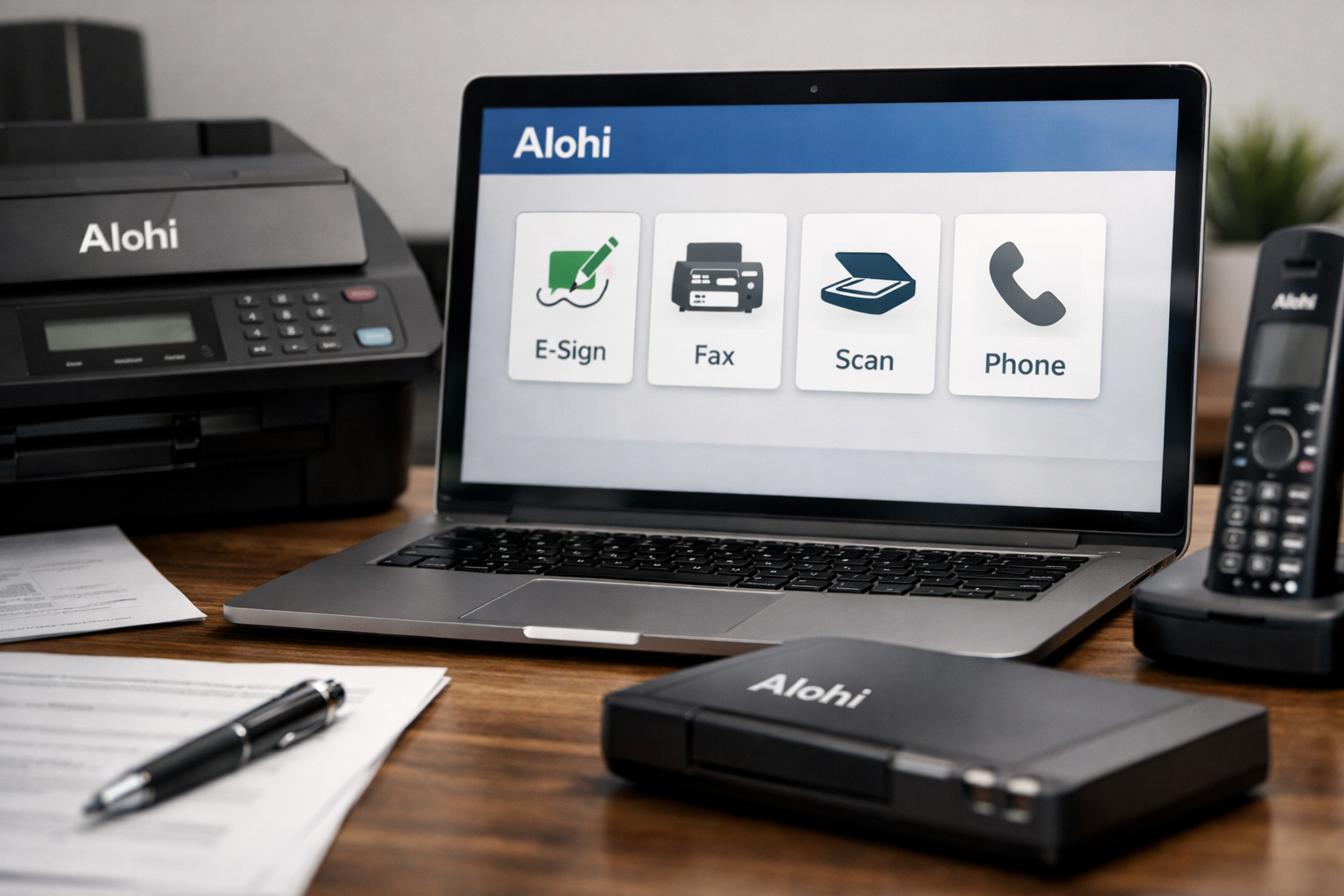
This alohi review looks at the platform as a connected workflow ecosystem rather than a single e-signature or fax tool. For businesses handling sensitive documents, the central question is whether one vendor can realistically support signatures, faxing, scanning, and phone workflows without compromising security or creating unnecessary complexity.
Based on Alohi’s official homepage and pricing information, the answer is strongest for document-heavy teams with security, compliance, and operational consistency on their buying checklist. The visible Basic plan starts at $6.99 per month, while HIPAA compliance with a BAA is reserved for Enterprise customers.
Official website · Latest pricing & offers
What Is Alohi?
Alohi in plain English
Alohi describes itself as an ecosystem of solutions designed to make work flow. In practical terms, it brings several workflow products under one vendor: electronic signatures, online faxing, mobile scanning, and AI phone solutions.
This alohi review finds the ecosystem approach most relevant for organizations that regularly move documents between staff, clients, partners, and records systems. Instead of treating signing, faxing, scanning, and communications as disconnected tasks, Alohi positions them as parts of one broader document-flow process.
The official homepage states that Alohi supports more than 5,000,000 companies and teams across more than 180 countries. It also reports 99.99% consistent, reliable uptime across Alohi services, an important consideration for businesses that cannot afford workflow interruptions.
The products inside the Alohi ecosystem
The Alohi ecosystem includes four named products:
| Product | Official Positioning | Practical Role |
|---|---|---|
| Sign.Plus | Electronic Signatures | Supports document-signing workflows |
| Fax.Plus | Online Faxing | Supports digital fax-based document exchange |
| Dial.Plus | AI Phone Solution | Supports AI phone workflows |
| Scan.Plus | Mobile Scanner | Supports mobile document scanning |
The value of this lineup is not that every buyer will need every product. Rather, it gives teams the option to work with one vendor when their processes involve multiple document stages, such as scanning paperwork, sending it for signature, faxing it to an external party, and managing related communications.
Who Alohi is built for
Alohi appears best suited to teams with recurring administrative, client-facing, or compliance-heavy workflows. The official homepage positions the company for industries including healthcare, IT, financial services, education, legal, and real estate.
A solo user who only needs an occasional signature request may find a standalone tool simpler. But a business that routinely handles confidential forms, signed agreements, intake documents, records, or fax-dependent communications has a clearer reason to evaluate the wider Alohi platform.
Alohi Review 2026: Quick Verdict
Best for secure document workflows
The short version of this alohi review 2026 is that Alohi is a credible option for organizations that need secure, dependable document workflows across more than one product category. Its strongest appeal is the combination of security signals, a multi-product ecosystem, and official uptime positioning.
Alohi is especially worth considering when online faxing remains part of a real operational process. That is common in healthcare, legal, financial services, real estate, and education, where document routing is often more complicated than simply emailing a PDF.
Where Alohi stands out
The most distinctive point is not a single feature. It is the ability to consider Sign.Plus, Fax.Plus, Dial.Plus, and Scan.Plus under one vendor relationship while using a security and compliance framework that includes Swiss privacy laws, ISO 27001 certification, SOC 2 Type 2 compliance, PCI-DSS, TLS 1.3 encryption, multi-factor authentication, and annual pentest reports.
For buyers evaluating alohi features, that broader foundation matters. A workflow tool can be easy to use, but the buying decision becomes more serious when documents contain personal, financial, legal, or health-related information.
Where it may fall short
The same ecosystem framing can be excessive for casual users. If your only need is occasional document signing, scanning, or low-volume faxing, a broader vendor platform may not deliver enough additional value to justify the effort of evaluating multiple products.
This alohi review also cannot treat every compliance requirement as automatically solved by a platform claim. Businesses should still confirm their own legal, regulatory, retention, access-control, and procurement obligations before subscribing.
Alohi Features and Product Ecosystem
Sign.Plus for e-signatures
Sign.Plus is Alohi’s electronic-signature product. For a buyer reading a sign.plus review, the practical question is whether e-signatures are a standalone requirement or one part of a larger document process.
Sign.Plus makes the most strategic sense inside the wider Alohi ecosystem when a team also uses document scanning or online faxing. Keeping adjacent workflow categories with the same vendor may simplify vendor management, security reviews, and internal training, although each organization should assess whether that operational convenience is worth it.
Fax.Plus for online faxing
Fax.Plus is Alohi’s online faxing product. Fax remains a meaningful workflow channel in sectors where organizations, clients, providers, or external offices still depend on it for formal document exchange.
A focused fax.plus review should start with volume and workflow needs, not nostalgia for fax itself. If faxing is a daily operational requirement, an online fax product can be more relevant than a general-purpose communication tool. The official pricing guidance also specifically notes that organizations with volume exceeding 200 pages per month should consider their plan requirements carefully.
Dial.Plus for AI calling
Dial.Plus is presented on the official pricing page as an AI Phone Solution. That makes it relevant to businesses exploring a broader combination of document workflows and phone-based operational processes.
The official information provided does not specify detailed Dial.Plus capabilities, usage limits, integrations, or pricing. Buyers should therefore evaluate Dial.Plus directly against their own call-handling needs rather than assuming it includes functions that are not clearly listed on Alohi’s official pages.
Scan.Plus for mobile scanning
Scan.Plus is Alohi’s mobile scanner product. Its role in the ecosystem is straightforward: it addresses the point where paper documents or physical records first enter a digital workflow.
For teams that receive forms, agreements, receipts, or client paperwork in person, a mobile scanning product may reduce friction before a document is sent for signing, faxing, or storage. This is where the alohi ecosystem concept is most intuitive: scanning is not necessarily the end task, but the first step in a longer process.
Alohi Security, Privacy, and Compliance
Swiss-made positioning
Alohi’s official homepage uses Swiss Made positioning and references Swiss privacy laws. For many buyers, that is more than brand language; it is a useful starting point for understanding the company’s stated approach to privacy and trust.
This part of the alohi security picture may matter particularly to organizations assessing vendor location, privacy expectations, and the handling of sensitive business information. It should not replace a formal vendor review, but it is a meaningful trust signal when comparing workflow providers.
Compliance standards and protections
According to the official homepage, Alohi lists the following security and trust claims:
| Officially Listed Signal | Why Buyers May Care |
|---|---|
| Swiss privacy laws | Relevant to privacy-focused vendor evaluation |
| PCI-DSS | Relevant where payment-card security standards matter |
| ISO 27001 certified | Indicates an information security management standard |
| HIPAA compliant | Relevant for eligible healthcare use cases |
| SOC 2 Type 2 compliant | Relevant to security-control due diligence |
| Annual pentest reports | Indicates regular penetration-testing reporting |
| TLS 1.3 encryption | Relevant to data protection in transit |
| Multi-factor authentication | Adds a layer of account-access protection |
The alohi review conclusion on security is positive, but measured. These are substantial official trust signals, especially for buyers who must submit software vendors to IT, security, procurement, or legal review.
Why security matters for buyers
Security requirements are not identical across industries. A legal office may prioritize confidentiality and controlled access to client documents. A healthcare organization may need to assess HIPAA requirements. Financial services teams may focus on internal controls, audit expectations, and protection of sensitive customer information.
Alohi’s security positioning is valuable because it gives those buyers concrete topics to investigate. Still, customers remain responsible for configuring their accounts appropriately, managing user access, and confirming that the selected plan and agreement meet their specific obligations.
Official website · Latest pricing & offers
Alohi Pricing Explained
Official pricing structure
The official pricing page lists Sign.Plus, Dial.Plus, Fax.Plus, and Scan.Plus as Alohi products. Pricing should be assessed product by product and according to how a business intends to use the platform.
This alohi pricing review focuses only on visible, verified information rather than filling gaps with assumptions. Costs can differ based on monthly versus annual billing, usage volume, team requirements, and whether Enterprise-level requirements apply.
Basic plan pricing and inclusions
The visible Basic plan information on the official pricing page states:
| Basic Plan Detail | Verified Information |
|---|---|
| Monthly price | $6.99/month |
| Annual billing price | $83.99 billed annually |
| Included pages | 200 free pages per month |
| Fax number | One fax number |
| Included members | One member |
| Extra pages | $0.10 per additional page |
For a small user with straightforward needs, this pricing is easy to understand. The important limit is volume: the official guidance notes that users exceeding 200 pages per month should review the appropriate plan options rather than assuming the Basic tier will remain the best value.
Annual billing and free pages
Annual billing is listed at $83.99 for the visible Basic plan. Buyers should compare that annual total with the monthly option based on expected use, budgeting preference, and the likelihood that their needs may change during the year.
The 200 free pages per month are a practical benchmark for evaluating alohi pricing. A low-volume user may find that allowance suitable, while a document-intensive office should estimate actual page demand and account for the stated $0.10 charge for each additional page.
HIPAA and Enterprise considerations
The official pricing page states that HIPAA compliance with a BAA is available on the Enterprise plan only. It also states that HIPAA requires Enterprise, organizations need Enterprise, and teams need Business or Enterprise.
This is a critical buying point for anyone researching alohi HIPAA requirements or alohi enterprise pricing. Do not assume a lower-cost plan is sufficient for a regulated healthcare workflow. Enterprise inquiries should be handled directly with Alohi so the organization can verify the appropriate agreement, scope, and commercial terms.
Is Alohi Worth It? Pros and Cons
Main advantages
The strongest advantage in this alohi review is the ecosystem model. Businesses that need e-signatures, online faxing, mobile scanning, and AI phone workflows can evaluate one vendor instead of automatically stitching together separate providers.
Other notable strengths include Alohi’s official 99.99% uptime statement, presence in more than 180 countries, and an extensive published security and compliance posture. These points are especially relevant where downtime, document mishandling, or fragmented vendor ownership can create real operational risk.
Main drawbacks
Alohi may be more platform than a low-volume buyer needs. Someone who only sends an occasional document or rarely needs faxing may be better served by a narrowly focused product with fewer purchasing considerations.
There is also a practical limitation in public pricing visibility. The verified Basic plan details are clear, but buyers with team, organization, HIPAA, or high-volume requirements should expect to assess higher-tier options directly rather than relying on assumptions.
Best value scenarios
Alohi offers the clearest value when multiple workflow needs overlap. For example, a business that scans client documents, collects signatures, sends documents by fax, and needs a security-conscious vendor may find the platform approach more compelling than maintaining several disconnected tools.
The alohi verdict is less favorable when the workflow is simple and infrequent. In that situation, paying for a larger ecosystem—or spending time evaluating one—can be unnecessary.
Who Should Use Alohi?
Healthcare teams
Healthcare is one of the industries named on Alohi’s homepage, and it is a logical fit for secure document workflows. Teams that exchange forms, records, referrals, consents, or administrative documents may benefit from a vendor that offers both online faxing and electronic signatures.
However, the alohi review recommendation for healthcare is conditional: organizations needing HIPAA compliance with a BAA must use the Enterprise plan, according to the official pricing page. Buyers should validate contractual and operational requirements before implementation.
Legal and financial services
Legal and financial services often work with confidential documents, signatures, client onboarding materials, and records that require reliable handling. Alohi’s stated security framework gives these buyers useful due-diligence points, including ISO 27001 certification, SOC 2 Type 2 compliance, TLS 1.3 encryption, and multi-factor authentication.
The platform is likely most suitable when document flow is frequent enough to justify a connected vendor stack. A small practice with only a narrow signing need should compare the operational benefit against the simplicity of a dedicated tool.
Education and real estate
Education and real estate are also listed among the industries Alohi serves. In these environments, document collection, signed forms, administrative paperwork, and external communications can create recurring workflow friction.
The alohi features portfolio may be helpful when a team wants scanning, signing, and faxing to sit within one broader environment. The suitability depends on how often those workflows occur and whether the organization needs the associated security posture.
Small teams vs larger organizations
Small teams can be a good fit when they genuinely need secure faxing and document workflows. The visible Basic plan includes one member, one fax number, and 200 free pages per month, which creates a clear starting point for an individual user.
Larger organizations should approach Alohi as a procurement decision, not just a software subscription. The official pricing page indicates that teams need Business or Enterprise and that organizations need Enterprise, making direct evaluation more appropriate for multi-user deployment.
Alohi vs Alternatives: How to Think About the Decision
When Alohi is the better choice
Alohi is the stronger option when the requirement is broader than one isolated task. If a business needs a combination of document signing, online faxing, mobile scanning, and AI phone workflows, the single-vendor model deserves serious consideration.
This alohi review also favors the platform for buyers who place security, privacy, compliance signals, and reported uptime high on their vendor-selection list. The goal is not simply to buy a tool, but to reduce weak points in a document process.
When a single-purpose tool may be better
A standalone product may be better when only one workflow matters. A casual user who needs one signature request or infrequent scanning may not benefit from evaluating an entire ecosystem.
Similarly, do not choose Alohi solely because it offers several products if your team will only use one of them. The best choice is the one that matches actual workflow frequency, risk level, user count, and budget.
What to compare before buying
Before purchasing, compare the following:
- Whether you need one product or a multi-product workflow ecosystem
- Expected monthly document and page volume
- Number of users and whether you qualify as a team or organization
- Security-review requirements, including MFA and encryption expectations
- Compliance needs, especially whether a HIPAA BAA is required
- Monthly versus annual billing preferences
- Whether faxing remains a core operational channel
Search results may also show Trustpilot and G2 pages related to Alohi. Those pages can be useful as supplementary research, but review scores and individual feedback should be checked directly and weighed alongside official product, security, and pricing information.
Official website · Latest pricing & offers
FAQ
What is Alohi?
Alohi is an ecosystem of workflow products designed to make work flow. Its listed products include Sign.Plus for electronic signatures, Fax.Plus for online faxing, Dial.Plus for AI phone solutions, and Scan.Plus for mobile scanning.
Is Alohi good for small businesses?
Alohi can suit small businesses that need secure document workflows, especially when faxing and e-signatures are recurring needs. For casual, low-volume users with one simple requirement, a standalone tool may be easier and more cost-effective.
Does Alohi offer HIPAA compliance?
Yes, Alohi’s official materials list HIPAA compliance. However, the official pricing page states that HIPAA compliance with a BAA is available on the Enterprise plan only.
How much does Alohi cost?
The verified visible Basic plan is $6.99 per month or $83.99 billed annually. It includes 200 free pages per month, one fax number, one member, and costs $0.10 per extra page.
Is Alohi secure?
Alohi lists Swiss privacy laws, PCI-DSS, ISO 27001 certification, HIPAA compliance, SOC 2 Type 2 compliance, annual pentest reports, TLS 1.3 encryption, and multi-factor authentication on its official homepage. These are strong trust signals, though every organization should still complete its own security and compliance review.
Final Verdict
Bottom line for 2026 buyers
The final alohi verdict is that Alohi is worth considering for businesses with recurring, sensitive, or regulated document workflows. Its best case is not occasional signing or casual scanning; it is a connected process involving documents, signatures, faxing, scanning, and potentially phone workflows.
The official security posture, Swiss Made positioning, reported 99.99% uptime, and multi-product lineup give the platform a practical edge for buyers who want to consolidate workflow vendors without making unsupported assumptions about what each product can do.
Recommendation by user type
Choose Alohi if your organization handles documents frequently, needs online faxing alongside e-signatures, and must take vendor security seriously. It is particularly relevant for healthcare, IT, financial services, education, legal, and real estate teams with structured administrative processes.
Consider alternatives if you only need a one-off or low-volume single-purpose tool. The right decision should be based on workflow complexity, expected page volume, team size, and whether Enterprise-level HIPAA requirements apply.
Affiliate disclosure style close
This alohi review is intended to be evidence-based and buyer-focused. TopTrustReview may earn a commission if you choose to explore Alohi through this Alohi partner link, but that does not change the pricing, security, or fit considerations discussed above.
Related Reading
References
- Alohi Official Homepage
- Alohi Plans & Pricing
- Trustpilot Reviews for fax.plus
- G2 Seller Profile for Alohi


