Best AI Video Tools Like Higgsfield in 2026: Ranked by Workflow
Official website · Latest pricing & offers
Best AI Video Tools Like Higgsfield in 2026: Quick Answer
The best ai video tools like higgsfield are not necessarily the platforms with the longest feature lists. The right choice depends on whether you need cinematic shots, rapid social clips, character animation, ad concepts, or a broader AI-native creative workspace.
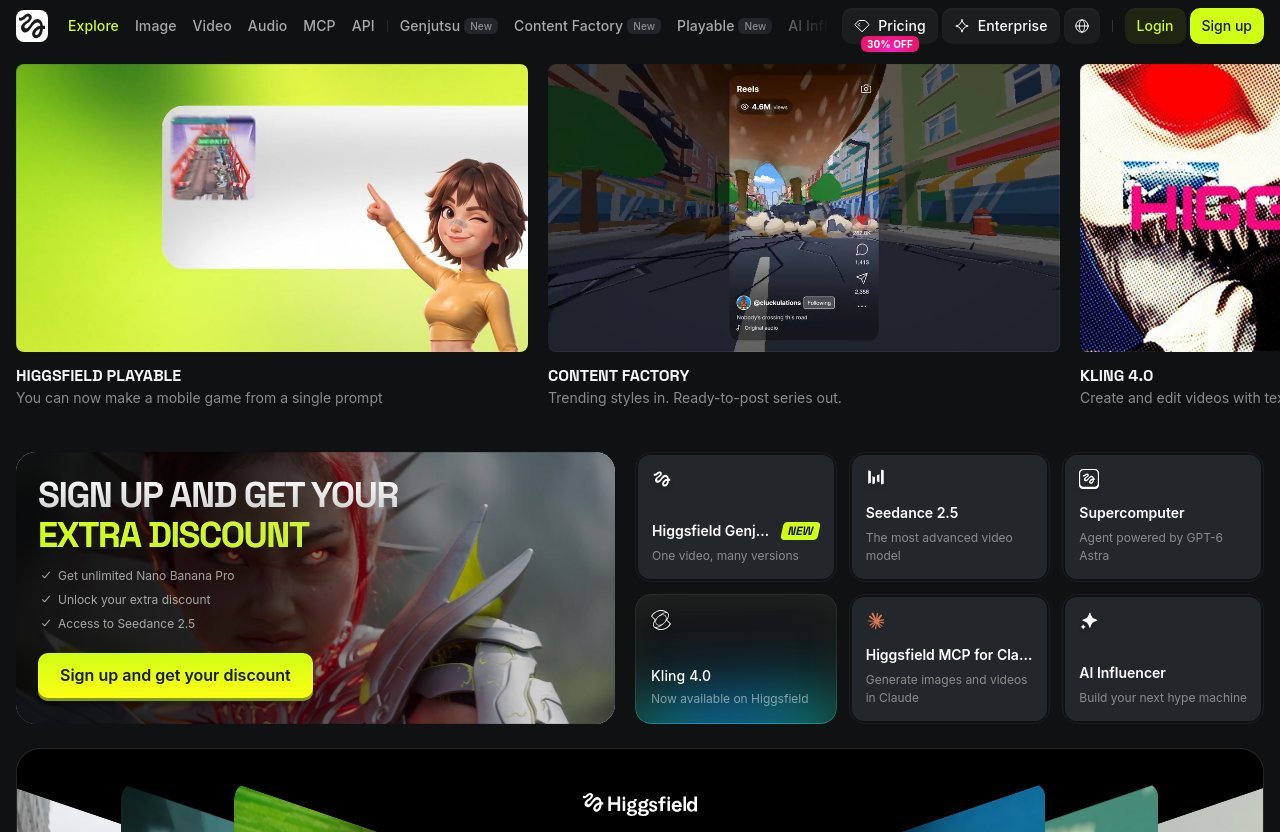
Higgsfield is best known as an AI-native creative suite that brings multiple creative surfaces together, including Image, Video, Audio, Shorts Studio, Content Factory, Ads Studio, Cinema Studio, Canvas, API, and more. It is a strong benchmark for creators who want to move between ideation, visuals, and video generation without building a fragmented tool stack.
This guide ranks Higgsfield alternatives by practical use case rather than generic model comparisons. That makes it more useful for creators, marketers, social media teams, indie filmmakers, and businesses deciding where to invest their production budget in 2026.
What Higgsfield is best at
Higgsfield is particularly compelling for users who want a broad creative environment rather than a single-purpose video generator. Its official product navigation includes areas for image, video, audio, AI Influencer, Ads Studio, Cinema Studio, Shorts Studio, Content Factory, Effects, Edit, Community, Plugins, and API-related workflows.
In other words, it is designed for people who want to create, test, refine, and scale visual content from one ecosystem. That breadth is the key reference point when comparing the best ai video tools like higgsfield.
Who this guide is for
This comparison is for buyers who already know that AI video can accelerate production but need help choosing a platform. You may be creating product ads, TikTok clips, YouTube visuals, pitch concepts, character-led content, or short cinematic sequences.
If you are still comparing wider AI stacks, see our AI video comparison guides for additional buying perspectives.
How we ranked the alternatives
We rank tools by the job they do best:
| Use case | Strongest type of tool |
|---|---|
| Broad AI-native creation | Higgsfield |
| Cinematic shot iteration | Runway |
| Fast social content | CapCut |
| Character-led motion | Pika |
| Lower-cost experimentation | Kling AI |
| Storyboarding and timeline-oriented creation | Luma Dream Machine |
The ranking is not a claim that one generator wins every prompt. It is a practical shortlist of ai video tools like higgsfield for different workflows.
How We Evaluated the Best Higgsfield-Like Tools
Use case fit over feature lists
A long list of models, modes, and presets does not automatically improve a creator’s output. The best ai video tools like higgsfield should reduce friction in a real workflow, whether that means producing multiple ad variations or shaping one polished scene.
We focused on where each platform makes sense in a production process. A social manager has different needs than an indie filmmaker, and a tool that excels at quick clips may be less useful for controlled storytelling.
Video quality and consistency
Visual quality matters, but consistency matters more once you create at volume. We considered the ability to maintain a coherent look, produce usable motion, and support repeatable creative direction across a series of outputs.
No AI video generator is fully immune to artifacts, unexpected motion, or prompt interpretation issues. The best results still come from concise prompts, strong references where available, and a willingness to generate several variations.
Workflow speed and ease of use
Fast generation is only valuable if the interface helps you reach a usable result quickly. For this reason, the best best ai video tools like higgsfield balance generation with practical workflow support, such as editing, presets, reusable assets, timeline controls, or export-friendly output.
Beginners should prioritize tools that reduce setup. Power users should prioritize controls that make iteration more deliberate.
Pricing transparency and value
AI video pricing changes frequently, and credits can mean very different things between platforms. We avoid presenting competitor price claims without current official verification.
Instead, assess value by asking how many genuinely usable clips you can make, whether your preferred generation modes are included, and whether the plan supports the pace of your work. The verified Higgsfield pricing details appear later in this guide.
Best for beginners vs power users
Some of the best ai video tools like higgsfield are designed around accessible prompts and templates. Others reward users who understand shot language, reference images, timing, and iterative visual direction.
A beginner-friendly platform is not inherently less capable. It simply puts more of the creative decision-making into presets and guided workflows, while advanced platforms offer more room to shape the result.
Best AI Video Tools Like Higgsfield: Ranked by Use Case
Best overall for creators who want a broad AI creative suite
1. Higgsfield — Best overall for multi-surface AI content production
For creators who need more than isolated text-to-video generations, Higgsfield is the strongest overall benchmark in this list. The platform is officially described as an AI-native creative suite, with product areas spanning Image, Video, Audio, Shorts Studio, Content Factory, AI Influencer, Ads Studio, Cinema Studio, Effects, Canvas, and more.
This is a meaningful advantage for content creators and marketing teams that do not want to jump between separate tools for every stage of production. Rather than treating video as a standalone output, Higgsfield positions it inside a broader content workflow.
Where it wins: broad creative coverage, short-form-oriented surfaces, and a platform structure that can suit experimentation as well as repeatable production.
Where it falls short: users seeking a narrowly focused, highly technical shot-control environment may prefer a specialist platform. The platform’s breadth can also mean there is more to explore than in a simple template-first editor.
For many buyers researching the best ai video tools like higgsfield, the practical first step is to explore Higgsfield directly and assess whether its integrated workspace matches the way they already create.
Best for shot-level control and cinematic editing
2. Runway — Best for creators prioritizing cinematic iteration
Runway is often considered by filmmakers, designers, and advanced creators who want to spend more time shaping individual shots. It is best suited to workflows where a clip is one component of a wider edit rather than the complete final deliverable.
Its appeal is the emphasis on experimental visual production and shot-oriented iteration. If you are building sequences, testing camera ideas, or assembling AI footage alongside conventional footage, it can be a sensible Higgsfield alternative.
Where it wins: scene experimentation, creative control, and workflows that resemble post-production.
Where it falls short: it can feel less direct for teams that simply need many short promotional clips each week. Compared with Higgsfield, it may be less appealing to buyers who want multiple creative surfaces under one roof.
Among best ai video tools like higgsfield, Runway is the better choice when fine-tuning scenes matters more than running an all-in-one content engine.
Best for social content and rapid short-form output
3. CapCut — Best for rapid social publishing workflows
CapCut is a practical option for social media managers and creators who care most about turning concepts into platform-ready videos quickly. Its strength is not necessarily replacing a creative AI suite; it is fitting into the editing, captioning, formatting, and publishing rhythm of short-form content.
For TikTok, Reels, Shorts, and basic campaign variations, a social-first editing environment can be more valuable than deep cinematic controls. This makes CapCut one of the more useful ai short form video tools for teams working against daily or weekly publishing calendars.
Where it wins: speed, familiar social editing conventions, and quick repurposing.
Where it falls short: it is less suited to buyers looking for a broad AI-native creative environment with dedicated surfaces for image, video, audio, and campaign ideation.
Choose CapCut over Higgsfield when your bottleneck is social editing and packaging. Choose Higgsfield when your bottleneck begins earlier, at asset creation and creative concept development.
Best for expressive character-driven video
4. Pika — Best for stylized and character-led concepts
Pika is a strong consideration for creators developing playful, stylized, or character-centric motion. It can be useful for concepts where personality, visual transformation, and short visual hooks matter more than realistic commercial footage.
This makes it relevant for entertainment content, meme-driven ideas, animated brand experiments, and quick creative tests. It can also work well as a specialist tool in a larger production stack.
Where it wins: expressive visual concepts, quick experimentation, and attention-grabbing motion.
Where it falls short: teams needing a broader asset-production system may outgrow a specialist workflow. It is not the clearest replacement for the wide range of surfaces found in Higgsfield.
When comparing the best ai video tools like higgsfield, Pika is a niche-focused pick rather than the most complete all-purpose choice.
Best budget-friendly alternative
5. Kling AI — Best for budget-conscious experimentation
Kling AI is commonly considered by buyers who want to experiment with AI video before committing to a larger creative ecosystem. Its appeal is straightforward: test ideas, learn what kinds of prompts work, and identify whether AI-generated motion can support your content plan.
Budget-minded users should avoid choosing solely based on an initial free allowance or a low entry point. The real question is whether the outputs are useful enough for your brand, and whether the time spent regenerating clips offsets the lower cost.
Where it wins: accessible experimentation and testing AI video as a new content channel.
Where it falls short: a lower-cost option may not provide the connected workflow, creative breadth, or operational consistency needed by busy teams.
For a higgsfield alternative free search, look carefully at current free-generation limits, watermark policies, queue times, export restrictions, and commercial-use terms before treating any platform as genuinely free.
Best for all-in-one storyboarding and timeline workflows
6. Luma Dream Machine — Best for visual ideation and sequence building
Luma Dream Machine can appeal to creators who think in scenes and want to explore visual ideas before committing to a production direction. It is useful for concept development, mood exploration, and building sequences that can later be assembled in an editor.
This is a good fit for indie filmmakers, creative directors, and agencies that need to communicate a visual direction before a full shoot or post-production process begins. It can serve as an ai cinematic video generator for previsualization-style workflows.
Where it wins: visual ideation, scene development, and creative exploration.
Where it falls short: it may require other tools around it to support a complete, repeatable marketing workflow. Higgsfield has the stronger case for users who want related creation surfaces in the same platform.
The best option depends on whether you need one compelling visual sequence or an ongoing machine for producing content across formats.
When Higgsfield Is the Better Choice
Best if you want an AI-native creative suite
Higgsfield is the better choice when your work spans more than video generation. Its official homepage describes the platform as an AI-native creative suite, and its navigation covers areas including Image, Video, Audio, MCP, API, Genjutsu, Shorts Studio, Content Factory, Playable, Mangaka, AI Influencer, Academy, Katana, ChatGPT Plugin, Ads Studio, Effects, Cinema Studio, Marketing Studio, Supercomputer, Edit, Community, Plugins, Canvas, and Originals.
That scope makes Higgsfield especially relevant to creators building a system rather than testing a single model. Among the best ai video tools like higgsfield, it remains the clearest choice for users who want several creative surfaces in one place.
Best if you want short-form presets and faster execution
Short-form production rewards momentum. If your goal is to create concepts, generate visuals, produce video, and refine social-ready content without repeatedly switching services, Higgsfield’s suite-style approach is a practical advantage.
Shorts Studio and Content Factory are particularly relevant product areas for creators who need a repeatable content rhythm. The exact value will depend on your output style, but the workflow direction is clear: create more from a single environment.
Best if you want multiple creative surfaces in one place
Many higgsfield alternatives are excellent at one task. A dedicated generation model may be ideal for a cinematic shot, while a social editor may be ideal for captions and cropping.
Higgsfield’s potential advantage is coordination. A marketer can explore image ideas, video concepts, audio-related work, AI Influencer workflows, advertising assets, and cinema-oriented content without treating every stage as a separate subscription and interface.
Best if you want to try the platform with plan options
Higgsfield offers Starter and Plus plans in the verified pricing excerpt, alongside references to Pro and Ultra plans. That gives prospective users a path to begin at a lower monthly credit level or step up for more capacity and broader access.
If your priority is an AI-native creative suite with multiple content surfaces, you can review Higgsfield’s current offering through this official-access route. Always confirm current plan details at checkout because AI platform offers and access conditions can change.
Official website · Latest pricing & offers
Higgsfield Pricing and Plan Breakdown
Starter plan
The verified Higgsfield pricing page lists Starter at $19 per month billed yearly. It includes 270 credits per month, listed as 135 Nano Banana Pro images or 15 Seedance 2.0 Fast videos.
Starter also includes unlimited models: Seedance 2.5, Nano Banana Pro, Seedream 5.0 Pro, GPT Image 2.6, and two other unlimited models. The page lists two parallel video generations and four parallel image generations, access to Seedance 2.0 Fast and 2.0 Mini, selected models and features, discounted credit top-ups, and early access to advanced AI features.
Plus plan
The verified Plus plan is listed at $47 per month billed yearly, shown as reduced from $59. It includes 1,200 credits per month, listed as 600 Nano Banana Pro images or 80 Seedance 2.5 videos.
Plus includes seven days of unlimited models, including Unlimited Seedance 2.5 at 720p, Unlimited Nano Banana Pro at 2K, Unlimited Seedream 5.0 Pro at 2K, Unlimited GPT Image 2.6 at 2K, and five other unlimited models. It also lists unlimited paid parallel generations, all Seedance models, all models and features, discounted credit top-ups, and early access to advanced AI features.
Pro plan
The visible official pricing excerpt refers to a Pro plan, but it does not fully expose the plan’s price, credits, or complete feature specifications. For that reason, it would be misleading to compare Pro against other tiers using unverified details.
Check the current pricing page before subscribing if Pro is the level you are considering.
Ultra plan
The visible pricing excerpt mentions an Ultra plan in a promotional banner. It advertises access to GPT Image 2.6, Seedream 5.0 Pro, and Nano Banana Pro Unlimited on the Ultra plan for seven days with a special 30% discount.
The excerpt does not fully show Ultra pricing or all included specifications. No specific promo code is verified; check the official promo banner and checkout coupon field for currently available offers.
Which plan is best for which user
| Higgsfield plan | Best fit based on verified details |
|---|---|
| Starter | Individuals testing a recurring image and video workflow with 270 monthly credits |
| Plus | Active creators and small teams needing 1,200 monthly credits, more model access, and unlimited paid parallel generations |
| Pro | Evaluate directly on the current pricing page because visible specs are incomplete |
| Ultra | Consider only after confirming current details; the visible offer references seven-day access to specific unlimited models |
For buyers comparing higgsfield pricing with other platforms, calculate the cost per usable finished asset, not merely the cost per generation.
Which Tool Should You Choose? Use-Case Buying Guide
For YouTubers and TikTok creators
Choose Higgsfield if you want video generation connected to wider content production, including image and short-form creative workflows. Choose CapCut when your primary need is fast editing, captions, formatting, and publishing preparation.
The best ai video tools like higgsfield for creators are usually the ones that match their upload schedule. A daily short-form creator should favor speed and repeatability, while a YouTube storyteller may prioritize scene control and visual development.
For marketers and ad teams
Higgsfield is a strong fit for teams that need to generate and explore multiple creative directions across ads, visuals, video, and related assets. Its official product areas include Ads Studio, Marketing Studio, Content Factory, AI Influencer, and Video.
Runway may be a better specialist addition if your campaign requires deliberate scene experimentation. For broader AI campaign production, Higgsfield has a more consolidated value proposition.
For filmmakers who want scene control
Runway and Luma Dream Machine are sensible starting points for filmmakers who prioritize mood, shot concepts, and scene-by-scene development. They are most useful when AI video is part of a wider post-production process.
Higgsfield can still be the better fit when a filmmaker also needs image development, audio-oriented creative work, and a broader suite for promotional materials. For more decision frameworks, browse our AI tool review articles.
For beginners who want templates
CapCut is generally easier to understand for creators already familiar with social video editing. Higgsfield may be more suitable for beginners who want to grow into a fuller AI creation ecosystem instead of starting with an editor alone.
The key is to choose a workflow you will actually use. The best ai video creation tools are not helpful if the learning curve prevents regular publishing.
For teams that need collaboration
Teams should prioritize shared process over novelty. Consider where assets live, how feedback happens, whether creative directions can be repeated, and whether the platform fits existing editing and approval systems.
Higgsfield is worth assessing for teams that want multiple creative functions in one workspace. Specialist platforms may still be appropriate when a team has clear handoffs between ideation, generation, editing, and final approval.
Pros and Cons of the Best Higgsfield Alternatives
Strengths to look for
The strongest best ai video tools like higgsfield offer a clear advantage in at least one area:
- Faster idea-to-video output for social teams
- Better scene and motion iteration for filmmakers
- Stronger character or stylized visual experimentation
- A more connected suite for images, video, audio, and campaign assets
- Easier editing and repurposing for platform-specific publishing
A tool should earn its place in your stack by solving a visible production bottleneck.
Common trade-offs
Specialist generators can produce interesting footage but may require extra software for editing, asset storage, captions, and campaign production. Broad suites can simplify the stack but may not offer the exact interface or depth preferred by a dedicated specialist user.
Credit systems are another common trade-off. A plan may look generous until you account for retries, higher-quality settings, longer clips, or multiple variations needed to reach a usable result.
What to avoid in paid AI video tools
Avoid annual commitments before testing whether the outputs suit your brand and workflow. Also avoid judging a platform only by viral examples, because those clips may represent unusually successful generations rather than average results.
Before paying, verify export restrictions, commercial terms, credit consumption, available models, rendering queues, team access, and current plan conditions. This discipline matters more than chasing whichever platform is described as the current best ai video generator.
Final Verdict: The Best AI Video Tools Like Higgsfield in 2026
Best overall
Higgsfield is the best overall option for creators and teams that want an AI-native creative suite rather than a standalone video experiment. Its combination of official product areas across Image, Video, Audio, Shorts Studio, Content Factory, Ads Studio, Cinema Studio, AI Influencer, Canvas, and other surfaces creates a compelling all-in-one direction.
Best budget pick
Kling AI is the practical budget-oriented option for users who want to experiment before adopting a more comprehensive platform. Still, treat “budget” as a workflow question: low-cost generations are not a bargain if they do not produce usable assets.
Best for creators who value control
Runway is the stronger fit for creators who want to spend time refining individual shots and building cinematic sequences. It makes the most sense for advanced visual workflows where scene control matters more than fast, broad content output.
Best for the fastest turnaround
CapCut is the clearest option for rapid social production, especially when editing and publishing speed are the priority. It is a useful complement or alternative for teams centered on short-form channels.
The best ai video tools like higgsfield ultimately depend on your creative workflow. If you want a versatile AI-native environment that can support image, video, audio, short-form concepts, ad creative, and broader content production in one place, Higgsfield remains the most balanced starting point to evaluate.
Official website · Latest pricing & offers
FAQ
What is the best alternative to Higgsfield AI?
The best alternative depends on your use case. Runway is a stronger fit for cinematic shot iteration, CapCut is better for fast social editing, Pika suits expressive character-led content, Kling AI can suit lower-cost experimentation, and Luma Dream Machine is useful for visual ideation and scene development.
What are some free AI video generators similar to Higgsfield?
Many AI video platforms offer free starts, limited free generations, trials, or freemium access at different times. These terms change frequently, so check each platform’s official pricing page for current generation limits, export restrictions, queue times, and commercial-use terms before signing up.
What is the best AI video tool now?
The best AI video tool is the one that fits your workflow, budget, output volume, and desired level of control. Higgsfield is a strong benchmark for creators who want an AI-native creative workflow, while specialist tools may be better for cinematic scenes, social editing, or stylized motion.
What’s the most realistic AI video?
The most realistic AI video depends on the model, the quality of the prompt, reference inputs, lighting direction, scene complexity, and motion consistency. For realism-focused work, choose tools that help you iterate on scenes and guide visual direction rather than expecting a single prompt to deliver a finished result.
Related Reading
- Best Airdna Alternatives in 2026
- Autods vs DSers: Which Is Better?
- Rezi AI Reviews 2026: Honest Pros and Cons
References
- Best Higgsfield Alternatives in 2026: 6 AI Video Tools Rated
- Best Higgsfield AI Alternative 2026
- Higgsfield Alternative — Free to Start, Credits Never Expire
- 8 Best Higgsfield Alternatives for AI Video in 2026