Is Crocoblock Worth It? A Practical 2026 Review

For the right WordPress project, is Crocoblock worth it? Yes—especially when you need dynamic content, custom templates, advanced filtering, forms, booking functionality, or ecommerce customization without assembling a large collection of unrelated plugins. For a simple five-page business site, however, the toolkit can be more than you need.
This Crocoblock review takes a practical, skeptical look at who gets real value from the platform, where the learning curve appears, and what to verify before paying. Crocoblock is built for WordPress professionals and works with WordPress, Elementor, Bricks, and Divi, so its value depends heavily on how ambitious your site build is.
Official website · Latest pricing & offers
Quick Verdict: Is Crocoblock Worth It in 2026?
Who Should Buy It
Crocoblock makes the strongest case for freelancers, agencies, ecommerce builders, and site owners creating custom WordPress experiences. If your project needs custom post types, taxonomies, content relationships, search, filters, dynamic templates, or tailored WooCommerce layouts, the unified toolkit can save considerable setup time.
The answer to is Crocoblock worth it is usually positive when you build similar advanced sites repeatedly. A toolkit with CrocoBuilder, 23 JetPlugins, widgets, templates, and development-oriented tools is much easier to justify across recurring client work than for one small, static site.
Who Should Skip It
Skip Crocoblock if you only need a lightweight landing page, a basic brochure website, or a single isolated feature. Many small business owners do not need advanced custom data structures, interactive effects, booking tools, product tables, or dynamic archive templates.
It may also be a poor fit if you prefer an extremely minimal WordPress setup and do not want to learn a broader visual-building and dynamic-content workflow. In that situation, asking is Crocoblock worth it should lead to a “not yet” rather than an automatic purchase.
One-Paragraph Bottom Line
Crocoblock is worth serious consideration for complex WordPress builds, particularly those involving structured content and reusable client-site systems. It is not a magic shortcut: you still need a clear content model and enough WordPress confidence to configure the tools thoughtfully. The official site highlights a 30-day money-back guarantee, which reduces some purchase risk, but buyers should still confirm the current plan details and suitability for their stack before subscribing.
What Crocoblock Is and What You Actually Get
Crocoblock in One Sentence
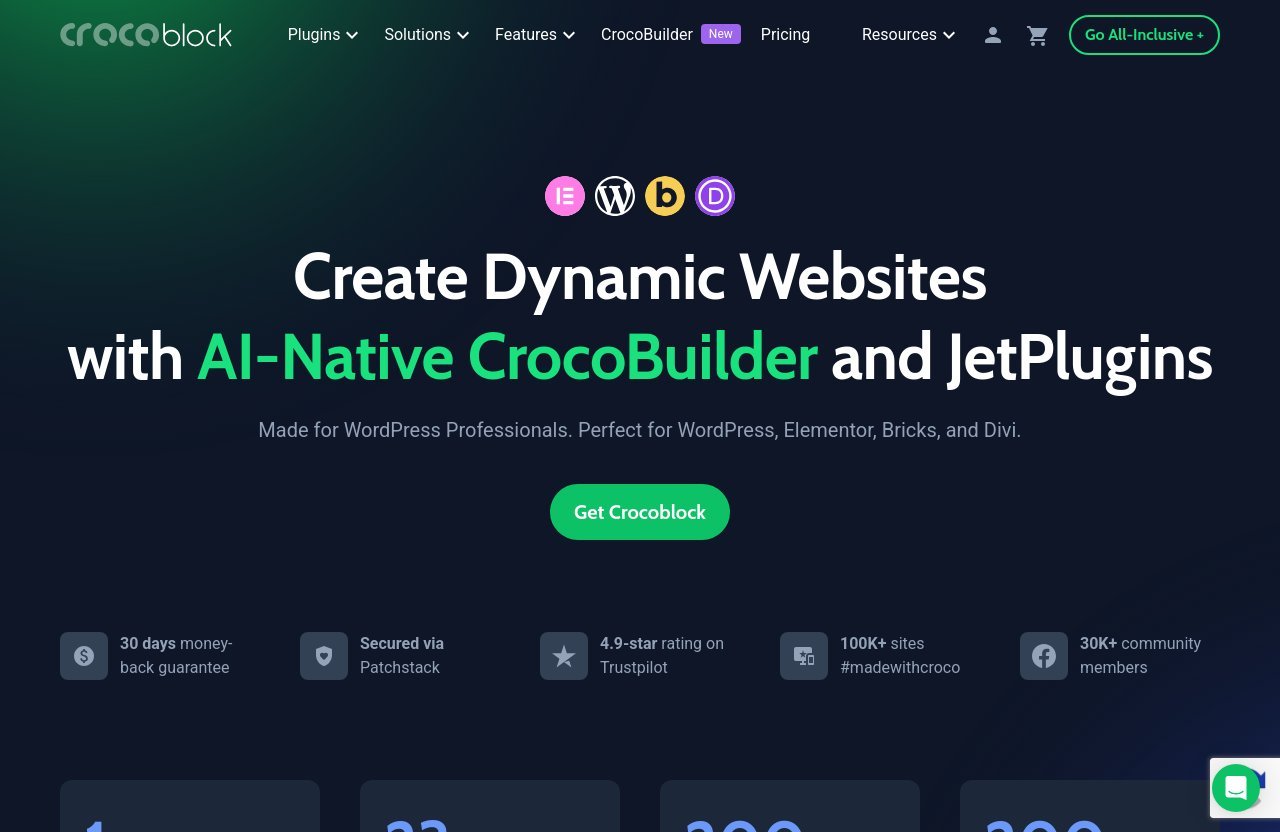
For readers asking what is Crocoblock, it is a WordPress toolkit positioned around creating dynamic websites with its AI-native CrocoBuilder and JetPlugins. Its stated goal is to help users build custom WordPress websites without code, including dynamic pages, ecommerce experiences, and interactive layouts.
The homepage presents a broad ecosystem: one CrocoBuilder, 23 JetPlugins, 200 widgets, and 200+ templates. That breadth is central to the value proposition, but it is also why the product is best approached as a system rather than as one small plugin.
CrocoBuilder vs JetPlugins
CrocoBuilder is presented as an AI-native frontend builder, while the JetPlugins cover specialized site-building jobs. The verified product list includes tools such as JetEngine, JetSmartFilters, JetWooBuilder, JetBooking, JetSearch, JetFormBuilder, JetPopup, JetMenu, JetReviews, JetAppointment, and JetProductTables.
In practical terms, CrocoBuilder is the visual building layer, while Crocoblock plugins extend what your site can store, display, search, filter, and automate. This distinction matters because is Crocoblock worth it often comes down to whether you will genuinely use several of those connected capabilities.
Core Use Cases
The platform’s stated capabilities include custom post types, taxonomies, relations, options pages, forms, dynamic page templates, interactive effects, ecommerce websites, and marketplace solutions. Those are not minor conveniences; they are the building blocks behind directories, listing sites, booking platforms, product catalogs, and content-heavy businesses.
Crocoblock for Elementor can be especially relevant to teams already comfortable with that workflow, while the stated support for Bricks and Divi gives other WordPress builders an additional route into the ecosystem. Before deciding, check that the specific components you need are included in the current offering rather than assuming every tool suits every project.
Crocoblock Pricing in 2026: What the Official Site Says
How the Plans Are Structured
The official pricing page excerpt lists a wide range of solution and tool categories, including JetEngine, JetElements, JetGEO, JetMessenger, JetSmartFilters, JetWooBuilder, JetBooking, JetThemeCore, JetFormBuilder, Dynamic Templates, Widgets, DevTools, CodeLab, CrocoBuilder, AI Builder, MCP, CrocoCustoms, AI features, Performance, and REST API tools.
However, the provided official material does not show exact plan names, plan limits, billing terms, or prices. That means a responsible Crocoblock pricing review should not invent a number or imply that a particular tier includes a particular tool.
Key Pricing Caveat: Is Crocoblock Worth It at Today’s Price?
Whether is Crocoblock worth it financially cannot be answered with one universal number because current pricing and package details must be confirmed directly on the official site. The right comparison is not simply subscription cost; it is the total cost of achieving your required functionality with your preferred WordPress stack.
A bundle can be good value if it replaces multiple tools you would otherwise need, but poor value if you only use one small feature. Pricing can change, so always verify the official pricing page immediately before purchase.
What to Check Before Buying
Review the current package details with a specific project in mind. Confirm that the relevant tools for dynamic data, filters, forms, ecommerce, booking, templates, or search are available under the option you are considering.
Also check compatibility with your chosen builder and whether the support model suits your delivery schedule. Crocoblock states that all subscriptions include free real-time support, with human-powered help through Zoom calls, live chat, and tickets, available 24/5.
For transparency, Top Trust Review may earn a commission if you purchase through our Crocoblock affiliate link. That does not change the recommendation: compare the official scope and current checkout terms against your actual project requirements.
Main Reasons Crocoblock Can Be Worth It
Build Complex Sites Faster
Dynamic WordPress work often becomes slow when every new content type, relationship, archive, form, and filter requires a separate workflow. Crocoblock brings the relevant site-building categories into one ecosystem, giving advanced builders a more consistent way to approach custom projects.
This is where is Crocoblock worth it becomes a time-value decision rather than a feature checklist. If the toolkit helps you deliver a repeatable directory, booking site, or product catalog faster, the saved build time can matter more than the initial software cost.
Reduce Plugin Sprawl
One practical appeal of Crocoblock is reducing the need to mix multiple unrelated solutions for dynamic templates, filters, forms, search, and ecommerce presentation. A more unified stack can make a build easier to document and hand over—provided you avoid activating tools that the site does not need.
This does not mean every project should use every Crocoblock plugin. Good WordPress practice still means selecting only the parts that support the project, testing carefully, and keeping the setup understandable for the next person who maintains it.
Strong WordPress Ecosystem Fit
Crocoblock is made for WordPress professionals and is stated to work with WordPress, Elementor, Bricks, and Divi. That broad builder fit is useful for agencies that cannot standardize every client on exactly the same visual workflow.
The homepage also highlights 100K+ sites #madewithcroco, 30K+ community members, a 4.9-star Trustpilot rating, a video academy, community resources, and ongoing updates. These signals do not guarantee that the tools fit your project, but they suggest a mature ecosystem around the product.
Useful for Client Work and Recurring Projects
For client work, reusable patterns matter. Once a freelancer or agency has a reliable approach to custom content, dynamic listing templates, forms, and filtering, future projects can become more predictable.
This is one of the clearest situations where is Crocoblock worth it has a strong answer. The value rises when your business repeatedly builds advanced WordPress sites rather than treating the suite as a one-time purchase for a simple website.
Official website · Latest pricing & offers
Where Crocoblock Falls Short
Learning Curve
Crocoblock’s depth is an advantage only after you understand how its pieces work together. Custom post types, taxonomies, relations, dynamic templates, and query-based displays require planning; they are not features to add casually at the end of a project.
Beginners can learn this workflow, but they should allow time for experimentation. A visual builder reduces the amount of code required, not the need to think through information architecture and user journeys.
Potential Overkill for Simple Sites
A small brochure website may need a homepage, services page, contact form, and a few standard pages. In that case, a large dynamic toolkit can introduce unnecessary decisions and administration.
When the project scope is simple, is Crocoblock worth it is often answered by restraint. Paying for extensive functionality you will not use is not a smart investment, even if the product itself is capable.
Dependency on Ecosystem Fit
Crocoblock is best when its building approach aligns with how you want to work in WordPress. If you dislike builder-based editing or prefer a very custom-coded approach, the suite may feel like an extra layer rather than a solution.
It is also sensible to consider the long-term handoff. Clients need clear editing instructions, particularly when their content structure includes custom fields, relations, filters, and specialized templates.
Budget Considerations
The official excerpt does not provide enough information to state exact Crocoblock pricing, so buyers should not rely on outdated review pages or assumed plan structures. Check the official pricing page, the promo banner on the official site, and the checkout coupon field for current terms.
Crocoblock states that it is secured via Patchstack and includes a 30-day money-back guarantee. Those points are reassuring, but they do not replace due diligence about total project budget, maintenance expectations, and the tools you will actually use.
Best Use Cases: When Crocoblock Makes the Most Sense
Agencies Building Client Sites
Agencies benefit most when they repeatedly produce websites with similar functional needs but different branding and content. Dynamic templates, custom data, forms, menus, search, and filters can be organized into a reusable delivery process.
For an agency, is Crocoblock worth it is often less about one website and more about operational consistency across a client portfolio. The more frequently your team handles structured content and custom layouts, the more compelling the ecosystem becomes.
Freelancers Delivering Advanced WordPress Builds
Freelancers who sell premium WordPress builds can use Crocoblock to address requirements that are difficult to handle with basic page content alone. Think of searchable listings, content libraries, staff directories, service catalogs, or websites with distinct content types and reusable layouts.
The key is scoping. Explain to the client what is dynamic, what they can edit, and what requires professional changes later. The technology helps, but clear client expectations prevent avoidable support work.
WooCommerce Stores
Crocoblock for WooCommerce is relevant when a store needs more than a default product presentation. The official product list includes JetWooBuilder, JetProductTables, JetProductGallery, and JetCompareWishlist, while the homepage explicitly highlights ecommerce website building.
That does not mean every online store needs the full toolkit. It makes most sense when product discovery, product layouts, catalog presentation, or additional shopping interactions are meaningful business requirements.
Directory, Membership, Booking, and Dynamic Content Sites
Directories, property listings, job boards, marketplaces, booking sites, and content hubs are natural fits because they depend on structured data. Crocoblock highlights custom post types, taxonomies, relations, options pages, forms, dynamic templates, booking, and filtering-related tools.
The strongest return comes from matching the toolkit to a real operational need. Do not build a complex content relationship simply because it is available; build it because it improves visitor navigation or makes administration easier.
Who Should Not Buy Crocoblock
Simple Landing Pages
A landing page with a focused offer, basic copy, and one contact or lead form rarely justifies an extensive dynamic toolkit. Use the simplest dependable setup that meets the campaign’s needs.
For these projects, is Crocoblock worth it usually has a negative answer unless the landing page is part of a larger system you are already building with Crocoblock.
Users Who Want Minimal Setup
Some WordPress users want as few controls and moving parts as possible. They may prefer a narrow, purpose-built stack rather than a platform with numerous plugins and advanced configuration options.
Crocoblock can be efficient for experienced builders, but it is not automatically the most minimal route. More capability means more decisions during setup and maintenance.
Non-Technical Site Owners
A non-technical owner can manage a Crocoblock-based site after a thoughtful handoff, but they may not enjoy building the system from scratch. Dynamic content models, conditional displays, and template logic can become confusing without guidance.
If you are a business owner with no interest in learning WordPress workflows, hire a qualified implementer or choose a simpler site solution. The best platform is the one your team can maintain confidently.
Anyone Who Only Needs One Small Feature
If you only require a popup, a form, or a basic menu enhancement, buying into a broad ecosystem may not be proportionate. Evaluate the specific function, your existing setup, and whether additional Crocoblock templates or tools will realistically be used later.
Crocoblock Pros and Cons at a Glance
Pros
| Strength | Why It Matters |
|---|---|
| Broad dynamic-site toolkit | Supports custom post types, taxonomies, relations, forms, templates, and interactive functionality. |
| Works with major WordPress builder workflows | Officially supports WordPress, Elementor, Bricks, and Divi. |
| Ecommerce and marketplace focus | The product highlights ecommerce websites and marketplace solutions. |
| Large component selection | The homepage lists CrocoBuilder, 23 JetPlugins, 200 widgets, and 200+ templates. |
| Support and learning resources | Crocoblock states it offers 24/5 human-powered support, a community, and a video academy. |
| Purchase reassurance | The homepage states a 30-day money-back guarantee and Patchstack security coverage. |
Cons
| Limitation | Why It Matters |
|---|---|
| Learning curve | Advanced dynamic-site features need planning and WordPress familiarity. |
| Can be excessive for basic sites | Simple sites may never use enough functionality to justify the investment. |
| Current pricing requires verification | Exact plans and prices were not included in the verified source provided for this review. |
| Ecosystem commitment | A project can become closely tied to its chosen builder and Crocoblock workflow. |
| Not a substitute for strategy | Tools cannot fix unclear content structure, weak product data, or poor client requirements. |
Final Value Judgment
The balanced Crocoblock review conclusion is straightforward: it is high-value for advanced, repeatable WordPress work and lower-value for uncomplicated websites. The more your project depends on dynamic content, search, forms, filters, custom templates, and ecommerce customization, the more likely Crocoblock is to earn its place in the stack.
How Crocoblock Compares in Practical Terms
Versus Buying Separate Plugins
Buying separate plugins can let you choose a narrowly tailored solution for each job. The tradeoff is that you may have more vendors, more interfaces, and more separate workflows to learn and maintain.
Crocoblock’s attraction is a connected toolset for several related tasks. If you need many of those tasks, is Crocoblock worth it may be easier to answer positively than if you only need one.
Versus a Lightweight Stack
A lightweight stack generally has fewer options to configure and can be easier for basic sites. It is often the sensible choice for a small business website that does not require custom content relationships, advanced listings, or filtered archives.
Crocoblock is more suitable when “lightweight” would force compromises in the content model or visitor experience. The goal should be appropriate complexity, not maximum functionality.
Versus Doing Custom Development
Custom development can offer precise control, particularly for unique workflows. It also requires development skill, time, testing, and an ongoing maintenance plan.
Crocoblock provides a no-code route to many dynamic website-building tasks, according to its homepage. It will not replace bespoke development in every situation, but it can be a practical middle ground for teams that need structured functionality without building every component from scratch.
Official website · Latest pricing & offers
FAQ
Is Crocoblock Good?
Crocoblock is a strong toolkit for advanced WordPress builds that need dynamic content, templates, filters, forms, search, and ecommerce customization. It is especially useful when several of those needs appear in the same project, not when you only need one minor feature.
What Does Crocoblock Do?
Crocoblock helps users build dynamic WordPress sites with CrocoBuilder and JetPlugins. Its stated capabilities include custom post types, taxonomies, relations, forms, templates, search, interactive layouts, ecommerce features, booking-related tools, and marketplace solutions.
Is Crocoblock Free?
The official pricing information provided for this review does not present Crocoblock as a free full suite. Check the official pricing page for current plan details and any free tools or offers shown there before making a decision.
Is Crocoblock Worth It for Beginners?
Crocoblock can be worthwhile for beginners building complex, client-facing WordPress sites who are willing to learn. For a first simple website, it may feel overwhelming, and a more focused setup is often the better starting point.
Final Recommendation and Buying Advice
Best for Buyers: Is Crocoblock Worth It for Your Project?
Buy Crocoblock if you are a freelancer, agency, ecommerce builder, or serious WordPress user creating sites with dynamic data and reusable custom layouts. It is particularly compelling for directories, listings, booking experiences, advanced catalogs, content hubs, and client sites where filters, forms, search, templates, and relationships are part of the brief.
Do not buy it solely because it has a long feature list. Is Crocoblock worth it only when those features solve requirements you have now or are likely to use across future projects.
What to Test First
Before purchasing, write down the must-have elements of your build:
- Do you need custom post types, taxonomies, or content relationships?
- Will visitors need filtering, search, or structured listings?
- Do you need custom WooCommerce presentation or product tools?
- Are forms, booking workflows, templates, or interactive effects essential?
- Are you building enough client or repeat projects to benefit from a broader toolkit?
- Does your preferred workflow use Elementor, Bricks, Divi, or another compatible WordPress setup?
Review the official product and pricing pages against that list. If you decide to explore it, you can review the current offer through Crocoblock’s official purchase path, while keeping the affiliate relationship and current pricing verification in mind.
How to Decide in 10 Minutes
First, classify your project as simple or dynamic. If it is a basic marketing site, choose simplicity; if it involves structured data, custom templates, advanced product displays, booking, directories, or user-friendly filtering, Crocoblock deserves closer consideration.
Second, check the official current pricing, plan inclusions, and support terms. Finally, use the 30-day money-back guarantee as a safety net—not as a reason to skip planning. The final verdict is clear: Crocoblock is worth buying for substantial dynamic WordPress work, but basic-site owners and users seeking the smallest possible setup should look elsewhere.
Related Reading
- how much does higgsfield ai cost
- Wpforms vs Gravity Forms: Which WordPress Form Plugin Is Better for Business in 2026?
- best ad spy tools in 2026