Best Shockbyte Alternatives in 2026
Choosing between shockbyte alternatives comes down to what matters most for your Minecraft server: a lower entry cost, easier setup, stronger modded-server workflows, a different support style, or more room to grow with a community.
Shockbyte remains a credible benchmark for many buyers. It offers instant setup, 24/7 support, a free subdomain, DDoS protection, a custom dashboard, and one-click installation for more than 3,000 modpacks. Still, the best choice depends on your specific server goals rather than brand recognition alone.
Disclosure: This article may contain affiliate links. If you purchase through one, we may earn a commission at no extra cost to you. This does not affect our editorial recommendations or comparison criteria.
Official website · Latest pricing & offers
Best Shockbyte Alternatives in 2026: Quick Answer
The best shockbyte alternatives are not necessarily “better” in every situation. Instead, they may be a better fit for a particular budget, modpack, player count, technical comfort level, or support expectation.
For most buyers, BisectHosting, Apex Hosting, PebbleHost, Hostinger, and Nodecraft are recognizable names worth comparing. Each is generally associated with a different market position, from budget hosting and beginner-friendly dashboards to modded communities and premium-oriented support.
Who this guide is for
This guide is for first-time Minecraft server owners, admins moving an existing world, and experienced players comparing Minecraft hosting options before renewing a plan.
If you are searching for cheap Minecraft server hosting, a host for a heavily modded world, or game server hosting beyond Minecraft, the decision should start with your actual requirements. A low monthly headline price means little if the panel is difficult to use or the plan does not suit your modpack.
How we chose the alternatives
We assessed these shockbyte alternatives using transparent buyer-focused criteria rather than unsupported performance claims. The main factors were:
- Visible market positioning and reputation among Minecraft hosting shoppers
- Ease of setup for new server owners
- Suitability for vanilla, plugin-based, and modded servers
- Support and control-panel experience
- Migration friendliness
- Value over the full term, including renewal terms
- Availability of essential protections, backups, and scaling options
Provider features and plan details can change. Before buying, confirm the exact server location, modpack compatibility, backup policy, and billing terms on the provider’s official site.
Fast comparison snapshot
| Provider Type or Example | Often Best For | What to Verify Before Buying |
|---|---|---|
| Shockbyte | Players wanting a broad game-hosting option and easy modpack access | Plan suitability, location, and current checkout terms |
| BisectHosting | Modded Minecraft shoppers | Modpack workflow, support scope, and migration help |
| Apex Hosting | Beginners prioritizing a guided experience | Current plan inclusions and support channels |
| PebbleHost | Budget-conscious server owners | Resource fit, support expectations, and upgrade path |
| Hostinger | Communities comparing broader hosting ecosystems | Minecraft plan availability and server management fit |
| Nodecraft | Buyers who value a polished, premium-style experience | Plan limits and the games or configurations supported |
Why People Look for Shockbyte Alternatives
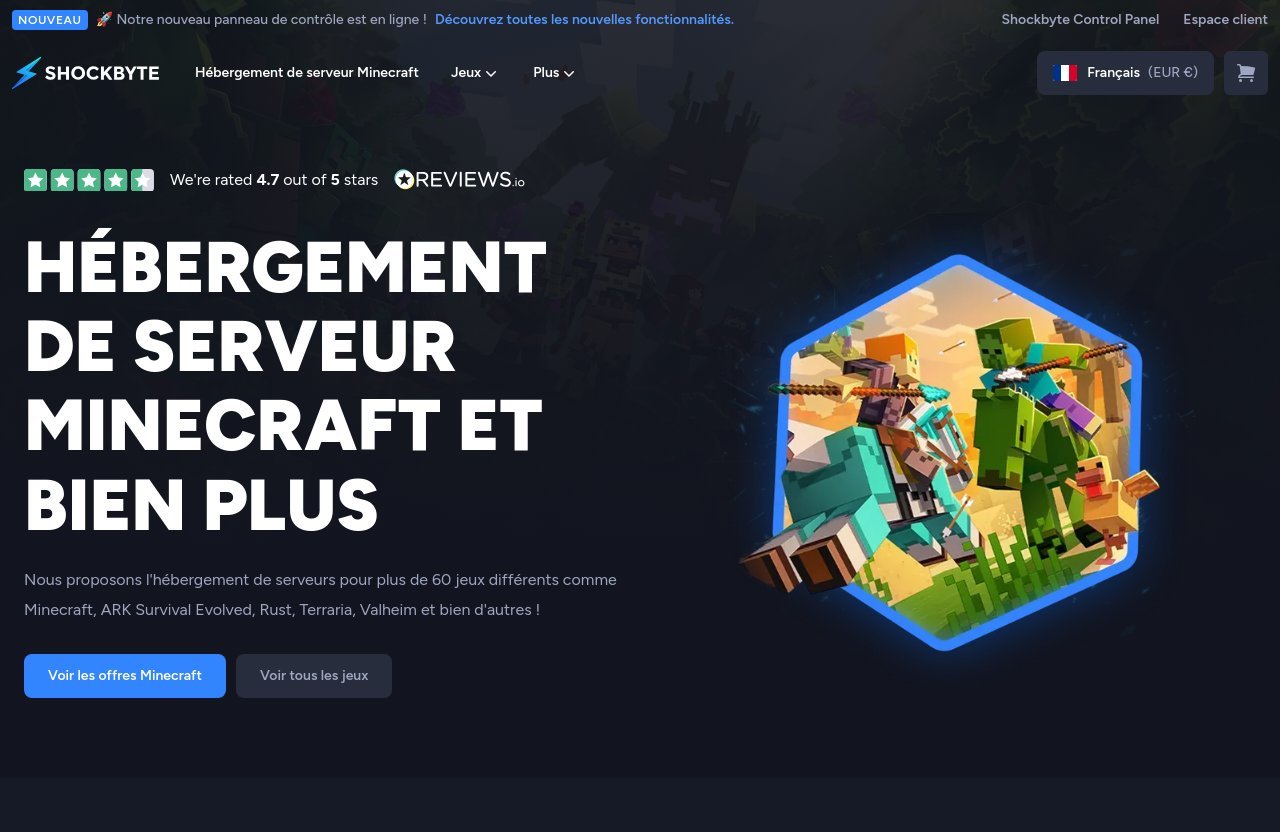
Most people do not compare hosts because their current provider is automatically bad. They compare because their server has changed. A small survival world may turn into a modded community, a private server may need better admin tools, or a budget may become tighter at renewal.
Looking at shockbyte alternatives is also sensible when you want to compare the total ownership experience, not just a starting price. A host should match how often you need support, how comfortable you are with server files, and whether you expect to add mods, plugins, or more players later.
Price sensitivity and budget limits
Budget is one of the biggest reasons shoppers explore shockbyte competitors. New server owners often want a low-risk plan for a small group of friends, while established communities may need to forecast costs over a longer period.
Do not compare only the first payment. Check recurring price, billing cycle, setup fees if any, included backups, upgrade costs, and whether essential add-ons are separate. The best cheap Minecraft server hosting plan is one that meets your needs without requiring immediate upgrades.
Need for simpler onboarding
Some players want a provider that feels straightforward from the first login. They may prefer clearer setup instructions, more visible file-management tools, or a panel designed around common Minecraft tasks.
This is where shockbyte alternatives with a beginner-oriented reputation can be attractive. However, usability is personal. Review screenshots, help documentation, and current customer feedback before deciding that one dashboard is easier than another.
Better fit for modded servers or larger communities
A modded server creates different demands from a basic vanilla world. You need to consider modpack compatibility, version matching, file access, Java settings where relevant, backup routines, and the ability to troubleshoot conflicts.
Players seeking modded Minecraft server hosting often compare providers because they want a workflow tailored to their chosen modpack. The right host is not just the one that advertises mods; it is the one that makes updates, restores, and compatibility checks manageable for your skill level.
Desire for different support or panel experience
Support is often noticed only when something goes wrong. Some server owners prefer detailed technical assistance, while others simply need a fast answer to a billing, installation, or access issue.
The same is true of panels. One admin may love granular controls, while another wants a short path to starting, stopping, updating, and sharing a server address. Comparing shockbyte alternatives lets you prioritize the experience you personally value.
What to Compare Before You Switch Hosts
A good host comparison should go beyond “which brand is cheapest?” Build a short checklist and use it consistently across every provider you consider. This prevents marketing language from distracting you from operational essentials.
When reviewing Minecraft server hosting alternatives, focus on reliability, admin effort, protection, and the cost of changing plans later. These points matter far more than a long list of vague promotional promises.
Uptime and network reliability
Ask whether the provider publishes a service-level commitment, explains how outages are handled, and communicates incidents clearly. Network reliability is essential because a server that is technically available but regularly difficult to reach is not useful to your players.
Shockbyte states it provides 99.9% uptime, with network outages covered by its SLA. That is a meaningful benchmark to use when comparing other hosts, but always read each provider’s current terms rather than assuming equivalent coverage.
Support response and availability
Look for support availability, contact methods, documentation quality, and clarity around what the team will help with. A host can offer support around the clock, but you should also understand whether assistance covers basic hosting questions, mod troubleshooting, billing, or advanced configuration.
For many shockbyte alternatives, the practical test is whether the provider’s support process is clear before you pay. Read the knowledge base and see whether common tasks have useful documentation.
Modpack and plugin installation
If you are running modded Minecraft, verify that your exact modpack, game version, and mod loader are supported. Do not assume that broad “modded hosting” language guarantees a smooth installation for every pack.
Shockbyte’s dashboard includes a one-click modpack installer and support for modpacks from CurseForge, FTB, Technic, and ATLauncher. The company says it supports more than 3,000 modpacks with one click. That makes it a strong option to keep on your shortlist if fast modpack deployment is a priority.
Plugins deserve separate attention. Bukkit, Spigot, Paper, and other server software can have different compatibility requirements, so check whether you can manage files, versions, and updates comfortably.
Control panel usability
A server panel should make everyday administration feel predictable. At minimum, inspect how it handles server status, console access, file management, world uploads, version changes, scheduling, and user permissions.
The best shockbyte alternatives for beginners are often those with understandable documentation and a layout that reduces accidental mistakes. Experienced admins may prefer more control, but extra options are not helpful if they make routine tasks harder.
DDoS protection and backups
Minecraft servers can be targets for disruption, especially if the IP address is shared publicly. Ask whether DDoS protection is included, how the provider describes its coverage, and whether there are limits or exclusions in the service terms.
Backups are equally important. Confirm whether backups are automatic or manual, how restores work, how long backup files are retained, and whether you can download a copy independently. Never treat backup availability as an afterthought.
Shockbyte includes DDoS protection covered by its SLA. If you are specifically seeking Minecraft hosting with DDoS protection, compare the wording of each host’s current policy rather than relying on broad advertising claims.
Server locations and scaling options
A nearby location can help reduce connection issues for your core player group, but location is only one factor in a reliable experience. Choose the region where most regular players are based, then confirm that the provider can support your preferred game, software, and plan type there.
Also consider what happens when your server grows. A sensible host should give you a clear path to change plans, add capacity where available, or move to a different configuration without forcing you to rebuild everything.
Official website · Latest pricing & offers
The Best Shockbyte Alternatives: Top Picks by Use Case
There is no universal winner among shockbyte alternatives. The right recommendation changes depending on whether you value modpack convenience, affordability, beginner guidance, premium service, or a broader hosting ecosystem.
The providers below are well-known names in the Minecraft hosting market. Their current plans and features should always be verified directly before checkout.
Best overall for most buyers
BisectHosting is a sensible starting point for buyers who want to compare a dedicated Minecraft-focused provider with Shockbyte. It is commonly considered by players looking for flexibility across vanilla, plugins, and modded setups.
For a typical survival server or small community, compare its current panel, migration guidance, support documentation, and modpack process against other shockbyte alternatives. It may be especially worth evaluating if your server could become more complex over time.
Best budget option
PebbleHost is frequently mentioned in conversations about budget-oriented Minecraft hosting. That makes it relevant for shoppers who are trying to keep monthly costs controlled while still using a paid provider.
Budget hosting requires extra care. Review the plan’s exact limits, backup options, location availability, service terms, and support expectations before buying. A cheaper plan can be a good value, but only if it fits your world, player activity, and mod requirements.
For those researching “shockbyte alternatives reddit” discussions, community threads can be useful for spotting recurring concerns. Treat anecdotal reports as starting points, not proof, and prioritize current official details.
Best for modded Minecraft
BisectHosting is commonly evaluated by players seeking modded Minecraft server hosting, particularly when modpack selection and setup workflow are central to the decision. It is a practical brand to investigate alongside Shockbyte for packs that require careful version and file management.
The best modded choice depends on your exact pack, not the provider’s general reputation. Before committing, confirm the pack is available or can be installed, identify how updates work, and make sure you can create and restore backups without difficulty.
Shockbyte remains competitive in this category because it supports one-click modpacks from major platforms and states that its installer covers 3,000+ modpacks. For some admins, that convenience may outweigh the reasons to move.
Best for simplicity and beginner setup
Apex Hosting is commonly recognized by new server owners who want a more guided buying and setup experience. It can be a useful comparison point for players who want less technical friction and clearer instructions.
When assessing beginner-focused shockbyte alternatives, prioritize the quality of setup guides, dashboard clarity, and help resources. A polished onboarding experience can be more valuable than a slightly lower price if it saves hours of troubleshooting.
Best for performance-focused communities
Hostinger is often considered by shoppers who are familiar with broader web-hosting brands and want to review their game server options. It may appeal to communities that want to compare Minecraft hosting with a provider that operates across multiple hosting categories.
Do not choose a “performance-focused” option based solely on marketing language. Instead, verify current server locations, available Minecraft configurations, scaling choices, and support processes. Your own community’s location, mods, and player behavior determine whether a plan is suitable.
Best for premium support
Nodecraft is a recognizable option for buyers who value a polished service experience and are willing to compare more premium-oriented positioning. It may be worth reviewing for admins who prioritize convenience, interface quality, and a managed feel.
Premium does not automatically mean best. Compare the actual plan terms, supported games, migration steps, cancellation conditions, and support scope. The right premium option is one that solves a real administrative problem for you.
Shockbyte vs Alternatives: When Shockbyte Still Makes Sense
Comparing hosts fairly means recognizing where Shockbyte is a strong fit. The company has been hosting since 2013, highlights more than 13 years of hosting heritage, and states it has powered over 1 million servers.
For buyers comparing shockbyte alternatives, these established operational claims are useful context. A newer or smaller provider may still suit you, but it should demonstrate an equally clear approach to reliability, support, and account management.
Strong reasons to choose Shockbyte
Shockbyte can make sense if you want a host with a broad, straightforward feature set for Minecraft and other games. It offers hosting for more than 70 games, including Minecraft, ARK Survival Evolved, Rust, Terraria, and Valheim.
Its official strengths include:
- 99.9% uptime, with network outages covered by its SLA
- 24/7 support
- Instant server setup
- A free subdomain through its subdomain creator
- DDoS protection covered by its SLA
- A custom dashboard with a one-click modpack installer
- One-click access to 3,000+ modpacks, according to Shockbyte
- Support for CurseForge, FTB, Technic, and ATLauncher modpacks
These features will matter most to players who want to launch quickly, experiment with modpacks, or host more than one type of game over time.
When an alternative may be smarter
An alternative may be smarter if your priority is a very tight budget, a specific panel preference, a particular support style, or a modpack workflow that you have already validated with another provider.
The strongest shockbyte alternatives are those that address a specific need, not those making the broadest claims. For example, a small private vanilla world may benefit from a simple budget plan, while a large modded community may prefer a provider whose tools match its established admin workflow.
How to decide in 5 minutes
Use this quick decision process before choosing:
- List your game version, modpack or plugin setup, and expected player group.
- Decide whether your priority is price, ease of use, support, or modded flexibility.
- Check the provider’s current server locations and availability.
- Read the backup and DDoS protection policy.
- Confirm how you would migrate your current world.
- Review the renewal price and cancellation terms before paying.
If Shockbyte fits your checklist, there is no reason to switch simply because other choices exist. You can check current Shockbyte pricing and availability before making a final comparison.
Red Flags to Avoid When Choosing a Minecraft Host
A careful comparison can prevent frustration after launch. This is particularly important for first-time buyers, who may be drawn toward the lowest advertised price without reviewing practical limitations.
The same warning signs apply whether you are considering established shockbyte competitors, smaller providers, or shockbyte alternatives free of charge.
Hidden renewal pricing
A low introductory price can look attractive, but the recurring cost matters more for a long-running server. Check the renewal amount, billing period, optional extras, and whether a refund policy applies to your chosen plan.
Keep a simple comparison sheet with the full first-term and renewal cost. That makes it much easier to identify genuinely affordable hosting.
Missing backups or DDoS protection
Avoid providers that are unclear about backups, restores, or network protection. A world can represent months of building, and a server exposed to the public should have a clear response plan for disruption.
Ask direct questions before purchasing: Are backups included? Can I restore one myself? Can I download my world? What protection is offered, and where are the relevant terms?
Confusing panel or limited support
A complicated panel creates unnecessary risk when you need to update a version, restore a world, or respond to a player issue. If the documentation is thin and the support process is hard to understand before purchase, it may be worse after purchase.
This is why a few minutes of research can separate solid Minecraft server hosting alternatives from providers that merely look inexpensive.
Too-good-to-be-true free plans
There are shockbyte alternatives free of charge, but they are rarely equivalent to paid hosting. Free services may involve queues, limited availability, restricted resources, advertising, fewer configuration options, or less predictable uptime.
A free host can be useful for testing a small temporary world. It is usually not the best option for a community server, a large build, or a modded project that you want to preserve.
Weak modpack support
Avoid vague claims that a host supports “all mods” without clear instructions on installation, version compatibility, file access, and backups. Modded servers can fail for many reasons, and a good host should make the recovery process understandable.
For modded Minecraft server hosting, verify your exact modpack before you pay. That single step can prevent a difficult migration later.
Our Final Recommendation
The best choice among shockbyte alternatives depends on what you need the server to do today and how likely it is to grow. Do not switch based on a single feature or a forum recommendation alone; compare current terms, setup workflows, and support expectations.
Shockbyte remains a practical choice for buyers who want instant setup, 24/7 support, a free subdomain, DDoS protection, and broad one-click modpack access. Its support for more than 70 games also makes it relevant for players who may host beyond Minecraft.
Best for beginners
Apex Hosting is worth comparing if your top priority is a beginner-oriented experience and accessible setup guidance. Shockbyte is also a strong candidate for newcomers who value instant setup and a custom dashboard.
Best for budget shoppers
PebbleHost is a reasonable provider to investigate for budget-minded buyers. Compare the full cost, support approach, backup policy, and upgrade options carefully rather than choosing solely on the lowest displayed price.
Best for modded Minecraft
BisectHosting is a useful option to research for modded setups, while Shockbyte remains compelling for players who want one-click access to a large modpack library. The final decision should depend on your exact pack, version, and comfort with server administration.
Best for players who want the easiest swap from Shockbyte
The easiest move is usually to a host that clearly supports world uploads, provides understandable file access, and documents migration steps. Before switching, download a complete backup, confirm mod and plugin compatibility, and plan for DNS or server-address changes.
For many shoppers, Shockbyte itself is still the balanced answer—especially if its verified uptime commitment, 24/7 support, DDoS coverage, and modpack tools align with your needs. Check the promo banner on the official site and the checkout coupon field for any current offer details before purchasing.
Official website · Latest pricing & offers
FAQ
What is the best Shockbyte alternative in 2026?
The best option depends on your use case. BisectHosting is worth comparing for modded Minecraft, PebbleHost is commonly considered by budget shoppers, and Apex Hosting is often evaluated by beginners seeking a guided setup experience.
Rather than looking for one universal winner, compare the provider’s current plan details against your world size, modpack, player group, and support needs.
Is Shockbyte good for Minecraft hosting?
Yes, Shockbyte has several verified strengths for Minecraft hosting. It offers 99.9% uptime with network outages covered by its SLA, 24/7 support, instant setup, a free subdomain, DDoS protection, and a custom dashboard with one-click modpack installation.
It also supports modpacks from CurseForge, FTB, Technic, and ATLauncher, and states that more than 3,000 modpacks are available with one click.
What should I look for in a Shockbyte alternative?
Look for reliable uptime commitments, responsive support, an easy-to-use panel, modpack and plugin compatibility, backup tools, DDoS protection, suitable server locations, and transparent total pricing.
The best shockbyte alternatives should match your technical ability and your server’s real requirements, not just offer a lower initial price.
Are there any free Shockbyte alternatives?
Yes, free Minecraft hosts exist, but they usually involve trade-offs such as queues, limited resources, reduced reliability, fewer controls, or restricted availability. They can work for temporary testing or a small casual world.
For a persistent community, modded server, or important build, a paid host is generally the safer option because it is more likely to offer clearer support, backup, and service policies.
Can I move from Shockbyte to another host easily?
In most cases, yes. Start by downloading a complete world backup and saving your configuration files, plugins, mods, and relevant settings. Then check that the new host supports the same Minecraft version, mod loader, modpack, and plugin setup.
After uploading and testing the server, update your players with the new address or adjust DNS settings if you use a custom domain. Always keep the old server backup until the new installation has been tested successfully.
Related Reading
- Best Rezi Alternatives in 2026: 7 Tested Picks
- Funnel Builders Like Clickfunnels: Best Alternatives Compared for 2026
- Best Form Builders Like Tally in 2026
References
- Shockbyte: Minecraft Server Hosting & More
- Shockbyte – Minecraft Server Hosting
- 10 Best Shockbyte Alternatives 2026
- Is Shockbyte a Good Server Host? Pros & Cons