Morelogin Features: What You Get in 2026
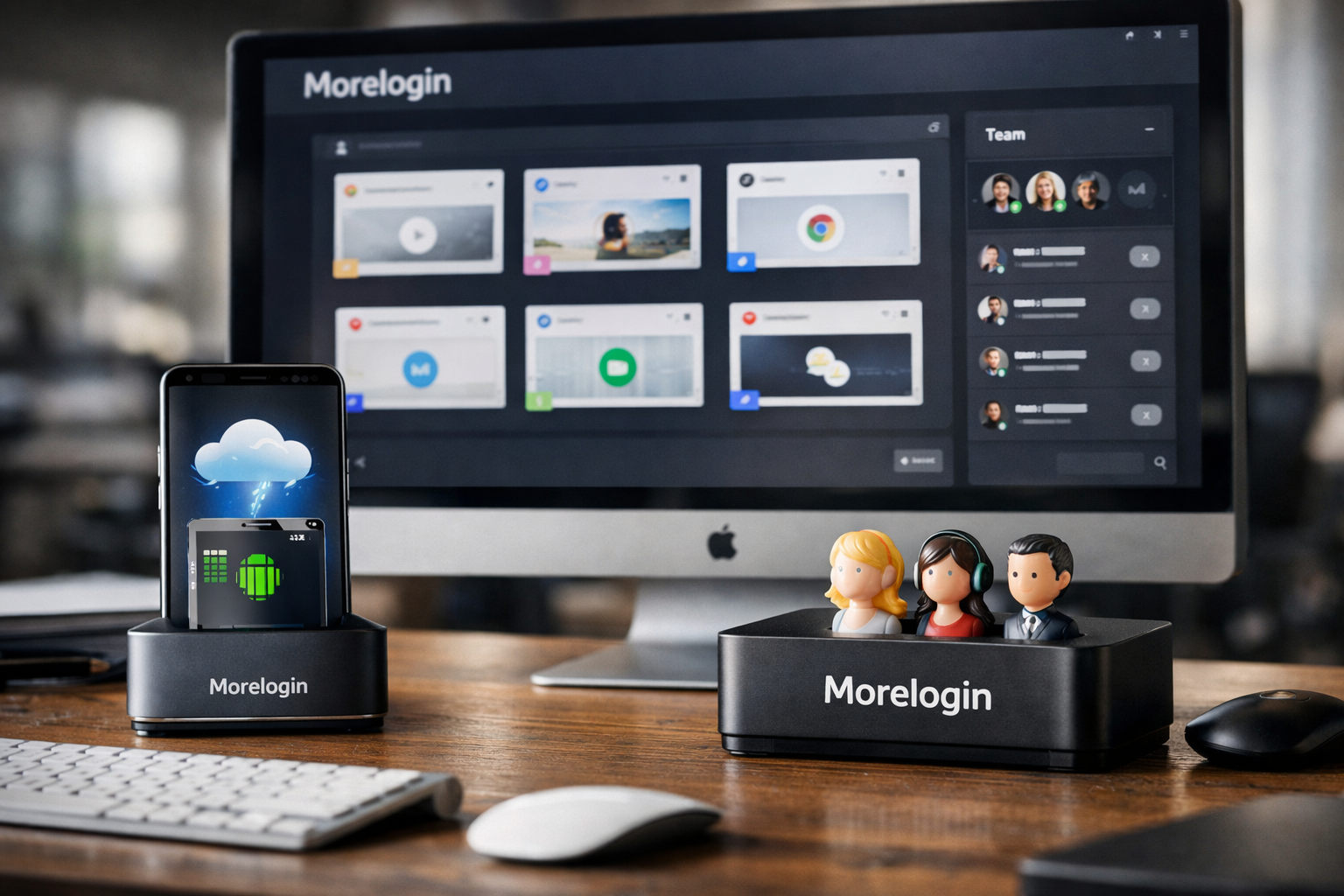
MoreLogin is a cloud phone and antidetect browser platform designed for people who need to organize and operate multiple accounts from one workspace. Its core tools combine isolated browser environments, cloud Android devices, permissions, and automation options for marketing, ecommerce, social media, and account operations.
This guide to morelogin features is based on the official product and pricing pages, alongside the current search landscape for buyers comparing account-management tools in 2026. TopTrustReview may earn a commission if you subscribe through an affiliate link, such as this MoreLogin offer page, at no extra cost to you.
Official website · Latest pricing & offers
What MoreLogin Is and Who It’s Built For
Short Definition of MoreLogin
MoreLogin is an account-management workspace that provides isolated browser profiles, cloud browsers, cloud Android phones, team controls, and automation capabilities. Rather than keeping every account workflow inside one normal browser session, users can create separate environments for different projects or accounts.
The main appeal of morelogin features is operational separation. A marketer can keep client work organized, an ecommerce operator can separate storefront activities, and a social media manager can delegate access without relying on one shared set of login credentials.
Primary Use Cases: Multi-Account Marketing, Ecommerce, Social Media, and Account Operations
The platform fits teams and individuals who manage several web-based or mobile account workflows. Agencies may use separate environments for clients, while affiliate operators may organize campaign accounts and browser sessions by project.
Ecommerce sellers can use MoreLogin browser profiles to keep store-related work distinct from advertising, supplier, or customer-service tasks. Social media teams can also use the workspace to structure account operations and control who can access particular environments.
For a solo operator, the value is often cleaner organization. For an agency, morelogin team collaboration tools become more important because access, logs, profile transfer, and member permissions are built into the product’s stated feature set.
Why Buyers Compare It in 2026
Buyers comparing morelogin features in 2026 are usually deciding between a basic browser setup, a dedicated antidetect browser, and a broader workspace that includes cloud phone access. MoreLogin stands out in this comparison because its offering covers browser profiles, team permissions, automation options, and Android cloud phones in one product ecosystem.
The practical buying question is not simply whether you need multiple profiles. It is whether you need to manage people, repetitive workflows, cloud-based access, and mobile account work alongside those profiles.
MoreLogin Features at a Glance

Isolated Browser Profiles
Isolated browser profiles are the foundation of the MoreLogin antidetect browser. The official product information describes dedicated environments and isolated browser profiles, allowing users to organize work separately rather than mixing every task into one browser context.
This can be useful when a business wants a clearer structure for distinct clients, brands, stores, or marketing projects. It also makes handoffs easier when each workstream has its own profile rather than a collection of unlabelled tabs and saved passwords.
Cloud Browsers and Cloud Android Phones
MoreLogin includes cloud browsers and a cloud phone option. The cloud phone service is intended for Android-based account workflows and supports Android 12 through Android 15.
For buyers considering morelogin for android, this is an important difference from a browser-only tool. The cloud phone’s stated basic configuration supports automation, camera use, audio, and file uploads, covering practical tasks that may require a mobile environment.
Team Permissions and Collaboration
The workspace includes member permissions, team collaboration, logs, profile transfer, web access control, and web element restrictions. These are management tools rather than promises of guaranteed account safety, but they can help a team reduce unnecessary access and keep work organized.
These morelogin features are especially relevant for agencies that need to assign work without giving every user unrestricted control over every account environment.
Automation Tools and Developer Options
MoreLogin lists browser automation with Selenium or Puppeteer, a local API, a synchroniser, batch operation, and automation capabilities. The Free plan specifically includes browser automation with Selenium or Puppeteer and the local API.
That makes the platform worth considering for users who want to move beyond manual, repetitive browser work. The exact automation setup will depend on your workflow, skills, and the policies of the sites you use.
| Feature area | What MoreLogin lists | Buyer relevance |
|---|---|---|
| Browser workspace | Dedicated environments and isolated profiles | Organize account work by project or client |
| Collaboration | Permissions, logs, profile transfer, group controls | Delegate work with more structure |
| Automation | Synchroniser, local API, Selenium, Puppeteer, batch operation | Reduce repetitive browser actions |
| Mobile workflows | Cloud Android phones | Support mobile-oriented account operations |
| Access controls | Password protection, cookie protection, web controls | Help govern team access and workflows |
Dedicated Environments: The Core Feature Buyers Care About
How Isolated Browser Profiles Work
The most important of the morelogin features for many buyers is the ability to use isolated browser profiles. Each profile is intended to function as a separate environment, helping users keep work associated with one account or project apart from another.
In a practical agency example, a media buyer could create a separate workspace for each client instead of storing every client login, browser session, and task in the same standard browser profile. That does not remove the need to follow site rules or maintain responsible account practices, but it can make operations more orderly.
Local Browser Profiles vs. Cloud Browser Sessions
MoreLogin provides browser-profile functionality and also lists cloud browsers. A local profile can suit someone who works primarily from their own computer, while a cloud browser may be relevant when a team wants access through a cloud-based environment.
The right choice depends on how work is performed. A solo marketer may only need a small number of organized profiles, whereas a distributed team may value a workspace where profiles and access can be managed more centrally.
When evaluating morelogin browser profiles, ask whether your daily tasks happen locally, require shared access, or need both browser and cloud phone workflows. That answer matters more than comparing a feature checklist in isolation.
Account Separation for Safer Workflows
Account separation is mainly an operational benefit. Keeping projects in designated environments can make it easier to avoid accidental cross-use of credentials, cookies, or browser sessions during everyday work.
MoreLogin also lists cookie protection and password protection among its controls. These features should be viewed as tools that support a more managed workflow, not as a guarantee against security incidents or platform enforcement decisions.
Security, Privacy, and Access Control Features
Password Protection and Cookie Protection
The official MoreLogin feature list includes password protection and cookie protection. For buyers, these terms signal that the product provides controls around sensitive elements of browser-based account work.
A team handling client accounts may prefer this setup to informal password sharing through chat messages or spreadsheets. Still, organizations should maintain their own security processes, including careful user management and appropriate internal policies.
Web Access Control and Web Element Restrictions
MoreLogin also lists web access control and web element restrictions. These capabilities are relevant when a manager wants to define how team members interact with specific web-based tasks or account environments.
This is one of the more practical morelogin features for operations teams. Instead of treating every user as an administrator, a business can assess which activities and environments each person genuinely needs to access.
Logs and Member Permissions
Logs and member permissions give managers more visibility into team activity and access. For an ecommerce operation with customer-service, advertising, and catalog staff, this can help create a clearer division of responsibilities.
The official pages do not state a specific auditing depth or retention period, so buyers should not assume details that are not published. It is reasonable, however, to treat logs and permissions as useful governance tools for a shared workspace.
Browser Security and Privacy Tools
MoreLogin refers to browser security and privacy as part of its feature set. In context, these tools support the platform’s dedicated environments and isolated-browser approach.
A cautious morelogin review should avoid treating those labels as a claim of complete anonymity or invulnerability. The value here is better workflow separation and access management, while users remain responsible for lawful, policy-compliant use of each platform they access.
Official website · Latest pricing & offers
Team Collaboration Features for Agencies and Small Teams
Shared Environments Without Credential Sharing
A major reason to consider MoreLogin is its team-oriented workspace. Rather than asking multiple people to use one browser profile through shared passwords, teams can work with profiles and permissions in a more organized way.
This matters for an agency managing client social accounts, ecommerce storefronts, or campaign dashboards. The manager can focus on assigning access to the right people while keeping client projects separated by environment.
Role-Based Permissions
MoreLogin lists member permissions as part of its collaboration tools. The official materials do not publish a detailed role matrix, so it would be inaccurate to claim particular role names or permission levels.
Even so, access permissions are a meaningful feature for a growing team. They allow buyers to consider a structured approach to responsibility instead of using an all-or-nothing access model.
Profile Transfer and Group Limits
Profile transfer is included in the Free plan’s stated features. This may be helpful when work changes hands internally, such as when an agency reassigns a client account from one account manager to another.
The official pricing page states that profile creation, starting profiles, profiles in cloud storage, and group size limit are set at 2 on the Free plan. On Pro, these are selected according to needs, while the Custom plan has infinite availability for those listed limits.
Why Teams May Prefer MoreLogin Over Solo Tools
Solo tools may be enough for an individual who only wants a couple of browser environments. But morelogin team collaboration is more relevant when several people need coordinated access, logs, transfers, and permission controls.
For example, a short-form video agency may have one person planning content, another uploading assets, and another reviewing results. A shared workspace with defined access can be easier to manage than an ad hoc collection of devices and credentials.
Automation Features: What You Can Actually Do
No-Code RPA and Synchroniser
MoreLogin highlights automation, batch operation, and a synchroniser. These tools are designed to help with repetitive browser workflows rather than requiring users to perform every routine action one profile at a time.
The synchroniser can be valuable for operators who need a consistent workflow across environments. Before relying on any automation, users should confirm that their intended actions comply with the applicable platform rules and their own business requirements.
Local API
The local API is included in the MoreLogin Free plan according to the official pricing page. An API is generally useful when a business wants software tools or internal processes to interact with its browser workflow in a more structured way.
For a technically minded affiliate operator or ecommerce team, this can make morelogin automation more flexible than a manual-only browser product. The official product facts do not specify every API endpoint or integration, so buyers should verify technical requirements directly before subscribing.
Browser Automation With Selenium or Puppeteer
MoreLogin states support for browser automation with Selenium or Puppeteer. These are widely used automation frameworks for browser-based workflows, making the platform potentially relevant to developers and advanced operations teams.
A practical example is preparing repetitive internal checks or standardized QA steps across several browser environments. The useful point is not that automation can replace every human action; it is that MoreLogin offers a path for teams that already use Selenium or Puppeteer.
Workflow Integrations and AI-Agent Usage
The product facts confirm automation tools, a local API, Selenium, Puppeteer, a synchroniser, and batch operations. They do not list named third-party workflow integrations or specific AI-agent features.
For that reason, buyers interested in AI-agent usage should treat MoreLogin as a platform with developer and browser-automation options, not assume prebuilt AI integrations. This is a case where a product demo or direct technical confirmation is sensible before making a purchase decision.
Cloud Phone Features and Fees
Why Cloud Phones Matter
The MoreLogin cloud phone is relevant for people whose work is not limited to desktop browser sessions. Mobile-oriented activities can require an Android environment for app-based tasks, content review, uploads, or account operations.
For morelogin cloud phone buyers, the attraction is having Android access within the same general workspace as browser profiles, permissions, and automation options. The official use cases include social media, ecommerce, and short-video account management.
Supported Android Versions and Capabilities
MoreLogin’s cloud phone supports Android 12 through Android 15. Its basic configuration supports automation, camera, audio, and file uploads.
Those capabilities matter in practical mobile workflows. A social media manager may need to upload media files, review audio, or perform a task that works better in an Android environment than in a desktop browser.
Billing Model: Per-Minute and Monthly Cap
Cloud phone fees are separate from the stated browser-plan pricing. The official pricing page lists per-minute billing at $0.006 per minute, capped at $1.5 per day, or monthly billing at $23 to $25 per 30 days.
| Cloud phone billing option | Verified fee |
|---|---|
| Per-minute use | $0.006/minute |
| Daily cap under per-minute billing | $1.5/day |
| Monthly option | $23–$25 per 30 days |
| Supported operating systems | Android 12–Android 15 |
This distinction is essential in any morelogin pricing comparison. A buyer may find the browser plan affordable but should separately estimate how frequently cloud phones will be used.
Best Use Cases for Mobile Account Workflows
The cloud phone is best suited to users who have genuine Android workflow needs. Social media teams, ecommerce operators, and short-video account managers are the official scenarios listed by MoreLogin.
A desktop-only marketer may not need this add-on at all. Conversely, a team that regularly works with mobile apps may find the combined browser and cloud-phone setup more convenient than using separate tools.
MoreLogin Plans and What You Get in Each One
Free Plan Features and Limits
The morelogin free plan costs $0 per month and is described as Free Forever. It includes 2 profiles and 2 users.
Included features are safe and antidetect browser profiles, Chrome and Firefox support, real canvas fingerprint, online technical support, a simple user experience, team collaboration, profile transfer, a proxy available for purchase, a synchroniser, local API access, and browser automation with Selenium or Puppeteer.
The pricing page also states that profile creation, starting profiles, cloud-stored profiles, and group size are limited to 2 on Free. This plan is most appropriate for testing the workspace or for a very small operation with modest profile needs.
Pro Plan Features and Limits
The Pro plan is listed at $5.4 per month, with a $9 per month reference price shown on the official pricing page. It includes 10 profiles and all Free plan features and services.
MoreLogin also states that Pro includes no limits, customized profile purchase, and 24/7 online support. For the listed profile creation, starting, cloud storage, and group-size fields, the plan uses selection according to needs rather than the Free plan’s fixed limit of 2.
For many buyers, Pro is the practical step-up plan because the core morelogin features remain available while profile capacity and support options become more suitable for active operations.
Custom Plan and Who Should Contact Sales
The Custom plan uses customized pricing. It offers custom profiles, a custom team, and dedicated consulting service.
The official pricing information describes the related profile, cloud-storage, and group-size capacity as infinite on Custom. This makes it the logical option for larger organizations that need a tailored team setup rather than a fixed self-service configuration.
| Plan | Price | Profiles and users | Key verified details |
|---|---|---|---|
| Free | $0/month | 2 profiles, 2 users | Free Forever; API, synchroniser, Selenium/Puppeteer support |
| Pro | $5.4/month | 10 profiles | All Free features, no limits, customized profile purchase, 24/7 support |
| Custom | Customized pricing | Custom profiles and team | Dedicated consulting service; infinite listed capacity fields |
Buyers should also check the official site’s promotional banner and checkout coupon field for current offers. No specific promotional code is verified for this review.
Pros, Limitations, and Best-Fit Buyer Profiles
Where MoreLogin Looks Strongest
MoreLogin looks strongest for buyers who want browser profiles, collaboration, and automation options in the same workspace. The combination of isolated environments, member permissions, logs, profile transfer, cloud browsers, and cloud phones is particularly relevant to agencies and multi-person operations.
Its low-cost Pro plan is also notable from a budget perspective, although the broader morelogin pricing decision should include any cloud phone usage charges. The Free plan offers a realistic way to evaluate the general workflow before committing.
Possible Limitations or Trade-Offs
The Free plan’s 2-profile and 2-user limit will be restrictive for any team beyond a small test setup. Buyers who need more capacity will likely need Pro or a Custom arrangement.
Cloud phone costs are also a separate consideration. The per-minute model, daily cap, and monthly option provide flexibility, but users should estimate usage instead of assuming cloud phone access is included in the browser subscription.
The official feature pages do not provide every technical detail a developer or enterprise buyer may require. For specialized API needs, customized permissions, or a large deployment, it is sensible to request clarification before subscribing.
Who Should Choose the Free Plan, Pro Plan, or Custom Plan
Choose Free if you are a solo user or a two-person team evaluating morelogin features with up to two profiles. It offers a meaningful feature set for testing browser profiles, the synchroniser, local API, and automation compatibility.
Choose Pro if you need 10 profiles, all Free features, 24/7 online support, and more flexible selections for the pricing-page capacity fields. It is likely the best match for active small teams, agencies, and marketers who have outgrown the Free limits.
Choose Custom if your company needs a custom team structure, custom profile allocation, dedicated consulting, or the infinite capacity described on the official pricing page. Overall, MoreLogin is worth considering for buyers who need a feature-led account-management workspace rather than only a standard browser.
Official website · Latest pricing & offers
FAQ About MoreLogin Features in 2026
What Is MoreLogin Used For?
MoreLogin is used for managing web and mobile account operations in isolated browser environments and cloud Android phones. Its tools include browser profiles, cloud browsers, team permissions, logs, profile transfer, batch operations, and automation options.
Agencies, ecommerce sellers, affiliate operators, marketers, and social media teams may use these morelogin features to organize separate projects and manage access across a team.
What Is the Best Anti-Detect Browser for Android?
There is no single best option for every buyer. MoreLogin is worth evaluating if you need both an antidetect browser workspace and a cloud phone for Android-oriented workflows.
Its cloud phone supports Android 12 through Android 15 and includes basic support for automation, camera, audio, and file uploads. The best choice depends on whether you need browser profiles, cloud Android devices, team controls, or a combination of those tools.
How Much Does MoreLogin Cost?
MoreLogin’s Free plan is $0 per month and includes 2 profiles and 2 users. The Pro plan is listed at $5.4 per month, with a $9 per month reference price displayed on the official pricing page, and includes 10 profiles.
Cloud phone use is priced separately at $0.006 per minute, capped at $1.5 per day, or $23 to $25 per 30 days. Custom plan pricing is not published as a fixed amount because it is customized.
What Are Some Alternatives to Multilogin?
There are several browser-profile and account-management alternatives in the market, but the right comparison should focus on your required feature set rather than brand recognition alone. Consider whether you need isolated profiles, cloud browser access, mobile Android workflows, team permissions, API access, and Selenium or Puppeteer compatibility.
MoreLogin is a relevant alternative to evaluate when those combined capabilities matter. A careful comparison should also account for plan limits and separate cloud phone fees, not just the starting subscription price.
Related Reading
- Is Multiples Worth It in 2026?
- Alohi vs eFax Pricing: Which Online Fax Service Costs Less in 2026?
- How Much Does Hospitable Cost Per Month? 2026 Pricing Calculator
References
- MoreLogin
- MoreLogin Review 2026: Pricing, Features and Limitations
- MoreLogin Review 2026: Features, Pricing & Alternatives
- MoreLogin Antidetect: Features & Review 2026