Taplio Review 2026: Is It Worth It?
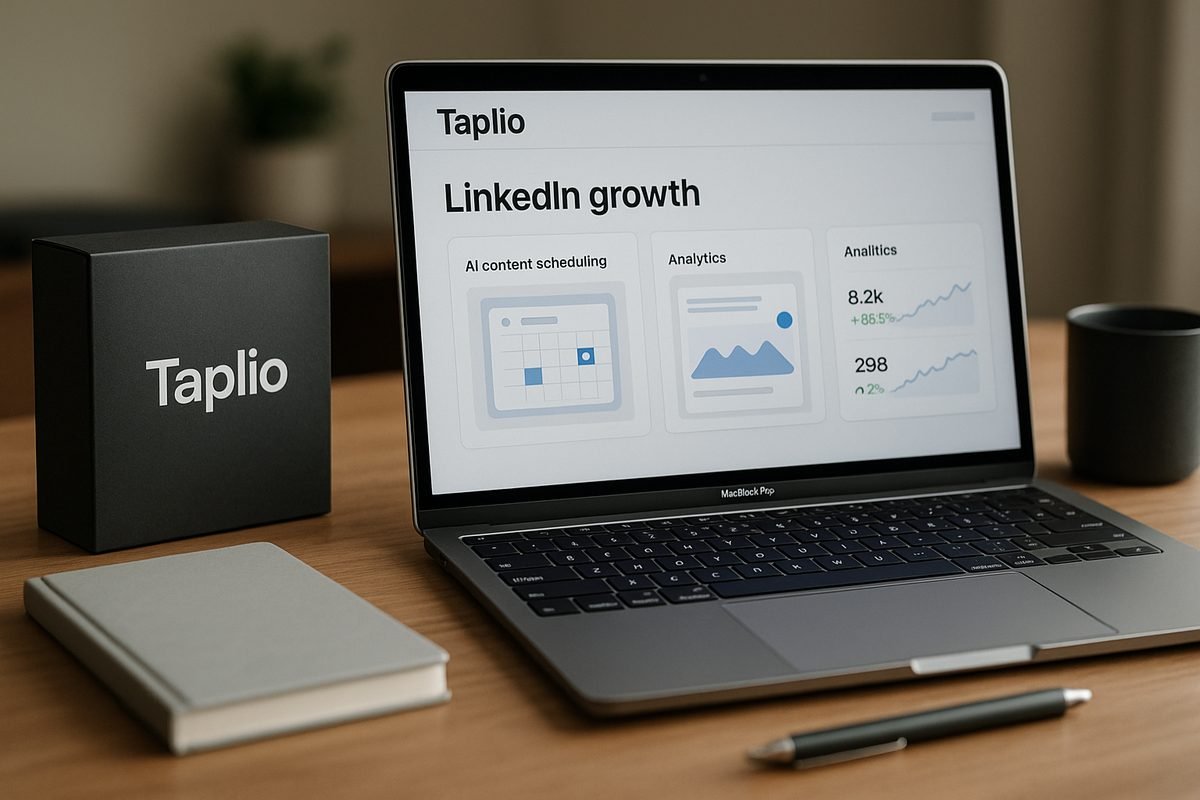
If you are trying to grow on LinkedIn without spending hours every day writing, scheduling, commenting, and checking analytics, this Taplio review will help you decide whether Taplio is worth buying in 2026. Taplio positions itself as an “AI tool to grow on LinkedIn in 10 min/day,” with features for content creation, scheduling, inspiration, analytics, engagement, and light lead workflows.
This review is based on Taplio’s official product and pricing pages, plus broader SERP research into how buyers compare LinkedIn growth tools. TopTrustReview is an affiliate review site, so if you decide Taplio fits your needs, you can use our Taplio affiliate link. That does not change the price information or our verdict.
Official website · Latest pricing & offers
Taplio Review 2026: Quick Verdict
Is Taplio worth it in 2026?
Yes, Taplio can be worth it in 2026 if LinkedIn is a serious channel for your business, personal brand, or sales workflow. It is not just an AI writing tool; it is a LinkedIn-focused growth platform that combines post creation, inspiration, scheduling, analytics, engagement, and connection workflows in one place.
The main value is consistency. If you already know LinkedIn matters but struggle to post regularly, track what works, or stay visible with the right people, Taplio gives you a structured system.
The main limitation is that AI-assisted content still needs human editing. A common theme in any honest Taplio review is that tools can help you move faster, but they cannot fully replace your point of view, expertise, stories, or judgment.
| Verdict Area | Rating | Practical Take |
|---|---|---|
| LinkedIn scheduling | Strong | Useful if you post often and want a repeatable queue |
| Content inspiration | Strong | Helps you find post angles faster |
| AI writing support | Good | Best when edited with your own voice |
| Analytics | Strong | Helps identify what to double down on |
| Outreach and automation | Useful but use carefully | Good for workflow support, not spam |
| Pricing clarity | Moderate | Official pricing confirms plans start from $39/mo and a free trial is available |
| Best fit | Active LinkedIn users | Founders, creators, consultants, SDRs, and small teams |
Who should buy Taplio
Taplio is best for people who treat LinkedIn as a growth channel, not a casual social network. That includes founders building authority, creators publishing regularly, consultants generating inbound demand, SDRs warming up leads, and small teams that need a more consistent LinkedIn workflow.
You should consider Taplio if you want:
- A dedicated Taplio LinkedIn tool instead of a generic AI writer
- Help with Taplio content creation, scheduling, and analytics
- A central workflow for finding ideas, creating posts, and tracking results
- LinkedIn-specific inspiration rather than broad social media templates
- A free trial before committing to a paid subscription
Who should skip Taplio
You should probably skip Taplio if you only post on LinkedIn once in a while. The platform’s value depends on consistent use.
It may also be a weaker fit if your main need is deep AI voice matching, highly customized long-form thought leadership, or a very simple low-cost workflow. In those cases, a lighter writing tool, a manual content calendar, or another category of Taplio alternatives may be enough.
What Taplio Is and How It Works
Core purpose of Taplio
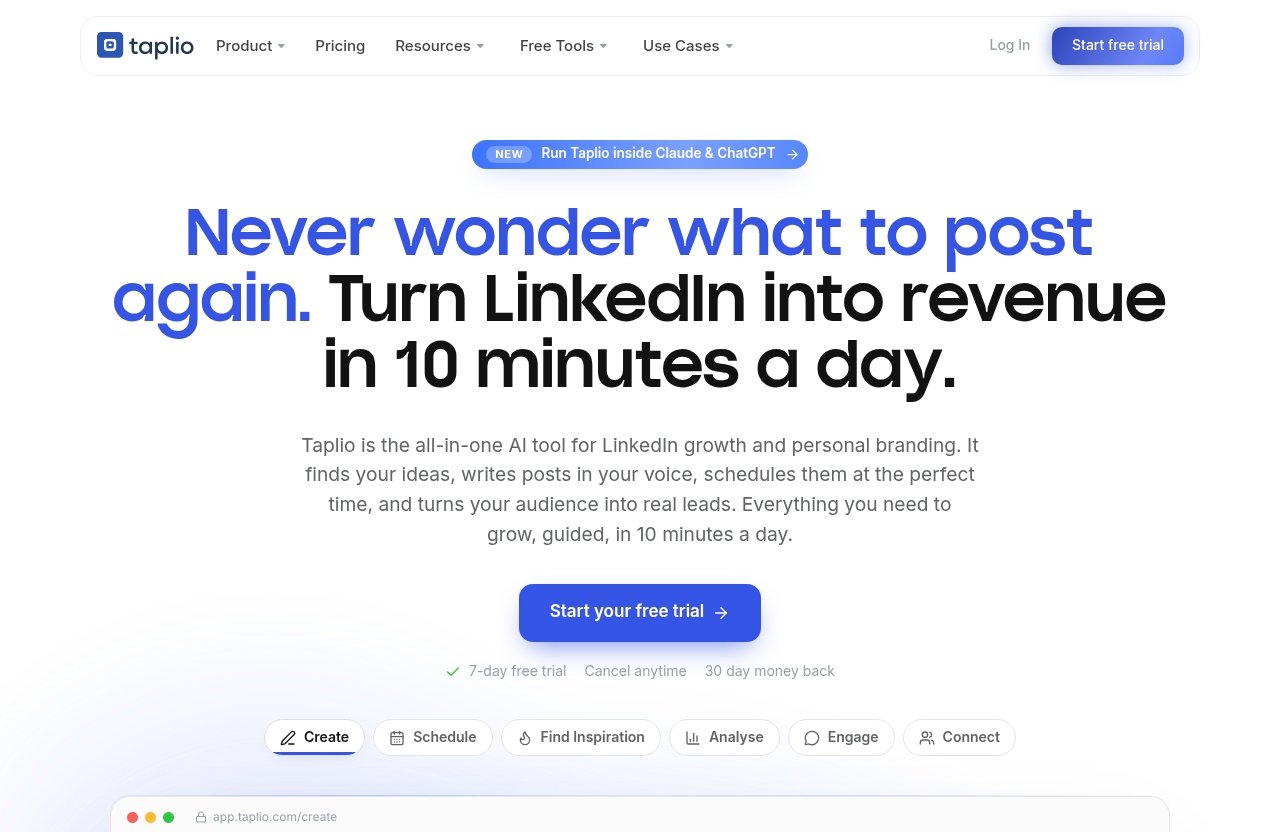
Taplio is a LinkedIn growth platform designed to help users create, schedule, analyze, and engage more consistently. The official homepage describes it as an AI tool to grow on LinkedIn in 10 minutes per day.
In practice, the platform is built around a common LinkedIn growth loop: find ideas, create posts, schedule content, engage with relevant people, analyze performance, and repeat. That makes this Taplio review less about whether AI can write posts and more about whether the full workflow saves time.
Taplio’s official product areas include:
- Schedule
- Find inspiration
- Analyse
- Connect
- MCP
- Create
- Carousels
- Engage
- Automate
That range matters because LinkedIn growth usually fails from inconsistency. Most users do not need one perfect post; they need a repeatable process.
How the workflow works on LinkedIn
A typical Taplio workflow starts with inspiration. You can discover viral posts worth remixing, then use those ideas to create your own LinkedIn content.
From there, you can schedule posts into a queue. Taplio’s official homepage says users can queue posts at their best times automatically, which is especially useful for people who batch content weekly instead of writing from scratch every morning.
After publishing, Taplio analytics help you see what is working. The buyer value is not just knowing that a post got views; it is spotting patterns you can repeat.
Taplio also includes engagement and connection workflows. The homepage mentions showing up on the right people’s posts, auto-connecting, and sending DMs to warm leads. Those features can support sales and networking, but they should be used carefully and thoughtfully.
What makes Taplio different from generic AI writing tools
Generic AI tools can help you write a LinkedIn post. Taplio is different because its workflow is built around LinkedIn specifically.
That means the platform is not only asking, “Can we generate content?” It is also asking, “Can we help you find relevant inspiration, schedule posts, analyze what worked, and engage with the right people?”
This is an important distinction in this Taplio review. If you only want occasional writing help, a general AI assistant may be enough. If you want a LinkedIn operating system, Taplio is more purpose-built.
Taplio also highlights a newer MCP capability, which lets users run Taplio from Claude, ChatGPT, or any MCP-enabled LLM. That may appeal to advanced users who already work inside AI assistants and want to control LinkedIn workflows from there.
Taplio Review Features Breakdown
Scheduling and queueing posts
Taplio scheduling is one of the clearest reasons to consider the tool. The official homepage says you can schedule and queue posts at your best times automatically.
For buyers, this matters because consistent posting is hard to maintain manually. If you are a founder, consultant, or SDR, your LinkedIn posting often competes with client calls, team meetings, product work, and pipeline tasks.
With a scheduling queue, you can batch content when you have focus time. Then Taplio helps distribute posts across your planned schedule.
The practical benefit is not just convenience. It is reducing the friction between having an idea and actually publishing it. In a realistic Taplio review, that workflow improvement is one of the strongest buying arguments.
Limitations still apply. Scheduling will not fix weak positioning, generic opinions, or posts that lack substance. It helps you show up consistently, but you still need something useful to say.
Content inspiration and viral post library
Taplio’s official homepage highlights “Find inspiration” and describes it as discovering viral posts worth remixing. This is a major feature for creators who frequently run out of ideas.
The key word is remixing. Good content inspiration should help you identify structures, angles, hooks, and themes, not copy someone else’s work.
This feature can help when you know your niche but feel stuck on packaging. For example, a consultant might know plenty about hiring systems, B2B sales, or positioning, but still struggle to turn that knowledge into posts that people read.
Taplio can shorten that ideation process. It gives you a way to observe what is already resonating on LinkedIn, then adapt the lesson to your own expertise.
The risk is sameness. If many users chase the same viral patterns, posts can start to feel formulaic. The best users will treat inspiration as a starting point, not a finished strategy.
AI post creation and carousel generation
Taplio’s “Create” feature focuses on finding ideas and writing posts that grow. The platform also highlights carousels, with the ability to turn content into a swipeable carousel.
For content-heavy users, this can be useful. LinkedIn carousels take time to structure manually, especially if you are converting a concept, article, or framework into a visual sequence.
The AI writing side is best used as a draft partner. It can help you move from blank page to first version, but you should still add your own examples, proof, tone, and experience.
This is where a balanced Taplio review needs to be direct: AI-generated LinkedIn content can sound generic if you publish it without editing. Taplio may help you create faster, but quality still depends on your judgment.
If you are a founder, your audience wants your perspective. If you are a consultant, they want your expertise. If you are an SDR, they want relevance, not automation disguised as personalization.
Analytics and performance tracking
Taplio analytics are another important part of the product. The official homepage says the platform helps users analyze what is working and double down.
For buyers, analytics turn posting from guesswork into a feedback loop. Instead of asking, “What should I post next?” you can look at which topics, formats, and angles are performing better.
This is especially useful for users publishing multiple times per week. More volume creates more signals, and Taplio can help organize those signals into practical decisions.
The limitation is that analytics do not automatically explain why something worked. A post may perform well because of timing, topic, network effects, clarity, controversy, or simple luck.
Still, having performance data in the workflow is valuable. For serious LinkedIn users, it is much better than relying on memory or scattered platform notifications.
Engagement, DMs, and lead workflow
Taplio’s official homepage highlights “Engage,” “Connect,” and “Automate.” It describes engagement as showing up on the right people’s posts, and connection features as auto-connecting and sending DMs to warm leads.
This makes Taplio relevant not only for creators, but also for sales professionals and consultants. LinkedIn growth is not only publishing; it is also relationship building.
The Taplio engagement builder angle is useful if it helps you focus on relevant conversations. Commenting on the right posts can increase visibility and lead to warmer interactions.
However, DMs and connection automation require restraint. Automated outreach can quickly become low-quality if messages are not relevant, timely, and respectful.
For SDRs and small teams, the best use case is workflow support. Taplio can help structure activity, but it should not encourage spammy behavior.
MCP / Claude / ChatGPT control
Taplio’s homepage highlights a newer MCP feature that allows users to run Taplio from Claude, ChatGPT, or any MCP-enabled LLM. This is one of the more interesting developments for advanced AI users.
In plain English, this suggests Taplio is becoming easier to control from the AI tools many people already use. If your content process already runs through Claude or ChatGPT, MCP support may reduce context switching.
This does not mean every buyer needs it. Many users will care more about scheduling, inspiration, analytics, and engagement.
But for AI-native founders, creators, and operators, this could become a meaningful workflow advantage. It supports the idea that Taplio AI is not only about generating posts, but also about connecting LinkedIn workflows to broader AI workspaces.
Taplio Review Pricing in 2026
Verified pricing plans
The official pricing page headline states: “Taplio Pricing – Plans from $39/mo | Free Trial.” Based on the verified information available, Taplio pricing starts from $39 per month, and a free trial is available.
That is the only specific price this review will state. We are not listing plan tiers, limits, or feature-by-feature pricing because those details were not provided in the verified product facts for this article.
This is important for trust. Pricing pages can change, and review sites often become inaccurate when they repeat old plan structures.
What the pricing page confirms
The pricing page confirms two buyer-relevant facts:
| Pricing Fact | Verified Detail |
|---|---|
| Starting price | Plans start from $39/mo |
| Trial availability | A free trial is available |
For most buyers, the free trial is the key decision point. If LinkedIn is already a serious channel for you, the trial gives you a way to test whether Taplio improves your workflow before paying.
If you decide to evaluate it, you can start from the official flow through our Taplio free trial affiliate link. Use the trial to test your real content process, not just the dashboard.
What to watch for before subscribing
Before subscribing, check the current official pricing page yourself. Confirm what is included, what limits apply, and whether the plan fits your expected usage.
During the trial, evaluate three things:
- Can you create better posts faster?
- Does the scheduling workflow make you more consistent?
- Do the analytics help you make clearer content decisions?
This Taplio review recommends avoiding a subscription if you are not ready to post consistently. A LinkedIn tool is only valuable if you use it often enough to benefit from the system.
Pros and Cons of Taplio
Where Taplio shines
Taplio shines when it is used as a LinkedIn operating system. Its strongest value comes from combining content inspiration, creation, scheduling, analytics, engagement, and light automation.
Key strengths include:
- LinkedIn-specific workflow rather than generic social media tooling
- Strong idea discovery for users who need regular content angles
- Scheduling and queueing for consistent publishing
- Analytics to identify what is working
- Engagement and connection workflows for visibility and lead support
- MCP support for users who work heavily inside Claude, ChatGPT, or similar tools
For a founder or consultant, that combination can remove a lot of friction. For an SDR, it can make LinkedIn activity more organized and repeatable.
Where Taplio falls short
Taplio’s biggest weakness is not unique to Taplio: AI-generated content can feel generic without strong human editing. If your posts lack personal insight, real examples, or a clear point of view, the tool will not magically create authority.
Another limitation is that value depends heavily on usage intensity. If you only post once or twice per month, you may not benefit enough from scheduling, analytics, or engagement workflows.
Buyers searching for a Taplio review reddit perspective will often find similar concerns around authenticity, automation, and whether AI content sounds too polished. Those concerns are fair, and they are why the tool should support your thinking rather than replace it.
Finally, some users may prefer a simpler workflow. Taplio includes several product areas, which is useful for serious LinkedIn users but may feel like more than occasional posters need.
Best value scenarios
Taplio offers the best value when LinkedIn is tied to a real business outcome. That could mean inbound leads, founder-led growth, recruiting visibility, sales conversations, community building, or creator monetization.
Best-fit scenarios include:
| User Type | Why Taplio May Be Valuable |
|---|---|
| Founder | Build authority and stay consistent while busy |
| Consultant | Turn expertise into repeatable content |
| Creator | Maintain a stronger posting cadence |
| SDR | Support warm engagement and lead workflows |
| Small team | Create a shared process around LinkedIn activity |
The product is less compelling if LinkedIn is not a priority channel. In that case, even a strong tool may not produce enough return to justify the subscription.
Official website · Latest pricing & offers
Taplio Safety, Trust, and Account Risk
Is Taplio safe to use?
Taplio safety should be discussed carefully. Taplio is a known LinkedIn growth tool, but any tool that supports automation, connection workflows, or DMs should be used with caution.
No responsible Taplio review should claim there is zero account risk. LinkedIn has its own policies, platform limits, and enforcement practices, and users are responsible for how they use third-party tools.
The safest mindset is to use Taplio to improve quality and consistency, not to mass-produce low-value activity. Scheduling posts and analyzing performance are very different from aggressive outreach automation.
LinkedIn policy considerations
Before using any LinkedIn automation or outreach workflow, review LinkedIn’s current terms and policies. Platform rules can change, and the safest approach is to stay conservative.
Be especially cautious with:
- High-volume connection requests
- Repetitive or generic DMs
- Automated engagement that does not feel human
- Rapid activity spikes that look unnatural
- Copying viral posts too closely
Taplio’s official homepage mentions automation, auto-connect, and DMs to warm leads. Those features may be useful, but buyers should treat them as tools requiring judgment.
How to reduce risk
You can reduce risk by using Taplio in a human-first way. The goal should be better consistency and relevance, not maximum volume.
Practical safety habits include:
- Keep outreach targeted and low-volume
- Personalize DMs based on real context
- Avoid copying viral posts directly
- Edit AI-generated content before publishing
- Use scheduling to stay consistent, not spam feeds
- Monitor engagement quality, not just activity count
- Review LinkedIn policies regularly
If your LinkedIn account is strategically important, be extra cautious. A conservative workflow is usually better than chasing short-term growth tactics.
Taplio vs Alternatives: When Another Tool May Be Better
If you mainly need content inspiration
Taplio is strong for content inspiration because it helps users discover viral posts worth remixing. If inspiration is your main bottleneck, Taplio may be a good fit.
However, if you only need a place to collect ideas manually, a simpler system may be enough. Some people can get by with saved posts, a spreadsheet, or a lightweight writing workflow.
This Taplio review sees Taplio as most compelling when inspiration connects to scheduling, analytics, and engagement. If you only use one piece of the workflow, the value may be lower.
If you need deeper voice personalization
Some Taplio alternatives may appeal more to users whose top priority is deep voice personalization. Without making unverified competitor claims, it is fair to say that different tools emphasize different workflows.
Taplio offers AI creation and LinkedIn-specific systems, but your final voice still depends on editing. If you want content that sounds highly personal, you will need to add your own stories, examples, opinions, and phrasing.
This matters for founders and consultants. Your audience can usually tell when a post is technically polished but emotionally flat.
If voice is your biggest concern, test Taplio’s output during the free trial. Compare drafts against your best manual posts and decide whether the speed improvement is worth the editing required.
If you want a simpler or cheaper workflow
Taplio may be more than you need if your workflow is simple. For example, if you write one post per week and do not care about analytics or engagement workflows, a basic writing tool plus native LinkedIn scheduling may be enough.
The official pricing page confirms Taplio plans start from $39/mo. Whether that is good value depends on how central LinkedIn is to your goals.
If you searched for Taplio Chrome extension information specifically, verify the latest browser-related workflow details in Taplio’s official help center before deciding. This review is not making browser-extension claims beyond the verified product facts provided.
Who Taplio Is Best For in 2026
Founders and personal brands
Taplio is a strong fit for founders and personal brands who want to build authority on LinkedIn. The platform helps solve the hardest practical problem: showing up consistently with relevant content.
Founders often have strong ideas but limited time. Taplio can help turn those ideas into a repeatable content workflow.
The best founder use case is not outsourcing your opinions to AI. It is using Taplio to capture ideas, structure drafts, schedule posts, and learn from analytics.
For personal brands, this Taplio review recommends using the tool to create leverage while keeping your content grounded in real experience.
Sales professionals and SDRs
Taplio can also make sense for sales professionals and SDRs who use LinkedIn for relationship building. The official homepage’s Connect and Engage areas are relevant here.
For SDRs, the value is in warming up conversations before direct outreach. Commenting thoughtfully, tracking what resonates, and connecting with relevant people can support a more credible sales motion.
That said, sales users should avoid turning LinkedIn into a volume game. Generic DMs and automated-looking activity can damage trust quickly.
Taplio is best for SDRs who combine workflow discipline with real personalization.
Agencies and teams
Agencies and small teams may benefit from Taplio if they manage LinkedIn activity as part of a broader growth process. Scheduling, inspiration, analytics, and engagement workflows can help teams stay organized.
The strongest fit is a small team that wants repeatable execution without building a full internal system from scratch. Taplio can support consistency across planning, publishing, and performance review.
However, teams should confirm current plan details on the official pricing page before buying. This article does not claim specific team seats, collaboration features, or limits because those facts were not verified for this review.
Who Should Not Buy Taplio
Occasional LinkedIn users
If you use LinkedIn casually, Taplio is probably not necessary. The product is built for people who want consistent growth, not occasional posting.
An occasional user may not publish enough content to benefit from scheduling, analytics, or content inspiration. In that case, the subscription may feel underused.
This Taplio review would only recommend the free trial to casual users if they are actively trying to become more consistent.
Creators who need deep AI voice matching
If your biggest requirement is deep AI voice matching, Taplio may not be the perfect fit by itself. It can help with creation, but you should expect to edit.
High-quality LinkedIn content usually needs personal stories, lived experience, original frameworks, and sharp opinions. Those are difficult for any AI tool to invent authentically.
Creators with a distinctive voice should treat Taplio as a production assistant. Do not let it flatten your style into generic LinkedIn language.
Teams wanting advanced multi-voice collaboration
Some teams need complex collaboration across multiple executives, brands, or content voices. If that is your situation, confirm the current official feature set before buying.
Taplio may still be useful, but this review cannot verify advanced multi-voice collaboration claims. Buyers should test the actual workflow during the free trial.
For larger or more complex teams, process fit matters as much as feature count. A tool can be powerful and still not match your editorial workflow.
Final Verdict: Is Taplio Worth It?
Our bottom line
Taplio is worth considering in 2026 if LinkedIn is a meaningful growth channel for you. It brings together content inspiration, AI-assisted creation, carousels, scheduling, analytics, engagement, connection workflows, automation, and MCP support in a LinkedIn-focused platform.
The strongest reason to buy is workflow consolidation. Instead of using separate systems for ideas, writing, scheduling, analytics, and engagement, Taplio gives serious LinkedIn users one place to manage the loop.
The strongest reason to hesitate is content quality. AI can accelerate drafting, but it cannot replace your expertise or judgment. The best results will come from users who edit, personalize, and use analytics thoughtfully.
In short, this Taplio review finds Taplio compelling for active LinkedIn users, but unnecessary for people who are not ready to publish and engage consistently.
Best recommendation by budget and use case
If LinkedIn directly supports your pipeline, audience growth, recruiting, or consulting business, Taplio’s starting price from $39/mo may be reasonable to test. The free trial lowers the risk because you can evaluate the workflow before subscribing.
If your budget is tight, ask one practical question: will Taplio help you publish more consistently and learn faster from your results? If yes, it is worth testing.
If your current LinkedIn activity is inconsistent and you do not plan to change that, skip it for now. A tool cannot create commitment.
Should you try the free trial?
Yes, you should try the free trial if you are already posting on LinkedIn or seriously planning to start. Use the trial to test real posts, real scheduling, and real analytics.
Skip the trial if you only want a magic AI writer. Taplio works best as a growth workflow, not as a replacement for your expertise.
Final answer: Is Taplio worth it? For founders, creators, consultants, SDRs, and small teams that treat LinkedIn seriously, yes, Taplio is a strong tool to test in 2026. For casual users, it is likely more than you need.
Official website · Latest pricing & offers
FAQ
Is Taplio safe to use?
Taplio should be used carefully, especially around automation, connection requests, and DMs. It is a known LinkedIn growth tool, but no third-party LinkedIn automation workflow should be considered zero-risk.
To reduce risk, keep activity human, relevant, and conservative. Review LinkedIn’s current policies, avoid spammy outreach, personalize messages, and do not use automation to create unnatural activity spikes.
Is Taplio better than other LinkedIn tools?
It depends on what you need. Taplio is especially strong for LinkedIn-focused scheduling, content inspiration, analytics, engagement workflows, and AI-assisted content creation.
Other tools may be better if you mainly want a simpler workflow, deeper voice personalization, or a different content creation process. The best choice depends on your posting cadence, budget, and how central LinkedIn is to your business.
How much does Taplio cost?
The official Taplio pricing page states that plans start from $39/mo. It also confirms that a free trial is available.
Because pricing details can change, check Taplio’s current official pricing page before subscribing. This review does not list unverified tiers, limits, or feature-by-plan details.
How does Taplio work?
Taplio helps users grow on LinkedIn through a structured workflow. You can find content inspiration, create posts, schedule them, analyze performance, and use engagement or connection tools to support visibility and relationships.
In practical terms, it helps turn LinkedIn growth into a repeatable process. You still need to provide the expertise, judgment, and personal voice that make the content worth reading.
Related Reading
- Systeme.io Review 2026: Is It Worth It for Your Business?
- Contentstudio Review 2026: Honest Buyer Guide for Creators, Agencies, and Teams
- Post Planner Review 2026: Worth It?
References
- Taplio: AI tool to grow on LinkedIn in 10 min/day
- Taplio Pricing – Plans from $39/mo | Free Trial
- Taplio Review 2026: Features, Pricing, Safety & What …
- Taplio Review (2026): Honest Pros, Cons, Pricing, and …