Gohighlevel CRM Review: Is It Worth It?
If you are asking whether GoHighLevel CRM is worth it, the short answer is: yes, for agencies, consultants, local service businesses, and small teams that want CRM, pipeline management, lead tracking, communication, and automation in one place. It is less ideal if you only need a basic contact database or a lightweight sales tool with minimal setup.
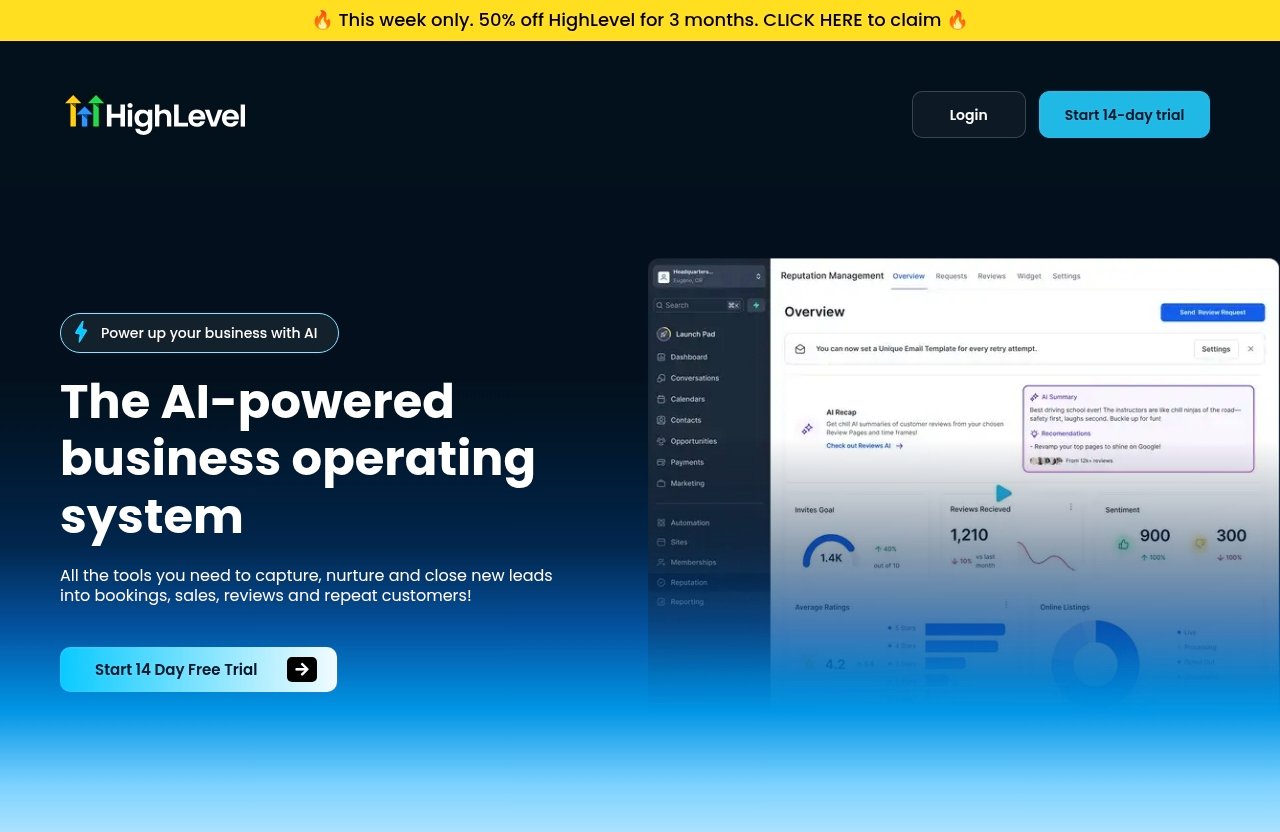
GoHighLevel positions HighLevel as “the AI-powered business operating system” with tools to “capture, nurture and close new leads into bookings, sales, reviews and repeat customers.” That framing matters. This is not just a standalone CRM; it is a revenue-operations platform built around leads, conversations, appointments, pipelines, and follow-up.
Disclosure: TopTrustReview may earn a commission if you sign up through our affiliate link, at no extra cost to you. Our review is based on the verified official product and pricing information provided, plus practical SaaS evaluation experience.
Official website · Latest pricing & offers
What Is GoHighLevel CRM and Who Is It For?
Quick verdict: is it worth it?
GoHighLevel CRM is worth considering if your business loses deals because leads are scattered across forms, calls, SMS, social DMs, landing pages, calendars, and spreadsheets. Its main value is not one single CRM feature. The value is how contact management, sales pipelines, conversations, lead scoring, workflows, appointments, and follow-up tools work together.
For an agency or service business, that can be a big operational upgrade. A new lead can enter through a form, landing page, chat widget, QR code, ad campaign, or inbound message, then move into a pipeline where the team can track conversations, follow-up tasks, appointments, and deal status.
The trade-off is that an all-in-one system takes time to understand. If you only need a simple list of contacts and manual reminders, GoHighLevel CRM may feel broader than necessary. But if you want a central system for capturing, nurturing, and closing leads, it is a serious option.
You can review the current official offer through the GoHighLevel page here, but verify current plan details on the official pricing page before purchasing.
Why agencies and service businesses care most
Agencies and service businesses usually do not struggle because they lack leads entirely. They struggle because leads arrive from too many places and follow-up is inconsistent.
A local home services company might receive inquiries from forms, missed calls, social DMs, chat, SMS, and paid ads. A marketing agency may need to track leads for its own sales pipeline and also manage customer acquisition workflows for clients. A consultant may need to move prospects from discovery call to proposal to invoice without manually checking five tools.
This is where GoHighLevel CRM fits best. Officially listed tools include CRM, forms, surveys and quizzes, websites, funnels and landing pages, webinar funnels, chat widget and Conversation AI, call tracking, inbound SMS and social DMs, missed call text-back, Sales Pipelines, Workflows & Automations, Calendars, appointment reminders, and more.
That combination is particularly useful when revenue depends on speed-to-lead. If a prospect fills out a form and waits two days for a response, the deal may already be gone. A CRM connected to conversations and automations can reduce that gap.
How it differs from a traditional CRM
A traditional CRM often focuses on contacts, companies, deals, tasks, and reporting. Those functions are useful, but they often require separate tools for landing pages, appointment scheduling, SMS, chat, invoices, forms, and marketing automation.
GoHighLevel CRM takes a broader approach. CRM is at the center, but it connects with lead capture, communication, automation, calendars, sales pipelines, payment-related tools, and customer engagement features.
That makes it feel more like a business operating system than a narrow sales database. For some buyers, that is exactly the point. For others, it may be too much.
Here is the simplest way to think about it:
| Buyer Type | Fit for GoHighLevel CRM | Why |
|---|---|---|
| Marketing agencies | Strong | Built around lead capture, pipeline tracking, follow-up, and client-facing workflows |
| Local service businesses | Strong | Useful for calls, SMS, appointments, missed call text-back, and lead tracking |
| Consultants and coaches | Strong | Helps manage leads, calendars, proposals, payments, and follow-up |
| Very small teams needing only contacts | Mixed | May be broader than needed |
| Large enterprises with complex internal systems | Mixed | May prefer enterprise CRM architecture and deeper custom governance |
GoHighLevel CRM Features That Matter Most
Unified contact management
At the core of GoHighLevel CRM is contact organization. The official homepage lists CRM as one of the platform’s lead-generation and relationship tools, and in practical use, this is where sales activity starts.
A good CRM should answer basic questions quickly:
- Who is this lead?
- Where did they come from?
- What have they asked about?
- Which conversations have happened?
- What stage are they in?
- What should happen next?
The strength of GoHighLevel CRM is that contact management is tied to lead capture and communication channels. A lead may come in through a form, survey, quiz, website, funnel, landing page, chat widget, SMS, social DM, call, QR code, or ad-related workflow. Instead of treating those sources as separate silos, the CRM can become the central place where the relationship is managed.
From a reviewer’s perspective, this matters most for teams that need accountability. If two sales reps are following up with the same lead, or a receptionist takes an inbound call while a closer handles proposals, everyone needs context. A centralized contact record reduces the “Who spoke to them last?” problem.
Visual sales pipelines
Sales Pipelines are officially listed on the GoHighLevel homepage, and they are one of the most important GoHighLevel CRM features for buyer-intent users. A pipeline gives structure to a sales process that might otherwise live in someone’s inbox or memory.
For example, a service business might use a pipeline like:
| Pipeline Stage | Practical Meaning |
|---|---|
| New Lead | Inquiry received but not yet qualified |
| Contacted | First response sent or call made |
| Appointment Booked | Prospect scheduled a consultation |
| Proposal Sent | Estimate or proposal delivered |
| Won | Customer purchased or booked |
| Lost / Nurture | Not ready, unqualified, or no response |
The exact stages should match your workflow. The important point is visibility. GoHighLevel CRM helps teams see which opportunities are active, which deals are stuck, and which leads need follow-up.
Pipeline management is especially helpful for owners and managers. Instead of asking the team for updates manually, they can review pipeline stages and focus on bottlenecks. If many leads are stuck after the first call, the sales script may need work. If proposals are not closing, pricing or offer clarity may be the issue.
Conversation inbox and multi-channel tracking
One of the most practical advantages of GoHighLevel CRM is its communication layer. The official homepage references a consolidated conversation stream across SMS, Messenger, Instagram DM, WhatsApp, and Livechat. It also lists inbound SMS and social DMs, chat widget / Conversation AI, call tracking, missed call text-back, text snippets, appointment reminders, ringless voicemail, and automated outbound call connect.
In real workflows, this is a major difference from a CRM that only stores notes. Many sales opportunities are won or lost in the conversation history.
A lead might first message through Instagram, then book through a calendar, then reply by SMS, then ask a payment question through live chat. If those interactions are disconnected, the team wastes time piecing together context. A consolidated conversation stream makes follow-up more coherent.
This is particularly useful for businesses where leads expect fast replies. Local services, agencies, med spas, coaches, legal intake teams, real estate professionals, and consultants often need to respond before the prospect moves on.
Lead scoring and automation
Lead Scoring and Workflows & Automations are both officially listed on the GoHighLevel homepage. In a CRM review, these features matter because not every lead deserves the same urgency.
GoHighLevel CRM can help teams prioritize follow-up when lead volume increases. Lead scoring gives the sales team a way to identify warmer opportunities, while workflows and automations can support consistent nurturing.
For example, a practical lead follow-up workflow might include:
- Send an immediate confirmation after a form submission.
- Notify the team that a new lead arrived.
- Trigger appointment reminders after a calendar booking.
- Send a follow-up message if the lead does not respond.
- Move an opportunity forward when a call is booked.
- Re-engage leads who did not close immediately.
The exact setup depends on the business. The key benefit is consistency. In many small teams, follow-up happens only when someone remembers. With GoHighLevel CRM, follow-up can become part of the system rather than a manual habit.
That said, automation should be implemented carefully. Over-automation can make a business feel robotic. The best use is to handle repetitive steps while leaving room for personal, human sales conversations.
Calendars, reminders, and follow-up tools
Calendars and Appointment Reminders are officially listed relationship tools, and they are important for service businesses. A CRM that cannot connect lead tracking to booked appointments leaves a gap in the revenue process.
With GoHighLevel CRM, the practical goal is to reduce no-shows and improve speed from inquiry to scheduled conversation. When a lead books a consultation, the system can support reminders and follow-up around that appointment.
Other officially listed follow-up tools include Text Snippets, Ringless Voicemail, Mobile App with video messages, Missed Call Text-Back, Conversation AI, and Automated Outbound Call Connect. These tools matter because sales teams often need to respond in the channel the lead prefers.
A missed call text-back workflow, for instance, can be valuable for local businesses. If a prospect calls during a busy period and no one answers, an immediate text response may preserve the opportunity. That is a practical CRM advantage because the lead is not just recorded; the system helps keep the conversation alive.
Pipeline Management and Lead Tracking: Where GoHighLevel Stands Out
Tracking leads from first touch to conversion
GoHighLevel CRM stands out most when lead tracking is connected to the full customer journey. The official homepage describes tools to capture, nurture, and close leads into bookings, sales, reviews, and repeat customers. That positioning is important because many CRMs only focus on part of that journey.
A lead might enter through:
- A form
- A survey or quiz
- A website
- A funnel or landing page
- A webinar funnel
- A chat widget
- An inbound SMS
- A social DM
- A call
- A QR code
- An ad campaign managed through Ad Manager for Google, Facebook, or Instagram Ads
Once that lead exists in the CRM, the team needs to know what happened next. Was the lead contacted? Did they book? Did they receive an estimate? Did they pay? Did they become a repeat customer?
This is why gohighlevel lead tracking is central to the platform’s value. The system is not just about storing names. It is about connecting source, conversation, pipeline stage, appointment, and follow-up.
For agencies, this is also useful for proving process quality. Even without making unsupported reporting claims, a structured CRM workflow makes it easier to see whether leads are being handled consistently.
Managing multiple pipelines
Sales Pipelines are verified as a GoHighLevel feature, and multiple pipeline use cases are common in agency and service workflows. Before relying on a specific pipeline limit or account structure, verify the current details on the official pricing page and inside the product.
In practical terms, GoHighLevel CRM can support different sales processes conceptually because businesses often have more than one revenue path. For example:
- An agency might track new client sales separately from client campaign leads.
- A home services company might separate emergency jobs from larger estimate-based projects.
- A coach might separate discovery calls, paid programs, and membership leads.
- A clinic might separate new patient inquiries from reactivation campaigns.
The value of gohighlevel pipeline management is that each workflow can be visualized around the stages that matter. A proposal-based sale is different from a direct booking. A high-ticket consultation is different from a simple paid appointment.
Good pipeline design keeps the CRM clean. Too many stages can create confusion, while too few stages hide important friction. The best setup is usually simple enough for the team to maintain every day.
Using tags, custom fields, and lifecycle stages
Many CRM buyers ask about tags, custom fields, and lifecycle stages because these tools help segment and organize contacts. However, in the verified official product facts provided for this review, tags and custom fields are not specifically confirmed. The official facts do confirm CRM, Sales Pipelines, Lead Scoring, Workflows & Automations, and a consolidated conversation stream.
So the practical recommendation is this: if tags, custom fields, or a specific lifecycle-stage structure are essential to your workflow, verify the current functionality directly inside the product or on the official GoHighLevel documentation before buying.
That said, the business logic is clear. GoHighLevel CRM is most useful when leads are categorized in a way that supports action. Whether that organization is handled through pipeline stages, lead scores, contact details, workflow conditions, or confirmed segmentation tools, the goal is the same: make the next step obvious.
For example, a team may need to distinguish between:
- New unqualified leads
- Qualified prospects
- Appointment-booked leads
- Proposal-stage opportunities
- Won customers
- Past customers
- Re-engagement candidates
This is where a CRM becomes a revenue operations tool. It does not just store information; it tells the team what should happen next.
How the unified timeline reduces missed follow-up
The official homepage references a consolidated conversation stream across SMS, Messenger, Instagram DM, WhatsApp, and Livechat. That is one of the strongest reasons to consider GoHighLevel CRM if your sales process happens across many channels.
Missed follow-up usually happens for boring reasons. A sales rep forgets to check Instagram. A receptionist responds by SMS but does not update the CRM. A call comes in after hours. A lead replies to an old message and no one sees it quickly.
A unified conversation view reduces that risk. It gives the team a better chance of seeing the relationship history before responding.
In practical terms, this can improve:
- Response speed
- Message consistency
- Sales handoffs
- Appointment follow-up
- No-show recovery
- Long-term nurture
- Lead reactivation
This is not magic. Your team still needs discipline. But GoHighLevel CRM gives you a stronger operating base than trying to manage leads from separate inboxes, spreadsheets, calendars, and chat tools.
Official website · Latest pricing & offers
What Comes in the Platform Beyond the CRM
Forms, surveys, quizzes, and websites
The official homepage lists Forms, Surveys & Quizzes, and Websites among GoHighLevel’s tools. These features matter because lead capture is the start of CRM success.
A CRM without lead capture still depends on another tool to collect inquiries. That can work, but it adds integration complexity. When forms and websites are part of the same ecosystem, the path from visitor to contact can be smoother.
For example, a service business might use a form to collect quote requests. A consultant might use a survey to qualify leads before a strategy call. An agency might use quizzes for segmentation campaigns.
GoHighLevel CRM becomes more valuable when those leads flow into pipeline and follow-up workflows. The less manual importing your team does, the less likely leads are to fall through the cracks.
Funnels, landing pages, and webinar funnels
Funnels, Landing Pages, and Webinar Funnels are also officially listed on the homepage. These tools extend GoHighLevel CRM beyond contact storage into conversion infrastructure.
For agencies, this is especially relevant. A client campaign often needs landing pages, lead capture forms, automated follow-up, appointment scheduling, pipeline tracking, and reporting discipline. Using separate tools for each piece can create friction.
For service businesses, funnels can support specific offers. A med spa might run a consultation funnel. A roofer might run a storm-damage inspection funnel. A coach might use a webinar funnel to generate booked calls.
The CRM benefit is continuity. Leads generated from these assets can be nurtured and tracked through the sales process rather than exported into another system.
If you are evaluating broader agency capabilities, you may also want to read our related guide on GoHighLevel white-label use cases at /gohighlevel-white-label/.
Calling, SMS, social DMs, and conversation AI
The communication stack is one of the most commercially important parts of GoHighLevel CRM. Officially listed tools include Call Tracking, Inbound SMS & Social DMs, Chat Widget / Conversation AI, Conversation AI, Missed Call Text-Back, Text Snippets, Appointment Reminders, Ringless Voicemail, Mobile App with video messages, and Automated Outbound Call Connect.
For sales teams, this matters because leads do not communicate in one channel. Some call. Some text. Some use Instagram. Some message through a site chat. Some book a call and then reply later by SMS.
A CRM that only stores email history may not be enough for modern service sales. GoHighLevel CRM is designed around the reality that revenue conversations happen across channels.
Conversation AI should still be used thoughtfully. It can help with responsiveness, but businesses should review how it fits their brand voice, compliance obligations, and customer expectations.
Payments, proposals, invoices, and memberships
GoHighLevel’s official homepage also lists closing and payment-related tools: Lead Scoring, Estimate & Proposals, Invoicing, Payment Integrations, Paid Calendars, Order Forms / Upsells / Downsells, Membership Offers / Courses, One-click Upsell Funnels, Text-2-Pay, Tap-2-Pay, Gift Cards, and Loyalty programs.
These features matter because many CRM systems stop at “deal won.” But in a service business, closing often includes sending an estimate, collecting payment, booking the next step, or giving access to paid content.
GoHighLevel CRM is strongest when you view it as a revenue workflow platform. The CRM tracks the relationship; the surrounding tools help move the buyer toward payment, booking, review, or repeat purchase.
Not every business will use every feature. A roofer may care more about estimates and missed call text-back. A coach may care more about paid calendars, order forms, and memberships. An agency may care more about funnels, pipelines, and conversations.
GoHighLevel Pricing and Value for Money
Official trial and pricing verification
For gohighlevel pricing, the verified official pricing fact provided for this review is that the official pricing page prominently offers a 14 Day Free Trial.
No specific monthly prices, plan names, feature limits, discounts, or bonuses were included in the verified pricing text provided here. Because pricing can change, and because we should not invent or rely on unverified plan details, you should confirm current pricing directly on the official GoHighLevel pricing page before signing up.
That is especially important if you need a specific capability such as client account management, white labeling, advanced automation, or a particular communication feature. Verify what is included in the current plan you are considering.
You can start your review from the official GoHighLevel sign-up page and then check the latest pricing details before making a final decision.
Which businesses get the best ROI
GoHighLevel CRM tends to offer the strongest value when it replaces multiple tools or closes revenue leaks. If you currently pay for separate systems for CRM, funnels, landing pages, calendars, SMS, chat, forms, automations, proposals, invoices, or membership access, the all-in-one approach may simplify your stack.
The best ROI usually comes from businesses that have:
- Consistent inbound leads
- A sales process with multiple stages
- Frequent follow-up needs
- Appointment-based revenue
- Multiple communication channels
- A need for automation
- A team responsible for lead handling
- Agency or client-management workflows
For a small team, value depends on whether you will actually implement the system. A powerful platform that is not configured well will not produce results. The return comes from building clear pipelines, automations, response processes, and follow-up habits.
Cost considerations before you buy
Before purchasing GoHighLevel CRM, think beyond the subscription price. The real cost includes setup time, workflow design, team training, and ongoing optimization.
Ask yourself:
- Who will own CRM setup?
- Which lead sources need to be connected first?
- What pipeline stages will the team actually use?
- Which follow-up automations are essential?
- Who will monitor conversations?
- How will appointments and reminders be handled?
- Which payment or proposal tools do you need?
- Do you need white-label functionality, and is it confirmed in your chosen plan?
This is where many buyers underestimate the platform. The value can be high, but only if you treat implementation seriously.
If you are comparing GoHighLevel alternatives, focus less on the cheapest monthly price and more on the total system cost. A lower-priced CRM may become more expensive once you add landing pages, SMS, forms, calendars, chat, automation, and payment tools.
Pros and Cons of GoHighLevel CRM
Biggest advantages
The biggest advantage of GoHighLevel CRM is consolidation. It brings many revenue functions into one operating environment instead of forcing teams to manage leads across disconnected tools.
Key advantages include:
- CRM at the center of lead and customer activity
- Sales Pipelines for opportunity tracking
- Consolidated conversation stream across major messaging channels listed by GoHighLevel
- Workflows & Automations for consistent follow-up
- Lead Scoring to help prioritize opportunities
- Calendars and Appointment Reminders for appointment-based selling
- Forms, surveys, quizzes, websites, funnels, and landing pages for lead capture
- Call tracking, inbound SMS, social DMs, and missed call text-back for response workflows
- Proposal, invoicing, payment, order form, and membership-related tools for closing and fulfillment
From a practical standpoint, the best part is that the platform supports the full lead lifecycle. A prospect can enter, be tracked, receive follow-up, book, get a proposal, pay, and continue into customer engagement workflows.
That is why GoHighLevel CRM for agencies is such a common fit. Agencies often need repeatable systems that can be used across sales, marketing, and client delivery.
Main limitations or learning curve
The main limitation of GoHighLevel CRM is also its strength: breadth. There are many tools, and that can create a learning curve.
A simple CRM may be easier to adopt in a single afternoon. GoHighLevel requires more strategic setup if you want to use pipelines, workflows, calendars, communication tools, and payment features properly.
Potential drawbacks include:
- More setup effort than a basic contact manager
- Risk of overbuilding automations
- Team training required for consistent usage
- Smaller teams may not need the full all-in-one platform
- Pricing details must be verified directly on the official pricing page
- Specific features such as tags or custom fields should be confirmed if critical to your workflow
There is also a process risk. If your team does not update pipeline stages, review conversations, or follow the system, the CRM will not fix that automatically. Software supports discipline; it does not replace it.
Best-fit use cases
GoHighLevel CRM is best for buyers who want an operational hub for revenue. It is particularly strong for:
- Marketing agencies
- Lead-generation agencies
- Local service businesses
- Appointment-based businesses
- Consultants
- Coaches
- Course creators with sales calls or paid access needs
- Small sales teams managing inbound leads
- Businesses that rely on SMS, calls, social DMs, and chat
It is less ideal for someone who only wants a personal contact list or a bare-bones CRM. If you have no need for funnels, automation, appointment reminders, multi-channel messaging, or pipeline management, a simpler system may be easier.
For a broader buying decision, you may want to compare this review with our CRM comparison content at /crm-comparisons/.
How GoHighLevel Compares to Other CRMs
When it may beat simpler CRMs
GoHighLevel CRM may beat simpler CRMs when your business needs more than contact management. If you need lead capture, pipeline tracking, conversations, calendars, follow-up automation, and closing tools in one place, its all-in-one structure becomes compelling.
A simple CRM can be excellent for storing contacts and deals. But if you need to connect forms, landing pages, SMS, DMs, missed call follow-up, calendars, appointment reminders, proposals, invoices, and payment-related workflows, a basic CRM may require several add-ons.
This is where GoHighLevel’s platform model has an advantage. The official homepage lists a broad set of tools across lead generation, relationship management, follow-up, and closing. That makes it attractive for SMBs that want fewer moving parts.
The key question is not “Does it have more features?” The better question is “Will our team use these features to close more business with less friction?”
When a larger enterprise CRM may be better
A larger enterprise CRM may be better if your organization has complex governance, heavy internal customization, multiple departments, advanced permission structures, deep enterprise reporting requirements, or specialized system architecture needs.
This does not mean GoHighLevel CRM is weak. It means it is positioned differently. GoHighLevel is officially presented as an AI-powered business operating system for capturing, nurturing, and closing leads into bookings, sales, reviews, and repeat customers. That is a strong fit for agencies and SMB revenue workflows.
Enterprise CRM selection usually involves procurement, IT, compliance, integration architecture, data governance, and long implementation cycles. If those are your main buying criteria, you should compare platforms carefully with your technical team.
For most agencies and service businesses, the more relevant comparison is not against massive enterprise systems. It is against the messy stack they already use.
Who should skip it
You should probably skip GoHighLevel CRM if you want the simplest possible CRM and do not plan to use the broader platform.
It may not be the right fit if:
- You only need a basic contact database.
- You have very low lead volume.
- You do not use appointments, pipelines, forms, SMS, chat, or automations.
- Your team refuses to follow a defined sales process.
- You already have a deeply embedded enterprise CRM and do not want to change workflows.
- You are unwilling to invest setup time.
Also, if you are searching for a quick gohighlevel crm tutorial, be realistic: tutorials can help, but the bigger task is mapping your own sales process. The platform can support your workflow only after you define it clearly.
For buyers comparing gohighlevel alternatives, the right choice depends on whether you want a standalone CRM or an all-in-one revenue system. GoHighLevel is strongest in the second category.
Official website · Latest pricing & offers
FAQ
Is GoHighLevel a CRM software?
Yes. GoHighLevel CRM is a core part of the HighLevel platform. The official homepage lists CRM among its lead-generation tools, and it also lists related relationship and follow-up tools such as Sales Pipelines, Workflows & Automations, Lead Scoring, Calendars, appointment reminders, and a consolidated conversation stream.
It is more than CRM software, though. GoHighLevel also includes tools for forms, surveys, quizzes, websites, funnels, landing pages, calls, SMS, social DMs, payments, proposals, invoices, memberships, and more.
Which is better, Salesforce or GoHighLevel?
The better choice depends on your use case. GoHighLevel CRM is generally better suited for agencies, service businesses, and SMBs that want an all-in-one system for lead capture, pipeline management, communication, automation, appointments, and closing workflows.
Salesforce is typically chosen by larger organizations with more complex enterprise needs, deeper internal customization requirements, and broader corporate CRM governance. If you are an agency or local business trying to reduce tool sprawl, GoHighLevel may be the more practical fit. If you are a large enterprise with specialized architecture needs, an enterprise CRM may be more appropriate.
What are the disadvantages of GoHighLevel?
The main disadvantages are the learning curve and the breadth of the platform. GoHighLevel CRM includes many tools, so setup takes more planning than a simple contact manager.
Smaller teams may not need the full all-in-one system. There is also a risk of overcomplicating workflows if you build too many automations too soon. Finally, current pricing details should be verified directly on the official pricing page because the verified pricing information provided for this review only confirms a 14 Day Free Trial.
What are the top 3 CRM systems?
The top CRM systems vary by business size, sales process, budget, and implementation needs. A small local business, a marketing agency, and a global enterprise may each need a different CRM.
In general, buyers often compare all-in-one platforms like GoHighLevel CRM, simpler SMB CRMs, and larger enterprise CRMs. The best choice is the one that matches your workflow: lead capture, pipeline management, communication tracking, automation, reporting needs, and team adoption.
Final Verdict: Is GoHighLevel CRM Worth It?
Best use case summary
GoHighLevel CRM is worth it for businesses that want CRM, pipeline management, lead tracking, communication, automation, scheduling, and closing tools connected in one platform. It is especially compelling for agencies and service businesses that rely on inbound leads, fast follow-up, and appointment-based selling.
Its strongest value is operational. It helps capture leads, organize contacts, track conversations, move opportunities through pipelines, automate follow-up, and support the close with tools such as proposals, invoices, payments, paid calendars, order forms, and memberships.
Here is the final decision summary:
| Question | Recommendation |
|---|---|
| Need only a basic CRM? | Consider a simpler tool |
| Need pipelines, SMS, calls, DMs, calendars, and automation? | GoHighLevel is a strong fit |
| Running an agency or lead-gen business? | Very strong fit |
| Need enterprise-grade CRM governance? | Compare with enterprise CRM options |
| Unsure about pricing? | Use the 14 Day Free Trial and verify current pricing officially |
Who should buy it now
You should consider GoHighLevel CRM now if your business is actively losing leads due to slow response, scattered communication, inconsistent follow-up, or unclear pipeline ownership.
It is a strong fit if you want to:
- Centralize lead tracking
- Manage sales pipelines visually
- Track conversations across channels
- Automate routine follow-up
- Improve appointment booking and reminders
- Reduce tool sprawl
- Build repeatable sales systems
- Support agency or SMB revenue operations
If that describes your business, GoHighLevel deserves a serious trial.
Who should look elsewhere
You should look elsewhere if you want a very simple CRM with minimal setup or if you have no need for the broader marketing, communication, and automation tools. A lightweight CRM may be easier if your sales process is basic.
Large organizations with complex enterprise requirements should also run a deeper comparison before deciding. GoHighLevel CRM is best understood as an all-in-one revenue operations platform for agencies and SMBs, not merely a traditional enterprise CRM replacement.
Final answer: GoHighLevel CRM is worth it for agencies, service businesses, consultants, and small teams that want to capture leads, track opportunities, automate follow-up, and close deals from one connected platform. It is not the simplest CRM, but for the right buyer, that extra breadth is exactly what makes it valuable.
Related Reading
References
- GoHighLevel Official Homepage
- HighLevel Pricing
- GoHighLevel CRM Features & Pipelines (2026) – The Stack Insiders
- GoHighLevel (GHL) CRM | Marketing & Sales | 30-Day FREE Trial