Hostinger Plans Explained: Which One Should You Buy?
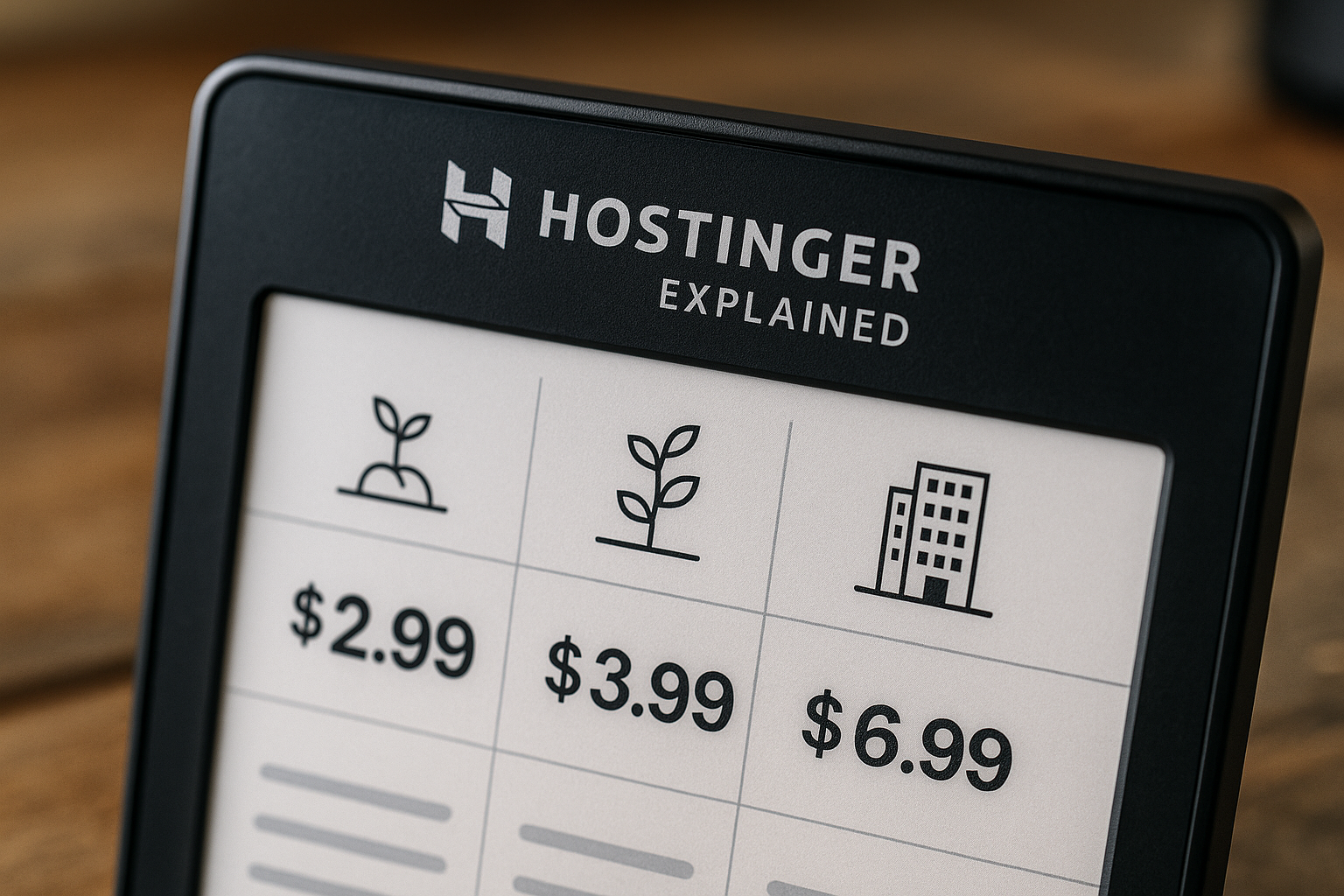
If you are comparing hostinger plans in 2026, the short answer is this: start with the lowest shared web hosting tier only if you have a simple site, choose the middle shared tier for most blogs and small business websites, and move to the higher shared or cloud tier when resources matter more than the lowest monthly-equivalent price.
I reviewed the official Hostinger homepage, web hosting pricing page, and cloud hosting page for this guide. Pricing can vary by term length, so always treat the official checkout as the source of truth before you buy. This article contains affiliate links, and if you decide Hostinger fits your needs, you can check the current Hostinger plans here at no extra cost to you.
Official website · Latest pricing & offers
Quick verdict: Which Hostinger plan should you buy?
Here is the practical buying shortcut before we get into the full hostinger plans comparison.
| Buyer type | Best-fit direction | Why it makes sense |
|---|---|---|
| Personal site or portfolio | Entry shared web hosting tier | Enough for a small site without paying for unused capacity |
| Blog or small business site | Middle shared web hosting tier | More websites, storage, databases, RAM, and CPU than the entry tier |
| Ecommerce or heavier WordPress site | Higher shared tier or cloud hosting | More resources help when the site has products, plugins, or growth plans |
| Multi-site owner or agency | Middle or higher shared tier | Unlimited websites on the upper shared tiers can reduce account sprawl |
| Resource-sensitive project | Cloud hosting | Cloud plans list higher monthly prices but are aimed at larger workloads |
The best Hostinger plan for most first-time buyers is usually not the cheapest possible plan. It is the lowest plan that covers your website count, storage, and growth needs for the next 12 months.
Best for beginners
Beginners with one portfolio, resume site, local landing page, or simple personal website can start with the entry shared hosting tier. The official shared web hosting comparison shows one tier with 3 websites, 20 GB storage, daily backups, free CDN, 2 mailboxes per website for free for 1 year, 400,000 files and directories, 40 PHP workers, 10 databases, 3 GB database size, 2 GB RAM, and 1 CPU core.
That is enough for a basic website owner who wants simple hosting, email, SSL, and a dashboard that does not feel intimidating. If your goal is to publish a few pages and keep costs low, this is the most budget-conscious path through the hostinger plans lineup.
Best for business sites
For most small business websites, I would look at the middle shared web hosting tier first. The official comparison lists unlimited websites, 50 GB storage, daily backups, free CDN, 15 web apps, unlimited mailboxes per website for 1 year, 600,000 inodes, 60 PHP workers, 150 databases, 3 GB database size, 3 GB RAM, and 2 CPU cores.
That extra room matters if your site has service pages, forms, a blog, analytics scripts, and a few business email accounts. The middle tier is often the more sensible business choice because it gives you room to grow without jumping immediately into cloud hosting.
Best for ecommerce
For ecommerce, I would be cautious about choosing the cheapest tier just because the sticker price is attractive. Online stores often rely on more plugins, product images, database activity, and traffic spikes than a brochure website.
The higher shared tier gives more headroom: unlimited websites, 100 GB storage, daily backups, free CDN, 15 web apps, unlimited mailboxes per website for 1 year, 2,000,000 inodes, 100 PHP workers, 300 databases, 6 GB database size, 4 GB RAM, and 4 CPU cores. If your store is a serious revenue channel, this part of the hostinger plans range is easier to justify.
Best for higher-resource projects
Hostinger’s cloud hosting page lists Cloud Startup at $7.99/month for the 48-month plan, Cloud Professional at $15.99/month for the 48-month plan, and Cloud Enterprise at $29.99/month for the 48-month plan. The cloud page also highlights dedicated IP, free domain, free website migration, and a 30-day money-back guarantee.
Cloud hosting makes sense when your project needs more stable resources than a typical shared hosting setup. I would consider it for larger business websites, heavier WooCommerce projects, or sites where performance headroom is more important than finding the lowest monthly-equivalent price.
When not to overpay
Do not buy more hosting just because it sounds safer. If you are launching a one-page portfolio, a small blog, or a basic local business site, the higher tiers may be unnecessary on day one.
The better approach is to match the plan to your current use case, then upgrade when your traffic, website count, or technical needs justify it. That is the simplest way to avoid overspending on hostinger plans while still leaving room to grow.
Hostinger plans explained: what the pricing tiers are
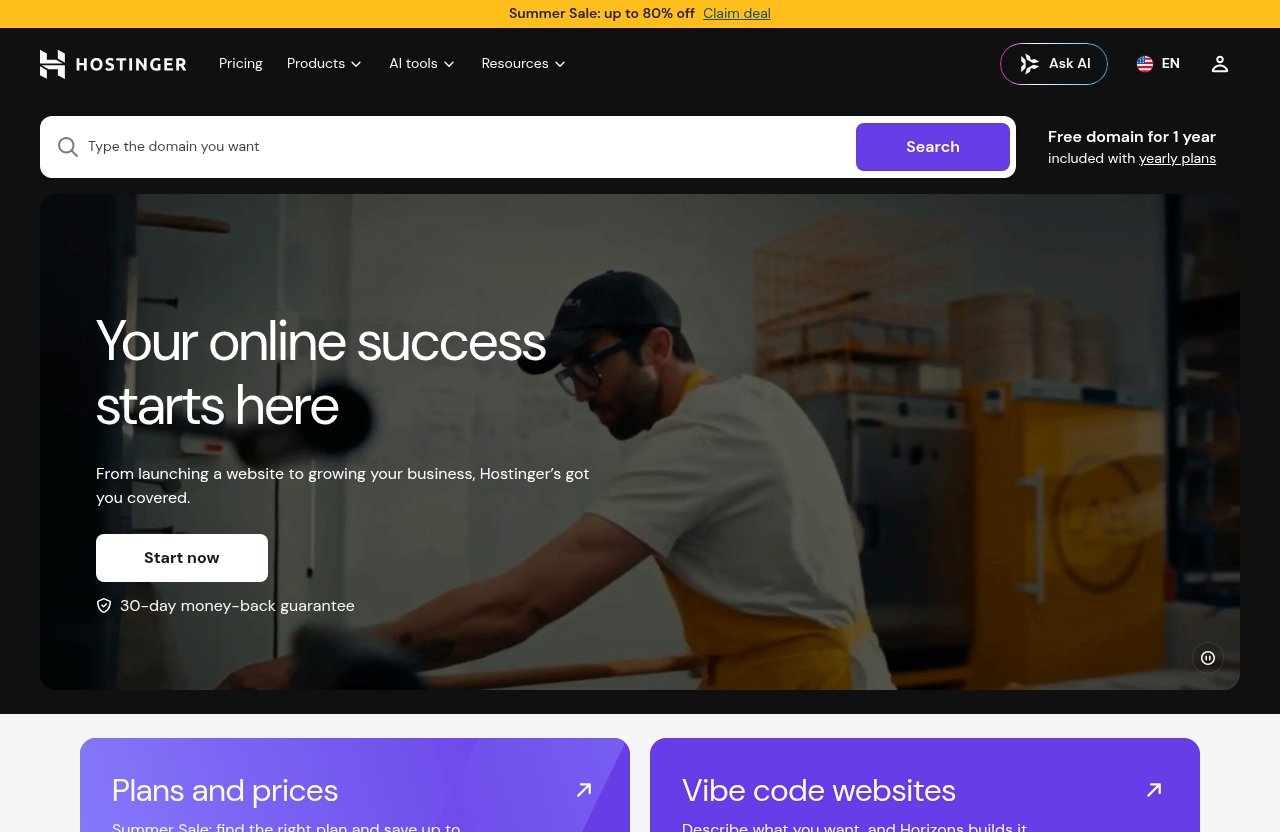
The easiest way to understand hostinger plans is to separate them by product type. Hostinger offers shared web hosting, cloud hosting, VPS hosting, website builder tools, WordPress tools, and Horizons vibe coding as part of its broader platform.
For most buyers reading this guide, shared web hosting is the default starting point. Cloud hosting is the upgrade path when resources and growth become more important.
Shared web hosting plans
Hostinger shared hosting plans are designed for standard websites: portfolios, blogs, business sites, and many WordPress projects. The official web hosting pricing page shows plans starting from $2.99/mo.
The shared tiers differ mainly by websites, storage, mailboxes, files and directories, PHP workers, databases, RAM, and CPU cores. If you are choosing between hostinger plans, those resource differences matter more than the plan label.
Cloud hosting plans
Hostinger cloud hosting plans are positioned for larger or more resource-sensitive sites. The official cloud page lists three cloud tiers: Cloud Startup, Cloud Professional, and Cloud Enterprise.
The verified 48-month pricing shown is $7.99/month for Cloud Startup, $15.99/month for Cloud Professional, and $29.99/month for Cloud Enterprise. Cloud hosting also highlights a dedicated IP for improved security, free domain, website migration, and a 30-day money-back guarantee.
VPS hosting and when it makes sense
VPS hosting is different from shared or managed-style beginner hosting. It is usually better for users who know they need more server control or have technical requirements beyond a standard website dashboard.
For a first website, blog, or small business site, I would not start with VPS unless you already know why you need it. Most beginners comparing hostinger plans should look at shared web hosting first, then cloud hosting if they need more power.
Website builder / Horizons context
Hostinger also offers Website Builder, WordPress tools, AI tools, AI SEO-ready features, and Horizons vibe coding. These tools matter because not every buyer wants to manage a traditional WordPress setup.
If you want the fastest path to publishing a simple business site, a builder-style workflow may be attractive. If you want more flexibility, WordPress tools may be the better fit.
What all Hostinger plans include
Across the official pages, Hostinger emphasizes unlimited SSL security certificates, automatic backups and updates, email addresses, unlimited web traffic or bandwidth, 24/7 support, a 99.9% uptime guarantee, a simple dashboard, and free automatic website migration.
Annual plans include a free domain for 1 year. The pricing page also mentions free domain WHOIS privacy protection value $9.99.
Official Hostinger pricing and feature breakdown
The official pricing pages are the best source for current hostinger plans because promotional terms can change. As of the verified source data used for this 2026 guide, web hosting starts from $2.99/mo, and cloud hosting has separate 48-month promotional pricing.
Below is a practical breakdown of the shared hosting comparison data from the official Hostinger pricing page.
Plan-by-plan comparison at a glance
| Official shared tier position | Websites | Storage | Backups | CDN | RAM / CPU | |
|---|---|---|---|---|---|---|
| Entry shared tier | 3 websites | 20 GB | Daily backups | Free CDN | 2 mailboxes per website free for 1 year | 2 GB RAM / 1 CPU core |
| Middle shared tier | Unlimited websites | 50 GB | Daily backups | Free CDN | Unlimited mailboxes per website for 1 year | 3 GB RAM / 2 CPU cores |
| Higher shared tier | Unlimited websites | 100 GB | Daily backups | Free CDN | Unlimited mailboxes per website for 1 year | 4 GB RAM / 4 CPU cores |
This is where a proper hostinger plans comparison becomes useful. The higher tiers do not just add more marketing extras; they add measurable resource differences.
Storage, websites, RAM, CPU, databases
The entry shared tier includes 3 websites, 20 GB storage, 10 databases, 3 GB database size, 2 GB RAM, and 1 CPU core. That is enough for a few small sites, but not the strongest choice for heavier projects.
The middle tier increases the account to unlimited websites, 50 GB storage, 150 databases, 3 GB database size, 3 GB RAM, and 2 CPU cores. The higher tier increases it again to 100 GB storage, 300 databases, 6 GB database size, 4 GB RAM, and 4 CPU cores.
Backups, CDN, SSL, email, migration, uptime
The official pages state that unlimited SSL certificates are included. Automatic backups and updates are also included, and the shared comparison lists daily backups across the displayed tiers.
You also get free CDN on the shared tiers shown, email addresses, free automatic website migration, 24/7 customer support, and a 99.9% uptime guarantee. Hostinger says its support typically responds in under 2 minutes and speaks 8+ languages.
What changes as you move up a tier
The biggest changes are resource capacity and account flexibility. Higher tiers give more storage, more PHP workers, more databases, more RAM, more CPU cores, and more inode capacity.
That matters if you run multiple sites, use WordPress plugins, publish lots of content, or expect traffic growth. The best Hostinger plan is the one where you are not constantly bumping into practical limits.
How to read Hostinger’s term-based pricing
Hostinger pricing is term-based, so the lowest monthly-equivalent price is usually tied to a longer commitment. The cloud hosting examples above are specifically listed for 48-month plans.
This is not unusual in hosting, but it is important for budgeting. When comparing hostinger plans, check the total checkout cost, selected term, included domain period, and renewal information before paying.
Which Hostinger plans are best for your website type?
Choosing among hostinger plans gets much easier when you start with the website type instead of the price table. A personal site and an ecommerce store should not be judged by the same buying criteria.
Use the recommendations below as a practical starting point, then confirm the current feature table on Hostinger’s official page before checkout.
Portfolio or personal site
For a portfolio, resume site, personal brand page, or small landing page, the entry shared tier is usually enough. You get room for up to 3 websites, 20 GB storage, SSL, backups, email, CDN, and migration support.
This is the plan I would choose if I wanted the lowest sensible entry point without buying capacity I may never use. If you later add a blog, lead magnets, or more websites, you can reconsider.
Blog or content site
For a blog, I would lean toward the middle shared tier unless the project is purely experimental. Blogs grow through posts, images, categories, plugins, and database use.
The middle tier’s 50 GB storage, 150 databases, 3 GB RAM, and 2 CPU cores give more breathing room. That makes it a stronger long-term pick within the hostinger shared hosting plans range.
Small business website
A small business site usually needs reliability, email, SSL, forms, service pages, and room for future content. The middle shared tier is the safest default for most local businesses.
You also get unlimited websites on the middle tier, which helps if you manage a main website plus a landing page or side project. For many buyers, this is the practical “do not overthink it” option.
Growing service business
For a growing service business, I would compare the middle and higher shared tiers closely. If you expect more content, more plugins, more landing pages, or multiple brands, the higher shared tier’s extra resources can be useful.
This is where hostinger business hosting considerations become more important than the lowest monthly-equivalent price. A slightly larger plan can be easier than upgrading right when your site becomes busy.
Online store or WooCommerce project
For an online store, I would start by considering the higher shared tier or cloud hosting. Ecommerce projects tend to rely on product data, images, checkout pages, plugins, email workflows, and traffic peaks.
If your store is small and early-stage, the higher shared tier may be enough. If the store is central to your revenue and you expect growth, Hostinger cloud hosting plans deserve a closer look.
Official website · Latest pricing & offers
What you get with every Hostinger plan
A big reason buyers compare hostinger plans carefully is fear of missing an essential feature. Based on the official Hostinger pages, several important items are included broadly across the hosting experience.
These inclusions help reduce the need to buy separate basics immediately.
Unlimited SSL certificates
Hostinger states that unlimited SSL security certificates, or unlimited free SSL, are included. SSL is essential for modern websites because browsers expect secure connections.
This is especially important for business sites, contact forms, login pages, and ecommerce projects. It is one of the first features I check before recommending any host to a beginner.
Free domain on annual plans
Annual plans include a free domain for 1 year. That can simplify the setup process if you are starting from scratch and do not already own a domain.
The pricing page also mentions free domain WHOIS privacy protection value $9.99. Just remember that “free for 1 year” does not mean every domain-related cost is free forever.
Automatic backups and updates
Automatic backups and updates are included according to the official pages, and the shared comparison lists daily backups on the displayed tiers. This matters because beginners often underestimate how useful backups are until something breaks.
Backups do not replace good site maintenance, but they are an important safety net. For WordPress users, they are especially valuable when themes or plugins change.
Unlimited bandwidth
Hostinger states unlimited web traffic or unlimited bandwidth. For beginners, that removes one of the most confusing limitations from the buying decision.
However, bandwidth is not the only resource that affects a website. Storage, PHP workers, RAM, CPU, databases, and inode limits still matter when comparing hostinger plans.
24/7 support and 99.9% uptime
The official pages state 24/7 customer support, typical responses in under 2 minutes, support in 8+ languages, and a 99.9% uptime guarantee. For first-time buyers, support availability is a major confidence factor.
No host can remove every technical issue, but accessible support can make launching and troubleshooting less stressful.
Hidden costs, renewal pricing, and checkout considerations
This is where buyers should slow down. The advertised hostinger plans can be attractive, but your real cost depends on term length, checkout selections, domain timing, and what you choose to add.
I would never judge hosting only by the first monthly-equivalent number on a pricing card.
Upfront payment requirement
The lowest monthly-equivalent hosting prices are commonly connected to longer terms. Hostinger’s official cloud pricing examples, for instance, show prices for 48-month plans.
That means you should check the total amount due today, not just the monthly-equivalent figure. If you are budget-first, this may affect which plan and term you choose.
Renewal-price reality
The user concern around hostinger renewal price is valid. Promotional hosting prices can differ from renewal pricing, and renewal costs may depend on the plan and term selected.
Because the verified source data here does not include specific renewal rates, I will not invent them. Before buying, review the renewal details shown in Hostinger’s checkout and terms.
Free domain after year one
Annual plans include a free domain for 1 year. After that first year, domain renewal may become a separate budgeting item depending on the domain and terms shown at checkout.
This is not a reason to avoid Hostinger. It is simply something to remember when calculating your second-year website cost.
Optional add-ons
The official pages include valuable items like SSL, backups, email addresses, migration, and support. At checkout, hosting companies may also present optional add-ons or related services.
Review each item before paying. If you do not need an optional service immediately, avoid adding it just because it appears during checkout.
How to avoid overspending
The easiest way to avoid overspending is to buy the lowest tier that meets your needs for the next 12 months. Do not buy cloud hosting for a one-page personal site, and do not force a growing store onto the cheapest tier.
If you want a broader framework before choosing, you may also find our related guide on how to choose web hosting useful.
Hostinger plans compared with real-world buying scenarios
This section turns the specs into buying decisions. A good hostinger plans comparison should answer, “Which one should I buy today?” rather than simply repeating storage numbers.
Here are the scenarios I would use if I were advising a first-time buyer.
Budget-first buyer
If your top priority is keeping costs low, start with the entry shared tier. It includes 3 websites, 20 GB storage, daily backups, free CDN, SSL, email, migration, and the standard support and uptime commitments.
This is best for simple projects with limited content and low complexity. It is not the plan I would choose for a serious store or fast-growing business site.
Best value buyer
For the best balance, the middle shared tier is the most appealing for many buyers. It increases storage, websites, databases, RAM, CPU cores, PHP workers, and email flexibility.
If you are comparing the Hostinger premium web hosting plan experience against higher options, look beyond the name and check the live official feature table. The better value is the tier that covers your actual site needs.
Future-growth buyer
If you know your site will grow, the higher shared tier deserves serious consideration. The jump to 100 GB storage, 100 PHP workers, 300 databases, 6 GB database size, 4 GB RAM, and 4 CPU cores gives more headroom.
This can be a smart choice for content-heavy sites, ecommerce projects, or businesses planning several landing pages and campaigns.
Agency or multiple-site buyer
If you manage several websites, skip any plan that will box you in too quickly. The middle and higher shared tiers both list unlimited websites in the official comparison data.
For agencies, freelancers, or multi-brand owners, website count and database limits are often more important than saving a small amount upfront. This is where upper hostinger plans become more practical.
Migrate-now buyer
Hostinger includes free automatic website migration. That matters if you already have a site elsewhere and want to move without rebuilding from zero.
For a small site, the entry or middle shared tier may be enough. For a heavier existing site, review the storage, database, inode, RAM, and CPU figures before migrating.
How to choose the right plan in 5 minutes
You do not need to become a hosting expert to choose among hostinger plans. Use this quick framework and you will avoid most beginner mistakes.
The goal is not to buy the biggest plan. The goal is to buy the right plan for the next stage of your website.
Estimate traffic and storage needs
If your site is small, mostly text-based, and new, you probably do not need the highest tier. If you will upload many images, publish often, or run a store, storage and resources matter more.
Use 20 GB, 50 GB, and 100 GB storage as practical markers when comparing the shared tiers.
Count the number of websites you need
The entry shared tier lists 3 websites. The middle and higher shared tiers list unlimited websites.
If you only need one site, do not overbuy just for the word “unlimited.” If you manage multiple projects, the upper shared tiers are more convenient.
Decide whether you need WordPress tools or builder tools
Hostinger includes WordPress tools, Website Builder, AI tools, AI SEO-ready features, and Horizons vibe coding in its broader offering. Your ideal setup depends on how you want to build.
Choose WordPress if you want flexibility and a familiar content management system. Consider builder tools if you want a simpler site-building workflow.
Check if email and domain inclusion matter
Email addresses are included, and annual plans include a free domain for 1 year. The shared tier comparison also lists email mailbox differences by tier.
If you are launching a business site, domain and email inclusion can reduce setup friction. Just remember to check what happens after the first included year.
Pick the lowest plan that covers 12 months
The cleanest rule is simple: choose the lowest plan that comfortably covers your next 12 months. That keeps your first purchase practical without trapping you in a plan that is too small.
If you are ready to compare the live options, you can view the current Hostinger pricing and plans here.
Final recommendation: best Hostinger plan for most buyers
For most people comparing hostinger plans, the middle shared web hosting tier is the best starting point. It gives more room than the entry tier without immediately jumping to cloud pricing.
The entry shared tier is still a good fit for basic sites. The higher shared tier or cloud hosting is better when growth, ecommerce, or heavier resources matter.
Best overall
The best overall choice for most beginners, bloggers, and small businesses is the middle shared hosting tier. It offers unlimited websites, 50 GB storage, daily backups, free CDN, unlimited mailboxes per website for 1 year, 150 databases, 3 GB RAM, and 2 CPU cores.
That combination gives enough flexibility for most normal websites without overcomplicating the buying decision.
Best cheap option
The best cheap option is the entry shared tier. It is the right choice if you want to publish a portfolio, personal site, or simple business page while keeping your initial cost low.
Just make sure 3 websites and 20 GB storage are enough for your plans.
Best upgrade pick
The best upgrade pick is the higher shared tier. It is the one I would consider for content-heavy websites, growing service businesses, or small ecommerce projects that need more breathing room.
The added storage, databases, PHP workers, RAM, and CPU cores are the practical reasons to upgrade.
Best if you expect growth
If you expect significant growth or need more resource stability, compare Hostinger cloud hosting plans. Cloud Startup, Cloud Professional, and Cloud Enterprise are listed separately on the official cloud hosting page, with 48-month pricing shown from $7.99/month to $29.99/month in the verified data.
Hostinger also states a 30-day money-back guarantee, which helps reduce the risk of choosing a plan and testing the platform. My final advice: pick based on your website’s real needs, confirm the current term and checkout details, and do not overpay before your site requires it.
Official website · Latest pricing & offers
FAQ
What is the disadvantage of Hostinger?
The main disadvantage is that the lowest advertised monthly-equivalent price is usually tied to a longer upfront term. That means you may need to pay more upfront to access the lowest rate.
This is why I recommend checking the total checkout price, selected term, and renewal details before buying any of the hostinger plans.
How much is Hostinger monthly?
Hostinger’s official web hosting pricing page shows plans starting from $2.99/mo. Cloud hosting pricing shown in the verified official data starts at $7.99/month for Cloud Startup on the 48-month plan.
Your actual monthly-equivalent cost depends on the plan and term you select, so the official pricing page and checkout should be treated as the source of truth.
What are the hidden costs of Hostinger?
Based on the official pages, Hostinger includes several important features: free domain for 1 year on annual plans, unlimited SSL, automatic backups and updates, email addresses, unlimited bandwidth, migration, and support.
Potential costs to watch are not “hidden” as much as checkout-dependent: renewal pricing, domain renewal after the first included year, term length, and any optional add-ons you choose. Always review the checkout summary before paying.
What is cheaper than Hostinger?
Some budget hosts may advertise lower introductory pricing than Hostinger at certain times. However, a fair comparison should include features, renewal pricing, support, SSL, backups, email, migration, bandwidth, and domain terms.
Do not compare only the first promo number. Compare the total value and the cost after the initial term before deciding whether another option is actually cheaper.
Related Reading
- Hostinger Reviews Minecraft Hosting Review 2026
- Cloudways vs AWS 2026: Which Hosting Choice Is Better for Your Site?
- Webflow SEO Review: Can It Rank in 2026?
References
- Hostinger pricing | Explore web hosting and all Hostinger plans
- Web Hosting — Fast, Secure & Affordable
- Managed cloud hosting | 4X more speed | 99.9% uptime
- How to choose a web hosting plan