Podsqueeze for YouTube Review 2026: A Practical Workflow for Turning Podcast Episodes Into Publish-Ready Assets
If you publish a podcast on YouTube and audio platforms, podsqueeze for youtube is worth evaluating because it focuses on the exact bottleneck most creators face: turning one long recording into transcripts, clips, show notes, subtitles, newsletters, blogs, and social content without rebuilding everything manually.
Affiliate disclosure: this Podsqueeze for YouTube review may contain an affiliate link. If you choose to try Podsqueeze through our link, we may earn a commission, but the recommendation below is based on verified official product and pricing information only.
Official website · Latest pricing & offers
What Podsqueeze Is and Why YouTube Podcasters Use It
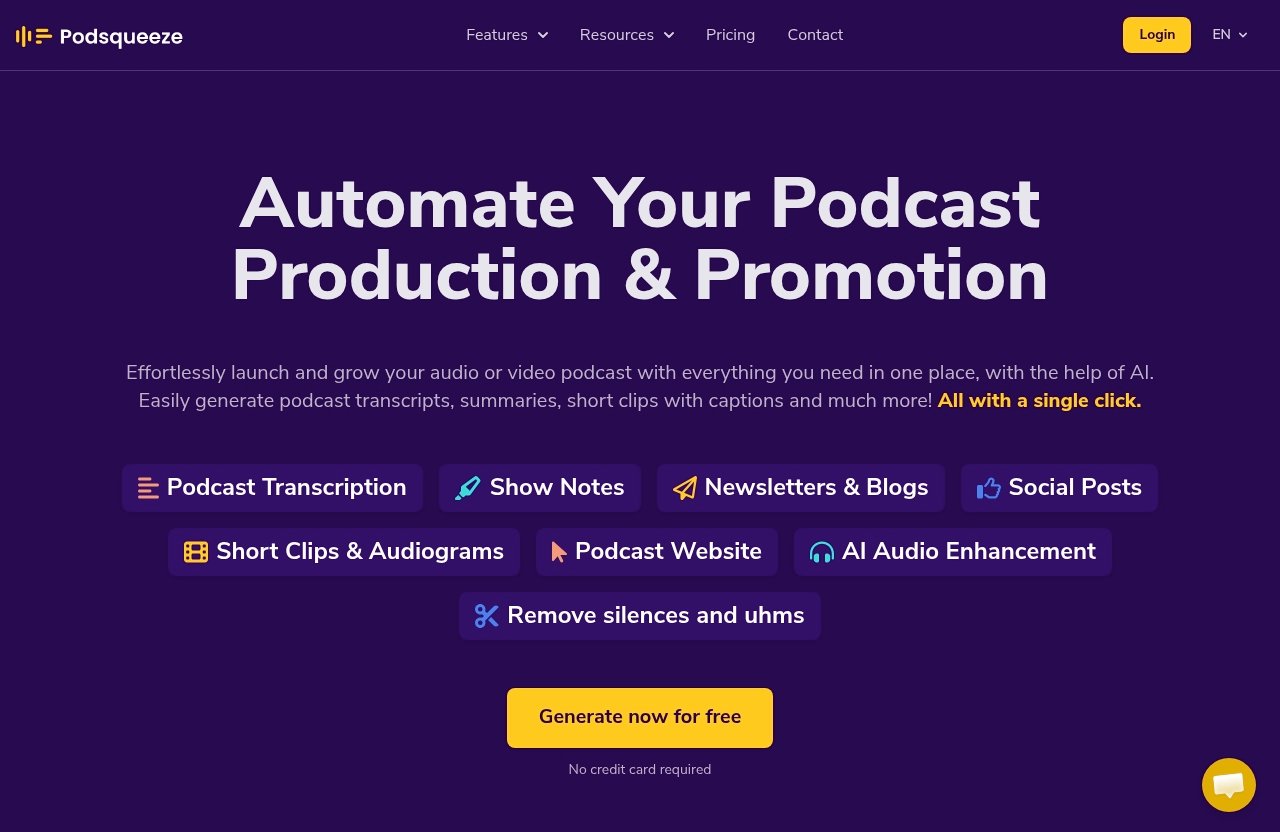
Podsqueeze is an AI workflow tool for creators who want to launch and grow an audio or video podcast. Officially, it supports podcast transcripts, summaries, short clips with captions, social posts, newsletters and blogs, AI audio enhancement, speaker labeling, show notes, SRT subtitles, quote images, podcast websites, episode pages, embedded audio players, and SEO-optimized podcast sites.
For YouTube podcasters, the main value is not just transcription. The bigger reason to consider podsqueeze for youtube is that it connects the production chain: episode in, multiple reusable assets out.
The Problem With Manual Repurposing
A single podcast episode can become a full YouTube video, audio episode, Shorts, social posts, a newsletter, a blog article, quote graphics, subtitles, and show notes. The problem is that each asset usually requires a separate workflow.
Creators often end up copying transcripts into one tool, cutting clips in another, writing episode descriptions manually, and then formatting newsletters somewhere else. That is manageable for one episode, but it becomes slow and repetitive when publishing weekly.
A YouTube podcast transcript generator can solve one part of the job, but transcription alone does not finish the workflow. The real need is a system that helps convert the episode into publish-ready supporting assets.
How Podsqueeze Fits an Audio + Video Podcast Workflow
Podsqueeze accepts several official entry points: uploading audio, uploading video, using a YouTube link, or searching your podcast. That makes it useful whether your original recording starts as a video file, an exported audio episode, or an already-published YouTube podcast.
In a typical podsqueeze for youtube workflow, the transcript becomes the foundation. From there, you can generate show notes, summaries, subtitles, short clips with captions, social posts, blog/newsletter content, and other supporting materials.
This is especially useful if you publish the same episode to YouTube, Spotify, Apple Podcasts, and your website. Instead of treating every platform as a separate content project, you can build the core assets from one episode source.
Who Benefits Most: Solo Creators, Teams, and Agencies
Solo creators benefit because they usually do not have a dedicated editor, copywriter, and social media assistant. A tool that creates transcripts, show notes, clips, and written assets from one upload can reduce a lot of repetitive production work.
Small teams benefit because Podsqueeze can help standardize how episodes are repurposed. If every episode needs a transcript, Shorts, newsletter, blog post, and social snippets, having one repeatable process is more reliable than improvising every week.
Agencies benefit if they handle multiple podcast clients and need higher monthly minutes, more clips, and repeatable templates. The Agency Lite and Enterprise plans are clearly aimed at larger workflows, with verified limits and custom options covered later in this review.
Best Podsqueeze Workflow for YouTube Podcasters
The best way to use podsqueeze for youtube is to treat it as a post-production and repurposing hub. Do not start by asking, “Can it make a transcript?” Start by asking, “How many assets can I reliably create from each episode?”
Below is a practical workflow for creators publishing one podcast episode across YouTube and audio platforms.
Step 1: Upload a Podcast Episode or Paste a YouTube Link
Start with the cleanest version of your episode. Official Podsqueeze entry points include uploading audio or video, using a YouTube link, or searching your podcast.
If your episode is already on YouTube, the YouTube link route is convenient. If you are still preparing the episode before release, uploading the original audio or video file may fit better.
This is also where many searchers compare terms like “podcast transcript generator from link,” “podcast transcript download,” or “podsqueeze for youtube login.” In practical terms, the important question is whether your current source can enter the workflow easily.
Step 2: Generate Transcript, Summary, and Key Moments
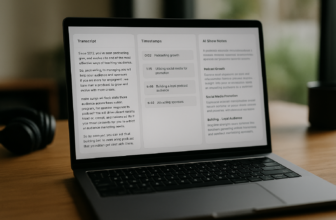
Once the episode is inside Podsqueeze, the transcript should usually come first. A transcript is the base layer for show notes, subtitles, summaries, titles, bullet points, newsletters, and blogs.
For a YouTube creator, this matters because written context supports publishing. A strong summary can help with descriptions, while bullet points and show notes help viewers understand the episode before watching the full video.
This is where podsqueeze for youtube is more useful than a basic podcast transcript generator free tool that only gives you raw text. The verified Podsqueeze feature set includes transcripts, summaries, speaker labeling, show notes, and transcript-based chat, which are more practical for content packaging.
Step 3: Turn Highlights Into YouTube Shorts
After the transcript and summary are generated, identify the most shareable sections of the episode. Podsqueeze officially supports short clips with captions, and the paid plans include monthly clip or audiogram limits.
For YouTube podcasters, these clips can become Shorts-style promotional assets. A strong short clip might feature a surprising answer, a controversial point, a personal story, a guest insight, or a useful tactical takeaway.
The goal is not to chop the episode randomly. Use the transcript and summary to find moments that stand alone, then turn those highlights into captioned clips that can promote the full episode.
Step 4: Export Supporting Assets for the Full Episode
Once the short clips are handled, move to the long-form publishing assets. Based on verified official capabilities, Podsqueeze can help create show notes, transcripts with SRT subtitles, summaries, social posts, newsletters, blogs, quote images, and podcast website or episode-page assets.
For a full YouTube episode, the most useful supporting exports are usually:
| Asset | How You Can Use It |
|---|---|
| Transcript | Accessibility, editing reference, repurposing source |
| SRT subtitles | Subtitle upload for the video |
| Summary | YouTube description or episode overview |
| Show notes | Podcast app notes and website episode notes |
| Social posts | LinkedIn, X, Facebook, or community updates |
| Newsletter/blog | Email audience and SEO content |
| Quote images | Visual social snippets |
| Short clips with captions | YouTube Shorts and social promotion |
This is where a podsqueeze for youtube workflow becomes commercially useful. You are not only saving time; you are creating more ways for one episode to be discovered.
Step 5: Publish and Reuse Across Platforms
After exporting the assets, publish the full video to YouTube, the audio version to your podcast host, and supporting content to your website, email list, and social platforms. If you use Podsqueeze’s website features, official capabilities include podcast website creation, auto-generated episode pages, embedded audio players, and SEO-optimized podcast sites.
Creators searching for “podsqueeze for youtube spotify” are usually trying to solve this multi-platform problem. Podsqueeze is not positioned only around YouTube; it is built for audio and video podcasts, which makes it relevant when your distribution includes YouTube plus audio platforms.
For queries like “podcast transcript spotify,” “podcast transcript from spotify link,” or “podcasttranscript ai,” the safest approach is to verify the current supported input on the official Podsqueeze page. The verified official entry points are audio upload, video upload, YouTube link, and podcast search.
Podsqueeze Features That Matter Most for YouTube Content
Not every podcast tool matters equally for YouTube. For video podcasters, the most important features are the ones that help with discoverability, retention, accessibility, and repurposing.
YouTube Video to Text and Subtitles
A transcript gives you a searchable, editable version of the episode. Podsqueeze officially supports podcast transcripts, speaker labeling, and transcripts with SRT subtitles.
For YouTube, this helps in two ways. First, subtitles improve the viewing experience for people who watch without sound or need accessibility support. Second, the transcript gives you a structured source for descriptions, blog posts, newsletters, and social snippets.
If you are comparing podsqueeze for youtube against a simple YouTube podcast transcript generator, the key difference is workflow depth. A plain transcription tool may stop at text, while Podsqueeze also supports related publishing assets.
Short Clips and YouTube Shorts Creation
Short clips are a major reason creators investigate podsqueeze for youtube. Official pricing includes specific monthly limits for video clips or audiograms, depending on the plan.
Podsqueeze supports short clips with captions, which makes it useful for turning longer episodes into short-form promotional content. For YouTube podcasters, these clips can help tease the full episode, highlight guest insights, or share the strongest moments from a discussion.
This is not a replacement for editorial judgment. The best results still come when you choose moments that make sense without the full episode context.
Show Notes, Titles, Timestamps, and Bullet Points
The official homepage verifies show notes, summaries, social posts, newsletters, and blogs. These outputs matter because packaging often determines whether someone decides to watch or listen.
For a YouTube podcast, good show notes can summarize the value of the episode. Bullet points can help structure descriptions and social posts. Summaries can be reused across YouTube, podcast apps, and your website.
This is one of the strongest reasons to use podsqueeze for youtube if your current workflow feels scattered. The more platforms you publish to, the more valuable consistent episode packaging becomes.
Audio Enhancement and Removal of Filler Words
Podsqueeze officially includes AI audio enhancement, removing silences and uhms, and a podcast audio editor. These features matter because podcast quality is not only about the camera or microphone; pacing and clarity also affect the listener experience.
For YouTube, cleaner audio can make long episodes easier to watch. For audio platforms, it can make the same episode more polished for listeners who are not seeing the video.
This feature set is especially helpful when your workflow starts with a remote interview or a long conversational recording. It gives creators another layer of polish before publishing or repurposing.
Podcast Website and Landing Pages
Podsqueeze officially supports podcast website creation, auto-generated episode pages, embedded audio players, SEO-optimized podcast sites, and podcast landing pages on higher plans.
This matters if you want your podcast to live somewhere beyond YouTube and podcast apps. A website or landing page gives you a central place for episode notes, embedded audio, transcripts, and supporting content.
For creators building a long-term media asset, this is an important part of the podsqueeze for youtube decision. The tool is not only about producing clips; it also supports the web presence around the show.
Official website · Latest pricing & offers
Pricing Breakdown: Which Podsqueeze Plan Fits Your Workflow
Podsqueeze pricing is plan-based, with monthly pricing published on the official pricing page. The verified plans are Starter at $8.99/mo, Pro at $49/mo, Agency Lite at $89/mo, and Enterprise Custom at custom pricing.
The official pricing page also states that annual billing is 30% off. I am not calculating annual totals here because the safest buying decision should be based on the current official pricing page.
Starter Plan for Hobbyists
Starter is $8.99/mo and includes 120 minutes of podcast time per month. Verified features include minutes rollover, 8 video clips or audiograms, quote images, file upload up to 4GB, unlimited uploads, unlimited YouTube conversions, podcast website, audio enhancement, podcast audio editor, chat with transcript, personalized results, and saved video templates.
For a lighter podsqueeze for youtube workflow, Starter makes the most sense if you publish less often or create shorter episodes. It gives you enough to test the full repurposing chain: transcript, clips, quote images, audio enhancement, and website support.
The key limit to watch is monthly podcast time and clip volume. If your episodes are long or weekly, Starter may be a starting point rather than a long-term fit.
Pro Plan for Professional Creators
Pro is $49/mo and includes 320 minutes per month. Verified features include minutes rollover, 20 video clips or audiograms, quote images, file upload up to 10GB, unlimited uploads, unlimited YouTube conversions, podcast landing pages, audio enhancement, podcast audio editor, chat with transcript, personalized results, and saved video templates.
For many professional creators, Pro is the more practical podsqueeze for youtube plan because it gives more monthly minutes and more clips. It also supports larger file uploads than Starter.
If your podcast is part of a serious content strategy, Pro is likely the plan to compare most closely. It provides enough capacity for recurring episodes without immediately moving into agency-level pricing.
Agency Lite for Teams
Agency Lite is $89/mo and includes 600 minutes per month. Verified features include minutes rollover, 40 video clips or audiograms, quote images, file upload up to 10GB, unlimited uploads, unlimited YouTube conversions, podcast landing pages, audio enhancement, podcast audio editor, chat with transcript, personalized results, and saved video templates.
This plan fits teams handling more frequent publishing or multiple shows. The higher minutes and clip limits are the main reason to consider it.
For a small production company, podcast agency, or marketing team, Agency Lite makes sense when one podsqueeze for youtube account supports a heavier workflow. It is less about casual experimentation and more about repeatable production.
Enterprise for Custom Needs
Enterprise is custom priced. Verified Enterprise features include everything in Pro, custom minutes, custom clips, priority support, feature requests, and team onboarding and training.
This is the plan to consider if your workflow does not fit standard limits. For example, larger teams may need custom usage, onboarding, or support around production processes.
Because Enterprise pricing is custom, the right next step is to contact Podsqueeze directly and verify the current terms. Avoid assuming hidden limits, discounts, or annual totals that are not published.
How Podsqueeze Helps You Repurpose One Episode Into Multiple Assets
The strongest commercial case for podsqueeze for youtube is simple: one recording can become many useful assets. That matters because creators are no longer publishing to one destination.
A video podcast episode might need to work as a YouTube upload, an audio podcast, a blog post, a newsletter, social clips, and a website episode page. Podsqueeze is designed around that kind of repurposing.
Turn One Recording Into Multiple Formats
From one upload or YouTube link, you can build a package around the episode. Verified capabilities include transcripts, summaries, short clips with captions, social posts, newsletters and blogs, show notes, quote images, SRT subtitles, and website assets.
Here is a practical example:
| Original Source | Repurposed Outputs |
|---|---|
| 60-minute YouTube podcast | Transcript, SRT subtitles, summary, show notes |
| Guest interview | Quote images, social posts, newsletter |
| Strong highlight moment | Captioned short clip or audiogram |
| Evergreen discussion | Blog post and episode page |
| Audio version | Enhanced audio and podcast notes |
This is why podsqueeze for youtube can be more valuable than a single-purpose transcription app. The workflow continues after the transcript is created.
Keep Branding Consistent Across Platforms
When assets are created in separate tools, messaging can drift. The YouTube description may say one thing, the newsletter another, and the podcast notes something else.
Using one episode source to create multiple assets helps keep the main message aligned. Summaries, show notes, blogs, and social posts can all be built around the same transcript and episode structure.
This consistency matters for creators who want a recognizable show format. It also helps teams avoid rewriting the same episode summary multiple times.
Save Time Without Hiring Extra Editors
Podsqueeze should not be framed as a full creative team replacement. You still need judgment, editing taste, and a publishing strategy.
But if your bottleneck is repetitive repurposing, podsqueeze for youtube can reduce the need to manually create every transcript, summary, post, newsletter, and short clip from scratch. That is especially valuable for solo creators who are not ready to hire extra production help.
The best use is to let the tool generate the first structured draft of each asset, then review and polish before publishing.
When Podsqueeze Is the Right Fit and When It May Not Be
Podsqueeze is a strong fit when your podcast has a repeatable publishing schedule and you want more output from each recording. It may be less necessary if you only publish occasionally and do not need transcripts, clips, blogs, newsletters, or website assets.
A balanced podsqueeze for youtube review should focus on workflow fit, not hype.
Best for Recurring Podcast Workflows
Podsqueeze is most useful when you publish recurring episodes. The more often you record, the more valuable repeatable systems become.
If every episode needs a transcript, show notes, clips, quote images, and social content, Podsqueeze can help turn that into a standard workflow. This is where the minutes, clip limits, and unlimited YouTube conversions on paid plans become important buying factors.
For occasional creators, the value depends on whether those supporting assets are actually part of your publishing plan.
Good Fit for YouTube-First and Multi-Platform Creators
The tool fits YouTube-first creators because it supports YouTube links, video clips, captions, SRT subtitles, and written assets. It also fits audio-first podcasters because it supports audio upload, podcast search, transcripts, audio enhancement, and podcast website features.
For creators researching podsqueeze for youtube spotify, the main point is that Podsqueeze serves both audio and video podcast workflows. You can use it to support the same episode across YouTube and podcast platforms, as long as your source fits the verified input options.
This makes it especially relevant for interview shows, educational podcasts, creator-led media brands, and agencies producing recurring episodes.
Considerations Before Subscribing
Before paying, estimate your monthly episode minutes and how many clips you realistically need. Starter includes 120 minutes and 8 clips or audiograms; Pro includes 320 minutes and 20 clips or audiograms; Agency Lite includes 600 minutes and 40 clips or audiograms.
Also decide whether you need a podcast website or landing pages. Starter includes a podcast website, while Pro and Agency Lite include podcast landing pages.
If you are looking for “podsqueeze for youtube free” or a “podcast transcript generator free,” note that official Podsqueeze pages say no credit card is required for certain entry points or free signup flows. However, you should verify current access directly on the official pricing or signup page because free access details can change.
Final Verdict: Best Workflow for YouTube Podcasters Using Podsqueeze
Podsqueeze is a practical choice for creators who want one podcast episode or YouTube recording to become a full content package. Based on verified official features, podsqueeze for youtube is strongest when used for transcripts, SRT subtitles, summaries, show notes, short clips with captions, social posts, newsletters, blogs, quote images, and podcast website or landing-page assets.
It is not something I would evaluate only as a transcript tool. Its real value is the workflow from source episode to multi-platform publishing assets.
Recommended Workflow Summary
The best workflow is:
- Upload audio/video, paste a YouTube link, or search your podcast.
- Generate the transcript, speaker labels, summary, and show notes.
- Use the transcript and key moments to create short clips with captions.
- Export SRT subtitles, social posts, newsletter/blog content, and quote images.
- Publish the full episode on YouTube and audio platforms.
- Reuse the written and visual assets on your website, email list, and social channels.
If you follow that order, podsqueeze for youtube becomes more than a utility. It becomes a repeatable production system for each episode.
Who Should Start With Which Plan
Start with Starter at $8.99/mo if you are a hobbyist, publish shorter episodes, or want a lower-cost way to test the workflow. The 120 minutes, 8 clips or audiograms, unlimited uploads, unlimited YouTube conversions, and 4GB upload limit are the key numbers to check against your schedule.
Choose Pro at $49/mo if you publish more consistently and need 320 minutes, 20 clips or audiograms, larger 10GB uploads, and podcast landing pages. For many serious YouTube podcasters, this is the most sensible starting point.
Choose Agency Lite at $89/mo if you manage more volume, work with multiple shows, or need 600 minutes and 40 clips or audiograms. Enterprise is the custom option for teams that need custom minutes, custom clips, priority support, feature requests, and onboarding.
Affiliate Recommendation
My recommendation: if you publish podcasts on both YouTube and audio platforms, Podsqueeze is worth trying as a repurposing workflow, especially if transcripts, YouTube Shorts, subtitles, show notes, newsletters, and social snippets are part of your regular content plan.
If you want to evaluate the current plans and access options, you can review Podsqueeze through this affiliate link. For most creators, Starter is the cautious test plan, while Pro is the more realistic starting point for a professional podsqueeze for youtube workflow.
Official website · Latest pricing & offers
FAQ
How Do I Use Podsqueeze for YouTube Podcast Episodes?
Use Podsqueeze by uploading an audio or video file, pasting a YouTube link, or searching your podcast. Then generate the transcript, summary, and show notes before creating clips, subtitles, newsletters, blogs, social posts, or quote images.
The most efficient podsqueeze for youtube workflow is transcript first, clips second, and publishing assets third. That keeps the episode message consistent across YouTube and audio platforms.
Does Podsqueeze Convert YouTube Videos to Text?
Yes. Podsqueeze officially supports podcast transcripts and accepts YouTube links as an entry point.
For YouTube creators, this can function as a YouTube podcast transcript generator, with related assets such as SRT subtitles, summaries, show notes, social posts, newsletters, and blogs. If you specifically need a podcast transcript download, verify the current export options inside the product before committing.
Can Podsqueeze Make YouTube Shorts From Podcast Episodes?
Podsqueeze officially supports short clips with captions, and its pricing plans include monthly limits for video clips or audiograms. These clips can be used as short-form promotional assets for YouTube and social platforms.
The best approach is to use the transcript and summary to identify strong moments, then turn those highlights into captioned clips that promote the full episode.
What Is the Best Podsqueeze Plan for YouTube Podcasters?
Starter is best for lighter use because it includes 120 minutes per month and 8 video clips or audiograms at $8.99/mo. Pro is better for professional creators because it includes 320 minutes and 20 clips or audiograms at $49/mo.
Agency Lite fits teams with 600 minutes and 40 clips or audiograms at $89/mo. Enterprise is for custom needs, with custom minutes, custom clips, priority support, feature requests, and team onboarding and training.
Is Podsqueeze Free to Try?
Official Podsqueeze pages state that no credit card is required for certain free entry points or signup flows. That makes it reasonable to check current access before choosing a paid plan.
If you searched for “podsqueeze for youtube free” or “podcast transcript generator free,” verify the latest details on the official pricing or signup page. Do not assume a permanent free plan unless it is clearly shown at the time you sign up.
Related Reading
- best social media automation tools like Repurpose.io
- Repurpose podcasts with Podsqueeze
- Klap review 2026