Taplio Free Trial 2026: How It Works
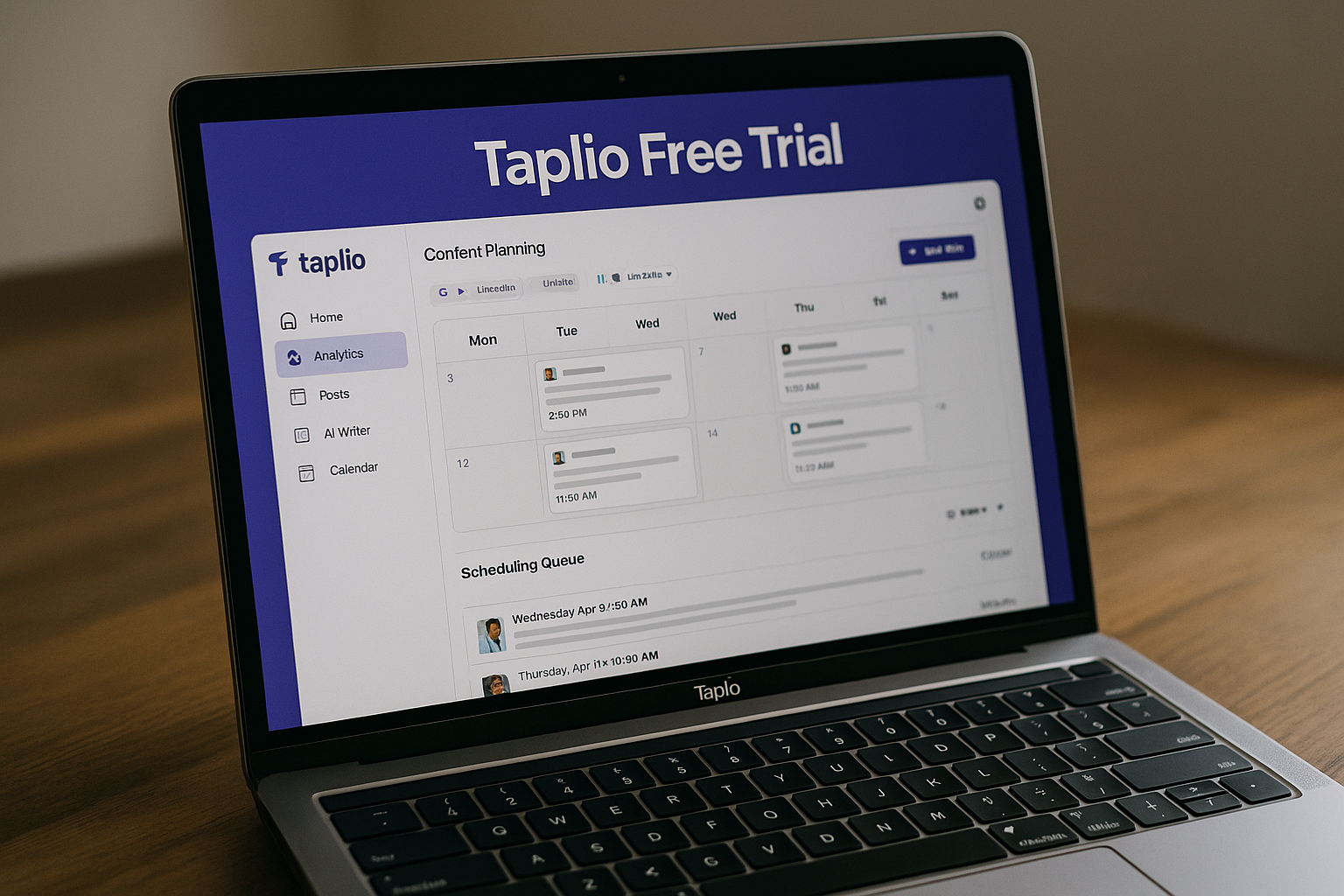
The taplio free trial is designed for one specific purpose: helping you test Taplio’s paid LinkedIn growth platform before you commit to a subscription. In 2026, Taplio positions itself as an AI tool to grow on LinkedIn in 10 minutes per day, with features for creating posts, scheduling content, analyzing performance, engaging with the right people, and supporting lead outreach.
This guide explains how the taplio free trial 2026 offer works, what you can realistically test in seven days, what happens when the trial ends, and whether Taplio is worth paying for afterward.
Official website · Latest pricing & offers
What Is the Taplio Free Trial in 2026?
The taplio free trial is a 7-day trial of Taplio’s paid app. According to Taplio’s official pricing page, the trial gives you full app access during the trial period, based on the plan you choose.
That distinction matters. This is not a permanent free plan or a stripped-down free account. It is a short evaluation window meant to help you decide whether Taplio fits your LinkedIn workflow before billing begins.
If you want to test Taplio yourself, you can start through our Taplio review link and use the trial period to decide before day 7.
How the 7-day trial is positioned
The taplio free trial is positioned as a low-risk way to experience the product before paying for a monthly plan. Taplio’s pricing page states that users get full app access during the trial, whichever plan they choose.
That means the trial is not just for browsing the dashboard. It is meant to let you actually use Taplio in a real LinkedIn workflow: creating posts, scheduling content, reviewing analytics, testing engagement tools, and evaluating whether the platform saves enough time to justify the price.
From a buyer’s perspective, the key point is simple: do not treat the trial as a casual demo. Seven days is short, so you should start with a plan and testing goal in mind.
Who the trial is best for
The taplio free trial is best for people who already care about growing on LinkedIn but want a more structured system.
It can make sense for:
| User type | Why the trial may help |
|---|---|
| Solo creators | Test whether Taplio helps you publish consistently |
| Founders | Build a repeatable LinkedIn content workflow around your expertise |
| Consultants | Draft posts, schedule content, and engage with prospects |
| Sales users | Explore connection, DM, engagement, and lead outreach workflows |
| Small teams | See whether collaboration and structured posting are useful |
If you only post on LinkedIn once in a while, Taplio may feel like more software than you need. But if LinkedIn is part of your personal brand, sales strategy, or content marketing process, the trial is worth evaluating seriously.
What problem the trial helps solve
The main problem the taplio free trial helps solve is uncertainty. Taplio’s feature list may look appealing, but the real question is whether it improves your actual LinkedIn routine.
During the trial, you can answer practical questions:
- Can I create better post ideas faster?
- Can I schedule a week of content without friction?
- Do the analytics help me understand what is working?
- Do the engagement tools help me show up around relevant people?
- Does the platform fit the way I want to grow on LinkedIn?
A good trial should lead to a clear decision. By the end of seven days, you should know whether Taplio is a useful daily tool or something you can skip.
How the Taplio Free Trial Works Step by Step
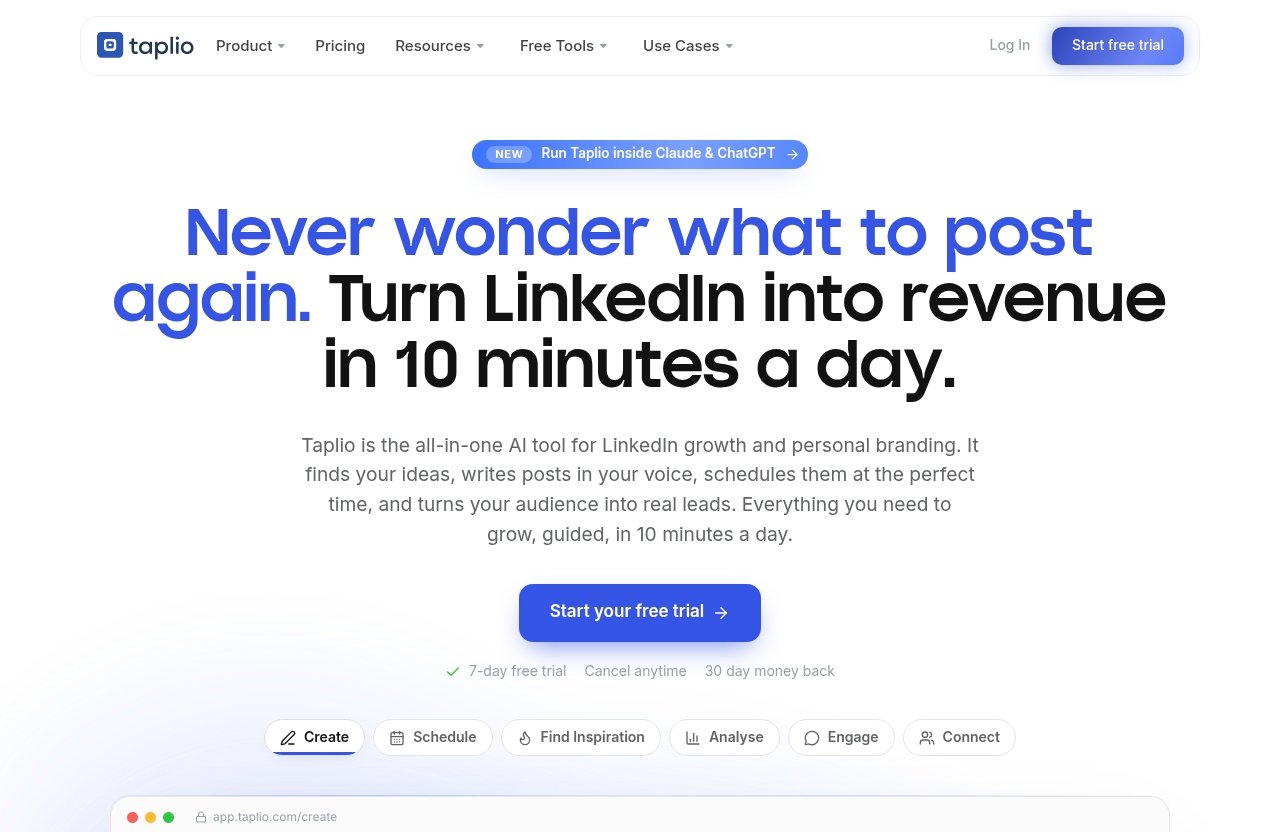
The taplio free trial starts with choosing a plan. This matters because Taplio’s official pricing page says full app access is available during the trial on the plan you select.
In other words, the trial is connected to a paid plan path. You are not simply signing up for a generic free account. You are testing the version of Taplio you may continue using after the trial ends.
Choose a plan first
Before activating the taplio free trial, you choose from Taplio’s official paid plans:
- Starter — $39/mo
- Growth — $69/mo
- Pro — $199/mo
Each plan is aimed at a different level of LinkedIn usage. Starter is best suited for consistent posting and basic analytics. Growth is more suitable if you want AI content creation, faster engagement and commenting, plus collaboration. Pro is positioned for users who need unlimited AI posts/comments, automating lead outreach, and priority support.
If you are unsure, choose the plan that matches what you want to test. For example, if AI writing and engagement are the main reason you are considering Taplio, testing only a basic workflow may not answer your real buying question.
Activate the trial
Once you select a plan, you can activate the taplio free trial through Taplio’s sign-up flow. The official pricing page confirms a 7-day free trial with full app access during the trial.
I recommend setting aside 30 to 60 minutes on the first day. Connect your workflow, explore the dashboard, and identify which features you want to evaluate before the trial clock runs out.
Do not wait until day 6 to open the app properly. Taplio is built around content, engagement, scheduling, and analysis, so you need a few days of actual usage to judge it fairly.
Use full access during the trial
Taplio’s pricing page says the trial gives full app access during the free trial, whichever plan you choose. That makes the taplio free trial more useful than a limited preview because you can test the app as part of your normal LinkedIn routine.
Useful areas to test include:
- Create for post ideas and writing assistance
- Schedule for queuing LinkedIn posts
- Find inspiration for discovering viral posts worth remixing
- Analyse for seeing what is working
- Engage for interacting with relevant people’s posts
- Connect for auto-connecting and sending DMs to warm leads
- Carousels for turning content into swipeable carousel posts
- Automate for putting parts of LinkedIn growth on autopilot
- NEW MCP for running Taplio from Claude, ChatGPT, or another MCP-enabled LLM
Because the trial is only seven days, focus on the features that relate directly to your buying reason.
What happens when the 7 days end
After the taplio free trial ends, your account reverts to the plan you originally selected, and billing follows that plan unless you cancel. Taplio’s official pricing page also says you can cancel anytime.
The pricing page mentions a 30-day money-back guarantee as well. That is useful, but I would still recommend making your decision before the trial ends rather than relying on a refund window later.
If you are testing Taplio for business use, put a reminder on day 6. By then, you should have enough experience to decide whether to continue, change plans, or cancel.
What You Can Test During the Trial
The best way to evaluate the taplio free trial is to test a complete LinkedIn workflow instead of clicking around randomly. Taplio includes several official product areas, and each one should be judged by how much time it saves or how much clarity it gives you.
Below is the practical testing framework I would use.
AI content creation
Taplio’s Create feature is designed to help you find ideas and write posts that grow. The taplio free trial gives you a chance to see whether its AI content creation workflow matches your voice and niche.
A good test is to draft five to ten LinkedIn posts from your own expertise. Do not only generate generic motivational posts. Use real topics your audience cares about, then assess whether the drafts are usable, editable, and aligned with your brand.
You can also test Taplio’s Find inspiration feature. It helps you discover viral posts worth remixing, which can be useful when you are stuck for ideas. The goal is not to copy other creators; it is to understand patterns and adapt them to your own perspective.
Post scheduling and queueing
Taplio includes Schedule, which lets you queue posts at your best times automatically. During the taplio free trial, this is one of the easiest features to evaluate quickly.
Try scheduling a full week of LinkedIn content. If you normally struggle to post consistently, this test will show whether Taplio makes publishing feel easier and more organized.
For many users, the Taplio LinkedIn scheduler may be the feature that creates the most immediate value. A consistent queue helps you separate writing time from publishing time, which can make LinkedIn less reactive and more intentional.
Analytics and performance tracking
Taplio’s Analyse feature helps you see what is working and double down. During the taplio free trial, analytics may be harder to fully judge if you do not have enough new content performance within seven days.
Still, you can inspect how Taplio presents performance information. Ask yourself whether the analytics are understandable and whether they would help you make better content decisions.
A practical test is to review your recent posts and identify patterns. Which topics performed better? Which formats got more response? Which ideas deserve follow-up posts? If Taplio helps you answer those questions faster, that is a meaningful sign.
Engagement and connection tools
Taplio includes Engage, which helps you show up on the right people’s posts. It also includes Connect, which can auto-connect and send DMs to warm leads.
The taplio free trial is a good time to evaluate whether these tools fit your relationship-building style. LinkedIn growth is not only about publishing; it is also about being visible in relevant conversations.
For engagement, test whether Taplio helps you find the right people and posts to interact with. For connection workflows, be thoughtful. Automated outreach should still feel relevant, respectful, and human.
Carousels and lead outreach
Taplio’s Carousels feature turns content into a swipeable carousel. If carousels are part of your LinkedIn strategy, the taplio free trial lets you test whether Taplio makes that format easier to create.
You can also evaluate automation and lead outreach workflows if they match your plan and use case. Taplio’s official homepage lists Automate as a way to put LinkedIn growth on autopilot, while Connect supports auto-connecting and sending DMs to warm leads.
For buyers, this is where the value question becomes more serious. If Taplio helps you combine content, engagement, and warm lead activity in one workflow, it may be easier to justify the subscription after the trial.
Official website · Latest pricing & offers
Taplio Trial Limitations and Important Terms
The taplio free trial is useful, but you should understand the terms before starting. Most buyer confusion comes from assuming the trial is a permanent free version or not realizing the trial is connected to a selected paid plan.
Here is what to know before you begin.
No permanent free plan
Based on Taplio’s official pricing page, the available options are paid plans with a 7-day free trial. I do not see a verified permanent free plan listed in the official pricing information.
That means the taplio free trial should be treated as a temporary evaluation period. If you want ongoing access after seven days, you should expect to continue on one of the paid plans unless you cancel.
This is not unusual for a paid SaaS product, but it is important to know before investing time in setup.
Plan selection matters
Plan selection matters because Taplio says full app access during the trial applies to whichever plan you choose. So the taplio free trial experience can vary depending on whether you select Starter, Growth, or Pro.
If you are mainly interested in consistent posting and basic analytics, Starter may be enough to evaluate. If your buying reason is AI-assisted content creation, faster engagement/commenting, and collaboration, Growth is the more relevant plan to test.
If you want unlimited AI posts/comments, automating lead outreach, and priority support, Pro is the plan aligned with that use case.
Cancel anytime vs billing after trial
Taplio’s official pricing page says you can cancel anytime. That is reassuring, but you should still manage the taplio free trial actively.
In practical terms, set a reminder before the seventh day ends. If you do not want to continue, cancel during the trial. If you do want to continue, make sure the plan you selected is the one that fits your ongoing needs.
“Cancel anytime” does not mean “ignore the trial.” It means you have control, but you still need to make the decision.
Money-back guarantee
Taplio’s pricing page mentions a 30-day money-back guarantee. This adds another layer of buyer protection after the taplio free trial, but it should not replace proper testing.
My recommendation is to use the trial as your main decision window. If you continue after day 7, do so because Taplio has already shown value in your workflow.
The money-back guarantee is helpful, but a clear trial plan is better than a rushed subscription decision.
Taplio Pricing After the Trial Ends
After the taplio free trial, Taplio’s official pricing plans are Starter at $39/mo, Growth at $69/mo, and Pro at $199/mo. These prices are based on the official pricing information provided for 2026.
Here is the practical buyer breakdown.
| Plan | Price | Best for |
|---|---|---|
| Starter | $39/mo | Consistent posting and basic analytics |
| Growth | $69/mo | AI content creation, faster engagement/commenting, and collaboration |
| Pro | $199/mo | Unlimited AI posts/comments, automating lead outreach, and priority support |
Starter plan
The Taplio Starter plan costs $39/mo. It is best for users who want consistent posting and basic analytics without needing the most advanced AI or outreach features.
After the taplio free trial, Starter may be the right fit if your main goal is to build a posting habit. If you want to queue content, stay organized, and track basic performance, this is the most accessible paid entry point.
However, Starter may feel limited if your main reason for buying Taplio is AI generation or more advanced engagement workflows.
Growth plan
The Taplio Growth plan costs $69/mo. It is best for users who want AI content creation, faster engagement and commenting, plus collaboration.
For many serious LinkedIn creators, founders, and consultants, Growth is likely the plan to evaluate most closely during the taplio free trial. It aligns with the use case of creating more content, engaging more efficiently, and working with others when needed.
If you are using LinkedIn as a real business channel, Growth may offer the better balance between capability and cost.
Pro plan
The Taplio Pro plan costs $199/mo. It is aimed at users who need unlimited AI posts/comments, automating lead outreach, and priority support.
This plan makes the most sense if LinkedIn is directly tied to your sales, lead generation, or team workflow. During the taplio free trial, Pro should be tested against a clear business goal, not just curiosity.
If you are a casual creator, Pro may be more than you need. If you are actively using LinkedIn to support revenue-generating conversations, it may be worth evaluating carefully.
How to choose the right plan
The easiest way to choose after the taplio free trial is to match the plan to the outcome you need.
Use this simple decision guide:
| If your main goal is… | Consider |
|---|---|
| Posting consistently and reviewing basic performance | Starter |
| Creating content with AI and engaging faster | Growth |
| Collaborating around LinkedIn content | Growth |
| Automating lead outreach | Pro |
| Getting unlimited AI posts/comments and priority support | Pro |
Do not choose a higher plan just because it has more features. Choose the plan that supports the workflow you actually used during the trial.
Is Taplio Worth Trying Before You Buy?
Yes, the taplio free trial is worth trying if LinkedIn is important to your content, personal brand, or lead generation strategy. The trial gives you a short but useful window to test whether Taplio can simplify your posting, content creation, analytics, engagement, and outreach process.
My honest verdict: Taplio is most worth testing for LinkedIn creators, founders, consultants, and small teams that already intend to be active on LinkedIn. If you are not committed to publishing or engaging regularly, the value may be harder to justify.
Best fit for solo creators and founders
For solo creators and founders, the taplio free trial can answer a very practical question: can this tool help you show up consistently without spending hours each week?
The Create, Find inspiration, Schedule, and Analyse features are especially relevant here. You can use them to turn ideas into posts, queue content, and understand which topics deserve more attention.
If Taplio helps you maintain a repeatable content system, it may be worth paying for after the trial.
Best fit for sales and lead gen users
For sales and lead generation users, the taplio free trial is most useful if you test engagement and connection workflows. Taplio includes Engage for showing up on the right people’s posts and Connect for auto-connecting and sending DMs to warm leads.
This does not mean you should automate thoughtlessly. The best test is whether Taplio helps you be more consistent and relevant while still keeping your outreach human.
If LinkedIn already contributes to your pipeline, Taplio may be easier to justify as a business tool rather than just a content app.
When Taplio may feel overpriced
Taplio may feel overpriced if you only post occasionally, do not care about LinkedIn growth, or prefer to write everything manually without scheduling, analytics, or engagement support.
The taplio free trial can also reveal if Starter is too limited for your needs. For example, if you want AI generation and more advanced engagement features, you may find yourself looking at Growth or Pro instead.
That is not necessarily a problem, but it changes the buying decision. You should judge Taplio based on the plan you would realistically keep.
Signals you should cancel before day 7
You should consider canceling the taplio free trial before day 7 if you are not using the app, do not like the workflow, or cannot connect it to a clear LinkedIn goal.
Other cancellation signals include:
- You did not draft or schedule any meaningful posts
- You do not plan to publish regularly
- The analytics do not influence your decisions
- You do not need engagement or connection tools
- The monthly plan feels too expensive for your current use case
A good tool should earn its place in your workflow. If Taplio does not do that during the trial, canceling is a reasonable decision.
How to Get the Most Value From the 7-Day Trial
The taplio free trial is short, so the worst approach is to start without a plan. You need a focused testing process that reflects how you would use Taplio after paying.
Here is the trial strategy I recommend.
Set a success goal before you start
Before starting the taplio free trial, define what success looks like. For example, your goal might be to schedule five LinkedIn posts, draft ten ideas, test engagement tools for three days, or review analytics for your recent content.
A clear goal prevents vague decision-making. Instead of asking, “Is Taplio good?” you can ask, “Did Taplio help me complete the workflow I care about?”
That is the difference between browsing software and making a smart buying decision.
Test one content workflow end to end
Use the trial to complete one full LinkedIn content cycle. Start by finding inspiration, create drafts, edit them in your voice, schedule posts, and then review early performance where available.
This gives the taplio free trial a fair test because you are using Taplio as intended: not just as an AI writer, but as a LinkedIn growth workflow.
If you are testing carousels, choose one existing idea or article and see how easily you can turn it into a swipeable format.
Check engagement speed and analytics
Spend at least two or three days testing engagement. Taplio’s Engage feature is designed to help you show up on the right people’s posts, so evaluate whether it makes that process faster and more focused.
Also review the Analyse section. The taplio free trial may not be long enough to create a complete performance picture from new posts, but it can still show whether the analytics are useful and easy to act on.
If the platform helps you decide what to post next, that is a strong value signal.
Decide on upgrade or cancel by day 6
Do not wait until the final hour. By day 6 of the taplio free trial, decide whether to continue, cancel, or adjust your plan choice.
A simple scoring system helps:
| Question | Yes/No |
|---|---|
| Did I create useful LinkedIn posts faster? | |
| Did scheduling make my workflow easier? | |
| Did analytics help me understand performance? | |
| Did engagement tools save time? | |
| Would I use this at least several times per week? | |
| Does the selected plan match the value I received? |
If most answers are yes, continuing may make sense. If most answers are no, cancel before the trial ends.
For a practical test, start with the taplio free trial, use it with a day-by-day plan, and decide before day 7 whether the subscription fits your LinkedIn workflow.
Official website · Latest pricing & offers
FAQ
Can I use Taplio free for 7 days?
Yes. Taplio’s official pricing page says it offers a 7-day free trial with full app access during the trial, whichever plan you choose.
Does Taplio require a credit card for the trial?
Taplio’s official pricing page confirms the 7-day trial, full app access during the trial, and cancel-anytime terms. For credit card requirements, check the current Taplio checkout flow directly before starting, because that detail should be verified at sign-up.
Can I cancel during the trial?
Yes. Taplio’s official pricing page says you can cancel anytime during the trial. To avoid unwanted billing, set a reminder and make your decision before the 7-day trial ends.
What happens after the trial ends?
After the taplio free trial ends, your account reverts to the plan you originally selected, and billing follows that plan unless you cancel.
Is Taplio worth it?
Taplio is worth trying if you value LinkedIn scheduling, AI content creation, analytics, engagement tools, and lead outreach in one platform. Use the trial to test your real workflow first, then decide whether Starter, Growth, Pro, or cancellation is the right move.
Related Reading
- Is Taplio Safe to Use?
- Contentstudio Free Trial 2026: How to Test It Before You Pay
- How to Cancel Repurpose.io Subscription in 2026
References
- Taplio Pricing – Plans from $39/mo | Free Trial
- Taplio | AI tool to grow on LinkedIn in 10 min/day
- Taplio Review (2026)
- Taplio Review 2026: Honest Pros, …