Contentstudio Social Media Automation Review 2026: Is It Worth It for Solo Marketers and Small Teams?

If you manage social media alone or with a lean team, you probably know the hidden cost of “just posting something.” Switching between tabs, resizing assets, writing captions, checking calendars, approving drafts, and remembering to publish every day can quietly eat hours each week. That is where contentstudio social media automation becomes worth investigating.
This ContentStudio review looks at whether the platform is a practical fit for solo marketers and small teams that want to reduce manual posting without losing control over quality. ContentStudio is positioned as a unified social media management tool, with areas for publishing, AI-assisted content, analytics, engagement, social listening, and content discovery.
Affiliate disclosure: this article is affiliate-supported. If you decide to try ContentStudio through our link, TopTrustReview may earn a commission at no extra cost to you. You can explore the platform here: ContentStudio via TopTrustReview.
Official website · Latest pricing & offers
What Is ContentStudio and Who Is It Best For?
Quick definition of ContentStudio social media automation
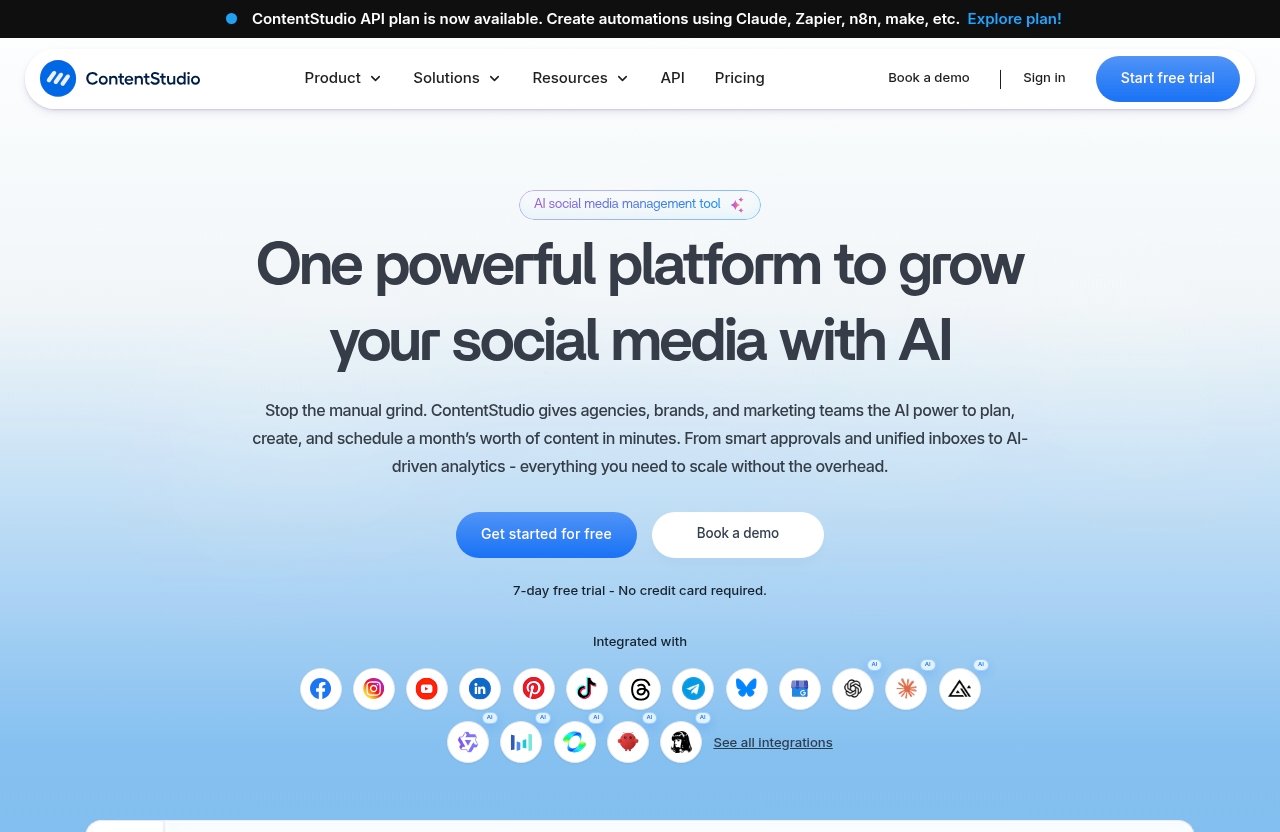
ContentStudio is a unified social media management platform designed to help users plan, create, schedule, publish, analyze, and manage social content from one place. Its official homepage highlights product areas including Publish, AI Studio, Analyze, Engage, Social Listening, and Discover.
In practical terms, contentstudio social media automation is about replacing repetitive social media tasks with planned workflows. Instead of manually posting every update, you can build queues, schedule content ahead of time, use automation rules, and manage your publishing calendar more intentionally.
It is not just a basic social media scheduler. Based on the official feature set, ContentStudio also includes tools such as workspaces, a media library, smart scheduling, bulk scheduling, approval workflow, client management, competitor analytics, automation, and ad analytics for Google Ads and Meta Ads.
Why solo marketers and small teams look for automation
Solo marketers and small teams usually do not struggle because they lack ideas. They struggle because execution is fragmented.
A typical workflow might involve writing content in one tool, storing assets in another, checking a spreadsheet calendar, posting manually inside each social platform, then pulling analytics from several dashboards. Over time, that creates friction, missed posts, and inconsistent messaging.
This is why contentstudio social media automation has strong commercial appeal. If one platform can centralize planning, publishing, approvals, and performance review, it can help lean teams focus more on strategy and less on repetitive admin.
For a one-person business, that may mean reclaiming a few hours a week. For a small agency or marketing team, it may mean fewer approval bottlenecks and clearer visibility across client or brand accounts.
Where ContentStudio Social Media Automation Fits In A Lean Social Workflow
ContentStudio fits best as the operational hub between content creation and social distribution. You can use it to collect ideas, plan posts, schedule campaigns, manage approvals, and review performance.
A lean workflow might look like this:
| Workflow Step | Manual Approach | ContentStudio-Based Approach |
|---|---|---|
| Content planning | Spreadsheet or notes app | Content calendar and planner |
| Post creation | Platform-by-platform drafting | Centralized publishing workflow |
| Scheduling | Manual posting or native tools | Smart scheduling and bulk scheduling |
| Approvals | Email, chat, or comments | Approval workflow |
| Reporting | Multiple native analytics dashboards | Analyze and competitor analytics features |
For small teams, this structure matters. When everyone knows where the content calendar lives, who needs to approve posts, and what is scheduled next, social media workflow automation becomes easier to maintain.
ContentStudio is officially positioned for solo creators, agencies, small businesses, marketing teams, and enterprise users. For this review, the strongest use case is clear: solo marketers and small teams that publish regularly and want a more organized system.
ContentStudio Social Media Automation: Core Features That Save Time
Evergreen campaigns and republishing top content
Evergreen campaigns are one of the most useful parts of contentstudio social media automation for creators with valuable content that remains relevant over time. Instead of publishing a post once and letting it disappear, you can build a workflow around republishing strong content at suitable intervals.
For example, a small business might have educational blog posts, service explainers, case studies, or seasonal tips that stay useful for months. Rather than recreating every social post from scratch, evergreen campaigns can help keep those assets in circulation.
The practical benefit is consistency. You are not relying entirely on fresh daily inspiration, which is often where solo marketers lose momentum.
That said, evergreen automation should still be reviewed. Repeating outdated promotions, expired offers, or old statistics can hurt trust, so it is best to periodically audit your evergreen queues.
Turn RSS feeds into social posts automatically
RSS to social media workflows are helpful when you regularly publish blog content, podcast episodes, news updates, or resource articles. With RSS feed automation, new content can be turned into social posts more efficiently.
This is especially useful for content-heavy businesses. If your website publishes new articles weekly, contentstudio social media automation can reduce the manual step of copying titles, links, and summaries into each social channel.
A practical workflow might be:
- Publish a new blog post.
- Pull the post into your social workflow via RSS.
- Review or adjust the caption.
- Add it to your content calendar.
- Let the scheduler publish it at the right time.
This kind of automation is not about removing human judgment. It is about removing repetitive copy-and-paste work while still giving you room to refine messaging before content goes live.
Bulk scheduling and multi-post planning
Bulk scheduling is one of the most valuable features for anyone who prefers batching work. Instead of logging in every day to create posts, you can prepare multiple updates in one focused session.
For example, a solo consultant might batch a month of LinkedIn, Facebook, and Instagram updates in one afternoon. A small team might prepare campaign posts for a product launch, event, webinar, or seasonal offer.
With contentstudio social media automation, bulk scheduling supports a more predictable publishing rhythm. You can prepare content while you are in “creation mode,” then let the platform handle posting according to your calendar.
This is where ContentStudio moves beyond a simple reminder system. When paired with a content calendar and smart scheduling, bulk scheduling can become the foundation of a repeatable social media workflow.
Smart scheduling and interactive content calendar
ContentStudio’s official feature list includes smart scheduling and a Calendar/Planner. These are important because automation only works well when you can see what is going out and when.
A visual content calendar helps you avoid common mistakes like overposting on one channel, forgetting another platform, or publishing too many promotional posts in a row. It also makes it easier to balance content types: educational posts, curated resources, promotions, product updates, and community engagement.
For teams, the calendar becomes a shared source of truth. For solo creators, it reduces mental load.
In my analysis, the best use of contentstudio social media automation is not “set it and forget it.” It is “plan it, review it, and let the tool handle the repetitive publishing work.”
Verified Product Facts: Plans, Pricing, and What You Get
Pricing snapshot from the official pricing page
The official pricing page title states: “ContentStudio Pricing | Plans From $19 per Month.” That is the verified pricing reference available for this review.
ContentStudio also officially confirms a 7-day free trial with no credit card required. For buyers comparing tools, that is useful because you can test the workflow before committing.
| Pricing Fact | Verified Information |
|---|---|
| Starting price | Plans from $19 per month |
| Free trial | 7-day free trial |
| Credit card required for trial | No credit card required |
| Recommendation | Check the live pricing page before purchase |
Because software pricing can change, readers should verify current ContentStudio pricing on the official pricing page before buying. I am not listing detailed plan names, limits, or tier inclusions here because those details should be confirmed live at the time of purchase.
What the homepage confirms about the product suite
The official ContentStudio homepage confirms that the platform includes several major product areas: Publish, AI Studio, Analyze, Engage, Social Listening, and Discover.
It also confirms a broad set of features relevant to automation and team workflows, including:
| Product/Feature Area | Officially Confirmed Capabilities |
|---|---|
| Planning and publishing | Calendar/Planner, smart scheduling, bulk scheduling |
| Team organization | Workspaces, approval workflow, client management |
| Content and assets | Media library, AI content library, clip maker |
| Automation | Automation features and API-based integrations |
| AI tools | AI Studio, AI video generator |
| Analytics | Analyze, competitor analytics, Google Ads Analytics, Meta Ads Analytics |
| Agency features | White-label, white-label reseller |
| Engagement and monitoring | Engage, Social Listening, Discover |
ContentStudio also confirms integrations and automation options using Claude, Zapier, n8n, and Make via the ContentStudio API plan. For advanced users, that can extend contentstudio social media automation into broader marketing operations.
For example, a team could potentially connect content workflows with other business systems through supported automation platforms, depending on the plan and setup. As always, verify exact access and requirements on the official site before building a workflow around it.
What the official pages do not verify
A trustworthy ContentStudio review should be clear about what is verified and what is not. The official facts provided for this article confirm the broad feature set, starting price, and free trial, but they do not provide enough detail here to safely list every plan limit or tier-by-tier inclusion.
That means this review will not invent:
- Exact plan names
- User limits
- Workspace limits
- Social account limits
- Post volume limits
- Feature restrictions by tier
- Discounts or coupon terms
This matters because contentstudio social media automation may be more or less valuable depending on the exact plan you choose. Before purchase, compare the live pricing page against your needs: number of social accounts, number of users, approval requirements, client management needs, and automation depth.
How ContentStudio Helps Solo Marketers Work Faster
Reduce context switching with one dashboard
For solo marketers, context switching is often the biggest productivity killer. You might start the day writing a caption, then jump to Canva or a media folder, then open LinkedIn, then check analytics, then remember you forgot to post on another channel.
ContentStudio’s value is that it brings more of that workflow into one operating environment. You can plan, schedule, publish, analyze, and manage engagement from a unified social media management platform.
This is where contentstudio social media automation becomes practical rather than theoretical. The less time you spend moving between tabs, the more time you can spend improving the message, offer, and creative angle.
For solo marketers who publish across multiple channels, even small reductions in friction can compound over time.
Plan a month of content in less time
A realistic way to use ContentStudio for solo marketers is to batch content monthly or biweekly. Instead of creating posts every morning, you can set aside a focused block of time to plan topics, write captions, upload assets, and schedule posts.
A simple monthly workflow could look like this:
| Task | Suggested Batch Workflow |
|---|---|
| Week 1 planning | Choose themes, offers, and key dates |
| Content creation | Draft captions and select visuals |
| Scheduling | Use bulk scheduling and smart scheduling |
| Review | Check the content calendar for gaps |
| Optimization | Review analytics and adjust next month |
This type of workflow works especially well if you already have source content. Blog posts, newsletters, podcast notes, customer questions, and product tutorials can all be repurposed into social updates.
In that sense, contentstudio social media automation helps you stop treating social media as a daily emergency. It turns posting into a planned production system.
Keep posting consistent without daily manual effort
Consistency is one of the hardest parts of social media marketing. Many solo marketers post in bursts when they have time, then go quiet when client work, operations, or sales calls take over.
A social media scheduler helps solve that by separating creation time from publishing time. ContentStudio adds planning and automation features around that process, so you can keep content moving even when your day gets busy.
This does not mean automation replaces creativity. You still need relevant ideas, strong messaging, and useful content.
But contentstudio social media automation can help protect your publishing rhythm. For many solo marketers, that alone may justify testing the free trial.
Official website · Latest pricing & offers
How Small Teams Can Use ContentStudio Without Adding Headcount
Shared content calendar and approval workflow
Small teams often do not need more people first. They need a cleaner workflow.
ContentStudio’s shared content calendar and approval workflow can help teams coordinate posts before they go live. This is useful when one person writes, another reviews, and a manager or client needs final approval.
Without a structured approval process, teams often rely on chat threads, emails, and scattered comments. That creates confusion about which version is final.
With contentstudio social media automation, the goal is to create a more visible pipeline: planned, drafted, reviewed, approved, scheduled, and published. That can reduce delays without requiring extra headcount.
Client management and workspace organization
ContentStudio’s official feature set includes workspaces and client management. For agencies, consultants, and service providers, those features can be especially important.
A workspace-based structure helps separate brands, clients, campaigns, or business units. This reduces the risk of mixing assets, posting to the wrong account, or losing track of approvals.
For ContentStudio for small teams, organization is not a nice-to-have. It is what keeps a lean operation from becoming chaotic as more channels, clients, and campaigns are added.
In my opinion, this is one of the stronger reasons to consider the platform if you manage more than one brand presence.
Collaboration across multiple channels
Small teams rarely publish on just one platform. They may manage Facebook, Instagram, LinkedIn, X, Pinterest, TikTok, YouTube, or other channels depending on their audience.
Multi-channel publishing matters because manual posting multiplies work. One campaign can easily turn into several platform-specific tasks.
With contentstudio social media automation, a team can plan campaign messaging centrally, adapt posts by channel, and schedule content into a shared calendar. That gives the team better visibility into what is happening across the whole social presence.
It also helps managers review content before it goes live, which is useful for brand consistency and compliance-sensitive industries.
Automation Use Cases to Cover in the Review
Repurposing blog content into social posts
One of the easiest ways to get value from ContentStudio automation is to repurpose existing long-form content. If you publish blog posts, guides, case studies, or newsletters, each piece can become several social posts.
For example, one blog post could become:
- A summary post
- A quote or insight post
- A question-based post
- A short educational thread
- A promotional post linking back to the article
This is where contentstudio social media automation supports content leverage. Instead of constantly creating from zero, you can turn existing assets into a planned distribution sequence.
The key is to avoid posting the same caption everywhere. Use the scheduler and content calendar to adapt the angle for each platform and audience.
Scheduling content in batches
Batch scheduling is ideal for marketers who want fewer interruptions. Rather than writing and publishing posts one at a time, you can prepare a group of posts and schedule them together.
For a small team, batching can also create a predictable review cycle. Writers draft posts early, reviewers approve them midweek, and the calendar is ready before the campaign starts.
Bulk scheduling supports this workflow by making high-volume planning more manageable. The benefit is not just speed; it is fewer forgotten posts and less last-minute scrambling.
For many users, contentstudio social media automation will feel most valuable during these batching sessions. You can see the month ahead, spot content gaps, and maintain a steadier cadence.
Automating recurring promotions and evergreen posts
Recurring promotions are another practical use case. If you regularly promote a webinar, lead magnet, newsletter, service page, or product category, automation can help you build a repeatable campaign structure.
Evergreen campaigns are particularly useful when the content remains relevant. For example, a financial coach might republish budgeting tips, while a SaaS company might rotate educational product tutorials.
The important part is moderation. Automated evergreen content should be reviewed periodically so it stays accurate, timely, and aligned with your current offers.
Used carefully, contentstudio social media automation can help recurring promotions run more smoothly without making your social feed feel robotic.
Curating content from web pages and feeds
Content curation can help brands stay active and useful, especially when they do not have enough original content to post every day. ContentStudio’s Discover and RSS-related workflows can support finding and sharing relevant resources.
A curated post might include an industry article, a short opinion, and a question for your audience. This works best when you add context rather than simply reposting a link.
RSS to social media automation can also support content distribution when you publish new resources on your own site. Instead of manually checking for updates, you can create a more streamlined workflow around new content.
For lean teams, curation plus automation can fill calendar gaps while still keeping the feed relevant.
Pros, Cons, and Best Fit Summary
Main advantages for lean teams
The main advantage of ContentStudio is centralization. Instead of using separate tools for planning, scheduling, publishing, approvals, and analysis, you can manage more of the workflow in one platform.
For contentstudio social media automation, the most practical strengths are:
| Advantage | Why It Matters |
|---|---|
| Unified workflow | Reduces tab switching and scattered processes |
| Bulk scheduling | Makes batching easier |
| Smart scheduling | Supports more organized publishing |
| Content calendar | Gives visibility into upcoming posts |
| Workspaces | Helps organize brands, clients, or teams |
| Approval workflow | Reduces review bottlenecks |
| Client management | Useful for agencies and consultants |
| Automation options | Supports repeatable workflows and integrations |
Another advantage is that ContentStudio serves multiple user types: solo creators, small businesses, agencies, marketing teams, and enterprise. That makes it flexible for users who may grow from a one-person workflow into a more collaborative setup.
As an affiliate-supported review, my recommendation still depends on fit. The platform is most appealing if you publish consistently, manage multiple channels, or need repeatable automation workflows.
Potential limitations to watch for
The biggest limitation is that automation tools only save time when you set them up thoughtfully. If your content process is unclear, any platform can become another place to manage chaos.
There may also be more functionality than a very casual user needs. If you only post once or twice a month on one social platform, a simpler native scheduler may be enough.
Another point to watch is plan fit. Since exact plan limits and inclusions should be verified on the live pricing page, you should confirm whether the features you need are included in the plan you choose.
Finally, contentstudio social media automation should not replace human review. Scheduled posts, RSS-based updates, and evergreen campaigns still need periodic checks for accuracy, tone, and timing.
Who should consider a free trial
You should consider the 7-day free trial if you are actively trying to reduce manual posting and improve your social media workflow. Since the official pages confirm no credit card is required for the trial, it is a relatively low-friction way to test the platform.
ContentStudio is especially worth considering for:
- Solo creators who want a consistent publishing rhythm
- Small business owners managing several channels
- Marketing teams that need approvals and shared planning
- Agencies managing multiple clients
- Brands that want social media workflow automation
- Teams interested in an AI social media management tool with publishing and planning features
If you want to evaluate the tool directly, you can start with ContentStudio through TopTrustReview and compare the live pricing page against your needs before subscribing.
How ContentStudio Compares to Manual Social Media Management
What you stop doing manually
Manual social media management often looks simple from the outside. In reality, it includes dozens of small tasks that repeat every week.
With contentstudio social media automation, you can reduce manual work such as:
- Logging into each platform separately
- Copying and pasting captions
- Manually publishing posts every day
- Tracking planned content in spreadsheets
- Sending drafts through email for approval
- Searching scattered folders for media
- Rebuilding recurring campaigns from scratch
You still need to create good content. But the operational layer becomes more efficient.
For solo marketers and small teams, that difference matters because social media is rarely the only responsibility. A tool that reduces repetitive execution can free up time for strategy, creative testing, and customer engagement.
Where automation creates the biggest gains
Automation creates the biggest gains when you already have repeatable content needs. That includes weekly blog promotion, recurring campaigns, multi-channel posting, client approvals, and evergreen content distribution.
For example, a small SaaS team might schedule product tips, customer education posts, blog updates, and webinar reminders in one monthly planning session. A consultant might turn one newsletter into several LinkedIn and Facebook posts.
In both cases, contentstudio social media automation helps create a system. The gain is not just faster posting; it is better predictability.
That predictability can improve collaboration too. When your team can see the content calendar, review upcoming campaigns, and approve drafts in advance, social media becomes less reactive.
When a simpler workflow may be enough
ContentStudio is not automatically necessary for everyone. If you manage one platform, publish occasionally, and do not need approvals, automation, analytics, or client organization, a simpler workflow may be enough.
Manual posting can work for very small operations with low publishing volume. Native platform schedulers may also be acceptable if you only need basic scheduling.
However, once you manage multiple channels, recurring campaigns, or team approvals, manual work becomes harder to justify. That is where contentstudio social media automation is most likely to pay off in saved time and reduced friction.
Conclusion: ContentStudio is a strong option for the right user, especially solo marketers, small business owners, agencies, and marketing teams that want to centralize planning and automate repetitive social publishing tasks. It is not a magic replacement for strategy, but contentstudio social media automation can make a lean social workflow more consistent, organized, and manageable.
Official website · Latest pricing & offers
FAQ
What is ContentStudio used for?
ContentStudio is used for social media management, including planning, scheduling, publishing, analyzing, engagement, social listening, content discovery, and automation workflows. It is designed as a unified platform for solo creators, small businesses, agencies, marketing teams, and enterprise users.
How does ContentStudio automate social media posts?
ContentStudio automates social media posts through features such as evergreen campaigns, RSS to social media workflows, bulk scheduling, smart scheduling, and rule-based autopublishing. These features help users prepare content in advance and reduce repetitive manual posting.
Is ContentStudio good for solo marketers?
Yes, ContentStudio can be a good fit for solo marketers who want to reduce context switching and maintain a consistent posting schedule. One dashboard, a content calendar, scheduling tools, and automation features make it easier to manage social media without posting manually every day.
Does ContentStudio support small teams?
Yes, ContentStudio supports small teams with features such as workspaces, approval workflow, client management, shared planning, and multi-channel publishing. These tools can help teams organize responsibilities, review content before publishing, and avoid bottlenecks.
How much does ContentStudio cost?
The verified official pricing reference states that ContentStudio plans start from $19 per month. ContentStudio also confirms a 7-day free trial with no credit card required, but you should check the live official pricing page before purchase for current plan details and inclusions.
Related Reading
- ContentStudio for Agencies Review 2026: Is It Worth It?
- Klap for Agencies Review: Can It Speed Up Client Content Delivery?
- Syllaby for Marketing Agencies: Practical Use Cases for Scalable Client Video Production in 2026
References
- ContentStudio: Unified Social Media Management Tool
- ContentStudio Pricing | Plans From $19 per Month
- Integrated with
- ContentStudio – AI Social Media Management Tool