How Much Does a Post Planner Cost in 2026?
If you are asking how much does a Post Planner cost, the short answer is: Post Planner has a Free plan, while paid plans range from $14 per month for Starter to $629 per month for Agency + 3 * 50 when billed monthly. Paying annually lowers the effective monthly cost on every paid tier.
For creators, businesses, and agencies, the right plan depends mostly on the number of social accounts, team members, scheduled posts, and AI image credits you need. This guide breaks down current Post Planner pricing 2026 details using the official pricing page as the source.
Disclosure: Top Trust Review may earn a commission if you purchase through links in this article. This does not change the price you pay, and the goal here is to provide a practical, fact-based comparison.
Official website · Latest pricing & offers
Quick answer: How much does Post Planner cost in 2026?
The shortest answer for buyers
So, how much does a Post Planner cost for a typical user? The entry-level paid option is Starter at $14 per month, while the Free plan costs nothing. Growth is $59 per month, Business is $99 per month, and agency-focused tiers start at $179 per month.
There are seven available plans: Free, Starter, Growth, Business, Agency, Agency + 50, and Agency + 3 * 50. The paid tiers scale primarily through higher social account limits, more users, larger scheduling allowances, and more AI images.
Monthly vs annual billing at a glance
Post Planner monthly cost is easier to understand upfront, but annual billing is substantially less expensive if you expect to use the platform throughout the year. For example, Starter costs $14 monthly or $108 per year, while Growth costs $59 monthly or $468 per year.
When considering how much does a Post Planner cost over a full year, compare the annual total with 12 monthly payments—not just the displayed monthly figure. Annual billing requires a larger payment at once, but it can make sense when your account needs are stable.
Is there a free plan or trial?
Yes, there is a Post Planner free plan. It includes one social account, one user, 10 scheduled posts, three daily posts per profile, one AI image, and email and chat support.
The official pricing information provided for this review confirms the Free plan, but it does not confirm a trial offer for paid plans. Check the official site before subscribing, since trial availability and pricing can change.
Post Planner pricing breakdown by plan
The table below answers how much does a Post Planner cost by plan and shows the major published limits. Prices and allowances are based on the official Post Planner pricing page and should be verified before purchase.
| Plan | Monthly Billing | Annual Billing | Social Accounts | Users | Scheduled Posts | Daily Posts per Profile | AI Images |
|---|---|---|---|---|---|---|---|
| Free | Free | Free | 1 | 1 | 10 | 3 | 1 |
| Starter | $14/mo | $108/year | 3 | 1 | 150 | 12 | 15 |
| Growth | $59/mo | $468/year | 15 | 2 | 1,500 | 24 | 150 |
| Business | $99/mo | $828/year | 25 | 5 | Unlimited | Unlimited | 250 |
| Agency | $179/mo | $1,428/year | 50 | 10 | Unlimited | Unlimited | 500 |
| Agency + 50 | $329/mo | $2,628/year | 100 | 20 | Unlimited | Unlimited | 1,000 |
| Agency + 3 * 50 | $629/mo | $5,028/year | 200 | 40 | Unlimited | Unlimited | 2,000 |
All listed plans include email and chat support according to the official pricing page.
Free plan
The Free plan is the simplest answer for people who need to test a basic social scheduling routine without a subscription. It supports one social account and one user, with a 10-post scheduling limit.
For a hobby account or very light posting calendar, this can be enough. However, the three daily posts per profile limit and single AI image allowance will feel restrictive for active brands.
Starter plan
The Post Planner Starter plan costs $14 per month or $108 per year. It raises the account allowance to three social accounts and increases the scheduling capacity to 150 posts.
Starter also includes 12 daily posts per profile, 15 AI images, one user, and email and chat support. In practical terms, it is designed for someone managing a few connected profiles rather than a team or a high-volume publishing workflow.
Growth plan
The Post Planner Growth plan costs $59 per month or $468 per year. The official pricing page labels this tier as MOST POPULAR.
Growth includes 15 social accounts, two users, 1,500 scheduled posts, 24 daily posts per profile, and 150 AI images. For a business handling several channels or a small marketing team, this is a meaningful step up from Starter.
Business plan
The Post Planner Business plan is $99 per month or $828 per year. It includes 25 social accounts, five users, unlimited scheduled posts, unlimited daily posts per profile, and 250 AI images.
This plan removes the queue constraints that matter most to a busy business. It is a stronger fit when several people need access and a fixed scheduled-post limit would interrupt your publishing process.
Agency and higher-tier plans
The Post Planner Agency plan starts at $179 per month or $1,428 per year. It supports 50 social accounts, 10 users, unlimited scheduled posts, unlimited daily posts per profile, and 500 AI images.
For larger account portfolios, Agency + 50 costs $329 per month or $2,628 per year. It increases capacity to 100 accounts, 20 users, and 1,000 AI images.
At the top end, Agency + 3 * 50 costs $629 per month or $5,028 per year. It supports 200 social accounts, 40 users, unlimited scheduling capacity, and 2,000 AI images.
What each Post Planner plan includes
Core features available across the platform
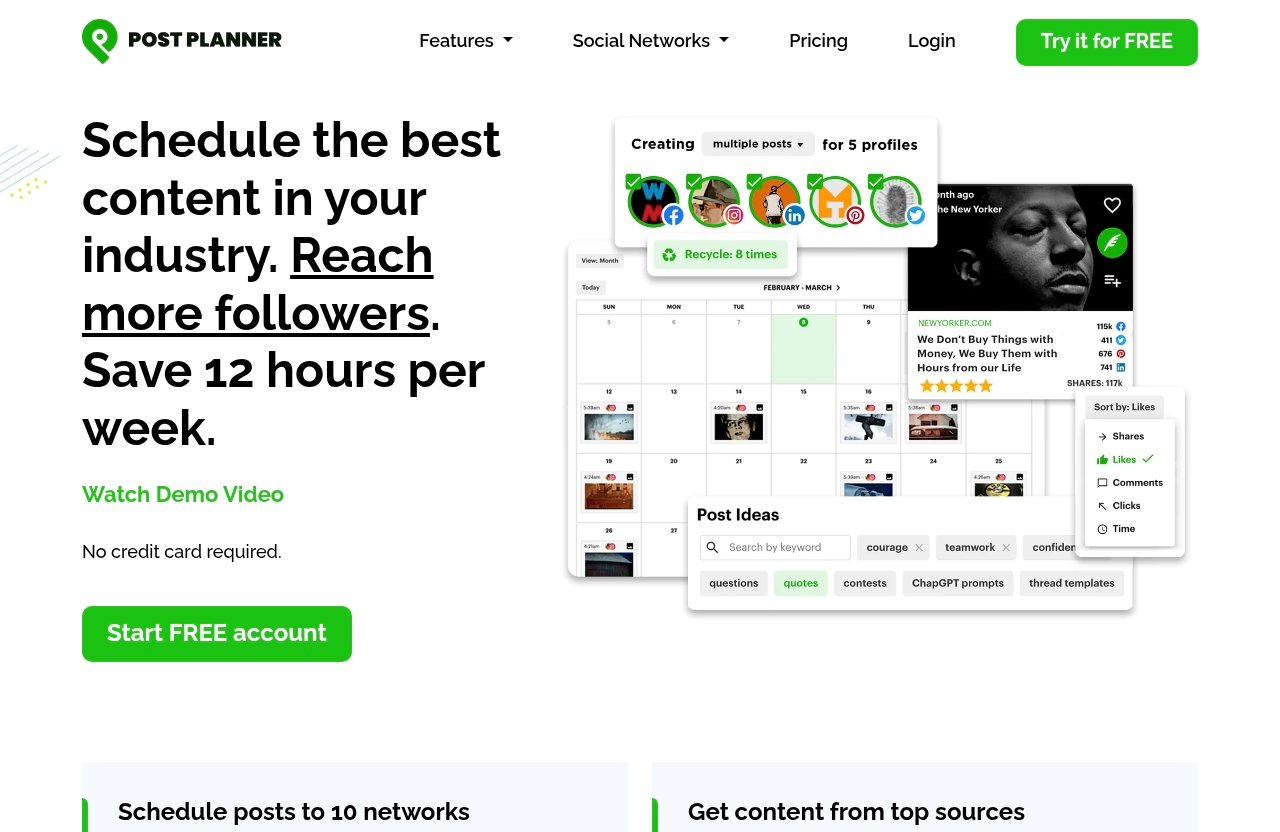
Post Planner is a social media scheduler built around engagement-focused publishing. Its official feature areas include Connect, Discover, Design, Categorize, Create, Schedule, Analyze, and Mobile.
Supported networks listed on the official site include Facebook, Instagram, Google Business, LinkedIn, Pinterest, TikTok, Twitter/X, YouTube, Threads, and Bluesky. Before choosing a tier, confirm that the specific networks and publishing options you need are available with your selected plan.
When looking at how much does a Post Planner cost, remember that the plan price is only one part of the decision. The number of channels and people who need access usually has a larger long-term impact on value.
Scheduling limits and publishing features
The clearest difference among Post Planner plans and pricing is scheduling scale. Free allows 10 scheduled posts, Starter allows 150, Growth allows 1,500, and Business through the largest Agency tier provide unlimited scheduled posts.
Official scheduling-related labels include post recycling, copying, shuffling, bulk upload, buckets (categories), carousels, Reels/Stories, calendar view, post previews, tagging other accounts, scheduling comments, and one-click re-queue. The pricing page also uses the labels Scheduling (basic) and Scheduling (plus).
Higher plans provide more room for ongoing content queues, especially through unlimited scheduled posts and unlimited daily posts per profile on Business and above. Review the current pricing-page feature matrix if a specific publishing tool, including X or Pinterest support, is essential to your workflow.
Content curation and discovery features
Post Planner features also cover finding, saving, designing, and organizing content. Officially listed tools include curating social articles up to three days old, stock media, media editing via Studio, content favoriting, unlimited saved content streams, viral media and texts, post ideas, quotes, contests, and on-demand trending articles.
The pricing page groups content tools under Content (basic) and Content (plus). That is useful context for buyers comparing tiers, since content discovery can matter as much as post scheduling for teams that publish frequently.
My practical view is that users should not move up solely for a larger post queue if their real bottleneck is content creation. Check which official content label applies to your chosen plan, then decide whether the added account and user capacity justifies the price.
Analytics and support
Post Planner lists Analytics as a pricing-page feature group. Its official labels include full metrics for historical posts, date range filtering, and engagement comparisons.
Every plan listed in the official pricing details includes email and chat support. That makes the support baseline straightforward, although the real dividing lines remain account capacity, user seats, post limits, and AI image allowances.
Official website · Latest pricing & offers
Which Post Planner plan is best for your use case?
Solo creator or side project
A solo creator with one profile and a light posting schedule should begin with Free. It is the lowest-risk way to see whether Post Planner fits your publishing habits without committing to a subscription.
If you manage two or three social accounts, the Starter tier is the more realistic option. The answer to how much does a Post Planner cost for this type of user is generally $14 per month or $108 per year, assuming its 150 scheduled-post limit is sufficient.
Small business or local brand
A small business managing several social channels may outgrow the Free plan quickly. Starter can work for a business with up to three accounts and a single person handling social media.
Growth becomes more relevant when your business operates multiple profiles across supported networks or wants a second user on the account. Its 15-account allowance and 1,500 scheduled posts provide considerably more operating room than Starter.
Growing social team
Growth is the official most popular plan and is a sensible comparison point for a growing team. It supports two users, 15 social accounts, 24 daily posts per profile, and 150 AI images.
Business is worth considering when you need up to five users, 25 accounts, and unlimited scheduled posts. The Post Planner Business plan is less about adding a specific niche feature and more about removing practical capacity limits for a more active team.
Agency or multi-client workflow
An agency should choose based on total connected accounts and team seats rather than simply selecting the highest tier. Agency supports 50 accounts and 10 users, which may be enough for a small client roster.
The larger Agency + 50 and Agency + 3 * 50 options are for organizations with 100 or 200 social accounts, respectively. Since these plans are significant investments, count every account and user who needs access before you subscribe.
Is Post Planner worth it in 2026?
Value compared with the free plan
Whether how much does a Post Planner cost feels worthwhile depends on what you need beyond the Free plan. Free is useful for one account and a small queue, but its 10 scheduled posts, three daily posts per profile, and one AI image are deliberately limited.
Starter provides a substantial increase in capacity for a relatively low monthly price. Growth and above make more sense when multiple accounts, higher queue limits, additional users, and larger AI image allowances are necessary.
When the paid plans make sense
Paid Post Planner plans make sense when manual posting is becoming difficult to maintain across several profiles. They are also easier to justify when you need more scheduled posts than Free allows or need another person to access the workspace.
Business and Agency tiers are best evaluated by their unlimited scheduling limits and user capacity. If you are not close to those limits, a smaller plan may offer better value.
For readers ready to compare the current options, you can review Post Planner through this pricing and signup page. Always confirm the final price, billing terms, and included feature labels on the official site before paying.
Potential limitations to watch for
The main limitation to watch is overbuying capacity. A solo user may not benefit from 15, 25, or 50 social accounts, just as a high-volume team may find Starter’s single user and 150 scheduled posts too restrictive.
Also review the official feature grouping for Scheduling (basic), Scheduling (plus), Content (basic), Content (plus), and Analytics. The supplied pricing facts confirm those labels, but your decision should be based on the live plan comparison if you require a particular feature.
How to save money on Post Planner
Choose annual billing when you can
Post Planner annual pricing is lower than paying monthly for 12 months on every paid tier. Starter costs $108 annually instead of $168 across 12 monthly payments, a difference of $60.
Growth saves $240 annually compared with monthly billing, while Business saves $360. Agency annual billing saves $720, Agency + 50 saves $1,320, and Agency + 3 * 50 saves $2,520 versus 12 monthly payments.
Start with the Free plan or trial
The Free plan is the best place to start if you only need one connected account and limited scheduling. It lets you assess the dashboard, posting workflow, and basic limits before committing to a paid plan.
Do not assume a paid-plan trial is available unless it is shown on the official checkout or pricing page at the time you visit. Pricing and promotional terms can change, so verify current details directly before purchasing.
Match the plan to your account count
The best way to control your Post Planner social media scheduler cost is to count the accounts and users you actually need now. Then choose the smallest plan that covers those needs with a reasonable amount of room for growth.
For example, there is little reason to pay for Growth’s 15 accounts if Starter’s three accounts and one-user limit meet your needs. Conversely, moving to a higher tier can be more sensible than repeatedly hitting your schedule or user ceiling.
Post Planner alternatives and next steps
When to consider an alternative
Consider another social scheduling tool if the current Post Planner plan limits do not match your required number of networks, users, publishing volume, or feature needs. This is not necessarily a reflection on quality; platform fit varies by workflow.
It is especially important to verify support for the social networks you actively use. Post Planner lists Facebook, Instagram, Google Business, LinkedIn, Pinterest, TikTok, Twitter/X, YouTube, Threads, and Bluesky, but always confirm your intended setup before subscribing.
What to compare before you buy
Compare account limits, user limits, scheduled-post limits, daily post limits, and AI image allowances first. Then look at the official Scheduling, Content, and Analytics labels to determine whether the plan includes the tools that matter to you.
When comparing how much does a Post Planner cost with your actual needs, annual billing can offer stronger value—but only if you are comfortable paying for a full year and expect to keep using the same capacity.
Where to click from here
Start with the Free plan if you have one account and limited scheduling needs. If you already know your account count, posting volume, and team size, review the current Post Planner plans before choosing monthly or annual billing.
Pricing can change, so use the official Post Planner pricing page as the final source of truth before making a purchase.
Official website · Latest pricing & offers
FAQ
How much is a Post Planner subscription per month?
Post Planner monthly pricing is Free for the Free plan, $14 per month for Starter, $59 per month for Growth, $99 per month for Business, $179 per month for Agency, $329 per month for Agency + 50, and $629 per month for Agency + 3 * 50.
Annual billing is less expensive than paying monthly for 12 months on the paid plans. Check the official pricing page for the current final billing terms.
Does Post Planner have a free plan?
Yes. The Post Planner free plan includes one social account, one user, 10 scheduled posts, three daily posts per profile, one AI image, and email and chat support.
It is a practical option for testing a light social media scheduling workflow. Users with multiple profiles or heavier publishing needs will likely need a paid plan.
What is included in the Starter plan?
The Post Planner Starter plan includes three social accounts, one user, 150 scheduled posts, 12 daily posts per profile, 15 AI images, and email and chat support.
It costs $14 per month when billed monthly or $108 per year when billed annually. It is generally the first paid step for an individual managing a few social accounts.
Which Post Planner plan is the most popular?
The official Post Planner pricing page labels the Growth plan as MOST POPULAR. It includes 15 social accounts, two users, 1,500 scheduled posts, 24 daily posts per profile, 150 AI images, and email and chat support.
Growth costs $59 per month or $468 per year. It is positioned between Starter’s smaller limits and Business-level unlimited scheduling capacity.
Is Post Planner legit?
Post Planner has an official product website and a public pricing page that lists its plans, prices, supported social networks, limits, and feature areas. Those are useful signs that it is an established software product with transparent plan information.
As with any software purchase, review the current terms, test the Free plan if it fits your needs, and consult independent user feedback before committing to annual billing.
Related Reading
- Postplanner Review Complaints: What Users Should Know Before Buying in 2026
- Youlearn AI Monthly Cost: 2026 Pricing, Plans, and Value Breakdown
- Youlearn Free Trial Explained 2026
References
- Post Planner Plans & Pricing
- Post Planner Social Media Scheduler built for Engagement
- Post Planner Software Pricing, Alternatives & More 2026
- Post Planner Software Reviews, Demo & Pricing – 2026