What Is Contentstudio Used for? A Beginner’s Guide for 2026

If you are asking what is contentstudio used for, the short answer is simple: it is a unified social media management tool for creating, planning, publishing, analyzing, and managing social content from one place.
Instead of jumping between separate tools for captions, scheduling, performance reports, inbox messages, and content ideas, ContentStudio combines these jobs into a single workflow. That makes it especially relevant for people managing more than one social channel or more than one client.
Official website · Latest pricing & offers
What Is ContentStudio Used For?
Simple definition in one sentence
What is contentstudio used for in practical terms? It helps individuals and teams organize the full social media workflow, from finding ideas and creating posts to publishing, engagement, and reporting.
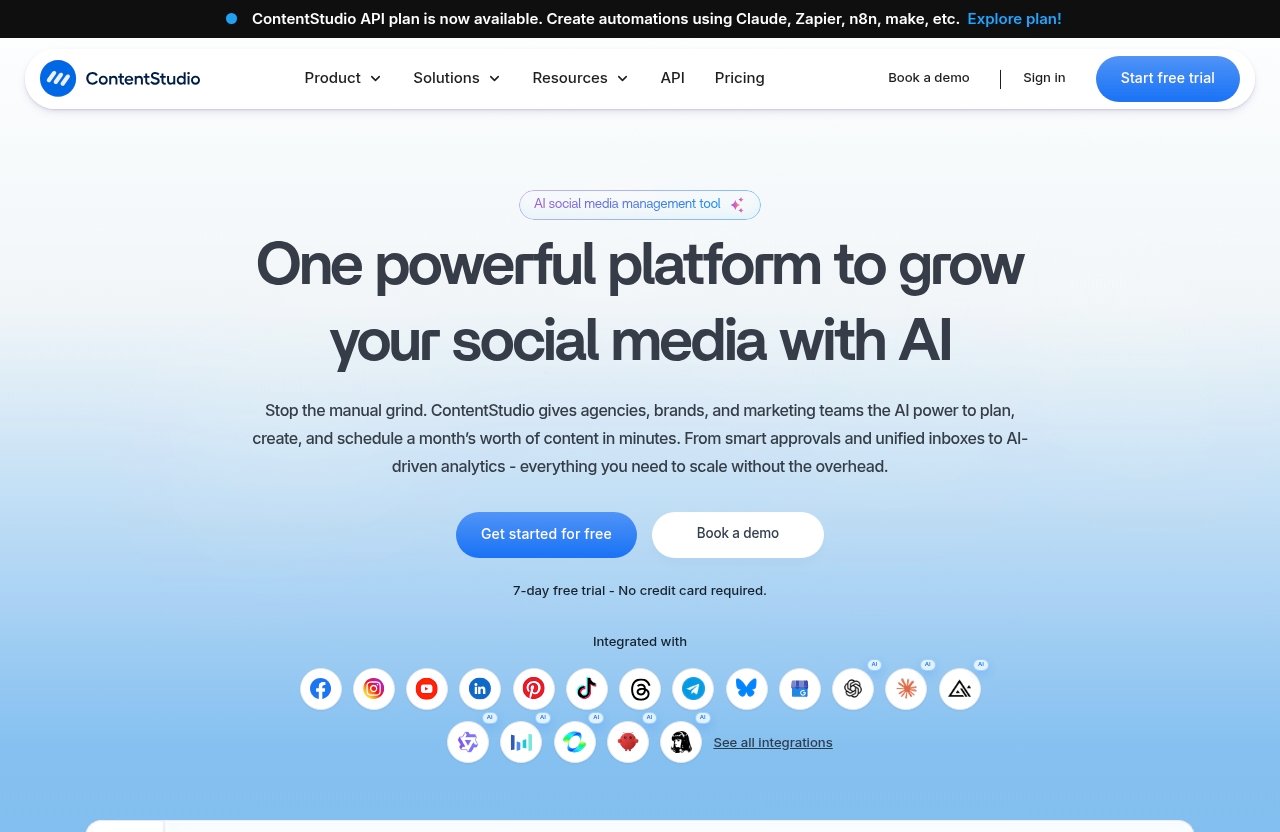
The official platform areas are Publish, AI Studio, Analyze, Engage, Social Listening, and Discover. Together, these cover the main tasks that often become difficult when content production grows beyond occasional posting.
Who it is built for
ContentStudio is positioned for solo creators, agencies, small businesses, marketing teams, and enterprise users. The best fit is usually someone who needs a more organized process than manually posting each update and checking results one network at a time.
For example, a creator may want a planning calendar and AI assistance, while an agency may care more about client management, approval workflows, workspaces, and white-label options. The platform is designed to support both kinds of needs without requiring separate tools for every stage.
The main problem it solves
The central issue behind what is contentstudio used for is workflow fragmentation. Social media work can involve content ideas, design assets, captions, scheduling, replies, analytics, and competitor monitoring, all of which can become scattered quickly.
ContentStudio aims to bring those activities together. For a first-time buyer, its appeal is not simply that it can schedule posts; it is that the tool can help create a repeatable system for managing content consistently.
The 6 Main Things ContentStudio Helps You Do
Plan and schedule social posts
Planning is one of the clearest answers to what is contentstudio used for. ContentStudio provides a Calendar/Planner that can help you see upcoming content, identify gaps, and avoid last-minute publishing.
This is useful when you want to map out a campaign, balance different content themes, or make sure posting stays consistent during busy weeks. A visible calendar can also make it easier for a manager or client to understand what is planned.
ContentStudio scheduling includes smart scheduling and bulk scheduling. Smart scheduling is helpful when you want the platform to support a more streamlined publishing rhythm, while bulk scheduling can reduce repetitive work when you have many posts ready to prepare.
Create content with AI Studio
ContentStudio AI Studio is built to support content creation. For beginners, AI assistance can be useful when you need caption ideas, content angles, or a starting draft and do not want to face a blank page every time.
It is best viewed as a productivity aid rather than a replacement for your brand voice or judgment. You should still review generated text for accuracy, clarity, tone, and relevance before publishing.
The platform also lists an AI content library and AI video generator among its features. These tools may appeal to users looking to develop content assets within the same broader social media workflow.
Publish across multiple platforms
Publishing is another major part of what is contentstudio used for. Rather than treating every social post as a separate manual task, users can prepare content and manage publishing through a unified dashboard.
This matters most for users with an active content calendar. A business that posts only once in a while may not feel much friction, but a brand publishing regularly across its social presence can save time by reducing repeated switching between platforms.
ContentStudio is therefore better understood as a content operations tool, not just a place to queue posts. Publishing sits alongside planning, creation, engagement, and analysis.
Track analytics and performance
ContentStudio analytics help users examine how their social content is performing. Performance data is valuable because it turns social media activity into something you can evaluate rather than simply guess about.
For instance, a small business can review which themes produce stronger engagement and use that information in its next content plan. Agencies and marketing teams can use analytics as part of a more structured reporting process.
The official feature list also includes competitor analytics, Google Ads Analytics, and Meta Ads Analytics. These additions can be useful for users who want to look beyond organic publishing and consider wider marketing performance in the same working environment.
Manage social inbox and customer care
The Engage area addresses social conversations and messages. In everyday terms, this function helps teams manage social inbox activity instead of treating audience replies as an afterthought.
For a growing brand, timely responses can be as important as publishing. Questions, comments, and customer messages can influence trust, and a centralized engagement workflow may make it easier to keep communication organized.
When people ask what is contentstudio used for, the social inbox element is worth noting because it shows the platform supports what happens after a post goes live, not only the preparation phase.
Monitor conversations with social listening
Social Listening is designed to help users monitor conversations that matter to their brand, market, or content strategy. This differs from checking replies on your own posts because listening is about discovering broader discussions and signals.
The Discover area adds another content-focused layer. For marketers, this can support research, idea development, and awareness of relevant topics before a campaign is planned.
In practical use, social listening can be valuable when you want to understand the language people use around a subject, notice recurring questions, or follow conversations related to your business. It gives what is contentstudio used for a broader answer than “post scheduling.”
Key Features That Support Those Jobs
Calendar and planner
The Calendar/Planner is the operational center for many users. It gives a clearer view of what content is coming up, which helps reduce duplicate topics, inconsistent timing, and missed campaign dates.
For teams, a shared plan can improve accountability because everyone can see the content pipeline. For a solo creator, it can make social content feel less reactive and more intentional.
Bulk scheduling and smart scheduling
Bulk scheduling is useful when you have a group of approved posts ready to organize. Rather than preparing each item individually, you can streamline the setup process and reserve more time for strategy or community engagement.
Smart scheduling supports a more efficient publishing workflow. Before choosing a platform, buyers should consider whether they publish often enough for these tools to make a meaningful difference in their routine.
Media library and clip maker
A media library provides a more organized home for reusable visual assets. This can be helpful when you regularly use product images, brand graphics, campaign visuals, or approved creative files.
Clip maker is another official ContentStudio feature. Along with the AI video generator, it suggests that the platform supports users who want to include visual content creation within their social media management process.
Approval workflow and client management
Approval workflow is particularly relevant for agencies, teams, and brands with review requirements. It can help make the route from draft to approved content more visible, reducing confusion around who needs to sign off.
Client management is also a practical feature for service providers. When considering what is contentstudio used for, agencies should look closely at how workspaces, approvals, and client-facing organization could fit their day-to-day process.
White-label options and automation
ContentStudio lists white-label and white-label reseller options among its features. These can be relevant for agencies that want a more branded client experience as part of their social media service workflow.
Automation can also appeal to busy teams that want to reduce manual repeat tasks. Still, beginners should not assume automation removes the need for oversight; content, messages, and reporting should remain aligned with your business goals.
Competitor analytics plus ads analytics
Competitor analytics can help marketers add context to their own results. The point is not to copy another brand’s content, but to notice patterns, positioning, and opportunities in the wider market.
Google Ads Analytics and Meta Ads Analytics are also listed features. For buyers who manage both organic and paid activity, this may strengthen the case for using one platform to keep key marketing work more organized.
Who Should Use ContentStudio?
Solo creators
Solo creators can benefit from the planning calendar, content creation support, media library, and scheduling tools. If you publish often and want a more dependable routine, ContentStudio may help you spend less time coordinating tasks.
For a creator, what is contentstudio used for often comes down to consistency. It can support the move from posting whenever inspiration strikes to working from a clearer content plan.
Agencies
ContentStudio for agencies makes sense because agencies often handle several workflows at once. Workspaces, client management, approval workflow, white-label features, analytics, and bulk scheduling are especially relevant in that context.
An agency should still evaluate its own process carefully. The key question is whether the platform supports the way your team handles reviews, client communication, publishing responsibilities, and reporting.
Small businesses
Small businesses may benefit when social media is important but time is limited. A unified tool can make it easier to plan content, prepare posts, review results, and respond to audience messages without relying on a collection of disconnected services.
The strongest fit is usually a business that posts consistently or has more than one person involved in marketing. A very occasional poster may not need the full range of features.
Marketing teams
Marketing teams often need visibility, shared planning, and a clear approval process. ContentStudio’s workspaces, planner, automation, analytics, and engagement capabilities are aligned with those needs.
Teams should consider whether they need a central source of truth for content. If social planning currently happens through spreadsheets, chat messages, and separate reporting tools, the platform may provide a more orderly alternative.
Enterprise users
Enterprise users may be interested in the broader workflow, including workspaces, client management, approval features, white-label options, and the available ContentStudio API plan. Larger organizations should assess internal governance and reporting needs before committing.
For this audience, what is contentstudio used for is less about one feature and more about bringing multiple social media tasks into a coordinated process.
Official website · Latest pricing & offers
Is ContentStudio Just for Scheduling Posts?
How it goes beyond a basic scheduler
No, ContentStudio is not only a scheduler. ContentStudio scheduling is an important capability, but the official platform also includes AI Studio, Analyze, Engage, Social Listening, and Discover.
This distinction matters when comparing tools. A basic scheduler mainly helps you publish at a future time, while ContentStudio is designed to support the content cycle before and after publication as well.
Content marketing vs simple publishing tools
A simple publishing tool may solve one immediate problem: getting posts live without logging in manually each time. ContentStudio takes a wider content marketing approach by combining planning, creative support, analytics, engagement, discovery, and monitoring.
That broader scope is the most useful way to explain what is contentstudio used for to a first-time buyer. It is intended for people who want to manage an ongoing social media process rather than only queue a few updates.
When a simpler tool may be enough
A simpler tool may be enough if you post infrequently, work on only one basic social channel, and do not need reporting, inbox management, content research, or team approvals. Paying for a broader platform would not always be the most efficient choice.
On the other hand, ContentStudio becomes more compelling as the number of posts, channels, stakeholders, and client accounts increases. The value comes from workflow consolidation, not from having features you will never use.
ContentStudio Pricing: What You Need to Know Before Buying
Verified starting price
According to the official pricing page, ContentStudio pricing starts from $19 per month. This is the only verified starting price to rely on when estimating your initial cost.
Because pricing and package details can change, verify current ContentStudio pricing on the official site before purchasing. Do not base a decision solely on an older review, screenshot, or third-party price comparison.
Plan structure overview
The official pricing page includes the same core platform areas and major features discussed above, and it also notes that a ContentStudio API plan is available. Beyond that, buyers should review the live pricing page for the latest plan structure and available options.
Avoid assuming that every feature is included in every plan. It is better to compare your required workflow against the current official plan details before subscribing.
What to check before choosing a plan
Start with your actual workload: how much content you publish, whether you need workspaces, and whether other people need to review or manage content. Then consider whether AI Studio, analytics, engagement, listening, and client management are important to your process.
This is where what is contentstudio used for becomes a purchase question. If you only need occasional scheduling, focus on whether the wider toolkit justifies the cost; if you need all-in-one management, the platform may be more relevant.
Pros and Limitations for First-Time Buyers
Main strengths
The biggest strength is breadth. ContentStudio brings publishing, AI support, analytics, engagement, social listening, discovery, planning, and workflow features into one social media management environment.
It also has useful features for more structured work, including a calendar, media library, bulk scheduling, approvals, client management, automation, and analytics options. This can reduce the practical friction of switching tools throughout the day.
Potential drawbacks
The same breadth that helps active users can feel overwhelming for a beginner who only needs to post once or twice a month. Learning a unified platform takes more initial attention than using a basic scheduling app.
Buyers should also be careful not to subscribe based on a feature list alone. The right choice depends on whether you will genuinely use the planning, content, analysis, social inbox, and listening functions in your normal workflow.
Best use cases vs. overkill cases
ContentStudio is likely a good fit for creators with a consistent publishing schedule, agencies handling client work, small businesses growing their social presence, and teams that need more visibility over content production.
It may be overkill for someone who only needs a reminder to publish an occasional update. A realistic answer to what is contentstudio used for should acknowledge both possibilities rather than treating an all-in-one platform as right for every buyer.
How to Decide if ContentStudio Is Right for You
Questions to ask before signing up
Ask yourself whether you need one place for content planning, publishing, analytics, social inbox activity, social listening, and discovery. Also consider whether your workflow includes multiple channels, multiple people, client approval, or a growing library of content assets.
If your answer is yes to several of these questions, ContentStudio may be worth a closer look. If your needs are limited to a few occasional posts, a lighter option may serve you better.
Best-fit scenarios
The best scenarios involve repeatable social media work. Examples include a creator publishing several content formats, an agency coordinating client calendars, a small business managing customer conversations, or a marketing team that needs approvals and reporting.
For these users, what is contentstudio used for is best answered as a central operating system for social media activity. It helps connect content preparation, publication, audience engagement, and performance review.
Free trial or demo considerations
Before buying, review the official product and pricing pages for the current options available, including any trial or demo information. Availability and terms can change, so it is wise to confirm details directly rather than relying on assumptions.
If you need an all-in-one social media workflow tool, you can review the official product through ContentStudio and compare its current offering with your real requirements. The practical conclusion is that what is contentstudio used for depends on your workload: it is most valuable when you need to manage social content as an ongoing, organized system.
Official website · Latest pricing & offers
FAQ
What does ContentStudio do?
ContentStudio combines social content creation, planning, publishing, analytics, engagement, social listening, discovery, and automation in one platform. It is designed to help users manage a more complete social media workflow from a unified dashboard.
Is ContentStudio just a scheduler?
No. Scheduling is one part of ContentStudio, but the platform also includes AI Studio, analytics, social inbox engagement, social listening, discovery, content planning, and workflow features. It is built for broader social media management rather than publishing alone.
Who is ContentStudio best for?
ContentStudio is best for solo creators, agencies, small businesses, marketing teams, and enterprise users that need an all-in-one social media workflow. It is particularly useful when content involves regular publishing, team coordination, client management, or performance tracking.
Is ContentStudio worth it for beginners?
It can be worth it for beginners who want one place to manage several social media tasks and expect their content workload to grow. Casual users who post only occasionally may not need the full feature set, so they should evaluate their needs carefully first.
How much does ContentStudio cost?
The official pricing page says ContentStudio plans start from $19 per month. Check the official site before purchasing for current pricing, plan details, and any available options, since pricing can change.
Related Reading
References
- ContentStudio: Unified Social Media Management Tool
- ContentStudio Pricing | Plans From $19 per Month
- ContentStudio Software Pricing, Alternatives & More 2026 – Capterra
- ContentStudio – LinkedIn