Syllaby vs Veed: Which Is Better for AI Video Creation?
Choosing between syllaby vs veed is less about finding one universal winner and more about matching the tool to your production workflow. Syllaby is built for creators and teams that want to move from content ideas to scripts, faceless videos, planning, and social publishing support in one system. Veed is generally better known as an editor-first, browser-based workspace for polishing video content you already have.
This syllaby vs veed review focuses on the practical decision: do you need help creating a content pipeline, or do you mainly need video editing software?
Official website · Latest pricing & offers
Syllaby vs Veed: Quick Verdict
For most marketers, faceless content creators, and small teams trying to publish consistently, Syllaby is the more complete workflow choice. It combines ideation, AI script generation, video creation tools, scheduling, a content calendar, and social analytics in one platform.
Veed can be the better fit when your process starts with existing footage and ends with editing, captions, trimming, and visual polish. It is often approached as an editing-focused tool rather than a complete content strategy and publishing system.
| If Your Main Need Is… | Better Starting Point |
|---|---|
| Finding content ideas and writing scripts | Syllaby |
| Creating faceless videos from prompts, text, audio, or URLs | Syllaby |
| Planning and scheduling a social media content pipeline | Syllaby |
| Editing and refining footage you have already recorded | Veed |
| A simple browser-based editing environment | Veed |
| An all-in-one AI-led content workflow | Syllaby |
Who Syllaby is best for
In the syllaby vs veed decision, Syllaby is best for creators who need to consistently generate content rather than merely edit it. That includes faceless channel operators, real estate agents, coaches, marketers, agencies, and businesses building recurring short-form or long-form video campaigns.
Its verified feature set is designed around the full early-to-late process: Idea Creation, AI Script Generation, Faceless Video, Text to Scenes, Audio To Video, Url To Video, content planning, bulk scheduling, and social analytics. That is a meaningful advantage if staring at a blank content calendar is your biggest bottleneck.
Who Veed is best for
Veed is typically a sensible choice for creators who already film videos, record webinars, produce product demonstrations, or capture screen recordings. If your central task is tightening the final cut and preparing existing clips for distribution, an editor-first environment may be all you need.
For this type of user, the Syllaby-focused content planning features may be more than necessary. In a syllaby vs veed comparison, Veed is usually the simpler conceptual fit for someone who thinks, “I have footage; now I need to improve it.”
Bottom-line recommendation
Choose Syllaby when your priority is building an idea-to-publish system for ongoing social content. Choose Veed when editing is the center of your workflow and you do not need an integrated AI content planning tool.
The most important distinction is not whether either platform can help create video. It is whether you need help before, during, and after the editing stage.
What Syllaby Is Designed to Do
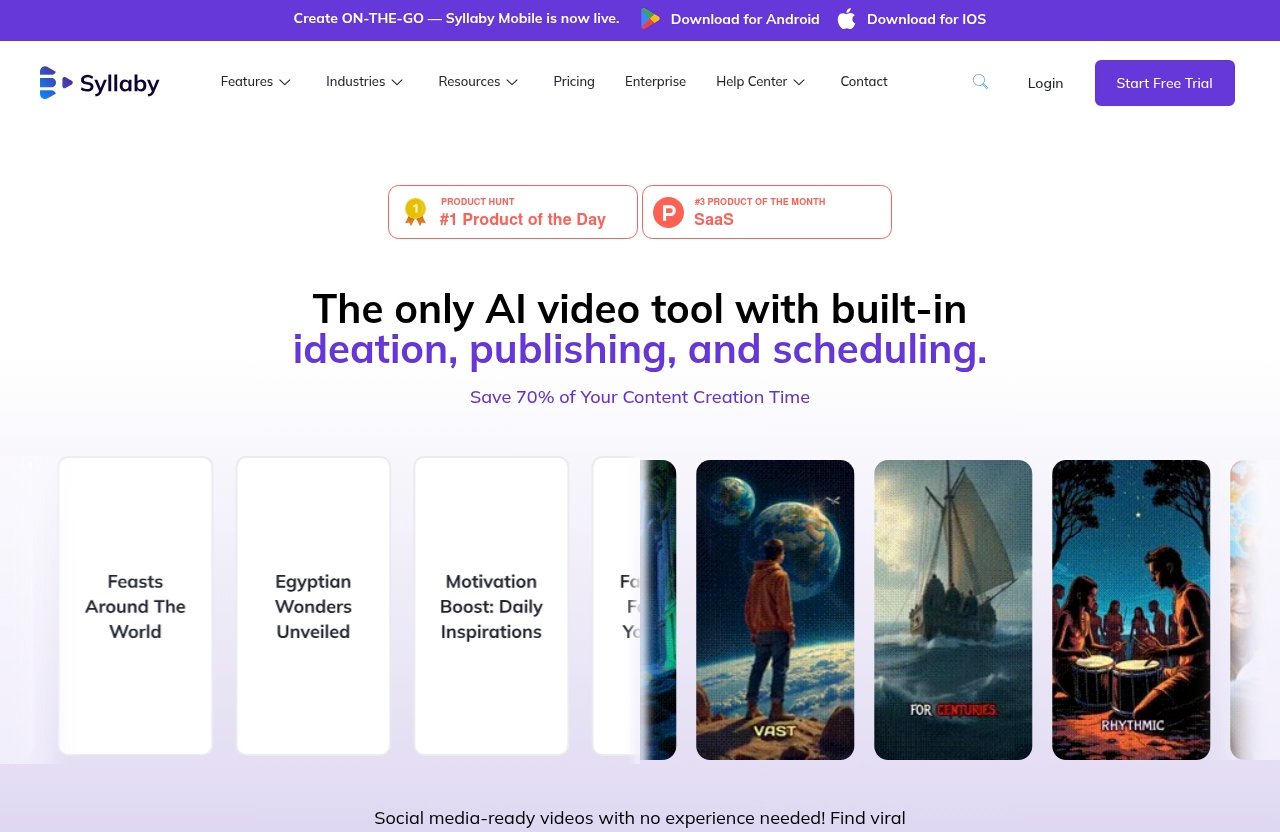
Syllaby AI is designed as an AI-assisted content production platform rather than just a conventional editing workspace. Its official feature set supports content discovery, scripting, video creation, planning, scheduling, and performance tracking.
That broad scope makes Syllaby particularly relevant for businesses that need repeatable content systems, not one-off edits.
AI video creation and faceless video workflows
The clearest strength in syllaby vs veed is Syllaby’s creation-first approach. Syllaby officially includes Faceless Video, Short Form Video, Long Form Video, Text to Scenes, Audio To Video, and Url To Video features.
Those tools support different starting points. You may begin with a written concept, turn an existing URL into a video direction, build around audio, or create scenes from text. This flexibility is useful for creators who do not want to appear on camera or who need to produce multiple videos from a repeatable template.
Syllaby also lists Character Consistency and Art Style among its verified capabilities. These are practical features for creators who want a more coherent visual approach across a series instead of every video feeling unrelated.
The platform displays several AI model options on its official homepage, including VEO 3, VEO 3.1, Sora 2, Sora 2 Pro, 1.0 Pro, 1.0 Lite, 1.5 Pro, v2.6 Pro, o1 Omni, and o3 Omni. Availability, output, and suitability can vary by workflow, so it is wise to test the options that matter to your content style.
Content idea discovery and script generation
A major reason creators consider syllaby vs veed is that Syllaby starts before the editing stage. Its verified Idea Creation and AI Script Generation features help users turn broad topics into structured video concepts and usable scripts.
This is valuable when the problem is not editing skill but content consistency. A coach, local business, or marketer may know their subject well but still struggle to create 20 distinct video topics each month. A guided ideation and scripting workflow can shorten that planning gap.
Syllaby also includes AI Voice Cloning and an AI Thumbnail Generator. These can help users build a more unified production process, though responsible creators should always ensure they have clear rights and consent before using any voice-related feature.
Scheduling, analytics, and publishing support
Syllaby is not limited to making individual videos. Its official features include a Content Calendar, Bulk Scheduler, and Social Analytics, which matter for teams managing repeated publishing cycles.
This makes syllaby vs veed especially relevant for social media managers. Rather than treating every post as a separate project, Syllaby can support a calendar-based workflow where ideas, scripts, assets, and scheduled posts are organized together.
Syllaby Mobile is also live, with official download links for Android and iOS. For creators who plan content away from their desktop, that mobile availability can be a useful operational benefit.
What Veed Is Typically Used For
Veed is commonly understood as a browser-based video editing platform. Based on its typical positioning in the market, it is usually considered by people who want to edit, trim, caption, resize, and refine video content in an accessible online workspace.
Because this article does not rely on a verified Veed product page or pricing page, it is more responsible to keep the comparison high-level. Before subscribing, review Veed’s current official feature list, export options, limits, and plan details directly.
Browser-based editing workflow
For many users, the appeal of Veed is a familiar editor-led process. You bring in footage or media, make changes, review the result, and prepare the final version for sharing.
In the syllaby vs veed choice, this may suit creators who prefer direct control over their edits. They may already have a script, an on-camera recording, brand assets, and a clear storyboard, so an editor can be the most logical starting point.
Captioning, trimming, and polishing existing footage
An editor-first platform is most useful when your raw material already exists. For example, you may have a podcast clip, customer interview, training recording, product walkthrough, or recorded talking-head video that needs to be made tighter and more social-friendly.
This is where Veed can be a compelling Veed alternative comparison point: it is generally evaluated for practical post-production tasks rather than a complete campaign-creation system. If video polish is your only requirement, a dedicated editing flow can feel more straightforward than an all-in-one AI platform.
Why it appeals to editors and casual creators
Casual creators often want a tool that feels immediately understandable. Upload a clip, make edits, add finishing touches, and export or share it. That is a different mindset from starting with AI-generated ideas, scripts, and scene construction.
For the syllaby vs veed question, think about where your work begins. If it begins with raw footage, Veed may feel natural. If it begins with “What should I publish this week?”, Syllaby has a more relevant starting point.
Feature-by-Feature Comparison
The following comparison reflects Syllaby’s verified official features and Veed’s general editor-first positioning. It is not a claim that Veed lacks every capability outside editing; always verify current Veed functionality directly before making a purchase decision.
| Workflow Area | Syllaby | Veed |
|---|---|---|
| Content ideas | Official Idea Creation feature | Usually approached primarily as an editing workflow |
| Scriptwriting | Official AI Script Generation feature | Best assessed through Veed’s current official product information |
| Faceless content | Official Faceless Video feature | May be used to edit assets, but not positioned here as a dedicated faceless production system |
| Video production inputs | Text to Scenes, Audio To Video, Url To Video | Commonly used to work with uploaded or existing media |
| Editing | Includes a Video Editor | Generally editor-first |
| Planning | Content Calendar and Bulk Scheduler | Not treated here as a full planning platform |
| Analytics | Official Social Analytics feature | Check official Veed documentation for current reporting options |
AI content ideation and scripting
Syllaby has the clearer verified advantage for ideation and scripting. Its Idea Creation and AI Script Generation features give users a route from a business topic to an actual video outline or script.
That means the syllaby vs veed comparison is not simply about making clips. It is about whether the platform helps answer the strategic question behind every content effort: what should we make next, and what should it say?
Video generation vs video editing
Syllaby combines generation-oriented tools with a Video Editor. Its verified options include short-form and long-form video creation, along with text, audio, and URL-based workflows.
Veed is more naturally described as editing-centric. If you already have clips and need a clean post-production workspace, that focus can be beneficial. If you need to generate the idea, script, scenes, and publishing plan as well, Syllaby offers a broader workflow.
Faceless content production
For a faceless video creator, Syllaby is the more direct fit based on its official Faceless Video feature. Text to Scenes, Art Style, Character Consistency, AI voice-related tools, and thumbnail generation can also support a repeatable format without requiring the creator to record themselves for every video.
Veed may still be useful in a faceless workflow when you want to edit assets manually. But in this syllaby vs veed matchup, Syllaby is the platform explicitly built around the production challenge, not only the final edit.
Publishing and scheduling
Syllaby includes a Bulk Scheduler and Content Calendar, both of which are important for a reliable social media video workflow. These features are especially useful when producing weeks of content in batches.
Scheduling support changes the value equation. Instead of creating videos and then moving to a separate planning process, users can keep more of their campaign workflow in the same environment.
Analytics and planning
Syllaby’s official Social Analytics feature gives it an advantage for users who want planning and performance visibility connected to production. This can help teams assess which content themes deserve more attention.
For syllaby vs veed, that means Syllaby is better suited to content operations. Veed may be enough for the creative editing stage, but it is not presented here as a complete planning-and-analytics hub.
Official website · Latest pricing & offers
Pricing and Value: What We Can Verify
Pricing information often becomes the weakest part of comparison articles because plans change frequently. A useful review should distinguish clearly between confirmed details and assumptions.
Syllaby pricing plans and promotion context
The official Syllaby homepage and pricing page currently promote a “Limited Time Lifetime Deal” with the message: “Pay Once, Use Forever! Save up to 90%”.
That is the only verified pricing context available for this comparison. I have not included unverified plan names, monthly fees, usage limits, or tier details for Syllaby or Veed because readers deserve accurate information at the point of decision.
Why verified pricing matters in comparison articles
A syllaby vs veed review should not present outdated pricing as fact. AI video tools can change model access, credit systems, export rules, and plan structures, so users should always confirm the current offer on the official checkout or pricing page.
The same caution applies to Veed. Since no verified Veed pricing information was provided for this review, it would be misleading to quote a price or imply a specific plan comparison.
How to evaluate value beyond monthly cost
Value depends on how many separate tools your workflow requires. If Syllaby lets you handle ideation, AI script generation, video creation, thumbnails, planning, scheduling, and analytics in fewer places, it may be worth more to a content-heavy business than a lower-cost editor alone.
On the other hand, someone who only needs occasional trims and visual cleanup may not need a broader platform. The right choice is the one that removes the most expensive bottleneck: content strategy, production, editing, or distribution.
Use Cases: Which Tool Fits Your Workflow?
The most useful syllaby vs veed decision comes from your daily process, not a generic feature checklist. Consider how you currently make content and where the process slows down.
Solo creators making faceless videos
A solo creator running a niche channel may need 10 to 30 video ideas before they need a single edit. In that case, Syllaby’s idea creation, scripting, Faceless Video, Text to Scenes, and AI Thumbnail Generator features can support a more scalable workflow.
This is particularly practical for educators, affiliate marketers, service providers, and creators who want content without being on camera. Syllaby IO is best viewed as a production system for this type of creator, not merely a video editor.
Marketing teams producing content at scale
Marketing teams often need a consistent process across multiple campaigns, platforms, and stakeholders. Syllaby’s Content Calendar, Bulk Scheduler, and Social Analytics can help centralize planning and reduce the friction of moving content between disconnected tools.
For these teams, syllaby vs veed is often a choice between operational breadth and editing focus. Syllaby makes more sense when content velocity, campaign planning, and repeatable formats are priorities.
Creators who mainly need quick editing
A creator who films content regularly and already has a documented content strategy may prefer Veed. For instance, a podcaster clipping recorded episodes or a trainer editing screen-recorded lessons may simply want an accessible editing environment.
In this scenario, Syllaby may offer capabilities the creator will not use. There is no prize for buying the larger workflow if editing is truly the only recurring need.
Businesses that need planning plus production
A local business may want to turn service topics into weekly social videos: common customer questions, seasonal advice, product explainers, and behind-the-scenes material. These businesses often need help organizing topics and maintaining a schedule, not just editing media.
For that kind of workflow, syllaby vs veed leans toward Syllaby. Its integrated planning and generation features better align with a business that needs a sustainable pipeline from topic to published content.
Pros and Cons
Every platform involves trade-offs. The best choice depends on whether you value content system breadth or a more concentrated editing experience.
Syllaby pros
- Verified tools for Faceless Video, Short Form Video, and Long Form Video creation.
- Includes Idea Creation and AI Script Generation for early-stage content planning.
- Supports Text to Scenes, Audio To Video, and Url To Video workflows.
- Includes a Video Editor alongside broader creation tools.
- Offers Content Calendar, Bulk Scheduler, and Social Analytics features.
- Includes AI Thumbnail Generator, Art Style, Character Consistency, and AI Voice Cloning among its official features.
- Syllaby Mobile is available for Android and iOS.
Syllaby limitations
- A broad AI workflow may involve more options than a creator who only wants basic editing needs.
- AI-generated content still requires human review for accuracy, brand voice, rights, and quality.
- Users should test the available AI models and outputs against their own creative standards.
- The official lifetime-deal message should be verified at checkout because promotions can change.
Veed pros
- Typically suited to creators who want an editing-first, browser-based workflow.
- Can be a straightforward fit for refining existing videos rather than planning entire campaigns.
- Likely appeals to users who prefer hands-on post-production and familiar editing steps.
- May be a sensible choice for casual creators with limited content planning needs.
Veed limitations
- It is not positioned in this comparison as an all-in-one content ideation, scheduling, and analytics platform.
- Users seeking a dedicated faceless video production system may need a more creation-focused alternative.
- Current features, pricing, and usage limits should be verified directly with Veed.
- It may not solve the strategic challenge of finding topics and drafting scripts at scale.
How to Choose in 60 Seconds
If you are still split on syllaby vs veed, answer one question first: does your workflow begin with an empty content calendar or a folder full of footage?
An empty calendar points toward Syllaby. Existing footage points more naturally toward Veed.
Choose Syllaby if…
Choose Syllaby if you need help finding video ideas, creating scripts, making faceless content, converting text or URLs into video concepts, and organizing a publishing schedule. It is also the stronger fit if you want planning and social analytics connected to content production.
Creators looking for an all-in-one AI video generator comparison should prioritize Syllaby when strategy and consistency matter as much as editing. It can reduce the number of handoffs between your idea, creative, publishing, and review stages.
Choose Veed if…
Choose Veed if you already create or record your own content and mainly need a browser-based place to polish it. It can be the more sensible option if you value editing simplicity over a full content system.
In the syllaby vs veed choice, select Veed when your core problem is “make this existing video better,” not “help me create and manage a month of video content.”
Decision checklist
Use this short checklist before deciding:
- Do you need help discovering content topics?
- Do you want AI-assisted scripts before recording or producing?
- Is faceless video creation a major part of your strategy?
- Do you need Text to Scenes, Audio To Video, or Url To Video workflows?
- Do you need a content calendar and bulk scheduling?
- Would social analytics inside the same workflow help your team?
- Do you already have footage and mainly need editing and polishing?
- Do you prefer a focused editor over a broader content platform?
More “yes” answers in the first six questions point to Syllaby. More “yes” answers in the final two point to Veed.
Final Recommendation
Best overall for automated AI video workflows
For an end-to-end content system, Syllaby is the stronger recommendation. It is designed for users who need idea creation, AI script generation, faceless video production, video editing, content planning, scheduling, and social analytics in a connected workflow.
That makes syllaby vs veed relatively clear for marketers and creators focused on publishing consistently. Syllaby solves more of the workflow before the edit, which is often where content production stalls.
Best for pure editing needs
Veed remains the better fit for users whose process is centered on editing existing footage. If you have a reliable idea pipeline, record your own videos, and want a practical browser-based editing space, an editor-first platform may be the cleaner choice.
Do not assume that more features automatically mean more value. Choose the platform that matches the work you actually do every week.
Affiliate-friendly CTA
If you want an integrated platform for faceless content, scripts, planning, and video creation, you can explore Syllaby through Top Trust Review’s recommended link. This is an affiliate link, which means the site may earn a commission if you choose to purchase, at no extra cost to you.
Before committing, review the current offer, test the workflow with a few real content ideas, and confirm that the outputs meet your quality and brand requirements.
Official website · Latest pricing & offers
FAQ
Is VEED a trustworthy platform?
Veed is widely used as a browser-based video editor, but trustworthiness should be evaluated based on your own workflow needs. Review its current official policies, test the editor with real footage, and assess reliability, exports, support, and output quality before committing to a paid plan.
What are some good alternatives to Syllaby AI?
Good alternatives depend on the job you need done. Editor-first platforms can suit users focused on post-production, AI avatar-oriented tools may suit presenter-led videos, and standalone content planning tools may help with calendars and campaign management. Syllaby is most differentiated when you want those early-stage creation and planning needs connected to video production.
Does Syllaby replace Veed?
Syllaby can replace Veed for users who want idea-to-video automation, faceless video workflows, scripts, planning, scheduling, and analytics in one platform. However, it may not replace an editor-first tool for creators who need a dedicated workspace primarily for detailed polishing of existing video footage.
Which is better for faceless videos, Syllaby or Veed?
For faceless videos, Syllaby is the stronger fit based on its verified Faceless Video feature and related creation tools such as AI Script Generation, Text to Scenes, Audio To Video, Url To Video, Art Style, and Character Consistency. Veed may still help edit faceless assets, but Syllaby is more directly aligned with the complete faceless content workflow.
Related Reading
- Syllaby pricing 2026
- How to Use Klap to Turn Long Videos Into Viral Shorts
- How to Edit Klap Shorts Before Publishing
References
- Syllaby vs Veed.io
- Compare Syllaby vs. VEED in 2026
- Top 10 Syllaby Alternatives & Competitors in 2026 – G2
- Syllaby.io Pricing Plans: Unlock AI-Powered Content Creation