Contentstudio Pricing Plans Explained 2026: Which Fits You?
If you are comparing contentstudio pricing plans, the short version is straightforward: the verified public entry point is the Standard plan at $19 per month, while Advanced is listed at $49 per month and Agency Unlimited at $99 per month. The right choice depends less on the headline price and more on how many social profiles, users, workspaces, clients, and automation needs you manage.
This guide reviews contentstudio pricing plans using only details published on official ContentStudio pricing, homepage, and support materials. Pricing and plan packaging can change, so confirm the current details before subscribing. Disclosure: TopTrustReview may earn a commission if you choose to purchase through our affiliate link, at no additional cost to you.
Official website · Latest pricing & offers
ContentStudio Pricing Plans in 2026: Quick Answer
What ContentStudio starts at
ContentStudio says its plans start from $19 per month. The official pricing page lists the ContentStudio Standard plan at $19 monthly, or $228 billed annually.
For a solo creator or a small business managing a limited set of channels, Standard is the natural starting point. It combines publishing, planning, analytics, and AI resources in one subscription rather than requiring separate tools for each job.
Who should read this pricing guide
This guide is designed for creators, marketers, small businesses, agencies, and enterprise buyers assessing contentstudio pricing plans before committing. It is especially useful if you need to understand account limits, user capacity, workspace requirements, add-on pricing, or annual billing savings.
If you simply need occasional basic posting, a full social media management platform may be more than you need. If your workflow includes planning, AI-assisted content creation, approvals, client management, analytics, listening, or automation, ContentStudio deserves a closer look.
The simplest way to choose a plan
Use this three-part framework:
- Choose Standard when one person manages up to five social accounts in one workspace.
- Consider Advanced when you need more users, workspaces, or social accounts through documented add-ons.
- Look at Agency Unlimited when your operation manages many client profiles and needs scalable social-account pricing.
For most buyers, the best contentstudio pricing plans decision begins with capacity rather than feature assumptions. Start by counting active social accounts, collaborators, client brands, and workspaces.
ContentStudio Pricing Overview: What’s Included at a Glance
| Plan | Verified Public Monthly Price | Verified Annual Information | Best Starting Fit |
|---|---|---|---|
| Standard | $19/month | $228 billed annually; support docs say up to 34% yearly discount | Solo creators and small teams |
| Advanced | $49/month | Support docs say up to 28.7% yearly discount | Growing teams |
| Agency Unlimited | $99/month | Support docs say up to 28.7% yearly discount | Agencies and multi-client operations |
| API | Not publicly disclosed in supplied facts | API plan announced | Automation-focused users |
| Enterprise | Not publicly disclosed | Contact-based evaluation likely required | Larger organizations |
Monthly vs yearly billing
ContentStudio monthly pricing gives buyers a simple way to begin at the listed monthly rate. The official pricing page confirms Standard at $19 per month and $228 billed annually for yearly billing.
According to official support documents, Standard annual billing can provide a discount of up to 34%. The same support documentation states that Advanced and Agency Unlimited can offer yearly discounts of up to 28.7%.
The phrase “up to” matters. For accurate contentstudio annual pricing, review the billing option displayed when you are ready to subscribe, since promotional structures and packaging may change.
Free trial and cancellation policy
The supplied official product facts for this review do not confirm a trial length, credit-card requirement, or cancellation policy. It is better to verify those terms directly during checkout than to rely on outdated third-party summaries.
When reviewing contentstudio pricing, check the live plan page for current trial availability, billing timing, renewal terms, and cancellation instructions. These details can affect the practical cost of testing the platform.
What the pricing page highlights
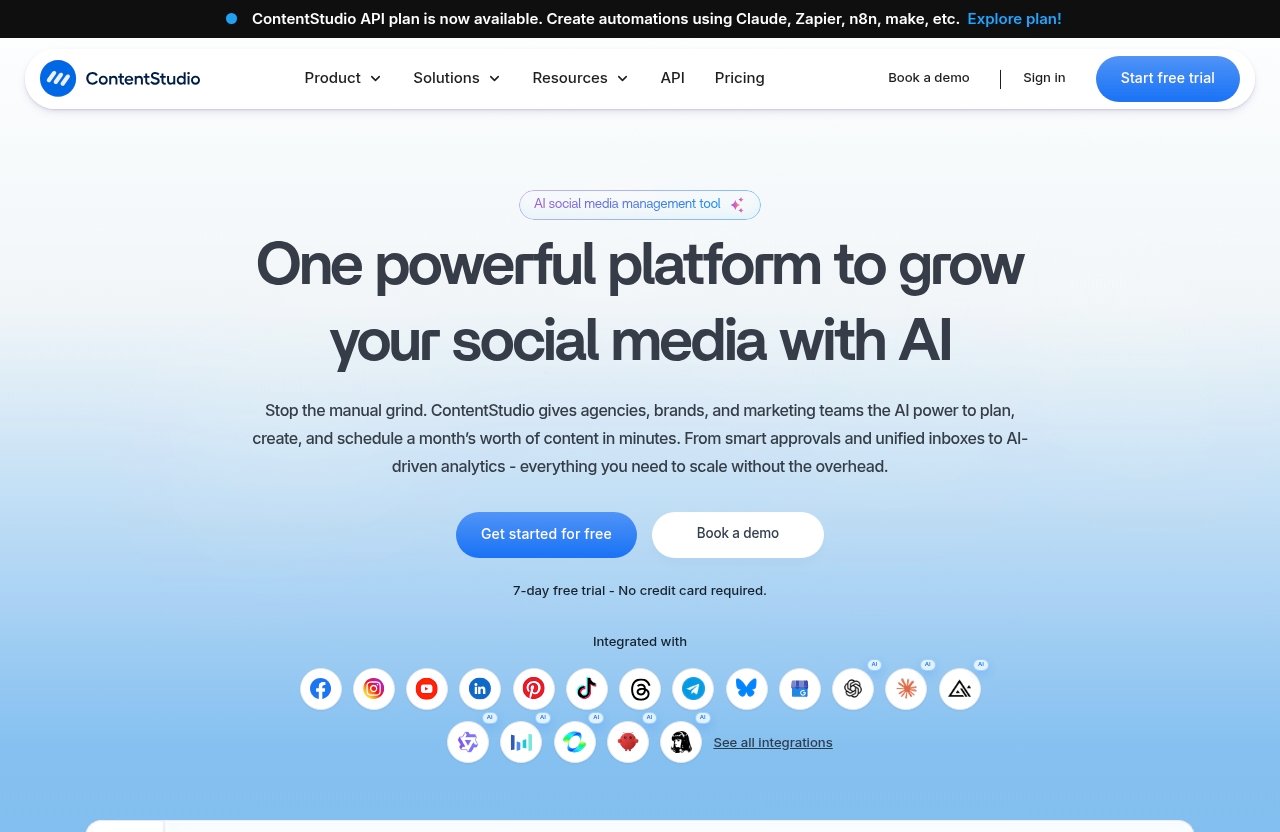
The public pricing page shows three core named tiers: Standard, Advanced, and Agency Unlimited. It also identifies an entry point from $19 per month, while ContentStudio’s homepage announces an API plan.
Enterprise pricing is not publicly disclosed in the verified materials provided for this article. That means enterprise prospects should treat any third-party enterprise price estimate as unverified until they receive a direct quote.
Official ContentStudio Product Facts You Need to Know
Core platform modules
Before evaluating contentstudio pricing plans, it helps to understand the platform’s official product structure. ContentStudio’s homepage lists six core modules:
- Publish
- AI Studio
- Analyze
- Engage
- Social Listening
- Discover
This is a broad scope for a social media management platform. Rather than focusing only on post scheduling, ContentStudio positions its product around the full content workflow: creation, publishing, performance review, engagement, monitoring, and content discovery.
Top features listed on the homepage
The official homepage highlights a wide set of ContentStudio features, including:
- Workspaces
- Clip maker
- Calendar and Planner
- Smart scheduling
- Content library
- White-label
- AI content library
- Bulk scheduling
- Approval workflow
- Client management
- White-label reseller
- AI video generator
- Competitor analytics
- Automation
- Google Ads Analytics
- Meta Ads Analytics
Not every listed feature should be assumed to be included in every tier without checking the current plan details. Still, this official feature set shows why ContentStudio can appeal to organizations that need more than a basic posting queue.
Supported use cases and team types
ContentStudio can fit several distinct work styles. A creator may use it to plan content and create AI-supported assets, while a marketing team may value shared workspaces, approval workflows, content libraries, and analytics.
Agencies can evaluate contentstudio pricing plans around client management, white-label capabilities, scalable social-account costs, and team collaboration. Enterprise buyers may also care about API access, automation, and custom commercial arrangements.
ContentStudio Pricing Plans Explained
Standard plan
The ContentStudio Standard plan is listed publicly at $19 per month. Yearly billing is listed as $228 billed annually, and official support documents say annual savings can reach up to 34%.
Standard includes a defined set of account, workspace, user, and AI-credit allowances. It is the clearest option for buyers who want transparent baseline capacity without moving immediately into a larger team or agency subscription.
Advanced plan
The ContentStudio Advanced plan is publicly listed at $49 per month. Official support documentation describes it as including advanced modules and publishing tools, making it the logical next step for teams that have outgrown a single-user setup.
For contentstudio advanced plan buyers, the major documented advantage is flexible expansion. Extra social accounts cost $5 each, extra users cost $10 each, and extra workspaces cost $10 each.
Agency Unlimited plan
The public pricing page lists ContentStudio Agency Unlimited at $99 per month. Official support documents describe it as including all advanced features plus scalability options.
The contentstudio agency unlimited tier is structured for larger account portfolios. Its documented social-account add-on pricing becomes less expensive per account as the number of accounts rises, which can make a material difference for agencies with growing client rosters.
API plan
ContentStudio’s homepage announces a ContentStudio API plan. The supplied official information does not disclose its price, usage limits, or exact feature bundle.
The homepage does state that the API can be used to create automations with Claude, Zapier, n8n, and Make. That makes the API plan worth investigating for businesses that want ContentStudio connected to a wider operational stack.
Enterprise pricing
Enterprise pricing is not publicly disclosed. This is common for organizations with more complex needs around users, workspaces, governance, account volume, integrations, or procurement.
For enterprise prospects, contentstudio pricing plans should be evaluated through a direct conversation with ContentStudio. Ask for a written proposal that confirms feature access, service terms, implementation scope, and any custom usage limits.
Standard Plan: Best For Solo Creators and Small Teams
What the Standard plan is designed for
The ContentStudio Standard plan is best understood as a robust individual-user package. At $19 per month, it is designed for creators, freelance social media managers, and small businesses with a focused content operation.
Its value is not merely that it supports publishing. Standard also includes planning, analytics, AI resources, media management, and tools for platform-specific formats such as X threads and LinkedIn carousels.
Verified limits and included resources
Official support documents list the following Standard plan capacity:
| Standard Plan Resource | Verified Allowance |
|---|---|
| Social accounts | 5 |
| Workspaces | 1 |
| Users | 1 |
| AI text credits | 25,000 |
| AI image credits | 25 |
| AI video credits | 100 |
| AI video clipping credits | 100 |
The contentstudio standard plan also includes AI Studio for text, image, and video; AI brand knowledge and voice; unlimited social posting; a multi-view content planner; social media analytics; a media and assets library; and an audio library.
Additional verified Standard features include X threads and LinkedIn carousels, auto first comment, MCP integration, and API. That is a substantial package for one person managing a small but active content calendar.
When Standard is enough and when it is not
Standard is enough when you work alone, manage no more than five social accounts, and only need one workspace. It is particularly compelling when content creation, planning, and performance review are all handled by the same person.
It becomes less suitable when multiple people need access, when separate brands require separate workspaces, or when your managed profile count rises beyond five. In those cases, compare the next tier against the cost of documented contentstudio add-ons.
Advanced Plan: Best For Growing Teams That Need More Capacity
Why teams upgrade from Standard
Growing teams usually move beyond Standard because their workflow becomes collaborative. A marketing lead may need an editor, designer, account manager, or client stakeholder involved in review and publishing.
The ContentStudio Advanced plan is described in official support materials as including advanced modules and publishing tools. That positioning makes it relevant for in-house marketing teams and service businesses that need more operational flexibility.
What the support docs say about add-ons
The documented Advanced add-ons are simple:
| Advanced Add-On | Verified Price |
|---|---|
| Extra social account | $5 per account |
| Extra user | $10 per user |
| Extra workspace | $10 per workspace |
These are useful figures when calculating contentstudio costs. Instead of guessing whether you will need a more expensive tier immediately, you can model the cost of adding capacity to the Advanced base price.
For example, an illustrative calculation based directly on published add-on rates would be the $49 monthly Advanced price plus $5 for each added social account, $10 for each added user, and $10 for each added workspace. Your actual bill depends on the number of additions selected.
Who gets the most ROI from Advanced
Advanced offers the strongest potential ROI for teams whose core problem is collaboration and expansion, not just content creation. It makes sense when several people contribute to publishing, or when a business operates multiple brands through separate workspaces.
When assessing contentstudio pricing 2026, do not upgrade simply because Advanced sounds more comprehensive. Upgrade when the documented user, workspace, and account add-ons map directly to a real workflow requirement.
Official website · Latest pricing & offers
Agency Unlimited Plan: Best For Agencies and Multi-Client Operations
Why agencies need this tier
Agencies have a different buying equation than individual users. They need to consider the number of client profiles, client brands, internal team members, approval requirements, reporting needs, and the ability to scale without revisiting their tool stack every few months.
ContentStudio Agency Unlimited is listed at $99 per month on the public pricing page. Support documents state that it includes all advanced features plus scalability options.
Verified scaling rules for extra socials
The official support documentation provides tiered pricing for extra social accounts under Agency Unlimited:
| Extra Social Account Range | Price Per Extra Social Account |
|---|---|
| 25–50 socials | $5 |
| 51–100 socials | $4 |
| 101–200 socials | $3 |
| 201–500 socials | $2 |
| 501+ socials | $1 |
This descending pricing structure is the most important commercial detail for agency buyers. The more accounts an agency manages, the lower the documented incremental cost per extra social account becomes within the stated ranges.
When the higher tier pays for itself
Agency Unlimited can make financial sense when client-account volume is high enough that lower per-account scaling matters. It may also be a better operational fit for agencies that need client management, white-label-related capabilities, approval workflows, or reseller-oriented workflows listed on the homepage.
Still, the name “Unlimited” should not be used to assume unlimited users, workspaces, accounts, or any other resource not explicitly confirmed in current documentation. Review the live plan details before making a commitment.
API Plan and Automation Use Cases
What the API plan is for
The ContentStudio API plan is officially announced on the homepage, but no public price is included in the verified information used here. It is therefore best treated as a specialized option rather than a standard upgrade path with a known monthly rate.
The API plan may suit organizations that want ContentStudio to participate in a customized workflow instead of operating only through its standard interface.
Automation tools mentioned by ContentStudio
ContentStudio specifically says its API can be used to create automations with:
- Claude
- Zapier
- n8n
- Make
For teams already using no-code or AI workflow tools, this can be a meaningful consideration. API-based automation may help connect content planning and publishing processes to internal systems, client intake, approval pathways, or AI-assisted workflows.
Who should consider API access
The ContentStudio API plan is most relevant for technically capable teams, automation consultants, agencies with repeatable operating processes, and businesses with proprietary tools. It is less essential for an individual who only needs to schedule and analyze posts.
If automation is a major purchase criterion, verify API pricing, availability, authentication requirements, and allowed use cases directly with ContentStudio. You can check the latest plan details before deciding whether API access fits your stack.
How Much Does ContentStudio Really Cost?
Monthly cost scenarios
The verified public monthly prices are $19 for Standard, $49 for Advanced, and $99 for Agency Unlimited. Those base prices are the right starting point for a clean contentstudio monthly pricing comparison.
Your actual monthly cost can rise when you add documented capacity to Advanced or Agency Unlimited. Standard’s official support documentation provides fixed included limits, while the published materials supplied here identify specific add-on pricing for the higher plans.
Yearly discount scenarios
ContentStudio annual pricing can reduce effective costs for buyers who are comfortable committing for a year. Official support documents say Standard can have a yearly discount of up to 34%.
For Advanced and Agency Unlimited, the support documentation says yearly discounts can be up to 28.7%. The Standard annual listing of $228 billed annually is a concrete official figure; for other plans, validate the current annual checkout total because “up to” discounts can vary.
Add-on cost examples
The most reliable way to assess contentstudio billing and pricing is to calculate from published rates rather than rely on broad estimates.
- Advanced: begin at $49 per month, then add $5 per extra social account, $10 per extra user, and $10 per extra workspace.
- Agency Unlimited: begin at $99 per month, then apply the published social-account rate that corresponds to your account-volume range.
- Standard: use the included limits of five social accounts, one workspace, and one user as the baseline.
This approach gives you an auditable cost model. It also prevents under-budgeting for client growth or internal hiring.
ContentStudio Value: Is It Worth the Price?
Time-saving and workflow value
The value of contentstudio pricing plans depends on whether the platform replaces fragmented work. A team that currently jumps between an AI writing tool, media library, scheduler, planner, analytics dashboard, and approval process may gain efficiency by consolidating work.
ContentStudio’s official feature list includes AI Studio, calendar planning, smart scheduling, content libraries, analytics, automation, social listening, and engagement-related modules. That breadth can reduce manual coordination when those capabilities are genuinely used.
Feature depth versus simpler schedulers
A simple scheduler may be enough for someone who publishes a few posts per week and does not need content research, AI-assisted creation, approval workflows, client management, or multi-brand oversight.
ContentStudio is more compelling when your workflow extends beyond scheduling. Its official modules—Publish, AI Studio, Analyze, Engage, Social Listening, and Discover—suggest a wider content marketing environment than a lightweight posting tool.
For a closer look at AI-led repurposing considerations, read our [ContentStudio vs Buffer for AI repurposing comparison](contentstudio-vs-buffer-for-ai-repurposing).
Who should skip ContentStudio
ContentStudio may not be the best-value choice for users who only require the simplest possible publishing queue. It may also be unnecessary if you have no interest in AI content support, analytics, team workflows, or managing several social profiles.
In conclusion, contentstudio pricing plans are most worthwhile when the platform’s wider content workflow replaces tools or manual steps you already use. Buying more capacity than your operation needs is rarely good ROI.
Best Plan by Use Case
Solo creator
The Standard plan is the best starting recommendation for a solo creator. Its verified allowance of five social accounts, one workspace, and one user fits an independent creator managing a personal brand across several channels.
The included AI credits, content planner, social analytics, media library, and unlimited social posting can provide useful breadth without moving directly to a team-focused subscription.
Small business
A small business with one primary marketer can often begin with Standard. It supports one workspace and one user, which is practical for a founder, marketing coordinator, or freelancer handling day-to-day publishing.
If the business adds collaborators or distinct brands, reassess contentstudio pricing using Advanced’s documented add-ons. This is a more disciplined approach than selecting a larger tier before the need exists.
Marketing team
Advanced is generally the best fit for a growing marketing team. The $49 monthly public price and documented expansion options for users, workspaces, and social accounts align with teams that have outgrown a one-person setup.
This tier is especially worth considering when your internal process includes more contributors, more managed profiles, or multiple content environments.
Agency
Agency Unlimited is the strongest fit for agencies and multi-client social media operations. At $99 per month publicly listed, it is designed around advanced capabilities and scalability options, with lower documented extra-social rates at higher volume bands.
Agencies should model their existing and expected client profile count before choosing. The social-account scaling rules are a more useful comparison point than the plan name alone.
Enterprise
Enterprise buyers should request a direct quote because public enterprise pricing is not disclosed. This path is most appropriate when account architecture, governance, integrations, procurement requirements, or automation needs require a tailored arrangement.
If your broader marketing operation also uses CRM and automation software, our guide on [how to use GoHighLevel](how-to-use-gohighlevel) may help you think through connected workflows. For campaign destinations, consider these [Webflow landing page practices](webflow-landing-pages).
ContentStudio vs Alternatives: How to Think About the Decision
When ContentStudio beats simpler schedulers
ContentStudio is likely the better fit when you need a platform that covers publishing alongside AI Studio, analytics, engagement, social listening, discovery, content planning, and workflow-related features. Its official homepage also highlights capabilities such as bulk scheduling, approval workflow, client management, competitor analytics, and automation.
For these use cases, comparing only entry-level monthly price can be misleading. The better question is whether the product reduces enough manual work to justify its cost.
When a lightweight tool is enough
A lightweight tool can be sufficient if your requirements are limited to scheduling a modest number of posts. Buyers with one user, one brand, no approval needs, and little interest in reporting or AI content tools may prefer a simpler experience.
Before choosing among contentstudio plans or alternatives, list the tasks you truly perform each week. This makes it easier to avoid paying for advanced capability that will remain unused.
What to compare before subscribing
Compare tools using practical criteria rather than marketing labels:
- Number of social accounts required
- Number of users and workspaces needed
- Content creation and AI requirements
- Approval and client-management processes
- Analytics, listening, and competitor research needs
- Automation and API requirements
- Annual versus monthly billing preference
- Likely growth in client or brand volume
This framework puts contentstudio social media management pricing in context. A lower starting price is useful, but the best value comes from a plan that supports your actual workflow without excessive add-ons or unnecessary complexity.
Official website · Latest pricing & offers
FAQ
Is ContentStudio worth the investment?
ContentStudio can be worth the investment for users who need scheduling, AI content creation, planning, analytics, social listening, approvals, client workflows, or automation in one platform. It is less compelling for someone who only needs basic posting.
The best way to judge value is to compare the relevant contentstudio pricing plans against the time and separate software costs involved in your current workflow.
Is ContentStudio better than Buffer?
ContentStudio may be a better fit for teams, agencies, and users who need broader content workflows, including modules for publishing, AI Studio, analytics, engagement, social listening, and discovery. Buffer may suit buyers who prioritize a simpler scheduling-focused experience.
Neither platform is automatically better for every user. Compare your required workflows, collaboration needs, and budget before deciding.
What are the alternatives to ContentStudio?
Alternatives depend on what you need most: simple scheduling, team collaboration, agency client management, analytics, social listening, or automation. Common evaluation categories include lightweight social schedulers, enterprise social management tools, content workflow platforms, and specialized automation tools.
When comparing alternatives, use ContentStudio’s published modules and capacity requirements as your benchmark rather than selecting solely on brand familiarity.
How does ContentStudio compare to Hootsuite?
ContentStudio positions itself as an all-in-one content marketing and social management platform with publishing, AI Studio, analytics, engagement, social listening, and discovery modules. Hootsuite is another established tool in the social media management category.
The right choice depends on your preferred workflow, team needs, required integrations, account volume, and commercial terms. Review the current product pages for both tools before making a final purchasing decision.
Related Reading
References
- ContentStudio Pricing | Plans From $19 per Month
- ContentStudio pricing plans
- Billing and Pricing – ContentStudio Support & Documentation
- ContentStudio Pricing Plans & History (2026)