What Is Taplio? Ultimate 2026 Guide
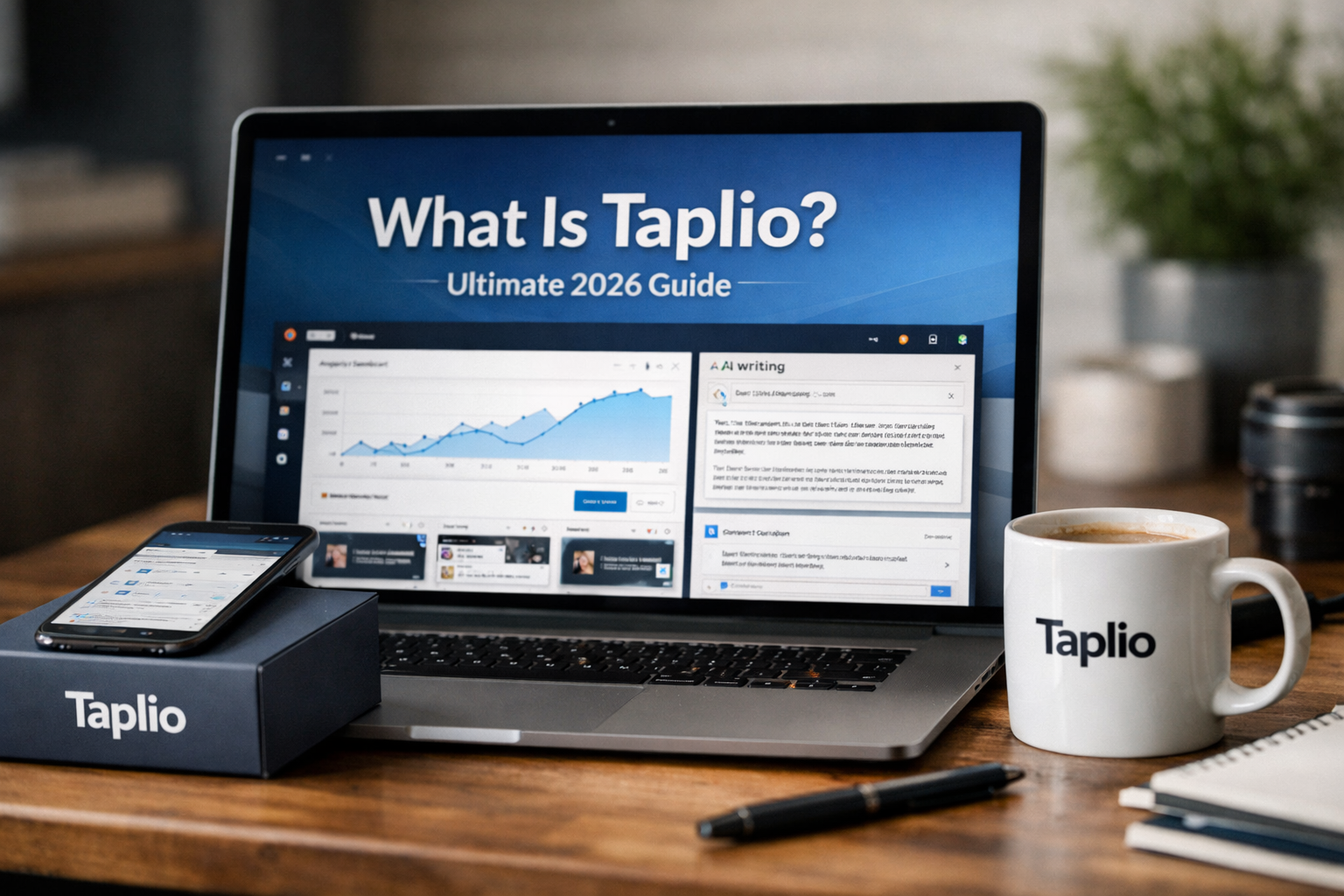
If you are asking what is taplio, the simple answer is that it is an AI-powered platform designed to help people create content, stay consistent, engage with relevant people, and grow on LinkedIn.
In 2026, LinkedIn is an important channel for personal brands, founders, consultants, sales professionals, and teams. Yet planning posts, writing regularly, reviewing results, and following up with the right connections can take substantial time. Taplio brings these LinkedIn-focused workflows into one place.
Affiliate disclosure: TopTrustReview may earn a commission if you decide to try Taplio through our partner link, at no extra cost to you. This does not affect our editorial assessment.
Official website · Latest pricing & offers
What Is Taplio?
Taplio in one sentence
Taplio is an AI tool built to help people grow on LinkedIn through content creation, scheduling, analysis, engagement, and lead-focused workflows.
For beginners wondering what is taplio, think of it as a LinkedIn workspace rather than a general social media tool. It is intended to help you move from a rough idea to a published post, then review what happened and continue relevant conversations.
What problem Taplio solves
Posting on LinkedIn consistently sounds simple, but the work adds up. You may need to come up with ideas, write a useful post, choose when to publish it, track performance, and engage with people afterward.
Taplio is designed to reduce that friction. Its official homepage says the platform helps users create LinkedIn posts, schedule them, analyze performance, engage with the right people, and connect with warm leads.
Instead of using separate notes, calendars, spreadsheets, and writing tools, a user can organize more of that process in one LinkedIn-focused environment. That does not guarantee growth, but it can make a repeatable publishing process easier to manage.
Why people search for Taplio in 2026
People researching what is taplio in 2026 usually want to know whether it can simplify their LinkedIn routine without requiring advanced marketing knowledge. Others are comparing AI writing tools and want one built around a specific professional network.
The official site positions Taplio as a way to grow on LinkedIn in 10 minutes a day. That is a product claim and should be treated as an intended workflow, not a promise that every user will achieve the same result.
In summary: Taplio is a LinkedIn growth and content platform that combines AI assistance with practical publishing and engagement workflows.
How Taplio Works
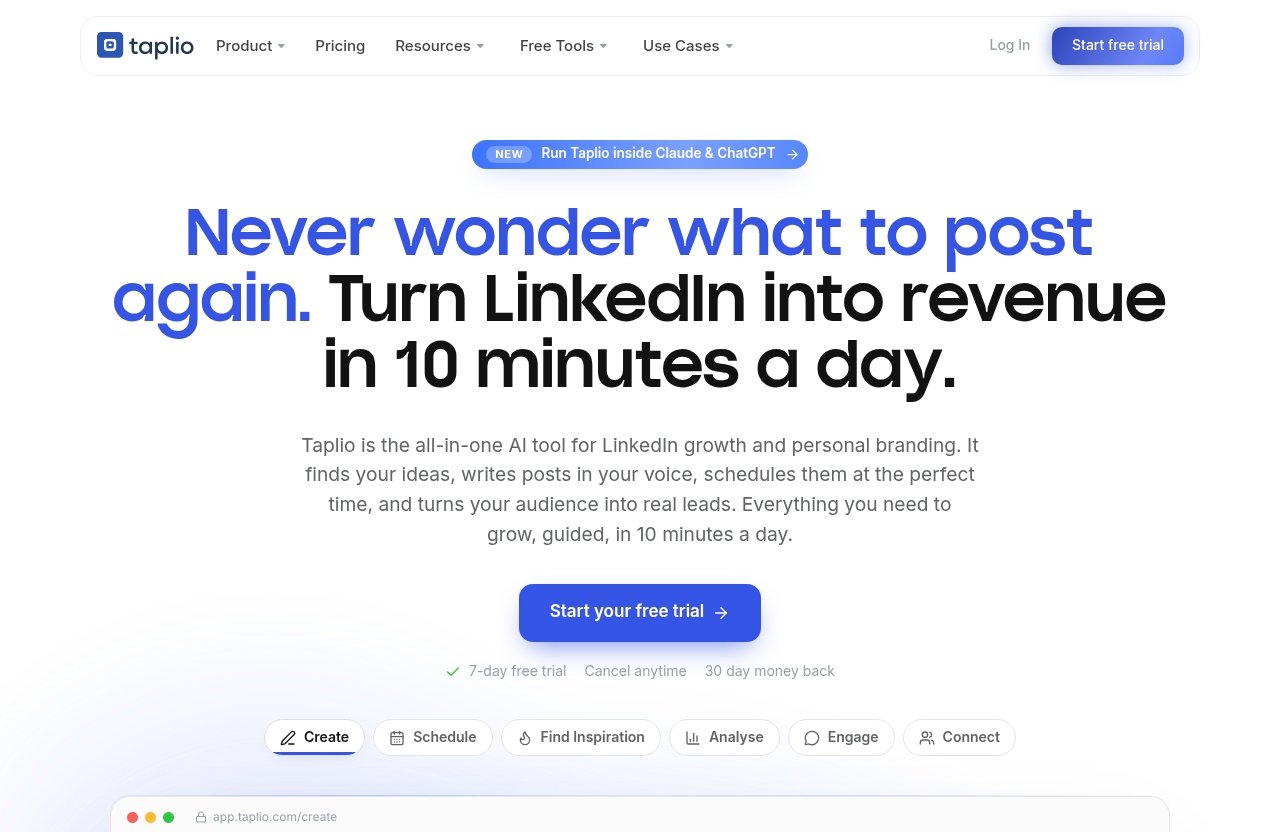
From idea to published post
The basic Taplio workflow begins with an idea. That idea could come from a recent client lesson, an opinion about your industry, a practical tip, or a personal professional experience.
From there, you can use the platform’s creation tools to turn the idea into a LinkedIn post. The goal is not to publish every AI-generated draft unchanged; it is to give yourself a faster starting point, then add your own experience, examples, and point of view.
This is the practical answer to what is taplio for someone new to content: it helps structure the work between an initial thought and a post you are comfortable attaching your name to.
AI writing in your voice
Taplio AI is trained on more than 3 million posts, according to its official homepage. The company says its AI can turn prompts into scroll-stopping posts in the user’s voice.
In practice, “your voice” still needs your input. A beginner might provide an outline, a past post, or a few notes about how they naturally communicate. You should always review factual statements, remove generic phrasing, and ensure the final post reflects your real experience.
AI can help with hooks, structure, rewrites, and first drafts. It cannot replace your judgment, professional knowledge, or responsibility for what you publish.
Scheduling and best-time posting
After you have edited a post, Taplio scheduling can help you queue it for publication. This is useful for people who prefer to batch several posts at once rather than stop work every day to write and publish manually.
The official product pages identify scheduling as a core area of the platform. They do not guarantee a particular best posting time or reach outcome, so it is sensible to view scheduling as an organizational tool first.
A simple routine could involve drafting several posts, reviewing them carefully, and adding them to a queue. That approach may make consistency more realistic for a busy professional.
Engagement and lead follow-up
Publishing is only one part of LinkedIn activity. Taplio also aims to help users engage with the right people and connect with warm leads.
For example, a consultant may publish a useful post, see relevant responses or interest, and then decide which conversations deserve a thoughtful follow-up. The important word is “decide”: your communication should remain personal, relevant, and appropriate.
In summary: Taplio moves from idea generation to writing, scheduling, analysis, and relationship-building, while leaving the final judgment to the user.
Taplio’s Core Features
Create: ideas, hooks, rewrites, and carousels
The Create area is central to the Taplio features set. Official pages highlight content creation, finding inspiration, and carousels, alongside AI-assisted writing.
For a beginner, this can help solve the “What should I post?” problem. You might start with a topic such as a lesson from a project, a common client question, or a professional mistake you learned from, then develop it into a clearer post.
Hooks and rewrites can be useful when your draft feels too vague or too long. Still, the strongest content generally includes details that AI cannot know: your actual results, observations, stories, and opinions.
Carousels are also listed as a Taplio product area. Before publishing any content format, make sure it is accurate, easy to understand, and relevant to the LinkedIn audience you want to reach.
Schedule: queue posts automatically
Taplio scheduling is intended to make publishing more consistent. Rather than relying on memory or finding time at the last minute, users can prepare posts and place them in a queue.
This can be particularly helpful when you have a demanding role and only limited time for LinkedIn. You can use a focused writing session to prepare content, then keep control over the final schedule.
A queue should not become a “set and forget” system. Review scheduled posts regularly, especially if a post refers to a time-sensitive event, news item, or changing business situation.
Analyse: track what’s working
Taplio analytics is designed to help users analyze performance. The value of analytics is not simply chasing a high number; it is learning which subjects, formats, and perspectives appear to connect with your intended audience.
For instance, you may notice that practical how-to posts start more useful conversations than broad motivational posts. That observation can guide your future content choices.
The official homepage states that posts written with its coach receive 3× more reach. This is an official product claim, not a result that should be assumed for every account, post, industry, or audience.
Engage and Connect: comments, DMs, and warm leads
Taplio engagement and Connect are built around interacting with the right people and connecting with warm leads. This is relevant for users who see LinkedIn as a relationship-building channel rather than only a publishing platform.
Thoughtful engagement might include responding to comments, contributing a useful perspective to a relevant discussion, or following up when someone has shown genuine interest. Keep messages specific and respectful rather than sending generic outreach.
When assessing what is taplio, it helps to understand that the platform’s purpose extends beyond content drafting. It is also intended to support the human follow-up that can happen around useful LinkedIn activity.
Ask Taplio and MCP 2.0
Ask Taplio is one of the AI-focused product areas highlighted on the official homepage. It is designed to support users who need help moving from a question or prompt toward a useful LinkedIn action.
MCP 2.0 is also listed as a new product area on Taplio’s official pricing page and homepage. Because detailed implementation information can change, it is best to review the current official product documentation before relying on it for a specific workflow.
For first-time users, the practical point is simple: Taplio continues to position AI assistance as part of its LinkedIn workflow. Use it to accelerate research, brainstorming, and drafting, while retaining human oversight.
In summary: The main Taplio features cover creation, scheduling, analysis, engagement, connections, and AI-assisted workflows for LinkedIn.
Who Taplio Is Built For
Creators and personal brands
Creators and personal brands may benefit from a clearer content routine. If you want to share expertise consistently but struggle to turn everyday knowledge into post ideas, the creation and scheduling tools may be useful.
The official site says more than 12,000 creators and teams are growing with Taplio. That figure indicates the audience the company serves, but it does not mean the platform is automatically right for every creator.
Founders and solo operators
Founders and solo operators often have valuable insights but limited time. A Taplio LinkedIn tool can help them organize a content habit around product lessons, market observations, customer questions, and leadership experiences.
For these users, the most sensible use is usually quality over volume. One clear post based on genuine expertise may be more valuable than several generic AI drafts.
Sales and lead-generation teams
Sales and lead-generation professionals may use LinkedIn to build familiarity, contribute useful perspectives, and identify warm conversations. Taplio’s official positioning around engagement and warm leads makes it relevant to that type of workflow.
However, AI assistance should not be used as an excuse for impersonal outreach. Teams should make sure their messages remain accurate, relevant, and consistent with their company’s communication policies.
Agencies and employee advocacy
Agencies managing LinkedIn content for clients may value a centralized place for planning, writing, scheduling, and reviewing content performance. The same applies to teams supporting employee advocacy, where multiple people may need help developing authentic professional content.
Each person’s voice still matters. Employee advocacy works best when participants share ideas they genuinely understand and can discuss, rather than publishing identical, heavily automated posts.
In summary: Taplio is best suited to creators and teams that want a more organized LinkedIn content and engagement process.
Official website · Latest pricing & offers
Taplio Pricing and Trial
Official plan starting price
According to the official pricing page, Taplio pricing starts from $39 per month. No additional plan names, feature limits, or pricing options should be assumed without checking the current official page.
Pricing can matter more or less depending on how often you plan to use the platform. Someone publishing and engaging consistently may see more practical value than someone who only posts a few times a year.
Free trial details
The official site advertises a 7-day Taplio free trial. A trial is a useful way to assess whether the writing workflow, scheduling tools, and LinkedIn-focused interface fit how you actually work.
Use those seven days intentionally. Draft a few posts, test the planning process, explore the available product areas, and decide whether the platform reduces friction for you.
Money-back policy
The official pricing page also advertises that users can cancel anytime and includes a 30-day money-back guarantee. Review the current terms and conditions before subscribing, as policies can be updated.
This gives prospective users a clearer way to evaluate the product, but it is still sensible to understand the billing process and eligibility conditions in advance.
Which type of user should start with it
Taplio may be worth testing if you already know LinkedIn is an important channel for your work and want help maintaining a consistent process. It may be less useful if you have no interest in creating LinkedIn content or engaging with professional conversations.
If you decide to evaluate the platform, focus on whether it saves you time without making your content feel less personal. That is a more useful test than expecting instant reach or leads.
In summary: Taplio starts from $39 per month and offers a 7-day trial, with cancel-anytime and 30-day money-back terms advertised on its official pricing page.
Is Taplio Safe and Legit?
What the official site says
Taplio presents itself as an AI tool for LinkedIn growth, helping users create posts, schedule them, analyze performance, engage with the right people, and connect with warm leads.
When people ask what is taplio and whether it is legitimate, they are often really asking whether the tool has a clear purpose and whether they can use it responsibly. The official website provides a defined product offering, pricing starting point, trial information, and stated money-back policy.
Account safety considerations
Taplio safety depends partly on how you use any third-party LinkedIn tool. No software should be treated as risk-free without reviewing its current permissions, settings, and operating practices.
Before connecting an account, consider this practical checklist:
- Review what access or permissions the tool requests.
- Understand any automation settings before enabling them.
- Use human judgment for posts, comments, and outreach.
- Avoid spammy, repetitive, or misleading communication.
- Follow LinkedIn’s current policies and professional standards.
- Check official documentation and terms for the latest details.
A sensible approach is to begin slowly. Test the content and scheduling workflow, review every message or post, and avoid relying on automation for relationship-building.
What to verify before connecting LinkedIn
Before you connect your LinkedIn account, confirm that you are on the official Taplio website and read the relevant privacy, security, billing, and integration information. You should also check LinkedIn’s own policies, as those rules govern your account activity.
Do not share login details casually or assume that a tool can replace thoughtful account management. Your reputation, relationships, and published content remain your responsibility.
In summary: Taplio can be assessed as a legitimate LinkedIn-focused product, but safe use requires reviewing permissions, understanding automation, and following LinkedIn policies.
Taplio vs. a Blank LinkedIn Workflow
Manual posting challenges
A blank LinkedIn workflow usually means starting from scratch each time. You think of an idea, open a blank document, write a post, publish when you remember, and try to recall later whether it performed well.
That approach can work, especially for occasional posting. But it can become inconsistent when content is important to your business or professional visibility.
How Taplio saves time
The main value of Taplio for LinkedIn growth is workflow consolidation. Rather than jumping between separate tools for ideas, drafting, schedules, analytics, and follow-up, users can handle more of those steps in one platform.
The official site frames Taplio as a tool to grow on LinkedIn in 10 minutes a day. A realistic interpretation is that the platform is designed to reduce routine work, not eliminate the need for strategy, editing, or real conversation.
Where Taplio may still require human input
Taplio cannot determine your unique viewpoint, validate every claim, or build trust on your behalf. You still need to decide what topics fit your audience, whether a draft sounds authentic, and how to respond to people professionally.
The best use of a tool like this is often as an assistant. Let it help organize and accelerate your process, then add the judgment and personality that make LinkedIn content credible.
In summary: Taplio can improve an unstructured LinkedIn workflow, but it works best when paired with real expertise and active human involvement.
Final Verdict: Is Taplio Worth It for Beginners?
Best-fit scenarios
For beginners, what is taplio comes down to whether you need a more structured way to show up on LinkedIn. It is best suited to people who want help turning ideas into posts, scheduling content, reviewing performance, and managing relevant engagement.
Creators, founders, consultants, sales professionals, and teams with LinkedIn as a meaningful channel are likely to find the concept most relevant. The product is designed around consistency and organization, not simply generating content at scale.
When it may be overkill
Taplio may be overkill if you rarely use LinkedIn, do not plan to post regularly, or only need a basic writing assistant. It may also be unnecessary if you already have a simple workflow that you follow consistently.
AI-generated content should never replace subject expertise. If you do not have a clear point of view or useful information to share, more tools will not solve that underlying issue.
Quick takeaway
So, what is taplio in practical terms? It is an AI-assisted LinkedIn platform that brings content creation, scheduling, analytics, engagement, and warm-lead workflows together.
The official site’s claims make it a reasonable option to evaluate if LinkedIn consistency is a real business or professional priority. Start with the trial, review the safety considerations, and judge it by whether it helps you create more useful, authentic content with less friction.
In summary: Taplio is most worth considering for people who want an organized, LinkedIn-specific workflow and are willing to remain actively involved in their content and conversations.
Official website · Latest pricing & offers
FAQ
What is Taplio for?
Taplio is for growing a LinkedIn presence through AI-assisted writing, content creation, scheduling, analytics, engagement, and warm-lead-focused workflows. It is intended to help users maintain a more consistent and organized LinkedIn process.
Is Taplio safe to use?
Taplio can be used more safely when you review permissions, understand any automation settings, and follow LinkedIn’s current policies and best practices. Always review posts, messages, and account connections yourself before proceeding.
Is Taplio AI free?
Taplio is not presented as a permanently free tool. The official site advertises a 7-day free trial, while official pricing states that plans start from $39 per month.
Is Taplio only for LinkedIn?
Yes. Taplio is built specifically for LinkedIn growth, content creation, scheduling, analytics, engagement, and connection workflows.
Related Reading
- Taplio AI: How Good Is It in 2026?
- Taplio Free Tools: What’s Actually Free in 2026?
- Is Taplio Only for LinkedIn? A Practical 2026 Review
References
- Taplio | AI tool to grow on LinkedIn in 10 min/day
- Taplio Pricing – Plans from $39/mo | Free Trial
- Taplio Review 2026: Features, Pricing, Safety & What …
- Is Taplio Worth it? Automating Your LinkedIn Personal …