Tweet Hunter iOS Review: Is It Practical for iPhone Users?
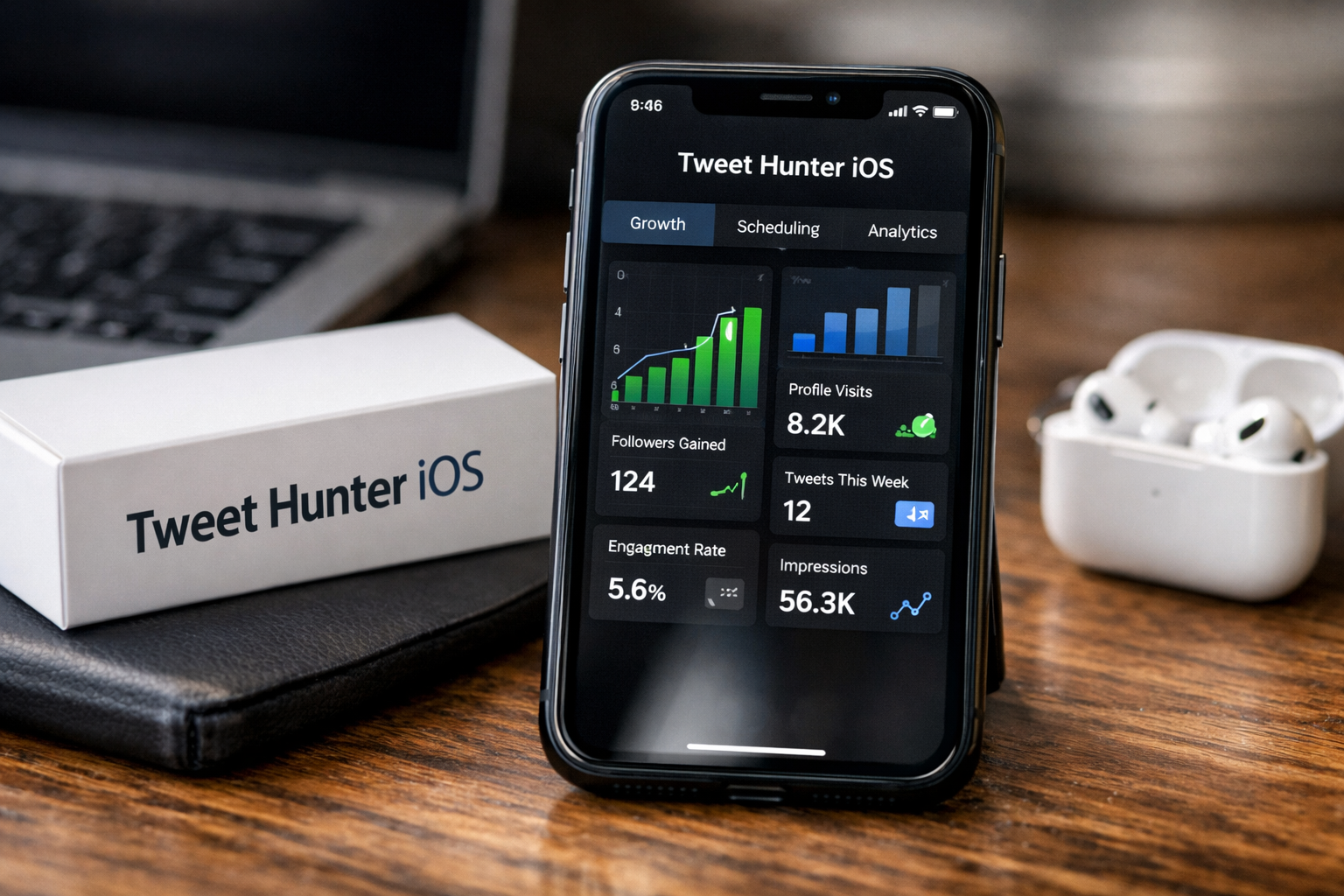
For creators searching for Tweet Hunter iOS compatibility, the key question is simple: can this X growth platform fit an iPhone-centered workday? Tweet Hunter’s official positioning is focused on helping users build and monetize an X audience through content ideas, writing assistance, scheduling, automation, engagement, CRM, and analytics.
However, the official product pages reviewed for this article do not verify a dedicated native iOS app. That matters. Tweet Hunter may still be useful on an iPhone for lighter work, but mobile convenience and a complete mobile-first workflow are not necessarily the same thing.
Official website · Latest pricing & offers
Quick verdict: does Tweet Hunter work on iPhone/iOS?
Short answer and who this review is for
My practical verdict on Tweet Hunter iOS is cautious: it can make sense for iPhone users who also have access to a laptop or desktop, but it is less convincing for someone who wants to manage their entire X strategy exclusively from a phone.
This review is for creators, consultants, founders, solopreneurs, and social media managers who use an iPhone throughout the day and want to know whether Tweet Hunter mobile access is practical. If you need quick access to content ideas, drafts, analytics, or scheduled posts while away from your desk, the platform’s feature set may be useful.
What “works” on mobile vs what is desktop-first
The official site emphasizes X audience growth, content creation, scheduling, engagement, automation, CRM functions, and analytics. Those are valuable capabilities, but some are naturally more comfortable on a larger screen.
On an iPhone, reviewing ideas, reading performance data, checking drafts, and monitoring activity may be manageable. Building content systems, organizing CRM lists, setting up repeated automation, and handling detailed thread scheduling are typically desktop-first activities because they involve more steps and more screen space.
The official information does not show a confirmed Tweet Hunter iOS app. Before subscribing, confirm current iOS and mobile availability directly on the official site, especially if native app access is essential to your workflow.
What Tweet Hunter actually offers on the official site
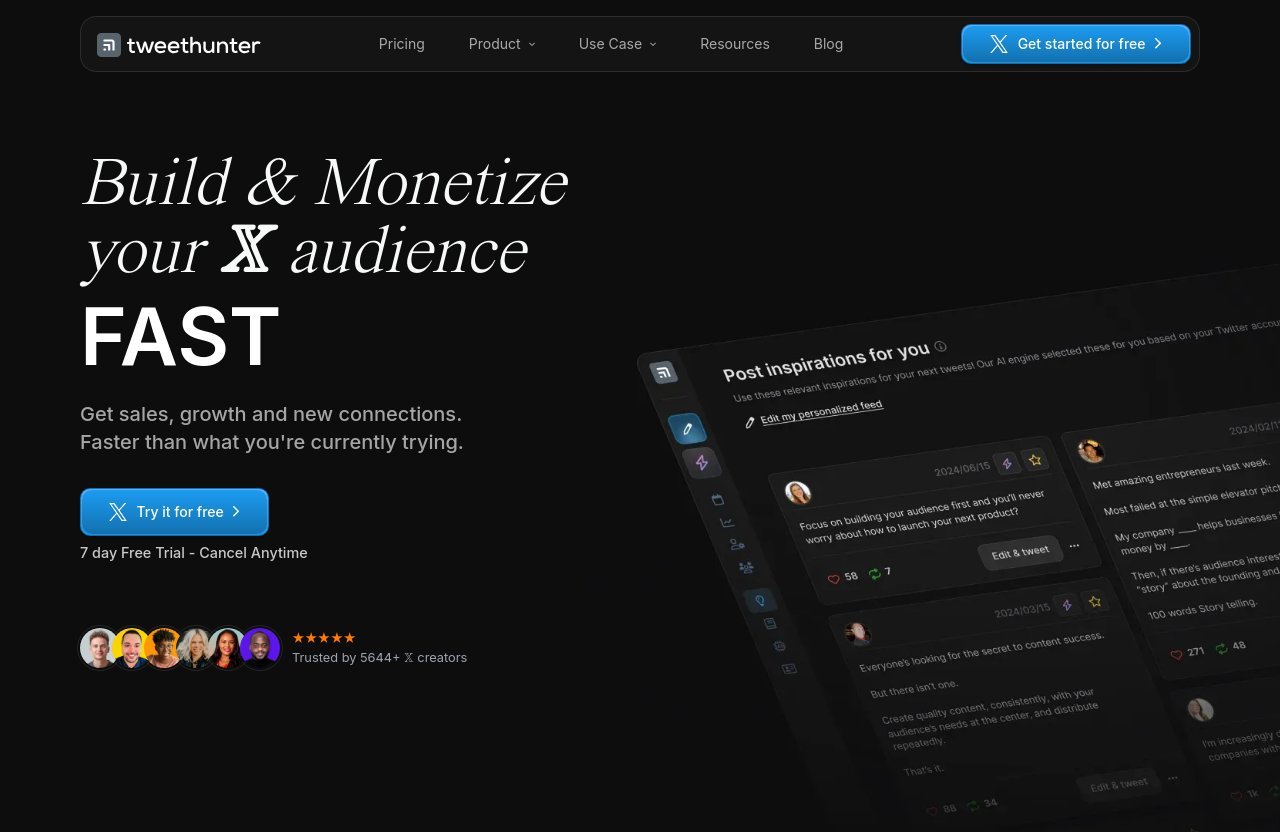
Core product promise
Tweet Hunter presents itself as a tool to help users build and monetize an X audience faster. Its stated outcomes include getting sales, growth, and new connections through a more structured approach to content and engagement.
That makes it more than a simple post scheduler. The platform is designed for users who want to turn X into a consistent marketing, audience-building, or relationship-building channel rather than posting occasionally without a strategy.
Main feature categories from the official homepage
The official homepage organizes the product around five core areas:
| Official Feature Area | What It Is Intended to Help With |
|---|---|
| Get Content Ideas | Finding inspiration and post concepts |
| Write Faster & Better | Improving the content-writing process |
| Boost & Automate | Scheduling and automation-oriented workflows |
| Engage & Sell To People | Supporting outreach and relationship building |
| Analyze & Understand | Reviewing X performance and audience activity |
For a Tweet Hunter iOS user, these categories provide a useful framework. Content ideas and quick writing support are likely to be the most convenient activities to review on a phone. Automation setup, account management, detailed analytics analysis, and CRM organization are more likely to feel constrained by a smaller display.
This is also why a tweet hunter app review should separate product capability from mobile usability. Tweet Hunter offers a broad X growth toolkit, but the better question is whether you can comfortably use those tools from your preferred device.
iPhone/iOS experience: what you can realistically expect
Likely mobile-use scenarios
An iPhone can be useful for staying connected to an active X workflow. During a commute, between meetings, or while traveling, you may want to check content inspiration, read draft ideas, review recent performance, or see what is happening with scheduled content.
For these quick-touch tasks, Tweet Hunter iOS may be helpful if the service is accessible through your mobile browser. The main advantage is not necessarily replacing your desktop; it is reducing the delay between noticing an idea and acting on it.
Common friction points for iPhone users
The limitation of tweet hunter on iPhone is not the value of the tools themselves. It is the nature of mobile work. Smaller screens make it harder to compare analytics, edit longer threads, manage multiple accounts, review lists, and move through multi-step publishing or CRM processes.
Typing is another practical consideration. Editing a short post on an iPhone is easy enough for many people. Writing a long thread, restructuring AI-generated text, or carefully reviewing a content queue can become slow and error-prone compared with using a keyboard and larger screen.
Notification-driven work can also distract from strategy. Mobile is excellent for quick checks, but a creator may find that constant checking leads to reactive posting rather than deliberate planning.
When mobile access is enough and when it is not
Mobile access is enough when you primarily need to review, approve, monitor, or make small edits. It can support a workflow where your content calendar and campaigns are already planned.
It is not ideal when you need to create a full week of content, build CRM lists, import interaction data, review large analytics sets, or configure automation from scratch. For those tasks, Tweet Hunter mobile limitations are less about a missing feature and more about how much work can reasonably be done on a phone.
Tweet Hunter features that matter most for mobile users
Content ideas and inspiration library
The Discover plan includes access to a library of over 12 million viral tweets and custom tweet inspirations. For a busy creator, this may be one of the most relevant parts of Tweet Hunter iOS because inspiration is often needed at unpredictable moments.
Browsing ideas, saving concepts elsewhere, or using an inspiration as a starting point is a natural mobile activity. The challenge is that deeper research, bulk idea selection, and detailed content planning generally become easier on desktop.
AI writing and rewrite tools
The Grow plan includes AI writer functions, such as daily AI-written tweets, tweet rewrites, help finishing a tweet, and thread ideas and hooks. These can be useful for an iPhone user staring at a blank draft between appointments.
In practice, AI suggestions are well suited to quick review on a phone. But you should still apply your own voice, fact-check claims, and edit carefully. A small screen can make it harder to compare versions or perform the thorough revision that brand-sensitive posts often need.
Scheduling and evergreen content
Discover includes tweet and thread scheduling, along with evergreen tweets. These features can help creators maintain consistency without manually publishing every post in real time.
For a tweet hunter iphone workflow, approving or checking a scheduled item may be practical. Creating a complex scheduling plan, formatting multiple threads, and auditing an evergreen queue are likely more comfortable from a computer, where you can see the broader content calendar clearly.
Analytics, CRM, and automation
The Discover plan includes complete X analytics, 3,000 Auto-DMs per month, auto-plug, and auto-retweet features. Grow adds X CRM functions, including creating account lists, importing from previous tweet and DM interactions, and engaging with tweets from specific lists.
These are useful growth features, but they are also the areas where mobile friction is most likely. Checking a high-level result on a phone is one thing; maintaining lists, evaluating trends, and managing an engagement system requires attention and context. Treat Tweet Hunter iOS as a monitoring tool for these features rather than assuming it will be your ideal place to configure them.
Official website · Latest pricing & offers
Pricing and plan breakdown
Discover plan
Tweet Hunter pricing begins with Discover at $29 per month. It includes one X account, the 12M+ viral tweets library, custom tweet inspirations, the ability to engage with other people 5x faster, tweet and thread scheduling, evergreen tweets, 3,000 Auto-DMs per month, auto-plug and auto-retweet, and complete X analytics.
For an individual creator testing a structured X workflow, Discover appears to cover the essentials. It is also the most sensible place to start if you mainly want content inspiration, scheduling, and analytics rather than advanced AI and CRM tools.
Grow plan
Grow is listed at $49 per month and supports five X accounts. It includes everything in Discover, plus 7,500 Auto-DMs per month, paid partnership labels on posts, AI writing tools, and X CRM functionality.
This plan is better aligned with a social media manager, agency-style operator, or creator managing multiple brands. From a Tweet Hunter mobile perspective, the added capabilities are powerful, but a laptop becomes more important as account and workflow complexity increases.
Enterprise plan
Enterprise is listed at $199 per month, while the page also visually presents it as approximately $200 per month. It includes unlimited X accounts, everything in Grow, 15,000 Auto-DMs per month, ghostwriting mode, priority support, custom-trained AI, smart AI reply generation, and unlimited AI use.
This tier is clearly intended for larger-scale needs. It is difficult to justify solely for casual on-the-go posting, especially if your only device is an iPhone.
Which plan makes sense for casual vs serious creators
For most independent users, Discover is the logical starting point. It has the core scheduling, inspiration, analytics, and automation features without paying for multi-account CRM and advanced AI capabilities that may be difficult to manage from a phone.
Grow becomes more relevant when you have several X accounts or genuinely need AI writer tools and CRM lists. The official pricing page also mentions a 7-day free trial and special-offer messaging, so it is worth reviewing the current checkout details before committing. Do not assume pricing promotions, annual terms, or discounts beyond what is currently shown.
Best use cases for Tweet Hunter on the go
Idea capture and draft review
The best mobile use case is catching ideas before they disappear. A creator can review inspiration, consider AI-generated directions where available, and make quick draft improvements from an iPhone.
This makes Tweet Hunter iOS potentially useful for people whose best ideas arrive while away from their desk. The phone serves as a quick creative workspace, while the more detailed editing can happen later.
Light engagement and monitoring
Mobile is also useful for monitoring activity and keeping an eye on whether content is performing as expected. You may not need a desktop simply to check results, notice a trend, or decide whether a post needs attention.
That said, avoid treating automation as something to set and forget. Review your activity regularly and make sure every engagement process still reflects your voice, audience expectations, and X policies.
Approving scheduled content
If your content has already been drafted and loaded into a schedule, an iPhone can be a practical place to make final checks. This is especially helpful for creators who want to catch a typo or make a timely adjustment while traveling.
The more detailed the post structure, the more likely you will prefer desktop. Long threads, multiple accounts, and evergreen queues benefit from a larger interface.
Creators who use iPhone but work with a laptop later
The strongest fit is a hybrid routine: use your phone for immediate ideas, light checks, and quick edits, then use a laptop for campaign planning, scheduling, CRM maintenance, and deeper analytics.
If that sounds like your workday, you can explore Tweet Hunter through Top Trust Review’s partnered recommendation. It is an affiliate relationship, but the practical recommendation remains the same: test the interface during the available trial before deciding that it fits your mobile habits.
Who should skip Tweet Hunter if mobile is your only workflow
Solo users who want a true native iPhone app
If your main requirement is a confirmed, polished native Tweet Hunter iOS app, do not subscribe based on assumptions. The official pages covered here do not establish that a dedicated iOS app exists.
Check the official site for current availability first. A browser-based experience, if available, may be enough for some users, but it is not automatically equivalent to a purpose-built iPhone app.
Users who need fully seamless posting from the phone
A mobile-only user who expects quick, seamless publishing, planning, analytics, CRM, and automation management may find the experience restrictive. Multi-step work is simply harder on a small screen.
The platform may still provide value, but it may not feel like a true mobile-first X growth tool. Your decision should depend on whether you can accept desktop work for heavier tasks.
People who do all content production inside social apps
If you create every post spontaneously inside social apps and do not want a separate planning, analytics, or scheduling system, Tweet Hunter may feel like unnecessary overhead. Its value grows when you use a repeatable process.
This tweet hunter app review is not a recommendation to add more tools for the sake of it. It is a recommendation to use a structured platform only if you plan to take advantage of the workflow it provides.
Pros and cons for iOS users
Pros
- Strong official focus on content ideas, writing, scheduling, engagement, automation, CRM, and analytics.
- The 12M+ viral tweets library and custom inspirations may be useful for quick mobile research.
- AI writer capabilities on Grow can help with on-the-go drafting and rewrites.
- Scheduling and evergreen content can reduce the need to manually post every day.
- A 7-day Tweet Hunter free trial is listed, giving users a chance to assess fit before paying.
- Hybrid users can use an iPhone for lighter activity and a desktop for deeper work.
Cons
- The available official product facts do not confirm a dedicated tweet hunter iOS app.
- Detailed scheduling, thread editing, CRM maintenance, and automation setup are likely more comfortable on desktop.
- A smaller screen can slow down complex writing, list management, and analytics review.
- Higher plans may be unnecessary if your only goal is occasional mobile posting.
- Mobile-only users should verify whether the current Tweet Hunter browser on mobile experience meets their needs before purchasing.
Final verdict: is Tweet Hunter worth it for iPhone users?
Best-fit recommendation
Tweet Hunter iOS is most suitable for creators who use an iPhone throughout the day but are willing to use a laptop or desktop for strategic work. In that setup, the phone is useful for idea review, light engagement, checking analytics, and approving or adjusting content.
For serious X growth users, the platform’s combination of inspiration, scheduling, evergreen posts, analytics, AI options, CRM, and automation can justify the cost. The Discover plan is likely the most reasonable starting point for individuals who want to validate the workflow first.
Bottom line
Tweet Hunter is worth considering for iPhone users when mobile is a companion to a broader content system, not the entire system. Its official feature set is designed for structured X growth, but the more advanced your workflow becomes, the more desktop access matters.
If you are a mobile-first creator rather than a mobile-only creator, Tweet Hunter iOS may be a practical addition to your workflow. Use the official 7-day free trial, check current mobile availability directly with Tweet Hunter, and decide based on how comfortably you can complete your real tasks from an iPhone.
Official website · Latest pricing & offers
FAQ
Is Tweet Hunter worth it?
Tweet Hunter can be worth it for creators, founders, and social media managers who actively want to grow an X audience through a repeatable content and engagement process. Its value is stronger for serious users who will use scheduling, analytics, inspiration, AI writing, CRM, or automation features consistently.
For casual users who only post occasionally from an iPhone, the monthly cost may be harder to justify. It is a better fit for hybrid desktop-and-mobile workflows than for a strictly phone-only routine.
How much does Tweet Hunter cost?
According to the official pricing page, Discover costs $29 per month, Grow costs $49 per month, and Enterprise costs $199 per month. The Enterprise plan is also visually presented as about $200 per month.
The pricing page mentions a 7-day free trial and special-offer messaging. Check the official site for the current offer and terms rather than assuming a particular discount or annual price.
Is there a Tweet Hunter iOS app?
The official product information used for this review does not verify a dedicated Tweet Hunter iOS app. For that reason, it would be inaccurate to promise native iPhone app availability.
Before paying, confirm current app and mobile access details on Tweet Hunter’s official site. This is particularly important if a native app is a non-negotiable part of your workflow.
Can I use Tweet Hunter on my iPhone?
An iPhone may be useful for lighter Tweet Hunter tasks, such as reviewing content ideas, checking drafts, monitoring activity, and looking at analytics. If mobile browser access is available, these short actions may fit naturally into an on-the-go routine.
For detailed planning, long-form thread editing, CRM work, multi-account management, and deeper scheduling, desktop use will generally be more comfortable.
What are the main limitations of Tweet Hunter on mobile?
The primary limitations are workflow-related: a smaller screen, slower typing for long posts, more difficult multi-step scheduling, and less convenient CRM or analytics management. These limitations are common when using feature-rich marketing platforms from a phone.
The biggest point to verify is current mobile and iOS availability, since the official pages reviewed do not confirm a dedicated native app. For most users, Tweet Hunter mobile works best as a convenient extension of desktop work rather than a complete replacement for it.
Related Reading
References
- Tweet Hunter official homepage
- Tweet Hunter official pricing page
- TweetHunter / X profile
- Tweet Hunter integrations on Zapier