Tweet Hunter Chrome Extension: A Practical 2026 Review for X Creators

The Tweet Hunter Chrome extension is designed for people who spend serious time researching, writing, and engaging on X. Rather than replacing X, it adds research and productivity layers directly into the browser experience, helping users find useful posts, revisit conversations, and spot content ideas without constantly switching tabs.
This review may include affiliate links, which help support our site at no extra cost to you. If you decide the broader platform fits your workflow, you can review the current offer through Tweet Hunter’s official trial page.
Official website · Latest pricing & offers
What Is Tweet Hunter Chrome Extension?
Quick definition of Tweet Hunter X / Twemex
The Tweet Hunter Chrome extension is the browser companion for Tweet Hunter’s broader X content and growth platform. It works inside the X interface and adds useful information around profiles, posts, search results, and conversations.
You may also see it called Tweet Hunter X or Twemex. Twemex was the earlier name associated with this browser-based experience, while Tweet Hunter X is the current branding used around the extension.
At its core, this Chrome extension for X focuses on browsing and discovery. It helps you turn the time you already spend scrolling X into a more structured research process.
Who it’s for: creators, founders, marketers, and researchers
The Tweet Hunter Chrome extension is most useful for people who use X intentionally. That includes creators looking for post ideas, founders following customer conversations, marketers studying industry messaging, and researchers tracking public discussions.
For example, a creator may use it to inspect a strong account’s best-performing posts. A founder may use it to return to a conversation with a potential customer. A marketer might use it to identify recurring questions, objections, and language used by an audience.
If you open X a few times a week only to read headlines or casually browse, the additional tools may feel unnecessary. Its value increases when X is a real part of your content, networking, or research workflow.
How it differs from the main Tweet Hunter web app
The extension is not the entire Tweet Hunter product. Think of the Tweet Hunter extension as the in-browser research layer, while the main platform includes wider publishing, analytics, engagement, and AI-supported features.
The browser tool helps make X easier to explore while you are on the platform. The main product expands the workflow with capabilities such as tweet and thread scheduling, evergreen tweets, complete X analytics, Auto-DMs, AI writing assistance, account lists, and engagement tools.
That distinction matters when evaluating the Tweet Hunter Chrome extension. Installing it can improve the way you browse X, but the larger subscription is where the platform’s publishing and automation features come into play.
What the Extension Actually Does Inside X
Highlights: surface a user’s best tweets
One of the most practical parts of the Tweet Hunter Chrome extension is Highlights. In simple terms, this feature helps surface a user’s strongest or most notable tweets when you visit their profile.
That is useful because manually scrolling through months or years of posts is slow. Highlights gives you a faster way to understand what topics, formats, or opinions appear to have resonated for a specific account.
For content research, this can be a shortcut to identifying patterns. You might notice that a founder gets engagement from product lessons, while another creator consistently performs well with contrarian one-line posts or educational threads.
Recent Hits: find top-performing posts from your timeline
Recent Hits helps you notice high-performing posts from people in your timeline. Instead of relying only on the chronological flow of X, you can use this view as a research signal for what is attracting attention now.
The purpose is not to copy someone’s post. It is to see which themes are active, what questions are being discussed, and how people are framing familiar ideas.
Used well, the Tweet Hunter X sidebar can help you build a timely idea list. If several people are discussing the same market shift, customer problem, or creator challenge, that may be a useful topic to explore from your own perspective.
Our Conversations: revisit past interactions
“Our Conversations” is a straightforward but valuable feature for anyone who networks on X. It helps you revisit prior interactions with a person rather than trying to remember whether you have already replied, exchanged messages, or discussed a topic.
X conversations move quickly, especially if you engage with many people each week. This feature can make relationship management feel less random by providing context before you reply again.
For example, before responding to a prospect, collaborator, or frequent follower, you can check the existing interaction history. That makes it easier to write a reply that is relevant rather than generic.
Quote Tweets: understand what others are saying about a post
Quote Tweets add another layer of context around a post. A tweet can look persuasive on its own, but the quote-post discussion may reveal disagreement, additional examples, criticism, or useful follow-up questions.
The Tweet Hunter Chrome extension makes this context easier to explore while you research. That can be especially helpful for marketers and researchers who want to understand audience sentiment instead of judging a post only by likes or reposts.
For creators, quote tweets can also reveal angles that the original author did not cover. Those reactions may lead to better content prompts, as long as you contribute a genuine perspective instead of repeating what is already being said.
Enhanced Search: faster search with shortcuts and inline results
Search is often where a Twitter Chrome extension becomes genuinely useful. Enhanced Search is intended to make discovery more efficient with shortcuts and inline results, reducing the friction of repeatedly opening profiles or running separate searches.
This matters because good X research is usually specific. You may be looking for posts from a particular person, conversations around a keyword, or examples of how people describe a problem.
The Tweet Hunter extension can help keep that investigation closer to the content you are already viewing. Rather than treating X as an endless feed, you can use it more like a searchable source of market language, ideas, and public conversations.
How Tweet Hunter Chrome Extension Fits Into a Creator Workflow
Content research and idea collection
A practical creator workflow often starts with observation. Use the Tweet Hunter Chrome extension while browsing accounts in your niche, then look at Highlights, Recent Hits, and quote-post reactions to identify recurring themes.
For instance, a B2B creator might notice repeated discussion around onboarding failures. Instead of copying a popular tweet, they could save the concept as a prompt: “Three onboarding mistakes I saw while working with early-stage teams.”
The goal is to collect raw material, not imitate formats blindly. Over time, your research becomes more useful when you organize ideas around your experience, audience questions, and product knowledge.
Writing tweets and threads faster
The extension supports the research side of writing, while the broader Tweet Hunter platform includes tools such as daily AI-written tweets, tweet rewrites, help finishing a tweet, and thread ideas and hooks.
That combination can be useful when you already have a point of view but need help shaping it. A sensible approach is to research inside X, write a rough version in your own voice, and use writing tools only to explore alternative hooks or structure.
The Tweet Hunter Chrome extension will not create expertise for you. What it can do is reduce the time spent hunting for relevant examples and conversations before you write.
Engagement and relationship management
Engagement is more productive when you remember context. If you are building a network, responding to the same people over time is often more valuable than leaving disconnected comments across hundreds of posts.
“Our Conversations” helps make that possible by bringing past interaction context closer to the profile or discussion you are viewing. This is particularly helpful for founders, consultants, community builders, and marketers who use X for relationship development.
The wider platform also lists the ability to create account lists, import previous tweet and DM interactions, and engage with tweets from specific lists. These are broader workflow features, so assess them as part of the subscription rather than expecting every function to live solely in the extension.
Recycling evergreen ideas and old conversations
Many good content ideas do not expire after one post. The broader Tweet Hunter product includes evergreen tweets, which can be relevant for creators who want to revisit durable insights over time.
The Tweet Hunter Chrome extension adds value earlier in that loop. It helps you find the original discussion, revisit the audience response, and see whether a past topic has become relevant again.
Old conversations can also reveal content opportunities. If followers repeatedly ask a similar question, that is a stronger signal than a one-off trending topic because it reflects a recurring need from your audience.
How to Install and Set Up Tweet Hunter Chrome Extension
Where to get the extension
For a safe Tweet Hunter Chrome extension download, start with the official Chrome Web Store listing or the official Tweet Hunter install page. Avoid third-party download sites, unofficial files, or pages claiming to offer APK versions.
The Chrome Web Store is the appropriate starting point for a browser extension. Once you locate Tweet Hunter X, review the listing details and add it through your Chrome browser.
After installation, open X in the same browser and look for the extension’s added interface elements. The exact placement can vary as the product interface changes, so use the official install guidance if the layout looks different from screenshots you have seen.
Supported browsers and desktop setup
The product is presented as a Chrome extension, so the clearest supported path is desktop Google Chrome through the Chrome Web Store. Do not assume that a mobile browser, Android device, or unrelated browser has the same setup process.
A desktop workflow is also more practical for research-heavy use. Profile analysis, search, conversation review, and content planning are easier when you have enough screen space to read the X feed and extension panels together.
If you use another desktop browser, check the official install information before proceeding. Browser extension compatibility can differ, and it is better to confirm than to install an unverified alternative.
First-time permissions and account connection
A normal Tweet Hunter setup involves installing the extension, opening X, and following the prompts presented by the official product. Read requested permissions carefully before accepting them.
You may also need to log into your Tweet Hunter account if you use the paid platform. Keep in mind that the extension works as part of a wider X workflow, so account connection and an active browser session can affect whether its features appear.
Use one X account first if you are evaluating the workflow. The official pricing page shows feature groupings that include one X account in a plan as well as options that include five or unlimited X accounts, depending on the visible plan grouping.
Basic setup tips for a smoother start
Pin the extension in Chrome so it is easy to find if you need to check settings. Then begin with one use case, such as researching competitor profiles or reviewing conversations with people you regularly engage with.
Do not try to learn every feature in a single session. Spend a few days using Highlights and Recent Hits, then add search shortcuts or conversation review once those habits feel natural.
A focused setup is usually more valuable than a complicated one. The best X productivity extension is the one that fits naturally into the work you already do.
Official website · Latest pricing & offers
Tweet Hunter Pricing and What You Get Beyond the Extension
Verified pricing structure
According to Tweet Hunter’s official pricing page, plans start from $49 per month. The page shows both Monthly and Yearly billing options, along with a 7-day free trial.
The pricing page also notes a special offer: start a trial and receive Tweet Hunter University for free. It is described as a 25+ page growth guide.
Because the Tweet Hunter Chrome extension is connected to the broader product ecosystem, pricing is important even if your initial interest is profile research. Review the current plan page before subscribing because available feature bundles and access can vary.
What’s included in the Discover plan
The official pricing page visibly lists a feature grouping associated with Discover. This includes one X account, access to an over 12M viral tweets library, custom tweet inspirations, the ability to engage with other people 5x faster, tweet and thread scheduling, evergreen tweets, 3,000 Auto-DMs per month, Auto-plug and Auto-retweet, and complete X Analytics.
For a content-focused user, the viral tweets library and custom inspirations are especially relevant to research. Scheduling and evergreen tweets may matter more once you have a consistent publishing process.
Auto-DMs and automated engagement-related features deserve careful use. They can support a system, but they should not replace thoughtful, relevant interaction with real people.
What changes in Grow and Scale
The official pricing page also shows visible feature groupings labeled Grow and Scale. Grow includes everything in Discover, 7,500 Auto-DMs per month, paid partnership labels on posts, daily AI-written tweets, tweet rewrites, help finishing a tweet, thread ideas and hooks, account lists, imported previous tweet and DM interactions, and engagement with tweets from specific lists.
Scale includes everything in Grow, 15,000 Auto-DMs per month, Ghostwriting mode, Priority Support, and custom trained AI. The page also displays groupings that include five X accounts and unlimited X accounts.
The key point is that AI writing, larger account capacity, and more advanced workflow features belong to the broader subscription discussion. They are not reasons to assume the browser extension alone provides every listed capability.
How to think about value if you only want the extension
If you only want a better browsing and research experience inside X, test the Tweet Hunter Chrome extension before making a long-term decision. The 7-day trial gives you a practical way to see whether you actually use the workflow tools.
The full subscription becomes easier to justify when you also need scheduling, analytics, evergreen publishing, structured engagement, or AI-assisted drafting. If you will not use those features, assess whether the research convenience alone is worth the starting price.
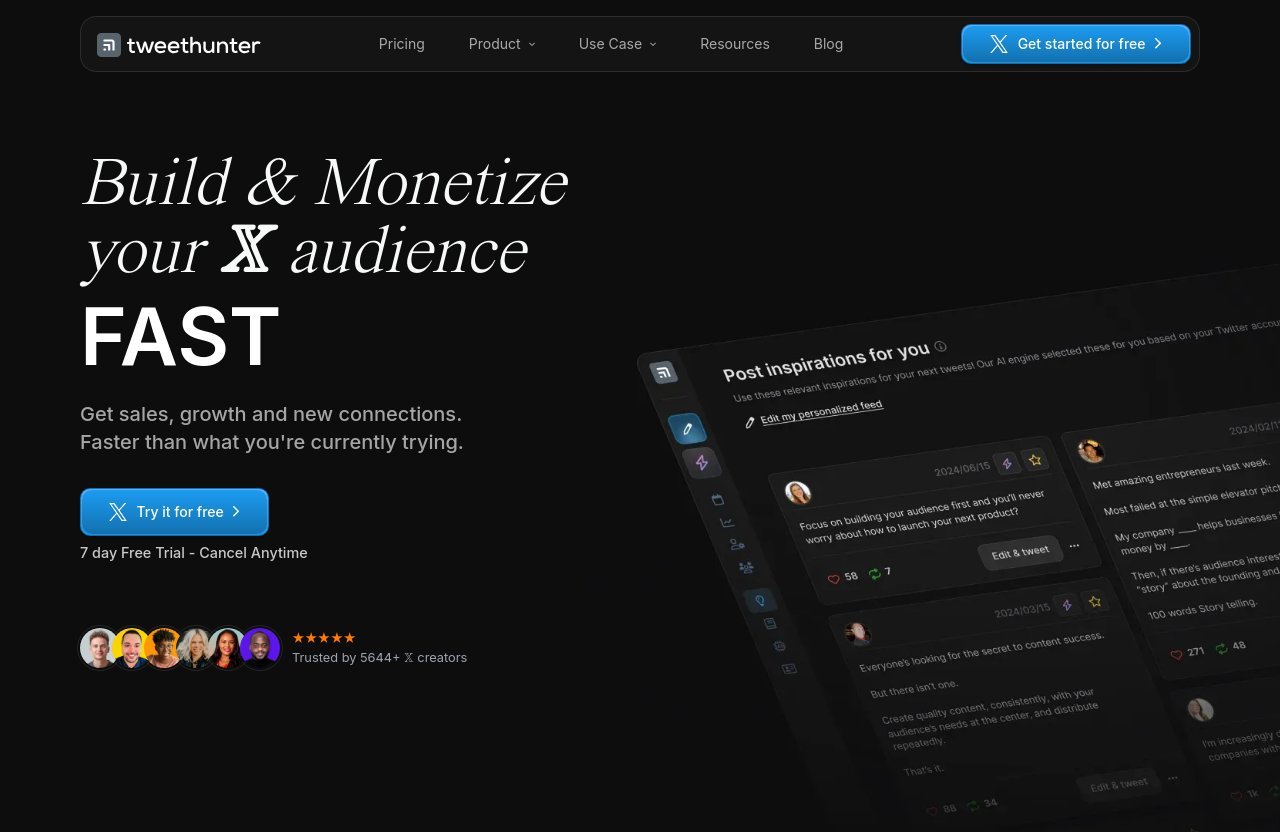
The brand states on its site that it is trusted by 5,644+ X creators. Treat that as an on-site company claim, not as an independent audit or guarantee that the product is right for every user.
Best Use Cases and Realistic Limitations
Best for content creators and X power users
The Tweet Hunter Chrome extension is a strong fit for people who treat X as a working channel. If your routine includes studying peers, monitoring audience questions, networking, and publishing regularly, the research shortcuts can save meaningful time.
It is also useful for founders who want to study how customers discuss problems publicly. Instead of relying only on broad keyword searches, you can explore profiles, quote tweets, and prior conversations with more context.
Researchers may benefit as well, particularly when they need to trace how a topic develops across accounts and reactions. The extension works best when paired with a clear research question.
Not ideal for casual browsers
Casual users may not need a dedicated Chrome extension for X. If you rarely publish, do not track industry conversations, and have no reason to revisit profile history, the added interface can be more than you need.
The same is true for people looking for a completely hands-off growth tool. Better research can support better content, but no extension eliminates the need for judgment, original ideas, and consistent participation.
Before subscribing, ask how often you would realistically use Highlights, Recent Hits, search enhancements, and conversation context. If the answer is “almost never,” the platform is unlikely to provide strong value.
Limitations of AI features and plan access
AI can help brainstorm hooks, rewrite a draft, or overcome a blank page. It is less reliable as a substitute for real experience, product knowledge, or an authentic point of view.
Not every feature is available at every subscription level, and the official pricing page presents features in different visible plan groupings. Confirm the current plan details before assuming access to AI tools, account capacity, support levels, or automation limits.
The Tweet Hunter extension also depends on the surrounding X environment. When X changes its interface or behavior, browser-based workflows can change too.
What to expect from a Chrome extension vs a full social media suite
A Chrome extension for X is best understood as an on-page assistant. It can add context, shortcuts, discovery views, and research aids while you browse.
It is not a full replacement for a complete social media management suite, a CRM, or a dedicated analytics platform. Tweet Hunter’s broader web app covers more of that territory through its visible scheduling, analytics, AI, and engagement features.
Set expectations accordingly: the extension improves the X experience, while the subscription expands what you can do around that experience.
Troubleshooting and Setup Tips
Extension not appearing in X
If the Tweet Hunter Chrome extension does not appear after installation, first confirm that it is enabled in Chrome’s extension management area. Then refresh X and make sure you are using the same browser profile where you installed it.
If it still does not show, sign out and back into the relevant account if the official setup flow requires it. Also check the official install instructions, as interface placement and setup steps can change.
A common cause of “Tweet Hunter not working” reports is expecting it to appear everywhere immediately. Start by visiting a profile, a post, or a standard X timeline where its research features are intended to be useful.
Browser compatibility notes
For the most reliable path, install through the Chrome Web Store on desktop Chrome. That is the official channel referenced for the Tweet Hunter extension.
Avoid downloading files from unofficial sources or assuming support for mobile browsers. The product is described as a Chrome extension, and desktop setup is the appropriate workflow to verify through official pages.
Keep Chrome updated as part of standard browser maintenance. If an extension behaves unexpectedly, an outdated browser can complicate troubleshooting.
Common permission and login issues
Permissions and login states can affect whether the Tweet Hunter X interface loads correctly. Review whether the extension is enabled, whether you are signed into X, and whether you are connected to the relevant Tweet Hunter account when required.
If you manage several X accounts, be deliberate about which account is active in the browser. The official pricing page shows different account allowances across visible plan groupings, so plan access may influence what you can connect.
If an issue continues, avoid repeatedly reinstalling without checking the official support or install guidance first. A clean, methodical check of browser, login, permissions, and account status is usually more effective.
How to get the most value quickly
Use the Tweet Hunter setup process to build one repeatable habit. For example, spend 15 minutes each morning reviewing Recent Hits, opening three relevant profiles, and saving themes that match your expertise.
Another useful routine is to check “Our Conversations” before replying to people you want to know better. This small step can improve the relevance of your replies without adding much time.
Finally, separate inspiration from publication. Research widely, but only publish ideas you can explain, support, and connect to your own experience.
Is Tweet Hunter Chrome Extension Worth It?
Best fit by user type
The Tweet Hunter Chrome extension is worth considering for active creators, founders, marketers, consultants, and researchers who already use X several times per week. Its main benefit is workflow efficiency: less manual digging, more contextual research, and easier recall of prior interactions.
It is particularly valuable if you often ask questions such as: “What has this person written about before?” “What is performing in my niche?” or “Have I already spoken with this account?”
Casual readers and infrequent posters should probably skip it. The productivity gain depends on repeat usage, not simply having another tool installed.
Free trial and subscription considerations
The official product page offers a 7-day free trial, and plans start from $49 per month. That makes a hands-on test more useful than relying solely on feature lists.
During the trial, measure practical outcomes. Did you find better ideas? Did profile research become faster? Did you remember useful conversations that would otherwise have been lost in the feed?
If the answer is yes and you also expect to use scheduling, analytics, or AI tools, the broader subscription may make sense. If not, avoid paying for features that will sit unused.
When the extension alone may be enough
For some users, the Tweet Hunter Chrome extension may be enough as a research companion. If your main need is browsing profiles intelligently, finding useful posts, and reviewing conversations, you may not need every broader platform feature immediately.
That said, evaluate access based on the official current product terms. The extension and subscription are closely connected, and plan-level features should be confirmed before you rely on them for your workflow.
Start with research first. Add publishing, analytics, and AI tools only when they solve a genuine bottleneck in your process.
Final verdict
The Tweet Hunter Chrome extension is a practical addition for people who use X as a place to learn, build relationships, and publish consistently. Its strongest value is not flashy automation; it is making content research, conversation recall, and post discovery more organized inside the platform you already use.
For frequent X users, it is a credible tool to test during the 7-day trial, especially if the broader Tweet Hunter feature set also matches your workflow. For casual browsers, the subscription starting at $49 per month is likely more than necessary.
If you want to evaluate the platform firsthand, you can explore the Tweet Hunter trial and current pricing. Choose it for a deliberate X workflow, not because you expect a shortcut around thoughtful content and real engagement.
Official website · Latest pricing & offers
FAQ
What is Tweet Hunter?
Tweet Hunter is an X growth and content platform with tools for research, publishing, engagement, analytics, and AI-assisted writing. Tweet Hunter X, formerly associated with the name Twemex, is its browser extension companion for content discovery and productivity inside X.
The extension is intended to help users explore profiles, surface useful posts, revisit conversations, and search more efficiently while browsing.
How much does Tweet Hunter cost?
According to the official pricing page, Tweet Hunter plans start from $49 per month. The company offers a 7-day free trial and shows Monthly and Yearly billing options.
Exact feature bundles vary by visible plan grouping, so review the official pricing page before subscribing. The page also mentions a trial offer that includes Tweet Hunter University, described as a 25+ page growth guide.
What is the best Twitter extension for Chrome?
The best Twitter Chrome extension depends on what you need. For content discovery, profile research, conversation context, and productivity inside X, Tweet Hunter X is a strong option to consider.
It is most relevant for active creators, marketers, founders, and researchers. Casual users may prefer a simpler browsing experience without extra workflow tools.
Is TweetDeck still free?
TweetDeck is a separate product from Tweet Hunter and its availability or access model can change. Check current information directly through X before making decisions based on older TweetDeck guidance.
Tweet Hunter focuses on a different use case: improving research, content discovery, and workflow support within the X browsing experience.
Related Reading
References
- Tweet Hunter X: Sidebar for X – Chrome Web Store
- Twemex – Sidebar for Twitter
- Twemex – Sidebar for Twitter install page
- Tweet Hunter Pricing – Plans from $49/mo | Try Free for 7 Days