Mydesigns Pricing 2026: Plans and Value Breakdown
MyDesigns pricing in 2026 ranges from a free account to paid subscriptions designed for growing print-on-demand businesses. The right tier depends less on simply finding the lowest monthly cost and more on your shop count, publishing volume, storage needs, and use of AI-powered workflow tools.
This guide reviews the verified plan prices, included features, MyDesigns Store fees, and practical limitations listed on the official MyDesigns pricing page and documentation. Some links in this article may be affiliate links, meaning Top Trust Review may earn a commission if you subscribe at no additional cost to you.
Official website · Latest pricing & offers
MyDesigns Pricing 2026 at a Glance
Quick Summary of the Free, Starter, Pro, and Pro Plus Plans
The MyDesigns pricing structure has four tiers: Free, Starter, Pro, and Pro Plus. The free tier is intended for limited testing, while the paid options add more AI credits, larger product batches, more connected shops, greater storage, and lower MyDesigns Store fees.
| Plan | Yearly Billing Price | Month-to-Month Price | Best For |
|---|---|---|---|
| Free | $0 | $0 | Testing the interface |
| Starter | $19.99/month ($239.88/year) | $24.99/month | New or small sellers |
| Pro | $39.99/month ($479.88/year) | $49.99/month | Growing multi-shop sellers |
| Pro Plus | $79.99/month ($959.88/year) | $99.99/month | High-volume sellers and teams |
The biggest step-up points are clear. Starter unlocks meaningful publishing and mockup functionality, Pro adds stronger research and catalog-management tools, and Pro Plus expands capacity for sellers managing many storefronts and larger design libraries.
Monthly vs Yearly Billing and Money-Back Policy
Each paid MyDesigns plan is available on monthly or annual billing. Choosing annual billing lowers the effective monthly cost and saves $60 per year on Starter, $120 per year on Pro, or $240 per year on Pro Plus compared with paying month to month.
According to the official pricing page, all paid subscriptions include a 7-day money-back guarantee and can be canceled at any time. If you are unsure about long-term volume, the monthly option provides more flexibility; annual billing makes more sense once your workflow is established.
Who Should Use This Guide
This MyDesigns pricing guide is for print-on-demand sellers, digital-product creators, and small teams evaluating whether the platform’s automation features match their current workload. It is particularly useful if you sell across Etsy, Shopify, WooCommerce, TikTok, or MyDesigns Stores.
Rather than treating every feature as equally valuable, use this breakdown to identify the limits that matter for your business: number of shops, products per batch, AI credits, mockup formats, and storage.
What MyDesigns Is and Why Pricing Matters
Print-on-Demand and Digital Products in One Workspace
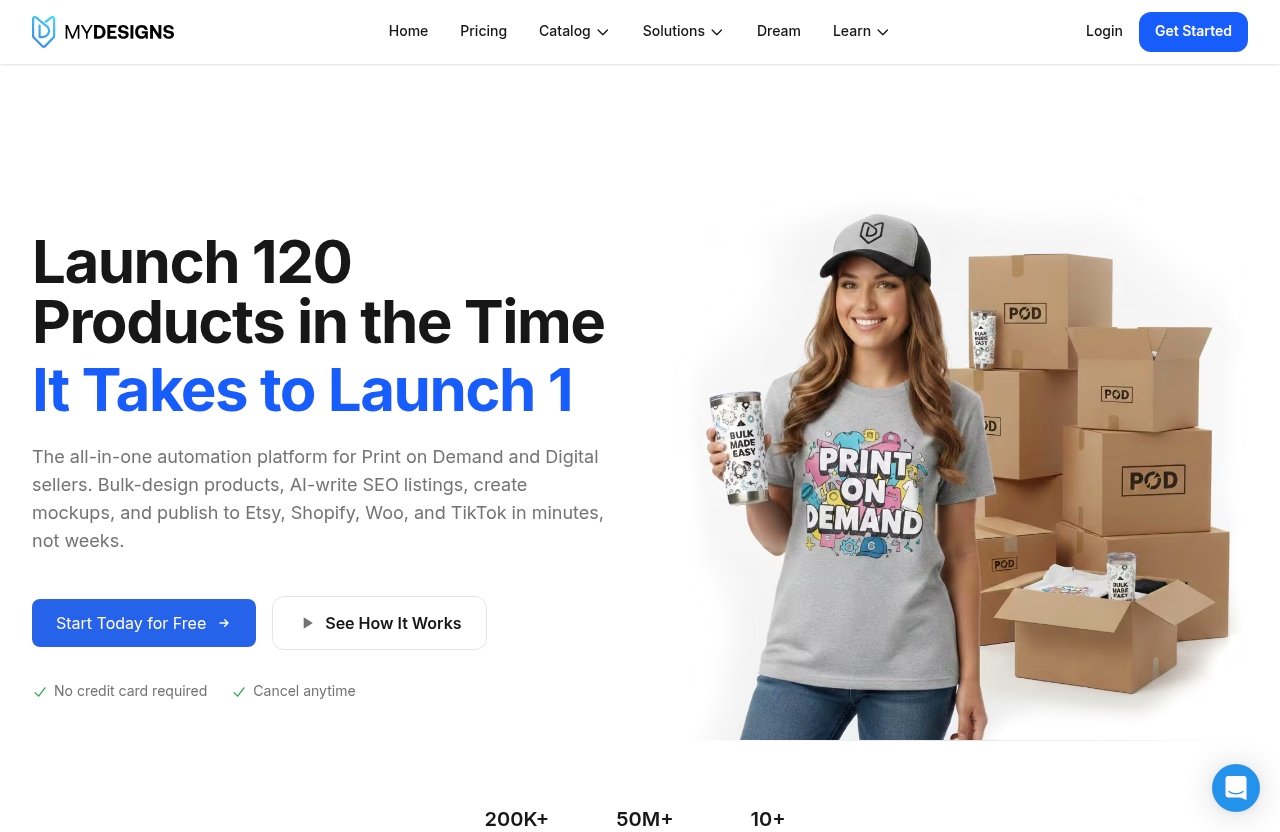
MyDesigns is a workspace for creating, organizing, mocking up, and publishing products. Its supported workflow includes publishing to Etsy, Shopify, WooCommerce, and TikTok, with integrations available across paid plans according to the official documentation.
For a seller managing multiple designs or storefronts, MyDesigns pricing should be evaluated as part of an operating workflow. The subscription is not just about access to a design library; it is also about whether the available publishing, batch, mockup, and research capacity fits your catalog.
Why Bulk Publishing Changes the Cost Equation
Publishing one product manually may be manageable. Preparing titles, mockups, product variations, and listings across a larger catalog can become repetitive quickly, especially when multiple shops are involved.
Every paid plan includes AI credits, bulk mockups, and bulk publishing to Etsy, Shopify, WooCommerce, and TikTok. This makes the platform more relevant for sellers who need repeatable production processes rather than a one-off design tool.
Which Seller Types Get the Most Value
The strongest fit is typically a seller with enough designs and product listings to benefit from batching. A small Etsy shop may only need Starter, while a business working across several stores can reach Pro’s shop limits sooner.
High-volume operators should pay close attention to the top-end MyDesigns plans. Unlimited shops, larger batches, and more storage can reduce friction when a business runs multiple brands, storefronts, or client accounts.
MyDesigns Pricing Table Explained
Free Plan Limits
The MyDesigns free plan costs $0 and does not require a credit card to start. However, official documentation describes it as very limited, with only a handful of actions per day, minimal storage, no AI credits, and no access to several advanced tools.
The Free account supports access to Etsy, Shopify, and WooCommerce integrations, but Printify is not included. It is best viewed as a way to explore the interface and confirm whether the workflow suits your business before subscribing.
Starter Plan Cost and Features
The MyDesigns Starter plan costs $19.99 per month when billed annually, totaling $239.88 per year. Its month-to-month price is $24.99.
Starter includes:
- 250 AI credits per month
- Up to 24 products per batch
- One shop each on Etsy, Shopify, WooCommerce, and TikTok
- Custom and own PSD mockups
- One MyDesigns Store
- A 6% MyDesigns Store fee
- 40 GB design library
- 2% off the print catalog
This is the first paid tier with access to the core production functionality most active solo sellers will need.
Pro Plan Cost and Features
The MyDesigns Pro plan costs $39.99 per month on yearly billing, or $479.88 annually. The monthly billing option costs $49.99 per month.
In addition to Starter features, Pro includes:
- 600 AI credits per month
- Up to 48 products per batch
- Three shops each on Etsy, Shopify, WooCommerce, and TikTok
- Bulk video mockups
- Scout AI product research
- Catalog import and export
- Two MyDesigns Stores
- A 4.5% MyDesigns Store fee
- 100 GB design library
- 5% off the print catalog
For sellers that have outgrown a single shop or need catalog-management tools, the additional capacity is the main reason to consider Pro.
Pro Plus Plan Cost and Features
The MyDesigns Pro Plus plan costs $79.99 per month on annual billing, or $959.88 per year. Its month-to-month price is $99.99.
Pro Plus includes everything in Pro, plus:
- 2,000 AI credits per month
- Up to 120 products per batch
- Unlimited shops on every platform
- Three MyDesigns Stores
- A 3% MyDesigns Store fee
- 1 TB design library
- 10% off the print catalog
- Priority support
When comparing MyDesigns pricing tiers, Pro Plus is fundamentally a capacity plan. It is built around removing shop constraints and supporting larger product operations.
Starter Plan Review: Best for New or Small Sellers
What You Get for $19.99/Month Billed Yearly
The MyDesigns Starter plan is the entry point for sellers who want to move beyond limited testing. At $19.99 per month with annual billing, it includes 250 monthly AI credits, a 24-product batch limit, 40 GB of design-library storage, and one connected shop on each supported marketplace platform.
Starter also provides custom and own PSD mockups, one MyDesigns Store, and a 2% print catalog discount. The 6% store fee is important to factor in if you intend to sell directly through a MyDesigns Store rather than only through external marketplaces.
When the Starter Plan Is Enough
Starter is a sensible choice for a solo seller with one store per channel. If you primarily run one Etsy shop, one Shopify site, or a small set of storefronts, its connected-shop allowance can be sufficient.
It is also appropriate for creators with a modest release schedule. A 24-product batch can support routine uploads without paying for the expanded production capacity of higher plans.
Starter Plan Limitations to Watch
The most notable limitation is scale. Starter does not include Scout AI, catalog import/export, or bulk video mockups, and it supports only one shop per marketplace.
MyDesigns pricing at this level is attractive if you stay within those boundaries. If you need multiple stores per channel, publish larger collections at once, or rely on more intensive product research, Pro may be the more practical long-term fit.
Pro Plan Review: The Best Balance of Features and Scale
What Extra Value Pro Adds Over Starter
The MyDesigns Pro plan doubles the product batch limit from 24 to 48 and raises AI credits from 250 to 600 per month. It also increases marketplace connections from one shop to three shops per platform and expands storage from 40 GB to 100 GB.
Pro includes two MyDesigns Stores instead of one, reduces the store fee from 6% to 4.5%, and raises the print catalog discount from 2% to 5%. These differences matter most when your business uses MyDesigns regularly rather than occasionally.
Why Scout AI Matters for Product Research
Scout AI is available with Pro and Pro Plus. The official pricing page describes it as a tool that finds what sells, making it a relevant feature for sellers who want research assistance within the same workspace used for product creation and publishing.
Its value depends on whether research is already a bottleneck in your process. If you have a reliable niche-validation system outside the platform, Scout AI may be less important; if product discovery takes substantial time, Pro’s added functionality can be easier to justify.
Who Should Upgrade to Pro
The MyDesigns Pro plan is the strongest middle option for sellers operating more than one shop or working across multiple sales channels. It also fits businesses that need catalog import/export, bulk video mockups, and a larger monthly credit allocation.
For many growing businesses, this tier represents the best balance between subscription cost and usable capacity. You can review the current MyDesigns plan options before subscribing, particularly if shop limits or annual billing savings will affect your decision.
Pro Plus Plan Review: Built for High-Volume Sellers and Teams
When Unlimited Shops Become Worth It
MyDesigns Pro Plus removes the per-platform connected-shop limit. That is its defining benefit for sellers operating multiple storefronts, brands, or client-managed accounts.
Unlimited shops are not automatically valuable for every business. But once a seller regularly exceeds Pro’s allowance of three shops each on Etsy, Shopify, WooCommerce, and TikTok, the upgrade becomes a straightforward operational consideration.
How Pro Plus Changes Workflow Capacity
Pro Plus offers 2,000 AI credits per month and supports batches of up to 120 products. It also includes 1 TB of design-library storage, which is ten times the Pro storage allowance.
The plan’s lower 3% MyDesigns Store fee, three included MyDesigns Stores, 10% print catalog discount, and priority support further distinguish it from the lower tiers. In practical terms, Pro Plus is designed for more intensive catalog production and management.
Who Should Pay for Pro Plus
This plan is best suited to established print-on-demand sellers, agencies, small teams, and operators with many connected shops. It is not necessary simply because a business wants “the best” plan; it is most rational when the higher limits are actively needed.
The higher MyDesigns pricing is easier to assess when you compare it with your real publishing volume, storage use, and number of storefronts. If those metrics remain low, Pro is likely the more measured choice.
Official website · Latest pricing & offers
Free Plan: What You Can Test Before Paying
Free Account Limits
The MyDesigns free plan is genuinely free to start, with no credit card required. Official documentation states that it includes only a handful of actions per day and minimal storage.
It also has no AI credits. This limitation alone makes it unsuitable for sellers who expect to use AI-supported production features as part of their routine workflow.
What Is Missing From the Free Tier
The free tier does not include access to advanced tools such as custom mockups, exports, or imports. Printify is also not included on Free, although it is available on Starter, Pro, and Pro Plus.
While Etsy, Shopify, and WooCommerce are listed as available across all plans, the limited daily actions and reduced feature access constrain what a free account can accomplish in practice.
Best Use Case for the Free Plan
Use the MyDesigns free plan to test navigation, evaluate how your assets are organized, and see whether the workflow feels suitable before making a payment decision. It is a discovery option, not a full production subscription.
For serious listing output, the paid tiers are more appropriate because they include AI credits, advanced bulk tools, and larger practical limits.
Which MyDesigns Plan Fits Your Business?
Best Plan for Beginners
Starter is the best fit for a beginner who has validated a product idea and needs a functional production workflow. It provides one shop per supported marketplace, custom and PSD mockups, 250 AI credits, and a manageable 24-product batch capacity.
A new seller who is only exploring the interface should begin with Free. Moving to Starter makes sense once limited actions and lack of advanced tools begin to interrupt routine work.
Best Plan for Growing Etsy/Shopify Sellers
Pro is generally the better fit for growing Etsy and Shopify sellers who manage more than one shop or publish larger product collections. Three shops per platform, 48-product batches, 600 AI credits, and catalog import/export provide noticeably more operational room.
The lower MyDesigns Store fee and additional storage can also matter as a catalog grows. Pro is especially relevant when video mockups and Scout AI are part of the intended workflow.
Best Plan for Power Users and Small Teams
Pro Plus is the logical tier for power users and small teams that require unlimited shops, 120-product batches, 2,000 AI credits, and 1 TB of storage. Priority support is also included.
This level is not about casual experimentation. It is for businesses with enough active stores, files, and publishing activity to use the larger allowances consistently.
Best Value by Seller Type
| Seller Profile | Recommended Plan | Main Reason |
|---|---|---|
| Curious first-time user | Free | Test without a card |
| Solo seller with one shop per channel | Starter | Paid workflow at the lowest price |
| Growing multi-store operator | Pro | More shops, credits, batches, and research tools |
| Agency, team, or high-volume seller | Pro Plus | Unlimited shops and maximum capacity |
Is MyDesigns Worth It in 2026?
Time Saved vs Subscription Cost
Whether MyDesigns pricing is worthwhile depends on how much manual work the platform can replace in your existing process. A seller creating a few occasional listings may not need more than Free or Starter, while a business preparing recurring product batches may find the paid plans more relevant.
The key question is practical: will the tools you actually use—bulk publishing, mockups, connected shops, storage, and AI credits—reduce repeated work enough to justify the recurring subscription?
The Value of Bulk Tools and AI Credits
Paid subscriptions include AI credits, bulk mockups, and bulk publishing across Etsy, Shopify, WooCommerce, and TikTok. These are meaningful benefits for sellers managing a broad catalog, but their value is tied to usage volume.
A business that rarely publishes in batches should avoid paying for capacity it will not use. Conversely, a frequent publisher may prioritize batch limits and marketplace connections above less-used features.
When the Pricing Is Easy to Justify
MyDesigns can be worth it when your workflow involves ongoing product creation, multiple connected shops, or frequent batch publishing. Pro and Pro Plus become more compelling as catalogs, storage requirements, and shop counts increase.
A measured MyDesigns review should not promise a specific financial outcome. Instead, compare the subscription with the time and administrative complexity involved in maintaining your current listing process.
How MyDesigns Compares on Fee Structure and Limits
MyDesigns Store Fees by Plan
The MyDesigns Store fee declines as the subscription tier rises:
| Plan | MyDesigns Store Fee | Included MyDesigns Stores |
|---|---|---|
| Starter | 6% | 1 |
| Pro | 4.5% | 2 |
| Pro Plus | 3% | 3 |
The official pricing information identifies these as MyDesigns Store fees. Sellers should distinguish them from any costs charged by external marketplaces, payment providers, or other services, which are separate considerations.
Why No Listing Fees or Ad Fees Matter
The official plan information provided for this review focuses on subscription prices, store fees, and print catalog discounts. It does not list separate MyDesigns listing fees or advertising fees as part of the stated plan structure.
That does not remove the need to account for third-party costs associated with marketplaces or selling channels. It simply means the most direct MyDesigns costs to compare are the subscription, applicable MyDesigns Store fee, and the plan-specific print catalog discount.
Storage, Credits, and Batch Size as Value Signals
The clearest progression in MyDesigns pricing is visible in three capacity metrics:
- AI credits: 250 on Starter, 600 on Pro, and 2,000 on Pro Plus per month
- Products per batch: 24 on Starter, 48 on Pro, and 120 on Pro Plus
- Design library: 40 GB on Starter, 100 GB on Pro, and 1 TB on Pro Plus
These numbers are more useful than a generic feature checklist because they show how each plan handles growing workload. Choose based on the constraint you are most likely to hit first.
How to Choose the Right Plan Before You Subscribe
Match Plan to Shop Count
Start by counting current and near-term shops on Etsy, Shopify, WooCommerce, and TikTok. Starter supports one shop on each platform, Pro supports three, and Pro Plus supports unlimited shops.
Do not choose Pro Plus solely for future possibilities. Upgrade when your actual store count or client workload creates a clear need for unlimited connections.
Match Plan to Production Volume
Next, consider how many products you publish at once. A 24-product batch on Starter may be enough for a small release cycle, while Pro’s 48-product and Pro Plus’s 120-product limits better suit larger catalogs.
Also consider whether your process needs video mockups, catalog import/export, and Scout AI. Those Pro-level additions may matter more than raw AI credit totals for some sellers.
Match Plan to Catalog Growth
Storage is easy to overlook until design files, mockups, and product assets accumulate. Starter includes 40 GB, Pro includes 100 GB, and Pro Plus includes 1 TB.
Choose monthly billing if flexibility is your priority, or select annual billing if you have confidence in your workflow and want the listed annual savings. Start with the free account if you need to test the interface first, then select the MyDesigns pricing tier that matches your current operational needs rather than an inflated estimate of future growth.
Final Recommendation
For most active solo print-on-demand sellers, Starter is the sensible first paid choice. Pro is the best overall value for businesses using multiple stores, bigger batches, catalog tools, and Scout AI.
Pro Plus is best reserved for high-volume operations that need unlimited shops and the largest allowances. In short, the best MyDesigns pricing plan is the one that removes your real bottleneck without paying for unused capacity.
Official website · Latest pricing & offers
FAQ
How Much Does MyDesigns Cost?
MyDesigns has a Free plan at $0. The Starter plan costs $19.99 per month when billed yearly ($239.88 annually) or $24.99 month to month. Pro costs $39.99 per month billed yearly ($479.88 annually) or $49.99 monthly, while Pro Plus costs $79.99 per month billed yearly ($959.88 annually) or $99.99 monthly.
Annual billing saves $60 per year on Starter, $120 on Pro, and $240 on Pro Plus compared with monthly billing.
Is MyDesigns Free?
Yes. MyDesigns offers a free plan with no credit card required to start. However, the free account has only a handful of actions per day, minimal storage, no AI credits, and no access to advanced tools such as custom mockups, exports, or imports.
The MyDesigns free plan is useful for testing but is not designed for serious production workflows.
Is MyDesigns Worth It?
MyDesigns is most likely to be worth it for sellers who can use bulk publishing, bulk mockups, AI credits, and multi-shop management consistently. The value increases when manual listing and catalog-management work are a regular part of your business.
For occasional sellers with minimal publishing needs, the Free plan or Starter plan may be enough. For larger operations, Pro and Pro Plus offer broader capacity and lower MyDesigns Store fees.
What Are Some Alternatives to MyDesigns?
Alternatives depend on the part of the workflow you want to improve, such as product design, mockup generation, print fulfillment, listing management, or marketplace publishing. Before comparing services, define whether you need multi-shop connections, batch publishing, research tools, storage, or direct-store functionality.
The most useful comparison is feature-by-feature against your actual workflow, rather than choosing an alternative based only on headline subscription price.
Related Reading
References
- MyDesigns Pricing: Free, Starter, Pro and Pro Plus
- MyDesigns: Print on Demand and Digital Products Platform
- Subscription plans – Documentation
- MyDesigns Software Pricing, Alternatives & More 2026