Mydesigns Review 2026: Features, Pricing, Pros
Official website · Latest pricing & offers
MyDesigns Review 2026: Quick Verdict
This mydesigns review looks at the platform as a practical workspace for print-on-demand and digital-product sellers who want to manage research, design creation, mockups, listings, and publishing from one place. Based on verified product information, MyDesigns is strongest when you have enough catalog volume or enough connected stores to benefit from bulk workflows.
Quick verdict: MyDesigns is a credible option for sellers who need bulk product creation, AI-assisted listing preparation, mockups, and publishing across Etsy, Shopify, WooCommerce, TikTok, and MyDesigns Store. It may be less suitable for someone launching only a handful of listings and who does not need automation.
This page contains an affiliate link to MyDesigns. That relationship does not change the assessment: the verdict below is based on the published plans, features, policies, and the practical fit for different seller workflows.
MyDesigns Review: Who MyDesigns Is Best For
MyDesigns appears best suited to active Etsy sellers, Shopify store owners, WooCommerce merchants, TikTok sellers, and digital-product creators building a growing catalog. It is particularly relevant if creating mockups, publishing listings, and organizing design files are repetitive parts of your week.
The platform’s higher plans make more sense for sellers managing multiple stores, larger product batches, or a significant volume of designs. Pro and Pro Plus add more AI credits, more batch capacity, additional store connections, and larger design libraries.
Who Should Probably Skip It
A seller who only lists a few products per month may not recover enough time savings to justify a paid subscription. Likewise, if you already have a simple design-to-listing process that works well and do not need multi-store publishing, an all-in-one platform could feel unnecessarily complex.
This mydesigns review also recommends caution for anyone expecting automation to replace product research, original creative work, or listing quality checks. The software can support a workflow, but the seller remains responsible for the final product, product descriptions, pricing, branding, and compliance.
Bottom-Line Value Judgment
MyDesigns has a clear value proposition: bring several common POD and digital-selling tasks into one dashboard. The practical value depends less on the number of available tools and more on whether you use its batch creation, publishing, mockup, and AI capabilities regularly.
For a seller producing and publishing at scale, the Pro plan looks like the most balanced option on paper. For a newer seller, the free start provides a lower-risk way to see whether the workflow fits before paying.
What Is MyDesigns and How Does It Work?
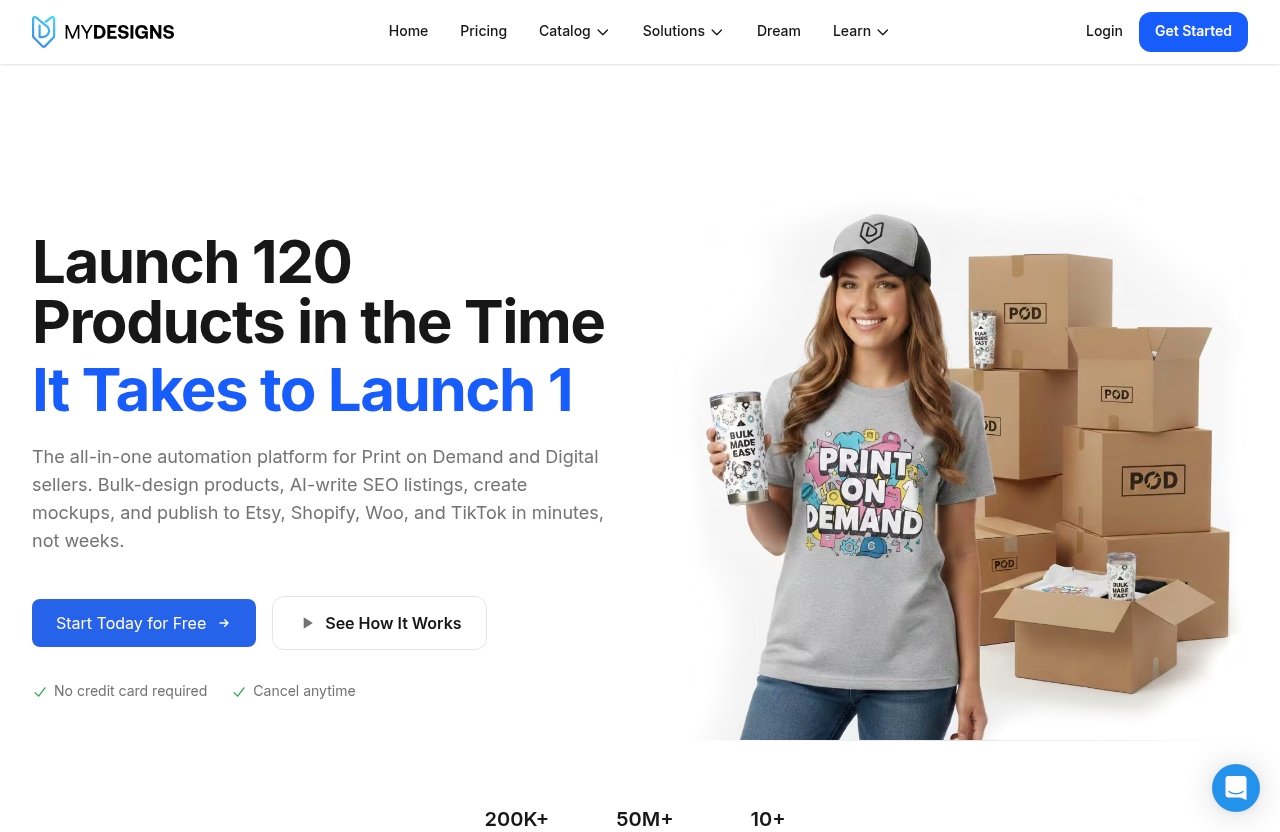
MyDesigns is a print-on-demand and digital-products platform designed to help sellers research niches, create designs, place designs on products, create mockups, prepare listings, and publish products to connected stores. Its homepage positioning is centered on ambitious sellers who want to create original versions rather than copies.
In simple terms, the workflow is designed to reduce moving between separate tools. A seller can move from an idea to a product listing while keeping designs, products, and store publishing activity in a central workspace.
Core Workflow in One Dashboard
A typical MyDesigns workflow starts with niche research, followed by design creation or uploading a design. The seller can apply designs to products, make mockups, prepare listing content with Vision AI, and publish to supported sales channels.
This workflow is useful because product setup often involves many small, repetitive actions. Instead of treating design files, product mockups, listing copy, and store publishing as unrelated tasks, MyDesigns aims to connect them.
Print on Demand vs Digital Products Use Cases
For print-on-demand sellers, MyDesigns can support the process of placing designs on physical products and publishing the resulting listings. An Etsy seller, for example, may use it to prepare a collection of themed products and publish them more efficiently than building each listing individually.
For digital-product creators, the appeal is different. The platform supports the idea of selling the file and skipping shipping, which may suit creators offering downloadable artwork, templates, or other original digital assets. A digital seller still needs to validate demand, create useful files, and clearly explain what buyers receive.
Supported Store Connections
MyDesigns supports publishing to Etsy, Shopify, WooCommerce, TikTok, and MyDesigns Store. The number of supported shops depends on the subscription tier.
Starter includes one shop each on Etsy, Shopify, WooCommerce, and TikTok. Pro includes three shops on each platform, while Pro Plus includes unlimited shops on every platform. This distinction matters for sellers operating more than one brand, niche store, or client storefront.
MyDesigns Features Breakdown
The strongest part of this mydesigns review is the platform’s connected feature set. MyDesigns is not positioned as just a mockup tool or just a listing tool; it combines product research, design work, product placement, publishing, and store management functions.
Still, buyers should separate “available feature” from “useful feature.” A solo seller with a small catalog may mainly value design organization and mockups, while a high-volume operator may get more value from batch publishing and multi-store capacity.
AI Credits and Bulk Creation
Every paid plan includes MyDesigns AI credits. Starter includes 250 credits per month, Pro includes 600, and Pro Plus includes 2,000. These credits are relevant for sellers using AI-supported platform functions, so it is important to choose a plan with enough capacity for your actual workflow.
The platform also supports creating products in batches. Starter allows 24 products per batch, Pro allows 48, and Pro Plus allows 120. For sellers preparing coordinated collections for seasonal launches or niche campaigns, this can reduce repetitive setup work.
The key caution is that AI output still needs human review. Check product titles, descriptions, tags, visual details, and originality before publishing. AI can accelerate preparation, but it should not become a substitute for seller judgment.
Bulk Mockups and Batch Publishing
MyDesigns features include product mockups and batch workflows intended to speed up catalog creation. Starter includes custom and own PSD mockups, while Pro adds bulk video mockups. This is especially relevant for sellers who want more consistent visual presentation across a large product line.
A seller with 50 related designs, for instance, may prefer to create cohesive mockup sets rather than manually producing visuals one listing at a time. The benefit is not only speed; it can also help maintain a more consistent store presentation.
Batch publishing is similarly valuable when launching collections across channels. However, sellers should review channel-specific product details before publishing. A listing suitable for a Shopify audience may still need different positioning or merchandising for Etsy or TikTok.
Store and Marketplace Integrations
The MyDesigns Etsy integration, MyDesigns Shopify integration, MyDesigns WooCommerce integration, and MyDesigns TikTok integration are central to the platform’s appeal. Rather than operating separate workflows for each channel, sellers can use a shared workspace for product preparation and publishing.
The number of connected shops is a practical subscription boundary:
| Plan | Etsy, Shopify, WooCommerce, and TikTok Shops |
|---|---|
| Starter | 1 shop each |
| Pro | 3 shops each |
| Pro Plus | Unlimited shops |
For a seller running one Etsy shop and one Shopify store, Starter may be enough from a connection standpoint. A small agency, a multi-brand operator, or a seller with multiple niche stores is more likely to need Pro or Pro Plus.
Scout AI and Catalog Import/Export
MyDesigns Scout AI is available with Pro and Pro Plus. The official description says Scout AI finds what sells, positioning it as a research-oriented capability for product and niche exploration.
Pro and Pro Plus also include catalog import and export. This can matter to sellers who work with larger product catalogs and want more flexibility in how they organize or move catalog data. Buyers should still verify how these tools fit their current catalog structure before relying on them for a major migration.
In this mydesigns review, Scout AI is best viewed as a starting point for research, not proof that a niche will be profitable. Product demand, competition, originality, timing, visual quality, and marketing execution all remain important.
Design Library and Print Catalog Discounts
Design storage increases significantly by plan: Starter includes 40 GB, Pro includes 100 GB, and Pro Plus includes 1 TB. Sellers who store many original artwork files, mockup assets, and product variations should consider this before selecting a plan.
Each plan also includes a discount on the print catalog: 2% on Starter, 5% on Pro, and 10% on Pro Plus. The potential usefulness depends on how often the seller uses the print catalog and the volume of products involved.
MyDesigns Store capacity also changes by plan. Starter includes one MyDesigns Store with a 6% fee, Pro includes two stores with a 4.5% fee, and Pro Plus includes three stores with a 3% fee. Sellers should include these MyDesigns store fees in their wider margin calculations.
MyDesigns Pricing in 2026
MyDesigns pricing is straightforward because it offers three paid plans: Starter, Pro, and Pro Plus. Each can be paid month to month or at a lower effective monthly price when billed annually.
The annual option requires a larger upfront commitment, but the stated savings are clear. Buyers should choose annual billing only after confirming that MyDesigns fits their production and publishing workflow.
| Plan | Annual Billing | Month-to-Month | Annual Total | Key Capacity |
|---|---|---|---|---|
| Starter | $19.99/month | $24.99/month | $239.88/year | 250 AI credits, 24 products per batch |
| Pro | $39.99/month | $49.99/month | $479.88/year | 600 AI credits, 48 products per batch |
| Pro Plus | $79.99/month | $99.99/month | $959.88/year | 2,000 AI credits, 120 products per batch |
Starter Plan Pricing and Limits
Starter costs $19.99 per month when billed annually, totaling $239.88 per year. The listed annual saving is $60 compared with monthly billing. Alternatively, it costs $24.99 month to month.
Starter includes 250 AI credits monthly, 24 products per batch, one shop each on Etsy, Shopify, WooCommerce, and TikTok, custom and own PSD mockups, one MyDesigns Store with a 6% fee, 40 GB of design storage, and 2% off the print catalog.
For a new seller, this plan provides a practical entry point. The main limitation is that it is designed around one connected shop on each supported platform and lower batch and AI capacity.
Pro Plan Pricing and Limits
Pro costs $39.99 per month when billed annually, or $479.88 annually. The official stated saving is $120 versus paying monthly. The month-to-month rate is $49.99.
It includes everything in Starter, plus 600 monthly AI credits, 48 products per batch, three shops each on Etsy, Shopify, WooCommerce, and TikTok, bulk video mockups, Scout AI, catalog import and export, two MyDesigns Stores with a 4.5% fee, 100 GB of design storage, and 5% off the print catalog.
For many active sellers, Pro is the most logical middle ground. It adds the features most likely to matter as a catalog and store count grow without reaching the price of Pro Plus.
Pro Plus Plan Pricing and Limits
Pro Plus costs $79.99 per month when billed annually, or $959.88 annually. The stated annual saving is $240 compared with monthly billing. Month-to-month billing costs $99.99.
The plan includes everything in Pro, plus 2,000 AI credits per month, 120 products per batch, unlimited shops on every supported platform, three MyDesigns Stores with a 3% fee, 1 TB of design storage, 10% off the print catalog, and priority support.
This tier is built for sellers with substantial output, several stores, or business operations that need more capacity. For a single-shop beginner, it may be more than necessary.
Monthly vs Yearly Billing
Monthly billing gives buyers more flexibility while they learn the platform. Annual billing reduces the effective monthly rate: Starter saves $60 annually, Pro saves $120, and Pro Plus saves $240.
A sensible approach is to start free, assess the workflow, and then choose monthly billing if you need more time to validate fit. Annual billing is most reasonable when MyDesigns has become part of your regular operating process.
Free Start and Risk-Reduction Policy
MyDesigns offers a free start without requiring a credit card. This is more accurate than assuming a conventional MyDesigns free trial with a fixed duration, because the verified information specifically describes it as “start free.”
Every paid plan has a seven-day money-back policy. If AI credits were used during those seven days, the used credits are deducted from the refund. Users can cancel at any time, there is no contract, and the plan remains active through the period already paid for.
Checkout runs through Stripe, and MyDesigns states that card information goes to Stripe rather than MyDesigns. The pricing page also states PCI Level 1 security and accepts major cards, including Amex, as well as wallets.
What MyDesigns Does Well
The core strength identified in this mydesigns review is workflow consolidation. Sellers who regularly create collections, produce product visuals, write listings, and publish across more than one channel may find value in reducing manual handoffs.
The platform is not automatically valuable to every seller. Its advantages become clearer when repeated work is the real bottleneck.
Time Savings for High-Volume Sellers
Batch product creation can make a meaningful difference for sellers launching multiple designs or seasonal collections. The plan-based batch limits of 24, 48, or 120 products let users choose capacity based on their expected output.
Bulk mockups and, on Pro and above, bulk video mockups can also reduce repetitive asset creation. This does not guarantee better conversion, but it can make visual production more manageable.
Workflow Consolidation
MyDesigns brings together niche research, design creation, product placement, mockups, listing preparation, and publishing. That can be easier to manage than maintaining disconnected processes across several tools.
The benefit is operational clarity. A seller may spend less time exporting files, recreating information, or tracking which designs have already been published to each store.
AI-Assisted Listing Preparation
Vision AI can assist with listing preparation, which may be useful when building many product pages. It can help sellers get from product concept to draft listing faster, especially when catalog volume is high.
However, this is an area where manual editing is essential. Clear titles, accurate descriptions, relevant tags, and appropriate product details require final human review.
Multiple-Store Scaling
The MyDesigns pros and cons discussion changes substantially for multi-store operators. Starter supports one shop per supported platform, while Pro supports three and Pro Plus removes the shop limit.
That makes the platform more compelling for sellers with multiple brands, niche stores, or client accounts. A single-store seller should not pay for unlimited capacity they do not expect to use.
Official website · Latest pricing & offers
Where MyDesigns May Fall Short
A balanced mydesigns review should recognize that a broad platform comes with tradeoffs. MyDesigns may save steps for experienced sellers, but it still requires setup, familiarization, and quality control.
These concerns are not unique to MyDesigns. They are common considerations when adopting any all-in-one tool that connects design, product, and publishing workflows.
Learning Curve for Beginners
New POD sellers may initially find a larger workflow platform overwhelming. Before using batch tools, they need to understand their niche, product types, design standards, store requirements, and basic listing strategy.
A beginner can start small, connect one store, and build a limited collection before attempting larger batches. This approach can reduce costly mistakes and make the platform easier to evaluate.
AI and Automation Still Need Human Review
AI credits and automated workflows can speed up parts of the process, but they do not remove the need for original creative work. The platform’s stated focus on original versions rather than copies is particularly relevant here.
Sellers should check for accurate listing information, consistent branding, intellectual-property issues, and the quality of every customer-facing asset. Automation is useful when it supports judgment, not when it replaces it.
Batch Limits and Credit Limits
Each paid plan has different AI credit and product batch limits. Sellers who create a large number of products may outgrow Starter more quickly than expected, while users with very low output may not use all of a larger plan’s capacity.
Before subscribing, estimate your typical monthly production volume. Consider how many AI-supported actions, designs, listings, mockups, and connected stores you actually need.
Potential Support Friction
Public software feedback often includes varying experiences with onboarding, learning new workflows, and seeking help. It is reasonable for prospective buyers to read recent feedback on support responsiveness and documentation before committing to annual billing.
Pro Plus includes priority support, but buyers should not assume that a plan label alone resolves every support need. If support access is a major buying factor, start free or subscribe monthly first and assess the experience directly.
Real User Feedback From Reviews and Forums
When evaluating a mydesigns review reddit thread or a review-platform comment, it is important to treat individual posts as anecdotes rather than universal evidence. Public feedback can identify themes worth investigating, but it does not replace checking the current product pages and plan details.
Official social proof on the pricing page references a 4.9 rating on Capterra and a 4.8 rating on G2. These figures are presented by MyDesigns and should be considered alongside current third-party review pages.
Trustpilot and Review Platform Sentiment
Review platforms such as Trustpilot, Capterra, G2, and Shopify reviews can provide useful context on onboarding, usability, support, and perceived value. The most useful approach is to read recent reviews and identify repeated specifics rather than focusing only on a headline score.
Look for comments from sellers whose business size resembles yours. A multi-store POD seller and a beginner with a small Etsy catalog may have very different expectations of the same platform.
Reddit-Style Concerns From POD Sellers
Forum discussions often focus on practical questions: whether a tool genuinely saves time, how easy it is to learn, whether automation needs cleanup, and whether a subscription is justified at a particular sales volume. Those are sensible questions to ask before buying.
A mydesigns review reddit search can be useful for gathering informal perspectives, but verify details against official current pricing. Plans, policies, features, and seller workflows can change, while older forum comments may no longer reflect the current product.
What Positive Reviews Tend to Praise
Positive feedback for all-in-one POD platforms commonly focuses on having fewer manual steps, easier organization, and faster catalog preparation. For MyDesigns specifically, the strongest verified reasons for that view are its batch capabilities, connected publishing channels, design storage, mockup tools, and AI-supported workflow.
Potential buyers should separate appreciation for convenience from claims about business results. No platform can guarantee traffic, conversions, sales, or earnings.
MyDesigns vs. Alternatives: What to Consider Before Buying
The right alternative depends on what problem you actually need to solve. Some sellers mainly need mockups; others need listing assistance, catalog management, multi-store publishing, or a more complete POD and digital-product workflow.
Rather than comparing a long checklist of tools, use this mydesigns review to define your workflow requirements first. Then assess whether MyDesigns provides enough practical value to justify its recurring cost.
When MyDesigns Is the Better Choice
MyDesigns is likely the better fit when you want a connected system for research, design work, product placement, mockups, AI-supported listing preparation, and publishing. It is especially relevant if you operate across Etsy, Shopify, WooCommerce, TikTok, or MyDesigns Store.
Pro and Pro Plus become more attractive when multiple shops, larger batch sizes, Scout AI, catalog import/export, bulk video mockups, or higher storage limits are important.
When a Lighter Tool May Be Enough
A lighter tool may be enough if you only need one narrow function, such as creating a few mockups or managing a small set of digital downloads. Sellers with low listing volume may prefer simplicity over a broader system.
Likewise, if you sell through only one channel and already have an efficient manual process, assess whether the time saved by MyDesigns would be meaningful. A free start is a practical way to test that question.
How to Decide Based on Catalog Volume and Workflow
Use three questions to make a decision:
- How many products and listings do you create in a typical month?
- How many Etsy, Shopify, WooCommerce, and TikTok shops do you need to connect?
- Will you actively use batch creation, mockups, AI credits, and publishing tools?
If your answer is “not many” to all three, Starter or a lighter workflow may be enough. If you manage several stores and regularly launch collections, Pro or Pro Plus may offer more operational value.
Who Should Buy MyDesigns in 2026?
MyDesigns is not a universal recommendation, but it can be a strong fit for specific seller profiles. The right plan depends on catalog volume, connected stores, design storage needs, and whether bulk operations are part of your business.
Solo POD Sellers
Solo POD sellers who publish regularly on Etsy or combine Etsy with one additional channel may find Starter a sensible entry plan. It includes one shop on each supported platform, 250 monthly AI credits, 24 products per batch, 40 GB of design storage, and custom plus own PSD mockups.
A solo seller should avoid overbuying. Start with the capacity that matches current output, then upgrade only when batch limits, shop limits, or AI credits become a real constraint.
Growing Etsy/Shopify Sellers
Growing sellers with more frequent launches may find Pro more suitable. Its 48-product batch limit, 600 monthly AI credits, three shops on each supported platform, bulk video mockups, Scout AI, and catalog import/export better match a scaling workflow.
This is also the plan most likely to suit sellers combining a MyDesigns Etsy integration with a MyDesigns Shopify integration. The added capacity can be useful when one design collection is adapted for multiple stores.
Small Teams and Agencies
Small teams and agencies may benefit from Pro Plus if they manage multiple brands or client storefronts. Unlimited shops on every platform, 120 products per batch, 2,000 AI credits, 1 TB of storage, and priority support are designed for higher-capacity operations.
That said, teams should test permissions, internal processes, and publishing quality checks during the free start. Larger capacity does not automatically solve workflow coordination.
Digital Product Creators
Digital-product creators may appreciate the ability to work from one environment and sell files without shipping physical products. The design library can also be useful for organizing original creative assets.
The best plan depends on file volume and store count. A creator selling through one storefront may need only Starter, while someone operating multiple digital shops may need the additional connections and storage of Pro or Pro Plus.
Final Verdict: Is MyDesigns Worth It?
So, Is MyDesigns worth it? For sellers who consistently use batch product creation, mockups, AI-assisted listing preparation, and multi-store publishing, it can be worth the subscription. For sellers with a small catalog and minimal automation needs, the value case is weaker.
The most practical conclusion of this mydesigns review is that MyDesigns is a workflow investment rather than a shortcut to sales. Its best features address operational efficiency, while business results still depend on product quality, originality, demand, merchandising, and customer experience.
Best-Value Plan Recommendation
Starter is the most reasonable choice for a solo seller with one shop per platform and modest production needs. It offers enough capacity to evaluate the platform without immediately paying for higher limits.
Pro appears to be the best-value plan for many established sellers because it adds greater batch capacity, more AI credits, three shops per platform, bulk video mockups, Scout AI, and catalog import/export. Pro Plus is most appropriate for sellers who genuinely need unlimited shops, much higher capacity, and priority support.
Decision Checklist Before Subscribing
Before choosing a plan, confirm the following:
- You need more than a single-purpose mockup or listing tool.
- You expect to use AI credits and batch product creation consistently.
- You need Etsy, Shopify, WooCommerce, TikTok, or MyDesigns Store publishing support.
- Your current or planned shop count fits the selected plan.
- You understand the applicable MyDesigns Store fee.
- You are prepared to review AI-assisted and batch-created content before publishing.
If the answers are mostly yes, reviewing the current MyDesigns plans and free-start option is a reasonable next step.
Affiliate Disclosure and Transparency
This article contains an affiliate link to MyDesigns, which may earn toptrustreview.com a commission if you subscribe through it. The affiliate relationship does not increase the stated price to you and has not changed this balanced mydesigns review or its discussion of limitations.
Official website · Latest pricing & offers
FAQ
Is MyDesigns worth it?
MyDesigns is most worthwhile for high-volume or multi-store sellers who will actively use bulk product creation, mockups, AI credits, and publishing automation. If you create only a few listings per month, a simpler workflow may be more cost-effective.
How much does MyDesigns cost?
Starter costs $19.99 per month when billed annually or $24.99 month to month. Pro costs $39.99 per month annually or $49.99 month to month. Pro Plus costs $79.99 per month annually or $99.99 month to month.
Is MyDesigns free?
MyDesigns offers a free start with no credit card required. Paid plans are needed for additional capacity and plan-specific features such as higher AI credits, more connected shops, larger batches, and expanded design storage.
What are some alternatives to MyDesigns?
Alternatives depend on the exact workflow you need. Some sellers may only need a mockup tool, while others need listing automation, design organization, catalog management, or multi-store POD publishing. Compare tools based on the tasks you perform most often rather than choosing solely by the longest feature list.
Related Reading
References
- MyDesigns: Print on Demand and Digital Products Platform
- MyDesigns Pricing: Starter, Pro and Pro Plus Plans
- Read Customer Service Reviews of mydesigns.io
- MyDesigns Reviews 2026. Verified Reviews, Pros & Cons