Best Mydesigns Alternatives in 2026
Official website · Latest pricing & offers
Best MyDesigns Alternatives in 2026: Quick Verdict
Shopping for mydesigns alternatives usually means you need one of three things: faster mockups, a more design-focused workspace, or a different print-on-demand workflow. The right choice depends less on which platform has the longest feature list and more on where your current production process slows down.
For creators selling on Etsy, Shopify, WooCommerce, or TikTok, MyDesigns remains a strong all-in-one option for bulk design handling, mockups, and publishing. But a simpler mockup tool, a dedicated design platform, or a production-oriented POD service can be a better fit when your priorities differ.
Who this list is for
This guide is for POD sellers, digital-product creators, and merchants comparing tools before committing to a subscription. It is especially useful if you:
- Need a faster print on demand mockup generator
- Want to improve bulk mockup creation
- Sell through multiple storefronts
- Prefer a design-first tool over a publishing workflow
- Are researching mydesigns alternatives free or low-cost options
- Need clearer limits, pricing, or team workflow flexibility
How we ranked the alternatives
We evaluated each option based on practical workflow fit rather than vague “best tool” claims. The main factors were mockup creation, automation potential, marketplace workflow, usability, and whether the tool solves a specific problem better than MyDesigns.
The goal is not to suggest that every seller should leave MyDesigns. It is to help you identify the best mydesigns alternative for the way you actually create, list, and manage products.
Best overall picks by use case
| Use case | Best fit | Why it may suit you |
|---|---|---|
| Simple automated mockups | Dynamic Mockups | Built around custom Photoshop mockups and automated mockup creation |
| Design-first workflow | Canva | Better suited to creators who primarily need to create visual assets |
| POD production workflow | Printify | Worth considering when product fulfillment is your central need |
| Bulk publishing across stores | MyDesigns | Includes bulk publishing to Etsy, Shopify, WooCommerce, and TikTok on every paid plan |
| Free starting point | MyDesigns free start | No credit card is required to begin |
The short version: Dynamic Mockups is the focused choice for mockup-centric work; Canva fits visual design tasks; Printify may fit fulfillment-led sellers; and MyDesigns is often the more complete option when bulk listing and multi-store publishing matter.
What MyDesigns Is Best For — and Why People Look for Alternatives
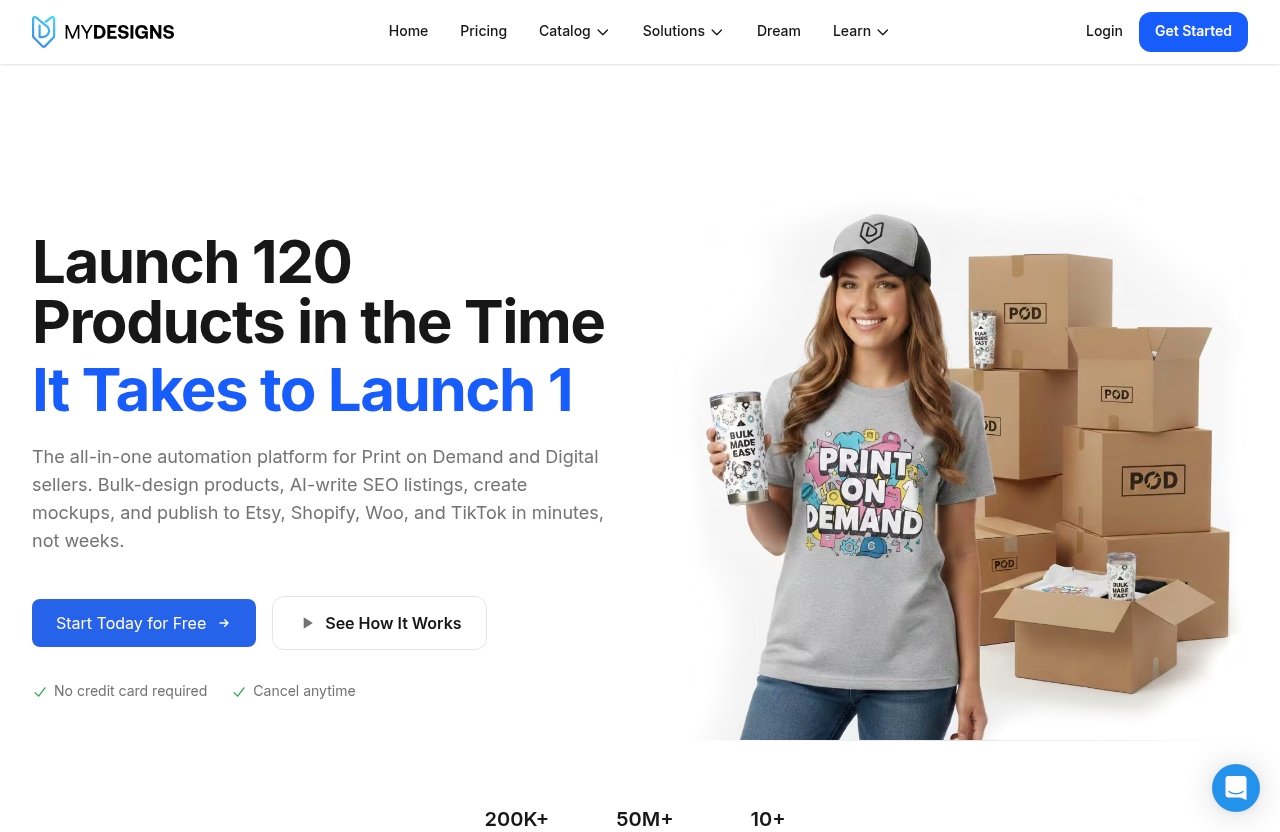
MyDesigns is a print-on-demand and digital-products platform built for sellers who need to move designs through several stages of work: organizing assets, making mockups, and publishing products. That combined workflow is why it remains relevant even when shoppers compare mydesigns alternatives.
Bulk design, mockups, and publishing
The central appeal is operational efficiency. Every paid MyDesigns plan includes AI credits, bulk mockups, and bulk publishing to Etsy, Shopify, WooCommerce, and TikTok.
For a seller with a growing catalog, keeping creation and publishing in one workflow can reduce repetitive work. The platform also supports custom and personally owned PSD mockups on Starter and above, which matters when brand consistency is more important than generic lifestyle imagery.
Its paid plans scale from 24 products per batch on Starter to 120 products per batch on Pro Plus. That makes the platform most compelling for merchants who are actively listing collections rather than uploading one-off products occasionally.
Pricing and plan limits that may push users to switch
The reasons people seek mydesigns competitors are reasonable. A beginner may not need batch publishing, multiple storefronts, or a large design library yet. A mockup-focused creator may prefer a simpler interface dedicated to that single task.
Other common reasons include:
- Wanting a more focused mockup workflow
- Needing design tools before listing automation
- Looking for a fulfillment-oriented POD platform
- Operating on a limited monthly budget
- Working with a team that uses a separate design process
- Selling only through one channel and not needing multi-marketplace publishing
Discussion around “mydesigns alternatives reddit” and similar searches often reflects this same reality: the right platform depends on workflow stage. A high-volume seller has different needs from a creator testing their first Etsy niche.
When MyDesigns is still the better fit
MyDesigns is still a practical choice when you want one system for asset management, mockup production, and store publishing. The value becomes clearer as your listing volume increases and you need to handle more than one sales channel.
Pro users receive bulk video mockups, Scout AI, catalog import and export, and support for three shops each on Etsy, Shopify, WooCommerce, and TikTok. Pro Plus is designed for sellers who need unlimited shops on every listed platform, higher batch limits, and a larger library.
If that describes your operation, comparing alternatives is smart—but replacing an integrated workflow with several disconnected tools may create more work. You can review the platform directly through MyDesigns on Top Trust Review before deciding whether a different tool genuinely offers better value for your store.
How We Evaluated MyDesigns Alternatives
A useful comparison of mydesigns alternatives should not rely on surface-level feature checklists. POD merchants need to know whether a platform fits the actual sequence of designing, presenting, listing, and selling.
Mockup generation quality
Mockups affect product presentation, perceived trust, and listing consistency. We looked for tools that make it easier to turn a design into reusable product visuals without making each new listing a manual project.
The best choice depends on whether you need custom PSD-based results, quick templates, lifestyle visuals, or a scalable automated output process.
Bulk publishing and automation
Automation matters most when your catalog is expanding. For some sellers, bulk mockup creation is enough; for others, the real bottleneck is publishing the same collection across marketplaces.
MyDesigns has a defined advantage for merchants who need bulk publishing to Etsy, Shopify, WooCommerce, and TikTok. A mockup-only alternative may improve one part of your workflow but will not necessarily replace that publishing layer.
Integrations and marketplace support
Your store stack should guide the decision. Before switching, identify where you publish, where you fulfill orders, and where your designs are stored.
A tool can be excellent in isolation but create friction if it does not match your sales channels. This is why the best mydesigns alternative is rarely the same for a Shopify-only merchant and a seller operating multiple storefronts.
Pricing transparency and scalability
We favor clear limits over vague promises. Buyers should understand what happens when they need more products per batch, more stores, more storage, or more automation.
Low-cost tools can be sensible at the start, but they are not always less expensive once you combine multiple subscriptions to replace a broader workflow.
Ease of use for beginners vs teams
Beginners generally benefit from a simple, focused tool that removes unnecessary options. Established stores often need more control, reusable assets, and repeatable processes.
Teams should also consider handoffs. If one person designs, another creates mockups, and another publishes listings, an all-in-one workflow may be worth more than the lowest entry price.
Best MyDesigns Alternatives by Use Case
Not every alternative replaces MyDesigns from end to end. Some are better viewed as specialized tools that improve one stage of your POD process.
Best for easy mockup creation
Dynamic Mockups is the strongest option in this comparison for sellers who want a simpler mockup-oriented workflow. It positions itself as an alternative for mockup creation and supports custom Photoshop mockups, automated mockup creation, and a mockup generator API.
That makes it relevant when mockups are your primary pain point. If you already have a publishing system and only need better or more efficient product imagery, a focused tool may feel less complex than a broader POD platform.
The trade-off is scope. Sellers who need mockups plus bulk publishing across stores may still find MyDesigns more suitable as their central workspace.
Best for bulk mockups and automation
For sellers searching for mydesigns alternatives because manual mockup work is taking too long, the choice comes down to what happens after the image is created. Dynamic Mockups is built around automated mockup creation, while MyDesigns includes bulk mockups as part of a larger publishing workflow.
Choose a dedicated automation tool when you have an established process for listings and need to streamline visual asset generation. Choose MyDesigns if mockups are only one piece of a broader multi-store catalog operation.
The practical question is simple: do you need to automate images, or do you need to automate images and listings?
Best for design-first creators
Canva is a natural consideration for creators whose main goal is designing graphics, social visuals, product inserts, and marketing materials. It is best viewed as a design-first workspace rather than a direct replacement for a POD publishing system.
For early-stage sellers, that distinction is important. You may need to refine artwork, branding, typography, and promotional content before you need batch publishing or a large catalog workflow.
Canva can make sense if you create designs first and handle the POD process elsewhere. For a more detailed workflow breakdown, see our [MyDesigns vs Canva comparison](/mydesigns-vs-canva/).
Best for POD sellers on Shopify
Printify is worth considering when your biggest question is not mockups or asset storage but the POD production workflow. It can be a more relevant substitute for merchants who think of their business primarily through products, suppliers, fulfillment, and their Shopify store.
This does not make it a like-for-like replacement. MyDesigns centers on design organization, mockups, and publishing, while a POD platform may be the better route when production is the first problem you need to solve.
Shopify sellers should map their workflow before choosing. If you need a production path, investigate Printify; if you need a content-to-listing workflow across multiple store types, MyDesigns may remain the stronger match.
Best for teams and collaboration
For team workflows, the ideal choice depends on where collaboration breaks down. A design-focused platform may help when several people need to build and approve visual assets. A centralized POD workspace may work better when the team needs consistent mockups, product batches, and store publishing.
MyDesigns becomes more attractive as a shared operational hub when your team manages multiple product lines or storefronts. Pro supports three shops each on Etsy, Shopify, WooCommerce, and TikTok, while Pro Plus supports unlimited shops on every platform listed.
If your collaboration is mostly design feedback, a design-first tool may be enough. If collaboration includes listing operations, catalog maintenance, and store expansion, use a platform designed for that scale.
Best free or low-cost option
People searching for mydesigns alternatives free should separate “free to start” from “free forever with full-scale automation.” Most serious POD workflows eventually require paid tools as product volume increases.
MyDesigns offers a free start option with no credit card required. That is useful if you want to assess the interface and workflow before committing to a paid plan.
For low-volume creators, starting with a focused design or mockup tool can also be sensible. However, once you need recurring bulk tasks, evaluate the combined cost and complexity of separate subscriptions rather than comparing only the cheapest starting price.
Dynamic Mockups vs MyDesigns
Dynamic Mockups and MyDesigns overlap around mockup production, but they serve different workflow priorities. Dynamic Mockups is positioned as a simpler alternative for mockup creation, while MyDesigns combines mockups with broader POD and digital-product operations.
Quick comparison
| Consideration | Dynamic Mockups | MyDesigns |
|---|---|---|
| Primary focus | Simpler mockup creation | POD and digital-product workflow |
| Custom Photoshop mockups | Supported | Custom and own PSD mockups included on paid plans |
| Automated mockup creation | Supported | Bulk mockups included on paid plans |
| API | Mockup generator API | Not assessed in this comparison |
| Publishing workflow | Not assessed here | Bulk publishing to Etsy, Shopify, WooCommerce, and TikTok |
Why sellers consider it
Dynamic Mockups is compelling when sellers want to reduce the effort required to generate visual product presentations. Its support for custom Photoshop mockups and automated mockup creation can appeal to brands that already have established templates and need repeatable output.
The mockup generator API is another differentiator for users who need a more connected or programmatic mockup process. If mockups are the only major bottleneck in your store, a dedicated solution can be easier to evaluate and implement.
Where MyDesigns may still win
MyDesigns may be the better choice when mockups are not your only concern. Its paid plans include bulk mockups and bulk publishing across Etsy, Shopify, WooCommerce, and TikTok, alongside AI credits and design-library storage.
For sellers managing a large number of listings, that broader workflow can reduce tool switching. Dynamic Mockups may be the better specialist; MyDesigns may be the more complete operational platform.
Official website · Latest pricing & offers
MyDesigns vs Canva
The mydesigns vs canva comparison is best understood as a choice between a POD workflow tool and a design-centered workspace. They can overlap in a creator’s stack, but they do not solve the same core problem.
Design creation vs POD workflow
Canva is the more natural choice when you are focused on producing graphics and visual marketing assets. It suits creators who are still developing their products, branding, and content library.
MyDesigns is geared more toward turning existing designs into organized products, mockups, and published listings. It is often more useful after design creation becomes repeatable and catalog management becomes the bigger challenge.
Where Canva is better
Canva can be the better fit when your priority is visual creation rather than product operations. It is also a sensible option for creators who need a straightforward environment for making assets before they choose a POD or marketplace workflow.
If your store is small and you publish manually, a design-first approach may be all you need initially.
Where MyDesigns is better
MyDesigns is better aligned with sellers who need bulk mockups and bulk publishing to multiple supported sales channels. It also gives paid users AI credits and structured plan limits for batches, shops, libraries, and stores.
Read our full [MyDesigns vs Canva guide](/mydesigns-vs-canva/) if you are deciding whether to prioritize creation tools or listing automation.
MyDesigns vs Printify
MyDesigns vs Printify is not simply a feature contest. It is a decision about whether your main need is a creation-and-publishing workflow or a POD production workflow.
When a POD platform is the better substitute
A POD platform can be the better substitute when product fulfillment is central to your business decision. If you are primarily choosing what products to sell and how they will be produced, a production-focused service may deserve priority.
This is especially true for Shopify merchants who are building their store around a fulfillment process rather than managing a high volume of designs across several marketplaces.
Workflow differences to know
MyDesigns supports design organization, bulk mockups, and bulk publishing to Etsy, Shopify, WooCommerce, and TikTok. Printify is more relevant when your attention is on the POD platform side of the operation.
Many growing sellers may ultimately use different tools for different stages. The key is to avoid paying for overlapping software without a clear handoff between design, mockup, listing, and production.
Best pick for production vs creation
Choose Printify when your decision starts with POD production needs. Choose MyDesigns when your decision starts with scaling designs, mockups, and product publishing.
For more context, our [MyDesigns vs Printify comparison](/mydesigns-vs-printify/) explains the distinction in buyer-friendly terms. You may also find our [MyDesigns vs Kittl guide](/mydesigns-vs-kittl/) helpful if your question is more about design creation.
MyDesigns Pricing Explained
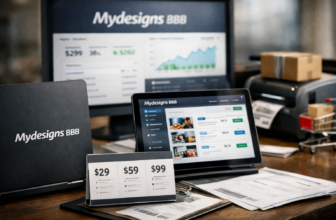
MyDesigns has three paid plans, plus a free start option. Every paid plan includes AI credits, bulk mockups, and bulk publishing to Etsy, Shopify, WooCommerce, and TikTok.
Starter plan
Starter costs $19.99 per month when billed annually, or $239.88 per year, which saves $60 compared with monthly billing. The month-to-month price is $24.99.
It includes 250 AI credits per month, 24 products per batch, one shop each on Etsy, Shopify, WooCommerce, and TikTok, custom and own PSD mockups, one MyDesigns Store, a 6% fee, a 40 GB design library, and 2% off the print catalog.
Pro plan
Pro costs $39.99 per month when billed annually, or $479.88 per year, saving $120 compared with monthly billing. It costs $49.99 month-to-month.
It includes everything in Starter, plus 600 AI credits per month, 48 products per batch, three shops each on Etsy, Shopify, WooCommerce, and TikTok, bulk video mockups, Scout AI finds what sells, catalog import and export, two MyDesigns Stores, a 4.5% fee, a 100 GB design library, and 5% off the print catalog.
Pro Plus plan
Pro Plus costs $79.99 per month when billed annually, or $959.88 per year, saving $240 compared with monthly billing. The month-to-month price is $99.99.
It includes everything in Pro, plus 2,000 AI credits per month, 120 products per batch, unlimited shops on every platform, three MyDesigns Stores, a 3% fee, a 1 TB design library, 10% off the print catalog, and priority support.
Free start option and refund policy
MyDesigns provides a free start option without requiring a credit card. Every paid plan also has a 7-day money-back guarantee.
Checkout is processed through Stripe, meaning card details go to Stripe rather than MyDesigns. For buyers comparing mydesigns alternatives, this makes it easier to test the workflow before making a longer-term commitment.
How to Choose the Right Alternative for Your Store
The best tool is the one that removes your most expensive bottleneck. Start by identifying whether that bottleneck is design, mockups, publishing, or POD production.
Choose based on volume
Low-volume sellers may not need advanced batch limits or multiple storefront support. A simple design or mockup solution can be enough while you validate products.
Higher-volume merchants should calculate how much time is spent repeating the same actions. If batch creation and multi-store publishing are recurring tasks, MyDesigns can be more practical than assembling multiple specialized tools.
Choose based on mockup style
If your product visuals require custom Photoshop mockups and automated output, Dynamic Mockups is a logical option to investigate. It is targeted toward sellers who need that focused process.
If you need mockups as part of a larger product-listing pipeline, MyDesigns may be the more efficient choice. The right option is determined by whether images are the final output or an intermediate step before publishing.
Choose based on marketplace stack
List every channel you use today and the channels you expect to add. MyDesigns supports bulk publishing to Etsy, Shopify, WooCommerce, and TikTok on all paid plans.
A seller operating only a Shopify store may prioritize a different combination of tools than a seller managing products across all four channels. Avoid choosing based on features you are unlikely to use.
Choose based on budget
Budget should include time, not just subscription price. A lower-cost tool can be expensive if it adds manual work or requires multiple other subscriptions to complete your workflow.
For cautious buyers, the free start option provides a low-pressure way to evaluate MyDesigns. If your needs are narrower, explore a simpler tool first and upgrade only when volume justifies it.
Final Recommendation
There is no universal winner among mydesigns alternatives because each option addresses a different part of the POD workflow.
Best overall alternative
Dynamic Mockups is the most relevant alternative for sellers who want a simpler, mockup-first solution. Its custom Photoshop mockups, automated mockup creation, and mockup generator API make it worth considering when visual asset production is your main challenge.
Best budget choice
For creators testing a business model, a design-first workflow or MyDesigns’ free start option can be the most sensible place to begin. Keep your stack simple until your catalog and order volume prove that automation is necessary.
Best fit for advanced users
MyDesigns is still the stronger choice for merchants who need bulk mockups, AI credits, design-library storage, and bulk publishing across Etsy, Shopify, WooCommerce, and TikTok. Its Pro and Pro Plus plans are particularly relevant when more stores, larger batches, video mockups, catalog tools, and higher limits are part of the plan.
Before choosing, define the one process you most need to improve. For mockup-only needs, explore Dynamic Mockups; for design work, compare Canva; for production-led POD decisions, consider Printify. But when your business needs an integrated catalog-to-listing workflow, MyDesigns remains a compelling option among its competitors.
Official website · Latest pricing & offers
FAQ
What are some alternatives to MyDesigns?
Popular options to consider include Dynamic Mockups for automated mockup creation, Canva for design-first workflows, and Printify for sellers focused on POD production. These mydesigns competitors are not identical replacements, so choose based on your main need: mockups, design creation, fulfillment, or publishing automation.
How much does MyDesigns cost?
MyDesigns Starter costs $19.99 per month when billed annually or $24.99 month-to-month. Pro costs $39.99 per month billed annually or $49.99 month-to-month, while Pro Plus costs $79.99 per month billed annually or $99.99 month-to-month.
What is the best website for creating designs?
The best website depends on the job. Design-first creators may prefer Canva or another focused design tool, while sellers who need to turn designs into mockups and publish products across multiple channels may prefer MyDesigns.
Is MyDesigns free?
MyDesigns has a free start option with no credit card required. Paid plans are available for sellers who need higher limits, AI credits, bulk mockups, bulk publishing, larger design libraries, and additional stores or shops.
Related Reading
References
- MyDesigns Pricing: Starter, Pro and Pro Plus Plans
- MyDesigns: Print on Demand and Digital Products Platform
- MyDesigns Alternatives & Competitors (2026) – GetApp
- The Simplest MyDesigns Alternative for Mockup Creation