Best Raycast Alternatives in 2026: 8 Mac Launchers Compared
Searching for the best Raycast alternatives in 2026 usually does not mean Raycast failed you. It means you are deciding whether its broad productivity toolkit matches the way you actually work.
Some Mac users want a leaner launcher, more local-first control, a classic keyboard workflow, or fewer extensions to manage. Others are comparing paid AI and cloud features against simpler tools. This guide compares the closest Raycast competitors so you can choose a launcher that fits your habits rather than following brand popularity.
Official website · Latest pricing & offers
Best Raycast alternatives in 2026: quick answer
Raycast remains one of the most complete productivity launchers for Mac, especially for people who combine commands, snippets, clipboard tools, window management, extensions, and AI in one place. But the best Raycast alternatives can be better if you prefer a narrower, lighter, or more privacy-oriented workflow.
| If You Need… | Best Fit | Why It May Beat Raycast |
|---|---|---|
| A classic keyboard-first launcher | Alfred | Focused, established Mac workflow |
| Deep keyboard navigation and actions | LaunchBar | Efficient command-oriented interaction |
| No extra app to install | Spotlight | Built into macOS and simple |
| An open-source direction | Quicksilver or Sol | Appeals to users who value transparency and experimentation |
| Natural-language commands | Lacona | More conversational input style |
| A lightweight Spotlight upgrade | SuperCmd | Minimalist approach |
| A broader productivity suite | Brow | Better fit for users replacing several utility apps |
Who should keep Raycast
Keep Raycast if you want a mature, extendable productivity launcher rather than only an app finder. Its free plan includes Clipboard History, Quicklinks, Calculator, Snippets, Emoji Picker, Window Management, Raycast Notes, Raycast for iOS, thousands of extensions, custom extensions, and developer tooling.
Raycast is particularly compelling for developers and power users who value its extension ecosystem. If cloud sync, AI assistance, dictation, translation, custom themes, or unlimited clipboard history are central to your daily work, its Pro tier may justify the upgrade.
Who should switch from Raycast
Consider switching if you mainly launch apps, locate files, run a few calculations, and prefer less interface overhead. A focused Raycast alternative for Mac can feel more direct when you do not need an ecosystem of extensions and built-in tools.
You may also prefer another launcher if you prioritize open-source software, dislike managing add-ons, want a more traditional Mac launcher experience, or simply work better with natural-language commands. The right decision is about workflow friction, not which tool has the longest feature list.
Top pick by use case at a glance
- Best overall alternative: Alfred for most keyboard-first Mac users.
- Best free Raycast alternative: Spotlight for basic search without another app.
- Best open-source Raycast alternative: Quicksilver for established legacy fans; Sol for users exploring a newer open-source option.
- Best for privacy-minded users: Open-source options deserve the closest review based on your own privacy standards.
- Best for keyboard purists: LaunchBar.
- Best for minimalists: SuperCmd or Spotlight.
- Best for a broad productivity setup: Brow.
Why people search for Raycast alternatives
The market for Raycast alternatives 2026 is less about finding a “Raycast killer” and more about narrowing the tool to the job. A productivity launcher can become the fastest part of a Mac workflow—or a feature-heavy layer you rarely use.
Raycast pricing and feature tiers
Raycast Free costs $0 per month and covers a substantial set of core tools. For many users, that makes it a practical starting point rather than a product they need to replace immediately.
Raycast Pro costs $8 per month or $96 billed annually, shown as $120 crossed out and $96 billed annually. It adds 500 credits of AI usage each month, Raycast AI access, fast and powerful AI models, Bring Your Own Key, Cloud Sync, Dictation, Translator, Unlimited Clipboard History, Custom Window Management, and Custom Themes.
Teams Pro costs $12 per user per month or $144 billed annually, shown as $180 crossed out and $144 billed annually. It includes Raycast Pro features plus shared commands, snippets, quicklinks, and a private store. Enterprise pricing is custom and billed annually, with organization-level controls such as SAML and SCIM, Domain Capture, MDM sign-in enforcement, Full Cloud Sync Control, Full Dictation Control, 2FA Enforcement, Extensions Allow-List, and IP Allow-List.
Privacy and account/login concerns
Privacy-minded buyers often compare a Raycast competitor because they want a smaller local tool or prefer software with a more transparent development model. That does not automatically make one launcher safer than another; privacy depends on the commands, extensions, cloud services, permissions, and accounts you choose to use.
Before switching, review each product’s current privacy documentation and decide what data should remain local. This matters most if your launcher handles clipboard content, notes, file searches, work credentials, or AI prompts.
Performance, memory, and extension overhead
A broad launcher can replace many separate utilities, but that convenience can also mean more settings, commands, and extensions than a casual user needs. Many users prefer a lighter launcher app alternative when they want fast application launching and search without a large feature surface.
Avoid relying on unverified benchmark claims when comparing launchers. The practical measure is whether the tool responds predictably, stays out of your way, and lets you complete frequent actions with fewer keystrokes.
When Raycast is still the right choice
Raycast is still a strong fit when you value an integrated workspace over a narrowly focused launcher. The combination of free productivity tools, extensions, developer tooling, and optional Pro features is difficult to match in one package.
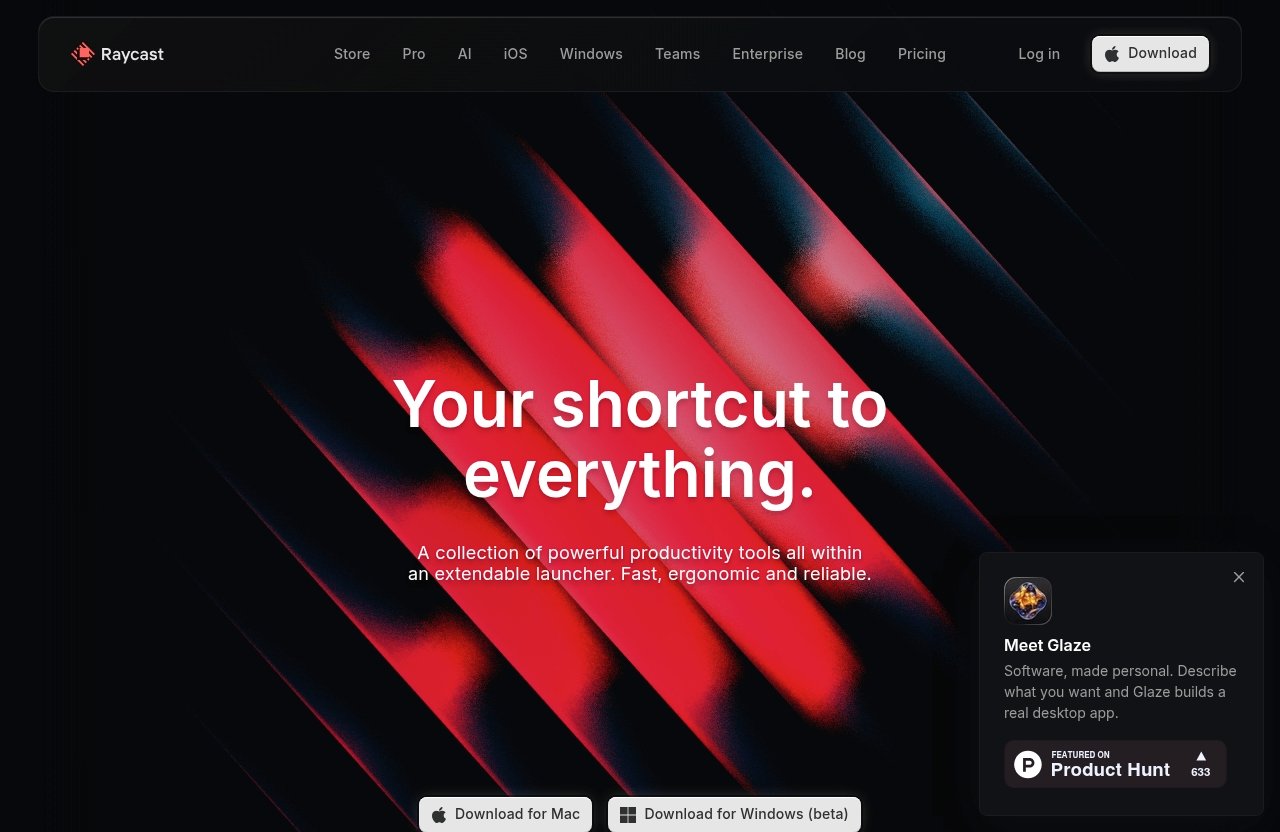
If that describes your needs, it is sensible to explore Raycast and its current plans before moving your shortcuts and habits elsewhere. The official Raycast homepage describes it as “a collection of powerful productivity tools all within an extendable launcher,” which accurately captures its main advantage.
How we evaluated each alternative
A useful comparison of the best Raycast alternatives should focus on daily behavior, not marketing claims. These tools overlap, but each encourages a different way of working.
Speed and keyboard flow
I looked at how naturally a launcher supports the common loop: invoke it, type a query, choose an action, and return to work. Keyboard flow matters more than tiny differences in launch time because it shapes every repeated task.
Core launcher quality
The core test is simple: can the tool reliably find apps, files, contacts, actions, and common calculations? Clipboard history, snippets, window controls, quicklinks, and automation are also relevant, but they should improve the core experience rather than distract from it.
Privacy and local-first behavior
For privacy, the important question is not whether a product uses a particular label. It is whether its current policies, extension model, syncing choices, and permissions match your requirements. Open-source options can be attractive here, but they still require thoughtful setup and review.
Pricing and free tier value
This guide does not assume paid is better. A free tool is valuable if it handles your actual tasks well, while a paid productivity launcher can be good value if it replaces multiple tools you already rely on.
Platform support and ecosystem
Most names in this guide are considered primarily as Mac tools. Ecosystem also means extensions, integrations, documentation, community support, and whether the product feels stable enough to become part of your daily workflow.
1. Alfred
Alfred is the classic answer for Mac users comparing the best alternatives to Raycast. It has long appealed to people who want a highly keyboard-driven launcher without turning the launcher itself into an entire workspace.
Best for keyboard-first Mac users
Alfred is best for users who think in shortcuts, keywords, actions, and repeatable routines. Its appeal is familiarity: it feels like a dedicated Mac productivity utility built around getting from intent to action quickly.
If you are moving from another established macOS launcher, Alfred’s focused mental model can be easier to adopt than a more expansive platform. It is commonly chosen by users who want their launcher to remain a launcher first.
How Alfred differs from Raycast
The central Alfred vs Raycast distinction is scope. Raycast is designed as an extendable productivity environment with many built-in features and a large extension ecosystem, while Alfred is often preferred for a more traditional and focused launcher workflow.
Raycast offers a broader out-of-the-box set of tools, including notes, window management, developer tooling, and optional AI features. Alfred may feel more intentional if your goal is fast access to common actions rather than a growing dashboard of capabilities.
When Alfred is better than Raycast
Alfred is often better than Raycast when you value simplicity, established keyboard habits, and a less expansive interface. It is also a strong choice if you want to invest in a predictable, focused launcher workflow rather than regularly browsing extensions.
Choose Alfred when your priority is a fast command center for your Mac. Choose Raycast when you want that command center to become a broader productivity platform.
2. LaunchBar
LaunchBar is one of the strongest best Raycast alternatives for people who care intensely about keyboard fluency. It suits users who want to navigate Mac content and actions with a classic, command-oriented approach.
Best for power users who want deep keyboard control
LaunchBar rewards users who prefer to keep their hands on the keyboard. Its appeal is the feeling of moving through apps, files, and actions as one continuous interaction rather than opening separate utilities.
This approach can be particularly satisfying for experienced Mac users who already know what they want to do. Instead of presenting a wide catalog of extras, it emphasizes command selection and fast action.
Strengths vs Raycast
Compared with Raycast, LaunchBar often feels more narrowly committed to launcher behavior. Users who find a large extension catalog distracting may prefer that focus.
Raycast remains the more natural choice for people who want built-in snippets, notes, window tools, and an ecosystem that can grow with their workflow. LaunchBar makes more sense when direct keyboard control is the product, not merely one feature among many.
Tradeoffs to know
LaunchBar is not the best fit for everyone. Newer users may find its command-centric style less immediately approachable than a visual, extension-led productivity launcher.
It is also less suitable if you specifically want the modern AI and cloud-oriented capabilities available through Raycast Pro. The tradeoff is clear: more focused interaction versus a broader toolkit.
3. Spotlight
Spotlight is the default free Raycast alternative because it is already part of macOS. For many users, that is enough reason to start there before installing anything else.
Best for users who want built-in simplicity
Spotlight is ideal when you need basic app launching, straightforward file searching, simple calculations, and quick lookups. There is nothing extra to configure, learn, or maintain.
For occasional launcher users, this built-in simplicity is a meaningful advantage. A productivity tool only saves time if you remember to use it.
Where macOS Spotlight is enough
Spotlight is enough if your workflow is mostly “open this app” or “find that document.” It is also a sensible baseline for users who want to keep their Mac setup minimal.
If you do not need a clipboard manager, snippets, custom commands, or integrations, switching away from Spotlight may add more complexity than value. In that situation, it can be the most practical macOS launcher.
Where Spotlight falls short versus Raycast
Spotlight does not offer the same broad launcher ecosystem as Raycast. Raycast Free includes tools such as Clipboard History, Quicklinks, Snippets, Emoji Picker, Window Management, Raycast Notes, extensions, and developer tooling.
That makes Spotlight a good default, not a full replacement for a power-user workflow. Users who repeatedly automate tasks or rely on reusable text will likely outgrow it.
4. Quicksilver
Quicksilver remains a recognizable name for anyone seeking an open source Raycast alternative with old-school Mac launcher appeal. It is best understood as a niche choice for users who appreciate its history and interaction style.
Best open-source legacy option
Quicksilver appeals to users who like open-source software and keyboard-driven Mac automation traditions. Its long-standing reputation makes it relevant even in a market now shaped by more polished productivity suites.
It is not the obvious default for every modern Mac user. But it can be rewarding for people who enjoy tailoring a launcher around their own habits.
Why some users still love Quicksilver
Many long-time users appreciate Quicksilver because it emphasizes actions and object-based thinking. It can feel more like a flexible command tool than a modern app launcher with a large visual ecosystem.
That perspective is useful if you want software that supports experimentation. It is also why Quicksilver continues to appear in discussions of the best Raycast alternatives despite its more specialized audience.
Who should avoid it
Avoid Quicksilver if you want the most polished modern experience with a broad set of ready-made productivity features. It may also be a poor fit if you prefer minimal setup, predictable defaults, and extensive vendor-led guidance.
For those users, Alfred, Spotlight, or Raycast are usually easier places to begin. Quicksilver makes the most sense when open-source values and legacy workflow appeal matter more than mainstream polish.
Official website · Latest pricing & offers
5. Sol
Sol is an experimental open-source option that deserves attention from buyers who want something outside the Alfred-and-Raycast mainstream. It is a dark-horse Raycast alternative for Mac for users who want to explore a different direction.
Best experimental open-source alternative
Sol is best for people who are comfortable trying newer or less conventional tools. Its open-source positioning is likely to appeal to users who want to evaluate the software’s direction more closely rather than depend entirely on a closed ecosystem.
This is not necessarily the right choice for a work-critical setup on day one. Experimental tools are strongest when you are willing to test them against your own routines.
What makes it interesting
Sol is interesting because it broadens the conversation beyond the usual commercial launcher choices. It gives privacy-conscious and open-source-minded users another path to investigate.
For some buyers, that is enough to make it worth testing alongside a stable daily driver. In a category dominated by mature products, different ideas can reveal what you actually value in a launcher.
When Sol is a fit and when it is not
Sol is a fit if you value open-source development, enjoy experimentation, and do not need every advanced workflow feature immediately. It may be less suitable if you need a fully proven ecosystem for a demanding team or client-facing environment.
Treat Sol as an informed trial rather than a guaranteed replacement. That is the sensible way to assess newer productivity software.
6. Brow
Brow takes a different route from a conventional launcher. It is often positioned as an all-in-one productivity suite, making it relevant for users who want to consolidate tools rather than simply replace a command bar.
Best all-in-one replacement for multiple productivity apps
Brow may appeal if your current setup includes separate apps for launching, organizing, searching, and managing small productivity tasks. Its value proposition is broader than a typical launcher app alternative.
This can be useful if context switching between several utilities is the real problem. A single environment is not automatically better, but it can reduce fragmentation for the right user.
Why Brow stands out in 2026
Brow stands out because it approaches productivity as a suite rather than a narrow command utility. That creates a different comparison from Alfred vs Raycast or Spotlight versus Raycast.
Users considering Brow should evaluate whether they genuinely want more consolidation. If you only need a fast launcher, a focused tool may remain the better purchase decision.
Who should choose Brow over Raycast
Choose Brow over Raycast if an all-in-one approach matters more than Raycast’s extension-centered launcher model. It can be a better fit for users who want fewer separate productivity apps and prefer an integrated environment.
Choose Raycast if the extension ecosystem, built-in Mac utilities, developer tools, and optional AI features are the reason you use a launcher. The distinction is about how much of your workday you want one product to cover.
7. Lacona
Lacona is a specialist option for users who prefer natural-language input over command memorization. It offers a different interaction model from many of the best Raycast alternatives in this guide.
Best for natural-language commands
Lacona is best for people who want to express an intention in plain language. Rather than learning a detailed keyword system, you can favor commands that resemble the way you already describe tasks.
This can lower the barrier to using a launcher consistently. It is especially helpful for users who like keyboard tools but do not want to become shortcut experts.
Why plain-English input matters
Plain-English input matters because different people organize work differently. Some users think in app names and keywords; others think in requests such as creating, messaging, searching, or calculating.
Lacona can be a better fit when the second approach feels more natural. The best productivity launcher is the one you can use without pausing to remember its syntax.
Where it is weaker than Raycast
Lacona is less compelling if you need a large extension ecosystem and a wide range of bundled productivity capabilities. Raycast’s broader platform is likely more suitable for users who depend on specialized integrations, notes, clipboard history, or developer tooling.
Lacona’s advantage is interaction style, not trying to duplicate every part of Raycast. That specialization is either its strength or its limitation, depending on your workflow.
8. SuperCmd
SuperCmd belongs in this comparison as a minimalist option for users who want more than Spotlight but less than a full productivity suite. It is aimed at the buyer who wants a lighter command experience.
Best minimalist Spotlight upgrade
SuperCmd can suit users who find Spotlight too basic but view comprehensive tools as unnecessary. It occupies the middle ground between native search and a feature-rich productivity launcher.
That makes it worth considering if your main goal is quicker access to routine actions. Minimalism can be a productivity feature when it reduces decisions and configuration.
Who wants a lighter launcher
A lighter launcher is useful for people who want fewer menus, fewer extensions, and a shorter learning curve. If you primarily open apps, search for items, and run simple commands, you may not need the broadest platform.
SuperCmd is therefore a plausible alternative for users who find Raycast more capable than necessary. It supports the idea that a productivity launcher should match the complexity of your work.
Tradeoffs versus full-featured tools
The tradeoff is that minimalist tools may not replace advanced workflows built around snippets, automation, clipboard management, extensions, and AI. Raycast is the more logical choice if those tools save you meaningful time every week.
SuperCmd is better viewed as a streamlined upgrade path, not a one-to-one replacement for every Raycast feature. That distinction prevents buyer disappointment.
Best Raycast alternative by scenario
There is no universal winner among the best Raycast alternatives. The right recommendation depends on what you want to preserve, remove, or add to your current workflow.
Best overall alternative
Alfred is the best overall alternative for many Mac users. It is the closest mainstream choice for people who want an established, keyboard-first launcher without prioritizing a broader productivity ecosystem.
Best free alternative
Spotlight is the best free alternative for basic use because it is already built into macOS. It is the sensible answer when app launching and file search are your only regular launcher tasks.
Best open-source alternative
Quicksilver is the established open-source choice for users who appreciate classic Mac automation culture. Sol is the more experimental option for buyers who want to investigate a newer open-source direction.
Best for privacy
Open-source choices such as Quicksilver and Sol are often a better starting point for privacy-focused research. Still, review each tool’s current permissions, integrations, syncing behavior, and documentation before trusting it with sensitive workflow data.
Best for keyboard purists
LaunchBar is the recommendation for keyboard purists. It is especially attractive when the goal is deep, efficient command flow rather than a large suite of extra tools.
Best for minimalists
SuperCmd is the better minimalist pick if you want a focused upgrade from Spotlight. Choose Spotlight itself if you want the fewest moving parts possible.
Should you switch from Raycast in 2026?
The decision to leave Raycast should come from actual workflow evidence. Brand popularity matters less than whether your launcher saves time without creating maintenance or distraction.
Reasons to stay
Stay with Raycast if you use its extensions, clipboard history, snippets, Quicklinks, window management, notes, or developer tooling regularly. The free plan is already substantial, and Pro adds AI access, 500 AI usage credits per month, Bring Your Own Key, Cloud Sync, Dictation, Translator, Unlimited Clipboard History, Custom Window Management, and Custom Themes.
Raycast is also a strong choice when you want one modern environment that can expand as your work changes. For users who actively use these capabilities, the ecosystem can be more valuable than a simpler launcher.
Reasons to leave
Leave if you only use a fraction of the product and another tool makes your frequent actions faster or more comfortable. Alfred and LaunchBar can better suit classic keyboard workflows, while Spotlight and SuperCmd are more appealing for simplicity.
An open-source option may also be a better match if transparency and local-first preferences are central to your buying criteria. The best Raycast alternative is the one that reduces friction without asking you to adopt features you do not need.
A simple decision checklist
Ask yourself these questions before switching:
- Do I use Raycast extensions and built-in utilities every week?
- Would I miss clipboard history, snippets, Quicklinks, notes, or window management?
- Do I want Raycast Pro features such as AI, Cloud Sync, Dictation, and Translator?
- Is my real priority keyboard depth, natural-language input, privacy, or minimalism?
- Would a focused launcher help me work faster than a broad ecosystem?
If Raycast covers several daily tasks well, staying is rational. If it feels like more platform than you need, test one focused alternative for a week using your real shortcuts and files.
In short, the best Raycast alternatives are not necessarily replacements for everyone. Raycast remains one of the strongest choices for an extensible, all-purpose Mac productivity launcher, while Alfred, LaunchBar, Spotlight, Quicksilver, Sol, Brow, Lacona, and SuperCmd each offer a clearer fit for specific working styles.
Official website · Latest pricing & offers
FAQ
What is the best alternative to Raycast?
The best alternative to Raycast depends on your use case. Alfred is a strong choice for classic keyboard-first Mac users, Brow suits people seeking an all-in-one productivity replacement, and Spotlight works well for simple built-in search.
For privacy-minded users exploring an open-source Raycast alternative, Quicksilver and Sol are worth researching. The best choice is the one that fits your daily commands, search habits, and comfort with configuration.
Which is better, Alfred or Raycast?
Raycast is generally stronger for extensions, built-in productivity utilities, developer tooling, and optional AI features. Alfred often wins for users who want a focused, traditional launcher experience built around keyboard speed and familiar workflows.
Neither is objectively better for every user. In the Alfred vs Raycast comparison, choose Raycast for a broader platform and Alfred for a leaner command-focused setup.
Which is better, Raycast or Alfred in 2026?
In 2026, Raycast is usually the better option for users who want a modern ecosystem, built-in tools, and access to AI features through Raycast Pro. Alfred is often better for users who prefer a simpler, more traditional macOS launcher.
The deciding factor is workflow style. If you need a wide productivity toolkit, Raycast is likely the stronger fit; if you want focused keyboard control, Alfred may feel better.
Is Raycast really worth it?
Raycast is worth it if you regularly use its added tools rather than treating it only as an app launcher. Its official free tier includes many useful features, while Pro can make sense for users who benefit from AI, cloud sync, dictation, translation, unlimited clipboard history, and customization.
If you only need app and file search with a few shortcuts, a simpler free Raycast alternative may provide better value. Compare the features you use weekly—not the features you might use someday—before deciding.
Related Reading
References
- Raycast Pricing
- Raycast Homepage
- Best Free Raycast Alternatives for Mac in 2026 (Tested)
- Alfred vs. Raycast: my constant debate