Raycast Review 2026: Is It Worth It?
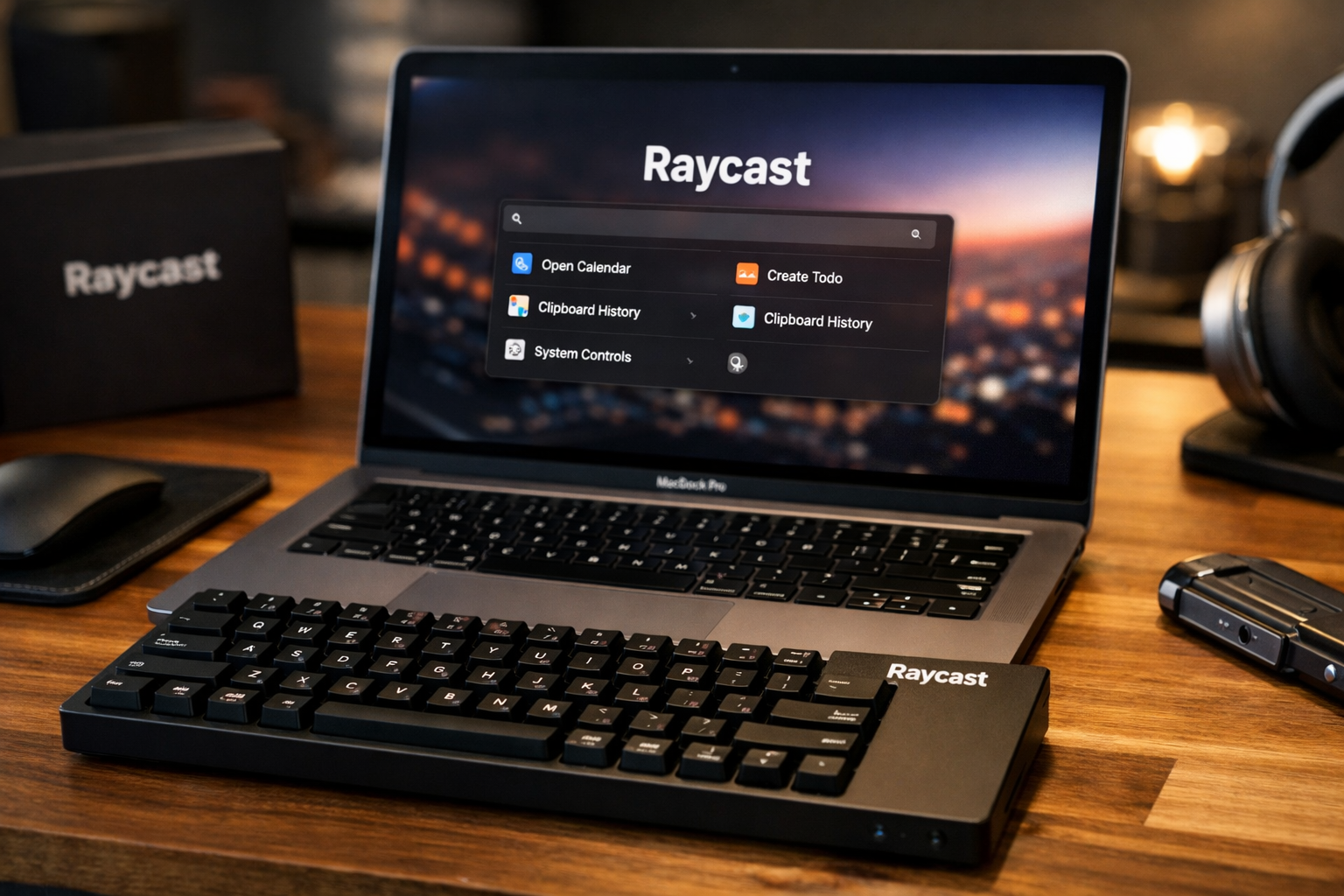
This raycast review 2026 looks at the practical question behind the hype: does Raycast genuinely improve a Mac workflow enough to justify paying for it? For people who spend most of the day switching between apps, files, commands, notes, and repetitive tasks, it can become a useful keyboard-first command center.
Raycast is not designed to be a flashy replacement for every app on your Mac. Its value comes from bringing commonly used tools into one fast, extendable launcher, reducing the number of small interruptions that add up during a workday.
Official website · Latest pricing & offers
Raycast Review 2026: Quick Verdict
For the right person, Raycast is one of the most compelling productivity tools available for macOS in 2026. It is especially appealing if you prefer using a keyboard over navigating menus, keeping multiple utility apps open, or repeatedly reaching for the mouse.
This raycast review 2026 reaches a balanced conclusion: Raycast is worth serious consideration for power users, but it is not automatically worth paying for if you only need basic app search.
Who Raycast is best for
Raycast is best for developers, designers, writers, project managers, and operations-focused professionals who constantly jump between tools. The Raycast launcher can centralize actions such as searching files, managing windows, inserting saved text, checking a calendar, performing calculations, and accessing AI tools.
It is also a strong fit for anyone who enjoys refining their setup. Raycast has an extension-focused approach, with official categories including Developer Tools, Design Tools, Productivity, Project Management, Time Management, Translation, Transcript, Work From Home, and AI.
Who should skip it
Users who are satisfied with a simple app launcher may not get enough value from Raycast. If you rarely use keyboard shortcuts, do not work with repeated commands, or prefer visual dashboards, its deeper capabilities may feel unnecessary.
This raycast review 2026 also recommends caution for buyers who only want AI access. Raycast AI may be convenient, but convenience alone is not always a reason to add another paid productivity product.
Bottom-Line Verdict: Raycast Review 2026
Raycast is worth it when it becomes a daily workspace rather than an occasional launcher. The more frequently you use tools such as Clipboard History, Snippets, Window Management, File Search, Notes, and AI, the more persuasive its value becomes.
For casual Mac users, the best approach is to try the core experience first and decide whether the keyboard-first workflow actually sticks.
What Raycast Is and How It Works
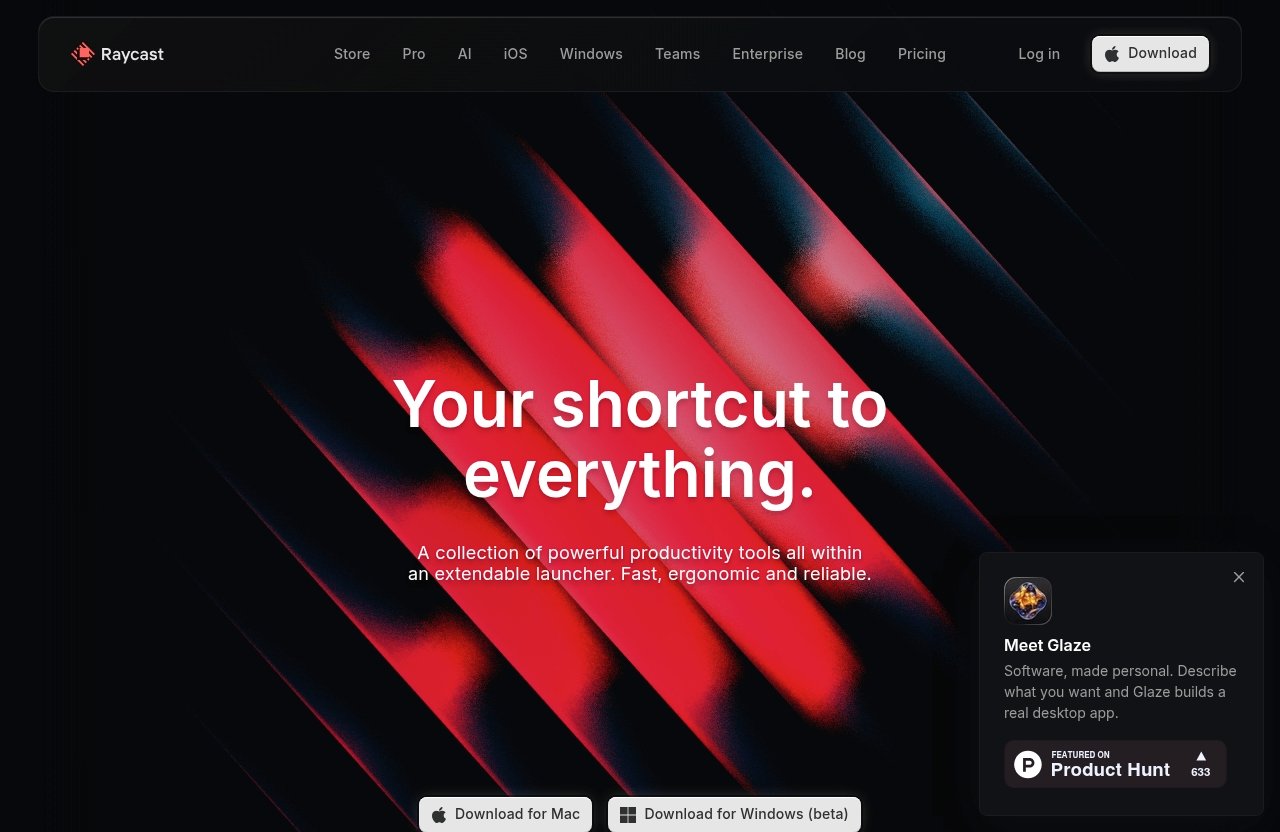
Raycast describes itself as “a collection of powerful productivity tools all within an extendable launcher.” That description is accurate because the product is not limited to finding and opening applications.
In this raycast review 2026, the key idea is simple: invoke Raycast with a keyboard shortcut, type what you want to do, and run the relevant command without hunting through apps or menus.
Core concept: extendable launcher
The Raycast launcher is a command-driven interface that can bring together built-in utilities and extensions. Instead of thinking in terms of opening an app first, you can think in terms of completing an action.
For example, you might search for a file, open a note, calculate a number, access an emoji, manage a window, or launch a system command from the same starting point. That unified approach is the foundation of the most useful Raycast features.
Keyboard-first workflow
Raycast is built around a fast, ergonomic, reliable, keyboard-first experience. The official homepage also states that Raycast is 99.8% crash-free, which is a relevant reassurance for a tool intended to sit at the center of everyday work.
The real benefit is reduced friction. A well-configured setup can help you keep your hands on the keyboard while moving between small tasks that would otherwise interrupt concentration.
Why it stands out from a typical app launcher
A standard launcher primarily helps you open apps and find files. Raycast goes further by combining launcher behavior with productivity tools, a Store, extensions, AI capabilities, and utilities such as Raycast Notes and Raycast Clipboard History.
That is why many people searching for the best Mac launcher 2026 are really looking for more than app search. They want an accessible command layer for their work, not just another way to open Safari or Finder.
Raycast Pricing in 2026
The most important limitation in this pricing discussion is transparency. The official Raycast pricing page source provided for this review displayed a “500 Error / Internal Server Error,” so verified plan prices, discounts, limits, and exact package details were not visible.
As a result, this raycast review 2026 will not guess at current prices or invent plan names. Before making a purchasing decision, confirm the latest details directly on Raycast’s official pricing page.
Verified pricing plans
The provided official pricing source confirms that Raycast has product areas including Store, Pro, AI, iOS, Windows, Teams, and Enterprise. However, it does not provide verifiable pricing figures in the fetched content.
That means any third-party reference to raycast pricing 2026 should be treated carefully unless it links to a currently functioning official pricing page. Product pricing can change, and it is better to verify it before subscribing.
What you get on the free experience
The supplied sources do not provide enough verified information to state exactly what is included in a free offering or which features are limited by plan. Raycast’s official pages do identify core product areas and tools, including Notes, Focus, Clipboard History, Window Management, Snippets, File Search, Quicklinks, Calculator, Calendar, System, and Emoji Picker.
The practical takeaway is that you should assess the available experience based on your own workflow. Try the tools you expect to use most often, rather than assuming every listed feature is available under identical conditions.
What the paid tier changes
Because plan-level feature access was not visible in the supplied official pricing source, it would be inaccurate to claim exactly what a paid tier unlocks. The official product structure does make clear that Raycast has separate areas for Pro and AI, but the current terms should be checked directly.
For buyers, the key question is not just cost. Ask whether paid access would remove a specific workflow problem: frequent context switching, repeated writing tasks, cluttered clipboard management, or a need for built-in AI assistance.
Key Features That Make Raycast Popular
Raycast covers a broad set of productivity functions, but its usefulness depends on how well the tools fit together in your routine. The best setup is usually not the one with the most extensions; it is the one that eliminates the most repeated friction.
This raycast review 2026 focuses on the official feature areas that are most relevant to professional Mac users.
Raycast AI
Raycast AI includes AI Chat, Quick AI, and AI Extensions. The official homepage says Raycast AI uses the tools you already rely on to get work done, which positions it as a workflow layer rather than a standalone novelty.
For a writer, that may mean quickly refining a rough idea without leaving the current task. For a developer or designer, the attraction is having AI access available from the same launcher used for other daily commands.
Raycast Notes
Raycast Notes is useful in principle for lightweight capture: short ideas, temporary checklists, meeting follow-ups, or reminders you want to retrieve quickly. The benefit of notes inside a launcher is immediacy rather than the promise of replacing a full knowledge-management system.
In a practical workflow, Raycast Notes makes the most sense for information you need to capture and find quickly. If you require elaborate databases, long-form documents, or complex collaboration, a dedicated notes platform may still be more appropriate.
Clipboard History and Snippets
Raycast Clipboard History addresses one of the most common desktop frustrations: copying something useful and then losing it after the next copy action. A searchable clipboard tool can be particularly helpful when moving between code, links, design values, customer responses, and research notes.
Raycast Snippets serve a different purpose. Instead of retrieving previous copied content, snippets let you reuse text you intentionally save, such as email sign-offs, support replies, prompts, labels, or frequently typed project information.
| Tool | Best use | Practical example |
|---|---|---|
| Clipboard History | Recovering previously copied content | Find a link copied earlier in the day |
| Snippets | Reusing intentional templates | Insert a standard project update |
| Notes | Capturing short information quickly | Save a meeting action item |
| File Search | Locating work without opening Finder first | Search for a brief or asset by name |
Window Management and File Search
Raycast Window Management is particularly relevant for users who work on smaller screens, ultrawide displays, or multi-window projects. It gives keyboard-first users a path to organize their workspace without manually dragging every application window.
File Search is similarly valuable when you know what you need but do not want to navigate folder structures. Together, Raycast window management and file search can make a Mac feel more command-driven and less dependent on visual navigation.
Quicklinks, Calculator, Calendar, System tools
Quicklinks are useful for opening frequently visited web destinations without relying on bookmark folders. They can be practical for internal dashboards, project boards, documentation, reporting pages, or recurring client resources.
Calculator, Calendar, System, and Emoji Picker may sound modest, but these small utilities matter in a launcher because they reduce task switching. This is a recurring theme in any serious raycast review: Raycast’s appeal is the accumulation of many small saved moments.
Raycast AI: Is the Built-In AI Worth It?
Raycast AI is potentially valuable because it is integrated into a keyboard-first productivity environment. Instead of making AI another destination you must visit, it can become one option inside a broader command workflow.
That said, the answer is personal. This raycast review 2026 does not treat AI as an automatic reason to pay because value depends heavily on how often you use it and what kind of work you do.
AI Chat
AI Chat is the more conversational part of Raycast AI. It can suit tasks where you want to ask questions, explore an idea, draft text, clarify a concept, or work through an initial outline.
The advantage is access speed. If AI Chat is available from the same place you use for commands and search, it can reduce the friction of opening a separate tool for small, quick requests.
Quick AI hotkey access
Quick AI is positioned as a quick-access AI capability. For professionals who routinely rewrite short passages, summarize working notes, brainstorm titles, or shape a first draft, quick keyboard access can be more useful than a full chat interface.
The key is to avoid using it indiscriminately. A fast AI prompt is most valuable when it supports judgment and saves repetitive effort, not when it replaces careful review of important work.
AI Extensions
AI Extensions are an important part of Raycast’s extendable model. They suggest that AI can be applied in more focused ways across workflows, rather than existing only as a single general-purpose chat box.
The official Store categories also include AI, which makes Raycast potentially interesting for users who want to explore specialized launcher-based workflows. Before relying on any extension for sensitive work, review its purpose and data handling carefully.
When AI adds real value
Raycast AI makes the strongest case when it shortens an action you already perform repeatedly. Examples include shaping a short reply, turning rough notes into a clearer outline, generating options for a headline, or quickly explaining a technical term.
In this raycast review 2026, AI is best viewed as a useful accelerator, not the entire product. The broader launcher and productivity toolset should still be the central reason to consider Raycast.
Official website · Latest pricing & offers
Pros and Cons of Raycast
A fair Raycast assessment needs to recognize that feature breadth is both a strength and a possible complication. A flexible command center can be extremely efficient, but only after you decide how you want to use it.
Major advantages
- Keyboard-first design that supports fast, focused workflows.
- An extendable launcher rather than a basic app search utility.
- Officially listed tools including Notes, Focus, Clipboard History, Snippets, File Search, Window Management, Calendar, Calculator, and System commands.
- Raycast AI capabilities including AI Chat, Quick AI, and AI Extensions.
- A Store with useful categories for developers, designers, productivity users, project managers, and remote workers.
- The official homepage reports Raycast is 99.8% crash-free.
Potential drawbacks
- The range of Raycast features can feel excessive if you only want to launch apps.
- A keyboard-first approach will not suit everyone’s working style.
- Current pricing details were not visible in the supplied official pricing-page fetch, making immediate cost comparisons difficult.
- AI value depends on actual use, so it may not justify a paid decision for every buyer.
- Extensions and customization require some exploration before the tool feels truly personal.
Learning curve and setup time
Raycast is easy to understand at a basic level: open it, search, and run a command. Getting the most from it, however, requires building habits around shortcuts, snippets, quicklinks, and the tools most relevant to your role.
That setup investment is not a negative for power users. But it is an important reason why someone looking for a no-configuration utility may find a simpler launcher more suitable.
Raycast vs. Alternatives
The most common comparison is raycast vs alfred, largely because both are associated with faster Mac navigation and launcher-based productivity. However, buyers should avoid reducing the decision to a feature checklist without considering their habits.
Raycast’s verified positioning is clear: it is an extendable, keyboard-first launcher with a wide set of productivity tools and AI capabilities. Whether that is preferable depends on the workflow you want to build.
Raycast vs Alfred
Raycast and Alfred are often discussed by people seeking a more capable alternative to a basic system search experience. Without relying on unverified competitor specifications or pricing, the most useful distinction is philosophical.
Raycast presents itself as a broad productivity environment with tools such as Raycast Notes, Clipboard History, Window Management, extensions, and AI. If that integrated approach appeals to you, it deserves a close look.
Why some users switch to Raycast
Users may be drawn to Raycast because it combines multiple small utilities under one keyboard-driven interface. The ability to access system tools, calendar functions, calculator input, quicklinks, file search, snippets, and AI from a central launcher is a compelling organizational idea.
This raycast review 2026 suggests focusing on consolidation. If Raycast can replace several scattered micro-workflows, it may feel more valuable than a launcher used solely for opening apps.
When another launcher may be better
Another launcher may be better if you already have a deeply established setup that works well. It may also be the better choice if you want only fast app launching and simple search without exploring extensions or productivity modules.
The right product is the one you will open daily. A powerful toolkit has limited value if its extra capabilities remain unused.
Real-World Use Cases
The most convincing case for Raycast comes from routine work rather than demonstrations. It becomes useful when it removes small pauses from tasks you perform dozens of times each week.
For developers
Developers can explore Developer Tools in the Raycast Store and use the launcher as a quick entry point for files, saved text, calculations, system commands, and project-related destinations. Raycast snippets can be practical for recurring commands, documentation fragments, issue templates, or test content.
Raycast Clipboard History may also help when moving among logs, references, URLs, terminal-related text, and code fragments. The goal is not to replace an editor or terminal, but to make supporting actions faster.
For designers and content creators
Designers can explore official extension categories such as Design Tools, while content creators may benefit from Notes, Quicklinks, Clipboard History, snippets, Calculator, and AI access. A creator can capture a content idea, retrieve a saved link, reuse a publishing template, and draft a rough headline without bouncing through several utilities.
For these users, the raycast review 2026 verdict depends on whether creative work is frequently interrupted by small administrative tasks. If it is, a unified launcher can protect more time for the work itself.
For general productivity users
General business users can use Raycast for calendar access, quick calculations, emoji selection, file search, system actions, notes, quicklinks, and saved snippets. This can be helpful for people who work across email, browsers, documents, meeting tools, and internal web systems all day.
Raycast Focus is also listed in the official product areas. While the supplied source does not provide detailed behavior or plan access for that feature, it reinforces the product’s broader productivity-oriented direction.
Is Raycast Worth It in 2026?
The honest answer is conditional: Raycast is worth it in 2026 if it becomes part of your work muscle memory. It is not worth buying merely because it has a long list of tools or because AI is included in its product ecosystem.
A useful test is to consider whether you would use it for at least several recurring actions every workday. If the answer is yes, the time saved and reduced context switching can make the raycast worth it question easier to answer.
Worth it if you want an all-in-one command center
Raycast is a strong choice for people who want a centralized interface for common Mac tasks. It is particularly relevant if you value file search, snippets, clipboard recall, window control, quicklinks, notes, system tools, and AI access from a single keyboard-triggered launcher.
This raycast review 2026 is most positive for professionals who already like shortcuts and want their tools to feel connected rather than fragmented.
Not worth it if you prefer a simple launcher
Raycast may not be worth paying for if your primary need is launching applications and occasionally searching for a file. Its wider set of tools can create unnecessary complexity for users who prefer a minimal system.
It is also sensible to skip a paid commitment until you have verified current Raycast pricing 2026 details on the official site and identified the paid capabilities you would personally use.
Value Summary: Raycast Review 2026
Raycast’s value is less about any individual utility and more about the way those utilities can work together. Clipboard History, snippets, file search, window management, Quicklinks, Notes, Calendar, and AI can reduce repeated friction across a working day.
If you can see yourself relying on those tools consistently, this raycast review 2026 finds Raycast a worthwhile productivity investment. If not, the basic launcher concept may be enough for your needs.
Final Recommendation
Raycast is one of the more thoughtful options for Mac users who want to work from the keyboard and reduce app-to-app switching. It is best approached as a configurable productivity command center, not simply as an alternative way to launch applications.
Before subscribing, verify the latest plan details directly because the official pricing-page source available for this article returned an internal server error.
Best choice for power users
Power users are the clearest audience for Raycast. Developers, designers, writers, and operational professionals who repeatedly search files, reuse text, organize windows, access web destinations, manage copied content, and use AI can derive practical daily value.
For this group, Raycast’s broad feature set is a benefit rather than a distraction. The best Mac launcher 2026 may be the one that removes the most friction from your own routine, and Raycast is a compelling candidate.
Best choice for casual users
Casual users should start with the basics and avoid assuming they need every capability. If the Raycast launcher only replaces occasional app searches, a paid upgrade may not make financial sense.
However, users who gradually discover a need for Raycast Notes, Raycast Clipboard History, Raycast window management, or Raycast snippets may find that the product becomes more valuable over time.
Final affiliate-style recommendation
My recommendation is to try Raycast first with a specific workflow in mind: file search, snippets, window management, AI assistance, or quick access to frequently used resources. You can try Raycast through this editorial link and then decide based on real daily use rather than feature-list excitement.
The final answer from this raycast review 2026 is straightforward: Raycast is worth it for keyboard-first Mac users who will actively use its broader productivity toolkit. It is less compelling for people who only need a simple launcher and do not intend to build it into their workflow.
Official website · Latest pricing & offers
FAQ
What is Raycast used for?
Raycast is used as an extendable launcher and productivity hub. It helps users access commands, tools, notes, AI capabilities, workflows, files, system actions, and extensions from a keyboard-first interface.
Is Raycast free?
The official pricing page source provided for this article returned an internal server error, so current free-plan details, prices, and limits could not be verified here. Check the official Raycast pricing page for the latest plan information before making a decision.
Does Raycast replace Spotlight?
For many users, Raycast can serve as a more powerful keyboard-first alternative to Spotlight. In addition to finding and launching items, it offers productivity tools such as File Search, Clipboard History, Snippets, Window Management, Notes, Calendar, Calculator, and extensions.
Is Raycast worth paying for?
Raycast is worth paying for when you regularly use the capabilities that reduce daily friction, especially AI, snippets, clipboard history, window management, and extensions. If you only need basic app launching, it may be difficult to justify paying beyond the core experience.
What are the best Raycast features?
The strongest Raycast features include Raycast AI, Raycast Notes, Clipboard History, Snippets, Window Management, File Search, Quicklinks, Calendar, Calculator, System tools, and Emoji Picker. The best combination depends on whether your work is primarily technical, creative, administrative, or communication-heavy.
Related Reading
References
- Raycast – Your shortcut to everything
- Raycast pricing
- Raycast Reviews (2026)
- Raycast Review 2026: Pros, Cons, Pricing & Verdict