Rss.com Review 2026: Is It Worth It?
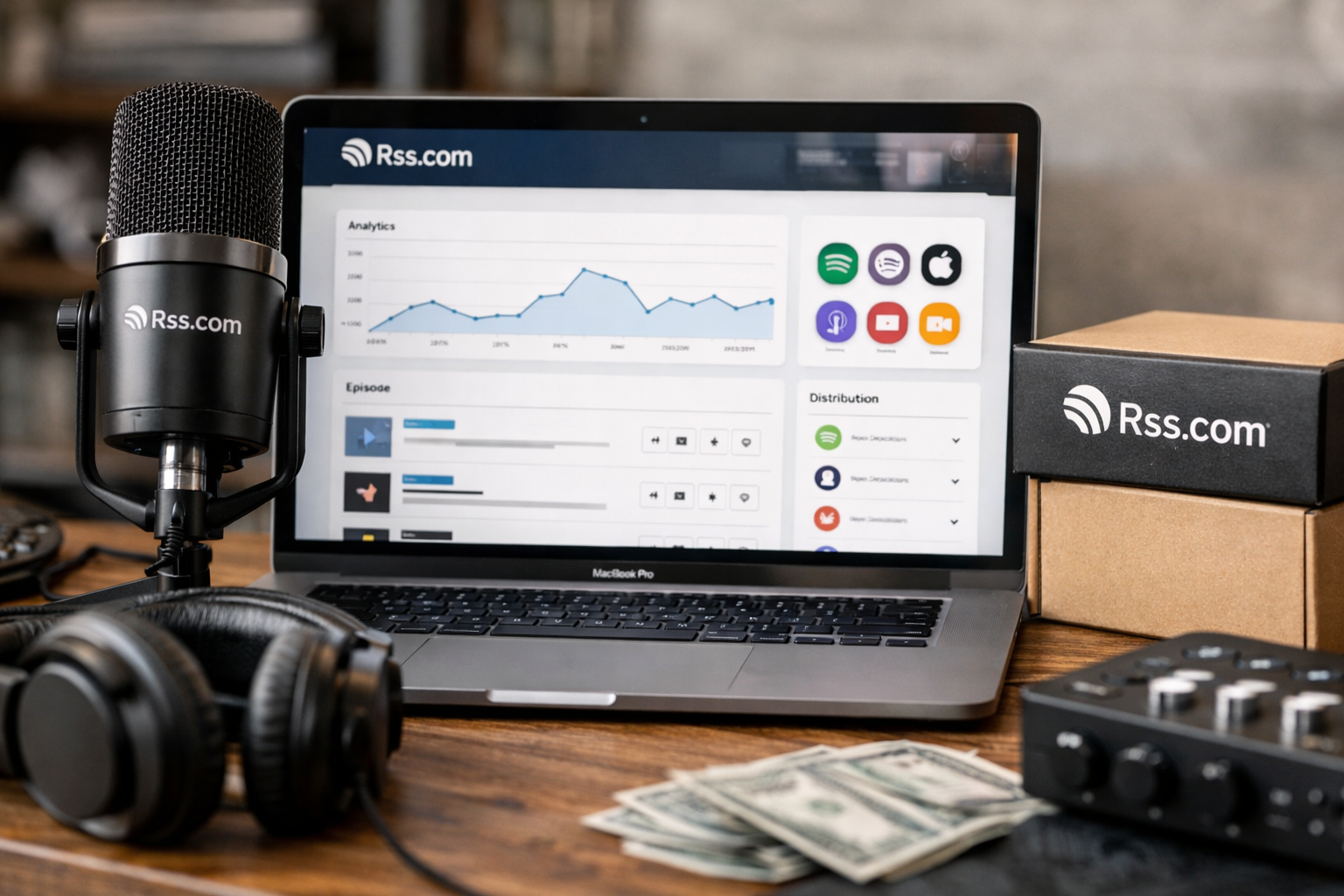
Choosing podcast hosting is less about finding the longest feature list and more about finding a platform you can realistically use every week. In this rss.com review, I look at the verified features, pricing, distribution, and earning tools that matter when deciding whether RSS.com fits your show in 2026.
RSS.com is positioned as an approachable all-in-one host with a genuinely useful free entry point. It offers unlimited episodes and downloads on its Free experience, automatic distribution to major listening apps, analytics from day one, and no long-term commitment. This article may contain an affiliate link, but the recommendation below is reader-first: RSS.com is a strong option for creators who value simplicity and accessible monetization, while advanced teams and video publishers should choose their plan carefully.
Official website · Latest pricing & offers
RSS.com Review 2026: Quick Verdict
Is RSS.com worth it in 2026?
For most new and independent podcasters, RSS.com is worth considering in 2026. The platform combines unlimited hosting, distribution to major listening apps, a podcast website, analytics, and multiple monetization routes without requiring technical podcasting experience.
The strongest argument for RSS.com is practical: you can start at $0 per month, publish without an expiration date hanging over you, and move to a paid plan when your needs change. Paid plans add ads, subscriptions, transcripts, deeper analytics, multiple podcasts, teams, and video-focused tools.
In this rss.com review 2026, the main limitation is equally clear. Some of the more advanced workflows—such as hosting multiple shows, adding unlimited team members, accessing full API functionality, or publishing unlimited video podcasts—require Pro or Max rather than the entry-level plans.
Who RSS.com is best for
RSS.com is best suited to beginners, solo creators, hobby shows, and growing podcasts that want one clear place to host episodes and distribute them. It is especially appealing if you want to test a podcast idea before committing to a monthly bill.
Creators who want to explore ads early may find Plus compelling because it includes earning from ads with as few as 10 downloads. Meanwhile, Pro is built for multi-show and team workflows, and Max is the logical fit for creators publishing both audio and video at scale.
Who should skip it
RSS.com may not be the most efficient fit for every creator. If you only need bare-bones hosting and have no interest in monetization, team access, transcripts, or video publishing, you may not need the breadth of paid-plan tools.
Likewise, anyone who needs enterprise-level campaign management, real-time geotargeting for dynamic ads, video at scale, or ad-free options should discuss Custom and Enterprise options directly with RSS.com. Those needs go beyond a simple solo podcast setup.
What RSS.com Is and How It Works
Core platform overview
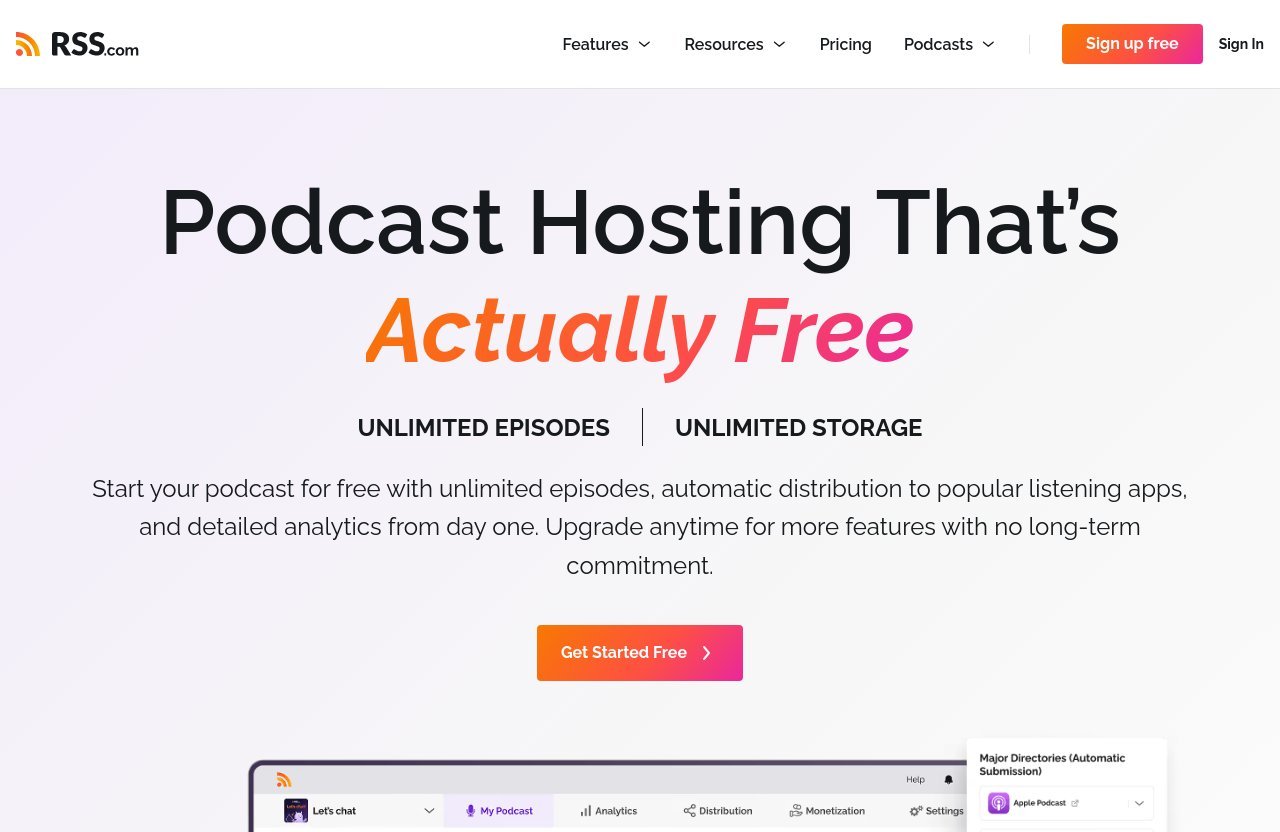
RSS.com is a podcast hosting platform: you upload your episodes, organize show information, and use the platform’s RSS feed to make the podcast available across listening apps. Its core proposition is straightforward—unlimited episodes and storage, automatic distribution, analytics, and a path from free publishing to paid growth tools.
The platform says it is designed for podcasters with no prior experience. That matters because hosting can otherwise feel technical, especially when a creator is learning episode formatting, RSS feeds, directories, and distribution at the same time.
How publishing and distribution work
The basic workflow is to create a show, upload an episode, enter its title and description, and publish. RSS.com says publishing and distribution can happen in a few clicks, with automatic distribution to Spotify, Apple Podcasts, YouTube, Amazon Music, and other major listening apps.
This is a meaningful convenience factor in a podcast hosting review. Rather than treating each directory as a separate ongoing job, creators can use one hosting dashboard as the central publishing point.
What makes it different from other hosts
The most notable part of the RSS.com model is its combination of free unlimited hosting and a broad monetization path. The Free plan is not presented as a time-limited trial: it has no expiration, includes unlimited episodes and downloads, and supports distribution to major platforms.
RSS.com also supports Podcasting 2.0 capabilities through its open RSS feed. These include interactive transcripts, clickable chapters, live episodes, and direct listener funding, giving creators options beyond conventional audio uploads.
RSS.com Features in 2026
Unlimited episodes and downloads
Unlimited episodes and downloads are available on the Free plan, which removes an early worry for new podcasters: whether publishing consistently will trigger storage limits. The official homepage also states that the Free experience includes unlimited storage.
For creators building an episode archive, that matters more than it may seem at launch. A platform with room to grow makes it easier to publish regularly instead of rationing uploads.
Automatic distribution to Spotify, Apple Podcasts, YouTube, and Amazon Music
Automatic distribution is one of the most important rss.com features for a creator who wants reach without extra administrative work. RSS.com states that it automatically distributes to Spotify, Apple Podcasts, YouTube, Amazon Music, and all major listening apps.
The exact listener experience still depends on each listening app and the creator’s content, but the hosting-side benefit is clear. You manage the podcast from one place while aiming to make it available where audiences already listen.
Analytics and audience insights
RSS.com includes detailed analytics from day one, and the Free plan includes tracking for downloads and podcast growth. That gives new creators an early view of whether episodes are being discovered and whether publishing activity is leading to audience growth.
Plus adds advanced analytics. Pro adds all-time analytics for every show, which is particularly relevant when a creator manages several podcasts and wants historical visibility across the portfolio.
Monetization tools
The platform’s monetization toolkit includes programmatic ads through PAID, Apple Podcasts subscriptions, a donation button, an affiliate program, and Value 4 Value or Boostagrams. These are different revenue paths, so creators can choose approaches that align with their audience rather than relying on one income source.
PAID supports dynamic ads and can enable ads with as few as 10 downloads. RSS.com allows pre-roll, mid-roll, and post-roll ads, giving creators placement options within an episode.
Podcasting 2.0 and open RSS feed
Podcasting 2.0 features are a meaningful differentiator for creators who want an open-feed approach. RSS.com supports interactive transcripts, clickable chapters, live episodes, and direct listener funding through its open RSS feed.
Value 4 Value and Boostagrams also fit that open ecosystem. The platform supports Bitcoin payments through Podcasting 2.0 apps, which may appeal to a specific segment of listeners and creators, though it will not be essential for every show.
RSS.com Pricing Explained
RSS.com pricing is simple to understand because the plans build on one another. All listed prices are in USD, paid plans can be canceled anytime, annual billing saves 25%, and paid plans include a 30-day money-back guarantee.
| Plan | Monthly Billing | Annual Billing | Best For |
|---|---|---|---|
| Free | $0/month | $0/month | Testing, launching, and hobby shows |
| Plus | $19.99/month | $15/month, billed at $180 annually | Creators seeking monetization and advanced tools |
| Pro | $34.99/month | $26/month, billed at $312 annually | Teams and creators running multiple shows |
| Max | $49.99/month | $37/month, billed at $444 annually | Audio-and-video publishers needing API access |
| Custom and Enterprise | Contact RSS.com | Contact RSS.com | Larger campaign and video requirements |
Free plan
The rss.com free plan costs $0 per month, has no trial, does not expire, and is always free. It includes unlimited episodes, unlimited downloads, a free podcast website, listener donations, download and growth tracking, and publishing on Apple Podcasts, Spotify, and more.
This is a credible starting plan for someone who has not published before. You can validate your format and build a release routine before deciding whether paid monetization or advanced workflow tools are necessary.
Plus plan
Plus costs $19.99 per month on monthly billing or $15 per month when billed annually, for $180 per year. It includes everything in Free, plus ads with as few as 10 downloads, Apple Podcasts paid subscriptions, YouTube videos from audio episodes, AI-generated transcripts, advanced analytics, and unlimited voicemails.
For many growing solo shows, Plus is the most balanced paid tier. It adds the features that make a podcast feel more commercially ready without moving into the team-oriented pricing of Pro.
Pro plan
Pro costs $34.99 per month or $26 per month on annual billing, billed as $312 annually. It includes all Plus features and adds hosting for up to 10 podcasts, unlimited team members, all-time analytics for every show, and automatic transcripts for every episode.
This is the strongest plan for a small network, production team, agency, or creator operating more than one show. The unlimited team-member provision is especially useful when hosts, producers, editors, or managers need access.
Max plan
Max costs $49.99 per month or $37 per month on annual billing, billed as $444 annually. It includes everything in Pro, along with unlimited audio and video podcasts, one-upload publishing to Apple Podcasts and YouTube, 70% of eligible video ad revenue, and full API access.
The Max plan is aimed at a more demanding production workflow. If video is a central publishing format rather than an occasional experiment, the unified audio-and-video publishing model is the main reason to consider this tier.
Annual billing savings and money-back guarantee
Annual billing saves 25% on paid plans, which is a substantial difference for creators who already know they intend to publish consistently. However, monthly billing can be sensible for a new project still proving its cadence and audience fit.
Paid subscriptions can be canceled anytime, and RSS.com offers a 30-day money-back guarantee on paid plans. In practical terms, this lowers the risk of testing Plus, Pro, or Max once the Free plan no longer covers your needs.
Official website · Latest pricing & offers
Hands-On Ease of Use
Dashboard and setup experience
I would judge ease of use here based on RSS.com’s stated product design rather than claiming unverified personal testing. The company positions the platform as easy to use and built for podcasters with no experience required.
That positioning matches the service structure: a creator can begin on the Free plan, host unlimited episodes, receive analytics, and distribute to major apps without first purchasing a complex package. For first-time podcasters, fewer early decisions usually means a smoother setup process.
Publishing workflow
RSS.com describes publishing and distribution in a few clicks. The practical appeal is that hosting, the RSS feed, and distribution are connected within the same platform, so creators are not expected to piece together a separate technical stack just to get episodes into common podcast apps.
The workflow becomes more capable on paid plans. Plus adds audio-to-YouTube video creation and AI-generated transcripts, while Max supports publishing a single video file to Apple Podcasts and YouTube.
Support and learning curve
Every new host has a learning curve because podcasting itself involves planning episodes, writing descriptions, preparing audio, and maintaining a publishing schedule. RSS.com’s no-experience-required positioning suggests that the platform is intended to reduce the technical side of that work.
For a beginner, the sensible approach is to start with the essentials: publish consistently, check downloads and growth, and only upgrade when a specific feature solves a genuine problem. That is usually more effective than paying for advanced tools before a show has established a workflow.
Monetization Options: Can RSS.com Help You Earn?
Ads with as few as 10 downloads
RSS.com monetization is unusually broad for creators who want to explore revenue early. On Plus and higher plans, PAID can enable programmatic ads with as few as 10 downloads, with available placements for pre-roll, mid-roll, and post-roll ads.
This does not mean every new podcast will generate meaningful income immediately. Revenue depends on factors beyond hosting, including audience size, listener behavior, advertiser demand, and the content itself. Still, early access to an ad pathway is useful for creators who want the option.
Apple Podcasts subscriptions
Plus and higher plans include paid subscriptions on Apple Podcasts. This gives eligible creators a way to offer subscriber-focused content or benefits through Apple Podcasts, depending on how they structure their show.
Subscriptions are generally best considered when a podcast has a clear value proposition for repeat listeners. They work most naturally for shows with loyal audiences, premium series, bonus episodes, or an established community.
Donation tools
RSS.com supports a donation button through PayPal, Patreon, or GoFundMe. This is one of the simpler ways to let listeners support a show without changing its core publishing model.
The Free plan includes listener donations, so creators do not need a paid subscription just to offer voluntary support. That makes it a practical choice for independent podcasts that want to keep their main feed openly available.
Affiliate opportunities
RSS.com also includes an affiliate program as part of its listed monetization options. For creators whose audience includes other podcasters, entrepreneurs, or media professionals, affiliate partnerships may be relevant alongside ads or listener funding.
As with any affiliate income source, it should be handled transparently. A useful recommendation should come from a genuine fit, not from pressure to promote a product that does not serve the audience.
Video monetization on Max
Max adds video-specific earning potential: creators can earn 70% of eligible video ad revenue after activating PAID. It also includes unlimited audio and video podcasts and one-upload publishing to Apple Podcasts and YouTube.
For video-led creators, this is the clearest reason to move beyond Plus or Pro. If your podcast is primarily audio, the additional video functionality may not justify the higher monthly cost.
RSS.com Pros and Cons
Biggest advantages
The biggest strengths in this rss.com review are the practical fundamentals:
- Free hosting with unlimited episodes and downloads
- No trial period or expiration on the Free plan
- Automatic distribution to Spotify, Apple Podcasts, YouTube, Amazon Music, and major apps
- Podcast analytics from day one
- A free podcast website
- Multiple monetization methods, including ads, subscriptions, donations, affiliates, and Value 4 Value
- A clear progression from solo podcasting to teams and video publishing
- Annual billing discounts and a 30-day money-back guarantee on paid plans
RSS.com also reports a 4.95-star rating from more than 3,100 reviews across major review platforms. While third-party review totals should never replace your own assessment, that is a useful signal to consider alongside the plan features.
Main limitations
The tradeoffs are mostly plan-based rather than hidden restrictions. Advanced analytics, AI-generated transcripts, Apple Podcasts subscriptions, and ad earnings begin at Plus. Multiple-show hosting, unlimited team members, and all-time analytics across shows require Pro.
Video-heavy creators need Max for unlimited audio and video podcasts, one-file publishing to Apple Podcasts and YouTube, video ad revenue eligibility, and full API access. Custom and Enterprise needs also require a conversation with the company rather than self-service pricing.
Best value by plan
The best value depends on what problem you need the host to solve. Free is the best value for testing a show because it includes unlimited publishing without a monthly cost. Plus is the strongest value for a solo creator who wants monetization and more advanced creator tools.
Pro makes sense when multiple podcasts or team access are essential. Max is best reserved for serious audio-and-video publishing needs; its value is clearest when its video, API, and video-revenue features are part of your actual workflow.
Who Should Buy RSS.com in 2026?
New podcasters
New podcasters should start with Free. It offers unlimited episodes, downloads, distribution, a podcast website, donations, and growth tracking at $0 per month, so there is little reason to overcommit before publishing consistently.
This is also a sensible way to learn whether podcasting fits your schedule. Build a small backlog, publish several episodes, and evaluate the response before adding paid tools.
Solo creators and hobby shows
Solo creators and hobby shows can remain on Free if their priority is simply publishing and growing an audience. If the show starts gaining momentum, Plus provides a more natural next step with advanced analytics, transcripts, Apple Podcasts subscriptions, YouTube videos from audio episodes, and ad access.
A creator who wants a simple place to begin can explore RSS.com’s current options without assuming that a paid tier is automatically necessary. Start with the plan that fits the actual stage of your show.
Growing shows focused on monetization
For a growing show focused on earning opportunities, Plus is usually the first plan to examine. It enables ads with as few as 10 downloads and adds Apple Podcasts paid subscriptions, while donations and other listener-support options are already part of the wider platform.
This rss.com pricing structure works well for a creator who wants flexibility. You can begin with free hosting, then choose Plus once monetization and advanced analytics become priorities rather than assumptions.
Teams and networks
Pro is the best fit for teams and networks. It supports up to 10 podcasts, unlimited team members, and all-time analytics for every show, which directly addresses common multi-show operational needs.
Max is the better choice for a team that also needs unlimited audio and video podcasts, video distribution from one upload, video ad revenue eligibility, and API access. Larger media operations with specialized advertising or scale requirements should investigate Custom and Enterprise.
RSS.com vs the Typical Podcast Host
Free plan comparison points
When evaluating RSS.com vs competitors, begin with the free offer rather than just the headline paid price. RSS.com’s Free plan includes unlimited episodes, unlimited downloads, distribution to major apps, a podcast website, listener donations, and download and growth tracking without a trial or expiration.
That package makes RSS.com notable among the broader best podcast hosting platform conversation. A free plan is only useful when it supports real publishing, and the listed features suggest it can serve as a genuine launch plan rather than just a short preview.
Feature depth versus simple hosting
A typical podcast host may cover the core task of storing episodes and delivering an RSS feed. RSS.com extends beyond that foundation with monetization routes, Podcasting 2.0 tools, subscriptions, transcripts on eligible plans, multi-show management, and video-focused publishing at Max.
Whether that added depth matters depends on your strategy. A hobby podcast may only need hosting and distribution, while a growing media project may benefit from having monetization and publishing tools within the same ecosystem.
Where RSS.com stands out
RSS.com stands out for the combination of unlimited free hosting, automatic major-app distribution, early monetization access, open RSS features, and an upgrade path to team and video functionality. It is not necessary to use every feature for the platform to be worthwhile.
The deciding question is simple: do you want a host that can begin as a low-risk publishing tool and expand as your show grows? If yes, RSS.com has a coherent plan structure worth considering.
Official website · Latest pricing & offers
FAQ
Does RSS.com have a free plan?
Yes. RSS.com has a Free plan that costs $0 per month, has no trial, no expiration, and is always free. It includes unlimited episodes, unlimited downloads, a free podcast website, listener donations, growth tracking, and publishing to Apple Podcasts, Spotify, and more.
How much does RSS.com cost per month?
RSS.com costs $0 per month for Free, $19.99 per month for Plus, $34.99 per month for Pro, and $49.99 per month for Max when billed monthly. Paid annual billing saves 25%, with Plus at $15 per month billed annually, Pro at $26 per month billed annually, and Max at $37 per month billed annually.
Is RSS.com good for beginners?
Yes, RSS.com is designed for podcasters with no experience required. Its stated workflow emphasizes simple setup, publishing in a few clicks, automatic distribution, and a Free plan that lets beginners launch without a long-term financial commitment.
Can I monetize a podcast on RSS.com?
Yes. RSS.com offers programmatic ads through PAID, Apple Podcasts subscriptions, donation tools, affiliate opportunities, and Value 4 Value or Boostagrams. Plus can enable ads with as few as 10 downloads, while Max adds 70% of eligible video ad revenue after PAID is activated.
What is the best RSS.com plan for teams?
Pro is the best RSS.com plan for most teams. It supports up to 10 podcasts, unlimited team members, and all-time analytics for every show. Teams with major video publishing or API needs may prefer Max instead.
Final Verdict: Is RSS.com Worth It?
Best reasons to choose it
The strongest reasons to choose RSS.com are its accessible Free plan, unlimited episodes and downloads, automatic distribution, analytics, and flexible monetization options. It is particularly well aligned with creators who want to publish without getting buried in technical setup.
Its plan ladder also makes sense. You can start free, move to Plus for monetization and creator tools, choose Pro for multi-show teams, and select Max when video publishing becomes central.
Reasons to look elsewhere
You may want to look elsewhere if you only want the most minimal hosting possible and do not need RSS.com’s broader features. You should also avoid paying for a higher tier until you can identify the feature that justifies it—whether that is ads, subscriptions, transcripts, team access, video, or API functionality.
Custom and Enterprise buyers should speak directly with RSS.com because those plans are designed around more specialized campaign management, geotargeting, video-at-scale, and ad-free needs.
Bottom-line recommendation
This rss.com review concludes that RSS.com is a strong, balanced choice in 2026 for beginners and growing creators who want dependable podcast hosting without unnecessary complexity. Free is excellent for launching and learning, while Plus offers the most compelling upgrade for monetization-minded solo creators.
Pro and Max are worthwhile when your workflow truly requires multiple shows, unlimited team access, full video capabilities, or API access. In short, RSS.com is worth it when its feature set matches your publishing goals—not simply because it offers more tools than you currently need.
Related Reading
- Clickfunnels Review 2026: Is It Worth It for Your Business?
- Tally Review 2026: Honest Pros and Cons
- Rezi Review 2026: Is This AI Resume Builder Worth Buying?
References
- RSS.com Reviews
- RSS.com: Free Podcast Hosting – Unlimited Episodes & Audio
- Podcast Hosting Pricing
- Read Customer Service Reviews of rss.com