
Crocoblock Review 2026: Worth It?

Official website · Latest pricing & offers
Crocoblock Review 2026: Quick Verdict
This crocoblock review comes down to one question: do you need to build more than a simple WordPress website? For agencies, freelancers, content publishers, and business owners creating dynamic layouts, listings, booking sites, or customized WooCommerce experiences, Crocoblock offers a notably broad toolkit.
It is not the lightest route for a basic landing page or five-page brochure site. But when a project needs custom post types, dynamic templates, filtering, forms, reviews, or advanced builder controls, the ecosystem can replace a scattered collection of disconnected add-ons.
Who Should Buy It
Crocoblock is best suited to WordPress professionals who build repeatedly and want a connected set of tools rather than a different plugin for every requirement. Its strongest audience includes agencies managing client builds, freelancers creating directories or service platforms, and site owners who need scalable content structures.
The platform supports WordPress, Elementor, Bricks, and Divi. That makes it especially relevant if your workflow already relies on one of those builders and you need a more capable WordPress dynamic content plugin.
Who Should Skip It
A simple site with a few static pages may not justify the depth of the Crocoblock WordPress toolkit. If you only need one design widget, one popup, or a basic contact form, a large plugin ecosystem can create more choices than value.
It may also frustrate users who expect instant results without learning how dynamic content, templates, taxonomies, and custom post types work. The tools are designed to be visual and no-code-friendly, but the underlying site-building concepts still matter.
Bottom-Line Crocoblock Review Verdict
For serious site builders, Crocoblock is a capable, modular ecosystem with a clear purpose: helping users construct dynamic WordPress websites without piecing together every feature from separate sources. It is most compelling when several JetPlugins will be used on the same project.
My practical view is that Croclock is worth considering for complex builds, but it is excessive for minimalist sites. Buy it for the workflow and dynamic-building depth—not simply because the plugin catalog is large.
What Is Crocoblock?
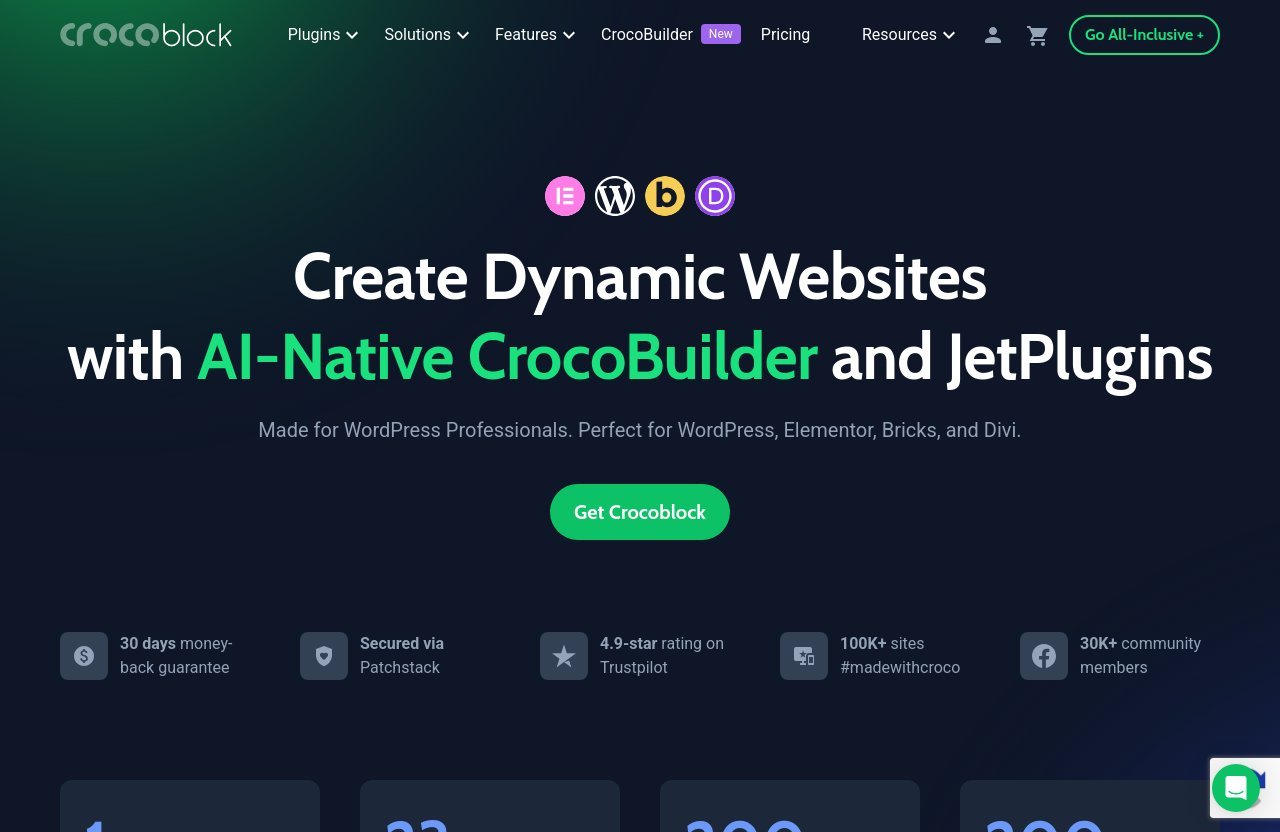
Crocoblock is a WordPress toolkit built around CrocoBuilder and a collection of JetPlugins. The official positioning is centered on creating dynamic websites with AI-native building tools and plugins that work across WordPress, Elementor, Bricks, and Divi.
Rather than being a single page-builder add-on, it is an ecosystem. Builders can combine dynamic content tools, widgets, templates, search, filters, booking functionality, WooCommerce-focused tools, forms, reviews, menus, and popups according to the needs of a site.
JetPlugins Ecosystem Explained
The JetPlugins catalog covers a wide range of practical WordPress needs. Key products include JetEngine, JetElements, JetSmartFilters, JetWooBuilder, JetBooking, JetAppointment, JetMenu, JetSearch, JetPopup, JetThemeCore, JetReviews, JetFormBuilder, and more.
That breadth is the main argument for the suite. A directory can need custom content structures, listing templates, filters, maps, reviews, and forms; a typical basic plugin stack might require separate solutions for each piece. Crocoblock aims to keep those capabilities under one umbrella.
A useful jetengine review perspective is that JetEngine is the center of gravity for many advanced builds. Crocoblock says it can create custom post types, taxonomies, relations, options pages, forms, and dynamic page templates without code.
CrocoBuilder Vs JetPlugins
CrocoBuilder is described by Crocoblock as an AI-native site builder. The official feature highlights include atomic DOM output, unified CSS control, and AI-native components.
JetPlugins are the modular feature layer. In plain English, CrocoBuilder is positioned as the building environment, while the JetPlugins provide specialized functionality for dynamic data, layouts, user-facing interactions, commerce, bookings, and content presentation.
This distinction matters for buyers. You do not need to approach the platform as an all-or-nothing visual design system; its practical value often comes from choosing the appropriate plugin tools for the site being built.
Where It Fits In The WordPress Stack
In a conventional WordPress build, the stack can grow quickly: a theme or builder, custom-field solution, filter plugin, popup tool, WooCommerce add-on, search plugin, review tool, and booking extension. Crocoblock sits above that fragmented approach by offering an integrated family of tools.
For crocoblock Elementor users, the appeal is obvious: more dynamic functionality inside a familiar builder workflow. The same broader positioning applies to crocoblock Bricks and crocoblock Divi users who want tools aimed at professional WordPress builds.
What You Get With Crocoblock In 2026
The official Crocoblock homepage lists one CrocoBuilder, 23 JetPlugins, 200 widgets, and more than 200 templates. Those numbers do not automatically make it the right purchase for every project, but they show the intended scale of the ecosystem.
This section of the crocoblock review is important because the value is not in any one plugin alone. It is in how the available tools can support a complete dynamic site workflow.
Core Platform Features
JetEngine handles the core dynamic-content use case. According to Crocoblock, it can support custom post types, taxonomies, content relations, options pages, forms, and dynamic page templates—all essential building blocks for structured sites.
This creates practical possibilities for directories, property listings, job boards, travel sites, recipe sites, member-focused resources, and content hubs. The advantage is not merely displaying information; it is structuring information so WordPress can display it repeatedly and consistently.
Plugin Ecosystem Breadth
The verified catalog includes the following JetPlugins:
| Area | Relevant Tools |
|---|---|
| Dynamic content and layouts | JetEngine, JetThemeCore, JetGridBuilder |
| Visual widgets and effects | JetElements, JetTabs, JetTricks, JetBlocks |
| Search and filtering | JetSmartFilters, JetSearch |
| Commerce tools | JetWooBuilder, JetProductTables, JetProductGallery, JetCompareWishlist |
| Booking and appointments | JetBooking, JetAppointment |
| Engagement tools | JetPopup, JetMenu, JetMessenger, JetReviews |
| Content and styling | JetBlog, JetStyleManager, JetGEO |
| Forms | JetFormBuilder, listed as an additional tool |
JetElements alone includes more than a hundred pre-built widgets and interactive effects, according to the official homepage. That can reduce the need for small, single-purpose interface plugins when a project requires richer content blocks.
Widgets, Templates, And Builder Compatibility
The combination of 200 widgets and 200+ templates gives builders a substantial starting point, particularly when project speed matters. Templates are not a substitute for sound information architecture, but they can help standardize common sections and layouts.
The suite is made for WordPress professionals and supports Elementor, Bricks, and Divi. The real advantage is flexibility: a builder can select the features a project needs instead of forcing every client site into the same rigid template.
Pricing Explained: Is Crocoblock Worth The Cost?
The supplied official Crocoblock pricing information confirms the plugin catalog, but it does not provide verified suite plan names or suite prices. For accuracy, this review will not guess at those details or present unverified tiers as fact.
The one verified product-level price available is for JetReviews. Its official page displays $33 per year, with $43 shown as the struck-through price. That is useful context for evaluating a single-purpose purchase, but it should not be confused with complete crocoblock pricing.
Verified Pricing Plans
Crocoblock’s pricing page lists the JetPlugins catalog, including JetEngine, JetElements, JetSmartFilters, JetWooBuilder, JetBooking, JetReviews, JetThemeCore, JetPopup, and the other tools noted above. However, buyers should check the live official checkout or pricing page for current suite options, renewal details, and what is included.
This is especially important because the right buying decision depends on your actual project scope. A person who only needs review functionality may evaluate JetReviews differently from an agency that needs dynamic templates, filtering, ecommerce layouts, and booking tools across several builds.
After assessing which tools your site genuinely requires, you can check the latest Crocoblock options on the official offer page. Treat the current page as the source of truth before purchasing.
What The 30-Day Guarantee Changes
The official homepage lists a 30-day money-back guarantee. That reduces the risk for buyers who need to confirm whether the workflow suits their builder, team, and project requirements.
A guarantee does not remove the time needed to learn a feature-rich toolkit. Still, it gives freelancers and site owners a reasonable window to test a real use case rather than making a decision based solely on screenshots or feature lists.
Value Compared To Buying Individual Plugins
The central value argument is consolidation. If your project needs multiple capabilities from the JetPlugins catalog, a unified ecosystem may be more efficient than researching, buying, learning, and maintaining a patchwork of unrelated tools.
On the other hand, someone who only needs a simple widget or one narrow function should be disciplined. This crocoblock review does not recommend paying for ecosystem breadth that will sit unused.
Official website · Latest pricing & offers
Best Use Cases For Crocoblock
Crocoblock performs best when content is structured, repeated, filtered, or presented differently for different users. It is built for projects where a regular page builder alone may not provide enough control.
Agency/Client Websites
Agencies often need reusable systems rather than one-off page designs. A client might need service pages, team profiles, locations, case studies, testimonials, custom templates, and editable data that remains consistent across the website.
With JetEngine’s custom post types, taxonomies, relations, and dynamic templates, builders can create more maintainable content structures. This is where the Crocoblock WordPress toolkit can be more valuable than adding isolated plugins site by site.
Directories And Listings
Directories and listing websites are natural candidates for crocoblock dynamic content. Examples include local business directories, real estate-style listings, job boards, event resources, product collections, and specialist databases.
These projects typically need custom content types, search, categories, relationships, filters, maps, detail templates, and sometimes user reviews. Crocoblock’s catalog includes JetEngine, JetSmartFilters, JetSearch, JetGEO, and JetReviews, making the ecosystem relevant to this type of build.
WooCommerce Stores
Crocoblock states that its suite can be used for ecommerce websites. The catalog includes JetWooBuilder, JetProductTables, JetProductGallery, and JetCompareWishlist, which signals a focus on shaping product presentation and buyer interactions.
For a store that needs more than a default product archive and standard product page, the ability to tailor templates and introduce comparison or wishlist features may be useful. The value grows when those store features are part of a larger dynamic website rather than a standalone shop.
Booking And Service Sites
Hotels, rental businesses, consultants, local services, appointment-based providers, and activity businesses often require schedules, availability, bookings, and structured service information. JetBooking and JetAppointment are specifically relevant here.
These use cases can become technically messy when handled by unrelated add-ons. A connected ecosystem may make sense if a site also needs custom listings, service filters, lead forms, review collection, and visually consistent templates.
Where Crocoblock Falls Short
A fair crocoblock review should acknowledge that breadth comes with tradeoffs. The same feature set that helps a professional build sophisticated websites can make the platform feel intimidating for a new WordPress user.
Learning Curve
Crocoblock is easier to understand when you already know basic WordPress concepts such as post types, taxonomies, templates, and page-builder workflows. No-code does not mean no learning; it means less manual coding is required.
JetEngine, in particular, is powerful because it supports structured content and dynamic templates. But that power can slow down a beginner who only wants to publish a few pages quickly.
Potential Overkill For Simple Sites
A portfolio, brochure site, or basic blog usually does not need advanced filters, relationships, booking workflows, product tables, or user-generated review systems. For these projects, Crocoblock can be more software than the site needs.
Before looking at crocoblock alternatives, list your actual requirements. If the list is short and static, a leaner setup may be easier to manage and teach to a client.
Dependency On Ecosystem Fit
The ecosystem is strongest when you are comfortable using its builders and plugins together. If you prefer mixing many unrelated tools, or your workflow depends on a narrowly specialized solution outside the Crocoblock environment, the consolidation advantage becomes less clear.
There is also a strategic consideration for client work: document how custom post types, templates, filters, and forms are configured. Any advanced WordPress build should be handed over with a clear maintenance plan.
JetReviews And The Review-Builder Angle
JetReviews is a useful example of Crocoblock’s practical, builder-focused approach. Its official product page calls it a WordPress review plugin for Elementor and Gutenberg, and it also notes Bricks editor compatibility.
For content publishers, comparison sites, marketplaces, directories, and service businesses, reviews can provide both useful feedback and visible social proof. The key is selecting a system that fits the site’s content structure and moderation needs.
What JetReviews Does
JetReviews is described as an all-inclusive review plugin for single posts, users, and page builders such as Elementor and Gutenberg. The official features include custom review looks, reviews, comments, testimonials, dynamic reviews for custom post types and users, and dynamic ratings.
It also offers WooCommerce product ratings, comment replies and voting, access controls, required fields, reCAPTCHA, review query criteria, photo uploads, and moderation-related controls. That is a meaningful set of tools for sites that want review activity without bolting on a completely separate user-feedback platform.
Why It Matters For Content Sites
Affiliate sites, editorial publishers, and directory owners often need more than static star icons. They may want ratings tied to custom post types, user contributions, controlled review forms, or testimonial displays placed inside their existing page-builder designs.
That is where jetreviews can fit well. It is not just a decorative ratings widget; its stated dynamic-review capabilities align with content structures created through advanced WordPress workflows.
Use Cases For Social Proof
A service directory can collect reviews for listed providers. A product-focused site can show WooCommerce ratings and moderated feedback. A membership or community project can use user-based reviews, comments, replies, votes, and photo uploads where appropriate.
The best implementation is selective. More reviews do not automatically improve trust; clear moderation rules and relevant review criteria matter just as much.
Support, Community, And Trust Signals
Support quality matters more with a feature-rich product than with a simple widget plugin. Buyers should not only compare feature lists; they should consider whether help, training, and community resources are available when a complex build hits a problem.
Support Channels
The official homepage says all subscriptions include free real-time, human-powered support through Zoom calls, live chat, and tickets. It states that support is available 24/5.
For agencies, this is a meaningful part of the value proposition. Good crocoblock support can reduce project delays, although buyers should still test documentation and support responsiveness against their own real-world needs.
Trustpilot And Community Proof
Crocoblock’s homepage displays a 4.9-star Trustpilot rating, more than 100K sites marked #madewithcroco, and a community of more than 30K members. These are positive signals, but they should be treated as supporting evidence rather than a substitute for evaluating the tool yourself.
The platform also highlights a Facebook community, Discord, video academy, and nonstop updates. For new users, those learning resources may be just as valuable as the product catalog. When researching crocoblock Trustpilot feedback or other Crocoblock reviews, look for comments that match your own use case rather than relying on a headline rating alone.
Why E-E-A-T Matters Here
For a toolkit used to build client sites, trust is practical. You want clear product information, active support channels, learning resources, security signals, and a sensible refund policy.
Crocoblock states that it is secured via Patchstack, which is a relevant trust signal for WordPress professionals. Still, responsible site ownership also requires updates, backups, testing, and careful access management on every WordPress installation.
Crocoblock Vs The Typical WordPress Plugin Stack
The decision is less about whether Crocoblock is universally “better” and more about whether centralized tooling is better for your project. Different site types call for different levels of complexity.
Fewer Scattered Plugins
A common WordPress workflow involves installing separate plugins for custom content, search, filters, reviews, popups, WooCommerce design, booking, and menus. Each tool may have different settings, design controls, support channels, and update cycles.
Crocoblock’s main appeal is reducing that fragmentation. A builder who needs several JetPlugins can create a more consistent workflow by staying within the same ecosystem.
More Centralized Workflow
A centralized plugin family can make it easier to establish repeatable processes for client work. Instead of learning a new interface for every feature, users can focus on how the different JetPlugins work together around the same project.
This is the strongest reason Crocoblock can be worth it for agencies. Consistency in templates, dynamic data, and builder integration can be more valuable over time than saving a small amount on one isolated plugin.
When A Standalone Plugin Is Better
A standalone solution may be better when your requirement is narrow. If you need only one feature and do not expect the site to grow into directories, booking, dynamic data, or ecommerce customization, a full ecosystem can be unnecessary.
The same applies to teams that already have a reliable, documented stack. Changing tools has a learning and migration cost, so the benefits should be clear before replacing a workflow that already works.
Official website · Latest pricing & offers
FAQ
Is Crocoblock Good?
Crocoblock is good for dynamic WordPress projects that need advanced content control, custom templates, filters, forms, ecommerce customization, booking features, or review functionality. It is particularly relevant for Elementor, Bricks, and Divi users, but it may be too much for a simple static site.
Is Crocoblock Worth It For Beginners?
Beginners can use it, especially with the video academy and support resources, but there is a real learning curve. It is most worthwhile for beginners who are willing to learn a broader ecosystem and expect to build more complex websites over time.
What Is Crocoblock Used For?
Crocoblock is used to build dynamic WordPress websites. Typical uses include custom post types, taxonomies, dynamic templates, forms, filtering, search, booking workflows, WooCommerce layouts, menus, popups, widgets, and review systems.
Does Crocoblock Work With Elementor And Gutenberg?
Crocoblock says its JetPlugins work with WordPress, Elementor, Bricks, and Divi. JetReviews specifically supports Elementor and Gutenberg, with Bricks editor compatibility also listed on its official product page.
Is There A Money-Back Guarantee?
Yes. The official Crocoblock homepage lists a 30-day money-back guarantee.
Final Verdict: Is Crocoblock Worth It In 2026?
This crocoblock review verdict is clear: Crocoblock is worth it when your website needs dynamic functionality and you expect to use multiple parts of the ecosystem. Its strongest case is for professional WordPress builders creating structured, content-rich, ecommerce, booking, directory, or client sites.
Best For Power Users
Agencies, freelancers, and ambitious site owners can gain the most from JetEngine, the broader JetPlugins catalog, builder compatibility, templates, widgets, and unified workflow. The platform is especially appealing when several dynamic-content requirements appear in the same project.
Not Ideal For Minimalists
If you want a basic website with a few static pages, Crocoblock is likely more extensive than necessary. A smaller setup is often easier to maintain, easier to explain to a client, and faster to learn.
My Recommendation
Crocoblock is a sensible purchase for builders who need a flexible WordPress ecosystem rather than another isolated add-on. Review your project requirements first, especially whether you need dynamic content, filtering, booking, ecommerce customization, or reviews.
If those needs match your build, review the latest official Crocoblock pricing and product details here before deciding. The best choice is the one that fits your site’s real complexity, not the one with the longest feature list.

