Crocoblock JetEngine Review: Dynamic WordPress Sites, Use Cases, and Value

For WordPress projects that need more than static pages, crocoblock jetengine is one of the most relevant tools to evaluate. It is Crocoblock’s dynamic content plugin for building structured content, displaying it in reusable layouts, and connecting different kinds of data without writing every element from scratch.
This evidence-first review is based on features and pricing details published on official Crocoblock and JetEngine pages. Rather than promising outcomes that depend on your setup, it focuses on what the plugin is designed to do, the website types where its architecture makes sense, and the situations where a lighter solution may be better.
Official website · Latest pricing & offers
What JetEngine Is and Why It Matters
JetEngine in one sentence
Crocoblock JetEngine is a WordPress plugin for creating and displaying dynamic, structured website content through tools such as custom post types, custom fields, listings, relations, queries, tables, and user profiles.
In practical terms, it helps transform WordPress from a page-focused CMS into a more structured content system. Instead of manually building a separate page for every property, business, course, team member, product-style listing, or resource, you can create a content model and display entries consistently.
JetEngine supports Elementor, Gutenberg, and Bricks according to its official product page. Crocoblock’s overview materials also identify compatibility with Timber/Twig and Divi, making it relevant to builders and development workflows beyond a single page builder.
Where JetEngine sits inside the Crocoblock ecosystem
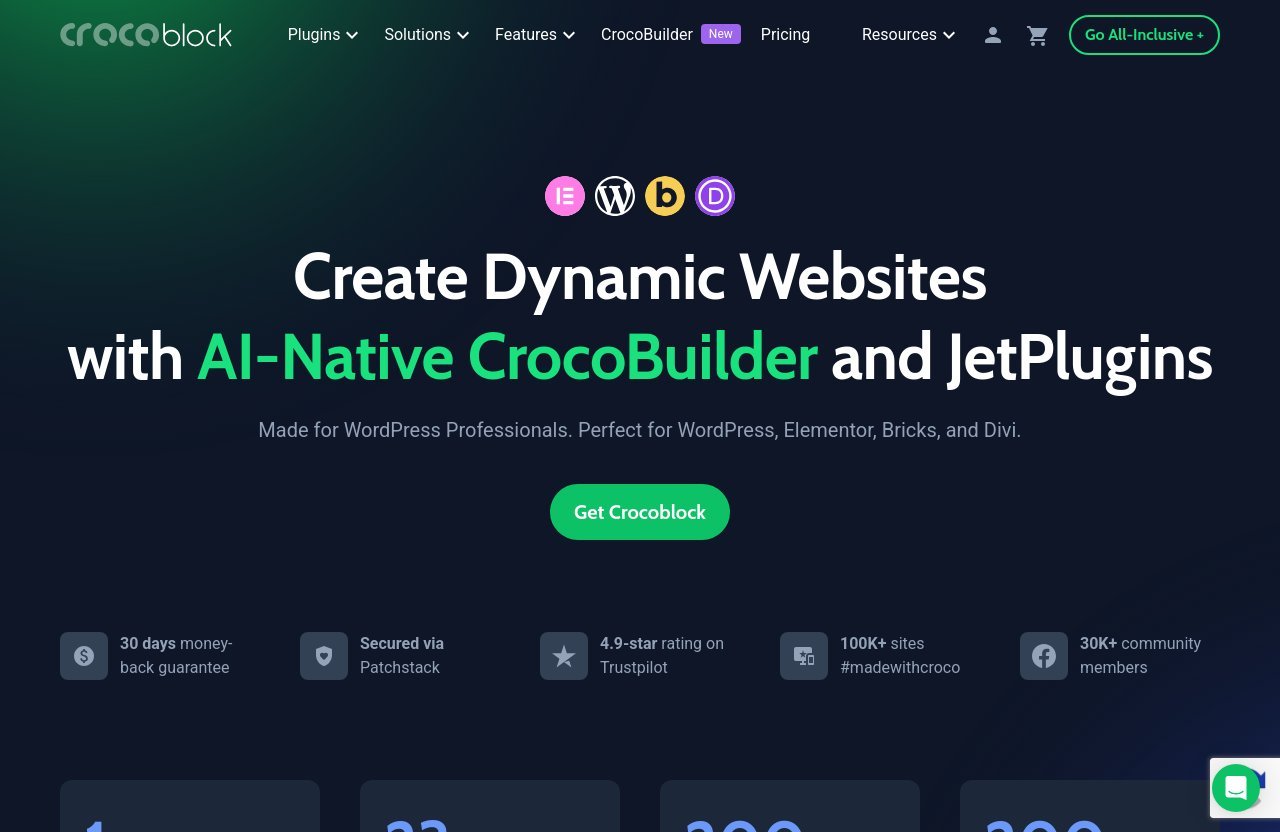
Crocoblock presents itself as a toolkit for creating dynamic WordPress websites, with an AI-Native CrocoBuilder and JetPlugins designed for WordPress, Elementor, Bricks, and Divi users. The official homepage states that the broader ecosystem includes 23 JetPlugins, 200 widgets, and more than 200 templates.
Within that ecosystem, the JetEngine plugin is arguably the core data and dynamic-content layer. Other design or interaction tools can help shape pages, but JetEngine is the component intended to define what content exists, how it is organized, and where it appears.
That distinction matters during product comparison. If your project only needs visual sections and ordinary blog posts, a feature-rich data plugin may not be necessary. If the project needs repeatable entries, relationships between content types, or a structured front end, JetEngine becomes far more relevant.
Why dynamic content is the real value proposition
The central value of crocoblock jetengine is not a single widget or template. It is the ability to build around data that changes over time while keeping the site layout consistent.
For example, a business directory may need separate records for businesses, categories, locations, opening hours, contact details, and featured status. A real estate site may need property records, agent profiles, amenities, property types, and location data. These are structured-content problems, not merely page-design problems.
As a dynamic content plugin, JetEngine provides tools intended to support that kind of architecture. The exact benefit depends on planning: the better you define the content model before building, the more useful the system is likely to be.
JetEngine’s Core Features Explained
Custom post types, taxonomies, and meta fields
A major part of crocoblock jetengine is its support for custom post types, custom content types, taxonomies, custom fields, meta boxes, and options pages. These tools let site owners define content beyond WordPress’s standard posts and pages.
A custom post type could represent listings, properties, staff members, courses, events, or service providers. Taxonomies can then organize that content into categories, locations, topics, or other groupings. Custom fields add the specific details that make each entry useful, such as a price range, address, gallery, availability status, or contact method.
| Structured content need | Relevant JetEngine capability | Example |
|---|---|---|
| Separate content records | Custom post types or custom content types | “Property” or “Business” entries |
| Categorization | Custom taxonomy | City, service type, or industry |
| Unique item details | Custom fields and meta boxes | Price, phone number, floor area |
| Global site information | Options pages | Company details or reusable notices |
| Easier backend management | Admin Columns and Admin Filters | Reviewing and organizing entries |
The official overview also confirms Admin Columns, Admin Filters, Admin Pages, Meta Boxes, Command Center, Dynamic Tags, and Custom Taxonomy. These are especially relevant for teams managing many entries in the WordPress dashboard rather than publishing only occasional posts.
Listing grids and dynamic templates
JetEngine’s listing tools are where structured data becomes visible to visitors. Official feature pages reference listing items, listing grid layouts, Listing Template functionality, and dynamic features.
In a typical workflow, you design one reusable listing template and use it to display many records. Rather than manually formatting 100 directory entries, you create one card-style layout that pulls relevant information from each item: image, title, custom fields, category, button, and other data points.
This makes JetEngine listings useful for projects where visual consistency matters. A directory can show business cards, a portfolio can show project cards, and a real estate site can show property previews using the same underlying concept.
The point is not that every project needs grids. It is that reusable listing templates reduce the need to duplicate layout work when the site relies on repeatable content.
Relations, Query Builder, and dynamic visibility
The JetEngine Query Builder is one of the more advanced capabilities listed on the official product page. Alongside it, Crocoblock identifies Relations and Dynamic Visibility as core parts of the platform.
Relations are useful when one content item needs to connect to another. For example, a property can be connected to an agent, a course can connect to instructors, or a business profile can connect to multiple locations. This is a more organized alternative to treating every data point as unrelated text.
Query Builder functionality is designed for defining which information should be retrieved and displayed. That can be useful when a page needs to show a selected set of entries instead of every record in the system. Dynamic Visibility, meanwhile, provides a way to conditionally show content depending on relevant conditions.
For non-technical users, these tools can take time to understand. But they are part of what separates JetEngine WordPress projects from ordinary brochure-style sites. They give builders a framework for presenting connected information rather than isolated pages.
Tables, charts, profile builder, and REST API
The official JetEngine feature list also includes a tables builder, charts builder, profile builder, REST API support, and user behavioral data tools. These modules extend the plugin beyond basic listing cards.
Dynamic Tables Builder can be relevant when information is easier to compare in rows and columns, such as specifications, service plans, resource libraries, or records in a member-facing area. Charts Builder may suit projects that need to display structured information visually, subject to how the site owner configures the underlying data.
The Profile Builder is particularly relevant for portals or membership-style experiences where users need account-related pages. REST API support can also matter for projects that need to work with data in more flexible ways or connect structured content to external workflows.
These advanced features make crocoblock jetengine more than a template add-on. They also explain why it can feel substantial for a first-time user: it covers several layers of a dynamic website, from backend structure through to front-end display.
Best Website Types for Crocoblock JetEngine
Directories and listings websites
Directories are among the clearest JetEngine use cases. A local business directory, supplier directory, professional database, venue guide, or resource library normally contains many entries with similar fields but different values.
With custom post types, custom fields, taxonomies, listings, and query tools, a directory can be planned as a structured system rather than a long collection of manually created pages. Each business, for example, can have its own profile data while sharing the same presentation format.
This is where the crocoblock jetengine approach makes practical sense. The site owner is not just publishing content; they are maintaining a searchable, categorized collection of records that may expand over time.
Marketplaces and classifieds
Marketplaces and classified-style websites also fit the plugin’s feature direction, particularly where listings need categories, structured details, author or user information, and different display contexts.
A classifieds project might define listing types such as vehicles, equipment, jobs, rentals, or services. Each type can require different fields, and the public-facing site may need reusable cards, single-item layouts, taxonomy archives, and user-facing profile areas.
It is important to stay realistic here: a marketplace can involve payment, moderation, legal, operational, and user-experience requirements beyond any one WordPress plugin. Still, JetEngine provides relevant building blocks for the dynamic-content side of such a project, including listings, profiles, relations, queries, and REST API capabilities.
Membership and user profile portals
Membership sites are often more complex than they initially appear. Once a project needs member records, profile pages, submitted content, account dashboards, or connected data, standard pages become difficult to manage at scale.
The Profile Builder and user-focused tools listed for crocoblock jetengine make it worth considering for membership portals, client portals, alumni sites, communities, and internal resource hubs. Relations can also be useful where a user needs to connect to content, organizations, projects, or other data records.
This does not mean every membership site needs JetEngine. A simple protected-content website may need only a membership system and ordinary pages. The fit improves when the member experience depends on structured, individualized, or interconnected information.
Portfolio, real estate, and content-rich business sites
Portfolio websites can benefit from custom project entries, industries, services, project metadata, and reusable listing templates. A designer, agency, architect, or production company may prefer a structured project system instead of building every case study from a blank page.
Real estate is another natural fit. Property records commonly include repeatable data such as location, property type, dimensions, amenities, status, image galleries, and agent information. Relations can help connect properties with agents or related records, while dynamic templates keep property presentations consistent.
Content-heavy business websites can also benefit when they publish large libraries of resources, case studies, locations, staff profiles, events, or service records. In these cases, the dynamic content plugin approach can improve content organization even if the site is not a public directory.
Who JetEngine Is Best For — and Who Should Skip It
Ideal users: agencies, freelancers, no-code builders, and advanced WordPress teams
Crocoblock JetEngine is best suited to people building websites with repeatable, structured, or connected content. Agencies and freelancers can use it when client projects need a scalable data model rather than a small group of static marketing pages.
No-code builders who are comfortable learning WordPress concepts may also find it useful. Elementor, Gutenberg, Bricks, Divi, and Timber/Twig compatibility means the plugin can fit different build preferences, although the exact workflow will vary by builder.
Advanced WordPress teams are likely to value the ability to work with custom content types, relations, Query Builder tools, REST API support, tables, and dynamic displays. For these users, the depth is often the reason to consider JetEngine in the first place.
Not ideal users: simple brochure sites and beginners who only need basic pages
For a five-page brochure site with a contact form, service descriptions, and a handful of blog posts, crocoblock jetengine may be more than the project requires. Adding a full dynamic-content layer can introduce planning and setup work without solving a meaningful problem.
It may also be a difficult starting point for beginners who have not yet worked with basic WordPress publishing, taxonomies, templates, or page builders. The plugin’s flexibility is useful, but flexibility creates choices, and choices can slow down inexperienced users.
A simple site can still use JetEngine, but the better question is whether it should. Start with the content requirements, not the feature list.
What level of WordPress experience helps
You do not need to be a traditional developer to benefit from the JetEngine plugin, but it helps to understand how WordPress content is organized. Familiarity with posts, pages, categories, custom fields, and templates makes the learning process more manageable.
| Project situation | Likely fit |
|---|---|
| Basic company site with static pages | Usually unnecessary |
| Blog with ordinary posts and categories | Possibly unnecessary |
| Agency building repeatable client websites | Strong fit |
| Business directory or listing portal | Strong fit |
| Real estate or portfolio database | Strong fit |
| Complex membership or profile portal | Worth evaluating carefully |
| First WordPress site with no structured-content needs | Probably skip for now |
Official website · Latest pricing & offers
Pricing and Crocoblock Plan Context
Verified pricing from the official pricing page
When evaluating Crocoblock pricing, it is important not to infer package details that are not clearly shown. The official pricing page excerpt provided for this review displays a plan at $199/year that includes 23 JetPlugins and JetGeo.
The same official pricing page excerpt also shows a $249/year price. However, the available verified information does not provide enough detail to accurately label that tier or describe additional inclusions, so it would be inappropriate to guess.
Crocoblock also states on its official homepage that subscriptions include free real-time support through Zoom calls, live chat, and tickets, with human-powered support available 24/5. The homepage further mentions a 30-day money-back guarantee.
What the go-to-market structure suggests for buyers
The verified $199/year entry indicates that Crocoblock sells access in a broader plugin context rather than positioning JetEngine only as an isolated purchase decision. For a site owner who expects to use several JetPlugins, that bundle approach may be worth reviewing closely.
For someone who only needs one narrowly defined feature, the value calculation is different. The relevant question is not simply the advertised JetEngine price; it is whether the broader set of included tools has a real role in the project.
Before paying, review the latest details on the official Crocoblock pricing page. Check the current plan descriptions, eligibility terms, and the promo banner or checkout coupon field for any currently available offer information.
How to evaluate value for a single-plugin vs bundle purchase
A bundle can represent good value when you will actually use its components. That is especially plausible for agencies, freelancers, and builders handling multiple dynamic WordPress projects across different clients.
For a single-site owner, make a short list of requirements before comparing options:
- Do you need custom post types, custom fields, and dynamic listings?
- Will you use relations, profile pages, tables, charts, or Query Builder tools?
- Does your preferred builder align with JetEngine’s confirmed compatibility?
- Do other JetPlugins solve requirements you already know you have?
- Can you justify ongoing annual cost based on the site’s real complexity?
The official homepage also notes that Crocoblock is used on 100K+ sites, has 30K+ community members, and holds a 4.9-star Trustpilot rating. Those are company-stated indicators, not a substitute for assessing whether the tools fit your own workflow.
Pros, Limitations, and Value Assessment
Strengths for dynamic site architecture
The strongest point in this JetEngine review is breadth of structured-content functionality. Officially listed capabilities include custom post types, custom content types, taxonomies, custom fields, meta boxes, options pages, listing items, relations, Query Builder, tables, charts, profiles, REST API, and dynamic visibility.
That coverage means one tool can address several common requirements of database-style WordPress websites. It can help reduce the need to treat every new directory record, portfolio item, property, or user profile as a custom page-building exercise.
Builder compatibility is another important strength. Support for Elementor, Gutenberg, Bricks, Timber/Twig, and Divi gives prospective buyers multiple paths for applying the same dynamic-content concepts.
Potential complexity and learning curve
The main limitation is also a consequence of JetEngine’s depth. Before building, users need to decide what content types exist, which fields belong to them, how records relate, and how visitors will view the information.
That planning is valuable, but it is not always quick. A poorly designed content structure can create confusion later, even when the plugin itself offers the right tools.
New users should rely on official JetEngine documentation, product guides, and support resources instead of trying to configure every module at once. Crocoblock says its subscription support includes live chat, tickets, and Zoom calls, which may be meaningful for buyers working through a complex implementation.
When the plugin feels overpowered
Crocoblock JetEngine can feel excessive when content is mostly static. If you are making a landing page, a personal profile site, or a small service website with no listings, relationships, or reusable data structures, simpler WordPress tools may be easier to maintain.
It can also be overpowered when the project requirement is vague. Buying a dynamic system before deciding what data you need can lead to unnecessary configuration.
The value is strongest when the project has a clear model: many similar items, meaningful fields, a need for reusable displays, and a reason to connect or organize records.
How to Decide If JetEngine Is Right for Your Project
A quick decision checklist
Use this checklist before purchasing crocoblock jetengine:
- Your site will contain many similar content items.
- Each item needs information beyond a title and body text.
- You need listing cards, grids, tables, or dynamic templates.
- Content types need categories, taxonomies, or relationships.
- Users may need profiles or individualized content areas.
- You are building with Elementor, Gutenberg, Bricks, Timber/Twig, or Divi.
- You are prepared to plan content structure before designing the front end.
If most answers are yes, JetEngine is a credible option. If most are no, a simpler setup may be a more proportionate choice.
Questions to ask before buying
Start with the website’s data, not its appearance. Ask what records the site will store, which details must be attached to each record, who will update them, and what pages must display them.
Then consider relationships. Will authors connect to articles? Will agents connect to properties? Will businesses connect to locations? Will users connect to submitted items? If these questions matter to the project, the Relations and Query Builder capabilities deserve closer attention.
Finally, consider your maintenance process. A dynamic site works best when the backend is organized for the people who will publish and manage content after launch.
How to test the plugin on a real use case
The most practical evaluation method is to model one real content type. For a directory, create a sample “Business” structure with a few categories and custom fields. For real estate, define a sample property with agent information and key property details.
Next, create one listing template and one single-item template. This small exercise quickly shows whether the JetEngine workflow feels appropriate for your builder preference and project complexity.
Before committing, learn more through Crocoblock’s official product information, review current pricing details, and consult the official documentation. A careful test based on your actual content model is more useful than comparing feature lists alone.
Final Verdict
Best overall use case
The best use case for crocoblock jetengine is a dynamic WordPress website that relies on structured content: directories, listing portals, real estate websites, marketplaces, portfolio libraries, membership areas, and content-rich business platforms.
Its official feature set is especially relevant when you need custom content types, taxonomies, custom fields, reusable listings, relations, Query Builder functionality, profiles, tables, or dynamic visibility.
Best-fit website owner
The best-fit buyer is a freelancer, agency, experienced no-code builder, or WordPress team that has already identified a real need for structured data. These users are more likely to benefit from the depth of the JetEngine plugin and the broader Crocoblock ecosystem.
It is less suitable for someone building a basic static website or learning WordPress for the first time without a dynamic-content requirement.
Bottom-line recommendation
This crocoblock jetengine review finds that the plugin is worth serious consideration for projects where data structure and reusable displays are central to the site. It is not the simplest choice, but it is designed for website types where simple page-building tools can become limiting.
Buy it when your project needs listings, relationships, dynamic templates, profiles, or a content model that will grow. Skip it when your site is fundamentally a small set of static pages and the extra architecture would add more complexity than value.
Official website · Latest pricing & offers
FAQ
What is Crocoblock used for?
Crocoblock is used for building dynamic WordPress websites with a collection of JetPlugins and related tools. Its official homepage describes a toolkit made for WordPress professionals working with WordPress, Elementor, Bricks, and Divi.
JetEngine is a central part of that setup because it supports structured content, dynamic templates, listings, custom fields, relations, and other data-focused website functions.
What is JetEngine?
JetEngine is a dynamic content plugin for WordPress. According to official Crocoblock product information, it supports Elementor, Gutenberg, and Bricks, while Crocoblock overview materials also identify Timber/Twig and Divi compatibility.
It provides tools for custom post types, taxonomies, meta boxes, custom fields, listing grids, relations, queries, tables, charts, profiles, and more.
Is Crocoblock free?
The official Crocoblock pricing page presents paid plan options, including a verified $199/year option and another displayed price of $249/year. Check the official pricing page for current plan details and availability.
The official homepage also states that subscriptions include real-time support and a 30-day money-back guarantee.
Is JetEngine free?
Official Crocoblock product and pricing information positions JetEngine as part of a paid Crocoblock offering. This review does not claim that a free full version is available.
For the current JetEngine price, plan details, and any available promotions, review the official pricing page and check the promo banner and checkout coupon field before purchasing.
Related Reading
- Best Rezi Alternatives in 2026
- Wpforms vs Formidable Forms: 2026 Comparison
- Autods Alternatives: 7 Best Options for Different Dropshipping Workflows
References
- JetEngine: WordPress Plugin for Elementor, Gutenberg & Bricks
- JetEngine Overview
- Plans & Pricing
- Crocoblock