FX Replay Features Explained: 2026 Guide
FX Replay is designed for traders who want to study historical price action before putting real money at risk. This guide to fx replay features focuses on what the platform actually offers, how its plans differ, and whether its workflow matches the way you trade.
Affiliate disclosure: TopTrustReview may earn a commission if you subscribe through links in this article, at no extra cost to you. This does not change our assessment, and traders should always verify current plan details before purchasing.
Official website · Latest pricing & offers
FX Replay Features Explained: What the Platform Is Built to Do
What FX Replay is in one sentence
FX Replay is a browser-based backtesting and replay platform that lets traders practice on real historical price data. Its central purpose is to recreate past market conditions so you can test decisions, entries, exits, and trade management without knowing what happens next.
In practical terms, the main fx replay features let you jump to a historical date and experience price action as it unfolded. That makes it useful for manual strategy testing, execution practice, and reviewing whether a trading idea is genuinely repeatable.
Who the platform is for
The platform is best suited to discretionary traders: people who make decisions from price structure, chart patterns, indicators, news context, or a written trading plan. Forex traders are an obvious audience, but FX Replay also offers practice across 120+ assets in six markets.
It may appeal to day traders who need repeated screen time, swing traders validating setups over longer periods, and prop-firm-minded traders trying to build better process discipline. The platform is not a shortcut to profitability; it is a structured environment for doing the repetitive practice most traders otherwise skip.
Why features matter more than screenshots
A polished charting interface is helpful, but buyers should look deeper than visual design. The value of fx replay features depends on whether they solve actual testing problems: finding relevant dates, simulating news conditions, recording trades, reviewing errors, and comparing a strategy across many sessions.
Before subscribing, ask what you need to test. A trader working on one simple setup may need only replay, a few indicators, and a journal. A higher-frequency trader may care far more about seconds data, custom timeframes, multichart layouts, unlimited sessions, and detailed analytics.
Backtesting can reveal process weaknesses, but it does not remove execution bias, emotional pressure, spreads, slippage, or the uncertainty of live trading. Historical results are useful evidence—not a guarantee of future performance.
Core FX Replay Features Buyers Care About Most
Replay mode and bar-by-bar practice
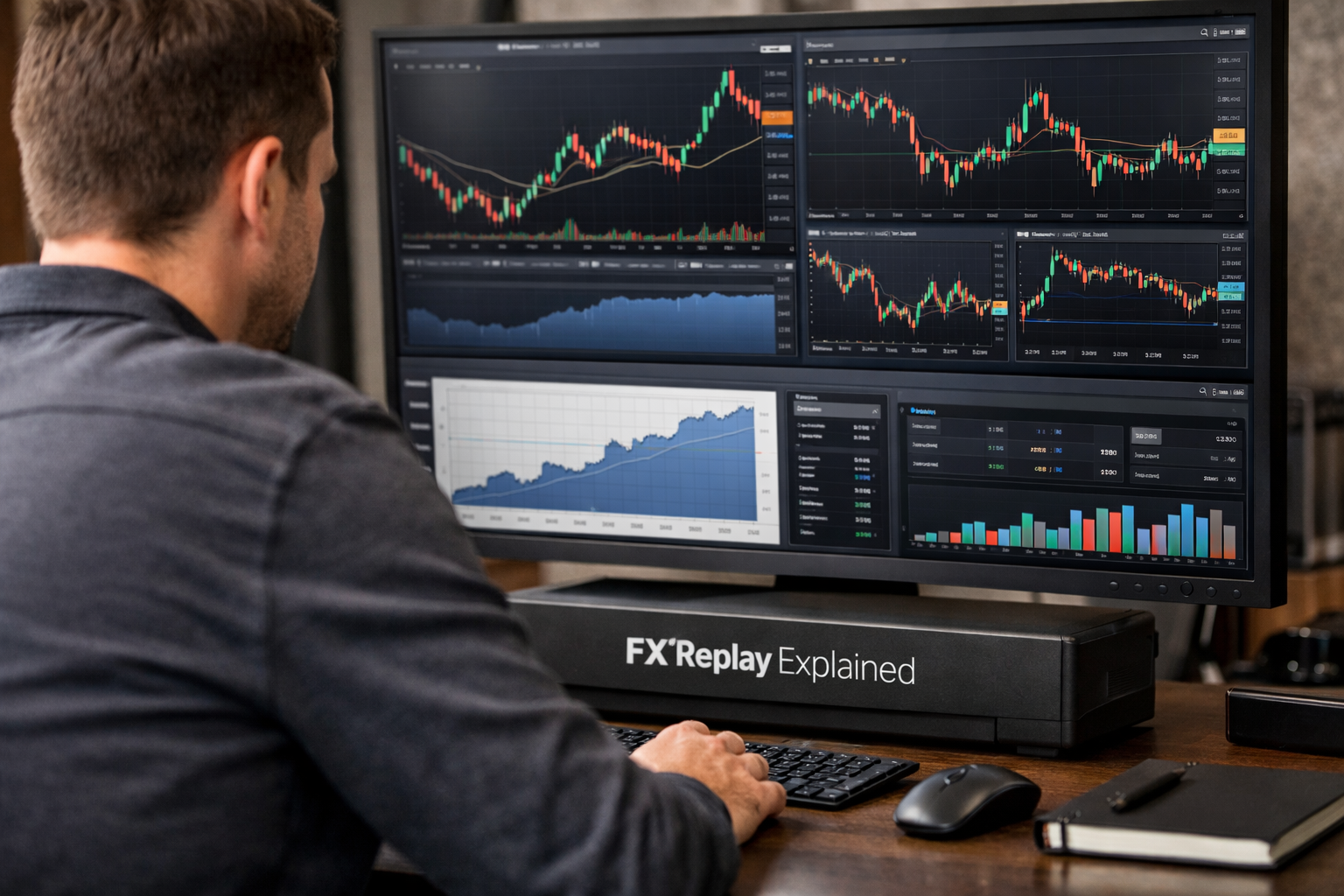
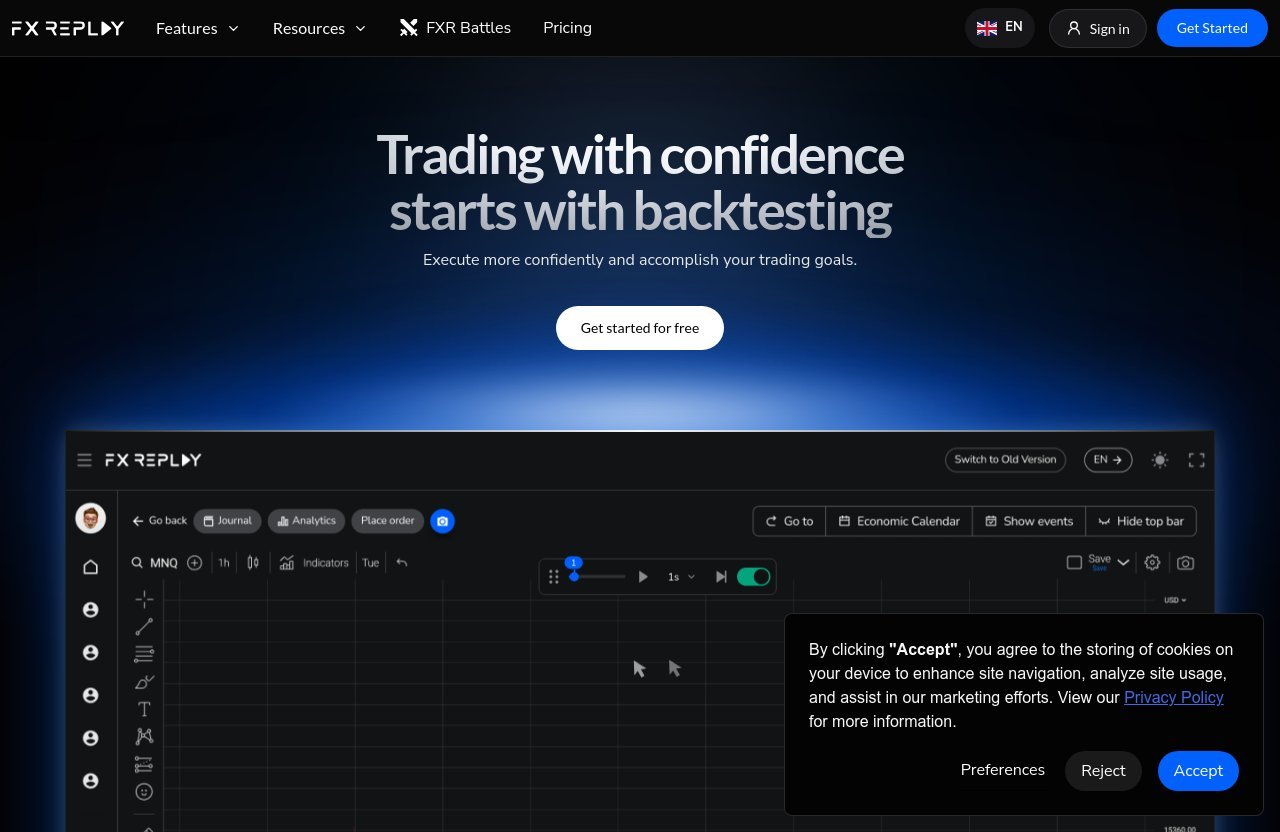
FX Replay replay mode is the platform’s core function. Users can select a historical date and follow price as it unfolded, rather than viewing a completed chart and unintentionally relying on hindsight.
This approach is especially useful for manual traders. You can define the context, wait for a setup, place a simulated decision, and see how the market develops afterward. Those fx replay features turn chart study from passive scrolling into a more realistic decision-making exercise.
The key benefit is honest repetition. Instead of cherry-picking perfect examples after the fact, you can test whether you would have recognized the trade in real time. That distinction matters when evaluating discretionary setups such as breakouts, pullbacks, reversals, or liquidity-based entries.
Multi-chart and multi-par charting
FX Replay provides multi-chart and multi-par charting powered by TradingView. Multi-chart access is limited by plan: the Intermediate plan includes two charts, while the Pro plan includes unlimited multichart access. The Free plan does not include multichart.
For traders who confirm an entry from more than one timeframe, this is a meaningful upgrade rather than a cosmetic extra. A common workflow is to use a higher timeframe for trend context and a lower timeframe for timing, although each trader should define rules that suit their system.
The practical advantage of these fx replay features is reduced friction. Rather than constantly changing timeframes and losing context, you can keep relevant charts visible while replaying historical movement. Still, more charts are not automatically better; too many signals can encourage over-analysis and rule-breaking.
Economic calendar for event-aware testing
The FX Replay economic calendar gives traders a way to factor news into historical testing. This is valuable because many strategies behave differently around major scheduled announcements, when volatility and price behavior can change quickly.
Calendar access varies by plan. The Free plan is limited to one country and past news only, without past bubbles. Intermediate includes two countries, while Pro includes unlimited economic calendar access.
For a news-sensitive trader, these fx replay features can help answer practical questions: Did this setup perform differently around scheduled data? Would your rules have kept you out of a volatile period? Did a trade fail because the setup was weak, or because the market was reacting to an event?
Seconds timeframe for fast-market precision
Seconds timeframe charts are available on the Pro plan. This is an important distinction for traders who test quick execution, short-term momentum, or volatile market conditions where minute-based charts may hide important movement.
The FX Replay seconds timeframe should not be viewed as essential for every trader. Swing traders and those testing broader intraday setups may be well served by conventional timeframes. But for traders whose edge depends on very short-term timing, the absence of seconds data on Free and Intermediate is a serious plan consideration.
Use this capability carefully. Faster charts create more apparent opportunities, but they can also increase noise and encourage overtrading. A useful test is whether your strategy can be described and followed consistently before you add more granular data.
120+ assets across 6 markets
FX Replay states that users can practice on 120+ assets across six markets using real historical data. That breadth is helpful for traders who do not want their process tied to a single currency pair or instrument.
The broader market coverage lets you test whether a method appears robust across different conditions. For example, a strategy that looks convincing on one familiar chart may behave very differently elsewhere. These fx replay features support broader research, but they do not prove a strategy works in every market environment.
The Pro plan adds futures and CME data, while the Free and Intermediate plans do not include futures and CME data. If those instruments are central to your trading, that alone narrows the plan choice.
Indicator Library and Strategy Tools
Trader-favorite indicators
FX Replay lists several trader-favorite indicators, including Supertrend by FX Replay, VWAP by FX Replay, Zeussy Time Cycles by FX Replay, Williams Fractal, Williams Alligator, and Williams %R. Indicator access differs by plan: Free includes one indicator, Intermediate includes three, and Pro includes unlimited indicators.
For buyers, the important question is not how many indicators are available. It is whether the charting tools help you test a defined hypothesis. The strongest fx replay features support a repeatable process, rather than encouraging traders to keep adding signals until a past trade looks perfect.
Custom indicators like Supertrend, VWAP, and Zeussy Time Cycles
Supertrend, VWAP, and Zeussy Time Cycles can be used as part of a structured chart-reading process. A trader might use a trend-oriented tool to define directional bias, VWAP to assess price location, or time-cycle analysis as one element of broader market context.
No indicator should be treated as a prediction engine. The more useful approach is to write down exactly what must happen before you act, then replay enough examples to see whether those conditions create a consistent decision framework.
FX Replay indicators are most valuable when they support rules you can explain in plain language. If you cannot state why an indicator changes your entry, stop, or target decision, it may be adding visual confidence rather than analytical value.
Standard indicators such as Williams Fractal, Alligator, and Williams %R
Williams Fractal, Williams Alligator, and Williams %R offer different ways to study structure, trend behavior, and momentum conditions. Traders often use fractals to identify potential swing points, while oscillators such as Williams %R can help frame momentum or overextended conditions.
That said, these tools need context. A momentum indicator can stay elevated or depressed during a strong trend, and a fractal-like signal is not automatically a trade entry. Good FX Replay backtesting means testing indicator rules through different market conditions, not just collecting examples that confirm a preferred belief.
How indicators support setup validation
Indicator stacking can be useful when each tool has a distinct role. For instance, one may define trend bias, another may identify location, and price action may provide the actual trigger. This creates confluence without making the system unnecessarily complicated.
The strategy tools available on Intermediate and Pro plans provide a more organized way to work with repeatable setups. Intermediate includes three strategies and strategy analytics; Pro includes unlimited strategies and strategy analytics. The Free plan has no strategies or strategy analytics.
Testing, Risk, and Scenario Simulation Features
Monte Carlo simulation
The FX Replay Monte Carlo simulator is included with Intermediate and Pro plans, but not with the Free plan. Monte Carlo-style analysis is generally used to explore how a sequence of trades could vary when outcomes are rearranged or simulated.
For a trader, the benefit is perspective. A strategy can have a reasonable long-term record while still experiencing losing runs or uncomfortable drawdowns. Scenario testing encourages you to evaluate whether your risk approach is realistic for the variability of trading outcomes.
These fx replay features are most useful after you have gathered enough consistent trade data. They cannot rescue vague entry rules or poor recordkeeping, but they can help you think beyond a single favorable backtest sequence.
Risk-to-reward style testing
FX Replay includes an RR simulator on Intermediate and Pro plans. The Free plan does not include this feature. Risk-to-reward analysis helps traders examine the relationship between planned loss and planned potential reward on a trade.
A high reward target does not automatically make a strategy better. What matters is whether the target, stop placement, win rate, and trade management rules work together over many examples. Use the simulator to challenge assumptions, not to optimize a strategy around isolated historical trades.
Auto break even
Auto break even is included with Intermediate and Pro plans. It is not available on the Free plan. This feature can be relevant for traders who use predefined rules to reduce risk after price reaches a certain stage.
The caution is that moving to break even may reduce downside on some trades while also cutting off trades that would have developed normally. FX Replay gives you an environment to test that rule historically instead of assuming it improves performance.
Rewind price
Rewind price is another feature offered on Intermediate and Pro, but not on Free. It can be useful when reviewing a specific decision point or replaying a section of market action that deserves closer examination.
Used well, rewind supports deliberate practice. You can revisit an entry, ask whether you followed your criteria, and compare the original decision against an alternative rule. Used poorly, it can become endless hindsight editing, so maintain a written process before replaying a scenario.
How these tools help pressure-test a strategy
The strongest use of fx replay features is not finding the perfect entry. It is pressure-testing a process across winners, losers, trends, ranges, quiet sessions, and event-driven conditions.
A practical workflow is to define one setup, test it in a series of historical sessions, record each trade, then review whether mistakes came from the system or from inconsistent execution. Only after that should you change the rules, risk model, or market selection.
Official website · Latest pricing & offers
Journal, Analytics, and Review Workflow
Analytics dashboard
Analytics access varies significantly across plans. The Free plan includes an analytics dashboard, Intermediate offers a limited analytics dashboard, and Pro includes unlimited analytics dashboard access.
Analytics are only as useful as the trade records behind them. The purpose is not to obsess over a single statistic; it is to identify patterns such as whether certain setups, conditions, or mistakes repeatedly affect your results.
Strategy analytics
Strategy analytics are included with Intermediate and Pro plans. This matters for traders who test more than one setup and want to separate their results instead of blending every trade into a single dataset.
A breakout method, for example, should not automatically be evaluated alongside a reversal method. The strategy analytics within these fx replay features can support cleaner review, provided you label trades consistently and avoid changing rules halfway through a sample.
Journal features
The FX Replay journal is included on every plan, though the allowance differs. Free includes one screenshot and one checklist; Intermediate includes two screenshots and three checklists; Pro includes unlimited screenshots and unlimited checklists.
A journal is where a backtesting session becomes a learning system. Record the market context, entry reason, stop and target logic, whether you followed your plan, and what you would repeat or avoid next time. Brief notes written immediately after a trade are usually more useful than vague reflections later.
Screenshots and checklists
Screenshots preserve the chart context that performance numbers cannot show. A checklist creates accountability by requiring you to confirm whether a trade met your predefined criteria.
These FX Replay journal tools are especially useful for discretionary traders, because they help separate a valid losing trade from an impulsive trade. That distinction is essential: a good process can lose, while a bad process can occasionally win.
Using review data to improve execution
The review loop is simple but demanding: test, document, review, adjust one variable, then test again. It is tempting to keep changing indicators or risk rules after a handful of trades, but that makes the data difficult to interpret.
The better use of fx replay features is consistent repetition. Over time, your journal and analytics can reveal whether your problem is setup selection, patience, risk management, trade management, or failure to follow your own checklist.
FX Replay Pricing and Plan Differences in 2026
Exact monthly prices were not visible in the official pricing excerpt used for this review. Before publishing or subscribing, verify the current FX Replay pricing, billing options, and plan availability on the official FX Replay pricing page.
Free plan features
The FX Replay free plan includes two backtesting sessions, one indicator, a maximum session duration of one month, and up to 50 trades per session. Data retention is one week, and the go-to feature is limited to three uses per hour.
It includes the journal with one screenshot and one checklist, plus an analytics dashboard. However, it does not include multichart, strategies, strategy analytics, Monte Carlo simulation, RR simulation, auto break even, rewind price, seconds data, futures and CME data, or custom timeframes.
The economic calendar is limited to one country and past news only, without past bubbles. This is a sensible entry point for evaluating core fx replay features, but it is restrictive for frequent or multi-timeframe research.
Intermediate plan features
FX Replay Intermediate includes 10 backtesting sessions, three indicators, unlimited maximum session duration, unlimited go-to use, and 200 trades per session. It retains data for six months and includes multichart with two charts.
The plan also includes an economic calendar for two countries, auto break even, rewind price, three strategies, strategy analytics, a limited analytics dashboard, Monte Carlo simulation, RR simulation, and a journal with two screenshots and three checklists.
Intermediate does not include seconds data, futures and CME data, custom timeframes, unlimited multichart, unlimited indicators, unlimited strategies, or unlimited data retention. It is the middle ground for traders who have moved beyond casual testing but do not need every advanced capability.
Pro plan features
The FX Replay Pro plan includes unlimited backtesting sessions, indicators, maximum session duration, go-to use, trades per session, data retention, multichart, economic calendar access, analytics dashboard access, strategies, screenshots, and checklists.
Pro also includes auto break even, rewind price, seconds data, futures and CME data, custom timeframes, strategy analytics, Monte Carlo simulation, and RR simulation. For active researchers, the major advantage is removing workflow ceilings that can interrupt consistent testing.
Which plan fits casual vs intensive users
| Trader profile | Most suitable plan based on verified features | Why |
|---|---|---|
| Curious beginner testing one basic setup | Free | Lets you try replay, one indicator, journaling, and limited analytics. |
| Developing discretionary trader | Intermediate | Adds more sessions, strategies, simulations, two-chart multichart, and longer retention. |
| High-frequency, futures, or research-heavy trader | Pro | Adds seconds data, futures and CME data, custom timeframes, and unlimited access across core tools. |
Best for: traders who will genuinely schedule backtesting and review their results.
Not ideal for: anyone expecting software to generate a profitable strategy without clear rules, risk discipline, and meaningful sample sizes.
Is FX Replay Worth It for Your Trading Style?
Best for discretionary backtesting
FX Replay is a credible option for manual traders who want to practice recognizing and managing setups in historical conditions. Its replay environment, TradingView-powered charting, indicators, calendar access, journal, and analytics create a practical framework for deliberate practice.
The platform’s value rises when you have a defined method to test. Traders using price action, structure, multi-timeframe confirmation, or indicator-supported discretionary rules are likely to get the most from the available fx replay features.
When the free plan is enough
The Free plan can be enough if you are assessing the platform or testing a straightforward setup with limited requirements. Two sessions, one indicator, 50 trades per session, and a basic journal may be sufficient to determine whether you will actually use historical replay consistently.
It is also suitable if you do not need seconds-level precision, futures data, custom timeframes, strategy analytics, or simulations. Treat it as an evaluation tool, not as a complete research environment for intensive testing.
When paid access makes sense
Paid access makes more sense when plan restrictions interrupt your normal workflow. Intermediate may suit traders who need more sessions, more trade capacity, longer data retention, simulations, strategy analytics, and two-chart multichart functionality.
Pro is more compelling when seconds data, futures and CME data, custom timeframes, unlimited multichart, unlimited strategies, or unlimited retention are central requirements. Compare your actual process against the plan limits rather than automatically choosing the highest tier.
Limitations to consider before subscribing
FX Replay backtesting is still historical testing. It cannot fully replicate live execution conditions, personal stress, changing liquidity, broker-specific behavior, or the temptation to deviate from a plan when money is on the line.
There are also plan-dependent restrictions that buyers should take seriously. Important capabilities—including multichart, seconds data, simulations, strategy analytics, and futures/CME coverage—are not available on every tier. Verify the latest plan terms directly before subscribing.
Final Verdict on FX Replay Features
Main strengths
The strongest fx replay features are its browser-based historical replay workflow, practice across 120+ assets in six markets, TradingView-powered multi-chart capability, economic calendar access, journal tools, analytics, and plan-based simulation features.
For serious manual testing, the ability to replay price action, record trades, attach screenshots, use checklists, and analyze strategies creates a much more disciplined process than casually reviewing completed charts.
Main limitations
The Free plan is intentionally limited, and advanced capabilities are reserved for higher tiers. Exact FX Replay pricing was not available in the verified source excerpt, so buyers should not rely on third-party price claims without checking the current official page.
More importantly, no backtesting platform can guarantee live performance. Good historical results can still fail to translate if you change risk, ignore your checklist, trade different conditions, or struggle with real-money execution.
Bottom-line recommendation
For traders willing to do structured historical practice, fx replay features offer a practical and well-rounded toolkit for manual backtesting, strategy review, and risk-process development. The Free plan is worth considering for basic evaluation, while Intermediate and Pro make more sense when your testing requires deeper analytics, simulations, broader access, or faster-market precision.
If you are ready to compare the current tiers, review the latest FX Replay plan details and pricing before making a commitment.
Official website · Latest pricing & offers
FAQ
How much does FX Replay cost per month?
The verified pricing excerpt used for this article does not show exact monthly prices. Check the official FX Replay pricing page for current monthly costs, billing choices, and plan availability.
The verified plan differences are clear: Free has limited sessions and features, Intermediate adds expanded testing, strategies, simulations, and two-chart multichart, while Pro adds unlimited access plus seconds data, futures and CME data, and custom timeframes.
What is the 3-5-7 rule in forex?
The 3-5-7 rule is not a universal forex rule with one agreed definition. Traders sometimes use the phrase informally to describe a personal framework for risk limits, trade frequency, staged confirmation, or review discipline.
Because definitions vary, the important step is to write down the exact version you intend to follow. FX Replay can help you test such rules through historical market conditions before applying them in live trading.
Is FX Replay good for backtesting?
Yes, FX Replay appears well suited to manual backtesting and strategy review. Replay mode, indicators, historical market practice, economic calendar access, journaling, screenshots, checklists, analytics, and plan-based simulation tools support a structured research workflow.
Its usefulness ultimately depends on your process. It is most effective when you test clear rules consistently, log decisions honestly, and avoid treating historical results as proof of future profitability.
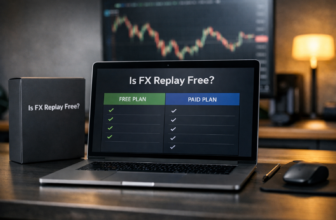
Is FX Replay free or paid?
FX Replay has a Free plan as well as Intermediate and Pro paid tiers. The Free plan includes limited backtesting sessions, one indicator, a basic journal, and an analytics dashboard, while paid tiers expand access to features and capacity.
Always confirm current FX Replay pricing and the latest plan details on the official site before subscribing.
Related Reading
References
- FX Replay | Futures, Forex & Crypto Backtesting Platform
- Pricing | Free, Intermediate & Pro Plans | FX Replay
- FX Replay Review 2026: Features, Pricing & Verdict
- FX Replay: Backtesting Platform Overview