Top 7 AI Pattern Generator Tools Like Mydesigns
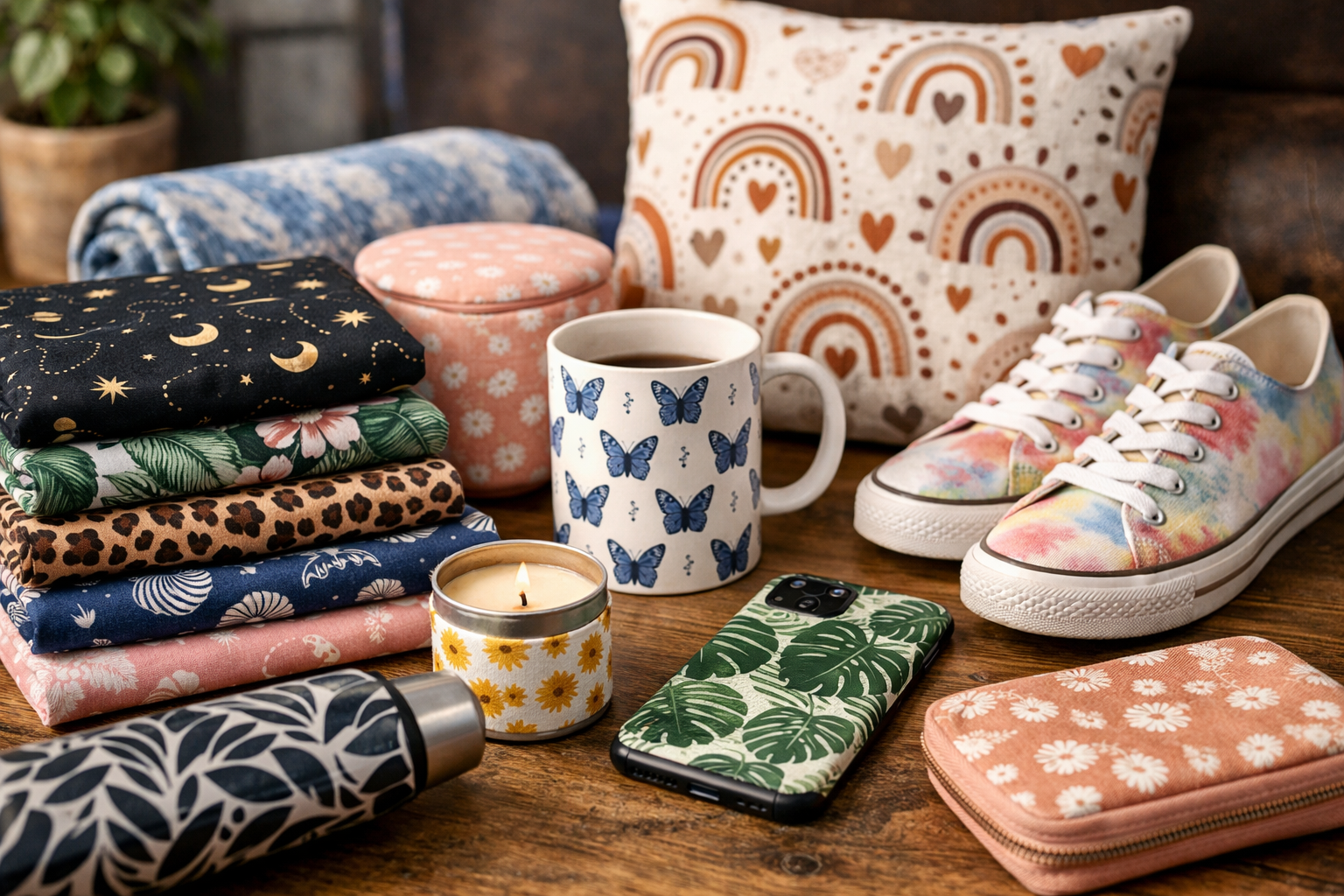
An ai pattern generator can help creators turn prompts, images, and ideas into repeat-ready artwork for fabric, wallpaper, packaging, merchandise, and digital downloads. But choosing the right platform is not only about generating a visually appealing tile. For sellers, the bigger question is whether the tool supports the full path from design to product listing.
This comparison is for print-on-demand (POD) sellers, Etsy and Shopify store owners, surface pattern designers, and digital product creators. I focused on whether each ai pattern generator is better for quick creative exploration, professional textile work, or a broader selling workflow that includes mockups, product batches, and marketplace publishing.
Official website · Latest pricing & offers
What is an AI pattern generator and who needs one?
An ai pattern generator is a tool that uses artificial intelligence to create repeatable visual designs from a text prompt, reference image, or creative direction. Depending on the platform, the result may be a simple visual tile, a seamless repeat, or an asset that is ready to place on products.
For commercial creators, the difference matters. A beautiful repeat is useful, but a production-ready workflow also needs clear export options, commercial-use terms, mockups, organization, and a practical way to get products listed.
How AI pattern generators create seamless repeats
A seamless pattern generator is designed to make the edges of an image connect cleanly when repeated horizontally and vertically. This creates the continuous effect needed for fabric, wrapping paper, wallpaper, stationery, and all-over-print merchandise.
A text to pattern tool typically starts with a prompt such as “hand-painted citrus fruit on a pale blue background” and generates a repeat-style result. Some platforms also support a pattern generator from image workflow, where an existing visual concept helps guide the output.
The important distinction is whether the platform actually produces a usable seamless tile or simply generates a pattern-like image. Before buying, test a sample design at repeat scale and inspect edges, spacing, and unwanted AI artifacts.
Best use cases: print-on-demand, textiles, wallpaper, packaging, and digital products
An ai pattern generator can be valuable across several product categories:
- Print on demand: apparel, mugs, home décor, accessories, and all-over-print products.
- Textiles: fabric concepts, sewing collections, fashion prints, and upholstery ideas.
- Wallpaper: room-scale repeats that need visual continuity.
- Packaging: labels, tissue paper, boxes, and branded inserts.
- Digital products: printable papers, backgrounds, scrapbook assets, and design bundles.
A pattern generator for textiles may prioritize repeat quality and recoloring. A print on demand pattern generator should also fit the realities of product creation, mockups, and store publishing.
What shoppers should compare before buying
Before choosing an ai pattern generator, look beyond the initial image quality. Check whether the tool offers reliable seamless tiling, useful file exports, high-resolution output, and terms that fit your intended commercial use.
Sellers should also compare mockup capabilities, batch creation, design storage, marketplace connections, and how easily the output moves into a real listing workflow. A design-only platform may be enough for a hobbyist, while a multi-store POD business needs more operational support.
Quick comparison: the 7 best AI pattern generator tools like MyDesigns
The best tool depends on whether you need to create a few designs or build a repeatable product business. The table below summarizes the positioning based on official MyDesigns information and the available product-page or SERP positioning for the competing tools.
At-a-glance feature comparison
| Tool | Best Fit | Main Positioning | Best For |
|---|---|---|---|
| MyDesigns | All-in-one selling workflow | AI credits, mockups, bulk publishing, design library, store management | POD sellers and scaling stores |
| PatternedAI | Textile-oriented creation | Seamless pattern, recoloring, export, and commercial-use positioning | Fashion and textile creatives |
| Canva Pattern Generator | Simple creation | Accessible design workflow for quick pattern work | Casual creators and beginners |
| Patternaly | No-Photoshop pattern making | Tileable patterns, artistic styles, mockups, and exports | Creators who want simple repeats |
| Adobe Illustrator Text to Pattern | Advanced design workflow | Vector-based pattern creation inside Illustrator | Experienced Adobe users |
| Patternful AI | Broad creative output | Image, video, and pattern generation | Brands and merch creators |
| OpenArt Seamless Pattern Generator | Prompt-led experimentation | Text-to-seamless-pattern creation | Concept work and visual exploration |
Best for beginners, creators, textile teams, and POD sellers
For an ai pattern generator that supports actual commerce operations, MyDesigns is the strongest fit in this list. It is positioned as a platform to design, mock up, and list in bulk, rather than a standalone creative generator.
PatternedAI is more relevant to textile and fashion-focused pattern work. Canva and Patternaly are easier options for creators who want a less technical starting point, while Adobe Illustrator is better suited to people already comfortable with professional design software.
Which tools offer free trials or free tiers
MyDesigns has a free start option with no credit card required. Its paid plans also include a 7-day money-back guarantee, and users can cancel anytime.
Patternaly’s SERP positioning mentions a no-login trial. For the other tools in this roundup, pricing, free-tier availability, and trial conditions should be checked directly on the provider’s current website before committing.
1. MyDesigns
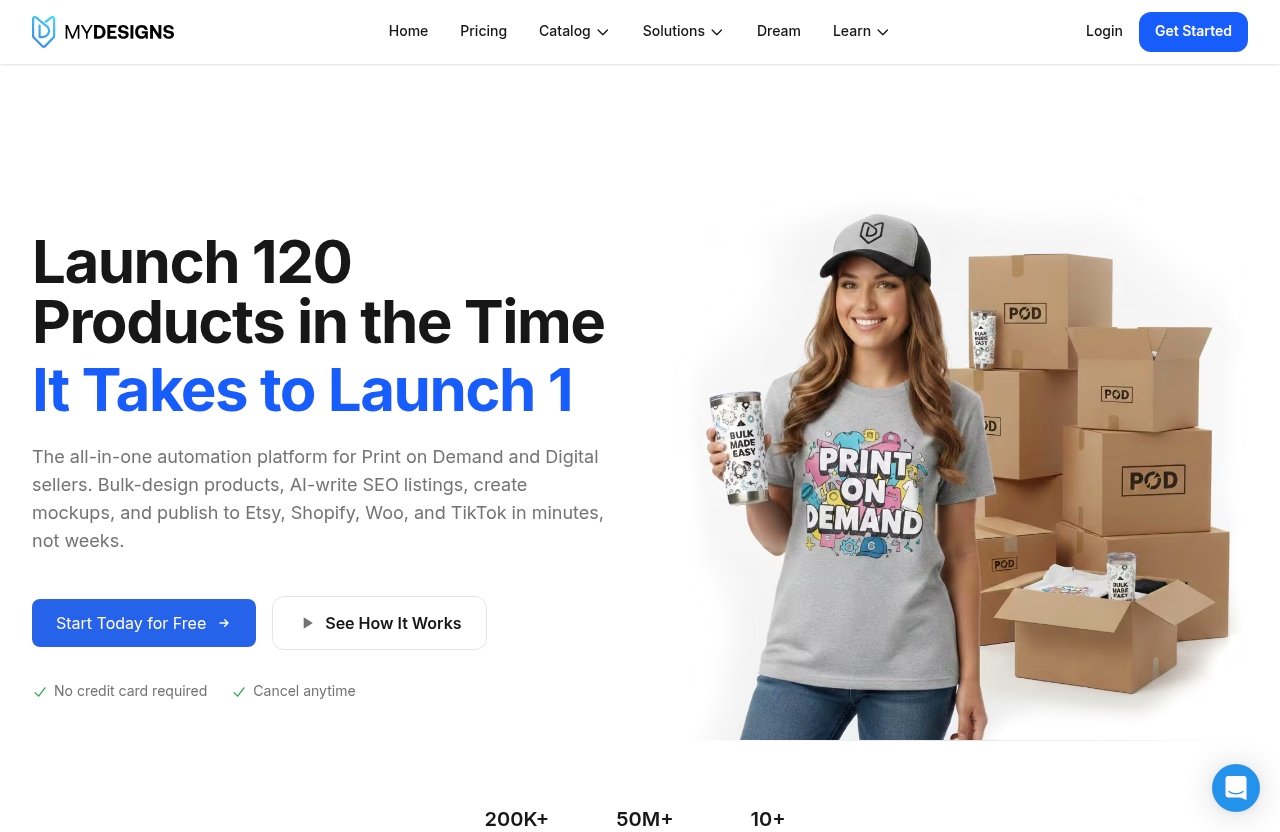
MyDesigns is a print on demand and digital products platform built for people who need more than an ai pattern generator alone. Its strongest advantage is the broader workflow: design assets, mockups, bulk product work, and publishing support across selling channels.
The platform states that more than 20,000 sellers use it and that more than 3.3 million products are live. For a seller producing collections rather than one-off artwork, this operational focus is more practical than moving files manually between multiple tools.
Best for POD sellers who need bulk workflows
MyDesigns is best for sellers handling regular product uploads, multiple designs, or multiple storefronts. Every plan includes AI credits, bulk mockups, and bulk publishing to Etsy, Shopify, WooCommerce, and TikTok.
That makes it a compelling ai pattern generator alternative for creators who want to turn artwork into sellable products without building a disconnected software stack. Rather than treating pattern creation as the final step, it supports the next tasks: product setup, imagery, and publishing.
If your main priority is running a POD or digital-product business, you can review the current MyDesigns options through this MyDesigns offer page.
Key features: AI credits, bulk mockups, bulk publishing, and design library
MyDesigns includes AI credits in every paid plan, alongside bulk mockups and bulk publishing tools. It also provides a design library, with storage ranging from 40 GB on Starter to 1 TB on Pro Plus.
The platform supports custom and own PSD mockups on Starter and above. Pro adds bulk video mockups, Scout AI to find what sells, catalog import and export, and additional shop capacity.
These capabilities are particularly useful when a single pattern collection needs to appear across several product types. A basic ai pattern generator can create the art, but MyDesigns is positioned to help sellers organize and commercialize that art at volume.
Pricing and who each plan is for
MyDesigns offers Starter, Pro, and Pro Plus plans, plus a free start option with no credit card required. All paid plans include a 7-day money-back guarantee and can be canceled anytime.
| Plan | Price | Key Capacity and Features | Best For |
|---|---|---|---|
| Starter | $19.99/month billed yearly ($239.88/year) or $24.99 monthly | 250 AI credits/month, 24 products per batch, 1 shop each on Etsy, Shopify, WooCommerce, and TikTok, 1 MyDesigns Store, 40 GB library, 2% off print catalog | New POD sellers |
| Pro | $39.99/month billed yearly ($479.88/year) or $49.99 monthly | 600 AI credits/month, 48 products per batch, 3 shops each on supported platforms, bulk video mockups, Scout AI, import/export, 2 MyDesigns Stores, 100 GB library, 5% off print catalog | Growing businesses |
| Pro Plus | $79.99/month billed yearly ($959.88/year) or $99.99 monthly | 2,000 AI credits/month, 120 products per batch, unlimited shops on every platform, 3 MyDesigns Stores, 1 TB library, priority support, 10% off print catalog | High-volume stores |
Yearly billing saves $60 on Starter, $120 on Pro, and $240 on Pro Plus versus the monthly option. MyDesigns also states that checkout runs through Stripe, card details go to Stripe rather than MyDesigns, and it has PCI Level 1 security.
For social proof, its pricing page displays ratings of 4.9 on Capterra and 4.8 on G2. Those ratings are helpful context, but sellers should still choose a plan based on monthly design volume, product batches, and shop count.
2. PatternedAI
PatternedAI is positioned as an ai pattern generator for seamless patterns, with a stronger apparent focus on textile and fashion applications than ecommerce operations. Its SERP positioning highlights pattern creation, recoloring, exports, and commercial-use-oriented workflows.
Best for textile and fashion-focused seamless patterns
This tool appears best suited to designers developing fabric prints, fashion concepts, and repeat collections. Its textile-oriented angle may appeal to users who care more about creating and refining surface designs than listing products across marketplaces.
For someone building a pattern portfolio or working with physical materials, PatternedAI may be a more direct creative choice than a POD management platform.
Why its production-ready workflow matters
The available positioning suggests attention to recoloring and export, which are important when a design needs multiple colorways for a collection. In textile work, creating an attractive image is only the beginning; color adjustments and usable files affect whether a concept can move forward.
Still, buyers should personally confirm the current export specifications, licensing terms, and repeat controls before using any ai pattern generator for client work or commercial products.
Ideal users and likely limitations
PatternedAI is a reasonable option for fashion and textile creators who primarily want pattern-focused output. It may be less suitable for sellers who also need bulk mockups, product batch creation, connected shop publishing, and store management.
Pricing details were not verified in the information available for this comparison, so check the current product page before making a purchasing decision.
3. Canva Pattern Generator
Canva Pattern Generator is a practical option for creators who already use Canva for graphics, listings, social content, or digital products. It is better viewed as an accessible design environment than a specialized ai pattern generator built around industrial-scale repeating patterns.
Best for quick, beginner-friendly pattern creation
Canva’s appeal is its familiar, low-friction design workflow. A beginner can experiment with pattern-like visual assets without learning advanced software first.
This can be enough for simple printables, social graphics, basic backgrounds, and early product concepts. It is also useful when the goal is speed rather than deep pattern-production controls.
When Canva is enough and when it is not
Canva can be sufficient when you need a straightforward visual asset and already manage the rest of your work in its ecosystem. It is less compelling when seamless repeat precision, specialized textile preparation, or bulk marketplace operations are central requirements.
If your priority is an ai pattern generator free starting point or a familiar design interface, Canva is worth exploring. For serious POD scale, compare its workflow against a platform designed for mockups and product publishing.
Good fit for casual creators and simple print assets
Canva is best for casual creators, beginner Etsy sellers, and people making simple digital assets. It is not the first choice in this roundup for a seller who needs to create dozens of products, manage multiple shops, and publish at scale.
4. Patternaly
Patternaly is positioned as a no-Photoshop route to creating seamless, tileable patterns. Its available SERP description references text-to-pattern creation, 19 artistic styles, mockups, exports, and a no-login trial.
Best for no-Photoshop seamless pattern creation
Patternaly may appeal to creators who want an ai seamless pattern generator without the learning curve of traditional design software. The no-Photoshop positioning is especially useful for beginners and digital product sellers who want to generate repeat designs quickly.
Its text-led workflow can help users translate a visual idea into a starting pattern without manually building repeats.
Text-to-pattern, styles, and mockup workflow
The platform’s stated 19 artistic styles give creators a way to explore different visual directions. Its positioning also includes mockups and export workflow, which can make it easier to evaluate a design in a product context.
That said, prospective buyers should verify current output resolution, export options, and commercial-use terms directly with Patternaly. These details can determine whether a pattern works for wallpaper, fabric, or large-format products.
Who should choose Patternaly over MyDesigns
Choose Patternaly if you mainly want a quick, design-first workflow for seamless repeat creation and do not need broader shop operations. It may be a straightforward option for testing ideas or producing simple digital pattern assets.
Choose MyDesigns instead when the goal is to turn designs into a growing sales catalog. Its advantage is not merely creating patterns; it is supporting batch products, mockups, publishing, and connected shops in the same workflow.
Official website · Latest pricing & offers
5. Adobe Illustrator Text to Pattern
Adobe Illustrator Text to Pattern is aimed at designers already working within Adobe’s professional creative ecosystem. Its vector-based approach makes it a different kind of ai pattern generator from prompt-first tools designed for fast beginner experimentation.
Best for designers already using Adobe tools
Illustrator makes the most sense when your existing workflow already relies on Adobe tools. Designers who need familiar editing controls and professional design flexibility may prefer generating concepts inside the environment where they refine final artwork.
This is particularly relevant for experienced surface designers who want AI assistance without leaving their established process.
How vector-based pattern generation helps advanced users
Vector-based pattern work can be useful for designs that need to scale cleanly across different sizes. This is important in professional design contexts where artwork may move between small labels, large packaging, and broad printed surfaces.
However, the practical value depends on the final file requirements and your own skill level. An advanced tool is only an advantage if you are comfortable editing and preparing the results.
When Adobe is overkill for POD beginners
For a beginner who simply needs a few repeat-ready concepts, Illustrator may involve more setup and learning than necessary. It also does not replace the ecommerce workflow that a platform like MyDesigns provides for mockups, batches, and shop publishing.
6. Patternful AI
Patternful AI is positioned as a wider creative platform that includes image, video, and pattern generation. This makes it relevant for brands and creators who want several content formats in one place.
Best for creators who want image, video, and pattern generation in one platform
A broader platform can be useful when a product launch needs more than a repeat pattern. For example, a creator may need pattern concepts alongside promotional images and video content.
Patternful AI’s positioning suggests it is best evaluated as a multi-format creative tool, not only as a dedicated pattern solution.
Use cases for brands, stores, and merch
Brands, online stores, and merch creators may appreciate having multiple creative outputs under one platform. This can simplify early-stage concept development for a coordinated product or campaign.
Before relying on it for commercial output, verify the current licensing, export quality, and whether the pattern results meet seamless-repeat requirements.
Strengths versus dedicated pattern-only tools
Patternful AI may be stronger for variety across content types. A dedicated ai pattern generator, by contrast, may offer a more focused workflow for repeat design, recoloring, surface design preparation, or pattern-specific exports.
Your choice comes down to whether patterns are the core product or one creative asset among many.
7. OpenArt Seamless Pattern Generator
OpenArt Seamless Pattern Generator is positioned for prompt-based, continuity-focused pattern creation. It can be useful for experimenting with visual directions for wallpapers, textiles, and concept art.
Best for experimental text-to-pattern creation
OpenArt may be a suitable choice when you want to test prompts and explore different pattern aesthetics quickly. This is often valuable during ideation, before committing time to detailed refinement.
An ai pattern generator online free option can be helpful for experimenting, but free access alone should not decide a commercial tool purchase.
Ideal use cases for wallpapers, textiles, and concept art
The continuity-focused positioning makes OpenArt relevant for visual concepts that need to repeat across a surface. Designers can use prompt-led output as a starting point for mood boards, wallpaper ideas, fabric concepts, or product artwork.
For commercial work, always assess the repeat carefully at the intended production size. A design that looks good in a small preview may reveal flaws when tiled repeatedly.
Limitations to check before commercial use
Before using OpenArt output on products, confirm commercial rights, available exports, resolution, and whether the workflow meets your quality standard. These checks are essential for any ai pattern generator, especially when the artwork will be sold, licensed, or printed at scale.
How to choose the right AI pattern generator
The right ai pattern generator should match your actual business process, not just produce attractive preview images. Start with the final destination of your artwork: a personal project, downloadable files, physical textiles, or a high-volume POD catalog.
Choose by workflow: design-only vs design plus publishing
A design-only tool is suitable if you already have a separate system for editing, mockups, product creation, and store listings. This setup may work well for artists with established workflows or occasional projects.
For sellers who need a connected workflow, MyDesigns is the clearer fit. It combines AI credits with bulk mockups, bulk publishing to Etsy, Shopify, WooCommerce, and TikTok, plus shop and design library capacity.
Choose by output: PNG, SVG, mockups, high-resolution files
Ask what file types and production quality you need before subscribing. A pattern generator for packaging or textile printing may require different outputs from a simple digital-download business.
If vector flexibility matters, Adobe Illustrator’s vector-based positioning may be relevant. If your key need is evaluating products visually, mockup support matters more; if you sell at volume, batch handling becomes a major consideration.
Choose by business model: hobby, POD, textile, or team
Hobbyists can prioritize ease of use and low commitment. Textile-focused designers may favor seamless repeat quality, recoloring, and exports, while a team may need shared operational structure and predictable capacity.
For a growing POD store, assess how many products you create per batch, how many shops you manage, and how often you need new designs. Those needs point more clearly toward a business platform than a standalone ai pattern generator sewing or casual art tool.
Best choice by use case
The fastest way to decide is to match each tool with the work you will actually do every week.
Best for print-on-demand sellers
MyDesigns is the best choice for POD sellers who want more than pattern creation. Its paid plans include AI credits, bulk mockups, and bulk publishing, while its Starter, Pro, and Pro Plus plans provide increasing batch, shop, and library capacity.
Best for textile and fashion designers
PatternedAI is the strongest fit based on its textile- and fashion-focused positioning, including seamless patterns, recoloring, and exports. It is better suited to creators prioritizing surface design over selling workflow management.
Best for beginners and casual creators
Canva and Patternaly are the most approachable options for beginners. Canva is useful for simple work in a familiar design environment, while Patternaly is positioned around no-Photoshop, text-to-pattern creation with tileable output.
Best for teams and scaling stores
MyDesigns Pro and Pro Plus are the most suitable options in this list for scaling ecommerce operations. Pro includes 48 products per batch and three shops each on Etsy, Shopify, WooCommerce, and TikTok; Pro Plus increases this to 120 products per batch and unlimited shops on every platform.
Official website · Latest pricing & offers
FAQ
What is the best AI pattern generator for print-on-demand?
The best ai pattern generator for print-on-demand depends on whether you only need seamless artwork or need a full selling workflow. Pattern-only tools can suit simple design tasks, but MyDesigns is the stronger option for sellers who also need AI credits, bulk mockups, product batches, and bulk publishing to supported marketplaces.
Can I use AI-generated patterns for commercial products?
Commercial use depends on the specific tool’s licensing terms, plan type, and current policies. Always verify those rights directly before selling a design on physical products, offering it in a digital bundle, or using it for client work.
For MyDesigns, the verified information provided for this review confirms its platform plans, security, AI credits, mockups, and publishing capabilities, but you should check its current terms for the exact commercial-use language applicable to your output.
Do I need Photoshop to make seamless patterns?
No. Tools such as Patternaly are specifically positioned as no-Photoshop options, while Canva can be accessible for simple pattern-related design work. Professional software may still be useful for advanced editing, especially when you need precise vector adjustments or production preparation.
Which AI pattern generator is best for beginners?
Canva is a sensible starting point for beginners who already know its interface and want simple design assets. Patternaly may be a better fit for someone who wants text-to-pattern output and tileable results without learning Photoshop.
What should I look for in an AI pattern generator?
Look for seamless tiling quality, output resolution, available file formats, mockup options, commercial-use rights, batch capacity, and the ability to fit your existing sales workflow. If you run a POD business, also check whether the platform supports product publishing and marketplace integrations rather than only image generation.
Final verdict: which AI pattern generator is worth it?
The best ai pattern generator is the one that removes the most friction from your specific workflow. For a designer making occasional digital assets, a simple pattern-first tool may be enough. For a business owner trying to create, present, and publish products consistently, the platform around the pattern matters just as much as the pattern itself.
Why MyDesigns is the best all-in-one option for sellers
MyDesigns stands out because it is built for sellers who need an end-to-end operational workflow. It combines AI credits, bulk mockups, bulk publishing to Etsy, Shopify, WooCommerce, and TikTok, design library storage, and plan options that scale from one shop to unlimited shops.
Its free start option, 7-day money-back guarantee on paid plans, and monthly cancellation flexibility reduce the commitment risk. For sellers who value both design speed and listing efficiency, that makes it the most commercially practical choice in this comparison.
Who should pick a simpler pattern-only tool instead
Choose PatternedAI if textile and fashion-oriented surface design is your central focus. Choose Canva or Patternaly if you are a beginner, need straightforward creative experimentation, or do not need integrated product publishing.
Adobe Illustrator is more appropriate for experienced users who already work in Adobe’s ecosystem. OpenArt and Patternful AI can be worth considering for prompt-based exploration or broader creative output needs.
Final buying recommendation
If you want an ai pattern generator solely for experimenting with repeat designs, start with the simpler tool that best fits your comfort level and required output. If your real objective is building a POD catalog or managing digital products across storefronts, MyDesigns offers the most complete path from AI-assisted creation to mockups and bulk publishing.
Related Reading
References
- AI Seamless Pattern Generator for Textile & Fashion | PatternedAI
- Pattern Generator: Make free patterns online with AI | Canva
- Patternaly: AI Pattern Generator | Seamless Patterns
- AI Pattern Generator – Text to Pattern – Adobe Illustrator