Trustworthy Digital Vault Reviews: A Practical 2026 Buyer’s Guide
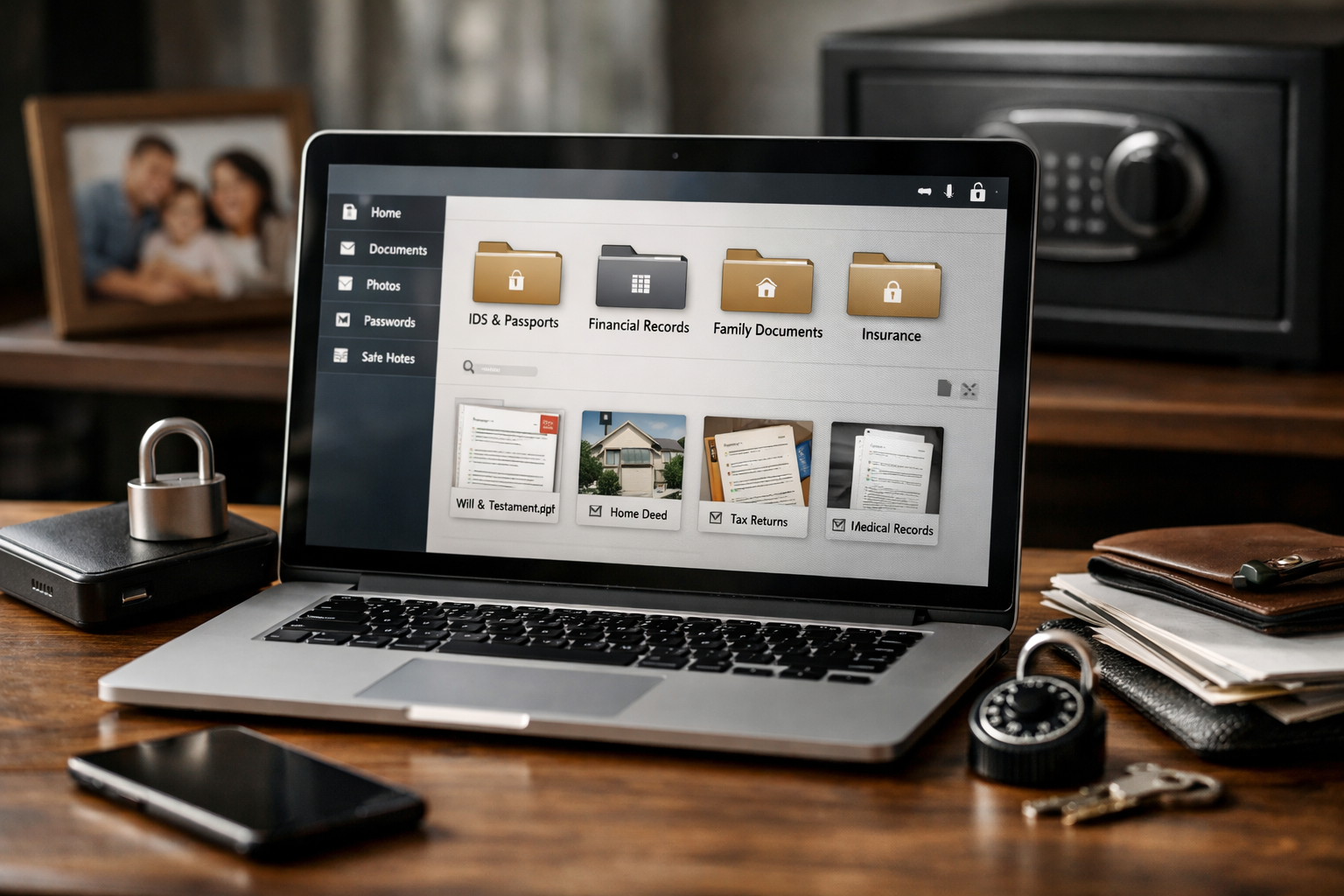
If you are comparing trustworthy digital vault reviews, the short answer is that Trustworthy is a compelling option for households that need more than a place to upload files. It combines an encrypted vault with household organization tools, AI-assisted answers, reminders, controlled sharing, and mobile access.
Trustworthy positions itself as the Family Operating System®, designed to organize important information into answers, guidance, and action. In my evaluation, its value is not simply in storing a passport scan or insurance policy; it is in making those items easier to find, share appropriately, and act on when life gets busy.
Official website · Latest pricing & offers
Trustworthy Digital Vault Reviews: Quick Verdict
Trustworthy is a strong fit for people who want a purpose-built digital vault for family documents, rather than another generic folder system. It can be especially useful for families managing insurance records, household accounts, estate-planning preparation, travel documents, and recurring renewal dates.
The product will not be the cheapest route if all you need is occasional file storage. But for a household that wants secure family file storage paired with organization, access controls, and useful prompts, it has a clearer purpose than a standard cloud drive.
Who Trustworthy Is Best For
The best candidates are working parents, couples, caregivers, adult children helping aging relatives, and anyone trying to reduce the “Where did we save that?” problem. A family with passports, property records, insurance documents, account details, and school or medical paperwork can benefit from having one organized destination.
These trustworthy digital vault reviews are most favorable for buyers who value structured household administration. The platform is designed around keeping information usable, not simply archived.
Who Should Probably Skip It
A basic cloud-storage user may not need the broader system. If you only save a few PDFs each year and do not need reminders, shared household access, AI answers, or document intake from email, a simpler option may feel more economical.
It may also be overkill for someone who prefers a paper-only system and is unwilling to spend time setting up folders, permissions, and essential records. No digital vault can organize a household automatically without some initial effort from the person setting it up.
Bottom-Line Pros and Cons
| Buyer perspective | Practical takeaway |
|---|---|
| Biggest advantage | Combines an encrypted vault with household organization, AI tools, reminders, and sharing controls |
| Best use | Family records, estate-planning preparation, household administration, and secure collaboration |
| Important limitation | The most useful paid features and larger storage allowances require a subscription |
| Best buying approach | Choose based on household size, storage needs, and the level of access control you need |
For readers researching Trustworthy com reviews before subscribing, the core question is straightforward: will the system save enough time, uncertainty, and administrative friction to justify an annual plan? For many organized or organization-seeking households, the answer can be yes.
What Trustworthy Is and How It Works
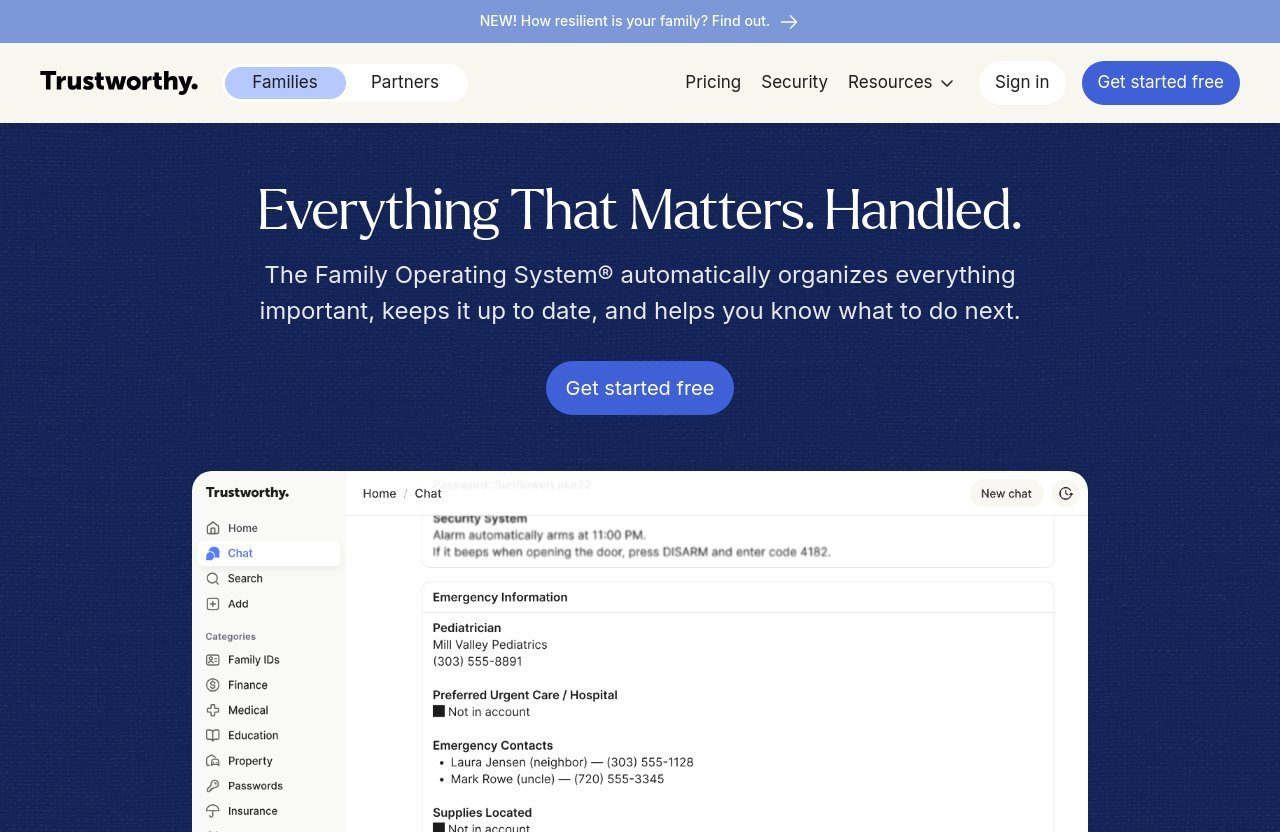
Trustworthy is the Family Operating System®, a platform intended to help families organize important information into answers, guidance, and action. That distinction matters. A traditional cloud drive is generally a place to keep files; Trustworthy is designed to help households manage the information those files contain.
In practical terms, you might store passport copies, insurance policies, estate documents, vehicle records, account information, and key family records in an encrypted vault. Then you can use the surrounding tools to capture documents, locate information, manage access, and keep important dates from slipping through the cracks.
Family Operating System Positioning
A useful Trustworthy family operating system review should judge the product on its intended category, not treat it as a basic drive replacement. It is designed for the operational side of family life: knowing where essential records are, who can access them, and what needs attention next.
That approach is attractive for households with shared responsibilities. One partner may handle insurance, another may manage travel documents, and adult children may need a clear path to important records during an emergency or transition.
How the Vault, Inbox Autopilot, Reminders, and AI Answers Fit Together
The encrypted vault is the foundation for secure document storage. Inbox Autopilot supports document capture from email, while Household AI and AI Answers are designed to help users get useful answers from the information they organize.
Intelligent Reminders, available on Silver, Gold, and Platinum plans, add an action layer for renewals and deadlines. Instead of treating family paperwork as a static archive, the system can support a more active routine around expiring passports, insurance reviews, registrations, and other time-sensitive records.
This is where many trustworthy digital vault reviews find the product most differentiated: the components are meant to work together. Storage alone is helpful, but storage plus answers, reminders, and access planning is more relevant to real household administration.
What Problems It Solves Better Than Google Drive or a Binder
A paper binder can be familiar, but it is difficult to search remotely, share selectively, or access while traveling. Generic cloud folders improve access, yet they can still become a long list of loosely named files without a household-focused workflow.
Trustworthy is designed as a family document organizer. Its focus on a vault, SecureLinks, permissions, reminders, and household-oriented AI tools makes it more aligned with the question, “How does my family actually use this information?” rather than just, “Where can I put this PDF?”
Security, Privacy, and Access Control
Security should be the first buying criterion for any digital vault review. The documents people place in a household vault can include identity records, financial paperwork, insurance documents, property information, and estate-planning materials. Convenience matters, but it should not come at the cost of careless access.
Trustworthy includes an Encrypted Vault and advanced security and privacy across all plans. Those are important verified features, though buyers should still review the official site’s current security documentation and account terms before placing highly sensitive records in any service.
Encrypted Vault and Advanced Security/Privacy
Every Trustworthy plan includes the Encrypted Vault, including the free plan. Advanced security and privacy are also included across plans, making the entry level more meaningful than a simple trial vault.
For a household, the practical benefit is centralization with an explicit security focus. Rather than sending documents through ordinary email threads or leaving copies across multiple personal devices, you can build a more deliberate home for key information.
When assessing trustworthy digital vault reviews, I would not treat “encrypted” as a reason to stop asking questions. Buyers should still evaluate their own account hygiene, use strong credentials, and decide carefully who should receive access to sensitive household information.
Granular Permissions and Legacy Access
Access control is one of Trustworthy’s most valuable household features. The Free plan includes legacy access, while Silver includes granular permissions. Gold and Platinum include all permissions, including read-only access.
This distinction is important. A spouse, partner, caregiver, or adult child may need access to some information but not every account or document. Read-only access can be particularly useful when you want someone to view an insurance record or travel document without changing the contents.
Legacy access on the Free plan gives buyers a way to begin thinking about continuity. For many families, the real risk is not only losing a document; it is having one person become the sole keeper of vital information.
SecureLinks and Offline/Mobile Access
SecureLinks are included with every plan. They provide a verified sharing feature that is more purpose-specific than casually attaching sensitive files to routine messages.
Trustworthy also includes iOS and Android apps, plus mobile offline mode, on all plans. That means the Trustworthy app can be relevant when you need records away from your home computer, such as during travel, a medical appointment, a property closing, or an insurance conversation.
Core Features That Matter in Daily Use
Features matter only when they reduce real friction. In this portion of trustworthy digital vault reviews, the most useful question is whether each tool helps a family capture, find, protect, or act on important information more reliably.
Inbox Autopilot for Capturing Documents From Email
Inbox Autopilot is included on every plan, but the number of connected email addresses differs by tier. The Free plan includes one email address, Silver includes two, Gold includes five, and Platinum includes unlimited email addresses.
This can be meaningful because many household records arrive electronically: insurance notices, account statements, travel confirmations, tax-related forms, and renewal notices. A system that supports email-based document capture can reduce the delay between receiving a record and filing it properly.
For a couple with separate financial and work-related inboxes, the Silver or Gold allowance may be more relevant than the free option. The right plan depends on how many email sources genuinely produce documents worth preserving.
AI Answers for Finding Information Faster
Household AI is available on all plans. AI Answers are limited to 10 per month on Free, 25 per month on Silver, and unlimited on Gold and Platinum.
The sensible value here is speed, not magic. If you have already organized relevant household information, AI Answers may help you locate or interpret what is stored more quickly. For example, a user might need to identify the right insurance document, locate a travel record, or review an account-related detail without manually opening multiple files.
A balanced Trustworthy digital vault reviews reddit search may reveal that people want proof of day-to-day usefulness, not just AI branding. That is the correct standard: choose this feature for practical retrieval support, and do not assume it replaces your own review of important financial, legal, or medical documents.
Intelligent Reminders for Renewals and Deadlines
Intelligent Reminders are included with Silver, Gold, and Platinum, but not the Free plan. This feature is particularly relevant for buyers who miss deadlines because information is scattered across email, calendars, file folders, and paper mail.
Common household examples include passport renewal windows, vehicle-related deadlines, insurance policy reviews, annual document updates, and recurring family administrative tasks. A reminder is simple, but a reminder tied to an organized record can be much more useful than a calendar note with no supporting document nearby.
Mobile Apps and Offline Mode
All plans include iOS and Android apps and mobile offline mode. Those details make Trustworthy more practical for moments when a household needs records outside the home office.
In my view, this is a major usability test for a digital vault for family documents. A secure system is only helpful if authorized users can retrieve the right document when it matters, including while traveling or when connectivity is limited.
Official website · Latest pricing & offers
Pricing Breakdown: Is Trustworthy Worth the Cost?
Trustworthy’s pricing is based on household size, email intake needs, AI Answer allowances, permissions, reminders, support, and storage. The plans below reflect the verified pricing information provided for 2026, and paid monthly figures are billed annually.
Free Plan
The Free plan costs $0 and is free forever. It includes one family member, one email address for Inbox Autopilot, Household AI, 10 AI Answers per month, an Encrypted Vault, SecureLinks, legacy access, AI-agent priority support, and 2 GB of storage.
It does not include Intelligent Reminders. For someone testing the workflow or organizing a small set of essential documents, it is a credible starting point.
Silver Plan
Silver costs $10 per month, paid annually. It includes five family members, two email addresses for Inbox Autopilot, Household AI, 25 AI Answers per month, an Encrypted Vault, SecureLinks, Intelligent Reminders, granular permissions, email priority support, and 10 GB of storage.
Silver is likely the practical starting point for a smaller household that wants the full ongoing organization experience. In this digital vault pricing range, the addition of reminders and granular permissions is more consequential than simply adding space.
Gold Plan
Gold costs $20 per month, paid annually. It includes 10 family members, five email addresses for Inbox Autopilot, Household AI, unlimited AI Answers, an Encrypted Vault, SecureLinks, Intelligent Reminders, all permissions including read-only access, chat priority support, and 100 GB of storage.
For larger families, blended households, or people coordinating with several relatives, Gold has the strongest verified balance of member capacity, email intake, permissions, support, and listed storage.
Platinum Plan
Platinum costs $40 per month, paid annually. It includes unlimited family members, unlimited email addresses for Inbox Autopilot, Household AI, unlimited AI Answers, an Encrypted Vault, SecureLinks, Intelligent Reminders, and all permissions including read-only access.
The provided pricing excerpt does not explicitly list Platinum storage or priority support. Buyers considering this tier should confirm those current details directly on the official pricing page before purchasing.
| Plan | Price | Family Members | Inbox Autopilot Emails | AI Answers | Storage |
|---|---|---|---|---|---|
| Free | $0 forever | 1 | 1 | 10/month | 2 GB |
| Silver | $10/month, paid annually | 5 | 2 | 25/month | 10 GB |
| Gold | $20/month, paid annually | 10 | 5 | Unlimited | 100 GB |
| Platinum | $40/month, paid annually | Unlimited | Unlimited | Unlimited | Not explicitly listed |
How to Choose the Right Plan
Start with the smallest plan that supports your household’s real needs. The Free plan works for individual testing and basic essential-document storage, while Silver makes more sense if you need reminders and controlled sharing for several family members.
Gold is the logical consideration for larger families or households that need more listed storage, more Inbox Autopilot addresses, and read-only permissions. Platinum is best evaluated by households that truly need unlimited members and email addresses, after confirming the current details that are not shown in the supplied excerpt.
Pros and Cons From a Buyer’s Perspective
The strongest trustworthy digital vault reviews should acknowledge that this is a paid organization system, not a universal necessity. Its usefulness rises with the complexity of your household records and the number of people who may need access.
What Trustworthy Does Exceptionally Well
- Creates a dedicated environment for important household information rather than generic file accumulation.
- Includes an Encrypted Vault, SecureLinks, and advanced security and privacy on every plan.
- Supports shared household planning through family-member access and tiered permissions.
- Connects document organization with Inbox Autopilot, Household AI, AI Answers, and Intelligent Reminders.
- Includes iOS and Android apps plus mobile offline mode across plans.
- Provides a viable Free plan for buyers who want to assess the workflow before committing.
Potential Drawbacks or Tradeoffs
The primary tradeoff is cost. Paid plans are billed annually, and households that only want a few folders of scanned documents may find the system broader than necessary.
There is also an onboarding commitment. To gain value from a family document organizer, you need to gather records, decide who should access them, and maintain the information over time. The platform can support organization, but it cannot determine which documents your household should retain or what legal and financial decisions are appropriate.
Some searches for Trustworthy digital vault complaints may reflect concerns that apply to many subscription tools: whether the price feels justified, whether setup takes time, or whether a user needs all available features. Those are valid questions, and they are reasons to compare the plans against your actual household routine.
Best Fit Scenarios
Trustworthy is a strong match for a family preparing for estate planning, organizing records after a move or marriage, managing caregiving responsibilities, or trying to create a reliable household information hub. It is also practical for parents who want important travel, insurance, account, and family records available beyond one person’s laptop.
It is less compelling for a solo user with very few records and no need for reminders, family access, or secure sharing. In that case, the Free plan may be enough—or basic storage may be all that is needed.
Trustworthy vs Basic Cloud Storage Solutions
The most useful comparison is not “Which tool stores files?” Most online storage tools can hold a PDF. The better question is whether you need a complete household-management layer around those files.
Why It Is More Than a Folder System
Trustworthy combines secure storage with Inbox Autopilot, Household AI, AI Answers, SecureLinks, access permissions, and—on paid plans—Intelligent Reminders. That combination is aimed at the lifecycle of household information: receiving it, storing it, finding it, sharing it, and acting on it.
A generic drive can be organized carefully, but it relies more heavily on the user to design and maintain the structure. Trustworthy’s purpose-built framing can be helpful for families that want guidance and a more unified workflow.
When Dropbox, Google Drive, or 1Password May Still Be Enough
Google Drive or Dropbox may be enough for someone who wants straightforward general file storage and is comfortable creating folders manually. A password-focused tool such as 1Password may be enough when the central concern is credential management rather than broader family-document organization.
These categories can overlap, but they are not identical. Buyers should avoid assuming that one product must replace every tool they use; the right decision depends on whether household documents, reminders, and controlled access are a current pain point.
Why Organized Households May Prefer a Purpose-Built Vault
A purpose-built secure family file storage system can make sense when multiple people need a shared source of truth. It is especially useful when one person currently carries too much administrative knowledge in their email inbox, personal folders, or memory.
That is the central conclusion from this Trustworthy family operating system review: its appeal is not merely digital storage. It is the chance to turn scattered records into a more usable household system.
How to Set Up Trustworthy for Maximum Value
The best way to begin is not to scan every piece of paper you own. Start with the records that would cause the most stress if you could not find them tomorrow.
Start With Essential Documents First
Begin with passports, birth certificates, insurance policies, property records, vehicle paperwork, key account records, estate-planning documents, and emergency contacts. Add recent versions first rather than attempting to digitize every historical document immediately.
This step-by-step approach makes trustworthy digital vault reviews more actionable because it reflects how people actually build a useful vault. A smaller, accurate set of essentials is more valuable than an enormous, disorganized upload.
Set Permissions for Spouse, Partner, or Heirs
Decide who needs what level of access. A spouse or partner may need broad access to household records, while an adult child, caregiver, or advisor may need limited or read-only access where available.
Free includes legacy access, Silver includes granular permissions, and Gold and Platinum include all permissions including read-only. Review these controls carefully before sharing sensitive information, and update access when family circumstances change.
Use Reminders for Renewals and Recurring Tasks
If you choose Silver, Gold, or Platinum, use Intelligent Reminders for dates that create real consequences when forgotten. Passports, insurance reviews, registrations, document reviews, and household planning tasks are sensible starting points.
The goal is not to create notifications for everything. It is to build a short list of deadlines that help your family prevent avoidable stress and keep key records current.
Final Recommendation
Trustworthy is best for households that want an organized, security-conscious system for managing important information—not just another online folder. It is particularly compelling for families coordinating records across spouses, partners, caregivers, or future heirs.
Best Overall Use Case
The strongest use case is a family that wants one dependable home for documents, access planning, secure sharing, email-based capture, and recurring household tasks. If estate-planning preparation, insurance organization, travel records, or account administration currently live in disconnected places, Trustworthy can provide meaningful structure.
Best Plan by Household Type
The Free plan is appropriate for one person who wants to test the system with essential records. Silver is a sensible option for smaller families that need reminders and granular permissions, while Gold offers the most fully specified package for larger households needing 100 GB of storage, broader access, and five Inbox Autopilot email addresses.
Platinum is best reserved for households with genuinely extensive family-member and email-address needs. Because the supplied pricing excerpt does not explicitly list Platinum storage or support, verify those details before subscribing.
Final Rating Style Summary
My verdict from these trustworthy digital vault reviews is positive, with an important qualification: Trustworthy earns its value when you use it as a household operating system rather than as passive file storage. The encrypted vault, access controls, SecureLinks, Inbox Autopilot, AI features, reminders, and mobile access create a compelling package for families with meaningful administrative complexity.
Before paying, review the current plan details on the official Trustworthy pricing page, including the promo banner and checkout coupon field for any available offer. Choose the tier based on your family’s access, storage, and organization needs—not simply the largest plan.
Official website · Latest pricing & offers
FAQ
What Is Trustworthy Used For?
Trustworthy is the Family Operating System® and a digital vault for organizing important household information. It brings together document storage, access planning, secure sharing, email-based document capture through Inbox Autopilot, reminders on eligible plans, and AI-assisted answers.
Is Trustworthy Safe and Secure?
Trustworthy includes an Encrypted Vault and advanced security and privacy across all plans. It also includes SecureLinks and access permissions, with legacy access on Free, granular permissions on Silver, and all permissions including read-only access on Gold and Platinum.
How Much Does Trustworthy Cost?
The Free plan is $0 forever. Silver is $10 per month paid annually, Gold is $20 per month paid annually, and Platinum is $40 per month paid annually.
Does Trustworthy Have a Free Plan?
Yes. The Free plan includes one family member, one Inbox Autopilot email address, Household AI, 10 AI Answers per month, an Encrypted Vault, SecureLinks, legacy access, AI-agent priority support, and 2 GB of storage. Intelligent Reminders are not included on the Free plan.
Is Trustworthy Better Than Google Drive for Family Documents?
It depends on what you need. Google Drive is general cloud storage, while Trustworthy is designed for household organization with an encrypted vault, sharing controls, AI tools, Inbox Autopilot, and reminders on paid plans. For a family that wants a more structured system, Trustworthy may be the better fit.
Who Is Trustworthy Best For?
Trustworthy is best for families, working parents, caregivers, couples, and people preparing important life records for easier access. It is especially useful for anyone who wants better structure, security, access control, and follow-through around household documents.
Related Reading
- How Much Does Scrimba Cost in 2026?
- Trustindex vs Trustpilot 2026: Which Wins?
- Hospitable vs Guesty: Which Is Better?
References
- Trustworthy Reviews on Trustpilot
- Why I Use Trustworthy for Managing Family Documents
- Trustworthy Review | Family Financial Document Organizer
- What a Digital Vault is and Why You Might Need One