Foreplay Review 2026: Is It Worth It?
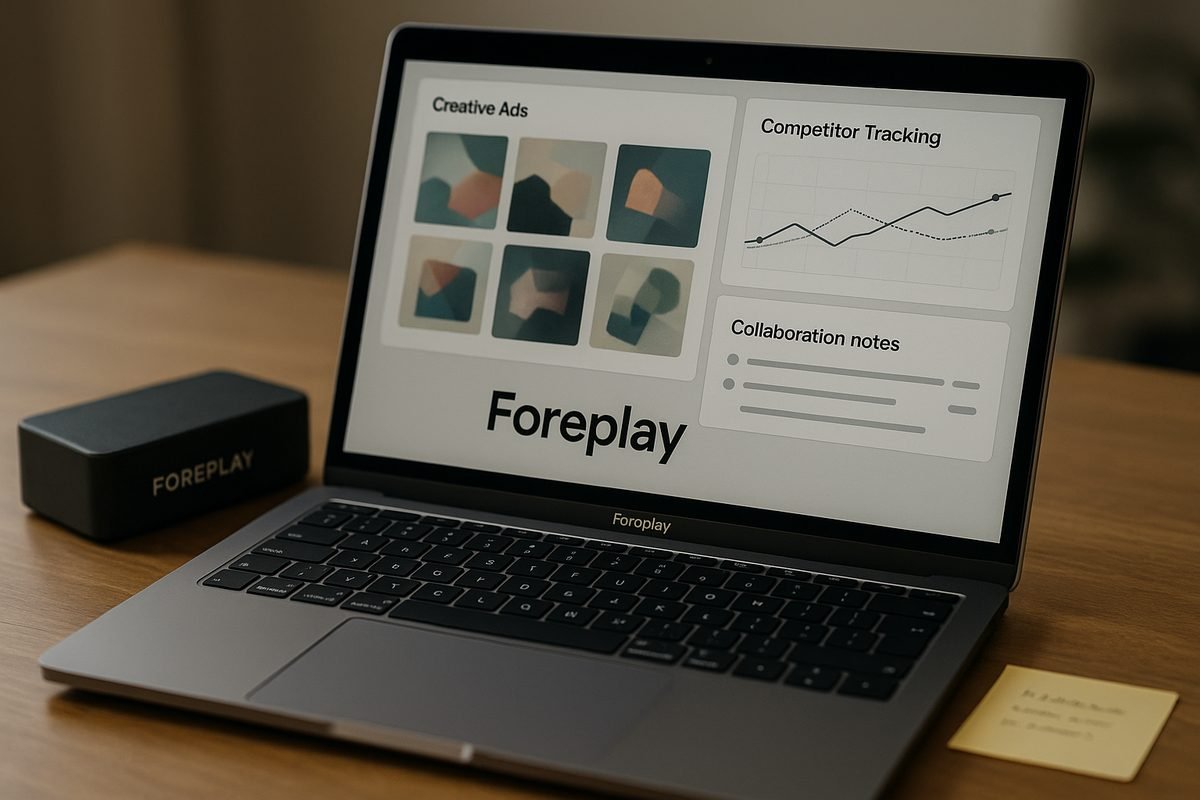
Foreplay is worth it in 2026 if your team actively researches, saves, briefs, and analyzes paid social ads. In this Foreplay review, my short verdict is: yes for creative teams, agencies, and brands producing ads regularly; maybe for solo marketers; probably no for casual inspiration saving only. Its value depends less on one flashy feature and more on whether you need a complete ad workflow instead of scattered folders, spreadsheets, screenshots, and chat threads.
Official website · Latest pricing & offers
Foreplay Review 2026: Quick Verdict
Foreplay describes itself as “The Complete Winning Ad Workflow,” built to help teams move from saving Facebook ad inspiration to creating briefs and reviewing performance. That positioning is accurate based on its public feature set: it combines a swipe file, ad discovery, competitor tracking, creative analytics, and brief creation in one platform.
This Foreplay review is not saying the tool will magically improve ad performance. No software can guarantee better ads. But if your current ad research process is messy, repetitive, or hard to share with a team, Foreplay can be a strong workflow upgrade.
Who Foreplay is best for
Foreplay is best for teams that produce and analyze paid social creative on a regular basis. That includes e-commerce brands, retail teams, agencies, mobile app and gaming marketers, B2B and SaaS teams, education/community brands, freelancers, and creators.
The more ads you review, save, compare, and turn into briefs, the more sense the product makes. In this Foreplay review, I’d put agencies and high-output creative teams at the top of the “best fit” list because they usually need research, organization, communication, and reporting in one place.
Who should skip it
You should probably skip Foreplay if you only save ad examples occasionally. If your process is simply grabbing a few screenshots once a month, a paid workflow platform may be more than you need.
It may also be overkill if you do not have a clear creative production process. Foreplay is most valuable when your team already has a real ad workflow and wants to make it cleaner, faster, and easier to manage.
Bottom-line recommendation
The bottom line of this Foreplay review is simple: Foreplay is worth considering if ad research and creative collaboration are part of your weekly work. The Basic plan is the more sensible entry point for solo users and smaller teams, while the Workflow plan is better suited to teams that need broader collaboration and more complete monitoring and analytics.
If you need a lightweight inspiration folder, it may be too much. If you need a structured creative workflow, Foreplay is one of the more complete options to evaluate in 2026.
What Foreplay Actually Does
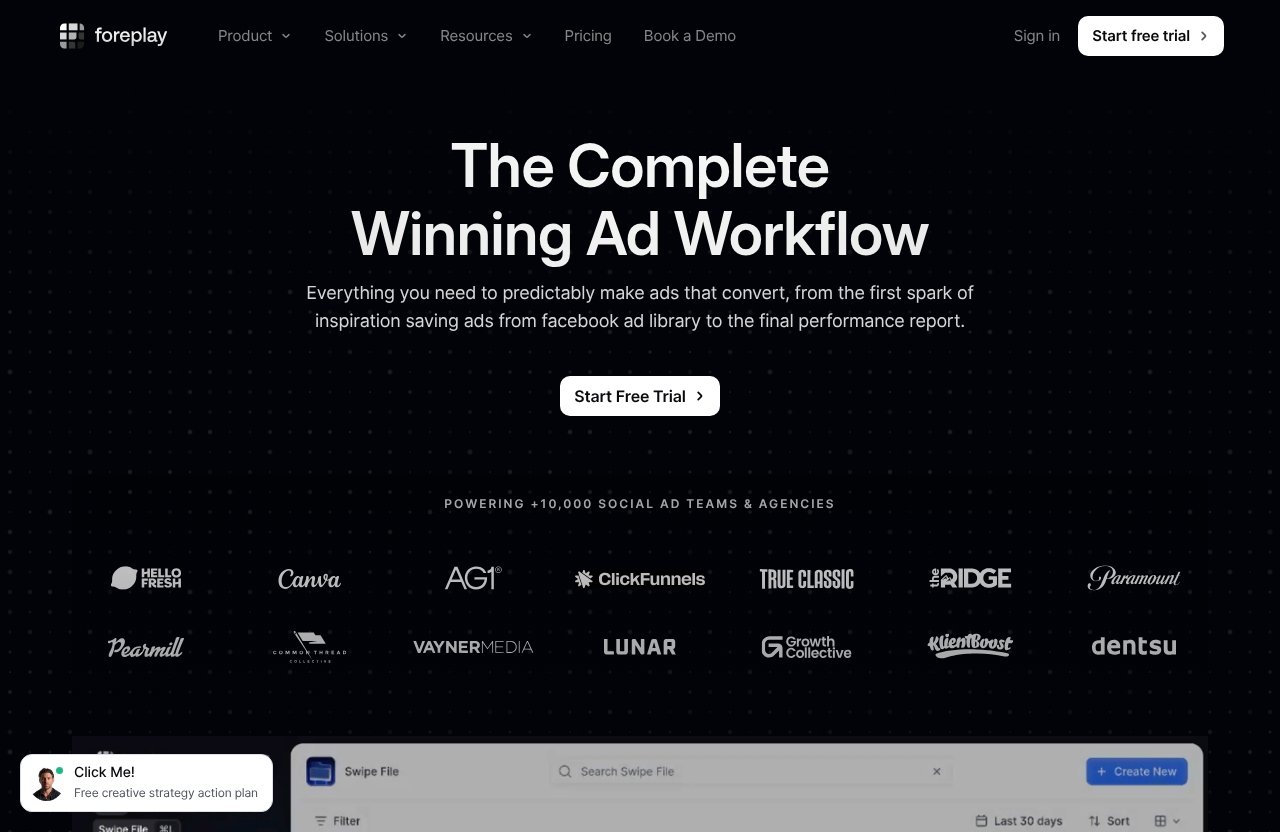
Foreplay is an ad workflow platform for finding, saving, organizing, tracking, analyzing, and briefing ad creative. In plain English, it helps teams collect good ad ideas, understand what competitors are running, organize examples, and turn inspiration into useful creative direction.
A key point in this Foreplay review is that Foreplay is not just a swipe file. The official homepage and pricing page list multiple product modules: Swipe File, Discovery, Spyder, Lens, and Briefs. Together, those modules cover much more of the creative process than a simple bookmarking tool.
Ad inspiration saving and organization
The Foreplay swipe file is designed for saving and sharing creative inspiration. Instead of dumping screenshots into random folders or messaging ad links to teammates, you can keep ad examples organized in one workspace.
This matters because ad inspiration gets messy quickly. A useful foreplay swipe file should help teams revisit ideas, compare angles, and communicate creative direction without hunting through old Slack threads or browser bookmarks.
Discovery ad search engine
Foreplay Discovery is positioned as an ad search engine with over 100M ads. That makes it useful for foreplay ad research when you want to explore what is already being advertised across a large library of creative examples.
For buyers reading this Foreplay review, the practical benefit is research speed. Instead of starting from scratch each time you need inspiration, Discovery gives your team a broader place to search for patterns, concepts, offers, and creative formats.
Spyder competitor tracking
Foreplay Spyder is built to track and analyze competitor advertising 24/7. This is helpful for teams that want to monitor competitor creative without manually checking ad libraries every day.
The important caveat is that competitor tracking is only valuable if someone on your team actually uses the insight. In this Foreplay review, I would not treat Spyder as a passive magic button. It is best for teams with a habit of reviewing competitive ads and turning those observations into new creative tests.
Lens analytics and creative analysis
Foreplay Lens is described as advertising analytics for creative teams. It is intended to help teams connect creative work with performance review, so the conversation is not limited to “we like this ad” or “this ad looks good.”
For creative teams, this can be useful because analysis often lives separately from inspiration. A stronger foreplay workflow brings research and performance review closer together, which can make creative discussions more practical.
Briefs and workflow collaboration
Foreplay Briefs turns inspiration into actionable briefs. This is one of the more important modules because saving ads is only the beginning. At some point, your team needs to translate inspiration into directions a designer, copywriter, editor, or client can understand.
In this Foreplay review, Briefs stands out because it helps bridge the gap between “interesting ad” and “actual production task.” That is where many ad teams lose time.
Foreplay Features: What Stands Out in 2026
The strongest foreplay features are not isolated tools; they are the way the modules connect. A creative team can save examples, search for more, monitor competitors, analyze creative, and turn ideas into briefs without constantly switching systems.
That full workflow approach is the main reason Foreplay feels more serious than a basic inspiration board.
Swipe File for saving and sharing creative inspiration
The Foreplay Swipe File helps teams save and share creative inspiration. This is especially useful when multiple people contribute ideas: media buyers, strategists, designers, copywriters, editors, founders, and clients.
In day-to-day use, the value is simple. Everyone can work from the same organized set of examples instead of relying on personal folders. For this Foreplay review, I’d call the swipe file the foundation of the product, but not the whole reason to buy it.
Discovery with 100M+ ads
Foreplay Discovery gives teams access to an ad search engine with over 100M ads, according to the official product information. That scale matters when your creative team needs more than a few hand-picked examples.
Discovery can help with researching angles, formats, hooks, offer presentation, and category trends. It does not replace strategic thinking, but it can reduce the blank-page problem when building new ad concepts.
Spyder for competitor monitoring
Foreplay Spyder is aimed at teams that want ongoing competitor monitoring. The official pricing information shows Spyder included in both the Basic and Workflow plans, with the Workflow plan listing Spyder for 15 brands.
This is one of the biggest reasons a foreplay co review should separate casual users from serious ad teams. If you have competitors or clients worth monitoring regularly, Spyder can be valuable. If you rarely look at competitor ads, you may not use enough of it to justify the cost.
Lens for ad analytics
Foreplay Lens is positioned as ad analytics for creative teams. On the Workflow plan, official pricing lists Lens for 1 brand with unlimited ad spend. The Basic plan also lists Lens as included, but the pricing facts provided do not specify the same brand/ad-spend detail for Basic.
Lens is most useful when your team reviews creative performance and wants to connect insights back to future production. In this Foreplay review, I’d treat Lens as a workflow feature for teams that already care about structured creative analysis.
Briefs and team handoff
Foreplay Briefs helps turn inspiration into actionable briefs. This is where the product becomes more than research software.
For example, a strategist might collect several ad examples, identify common creative angles, then create a brief for a designer or video editor. That handoff is often where confusion happens. Foreplay Briefs can make the next step clearer without forcing the team to rebuild context elsewhere.
Chrome extension, mobile app, API, and MCP
Foreplay lists several extensions and platforms: Chrome Extension, MCP, Mobile App, and API. That matters because creative inspiration does not always appear while you are sitting inside a dashboard.
The Chrome Extension and mobile app can make saving and reviewing content easier during normal research. API access and MCP are more relevant for teams with technical workflows or deeper operational needs. For this Foreplay review, I’d see these as useful flexibility rather than reasons alone to subscribe.
Foreplay Pricing Explained
Foreplay pricing is straightforward on the official pricing page, but buyers should still think carefully about team size. The pricing page headline says “Flexible, risk-free pricing” and mentions no contracts, no surprises, unlimited usage, and ad spend across all products.
The verified monthly plans are Basic at $59/month and Workflow at $175/month. Both list a 7-day free trial with no credit card required.
Monthly vs annual billing
Foreplay shows both monthly and annual billing options. The annual option says “Save 15% + Unlimited Spyder.”
I’m not going to invent annual prices in this Foreplay review because the verified information only provides the monthly prices. If annual billing interests you, check the current pricing page before subscribing because the exact checkout amount may depend on the option selected.
Basic plan breakdown
The Basic plan is listed at $59/month. It includes 1 user, with additional users at $20 per additional user.
Verified Basic plan inclusions are:
| Basic Plan Item | Officially Listed Detail |
|---|---|
| Monthly price | $59/month |
| Included users | 1 user |
| Additional users | $20 per additional user |
| Swipe File | Included |
| Discovery | Included |
| Briefs | Included |
| Spyder | Included |
| Lens | Included |
| API Access | 10,000 credits |
| MCP | Included |
| Free trial | 7 days, no credit card required |
For solo operators or small teams, Basic is the plan I would evaluate first. In this Foreplay review, it looks like the cleaner entry point if you want research, organization, and workflow tools without jumping straight to the larger plan.
Workflow plan breakdown
The Workflow plan is listed at $175/month. It includes up to 5 users, with additional users at $20 per additional user.
Verified Workflow plan inclusions are:
| Workflow Plan Item | Officially Listed Detail |
|---|---|
| Monthly price | $175/month |
| Included users | Up to 5 users |
| Additional users | $20 per additional user |
| Swipe File | Included |
| Discovery | Included |
| Briefs | Included |
| Spyder | 15 brands |
| Lens | 1 brand, unlimited ad spend |
| API | Included |
| Free trial | 7 days, no credit card required |
The Workflow plan makes more sense for teams that need multiple users included from the start. If five people will actually use the platform, the monthly price is easier to justify than it would be for a solo user.
Free trial details
The official pricing page lists a 7-day free trial with no credit card required for both plans. That is useful because Foreplay is a workflow tool, and workflow tools are difficult to judge from feature lists alone.
During the trial, evaluate how your team actually uses it. In this Foreplay review, my advice is to test real tasks: save ads, organize examples, search Discovery, create a brief, and see whether the process feels better than your current system.
Which plan offers the best value
For smaller teams, Basic is likely the best starting value because it includes the main modules at a lower monthly cost. If your main needs are saving inspiration, researching ads, and creating briefs, Basic may be enough to test fit.
For agencies and growing teams, Workflow may offer better value because it includes up to 5 users and more defined Spyder and Lens usage. The right answer depends on team size, ad volume, and how often you use the full foreplay workflow.
Official website · Latest pricing & offers
Is Foreplay Worth It? A Value-for-Money Analysis
Foreplay worth it? The honest answer is: it depends on how often your team works on ad creative. If you create, review, and iterate ads every week, Foreplay can save time and reduce workflow friction. If you only occasionally browse ads for inspiration, the cost may be harder to justify.
This is where a balanced Foreplay review matters. The product is not just priced as a simple bookmarking app. It is priced like a creative workflow platform.
Value for solo users
For solo users, the Basic plan is the realistic option. At $59/month, it can be worthwhile if ad research is central to your work as a freelancer, creator, founder, or solo marketer.
But if you only need a place to store a few examples, it may feel expensive. In this Foreplay review, I’d recommend solo users take the trial seriously and ask: “Will I use this every week, or am I just attracted to the idea of being more organized?”
Value for small teams
Small teams can get good value if multiple people collaborate on creative strategy. Even two or three people can benefit if they currently lose time sharing screenshots, discussing references, and rewriting briefs.
The Basic plan may still be the better entry point for small teams, especially with additional users priced at $20 per user. Workflow becomes more attractive when you have enough team members and enough ad volume to use the broader setup consistently.
Value for agencies and high-volume ad teams
Agencies and high-volume ad teams are the strongest fit. They often need to manage multiple clients, gather inspiration, monitor categories, communicate with clients, and brief creative work efficiently.
The official homepage says Foreplay powers +10,000 social ad teams and agencies. That is a useful credibility signal, but it should not replace your own evaluation. In this Foreplay review, I’d still recommend checking whether its modules match your agency’s client workflow before committing.
Where the ROI comes from
Foreplay’s value is most likely to come from time saved and process clarity, not from guaranteed performance gains. Better organization can help teams move faster, avoid repeated research, and create more consistent briefs.
The potential return comes from replacing messy collaboration: scattered spreadsheets, browser bookmarks, screenshots, message threads, and manual competitor checks. If Foreplay becomes the central place your team uses for foreplay ad research and creative planning, the subscription is easier to justify.
Pros and Cons of Foreplay
No Foreplay review should ignore the trade-offs. The platform has a strong feature set, but it is not automatically right for every marketer.
Here is the buyer-focused version.
Major advantages
| Pros | Why It Matters |
|---|---|
| Combines multiple workflow steps | Saving, discovery, tracking, analytics, and briefs live in one platform |
| Strong fit for creative teams | Helps teams organize inspiration and hand off ideas more clearly |
| Discovery includes 100M+ ads | Useful for broader ad research and creative exploration |
| Competitor monitoring with Spyder | Helpful for teams that review competitive advertising regularly |
| Briefs support execution | Turns inspiration into more actionable creative direction |
| 7-day free trial | Lets teams test workflow fit without a credit card |
The biggest advantage is workflow consolidation. In this Foreplay review, that is the central reason to consider it over a basic swipe-file setup.
Possible drawbacks
| Cons | Why It May Matter |
|---|---|
| May be expensive for casual users | $59/month is harder to justify if you only save ads occasionally |
| Requires active use | The value depends on your team actually researching, organizing, and briefing ads |
| Workflow plan may be overkill for very small teams | $175/month makes more sense when multiple users need access |
| Not a guaranteed performance solution | Better organization does not automatically create better ads |
| Trial is short | 7 days is useful, but teams need to test quickly and intentionally |
The main drawback is not that Foreplay lacks features. It is that some users may not have enough ad volume to use those features fully.
What to know before subscribing
Before subscribing, map your current process. Where do you save ads? Who reviews them? How do ideas become briefs? Who needs access? How often do you monitor competitors?
If those answers are unclear, Foreplay may feel like another tool instead of a workflow improvement. If the pain is obvious, this Foreplay review suggests the platform is worth a serious trial.
Who Should Buy Foreplay in 2026?
Foreplay’s official fit includes e-commerce and retail, agencies, mobile apps and gaming, B2B and SaaS, info/education/community businesses, freelancers, and creators. The common thread is not the industry itself. It is whether the team manages ad research and creative production.
This Foreplay review breaks that down by buyer type.
E-commerce and retail teams
E-commerce and retail teams are a natural fit because they often need a steady flow of new creative angles, offers, hooks, and product-focused ads. A foreplay swipe file can help organize references across seasonal campaigns, product launches, and competitor research.
For smaller e-commerce teams, Basic is a sensible starting point. For larger teams with multiple people involved in creative strategy, Workflow may be easier to justify.
Agencies
Agencies may get the most value from Foreplay because they usually need repeatable processes across clients. Saving ad inspiration, organizing ideas, tracking competitors, and creating briefs are all common agency tasks.
Official testimonial themes on the homepage mention teams using Foreplay for creative strategy research, compiling content ideas, saving and organizing inspiration, client communication, and reviewing more content with less friction. That matches the typical agency use case well, though each agency should still test fit.
B2B and SaaS marketers
B2B and SaaS teams can use Foreplay to research messaging angles, visual styles, offers, landing-page-ad alignment, and category positioning. These teams may not produce the same ad volume as some e-commerce brands, but the creative research still matters.
For B2B teams, the key question is frequency. If paid social creative is a meaningful channel, Foreplay can help. If ads are occasional experiments, the value may be lower.
Freelancers and creators
Freelancers and creators can benefit if they manage ad research or creative strategy for clients. Foreplay can make them look more organized and make handoff cleaner.
However, budget matters. In this Foreplay review, I’d recommend freelancers start with Basic and only upgrade if collaboration needs grow.
Foreplay vs. the Alternatives People Compare It To
Foreplay is often compared conceptually to three types of tools: swipe-file tools, ad research platforms, and project/workflow systems. You do not need to name specific competitors to understand the decision.
The question is whether you need one isolated function or a connected foreplay workflow.
Why buyers compare it to swipe-file tools
Buyers compare Foreplay to swipe-file tools because Swipe File is one of its core modules. If all you need is to save ad inspiration, a simpler tool might be enough.
But Foreplay goes further by adding Discovery, Spyder, Lens, and Briefs. In this Foreplay review, that broader workflow is the main difference buyers should focus on.
Why teams may consider ad research platforms
Teams may also compare Foreplay with ad research platforms because Discovery includes over 100M ads and Spyder supports competitor monitoring. If your main need is research, those modules are clearly relevant.
However, Foreplay’s broader appeal is that research can flow into saved collections, analytics, and briefs. That matters if your team wants to turn research into production, not just browse ads.
How to choose based on workflow needs
Choose based on the job you need done. If you only want to bookmark ads, look for the simplest and cheapest option that does that well. If you need saving, searching, competitor tracking, creative analysis, and briefs together, Foreplay may be a better fit.
The buyer decision should come down to workflow depth. This Foreplay review leans positive for teams that need the complete process, but neutral for users who only need one narrow feature.
Final Verdict: Should You Try Foreplay?
Foreplay is a strong tool for teams that treat ad creative as an ongoing process, not a one-off task. It is best when research, organization, competitor monitoring, analytics, and briefing all matter to your workflow.
If you want to evaluate it for your team, you can check Foreplay’s current plans and trial here. The 7-day free trial with no credit card required makes it easier to test without committing upfront.
Best-case scenario
The best-case scenario is a team that regularly creates paid social ads and currently has a messy research process. Foreplay can become the central workspace for saving inspiration, searching ads, tracking competitors, analyzing creative, and creating briefs.
For agencies, e-commerce teams, and high-volume marketers, this Foreplay review finds the value proposition convincing. The Workflow plan is most logical when several users will actively use it.
Not worth it if…
Foreplay is probably not worth it if you only save ad examples occasionally, do not collaborate on creative, or do not have a structured ad production process. It may also be too much if your team is not ready to review and act on the research it collects.
If you need a basic folder for inspiration, start simpler. If you need a serious creative workflow, Foreplay deserves a closer look.
Overall recommendation
Overall, this Foreplay review gives Foreplay a positive but conditional recommendation for 2026. It is best for agencies, e-commerce brands, performance creative teams, and marketers who actively produce and analyze ads.
Small teams should start with Basic unless they clearly need the Workflow plan’s broader user setup and listed brand-based features. Solo users should trial it carefully. For teams that live inside ad research and creative collaboration every week, Foreplay is likely worth the money.
Official website · Latest pricing & offers
FAQ
What does the Foreplay app do?
Foreplay is an ad workflow platform. It helps users save ad inspiration, search a large ad library through Discovery, track competitor advertising with Spyder, analyze creative with Lens, and turn ideas into briefs.
In simple terms, it helps ad teams move from inspiration to execution in one place.
Is Foreplay worth it for small teams?
Yes, Foreplay can be worth it for small teams if they actively research ads and collaborate on creative. The value is strongest when the team uses it weekly for saving examples, organizing ideas, and creating briefs.
For smaller budgets, the Basic plan is usually the more sensible starting point than Workflow.
Does Foreplay offer a free trial?
Yes. The official pricing page lists a 7-day free trial with no credit card required for both the Basic and Workflow plans.
How much does Foreplay cost in 2026?
Foreplay pricing in 2026 lists the Basic plan at $59/month and the Workflow plan at $175/month. Basic includes 1 user, while Workflow includes up to 5 users.
Additional users are listed at $20 per additional user.
Who is Foreplay best for?
Foreplay is best for teams and individuals who manage ad research and creative production regularly. That includes e-commerce and retail teams, agencies, mobile apps and gaming teams, B2B and SaaS marketers, education/community businesses, freelancers, and creators.
It is most valuable when ad inspiration, competitor monitoring, creative analysis, and briefs are part of the normal workflow.
Related Reading
References
- Foreplay.co | Pricing
- Foreplay | The Complete Winning Ad Workflow – Save ads from Ad Libraries
- Foreplay Reviews 2026: Details, Pricing, & Features
- Read Customer Service Reviews of foreplay.co