Syllaby Review 2026: Is This AI Video Tool Worth the Price?
This Syllaby review takes a buyer-first look at whether Syllaby.io is worth paying for in 2026. The short answer: Syllaby is most compelling for beginners, busy creators, marketers, small agencies, and businesses that want a guided way to create faceless videos, generate scripts, organize ideas, and schedule content without stitching together several separate tools.
It is not necessarily the best fit for advanced video editors who want deep manual control over every frame. But if your main goal is to turn ideas into publishable video content faster, Syllaby deserves a serious look.
Official website · Latest pricing & offers
What Is Syllaby and Who Is It For?
Quick verdict upfront
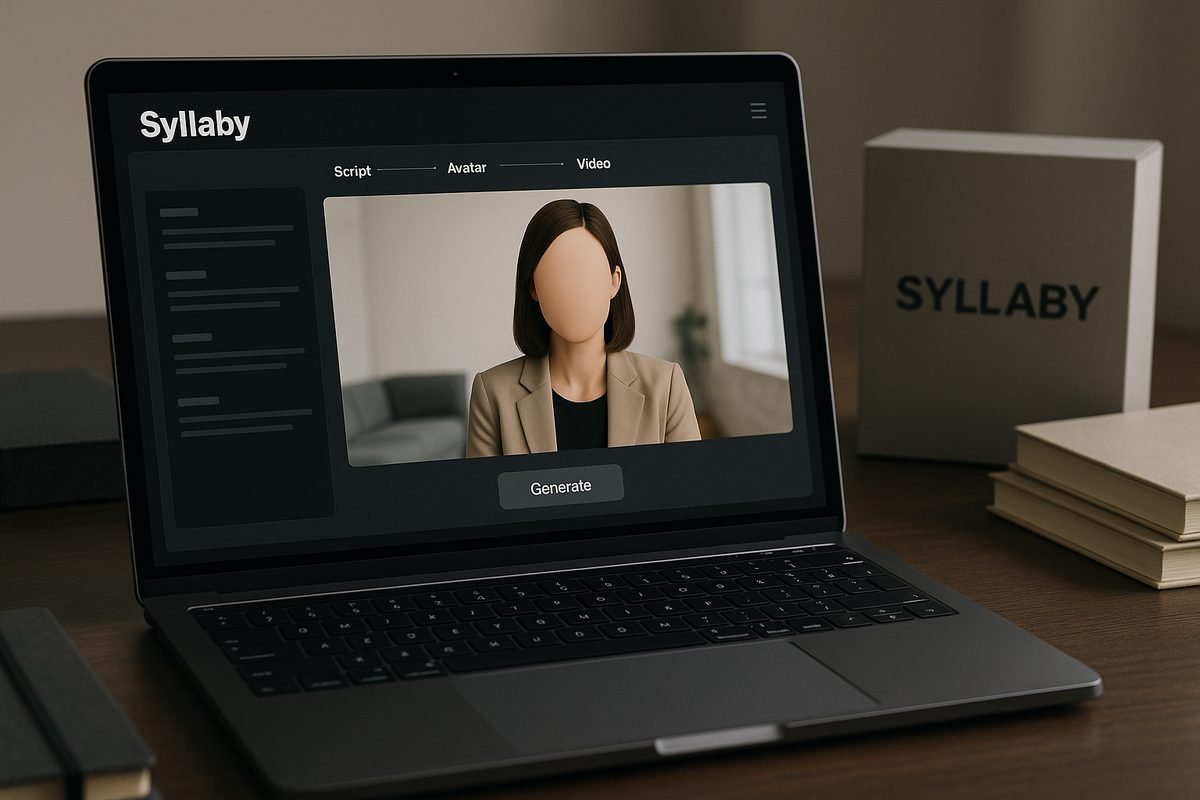
Syllaby.io is an AI-assisted video creation platform officially positioned around the promise: “Turn Ideas Into Viral Videos.” In practical terms, it helps users move from content ideas to scripts, scenes, videos, thumbnails, scheduling, and analytics in one workflow.
For this Syllaby review, I’m treating it as a commercial investigation tool, not a magic growth shortcut. The verified feature set is broad: faceless video, short-form video, long-form video, AI script generation, AI voice cloning, content calendar, bulk scheduler, social analytics, and mobile app access.
My buyer-focused verdict is this: Syllaby is worth considering if you want an all-in-one AI video workflow and you value speed, consistency, and convenience. It may be less attractive if you already have a polished editing stack or need highly customized production control.
Best for creators, marketers, agencies, and businesses
Syllaby is built for people who need to create video content regularly but do not want to start from a blank page every time. That includes solo creators, consultants, coaches, local businesses, social media managers, and small marketing teams.
It can also make sense for agencies that produce content for multiple clients, especially when faceless video formats are part of the strategy. The platform’s combination of idea creation, AI script generation, video editor, content calendar, and bulk scheduler is designed to reduce friction across the production process.
This Syllaby review is especially relevant if you are comparing Syllaby AI with a general AI video generator, a standalone scheduler, or a traditional video editor. Syllaby’s value comes from bundling several workflow steps together rather than focusing only on one specialized task.
What problem Syllaby is trying to solve
Most creators do not struggle only with editing. They struggle with deciding what to post, writing scripts, staying consistent, formatting content, and publishing on time.
Syllaby tries to solve that wider content workflow problem. Instead of giving you only a video editor, it includes idea creation, text to scenes, audio to video, URL to video, AI thumbnail generation, social analytics, and scheduling features.
That matters because consistency is often where content plans break down. Based on common review themes across the SERP, users tend to appreciate tools like Syllaby when they reduce the number of small decisions required to publish regularly.
How Syllaby Works
Idea discovery and content planning
Syllaby starts with the planning side of video creation. Officially listed features include idea creation, content calendar, and social analytics, which suggests the platform is designed to help users plan content rather than only generate videos after a script is ready.
In plain English, this means Syllaby can help you organize what to create and when to publish it. For creators who regularly lose time researching topics or building a posting schedule, this part of the workflow may be just as valuable as the video generation itself.
A practical Syllaby review should not assume that every idea will be perfect. You should still review topics, check brand fit, and make sure the content is genuinely useful for your audience.
AI script generation and scene creation
Syllaby includes AI script generation and text to scenes, both listed on the official homepage/pricing information. These features are intended to turn written prompts, ideas, or source material into video-ready content.
The platform also lists URL to video and audio to video. For a buyer, that means Syllaby may be useful not only for creating from scratch but also for repurposing existing material into video formats.
This is where Syllaby AI overlaps with the broader AI video generator category. The difference is that Syllaby appears to emphasize a more guided content production pipeline rather than simply generating a clip from a prompt.
Voice cloning, video editor, and scheduling
Syllaby’s verified feature list includes AI voice cloning, a video editor, bulk scheduler, and up to 20 scheduled posts on the Basic plan. These are important because they move the tool beyond ideation and into production and publishing.
Voice cloning can help creators create a more consistent audio identity, although buyers should test whether the output fits their tone and brand expectations. The video editor gives users a place to refine generated assets before posting.
For many buyers reading this Syllaby review, scheduling may be one of the most practical reasons to consider the platform. If you can create and schedule content from the same workflow, you may reduce the need to jump between tools.
Mobile app and on-the-go publishing
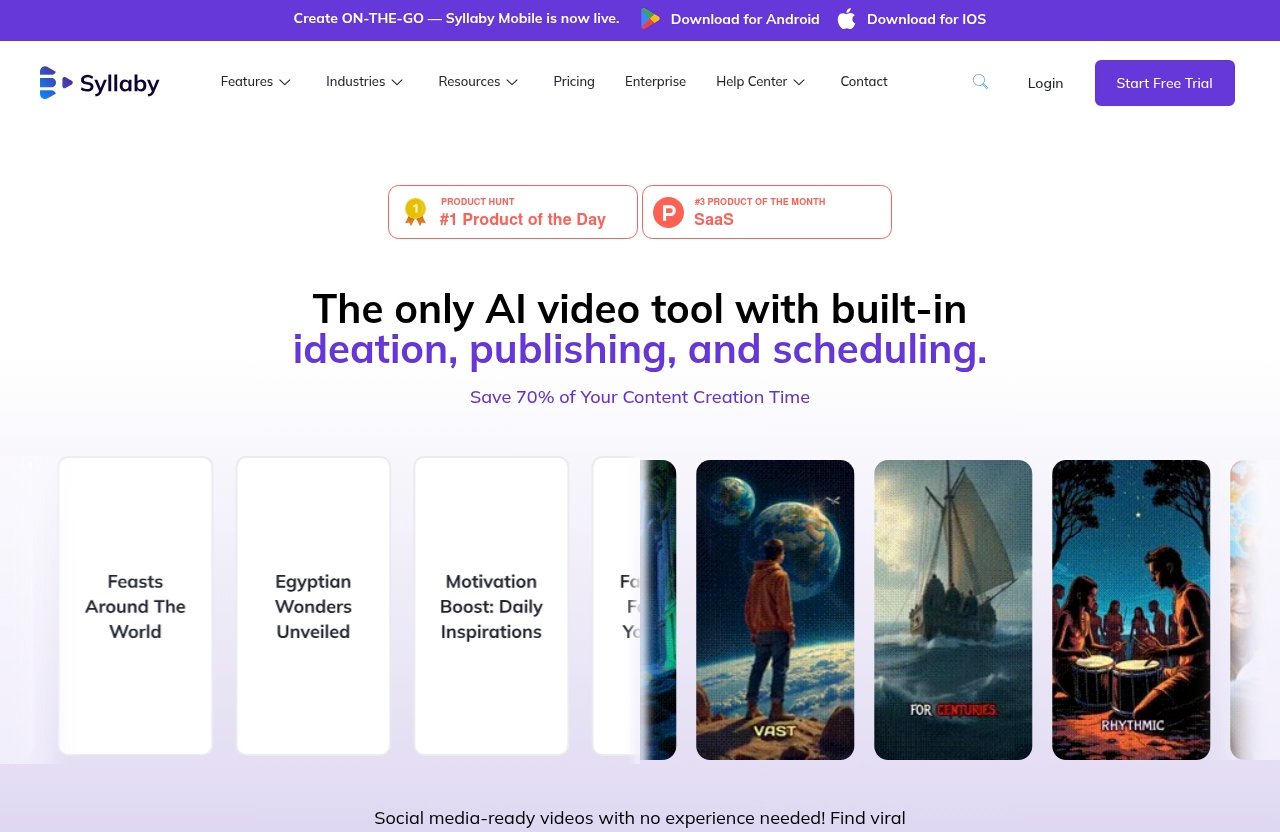
Syllaby Mobile is officially live for Android and iOS. That is a meaningful advantage for creators and marketers who do not always work from a desktop setup.
Mobile access does not automatically mean the workflow will replace desktop editing for everyone. However, it can be useful for reviewing ideas, managing drafts, checking scheduled content, or making updates while traveling.
If mobile publishing matters to you, test the app experience before committing long term. This Syllaby review views mobile availability as a practical convenience, not a guarantee that every user will prefer mobile creation over desktop work.
Syllaby Pricing in 2026: Verified Costs and What You Get
Official pricing overview
For pricing, this article uses only verified official product information supplied for Syllaby.io. The confirmed pricing fact is that the Basic plan costs $25 per month.
The official pricing page also highlights a limited-time lifetime deal with the wording: “Pay Once, Use Forever! Save up to 90%.” However, the exact lifetime deal terms, included limits, and eligibility details are not provided in the verified facts available for this review.
Because pricing pages can change, you should confirm current details on the official Syllaby site before subscribing. This is especially important if you are evaluating the lifetime deal or comparing monthly versus one-time payment options.
Basic plan: price and included features
The verified Basic plan costs $25 per month and includes several specific items. Here is the confirmed information in a simple table:
| Plan | Verified Price | Verified Inclusions |
|---|---|---|
| Basic | $25/month | 500 credits, 30+ avatars, 1 voice clone, video editor, up to 20 scheduled posts |
For a buyer, the main question is whether 500 credits and up to 20 scheduled posts are enough for your content volume. A solo creator posting a few times per week may view that differently than an agency handling multiple clients.
This Syllaby review cannot verify other pricing tiers, feature caps, or add-on costs because they were not included in the official facts supplied. If you need higher output, confirm the current plan structure directly before making a decision.
Lifetime deal positioning
Syllaby’s official pricing page highlights a limited-time lifetime deal with the message: “Pay Once, Use Forever! Save up to 90%.” That positioning may appeal to buyers who dislike monthly software subscriptions.
However, it is important to be cautious. A lifetime deal can be attractive, but the real value depends on what is included, whether the credit limits fit your usage, and whether future feature access is clearly explained.
In this Syllaby review, I would treat the lifetime deal as worth investigating, not as an automatic buy. Read the official terms carefully and compare them with the monthly Basic plan before making a decision.
Is the pricing fair for the value?
At $25 per month for the Basic plan, Syllaby pricing looks reasonable if you use several of the included workflow features. The value is stronger if you need idea creation, AI script generation, avatars, voice cloning, editing, and scheduling in one place.
If you only need a simple video editor, the price may be harder to justify. Likewise, if your content strategy requires extensive manual editing, complex post-production, or very high publishing volume, you should verify that the plan limits fit your needs.
My interpretation: Syllaby pricing is fair for users who want a streamlined faceless video and scheduling workflow. It is less compelling for users who would only use one small part of the platform.
Key Features That Stand Out
Faceless video creation
Faceless video creation is one of the most important Syllaby features for 2026 buyers. Many creators want to publish on social platforms without appearing on camera, hiring actors, or recording every video manually.
Syllaby officially lists faceless video among its features, along with avatars, AI voice cloning, art style, and text to scenes. Together, these tools can support a workflow where content is built around scripts, scenes, visuals, and generated voice rather than traditional filming.
This Syllaby review sees faceless video creation as one of the platform’s clearest use cases. It is especially relevant for educational content, niche explainers, local business marketing, and repeatable social posts.
Short-form and long-form video support
Syllaby officially lists both short-form video and long-form video. That gives it broader use than tools focused only on quick social clips.
Short-form content is useful for platforms where speed and consistency matter. Long-form support may be helpful for businesses or creators producing deeper educational content, brand explainers, or repurposed material.
The practical benefit is flexibility. Instead of choosing a tool only for short videos, buyers can test whether Syllaby fits multiple content formats within the same workflow.
Bulk scheduler and content calendar
The bulk scheduler and content calendar are standout features because they address consistency. Creating content is only part of the job; publishing regularly is where many teams lose momentum.
Syllaby’s Basic plan includes up to 20 scheduled posts, and the official feature list includes bulk scheduler and content calendar. For creators who batch content, this can be a major convenience.
In my view, this is one of the strongest points in this Syllaby review. A tool that combines creation and scheduling may reduce the number of separate subscriptions or manual steps needed to maintain a posting rhythm.
AI models and mobile publishing
Syllaby’s official homepage/pricing information lists several AI models, including VEO 3.1, Sora 2 Pro, 1.0 Lite, 1.0 Pro, 1.5 Pro, v2.6 Pro, o1 Omni, and o3 Omni. The important wording here is “listed”; this review does not claim that those models always outperform alternatives.
For buyers, model availability can matter because AI video quality and generation style may vary by model. The best approach is to test the outputs against your own brand requirements.
Syllaby Mobile is also live for Android and iOS. Combined with mobile publishing workflows, that makes Syllaby more flexible for creators who manage content while away from a desk.
Official website · Latest pricing & offers
Pros and Cons of Syllaby
Biggest advantages
The biggest advantage of Syllaby is workflow consolidation. It brings together ideation, scripting, video creation, editing, scheduling, analytics, thumbnails, and mobile access under one product.
Another major benefit is time savings. SERP-level user sentiment across review platforms and discussions commonly points to ease of use, faster content creation, and help with consistent posting.
Here is a balanced view of the main advantages from this Syllaby review:
| Pros | Why It Matters |
|---|---|
| All-in-one workflow | Reduces switching between ideation, editing, and scheduling tools |
| Faceless video support | Helps creators publish without being on camera |
| AI script generation | Speeds up the blank-page stage |
| Bulk scheduler and calendar | Supports consistent publishing |
| Mobile app | Useful for creators working on the go |
| Basic plan includes avatars and voice clone | Helpful for AI-assisted video production |
Potential drawbacks
Syllaby’s main potential drawback is that buyers need to verify whether the plan limits match their workload. The Basic plan includes 500 credits and up to 20 scheduled posts, but different users will consume credits and scheduled posts at different speeds.
Advanced editors may also find the workflow less flexible than a dedicated professional editing suite. That is not necessarily a flaw; it is a trade-off between speed and granular control.
This Syllaby review also recommends checking output quality personally. AI-generated scripts, voices, avatars, and scenes can still require human editing, fact-checking, and brand review.
Who will feel the limitations most
The limitations will matter most to users with high-volume publishing needs, complex client workflows, or strict brand production standards. Agencies should test the workflow before relying on it for multiple client accounts.
Professional video editors may prefer specialized editing software if they need advanced motion graphics, detailed timeline control, or custom production pipelines. Syllaby is better positioned as a streamlined AI content workflow than as a replacement for every editing tool.
Budget-sensitive users should also compare Syllaby pricing against how often they will actually use it. If you only publish occasionally, the monthly cost may be less compelling.
Real User Sentiment From the SERP
Trustpilot and G2 themes
Across SERP-visible review sources such as Trustpilot and G2, the recurring positive themes around Syllaby are time savings, ease of use, and support for consistent video creation. This article does not invent or rely on specific review scores.
The general pattern is that users appreciate being able to move from idea to video more quickly. That is consistent with Syllaby’s official positioning and feature set.
For this Syllaby review, I would interpret Syllaby trustpilot and G2-style sentiment as encouraging but not conclusive. Individual results depend on content niche, expectations, output quality standards, and how often the user publishes.
Reddit-style use-case feedback
SERP results and Reddit-style discussions around tools like Syllaby often focus on practical use cases: faceless channels, social media consistency, repurposing ideas, and saving time on scripting.
When people search for Syllaby reviews reddit, they are usually looking for less polished, more candid opinions. The themes tend to be useful for understanding fit, but they should not replace hands-on testing.
My interpretation is that Syllaby appeals most to users who want a repeatable process. If you expect AI to replace strategy, editing judgment, or audience research completely, you may be disappointed.
What reviewers consistently praise
The most consistent praise is that Syllaby simplifies the content creation process. Users appear to value not having to start every video from scratch.
Another common positive theme is posting consistency. Tools that combine content planning and scheduling can help creators maintain momentum, especially when they batch content.
This Syllaby review treats that feedback as a meaningful signal. Still, it is best to test Syllaby with your own topics, tone, and publishing cadence before deciding whether it fits your workflow.
Is Syllaby Worth It in 2026?
Worth it for beginners and busy teams
For beginners, Syllaby is worth considering because it reduces the number of skills needed to start producing videos. You do not need to begin with a full editing setup, a separate scripting tool, a voice workflow, and a scheduler.
Busy teams may also benefit because the platform organizes multiple steps in one place. If your bottleneck is consistency, the content calendar and bulk scheduler may be especially valuable.
The fair answer to “is Syllaby worth it” is use-case dependent. In this Syllaby review, I would say yes for users who want a guided, AI-assisted system for creating and scheduling faceless or social video content.
Worth it for agencies and content marketers
Agencies and content marketers may find Syllaby useful for producing drafts, testing ideas, creating repeatable formats, and managing posting workflows. The faceless video creator angle can be helpful when clients do not want to appear on camera.
However, agencies should be more careful than solo creators. Client work often requires brand approvals, custom visuals, compliance checks, and higher quality control.
For agencies, Syllaby is best viewed as a production assistant rather than a fully autonomous content department. It can speed up parts of the workflow, but human review remains essential.
When it may not be worth the cost
Syllaby may not be worth the cost if you need deep manual editing, cinematic control, or highly customized visuals. In those cases, a dedicated editing tool or production team may be a better fit.
It may also be less suitable if you publish very rarely. A monthly subscription makes more sense when you are using the platform consistently.
Before buying, ask three practical questions: Will you use the credits? Will up to 20 scheduled posts fit your plan? Will the generated videos match your brand’s quality threshold? If the answer is unclear, test before committing.
Syllaby Alternatives to Consider
When to look at alternatives
You should consider a Syllaby alternative if your main need is not an all-in-one AI content workflow. For example, some users may only need advanced video editing, while others may only need social scheduling.
Alternatives may also make sense if you need a different pricing model, more manual control, or a workflow built around a specific platform. Since no verified competitor specifications were provided for this article, this section avoids unsupported head-to-head claims.
This Syllaby review recommends looking at alternatives only after defining your actual bottleneck. If the bottleneck is ideation and consistency, Syllaby may still be a strong fit.
What to compare before buying
When comparing Syllaby with other tools, focus on the factors that directly affect your workflow. Do not choose based only on a feature list.
Useful comparison points include:
| Comparison Factor | Why It Matters |
|---|---|
| Pricing model | Monthly versus lifetime pricing can change long-term value |
| Editing depth | Advanced users may need more control |
| Avatar options | Important for faceless and AI-presenter content |
| Voice features | Affects consistency and brand feel |
| Scheduling limits | Matters for batching and publishing volume |
| Mobile access | Useful for on-the-go teams |
| Content planning tools | Important if ideation is a bottleneck |
A good Syllaby alternative may be better for one narrow task. Syllaby’s appeal is that it combines many of those tasks into one workflow.
Common alternative categories
Instead of naming unsupported competitor specs, it is more useful to think in categories. The main alternatives include standalone AI video generators, traditional video editors, social media schedulers, avatar video tools, and content repurposing platforms.
Standalone AI video tools may be appealing if generation quality is your only priority. Traditional editors may be better if you need frame-level control. Social schedulers may be enough if your creation workflow is already solved.
For most buyers, the decision comes down to workflow fit. If you want ideation, script generation, video creation, scheduling, and analytics together, Syllaby is more relevant than a single-purpose tool.
Final Verdict
Best-fit buyer profile
The best-fit Syllaby buyer in 2026 is someone who wants to publish video content consistently without building a complicated production stack. That includes beginners, faceless content creators, marketers, coaches, consultants, local businesses, and small teams.
It is also a good fit for users who value speed and structure over advanced manual editing. The official feature set supports idea creation, AI script generation, faceless video, voice cloning, video editing, scheduling, analytics, thumbnails, and mobile access.
This Syllaby review does not position the tool as perfect for everyone. It is strongest when your goal is repeatable content production rather than highly customized video craftsmanship.
Bottom line recommendation
My bottom line: Syllaby is worth considering in 2026 if you want an AI-assisted video workflow that helps with ideas, scripts, faceless video creation, editing, and scheduling. The verified Basic plan at $25 per month offers a clear entry point with 500 credits, 30+ avatars, 1 voice clone, a video editor, and up to 20 scheduled posts.
The biggest reasons to consider it are time savings, ease of use, and publishing consistency. The biggest reasons to hesitate are credit limits, scheduling needs, and whether the editing workflow is flexible enough for your standards.
If those trade-offs sound reasonable, visit the official Syllaby site to confirm current pricing, check the lifetime deal terms, and test whether the workflow matches your content strategy.
Action step before subscribing
Before subscribing, create a short test plan. Pick three real content ideas, generate scripts, build sample videos, test the editor, and see whether the scheduling workflow fits your publishing routine.
Also compare the Basic plan limits against your expected output. If you plan to post frequently or manage multiple brands, confirm whether the available credits and scheduled posts are enough.
The final recommendation from this Syllaby review is simple: Syllaby is a practical buy for users who want a structured, all-in-one AI video creation and scheduling workflow. It is not the best choice for everyone, but for the right buyer, it can be a useful productivity tool in 2026.
Official website · Latest pricing & offers
FAQ
Is Syllaby any good?
Yes, Syllaby appears to be good for users who want to save time, simplify video creation, and post more consistently. SERP-visible sentiment from platforms and discussions such as Trustpilot, G2, Product Hunt, Reddit, and Medium generally points to users appreciating ease of use and faster faceless video workflows.
That said, quality expectations matter. You should still review scripts, edit outputs, and test whether the generated videos match your brand.
How much does Syllaby cost?
The verified Basic plan price is $25 per month. According to the supplied official pricing facts, the Basic plan includes 500 credits, 30+ avatars, 1 voice clone, a video editor, and up to 20 scheduled posts.
The official pricing page also highlights a limited-time lifetime deal with the wording “Pay Once, Use Forever! Save up to 90%.” Exact lifetime deal terms were not included in the verified facts, so buyers should confirm details directly on the official site.
What alternatives to Syllaby exist?
Syllaby alternatives include standalone AI video generators, traditional video editors, social media schedulers, avatar video platforms, and content repurposing tools. The best choice depends on your workflow.
Compare pricing, editing depth, avatar options, voice features, scheduling limits, mobile access, and how well each tool fits your content strategy. Avoid choosing only by feature count.
How does Syllaby work?
Syllaby helps users move through a streamlined content workflow: idea creation, content planning, AI script generation, scene creation, video editing, voice cloning, thumbnail generation, scheduling, and analytics.
Officially listed features include faceless video, short-form video, long-form video, bulk scheduler, video editor, audio to video, URL to video, text to scenes, content calendar, social analytics, and mobile app access for Android and iOS.
Related Reading
- Systeme.io Review 2026: Honest Verdict
- Repurpose.io Review 2026: Honest Verdict
- Klap vs Opus Clip: Which AI Shorts Maker Is Better?
References
- Read Customer Service Reviews of syllaby.io
- Syllaby Pros and Cons | User Likes & Dislikes
- Syllaby Reviews (2026)
- I Tested Syllaby for 7 Days — Here's What Surprised Me