Best Klap Alternatives for Podcast Clips and Social Media Shorts in 2026
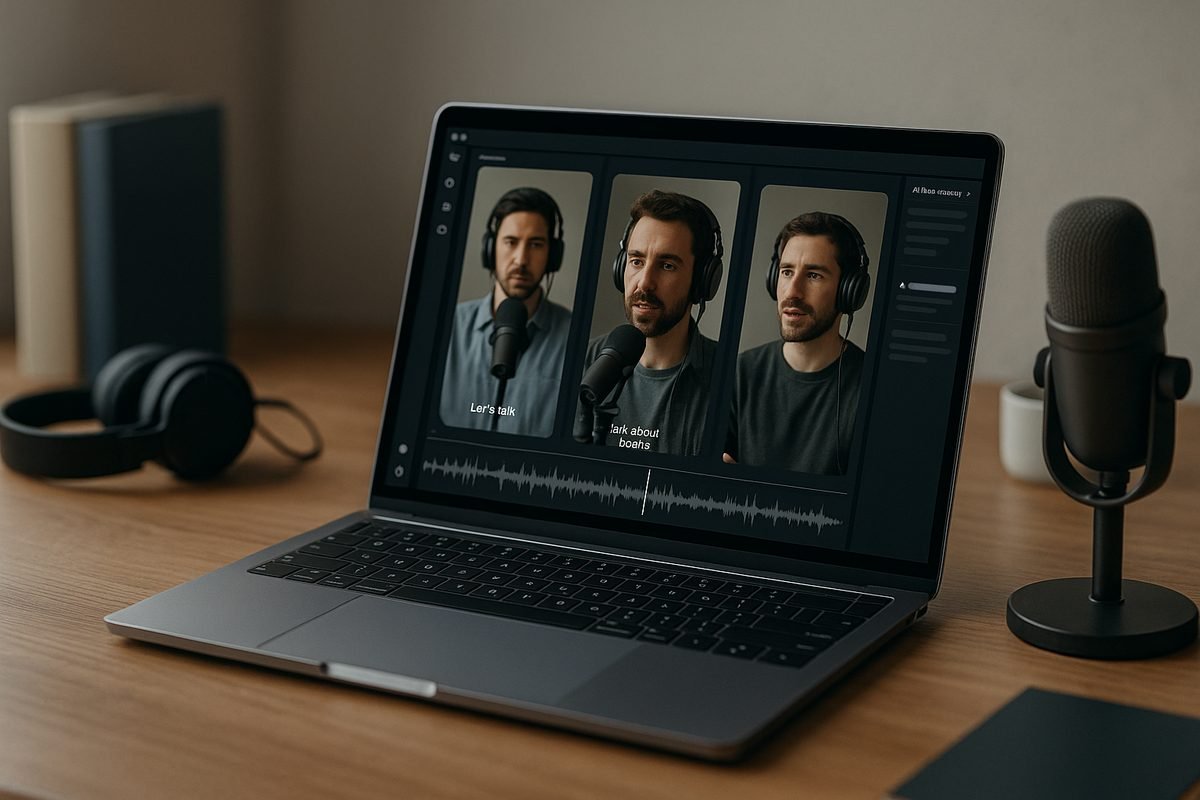
If you are comparing the best klap alternatives, the real question is not “Which AI clipper is trendiest?” It is “Which tool can reliably turn a long podcast, interview, webinar, or educational video into short clips that are actually usable on TikTok, Instagram Reels, and YouTube Shorts?”
Klap is a strong fit for fast AI clipping, captions, and social repurposing. But podcasters and content marketers often need different workflows: transcript-first editing, better caption control, batch production, agency collaboration, or a more flexible free plan. This guide compares the best klap alternatives from a practical buyer’s perspective, using only verified Klap facts and cautious, publicly available positioning for competing tools.
TopTrustReview may earn a commission through affiliate links, but the goal here is to help you choose the right tool for your workflow, not push one product.
Official website · Latest pricing & offers
Best Klap Alternatives for Podcast Clips and Social Media Shorts: Quick Verdict
Who this guide is for
This guide is for creators who already publish long-form content and want a faster way to create short-form clips. That includes podcasters, YouTube educators, webinar hosts, course creators, interview shows, coaches, B2B marketers, and agency teams.
The best klap alternatives are especially useful if your content is speech-heavy. A good podcast clipper should understand spoken moments, surface strong hooks, support captions, and make vertical exports feel native to Shorts, Reels, and TikTok.
If you are only trimming casual mobile footage, you may not need a dedicated AI clipping tool. But if you are repurposing 30-minute, 60-minute, or 90-minute conversations every week, choosing the right platform can save hours.
What makes an alternative actually better than Klap
A Klap alternative is “better” only if it improves your specific workflow. For example, a transcript-led tool may be better for podcasters who want to review spoken content before editing. A caption-focused tool may be better for marketers producing daily social clips.
For others, Klap may still be the simpler choice. Its official homepage says it turns long videos into TikToks, Reels, and Shorts in one click, provides AI-generated captions, and helps repurpose YouTube videos into multiple short clips.
So the best klap alternatives should not be judged by hype. They should be judged by how well they handle your source content, your publishing rhythm, and your need for control.
Quick comparison criteria
Here is the practical framework I use when evaluating an AI video clipping tool for podcast and marketing workflows:
| Criterion | Why it matters for podcasts and webinars |
|---|---|
| Speech-first clipping | Finds useful ideas, stories, questions, and soundbites |
| Caption quality | Makes clips watchable without sound |
| Reframing and aspect ratios | Converts horizontal interviews into vertical shorts |
| Batch workflow | Helps produce multiple clips from one episode |
| Editing control | Lets you refine hooks, captions, and cut points |
| Export quality | Keeps content usable for TikTok, Reels, and Shorts |
| Collaboration | Helps teams, editors, and clients review clips |
For a quick starting point, consider AI Video Cut if you want a free-leaning, speech-heavy workflow; Exemplary AI if transcription is central to your process; ZapCap if caption styling is your priority; Bytecap if promptable clip creation appeals to you; and ClipGOAT or ReelForge AI if you are exploring niche short-form or faceless video workflows.
What Podcasters and Content Marketers Need in a Klap Alternative
Speech-first clipping and highlight detection
For podcasts, the best clips usually are not the loudest moments. They are the clearest ideas: a controversial opinion, a personal story, a surprising statistic, a sharp answer, or a useful tutorial step.
That is why a klap alternative for podcast clips should be judged on whether it helps identify meaningful spoken segments. A generic video editor can cut footage, but a podcast clips generator needs to work well with dialogue, interviews, and educational explanations.
When testing the best klap alternatives, I would start with one real episode and compare what each tool selects. Do the clips have a clear beginning, middle, and payoff? Or do they start mid-thought and require heavy manual repair?
Caption accuracy and styling
Captions are not optional for social media shorts. Many users watch without sound, and captions also help viewers follow fast-moving educational content.
A strong social media shorts maker should make captions easy to read, edit, and style. This matters even more for podcasts because speakers often use names, acronyms, filler words, and industry terms.
When comparing the best klap alternatives, look beyond whether a tool “has captions.” Ask whether you can quickly correct errors, adjust line breaks, and keep the caption style consistent with your brand.
Aspect ratios, reframing, and layouts
Most podcasts and interviews are recorded horizontally, while TikTok, Reels, and YouTube Shorts are vertical-first. That creates a real production problem: you need the speaker framed correctly, not awkwardly cropped.
Klap’s verified AI Reframe 2 feature resizes videos for any platform and analyzes scenes to apply layouts such as Split Screen, Screencasts, Gaming, and more. That is useful for creators who publish across multiple platforms.
Any klap app alternative should be evaluated against that standard. If you publish interviews, check whether the tool can handle two-person shots. If you publish webinars or tutorials, check whether screen recordings remain readable after reframing.
Batch processing and workflows
A serious repurposing workflow is not about making one clip. It is about creating five, ten, or twenty usable social posts from one long-form asset.
For podcasters and marketers, the best klap alternatives should help you move from episode upload to multiple draft clips without restarting the process every time. Even if a tool has strong AI detection, it still needs a workflow that supports review, editing, exporting, and organizing.
Batch workflows are especially important for agencies and content teams. If you manage multiple clients or shows, a slow manual process becomes expensive quickly.
Export quality, publishing, and collaboration
The final output matters. A clip can have a strong hook and accurate captions, but if the export looks soft, the crop is awkward, or the file takes too long to prepare, it will slow down your publishing schedule.
Collaboration also matters. Solo creators may only need a simple export. Teams may need editors, marketers, founders, or clients to review clips before publishing.
When reviewing klap alternatives for social media shorts, I recommend checking the full path: upload, AI selection, transcript or timeline editing, captions, reframing, export, and handoff. The best choice is the one that removes friction from the entire process.
How Klap Works and Where It Fits
Klap’s core promise
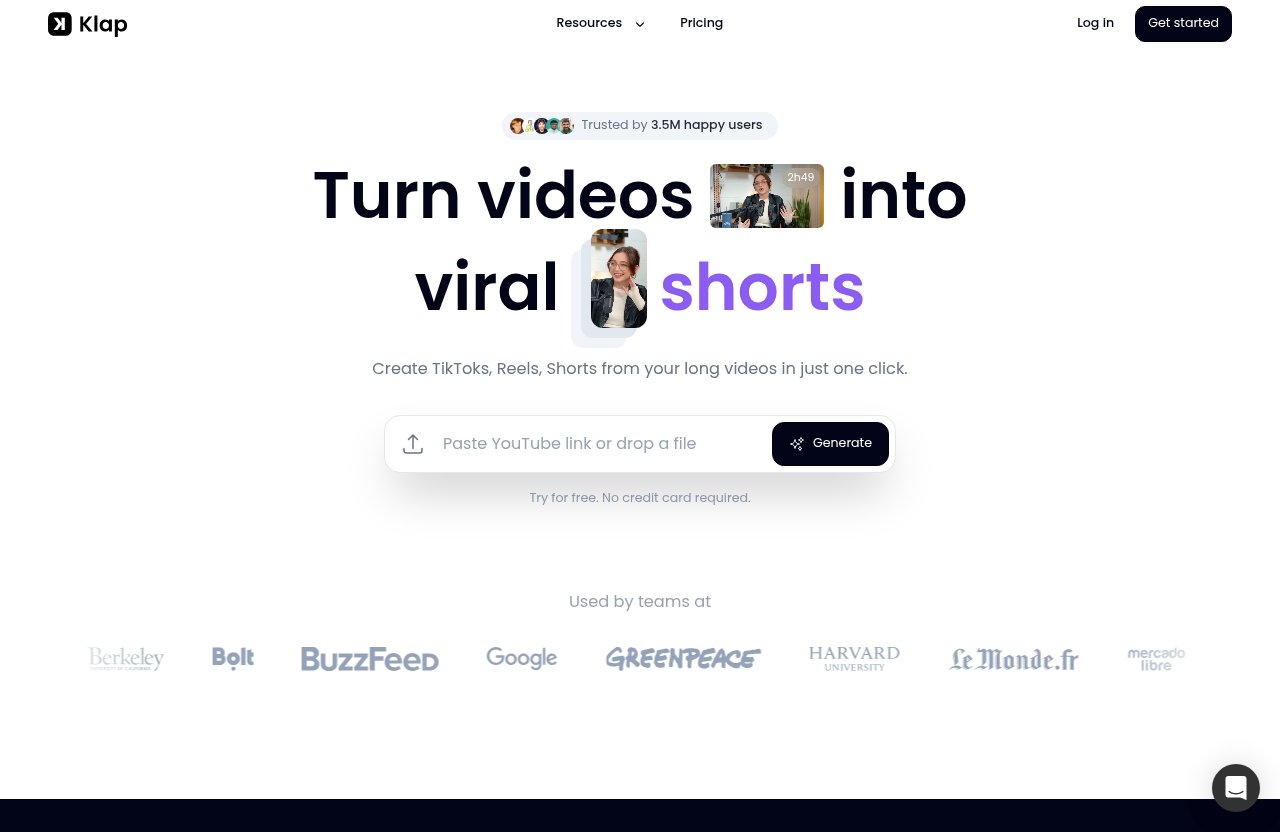
Klap’s official homepage promises to turn videos into viral shorts. More specifically, it creates TikToks, Reels, and Shorts from long videos in one click.
The platform says it automatically creates viral-worthy content and provides AI-generated captions. It also helps repurpose YouTube videos into multiple Reels, TikToks, and Shorts.
Klap also highlights trust signals: 3.5M happy users and 8.5M clips made by 3.5M creators. Those are strong adoption indicators, although they do not replace testing the tool with your own podcast or webinar content.
Verified pricing plans
According to Klap’s official pricing page, the yearly-billed plans are:
| Klap plan | Verified yearly-billed pricing | Verified clip allowance |
|---|---|---|
| 100 clips monthly | $14/month | 100 clips monthly |
| Pro | $39/month | 300 clips monthly |
| Pro+ | $94/month | 1000 clips monthly |
| Need more | Let’s talk | Custom needs |
Klap also says users can try it for free with no credit card required. As with any SaaS product, you should verify current pricing and plan terms on the official website before subscribing.
If you want to review Klap and other options from a buyer-friendly starting point, you can use this short-form video tools comparison link. TopTrustReview may earn a commission if you choose a paid product through an affiliate link.
Best-fit use cases
Klap fits creators who want fast repurposing from long-form video into short-form content. It is especially relevant if your workflow starts with YouTube videos and ends with Reels, TikToks, and Shorts.
Its AI-generated captions and AI Reframe 2 feature are useful for creators who need social-ready formatting without rebuilding every clip manually. The yearly-billed clip allowances also make it easier to estimate monthly production volume.
For many solo creators, Klap may be enough. But the best klap alternatives become worth exploring when you need a different editing style, a more transcript-led process, specialized caption design, or a workflow that better fits teams.
Limitations to consider
Klap’s official claims are centered on fast AI clipping, captions, and reframing. If you need deep transcript management, highly customized review flows, or specialized content formats, you should compare alternatives carefully.
Also consider clip volume. A plan that looks affordable may not be the best value if you produce large amounts of content every week.
The smartest approach is to test Klap and at least one klap ai alternative with the same long-form episode. Compare the clips selected, caption edits required, vertical framing, and export process before making a decision.
The Best Klap Alternatives for Podcast Clips and Shorts
1. AI Video Cut — best free alternative for speech-heavy podcast clips
AI Video Cut is a logical first tool to test if your priority is speech-heavy podcast clips and you are looking for a free Klap alternative. Based on the available SERP positioning, it is commonly discussed as an AI video clipping option for turning longer videos into shorter clips.
For podcasters, the key question is whether it can help surface usable spoken moments without forcing you to scrub through the entire timeline. That is where a speech-first workflow can be valuable.
I would test AI Video Cut with an interview episode that has clear topic shifts. If it produces clips that start with a strong hook and end cleanly, it may be one of the best klap alternatives for creators who want a low-friction starting point.
Because pricing and technical limits can change, verify the current free access terms before building a full workflow around it.
2. Exemplary AI — best for transcription-led workflow
Exemplary AI is best considered by creators who want a transcription-led workflow. Based on the available SERP information, its positioning is closely tied to transcription and AI-assisted content repurposing.
This can be especially useful for podcasters and content marketers who think in terms of quotes, chapters, ideas, and talking points. A transcript-first process lets you find the strongest statements before deciding what should become a short.
Among the best klap alternatives, Exemplary AI may appeal to teams that care about written assets as much as video clips. For example, a marketing team may want to turn one webinar into short clips, summaries, social posts, and internal notes.
The main thing to verify is how much control you get over clip selection, captions, and exports. Do not assume every transcription tool has the same short-form video workflow.
3. ZapCap — best for animated captions and faster social output
ZapCap is worth considering if your biggest bottleneck is caption presentation. Based on the available SERP information, it is associated with animated captions and faster social output.
For short-form platforms, caption style can affect watch time. Bold, readable captions help viewers follow a podcast clip even when the original video is visually simple.
ZapCap may be a good klap app alternative for creators who already know which moments they want to publish and need to package them quickly for social. It may be less ideal if your biggest need is discovering highlights from long recordings.
Before choosing it, test how caption editing feels. A caption-focused tool is only useful if corrections, line breaks, and styling are fast enough for repeated publishing.
4. Bytecap — best for promptable clip creation and publishing workflows
Bytecap is a fit for creators interested in promptable clip creation and publishing workflows. Based on the available SERP information, its positioning suggests a more guided or prompt-driven approach to creating clips.
That can be helpful when you do not want to rely only on automatic highlight detection. For example, a marketer may want clips about “pricing objections,” “customer success stories,” or “founder advice” from a long interview.
Among the best klap alternatives, Bytecap may be attractive for creators who want more direction over what the AI produces. This is useful for content marketing because campaigns often need clips around specific themes, not just whatever the algorithm finds interesting.
As always, verify the current feature set before subscribing. Promptable clipping is valuable only if the outputs are accurate enough to reduce manual editing time.
5. ClipGOAT or ReelForge AI — best for niche short-form/ faceless video needs
ClipGOAT and ReelForge AI are worth exploring if your workflow goes beyond classic podcast clipping. Based on the available SERP information in this topic area, they appear more niche and may appeal to short-form or faceless video creators.
This can matter if your content strategy includes voiceovers, educational explainers, quote-led clips, or formats that are not simply “speaker on camera.” Some creators want to repurpose long-form ideas into social content without always showing the original recording.
These tools may not be the safest first choice for every podcaster, but they can be useful experimental options. If you are comparing the best klap alternatives, include one niche tool in your test batch to see whether it unlocks a format your audience responds to.
The buyer’s rule is simple: do not choose a niche tool because it sounds exciting. Choose it if it helps you publish a repeatable short-form format.
Official website · Latest pricing & offers
Best Klap Alternatives Free: Which Ones Are Worth Trying First?
Free-forever vs limited free trial
Searches for best klap alternatives free usually come from creators who want to test AI clipping before paying. That is smart, especially if you have not yet proven that short-form clips will drive audience growth or leads.
A free-forever plan and a limited free trial are not the same thing. A free trial may be enough to test output quality, while a free-forever plan may be better for slow publishing schedules.
Klap’s homepage says “Try for free” and “No credit card required.” For competing tools, verify the current free terms directly because free access, export limits, watermarks, and usage allowances can change.
What to expect from free tiers
A free tier is usually best for testing workflow fit, not running a serious content operation. You may be able to upload a few assets, generate sample clips, and compare captions.
When evaluating a free Klap alternative, look for practical limits. Can you export without quality issues? Can you edit captions? Can you produce enough clips to test TikTok, Reels, and Shorts consistently?
The best klap alternatives are not always the cheapest. Sometimes a paid plan saves more time than it costs, especially if it reduces manual editing every week.
When a free plan is enough for creators
A free plan may be enough if you publish occasionally, test one podcast episode at a time, or only need clips for experimentation. It can also be useful for comparing output quality before committing.
If you are searching phrases like “klap app free alternative reddit,” remember that community opinions can be helpful but inconsistent. Always test with your own content because podcast formats vary widely.
For serious creators, free tools are best used as a trial stage. Once you know which workflow produces usable clips fastest, upgrading can make sense.
Klap vs Alternatives: Feature Comparison That Matters for Creators
Transcript quality
Transcript quality matters because podcast content is speech-driven. If the transcript is poor, captions and clip selection usually suffer.
Klap verifies AI-generated captions, but the official facts provided do not specify detailed transcript controls. Exemplary AI is the most relevant option to investigate if your workflow starts with transcription.
For the best klap alternatives, test the same clip with names, technical terms, and overlapping speech. Count how many corrections are needed before publishing.
Clip detection quality
Klap’s promise is to turn long videos into viral shorts and automatically create viral-worthy content. That makes it appealing if you want fast AI selection.
For alternatives, the verified information available here is more limited. AI Video Cut is positioned as a strong option for speech-heavy podcast clips, while Bytecap is positioned around promptable clip creation.
Your best test is simple: upload one complete episode and compare the first ten suggested clips. The winner is the tool that gives you the most publishable clips with the least repair.
Caption editing
Klap provides AI-generated captions. ZapCap is the option to inspect if animated captions and faster social output are especially important to you.
Caption editing should be judged on accuracy, speed, and visual readability. For social media, a technically correct caption can still perform poorly if it is hard to read on a phone.
When comparing the best klap alternatives, treat caption workflow as a core buying criterion, not a bonus feature.
Aspect ratio control
Klap has verified AI Reframe 2, which resizes videos for any platform and applies layouts such as Split Screen, Screencasts, Gaming, and more. That is a meaningful feature for creators repurposing horizontal video.
For alternatives, do not assume identical reframing capabilities unless verified by the provider. Test vertical exports carefully, especially for two-person interviews and screen-share webinars.
A good social media shorts maker should keep faces, captions, and key visual elements visible in 9:16 formats.
Batch creation and reprompting
Klap’s verified plans include monthly clip allowances, which suggests it is designed around recurring clip production. The official plan levels are 100, 300, and 1000 clips monthly depending on tier.
Bytecap is the main alternative in this roundup to investigate for promptable clip creation. That may help when you want to guide the AI toward specific themes.
The best klap alternatives for teams should support repeatable production, not just one-off experiments.
Storage and workflow flexibility
Storage and workflow flexibility are harder to compare without verified provider details. For that reason, avoid assuming that every tool supports the same review, collaboration, or export process.
Instead, map your workflow before subscribing:
| Workflow question | Why it matters |
|---|---|
| Who uploads the episode? | Creator, editor, marketer, or agency |
| Who reviews clips? | Founder, host, client, or social manager |
| Who edits captions? | Determines tool access needs |
| Where are exports stored? | Affects handoff and publishing |
| How many clips per month? | Impacts plan value |
This is where hands-on testing beats feature lists. The right platform is the one your team will actually use every week.
Which Alternative Is Best for Your Use Case?
Best for podcasters
For podcasters, I would start with AI Video Cut and Exemplary AI as the first alternatives to test. AI Video Cut is relevant for speech-heavy clipping, while Exemplary AI is worth considering if transcript review is central to your process.
Klap also remains a strong benchmark because it is built to turn long videos into Shorts, Reels, and TikToks with captions and reframing. Compare every alternative against the same source episode.
The best klap alternatives for podcasters are the ones that identify complete, coherent moments instead of random snippets.
Best for content marketers
For content marketers, Bytecap and Exemplary AI are especially interesting. Promptable clip creation can help when you need campaign-specific themes, while a transcription-led workflow can support blog posts, social copy, and newsletter repurposing.
ZapCap may also fit if your team already selects moments manually and mainly needs polished captions for social output.
A marketer should choose a tool based on content operations. The best platform is the one that turns one webinar, interview, or educational video into a repeatable library of assets.
Best for beginners on a budget
Beginners should test Klap’s free access and compare it with free-access alternatives such as AI Video Cut where available. Klap’s homepage says users can try it for free with no credit card required.
The goal is not to find the cheapest tool forever. It is to learn which workflow produces clips you are proud to publish.
If you are researching best klap alternatives free, test export quality, caption editing, and ease of use before worrying about advanced features.
Best for teams and agencies
Teams and agencies should prioritize workflow reliability over novelty. You need predictable production, easy review, consistent captions, and enough monthly output for multiple clients or shows.
Klap’s higher yearly-billed plans provide 300 and 1000 clips monthly, based on the official pricing facts. That makes it worth benchmarking against any agency-oriented alternative.
The best klap alternatives for agencies should reduce approvals and revisions. If a tool creates more review work than it saves, it is not the right fit.
Best for experimental creators
Experimental creators should look at ClipGOAT, ReelForge AI, and Bytecap. These may be useful if you want to test faceless videos, prompt-led formats, or non-traditional short-form content.
This is especially relevant if your audience responds to quote videos, explainers, educational snippets, or remix-style content rather than standard talking-head clips.
Just keep the test disciplined. Try one experimental format for 30 days, measure retention and engagement, then decide whether it belongs in your workflow.
How to Repurpose Podcasts Into Shorts That Actually Perform
Choose episodes with strong hooks
Not every podcast episode is equally clip-friendly. The best episodes have clear opinions, emotional stories, useful frameworks, or surprising answers.
Before using any AI video clipping tool, scan your episode topic. If the conversation is vague, the clips will probably be vague too.
The best klap alternatives can speed up production, but they cannot replace strong source material. Start with episodes that already have moments worth sharing.
Clip the highest-retention moments
High-retention clips usually start fast. Avoid long intros, slow context, and inside jokes that only loyal listeners understand.
For podcast shorts, the first two seconds matter. Start with a bold claim, a sharp question, a mistake to avoid, or a result your viewer wants.
When reviewing AI-generated clips, ask: “Would someone who has never heard of this podcast keep watching?” If not, tighten the opening.
Add captions and reframing
Captions should be readable on a phone, not just accurate. Keep them clear, well-paced, and visually consistent with your brand.
Reframing is equally important. If the crop hides the speaker’s face or makes a screen share unreadable, the clip will feel unprofessional.
This is why Klap’s AI Reframe 2 is a useful benchmark, and why any klap ai alternative should be tested with your real recording style.
Publish consistently across platforms
Repurposing works best when it becomes a system. One podcast episode can often become several Shorts, Reels, TikToks, LinkedIn clips, and newsletter snippets.
Do not judge a tool from one viral or non-viral post. Judge it by whether it helps you publish consistently for several weeks.
A reliable podcast clips generator should make short-form publishing feel repeatable, not random.
Official website · Latest pricing & offers
FAQ
Is Klap AI worth it?
Klap AI can be worth it if you want fast AI clipping, AI-generated captions, and short-form repurposing from long videos. Its value depends on your clip volume, editing needs, budget, and whether its workflow fits your podcast or marketing process.
Does the Klap app cost money?
Yes, Klap has paid pricing plans on its official pricing page. The verified yearly-billed tiers start at $14/month for 100 clips monthly, with Pro at $39/month for 300 clips monthly and Pro+ at $94/month for 1000 clips monthly. Always verify current pricing on the official Klap site before buying.
How to use Klap app for free?
Klap’s homepage says “Try for free” and “No credit card required.” Free access may be limited, so check the current signup terms, export limits, and plan details before using it for a full publishing workflow.
What is better than Videoleap?
For short-form repurposing, “better than Videoleap” depends on your goal. If you need AI clipping, transcript-based workflows, captions, and social-ready exports from podcasts or webinars, tools like Klap, AI Video Cut, Exemplary AI, ZapCap, or Bytecap may be more relevant than a general mobile editing app.
Final Recommendation: The Best Klap Alternative for Your Goals
Summary of top picks
The best klap alternatives depend on how you create and publish content:
| Use case | Best tool to test first |
|---|---|
| Speech-heavy podcast clips | AI Video Cut |
| Transcript-led repurposing | Exemplary AI |
| Animated captions and fast social output | ZapCap |
| Promptable clip creation | Bytecap |
| Niche short-form or faceless formats | ClipGOAT or ReelForge AI |
| Fast all-around long-video repurposing | Klap |
If you publish interviews or educational videos every week, test two or three tools with the same source file. Compare clip quality, caption cleanup time, vertical framing, and export speed.
When Klap still makes sense
Klap still makes sense if you want a straightforward tool that turns long videos into TikToks, Reels, and Shorts. Its verified AI-generated captions, AI Reframe 2, free trial with no credit card required, and clear yearly-billed clip tiers make it a strong baseline.
It may also be the better choice if you want a simpler workflow and do not need a specialized transcript-first or caption-first tool.
In other words, do not switch just because alternatives exist. Switch only if another tool fits your podcast, marketing, or agency workflow better.
Closing CTA
My practical recommendation is to shortlist Klap plus one or two alternatives based on your use case, then run the same podcast episode through each tool. The winner is the one that gives you the most publishable shorts with the least manual editing.
If you want a buyer-friendly place to continue comparing options, you can start with this short-form video tool resource. Choose based on workflow fit first, price second, and hype last.
Related Reading
References
- Klap official homepage
- Klap official pricing page
- Exemplary AI — The best alternative to Klap
- AI Video Cut — Best Free Klap Alternative