Contentstudio vs Buffer: Which Tool Is Better for AI Repurposing in 2026?
This ContentStudio vs Buffer comparison is for buyers who are not just asking, “Which tool can schedule posts?” The bigger question is whether your social media workflow now needs AI repurposing, automation, approvals, collaboration, analytics, and scalable publishing in one place.
Buffer is commonly positioned as a simpler, streamlined scheduling option. ContentStudio, based on its official product information, is broader: it combines publishing, AI Studio, analytics, engagement, social listening, discovery, automation, workspaces, approvals, bulk scheduling, and other workflow features.
For repurposing-heavy marketers, agencies, creators, and affiliate teams, that difference matters.
Official website · Latest pricing & offers
ContentStudio vs Buffer at a glance: who each tool is really for
Quick ContentStudio vs Buffer verdict for repurposing-focused buyers
If your main need is straightforward social media scheduling, Buffer may be enough. It is often discussed in SERP comparisons as a clean, simple publishing tool for users who want less complexity.
If your workflow involves turning one idea into many platform-specific posts, captions, clips, variations, and scheduled campaigns, ContentStudio looks like the stronger fit. Its official feature set includes AI Studio for AI-generated captions and images, an AI content library, an AI video generator, Clip maker, Discover feeds, bulk scheduling, smart scheduling, approval workflow, workspaces, automation, and API-based integrations.
That makes this ContentStudio vs Buffer decision less about “which scheduler is nicer?” and more about “which platform supports the full content repurposing workflow?”
| Buyer Type | Better Fit | Why |
|---|---|---|
| Solo creator publishing a few posts | Buffer may be enough | Simpler scheduling-first workflow |
| Affiliate marketer repurposing offers and reviews | ContentStudio | AI creation, planning, automation, and publishing depth |
| Agency managing clients | ContentStudio | Workspaces, approvals, client management, white-label options |
| Team needing review steps | ContentStudio | Approval workflow and collaboration features |
| User wanting minimal setup | Buffer | Less complex scheduling use case |
Best fit by use case: solo creator, marketer, agency, team
For a solo creator, the choice depends on volume. If you only need a basic queue and simple posting rhythm, Buffer can be a practical option.
For marketers and affiliate publishers, ContentStudio becomes more compelling because content rarely lives in one format anymore. A product review, YouTube script, newsletter idea, or blog post may need to become LinkedIn posts, X posts, Facebook updates, Instagram captions, short clips, and campaign variations.
For agencies and teams, the ContentStudio vs Buffer comparison tilts even more toward workflow depth. ContentStudio’s official top features include workspaces, approval workflow, client management, white-label, white-label reseller, competitor analytics, and automation. Those are not small extras when multiple people, clients, or brands are involved.
Why repurposing matters in modern social media workflows
What AI repurposing means in practice
AI repurposing means taking one source idea and converting it into multiple useful assets. That could mean turning a blog section into social captions, transforming a campaign message into channel-specific versions, or using video tools to create shorter clips from a larger content asset.
In real workflows, repurposing is not just rewriting text. It includes idea discovery, content planning, caption generation, visual creation, clip production, scheduling, review, publishing, measurement, and iteration.
That is why many buyers searching for ContentStudio vs Buffer are really looking for an AI repurposing tool, not only a scheduler. They want to reduce the manual steps between “we have an idea” and “this campaign is live across multiple channels.”
Where scheduling-only tools hit limits
A scheduling-first tool can be excellent when the content is already written, approved, formatted, and ready to publish. The limitation appears earlier in the workflow.
If your team still needs to generate captions, create images, produce clips, organize content assets, manage feeds, approve posts, coordinate clients, or automate repetitive tasks, a basic scheduler may leave too many gaps. You may end up using separate tools for writing, design, approvals, spreadsheets, analytics, and automation.
That does not make Buffer a bad option. It simply means the best tool depends on workflow complexity. For repurposing-heavy teams, the advantage usually goes to the platform that reduces handoffs.
ContentStudio for AI repurposing: features that support the full workflow
AI Studio for captions and images
ContentStudio’s official homepage confirms AI Studio supports AI-generated captions and images. For buyers comparing ContentStudio vs Buffer, this is one of the clearest workflow differences.
Captions are often the bottleneck in social media production. A team may have the main idea, offer, or content asset ready, but still need multiple versions for different platforms and tones. AI-generated captions can help speed up that first draft process.
The image side is also important. While teams should still review brand fit and accuracy, AI image support can help move from concept to campaign asset faster, especially for recurring social posts, promotional ideas, and content variations.
AI content library, AI video generator, and clip maker
ContentStudio’s official top features include an AI content library, AI video generator, and Clip maker. Together, these features make it more relevant as an AI repurposing tool.
For example, a reviewer or affiliate publisher could take a long-form buying guide and break it into several post ideas. A video asset could become shorter social clips. A campaign angle could be stored, reused, and adapted later instead of being recreated from scratch every week.
This is where the ContentStudio vs Buffer choice becomes practical. If your process includes video repurposing, content libraries, and clip production, you likely want more than simple post scheduling.
Content discovery and feeds for idea generation
ContentStudio also includes Discover, described officially as a way to manage and read feeds. This matters because repurposing starts with inputs: trends, industry conversations, competitor topics, campaign themes, and audience questions.
Discovery features can support a more consistent content pipeline. Instead of waiting for ideas manually, teams can use feeds to monitor relevant topics and turn those ideas into social posts.
For content marketers, this creates a tighter loop: discover ideas, create captions or assets, plan posts, schedule them, measure KPIs, and repeat. That is the kind of full-cycle workflow that makes ContentStudio feel more like a content marketing platform than a narrow scheduler.
Buffer workflow: what it does well for simpler publishing
Streamlined scheduling and publishing
Buffer’s main appeal, based on common SERP positioning, is simplicity. It is frequently described as a streamlined tool for scheduling and publishing social media content.
That matters. Not every buyer wants a broad social media management tool with automation layers, approvals, client workflows, and AI creation features. Some users simply want to plan posts and keep publishing consistent.
In a balanced ContentStudio vs Buffer review, Buffer deserves credit for serving that simpler use case. If your posts are already written and you do not need a deeper repurposing system, a lightweight scheduling workflow can be an advantage rather than a limitation.
Best for small-volume, low-complexity workflows
Buffer is most likely to fit users with low-complexity publishing needs. Think solo operators, very small brands, or creators who already create content elsewhere and only need a place to schedule it.
The trade-off is that a simpler workflow may require extra tools as your content operation grows. If you start adding AI content creation, approvals, client review, bulk scheduling, competitor analytics, or automation, you may outgrow a basic setup.
That is the practical dividing line in ContentStudio vs Buffer: Buffer can be attractive when simplicity is the priority, while ContentStudio becomes stronger when the workflow expands beyond publishing.
Automation and workflow depth: where ContentStudio pulls ahead
Bulk scheduling and smart scheduling
ContentStudio’s official top features include bulk scheduling and smart scheduling. For teams publishing at scale, these are important workflow accelerators.
Bulk scheduling helps when you already have many posts, campaign variations, or repurposed assets ready to go. Instead of adding every item manually, you can move larger batches through the publishing process.
Smart scheduling is useful when timing matters and teams want a more organized publishing rhythm. In a content repurposing workflow, the ability to plan and distribute multiple variations efficiently can save hours across a month.
Automation via API integrations
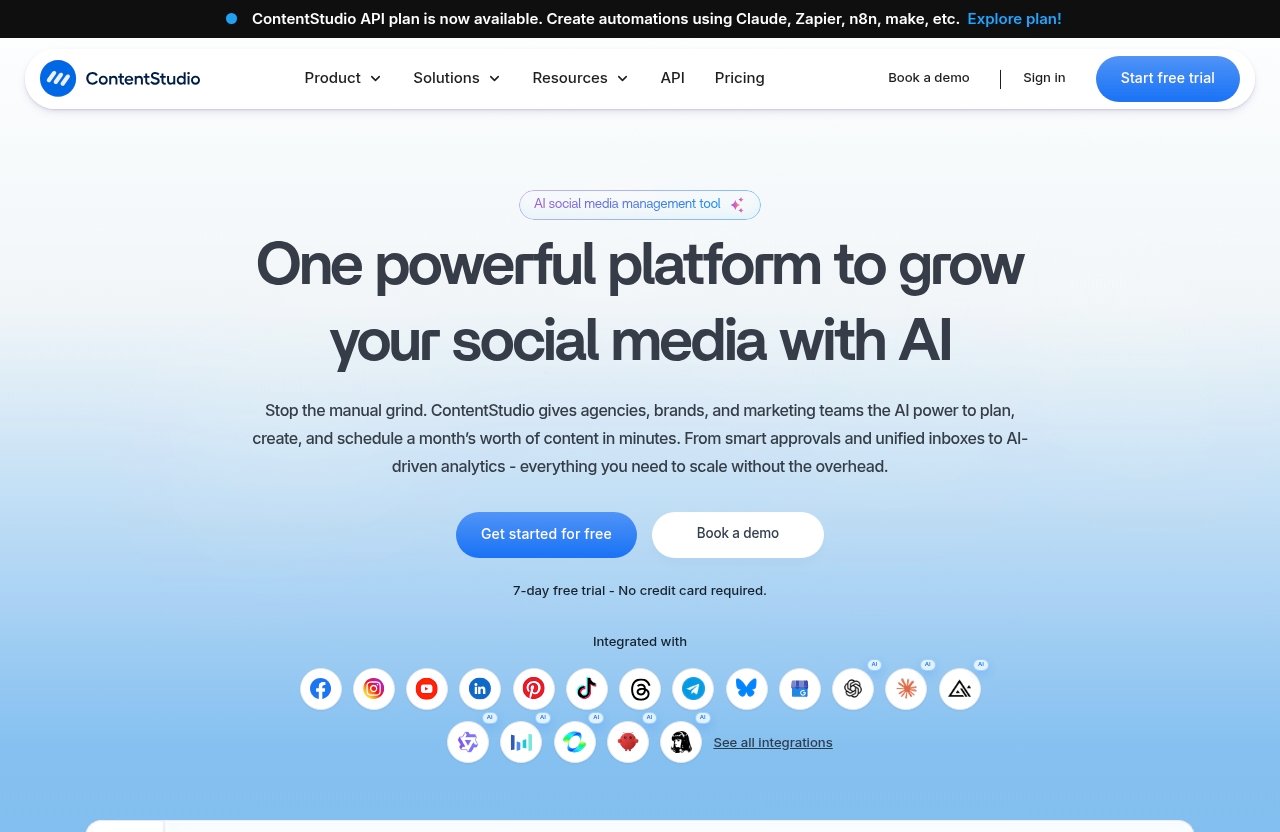
One of ContentStudio’s most important official updates is that the ContentStudio API plan is now available. The homepage also states users can create automations using Claude, Zapier, n8n, Make, and similar tools.
For buyers comparing ContentStudio vs Buffer, this is a meaningful automation advantage. API and automation support can connect social publishing with other parts of a marketing stack, such as content briefs, spreadsheets, AI writing flows, project management systems, or reporting workflows.
This is not just a technical detail. It means a team can design repeatable systems rather than manually rebuilding every campaign from scratch.
Approval workflows, client management, and workspaces
ContentStudio’s official top features also include workspaces, approval workflow, and client management. These are especially relevant for agencies, in-house teams, and affiliate content operations with multiple contributors.
Approval workflow helps reduce publishing mistakes. Client management supports teams working across multiple brands or accounts. Workspaces make it easier to separate projects, clients, or business units.
This is where ContentStudio pulls ahead for operational depth. If you need review steps, team ownership, brand separation, and repeatable publishing systems, ContentStudio is built around more than just placing posts on a calendar.
Official website · Latest pricing & offers
Analytics, collaboration, and team scaling
Competitor analytics and social media KPIs
ContentStudio’s official homepage confirms Analyze for measuring social media KPIs. Its official top features also include competitor analytics.
For commercial buyers, analytics should not be an afterthought. Repurposing only works if you can see what formats, angles, and channels perform well. Otherwise, you are simply producing more content without a feedback loop.
Competitor analytics can also help teams understand positioning and content opportunities. In a ContentStudio vs Buffer buying decision, this supports ContentStudio’s role as a broader social media management tool rather than only a publishing utility.
White-label, reseller, and enterprise-ready collaboration
ContentStudio’s official top features include white-label and white-label reseller options. These features are particularly relevant for agencies or service providers that want to present social media work under their own brand.
Not every buyer needs white-label functionality. But if you manage clients, report on performance, or package social media services, it can become part of the total value calculation.
ContentStudio also includes collaboration-oriented features such as workspaces, approval workflow, and client management. These are the features that help a team move from ad hoc posting to a more professional content operation.
Mobile app and cross-network publishing
ContentStudio lists a mobile app among its official top features, and its Publish product area covers planning and scheduling content. For teams that manage social media throughout the day, mobile access can help with review, monitoring, and publishing flexibility.
ContentStudio also includes Engage for social media customer care, Social Listening to follow conversations, and Discover for feeds. These product areas show that the platform extends beyond a simple calendar.
In the practical ContentStudio vs Buffer comparison, this matters because growing teams often want fewer disconnected tools. A platform that combines publishing, analysis, engagement, listening, discovery, and automation can reduce workflow fragmentation.
Pricing comparison: value for repurposing and automation
ContentStudio verified pricing plans
According to the official ContentStudio pricing page, plans start from $19 per month. The pricing page headline states: “Plans From $19 per Month.”
That is the only specific ContentStudio pricing claim used in this review because it is the verified fact provided from the official pricing page. For current plan limits, included accounts, users, or feature differences, buyers should check ContentStudio’s live pricing page before purchasing.
If you want to review the current offer directly, you can visit ContentStudio through our partner link. TopTrustReview may earn a commission if you buy through that link, but the recommendation here is based on workflow fit: AI repurposing, automation, collaboration, and scalable publishing.
How to think about total value vs per-channel pricing
A fair contentstudio vs buffer pricing comparison should look beyond the monthly sticker price. The more important question is how many separate tools you need to complete the same workflow.
If one tool handles AI captions, images, content library, clip creation, discovery feeds, scheduling, bulk scheduling, analytics, approval workflow, client management, and automation, it may replace several smaller tools. That can make the total value stronger even if a simpler scheduler appears cheaper at first.
On the other hand, if you only need to publish a few finished posts each week, paying for broader workflow depth may not be necessary. Value depends on how much of the platform you will actually use.
When Buffer may still be the cheaper/simple choice
Buffer may still be the better fit if your priority is simplicity and you do not need advanced repurposing, approval workflows, API automations, client management, or white-label options.
This article does not provide specific Buffer pricing because no official Buffer pricing page was supplied for verification. Buyers should check Buffer’s official site for current monthly pricing, plan limits, and feature details.
That caution is important. Pricing and plan packaging can change, so any serious ContentStudio vs Buffer purchase decision should verify the latest official pricing before checkout.
Real-world buying guidance: which tool should you choose?
Choose ContentStudio if you need AI repurposing and team workflows
Choose ContentStudio if your workflow starts before scheduling. That means you need help with ideas, captions, visuals, clips, reusable content assets, campaign planning, approvals, analytics, and automation.
ContentStudio is especially compelling for affiliate marketers, agencies, content teams, and social media managers who publish across multiple brands or campaigns. Its mix of AI Studio, Discover, Clip maker, AI video generator, automation, workspaces, and approval workflow supports a fuller content repurposing workflow.
In this ContentStudio vs Buffer comparison, ContentStudio is the stronger choice for buyers who want to build a repeatable publishing engine rather than only schedule finished posts.
Choose Buffer if your priority is basic scheduling simplicity
Choose Buffer if your content is already created elsewhere and your main need is simple scheduling. It can make sense for creators or small teams that want a straightforward way to keep posts moving.
A simpler tool can also reduce onboarding time. If you do not need AI social media scheduling, approval workflow, competitor analytics, content discovery, or automations, Buffer may feel easier to manage.
The key is to be honest about your near-future needs. If your content operation is likely to grow, the lighter option may eventually require additional tools.
Decision checklist before buying
Use this checklist to decide where you land:
| Question | If Yes, Lean Toward |
|---|---|
| Do you need AI-generated captions and images? | ContentStudio |
| Do you repurpose blogs, videos, or campaigns into many posts? | ContentStudio |
| Do you need bulk scheduling or smart scheduling? | ContentStudio |
| Do multiple people need approvals before publishing? | ContentStudio |
| Do you manage clients or separate brands? | ContentStudio |
| Do you only need simple scheduling for finished posts? | Buffer |
| Do you want the lowest-complexity workflow possible? | Buffer |
| Do you need automation via API, Zapier, n8n, Make, or Claude? | ContentStudio |
For buyers comparing ContentStudio vs Buffer, the cleanest rule is this: Buffer fits simpler publishing; ContentStudio fits repurposing, automation, and team-scale workflows.
How ContentStudio helps an affiliate buyer publish faster and repurpose more
Example workflow for turning one idea into multiple social posts
Imagine you publish an affiliate review article about a software tool. Instead of creating one social post manually, a repurposing workflow might look like this:
- Use Discover feeds to collect related industry angles and audience questions.
- Turn the review’s main points into caption variations with AI Studio.
- Create supporting visuals using AI-generated image capabilities.
- Use Clip maker or AI video generator when the source content includes video ideas.
- Store reusable messaging in the AI content library.
- Plan the campaign in the Calendar/Planner.
- Use smart scheduling and bulk scheduling to distribute posts.
- Send posts through an approval workflow if a team or client is involved.
- Measure social media KPIs and use competitor analytics for future angles.
This is why ContentStudio can be attractive for affiliate publishers. Affiliate content often needs repeated distribution, but the posts must still feel fresh, platform-specific, and timely.
Where the reader saves time across planning, creation, and publishing
The biggest time savings come from reducing handoffs. Without an integrated workflow, an affiliate team may use one tool for ideas, another for writing, another for images, another for clips, another for scheduling, and another for approvals.
ContentStudio brings many of those steps into one platform. That does not remove the need for human review, especially in affiliate content where accuracy and compliance matter. But it can shorten the distance between strategy and publishing.
If that workflow matches your needs, you can evaluate ContentStudio here and compare the current plans against your publishing volume. The best choice is the one that saves real production time, not just the one with the longest feature list.
Final verdict: best for AI repurposing in ContentStudio vs Buffer
Summary recommendation
The final ContentStudio vs Buffer verdict is straightforward: ContentStudio is the better fit for AI repurposing, automation, collaboration, and team scaling. Buffer remains a reasonable choice for simpler scheduling-first workflows.
ContentStudio’s advantage comes from the combination of verified official features: AI Studio, AI-generated captions and images, AI content library, AI video generator, Clip maker, Discover feeds, Calendar/Planner, smart scheduling, bulk scheduling, approval workflow, workspaces, client management, automation, API integrations, analytics, competitor analytics, white-label options, and mobile app access.
That combination supports a fuller social media operation. For teams turning one idea into many assets, ContentStudio is more aligned with how modern content marketing actually works.
Who should click through next
You should take a closer look at ContentStudio if you are an affiliate marketer, agency, creator team, or social media manager who needs to publish faster and repurpose more content across channels.
You may be better served by Buffer if you only want a simple scheduler and do not need deeper automation, approvals, AI creation, or content workflow tools.
For most repurposing-focused buyers, however, the ContentStudio vs Buffer comparison points to ContentStudio as the more complete platform for 2026.
Official website · Latest pricing & offers
FAQ
What app is better than Buffer for AI repurposing?
ContentStudio is a stronger fit than Buffer when the main need is AI repurposing rather than basic scheduling. Its official feature set includes AI-generated captions and images, AI content library, AI video generator, Clip maker, bulk scheduling, automation, workspaces, and approval workflow.
Buffer may still be suitable for simpler publishing, but ContentStudio is better aligned with repurposing-heavy social media workflows.
How much does Buffer cost per month?
This article does not state Buffer’s monthly pricing because no official Buffer pricing page was supplied for verification. Pricing, plan limits, and included features can change.
For an accurate contentstudio vs buffer pricing comparison, check Buffer’s official website and ContentStudio’s official pricing page before making a purchase.
Is Buffer better than Metricool?
Buffer is often preferred by users who want a simple, streamlined scheduling experience. Metricool is a different social media tool with its own positioning, but this article focuses specifically on ContentStudio vs Buffer for AI repurposing workflows.
If your priority is repurposing, automation, and team collaboration, ContentStudio is the more relevant comparison point here.
Is Buffer as good as Hootsuite?
Buffer and Hootsuite are usually discussed in different contexts: Buffer is commonly associated with simpler scheduling, while Hootsuite is often considered a broader social media management platform. Exact feature and pricing comparisons should be verified on each official site.
For this guide, the key point is narrower: in ContentStudio vs Buffer, ContentStudio is the stronger option when AI repurposing, automation, approvals, and scalable workflows matter.
Related Reading
- ContentStudio pricing breakdown
- Is ContentStudio worth it for creators?
- Repurposing workflow example for podcasters
References
- ContentStudio: Unified Social Media Management Tool
- ContentStudio Pricing | Plans From $19 per Month
- Buffer vs ContentStudio: Which social media management …
- Buffer vs ContentStudio for Social Media Management